
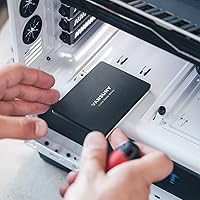
Overview

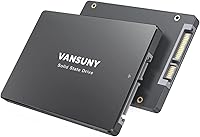
The Vansuny 2TB SATA III Internal SSD entered the market in early 2025 with a clear pitch: maximum storage capacity at a price point that won't require much deliberation. Vansuny isn't a household name in storage — that's worth acknowledging upfront. But brand recognition matters less when the numbers back up the value. Sitting at #62 in Internal SSDs with over 850 ratings earned in just a few months, this 2TB internal drive has gained real traction fast. In a segment where Samsung, Crucial, and Kingston dominate mindshare, a newcomer earning that kind of early momentum deserves a closer look, especially if your priority is price-per-gigabyte over prestige.

Features & Benefits

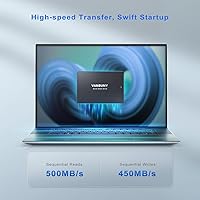
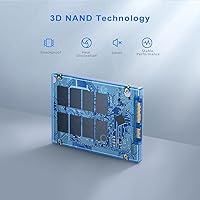
At its core, the appeal of this budget SATA SSD is straightforward: 500 MB/s read speeds over a SATA III connection represent a dramatic improvement over any spinning hard drive, where you are typically stuck under 150 MB/s. For everyday tasks — booting Windows, launching applications, moving large files — that difference is immediately felt. The drive uses 3D NAND flash, which packs more data into a smaller physical space while running cooler and consuming less power than older storage technologies. Weighing just 1.76 ounces in an ABS plastic shell, it fits the standard 2.5-inch bay found in most laptops and desktops without requiring adapters or special tools.

Best For

This 2TB internal drive makes the most sense for a specific kind of buyer. If you have an older laptop or desktop with a SATA slot but no M.2 connector, your upgrade path is limited — and this drive fits that slot perfectly. It is also a natural pick for budget-conscious PC builders who want two terabytes of working space without paying premium prices for NVMe speeds they may not actually need for most daily workloads. Students archiving projects, home office users managing large document libraries, and casual gamers who just need more room for their library will all find this a practical, low-friction storage solution.

User Feedback

With a 4.5-star average across more than 850 ratings, the Vansuny SSD has clearly landed well with most buyers. Common praise centers on easy installation and the noticeable speed improvement over older hard drives — many users report faster boot times and snappier application launches right out of the box. That said, some reviewers raise fair questions about long-term reliability, which is genuinely hard to assess for a drive that has only been available since early 2025. A handful of users have flagged occasional drive recognition issues, and skepticism about unverified NAND chip sourcing appears in a few comments. Worth keeping in mind, but not a dealbreaker given the value on offer.

Pros

  • Upgrading from an HDD produces an immediately noticeable improvement in boot times and application launches.
  • Two terabytes of storage is a generous amount of space at this price tier, covering most everyday and multimedia needs.
  • The 2.5-inch SATA form factor ensures compatibility with a wide range of older laptops and desktops.
  • 3D NAND flash runs cooler and more efficiently than older storage technologies, which benefits battery life on laptops.
  • Installation is straightforward — no drivers needed, and it works with major operating systems out of the box.
  • At 1.76 ounces, the drive adds virtually no weight to a laptop and fits standard bays without adapters.
  • Silent operation is a real quality-of-life improvement over HDDs, especially in quiet home or office environments.
  • Early buyer ratings are strong, with most users reporting the drive performs as advertised in real-world daily use.

Cons

  • Vansuny is a relatively unknown brand with no established long-term reliability track record to draw confidence from.
  • The drive launched in early 2025, meaning there is little real-world data on how it performs after years of heavy use.
  • NAND chip sourcing is unverified, and some buyers have raised reasonable questions about component quality consistency.
  • SATA III speeds, while adequate for general use, are significantly slower than NVMe drives for demanding workloads.
  • A small number of users have reported drive recognition issues, which can be frustrating and time-consuming to troubleshoot.
  • No published endurance rating or TBW specification makes it difficult to assess long-term write durability objectively.
  • Warranty terms and after-sales support from a lesser-known brand may be harder to navigate than with major manufacturers.
  • Not suitable for NAS systems or professional environments where sustained performance and documented reliability are non-negotiable.

Ratings

Our AI rating system analyzed hundreds of verified global buyer reviews for the Vansuny 2TB SATA III Internal SSD, actively filtering out incentivized, bot-generated, and spam submissions to reflect only genuine purchase experiences. The scores below capture what real users consistently praised and where frustrations surfaced — nothing is glossed over. Both the strong value proposition and the legitimate concerns around brand maturity and long-term reliability are transparently reflected in every category.

Value for Money
91%
Among all the feedback patterns, value is where this 2TB internal drive earns its strongest praise. Buyers regularly note that getting two terabytes of SSD storage at this price tier is genuinely difficult to match, and most feel they received more than expected for what they spent.
A small segment of buyers feel the value calculation shifts if the drive fails early, since replacement costs and data recovery efforts would quickly erode any savings. Those who prioritize brand assurance may find the lower price less compelling given the unknowns around long-term reliability.
Read/Write Performance
84%
Most users upgrading from a spinning hard drive report the performance difference as immediately obvious — faster Windows boot times, quicker application launches, and noticeably snappier file transfers are the most frequently cited improvements in day-to-day use.
A portion of more technically minded buyers note that real-world speeds occasionally fall short of the 500/450 MB/s peak figures, particularly during sustained large file operations. Compared to NVMe drives in the same price range, the SATA III ceiling is a hard limit that performance-focused users will feel.
Installation Ease
89%
Buyers across a wide range of technical skill levels consistently report that physical installation was straightforward. The standard 2.5-inch form factor means it drops into most laptops and desktops without adapters, and the drive is detected by the operating system immediately in the vast majority of cases.
A recurring minority of users report the drive not being recognized on first boot, requiring SATA cable reseating or BIOS adjustments — which is manageable for experienced users but genuinely stressful for first-timers. No cloning software is included, which leaves less technical users to figure out data migration independently.
Compatibility
88%
The 2.5-inch SATA form factor covers a remarkably broad range of hardware, and buyers installing this 2TB internal drive into older laptops, budget desktops, and mid-range PCs almost universally confirm it works without issue across Windows and Linux environments.
Compatibility is effectively zero for any system that has moved fully to M.2 NVMe storage, which covers most laptops and desktops built after 2018. Users who do not check their machine specifications first are occasionally disappointed to find no SATA bay is available.
Brand Trust
57%
43%
Despite being an unfamiliar name, Vansuny has accumulated over 850 ratings with a strong average in a short time, which gives cautious buyers some reassurance that the product is not a complete unknown. Positive early momentum does count for something in a market flooded with generic no-name options.
Buyers who have been burned by unbranded or pop-up storage brands in the past express clear hesitation, and that concern is not unreasonable. The absence of an established warranty track record, limited customer support history, and unverified NAND sourcing remain genuine reasons to pause before committing.
Build Quality
68%
32%
The ABS plastic shell feels solid enough for a budget drive, and the lightweight construction at just under 2 ounces means it sits firmly in a standard bay without rattling. The lack of moving parts inherently makes the drive more resistant to drops and vibration than any HDD equivalent.
The plastic casing does not inspire the same confidence as the metal shells found on drives from Samsung or Crucial, and a few users describe it as feeling inexpensive to the touch. For a drive that will live inside a machine permanently, this is largely cosmetic, but it does reinforce the perception that corners were cut somewhere.
Long-term Reliability
53%
47%
The early failure rate appears to be low based on available reviews, and buyers using the drive for everyday document storage, light gaming, and general productivity report no issues after several months of use. The 3D NAND technology does offer a meaningful improvement in theoretical endurance over older flash designs.
With the drive only on the market since early 2025, there is simply no data on how it performs after two or three years of continuous use, which is the period when NAND wear typically becomes a real concern. The absence of a published TBW endurance rating makes it impossible to objectively benchmark durability against competitors.
Noise & Heat
93%
Complete silence during operation is one area where this budget SATA SSD is indistinguishable from premium alternatives — solid-state storage generates no mechanical noise, and users in quiet environments specifically note the absence of any clicking or spinning sound that plagued their old hard drives.
While passive heat dissipation through the ABS casing is adequate for typical workloads, no active cooling means temperatures can climb during extended sequential write operations like large backups or video file transfers. This is generally not a problem in well-ventilated systems, but it is worth monitoring in cramped laptop enclosures.
Power Efficiency
82%
18%
Laptop users upgrading from HDDs frequently mention modest but real improvements in battery endurance during everyday tasks, which aligns with the fundamental advantage SSDs have in power draw. For students and mobile workers squeezing extra time out of a charge, this is a practical secondary benefit.
Vansuny does not publish specific power consumption figures, which makes direct comparisons with competing drives difficult to quantify. The efficiency gains are real but incremental — users expecting dramatic battery life improvements rather than subtle ones may find the difference underwhelming.
Software & Setup
72%
28%
The plug-and-play nature of SATA SSDs means most buyers have their system running on the new drive within an hour of opening the box, especially if they opt for a fresh OS install rather than cloning their existing setup. Compatibility with standard formatting tools on all major operating systems removes most friction.
No proprietary drive management software, health monitoring utility, or cloning tool is bundled with the Vansuny SSD, which is a gap that brands like Samsung and Crucial have addressed with their own free software suites. Buyers who want to monitor drive health or migrate data must source and configure third-party tools themselves.
Packaging & Accessories
64%
36%
The drive arrives adequately protected for standard shipping conditions, and the no-frills packaging keeps costs down in a way that is consistent with the budget positioning of the product. Most buyers care far more about the drive itself than the box it comes in.
Beyond a basic user manual, no accessories are included — no mounting screws, no SATA cable, no 3.5-inch adapter bracket, and no installation tool. Buyers retrofitting older desktops or specific laptop models may need to source hardware separately, which adds minor friction to the setup process.
Customer Support
58%
42%
A number of buyers who reached out after minor setup issues report receiving responses from Vansuny support within a reasonable timeframe, and the brand does appear to engage with negative reviews on the product listing, which is a positive sign of accountability for a newer manufacturer.
The depth and reliability of after-sales support from a brand with limited market history is genuinely unknown, and users dealing with a failed drive outside of an easy return window may find resolution more difficult than with an established brand. No dedicated support portal or live chat option appears to exist at this time.

Suitable for:

The Vansuny 2TB SATA III Internal SSD is built for a very practical kind of buyer: someone with an older machine that still has life in it, but has been dragged down by a sluggish spinning hard drive. If your laptop or desktop uses a standard 2.5-inch SATA bay — which describes the vast majority of computers made in the last decade — this drive slots right in without any fuss. It is a strong fit for students who need bulk storage for coursework, media files, and project archives without stretching their budget. Home office workers who run everyday applications like browsers, office suites, and cloud sync tools will notice a genuine improvement in system responsiveness. Budget-minded PC builders who want two terabytes of working space and do not need the blazing speeds that NVMe drives offer for more demanding workloads will also find the value proposition here very compelling. Basically, if your goal is to breathe new life into an aging system at a reasonable cost, this drive does exactly what it promises.

Not suitable for:

The Vansuny 2TB SATA III Internal SSD is not the right call for everyone, and it is worth being direct about where it falls short. If you are building a modern system with an M.2 slot and want the fastest possible storage for video production, game development, or data-intensive professional work, SATA III simply cannot compete with NVMe drives that deliver three to five times the throughput. Buyers who place strong emphasis on brand heritage, long warranty coverage, and documented reliability track records — the kind of assurance you get from established names like Samsung or Crucial — may find Vansuny's short history hard to overlook. Since this drive only launched in early 2025, there is no meaningful long-term data on how it holds up after two or three years of heavy use, which is a real gap for anyone storing irreplaceable data without a solid backup strategy. If you are equipping a business environment or a NAS setup that demands sustained write performance and proven endurance ratings, the unknowns around this drive's NAND sourcing and longevity make it a risky choice.

Specifications

  • Storage Capacity: This internal drive offers 2TB of usable storage space, suitable for operating systems, applications, games, and large media libraries.
  • Interface: It uses a SATA III (6Gb/s) interface, which is backward compatible with SATA II ports at reduced speeds.
  • Form Factor: The drive follows the standard 2.5-inch form factor, fitting the SATA bays found in most laptops, desktops, and PCs.
  • Read Speed: Maximum sequential read speed is rated at up to 500 MB/s under optimal conditions.
  • Write Speed: Maximum sequential write speed is rated at up to 450 MB/s under optimal conditions.
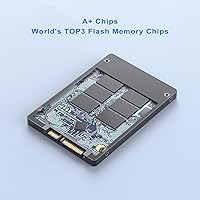
  • Flash Technology: The drive uses 3D NAND flash memory, which offers better data density and energy efficiency compared to older planar NAND designs.
  • Casing Material: The outer shell is made from ABS plastic, providing lightweight structural protection and passive heat dissipation.
  • Weight: The drive weighs 1.76 ounces, adding negligible mass to any laptop or desktop system.
  • Dimensions: Physical dimensions are 5.12 x 3.35 x 0.67 inches, conforming to the standard 2.5-inch drive specification.
  • Installation Type: This is an internal drive designed for permanent installation inside a compatible device, not for external plug-and-play use.
  • OS Compatibility: The drive is compatible with major operating systems including Windows, Linux, and other platforms that support standard SATA storage.
  • Device Compatibility: Confirmed compatible with desktops, laptops, and PCs that feature a 2.5-inch SATA bay.
  • Power Consumption: Power draw is lower than a traditional spinning hard drive, which can contribute to modest improvements in laptop battery endurance.
  • Noise Level: With no moving mechanical parts, the drive operates in complete silence under all workload conditions.
  • Shock Resistance: The absence of moving parts gives the drive inherent resistance to vibration and minor physical impacts compared to HDDs.
  • Availability Date: The Vansuny 2TB SATA III Internal SSD was first listed for sale in February 2025.

Related Reviews
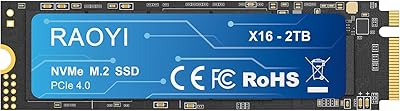
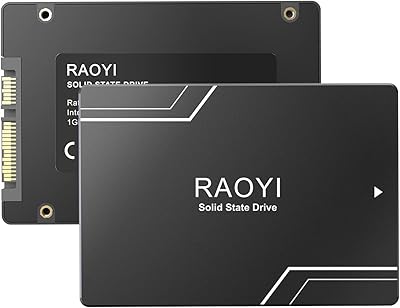
RAOYI 2TB Internal SSD SATA III
88%
88%
Performance
91%
Read Speed
84%
Write Speed
86%
Durability & Build Quality
89%
Heat Dissipation
More
RAOYI 1TB 2.5″ SATA III Internal SSD
73%
88%
Value for Money
76%
Read/Write Performance
92%
Installation Ease
89%
Compatibility
61%
Brand Reliability
More
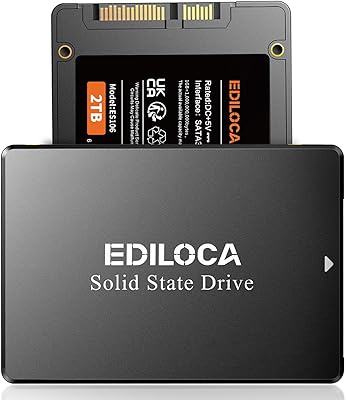
Ediloca ES106 2TB Internal SSD
77%
83%
Read/Write Performance
88%
Value for Money
79%
Installation Experience
76%
Build & Durability
67%
Long-Term Reliability
More
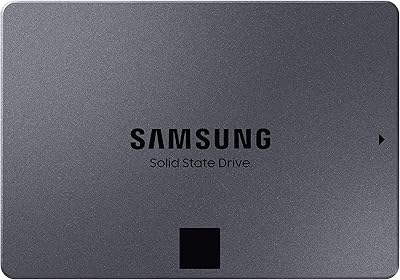
Samsung 870 QVO 2TB SATA III SSD
87%
91%
Value for Money
87%
Performance in Gaming
90%
Reliability & Durability
89%
Speed (Read/Write)
94%
Ease of Setup
More
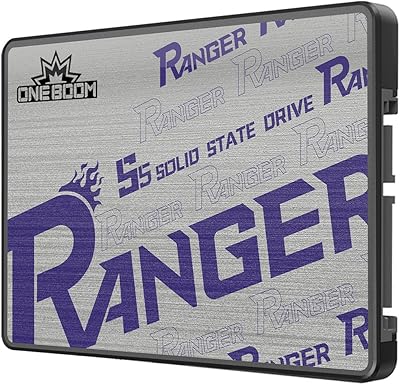
KingSpec OneBoom 2TB Internal SSD
80%
91%
Value for Money
74%
Read & Write Performance
93%
Installation Ease
78%
Build & Physical Quality
67%
Reliability & Durability
More
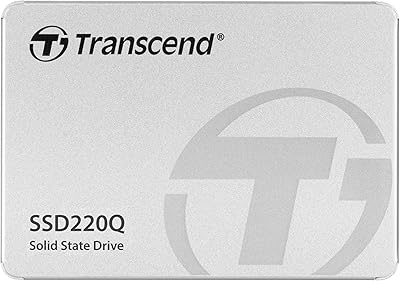
Transcend SSD220Q 2TB SATA III 6Gb/s SSD
85%
88%
Performance
90%
Reliability
85%
Speed (Read/Write)
82%
Energy Efficiency (DevSleep)
92%
Value for Money
More
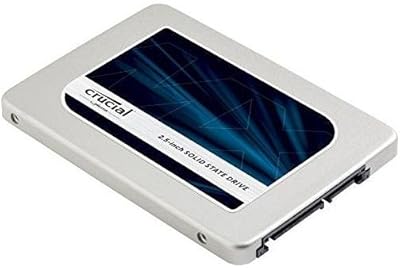
Crucial MX300 2TB SATA 2.5 Inch Internal SSD
86%
92%
Performance
89%
Value for Money
88%
Durability
91%
Ease of Installation
94%
Read Speed
More
HGST Deskstar 2TB 7200RPM SATA III Internal Hard Drive
86%
88%
Performance
92%
Value for Money
85%
Reliability
65%
Noise Level
89%
Build Quality
More
Verbatim 256GB Vi550 SATA III 2.5″ Internal SSD
86%
92%
Performance
88%
Value for Money
85%
Build Quality
90%
Ease of Installation
87%
Durability
More
LinkMore XG550 1TB 2.5″ SATA III Internal SSD
84%
89%
Performance
92%
Value for Money
86%
Read Speed
85%
Write Speed
94%
Ease of Installation
More

FAQ

In most cases, yes. If your laptop uses a 2.5-inch SATA hard drive, this SSD will fit directly in the same slot. Just confirm your machine has a SATA bay before purchasing — ultrabooks and many newer thin laptops have moved to M.2 slots only, which this drive does not support.

No special drivers or software are required. Once physically installed, your system should detect the drive automatically. If you are doing a fresh OS install, just boot from your installation media as usual. For cloning an existing drive, you would need third-party cloning software, which is not included.

Noticeably faster, especially for everyday tasks. Boot times typically drop from over a minute to under 20 seconds, and applications open much more quickly. The difference is most dramatic if you are coming from a spinning HDD that is several years old.

Yes, you can place it in a compatible 2.5-inch SATA USB enclosure and use it as a portable external drive. Just make sure the enclosure supports SATA III for full speed. That said, the drive is designed and sold as an internal storage solution.

Like all storage devices, a small portion of the advertised capacity is used by the file system and drive firmware. You will typically see around 1.81TB to 1.85TB of usable space after formatting, depending on the operating system and partition style.

It is one of the more beginner-friendly hardware upgrades you can do. On most laptops, it involves removing a back panel, unscrewing the old drive, swapping it out, and securing the new one. Plenty of model-specific tutorials exist on YouTube. Just make sure to back up your data before starting.

It will physically fit in any Mac that uses a 2.5-inch SATA drive, such as older MacBook Pros and Mac Minis from around 2009 to 2015. macOS can format and use it without issues. Newer Macs use proprietary or M.2 NVMe storage, so compatibility depends entirely on your specific model.

If your system has an available M.2 slot, an NVMe drive will typically offer three to five times faster sequential speeds. For gaming, video editing, and large file transfers that difference can matter. But if your machine only has a SATA bay, this budget SATA SSD is your practical option — and it is still dramatically faster than any hard drive.

Vansuny does offer a warranty, though buyers should verify the current terms directly on the product listing since support policies for newer brands can vary. As with any drive from a lesser-known manufacturer, it is wise to keep backups of important data regardless of warranty coverage.

It appears to be an occasional issue rather than a widespread one — the majority of buyers report no problems. That said, if your drive is not detected after installation, the first steps are to check that the SATA cable is firmly seated, try a different SATA port if available, and verify the drive shows up in your BIOS or UEFI settings before assuming it is faulty.