Overview

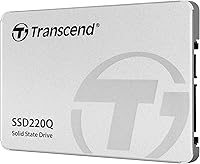
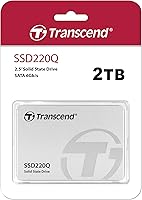
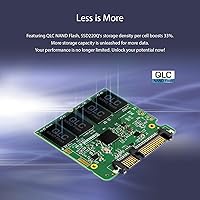
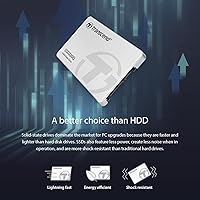
The Transcend SSD220Q 2TB Internal SATA SSD is a no-frills, high-capacity storage drive from a Taiwanese manufacturer with a long track record in consumer and industrial memory products. Sitting in the budget tier, it earns its place by offering a generous 2TB in a standard 2.5-inch form factor — the kind of drive you slot into an aging laptop or desktop to retire that rattling hard disk. It uses QLC NAND flash, which is worth understanding before you buy: QLC stores four bits per cell, enabling lower costs per gigabyte but with real trade-offs in write endurance and sustained performance under load. For the right use case, that trade-off is entirely acceptable.

Features & Benefits

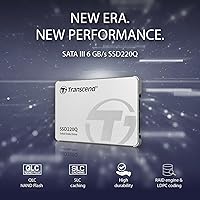
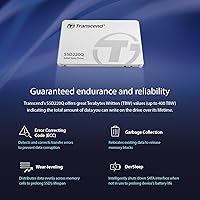
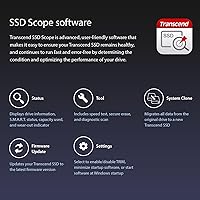
On paper, the SSD220Q hits the SATA ceiling comfortably — 550 MB/s sequential read and 500 MB/s sequential write are about as fast as this interface allows. What stands out at this price point is the inclusion of LDPC error-correction paired with a hardware RAID engine, a combination that actively guards data integrity. There is an SLC write cache layer that helps with burst transfers, but Transcend has not published the exact cache size, so expect performance to taper on very large continuous writes once that cache fills. DevSleep support is a thoughtful addition for laptop users watching battery drain, and the SSD Scope software handles health monitoring, firmware updates, and secure erase without much fuss.

Best For

This high-capacity budget SSD is well-matched to buyers who want a large storage upgrade without overspending, particularly for workloads that lean on reading rather than writing. Replacing a spinning hard drive in a desktop or laptop is where this drive consistently delivers — boot times drop noticeably and everyday file access feels much snappier. It also works well as a secondary storage drive for home media libraries, finished project archives, or large software installations. What it is not suited for is anything demanding prolonged heavy writes — think video editing scratch disks or active database storage. Budget builders, students, and home office users will find it a practical, reliable pick within its intended lane.

User Feedback

With a 4.5-star average from over 500 verified buyers, the SSD220Q earns broadly positive marks, and the feedback pattern is fairly consistent. Most satisfied users highlight how straightforward installation was and how dramatic the speed improvement felt compared to a traditional hard drive. The criticism worth noting concerns sustained write slowdowns when moving very large file batches — a predictable consequence of QLC NAND once the SLC cache is exhausted, and something Transcend does not prominently disclose upfront. A handful of buyers mention the SSD Scope utility as functional, if basic. One clear pattern: buyers using this Transcend 2TB SATA drive as a secondary or archive disk tend to rate it higher than those who made it their sole system drive.

Pros

  • 2TB of storage at a budget price point is genuinely hard to beat in the SATA SSD category.
  • Replacing a mechanical hard drive with the SSD220Q delivers a dramatic, immediately felt speed improvement.
  • LDPC error-correction and an onboard RAID engine offer data integrity protection unusual at this price.
  • DevSleep power support helps preserve battery life in laptop installations.
  • The slim 2.5-inch profile fits virtually any desktop or laptop with a standard SATA bay.
  • TRIM, NCQ, and S.M.A.R.T. support keep the drive optimized and monitorable over its lifespan.
  • Transcend SSD Scope provides useful tools for health checks, firmware updates, and secure erase.
  • Over 500 real-world ratings with a 4.5-star average reflects a consistent track record since 2020.
  • Lightweight at under two ounces, making it easy to handle and install in tight chassis.

Cons

  • QLC NAND has lower write endurance than TLC alternatives — a real concern for write-heavy workloads.
  • Transcend does not disclose the SLC cache size, making it hard to predict exactly when write speeds will taper.
  • Sustained large-file transfers can slow down significantly once the write cache is exhausted.
  • SATA III tops out around 550 MB/s — this high-capacity budget SSD cannot compete with any NVMe drive.
  • No official published TBW (terabytes written) endurance rating makes long-term reliability harder to assess.
  • The SSD Scope software, while functional, is considered basic compared to tools offered by larger brands.
  • Not ideal as a sole system drive for demanding users who expect consistent performance under mixed workloads.
  • No included mounting bracket or adapter for desktops that lack a dedicated 2.5-inch bay.

Ratings

The scores below reflect an AI-driven analysis of verified global buyer reviews for the Transcend SSD220Q 2TB Internal SATA SSD, with spam, bot activity, and incentivized feedback actively filtered out before scoring. Each category is weighted against real-world usage patterns reported by owners, not manufacturer claims. Both the standout strengths and the honest pain points are reflected here so you can make a genuinely informed decision.

Value for Money
91%
Among budget-tier 2TB SATA SSDs, the SSD220Q consistently earns praise for delivering a lot of storage at a price that does not require justification. Buyers upgrading from spinning hard drives routinely describe the purchase as one of the better investments they have made for an aging machine.
A small segment of buyers who later discovered TLC alternatives at comparable prices felt the QLC trade-offs were not made obvious enough at point of sale. The value proposition weakens if you need the drive for heavy write workloads, where spending a little more on TLC NAND makes more sense.
Read Performance
83%
Day-to-day read speeds feel snappy and consistent for the majority of users. Loading large media libraries, booting the OS, and launching applications all perform well within what SATA III allows, and most buyers report speeds that align closely with the rated 550 MB/s ceiling.
Users coming from NVMe drives find the SATA read speeds noticeably slower for large file transfers, though this is an interface limitation rather than a drive defect. Benchmark enthusiasts occasionally report reads slightly below the rated ceiling, though the gap rarely affects real-world experience.
Write Performance
67%
33%
For typical burst writes — saving documents, downloading files, installing applications — the SLC cache keeps things feeling responsive and well within acceptable speeds. Users who primarily store and retrieve media files rarely notice any slowdown during normal use.
Once the SLC cache is exhausted during large continuous writes, native QLC speeds can drop significantly, which frustrates users copying multi-hundred-gigabyte archives in a single session. Transcend does not disclose the exact cache size, making it difficult to predict exactly when this slowdown kicks in for any given workload.
Write Endurance
58%
42%
For home users who write moderate amounts of data daily, real-world endurance reports over several years of use have been largely positive, with no unusual failure rates surfacing in community discussions. The LDPC error-correction provides a meaningful safety net that helps extend usable lifespan.
The absence of a published TBW rating is a genuine transparency issue that makes direct endurance comparisons with competing drives impossible. QLC NAND inherently stores more data per cell at the cost of fewer safe write cycles, which is a legitimate concern for anyone running this as a high-utilization primary drive.
Installation Ease
93%
Buyers across skill levels — from first-time upgraders to seasoned builders — consistently highlight how straightforward the physical installation is. The standard 2.5-inch form factor and familiar SATA connector mean the drive drops into place without any compatibility surprises in the vast majority of cases.
No mounting bracket is included, which catches some desktop users off guard when their case lacks a dedicated 2.5-inch bay. A small number of laptop users also note that their specific models required minor disassembly steps that added time beyond the drive swap itself.
Build Quality
78%
22%
The drive feels solid for its weight class, with a rigid casing that holds up well during handling and installation. At just under two ounces, it is light without feeling flimsy, and buyers report no flex or rattling once seated in the bay.
The enclosure is plastic rather than metal, which some buyers perceive as less premium compared to drives from Samsung or Western Digital in the same price tier. There is no visible thermal pad or heat-spreading element, which is a minor concern for systems with limited airflow around the drive bay.
Compatibility
88%
The SSD220Q works reliably across a wide range of Windows, macOS, and Linux systems, and at 0.27 inches thick, it fits both standard and slim 7mm laptop bays without issue. Buyers report successful installs in everything from older ThinkPads to budget gaming desktops.
Users with ultra-thin laptops or modern MacBooks that have eliminated SATA bays entirely obviously cannot use this drive, and some buyers overlook this before purchasing. A handful of reports mention needing a firmware update via SSD Scope to resolve minor compatibility quirks with older motherboards.
Data Reliability
81%
19%
The combination of LDPC error-correction and the onboard RAID engine is a meaningful differentiator at this price, actively working to catch and correct bit errors before they become data loss events. Buyers who have owned the drive for two or more years report stable S.M.A.R.T. readings with no alarming health degradation.
QLC NAND's higher bit error rates compared to TLC mean the error-correction hardware is doing more work over time, which is something long-term owners should monitor via SSD Scope. There are occasional isolated reports of unexpected drive failures, though these appear to fall within normal statistical ranges for the category.
Software & Tools
69%
31%
SSD Scope covers the practical basics — health status, temperature monitoring, firmware updates, and secure erase — without requiring a paid subscription or forced account creation. For most home users, it provides just enough visibility into drive health to catch problems before they escalate.
The interface feels dated compared to Samsung Magician or WD Dashboard, and some users report the software feels like an afterthought rather than a polished companion utility. A few buyers note the download link is buried on Transcend's website, making initial setup less intuitive than it should be.
Power Efficiency
84%
DevSleep support is a practically useful feature for laptop users, and buyers who installed this Transcend 2TB SATA drive in older notebooks report minimal impact on battery life during light workloads. Idle power draw is low enough that it does not stand out as a battery drain concern.
Active write power consumption is higher than some competing slim drives, which is occasionally noticeable on older laptop batteries already running at reduced capacity. This is a minor complaint overall, but worth flagging for users with degraded battery cells who are sensitive to any additional draw.
Noise & Vibration
96%
As a solid-state drive, the SSD220Q produces absolutely no mechanical noise or vibration, which is one of the most immediately appreciated changes for buyers migrating from a spinning hard drive. Users in quiet office or bedroom setups consistently mention this as a quality-of-life improvement.
There is genuinely little to criticize here — the only tangential complaint is that some buyers expected a thermal noise difference from their system fans after the install, which is unrelated to the drive itself.
Capacity Accuracy
87%
Formatted usable capacity lands around 1.86TB as reported by Windows, which is standard for how drive manufacturers calculate gigabytes versus the binary gibibytes the OS reports. Most buyers who understand this convention are satisfied with the actual available space.
A small but vocal group of buyers feel misled by the 2TB label when their OS shows less, which reflects a persistent industry-wide labeling confusion rather than anything specific to this drive. A brief note in the product listing explaining formatted capacity would prevent most of this frustration.
Thermal Management
72%
28%
Under typical light-to-moderate workloads, the drive stays at comfortable operating temperatures and S.M.A.R.T. temperature logs from real users rarely show readings that approach the thermal throttle threshold. For everyday desktop and laptop use, heat is simply not an issue.
During extended sustained writes — exactly the kind of workload QLC NAND already struggles with — temperatures can climb more than expected in systems with poor airflow around the drive bay. There is no thermal pad included, and the plastic housing dissipates heat less effectively than a metal-clad alternative.
Brand Reputation
79%
21%
Transcend has been manufacturing storage products since the late 1980s and carries a respectable reputation in the memory and flash storage space, particularly among users in Asia and Europe. Buyers familiar with the brand express confidence in its warranty support and firmware maintenance track record.
Transcend lacks the brand recognition of Samsung or WD among mainstream Western consumers, which causes some hesitation at the point of purchase. Customer support response times have drawn occasional criticism in international markets, with a few users reporting slower resolution for warranty claims than they expected.

Suitable for:

The Transcend SSD220Q 2TB Internal SATA SSD is a strong fit for anyone who needs a lot of storage without spending a lot of money, particularly when the workload skews toward reading rather than heavy continuous writing. It is ideal for people upgrading an older desktop or laptop that still runs on a spinning hard drive — the jump in responsiveness is dramatic and immediately noticeable for everyday computing tasks. Home media enthusiasts who store large video libraries, photo archives, or finished creative projects will find the 2TB capacity genuinely useful without paying premium-tier prices. Budget-conscious PC builders who want a single large drive covering both OS and storage duties will also get solid value here, as long as they understand what QLC NAND does and does not deliver. Students, home office workers, and light users whose days involve web browsing, document editing, and occasional large file transfers are squarely in this drive's comfort zone.

Not suitable for:

The Transcend SSD220Q 2TB Internal SATA SSD is not the right tool for anyone who needs consistent high-speed write performance over extended periods. Video editors working directly from a scratch disk, database administrators, or anyone running write-intensive server workloads should look elsewhere — QLC NAND has lower write endurance than TLC or MLC alternatives, and once the undisclosed SLC cache fills up, sustained write speeds can drop noticeably. Power users who have already moved to NVMe-based systems will find SATA III a bottleneck, regardless of the drive's other merits. Buyers expecting a no-compromise primary system drive for a high-performance workstation should consider stepping up to a TLC-based option like the Samsung 870 EVO, which offers better endurance ratings at a moderate price premium. If long-term heavy use or mission-critical data storage is the goal, this drive's QLC architecture and unconfirmed write endurance specifications introduce more uncertainty than most serious users should accept.

Specifications

  • Capacity: The drive offers 2TB (2000 GB) of formatted storage space for files, applications, and media.
  • Interface: It connects via SATA III at 6Gb/s, compatible with all SATA II and SATA I ports at reduced speeds.
  • Form Factor: The standard 2.5-inch form factor fits most laptops and desktops with a SATA drive bay.
  • Sequential Read: Rated sequential read speed reaches up to 550 MB/s under optimal conditions.
  • Sequential Write: Rated sequential write speed reaches up to 500 MB/s, primarily sustained within the SLC cache window.
  • NAND Type: The drive uses QLC (Quad-Level Cell) NAND flash, which enables high capacity at lower cost with trade-offs in write endurance.
  • Error Correction: LDPC (Low-Density Parity Check) coding works alongside an onboard RAID engine to detect and correct data errors.
  • Write Cache: An SLC caching layer accelerates burst write operations, though Transcend does not publicly disclose the exact cache pool size.
  • Power Mode: DevSleep ultra-low power state support reduces idle power consumption, benefiting laptop and portable system installations.
  • Supported Commands: The drive supports TRIM, NCQ, and S.M.A.R.T. commands for OS-level optimization and ongoing health monitoring.
  • Management Software: Transcend SSD Scope is a free downloadable utility that provides health diagnostics, firmware updates, and secure erase functionality.
  • Dimensions: Physical dimensions measure 3.94 x 2.75 x 0.27 inches, keeping the drive thin enough for slim laptop bays.
  • Weight: The drive weighs 1.59 ounces, making it among the lighter options in the 2.5-inch internal SSD category.
  • Installation Type: Designed for internal installation only; no enclosure or external connectivity is included or supported out of the box.
  • Brand Origin: Transcend is a Taiwanese company with over three decades of experience producing consumer and industrial memory and storage products.
  • Compatibility: Compatible with Windows, macOS, and Linux systems that feature a standard SATA interface; also works in desktop 3.5-inch bays with an adapter bracket.

Related Reviews
RAOYI 2TB PCIe Gen4 M.2 NVMe SSD
77%
91%
Value for Money
84%
Read Speed Performance
73%
Write Speed Performance
93%
PS5 Compatibility
88%
Ease of Installation
More
Crucial MX300 2TB Internal SSD
79%
78%
Read & Write Speed
91%
Storage Capacity
88%
Reliability & Longevity
63%
Value for Money
86%
Installation & Setup
More
SanDisk SSD Plus 2TB Internal SSD
82%
88%
Read Speed Performance
74%
Write Speed Performance
94%
Installation & Compatibility
91%
Value for Money
86%
Long-Term Durability & Reliability
More
Transcend ESD310 2TB External SSD
88%
94%
Performance (Read/Write Speed)
90%
Portability & Size
88%
Compatibility with Devices
87%
Durability & Build Quality
91%
Ease of Use & Setup
More
Transcend 1TB SATA III SSD
83%
92%
Value for Money
88%
Performance (Speed)
78%
Ease of Installation
90%
Reliability/Durability
85%
Compatibility
More
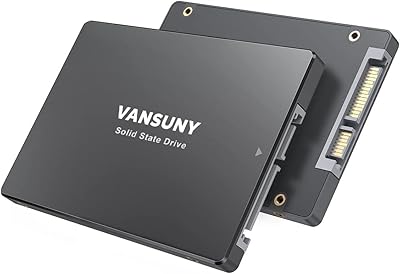
Vansuny 2TB SATA III Internal SSD
75%
91%
Value for Money
84%
Read/Write Performance
89%
Installation Ease
88%
Compatibility
57%
Brand Trust
More
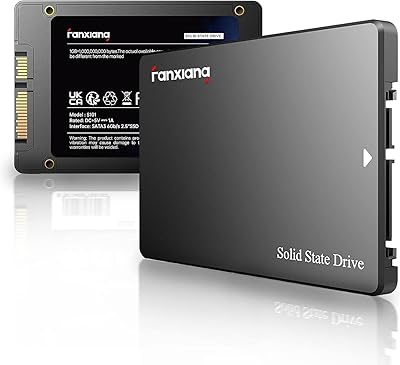
fanxiang S101 2TB 2.5″ Internal SSD
76%
88%
Value for Money
91%
Boot Time Improvement
58%
Sustained Write Speed
92%
Installation Ease
62%
Brand Reliability
More
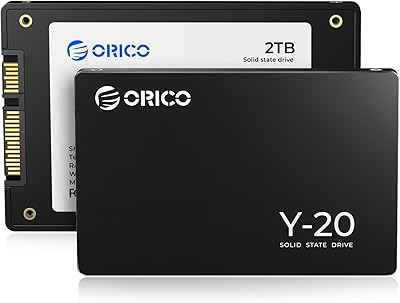
ORICO Y20 2TB SATA SSD
75%
91%
Value for Money
78%
Read & Write Speed
74%
Installation Ease
76%
Build Quality
63%
Long-Term Reliability
More
Transcend ESD380C 2TB Portable SSD
80%
83%
Transfer Speed
91%
Build Quality
88%
Portability
79%
Compatibility
61%
Thermal Management
More
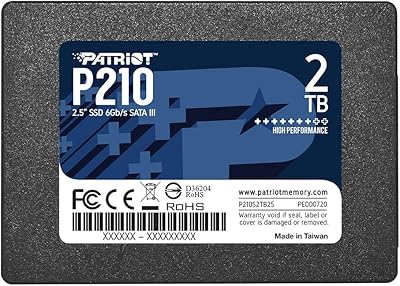
Patriot P210 2TB Internal SATA SSD
80%
93%
Value for Money
76%
Read & Write Speed
91%
Installation Ease
78%
Compatibility
67%
Long-term Reliability
More

FAQ

For light to moderate use — web browsing, office applications, streaming, and general file access — the Transcend SSD220Q 2TB Internal SATA SSD handles primary drive duties just fine. Boot times and application launches will be dramatically faster than any spinning hard drive. That said, if you frequently move very large files or run write-intensive software, you may occasionally notice speed slowdowns once the SLC cache fills up.

QLC means each memory cell stores four bits of data instead of the two or three bits found in MLC or TLC drives. The practical upside is lower cost per gigabyte, which is why you can get 2TB at this price. The downside is that QLC has lower write endurance and slower sustained write speeds than TLC when the cache runs out. For mostly read-heavy workloads like media storage or a general-purpose desktop drive, it is a reasonable trade-off.

It should fit in any laptop that has a 2.5-inch SATA drive bay, which covers a wide range of machines made in the past decade. Ultra-thin laptops and most modern MacBooks have moved away from SATA bays entirely, so check your laptop's specs before purchasing. The SSD220Q is only 0.27 inches thick, so it works in both standard and slim 7mm drive bays.

The Samsung 870 EVO uses TLC NAND, which gives it better sustained write performance and higher rated write endurance than the SSD220Q. If you do heavy writing regularly, the 870 EVO is the stronger long-term choice. The SSD220Q tends to cost less per gigabyte, making it more attractive for buyers who prioritize storage capacity over peak endurance. For casual or read-dominant usage, the real-world difference is minor.

Yes, but you will need a 2.5-inch to 3.5-inch mounting bracket or adapter, which is sold separately and costs very little. The drive itself does not include one. Most full-tower and mid-tower PC cases also have dedicated 2.5-inch mounting points, so check your case first.

It is functional rather than flashy. SSD Scope lets you check the drive's health status, monitor temperature, update firmware, and perform a secure erase before selling or disposing of the drive. It is not as polished as Samsung Magician, but it covers the essentials and does not require a paid subscription. Most users will only need it occasionally.

Transcend typically covers the SSD220Q series with a three-year limited warranty. It is worth registering your drive through Transcend's website after purchase to make any future warranty claims smoother. As with most budget storage products, keep a backup of important data regardless of warranty coverage.

Transcend does not publish an official TBW (terabytes written) endurance rating for the SSD220Q, which is a transparency gap worth noting. Based on comparable QLC 2TB drives from other brands, realistic endurance typically falls in the 200 to 400 TBW range. For a typical home user writing tens of gigabytes per day, that still translates to several years of normal use.

Yes, the process is straightforward with free cloning tools like Macrium Reflect or the manufacturer's own SSD Scope utility, which includes a disk copy function. You will need a SATA-to-USB adapter if you are cloning from inside a laptop without a second drive bay. Most users with basic technical comfort can complete the migration in under an hour.

This is actually one of the best use cases for the SSD220Q. Archiving finished media means the drive is mostly reading files back rather than writing new ones, which plays to QLC NAND's strengths and avoids its endurance limitations. Two terabytes gives you room for tens of thousands of RAW photos or hundreds of hours of compressed video, all accessible much faster than a traditional external hard drive.

Where to Buy