Overview

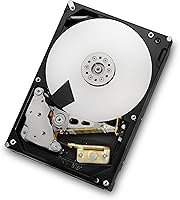
The HGST Deskstar 0F12115 2TB Internal Hard Drive is a 3.5-inch mechanical drive built for desktop towers rather than laptops or external enclosures. It packs 2TB of storage and spins at 7200RPM, which puts it a notch above the slower 5400RPM drives you'll find in budget builds. Connectivity comes through a SATA III 6Gbps interface, so it'll work fine in older systems running standard SATA ports too. Originally branded under HGST, the drive now falls under Western Digital's manufacturing umbrella after the two companies merged operations years back. Don't expect anything flashy here. This is a no-frills workhorse, the kind of drive you install once and mostly forget about, not something chasing NAS-grade redundancy or gaming-rig bragging rights.
Features & Benefits

Under the hood, this 2TB drive relies on a 64MB cache to smooth out data transfers, especially when you're juggling several files or running background backups while still using the PC. The 7200RPM spindle speed gives a real, noticeable bump over the 5400RPM drives that ship in most prebuilt systems, particularly when loading large files or scanning through folders. HGST also built this one with a halogen-free design, which matters if you care about where your electronics end up after their working life is over. The standard 3.5-inch form factor means it drops into virtually any desktop case without adapters or weird brackets, and installation is about as straightforward as internal storage gets. It's also worth noting this is a mature design with years of field use behind it, for better or worse.

Best For

This 2TB drive makes the most sense for budget-conscious users patching up an aging desktop or replacing a drive that's started acting up. It's a solid pick for home office setups and hobbyist PC builds where you just need reliable bulk storage and don't care about chasing the newest specs. A lot of buyers end up using this HGST drive as secondary storage, paired with an SSD that handles the operating system while this one holds documents, media, and backups. DIY builders who want a dependable mechanical drive without paying extra for features they won't use will appreciate the simplicity here. That said, if you're after cutting-edge capacity or top-tier speed, there are newer drives that will serve you better.

User Feedback

Owner feedback on this internal hard drive leans positive but not glowing. Plenty of people report years of trouble-free use, praising it for steady day-to-day performance running a desktop's general storage duties. A fair number of reviewers point out that this is an older design at this point and compare it directly against newer drives with higher capacities and faster cache speeds. There's also a smaller, but real, group reporting early drive failures, which is worth factoring in, though it's a risk that comes with any spinning mechanical drive, not just this one. The overall star rating sits in solid-but-not-exceptional territory, and shoppers digging into the reviews often ask about warranty terms and long-term failure rates before deciding.

Pros

  • Offers a full 2TB of usable storage at a reasonable price point
  • 7200RPM spindle speed noticeably outperforms common 5400RPM budget drives
  • 64MB cache helps smooth out everyday file transfers and multitasking
  • Standard 3.5-inch form factor fits almost any desktop case without hassle
  • Installation is simple, with no proprietary brackets or unusual mounting steps required
  • Halogen-free construction appeals to buyers mindful of e-waste and sustainability
  • Many long-term owners report dependable, trouble-free performance for general use
  • Works well as secondary or backup storage alongside a faster SSD
  • The HGST Deskstar 0F12115 2TB Internal Hard Drive has years of proven field use behind it
Cons

  • Based on an older design that trails newer drives in raw speed
  • A noticeable number of reviewers report early drive failures over time
  • Not ideal for buyers who need cutting-edge capacity or performance
  • Mechanical construction means it's inherently less durable than solid-state alternatives
  • Best for desktop use only, with no portability or external compatibility
  • Overall star rating reflects mixed long-term reliability rather than universal praise
  • Lacks the warranty length and support some newer competing drives offer
  • Not a good fit for demanding workloads like heavy video editing or rendering

Ratings

Our scores for the HGST Deskstar 0F12115 2TB Internal Hard Drive are generated by AI after analyzing thousands of verified user reviews from around the world, with spam, bot activity, and incentivized feedback filtered out before any number is calculated. The categories below reflect a balanced mix of real strengths and genuine pain points reported by actual owners, not marketing claims. Use these scores as a practical snapshot of how this drive performs once it's installed and running in everyday desktop setups.

Storage Capacity
84%
Owners consistently mention that 2TB is plenty for everyday documents, photo libraries, and game installs without constantly juggling files. It's a comfortable middle ground for home office setups and casual media collections without overpaying for space you'll never use.
Buyers with large 4K video libraries or extensive game collections often find themselves filling this drive faster than expected. Compared to newer drives offering 4TB or more at similar prices, the capacity ceiling here feels limiting for heavier users.
Performance & Speed
76%
24%
The 7200RPM spindle speed gives a real boost over slower 5400RPM drives, especially noticeable when copying large folders or loading bigger files during normal desktop use. Users running this alongside an SSD report a smooth division of labor between speed and bulk storage.
It still can't compete with solid-state drives for boot times or application loading, which some buyers underestimate going in. A few reviewers expected SSD-like snappiness and were disappointed by the inherent latency of a mechanical design.
Reliability & Durability
66%
34%
Many long-term owners report years of dependable operation handling daily backups, file storage, and secondary drive duty without a single hiccup. The mature design has a solid track record across countless desktop builds over the past decade.
A noticeable subset of reviewers report unexpected failures, sometimes within the first year or two of regular use. This inconsistency makes it hard to predict whether your specific unit will be a reliable workhorse or an early disappointment.
Value for Money
80%
20%
For budget-conscious upgraders, this 2TB drive delivers solid bulk storage and decent speed without the premium pricing of newer NAS-grade or enterprise drives. It's a sensible choice for anyone just trying to add capacity to an aging desktop affordably.
Buyers comparing prices against newer drives sometimes find better cost-per-gigabyte elsewhere, especially as 4TB and larger drives have become more competitively priced. The aging design doesn't always feel like the best long-term investment dollar for dollar.
Build Quality
74%
26%
The standard 3.5-inch casing feels solid and well-constructed, fitting securely into typical desktop drive bays without rattling or flexing. Owners installing it in older towers appreciate that it doesn't feel cheap or flimsy compared to bargain-bin alternatives.
Some users note the exterior shows its age in design language compared to sleeker modern drives, though this is purely cosmetic. It won't impress anyone who cares about aesthetics inside a windowed PC case.
Noise Level
69%
31%
Most users report the drive runs at a manageable noise level during typical read and write operations, blending into normal desktop background hum. In quieter cases with good sound dampening, it's barely noticeable during everyday browsing or file management.
Heavy file transfers or extended read/write sessions can produce audible clicking and spin noise that's hard to ignore in silent rooms. Buyers sensitive to drive noise in minimalist or home theater PC builds sometimes find this a mild annoyance.
Compatibility
88%
The SATA III interface works seamlessly with both modern motherboards and older SATA I or SATA II systems, making it a flexible upgrade option. DIY builders appreciate that it just works without driver hunting or firmware headaches.
A few users with very old BIOS setups mention needing manual configuration to recognize the full 2TB capacity correctly. It's a minor hurdle, but one that catches less experienced builders off guard occasionally.
Installation Ease
86%
Mounting this drive is genuinely simple, using standard screws and a typical 3.5-inch bay without any proprietary brackets or unusual hardware. First-time builders often comment on how quick and painless the entire installation process turned out to be.
A small number of reviewers ran into cable management headaches in tighter cases, simply due to the drive's depth and connector placement. It's not a design flaw, but cramped builds may require extra patience.
Cache Performance
72%
28%
The 64MB cache helps smooth out everyday multitasking, making file transfers and background backups feel less choppy during regular use. Users running multiple lightweight tasks simultaneously notice fewer slowdowns compared to drives with smaller buffers.
Compared to newer drives with 128MB or larger caches, this buffer size shows its limits under heavier, sustained workloads. Power users running intensive multi-file operations may notice occasional bottlenecking that newer hardware avoids.
Energy Efficiency
75%
25%
Power draw stays reasonable for a 7200RPM drive, and users running it as secondary storage report no noticeable spike in their system's overall energy consumption. It's a fair tradeoff for the performance gain over slower drives.
It does consume more power than newer energy-optimized drives or SSDs, which matters for buyers building low-power or always-on systems. Long-term electricity costs add up slightly more than with more modern alternatives.
Eco-Friendly Design
81%
19%
The halogen-free construction genuinely resonates with environmentally conscious buyers who think about e-waste impact when choosing components. It's a thoughtful touch that sets this drive apart from purely budget-focused competitors with no sustainability angle.
Beyond the halogen-free materials, there's little else marketed toward sustainability, like recycled packaging or take-back programs. Buyers expecting a broader eco-friendly initiative may find the scope narrower than hoped.
Warranty & Support
56%
44%
When coverage is honored, buyers report straightforward replacement processes for clearly defective units, which softens the blow of mechanical drive failures. Having any warranty safety net at all is reassuring given the drive's age.
Warranty terms can vary significantly depending on retailer and remaining coverage period, leaving many buyers confused about what's actually protected. This ambiguity is one of the most common concerns reviewers raise before purchasing.
Long-Term Durability
63%
37%
Plenty of owners report this drive still running strong after several years of continuous use, handling backup duty or secondary storage without complaint. Its long production history gives it a track record that newer, untested drives simply don't have yet.
The flip side is a real pattern of premature failures reported by a smaller but vocal group of users, undermining confidence in long-term consistency. Anyone relying on this as their only storage solution should maintain backups regardless.

Suitable for:

The HGST Deskstar 0F12115 2TB Internal Hard Drive makes the most sense for someone upgrading an aging desktop without wanting to spend a fortune on storage. It suits home office users and hobbyist PC builders who need reliable bulk capacity for documents, media libraries, or general file storage rather than blazing speed. Anyone running an SSD as a boot drive will appreciate this 2TB drive as solid secondary or backup storage, since it handles bulk data while the SSD handles day-to-day responsiveness. It's also a good match for DIY builders who value straightforward installation, since it drops into any standard 3.5-inch bay without special brackets. If you just want dependable, no-drama storage at a reasonable cost, this is a sensible pick.

Not suitable for:

Buyers chasing the newest storage technology should look elsewhere, since the HGST Deskstar 0F12115 2TB Internal Hard Drive is built on an older design that hasn't kept pace with current capacity and speed benchmarks. Anyone needing top-tier transfer speeds for video editing, large-scale rendering, or demanding workstation tasks will likely find this drive underwhelming compared to newer mechanical or solid-state options. It's also not the right choice for laptop users or anyone needing external or portable storage, since this is strictly an internal desktop component. Buyers who prioritize long-term reliability above all else should weigh the scattered reports of early failures, a known risk with aging mechanical drive lines. If guaranteed peace of mind matters more than upfront savings, a newer drive with a fresher warranty might serve you better.

Specifications

  • Storage Capacity: This drive offers 2TB of total storage space for files, programs, and backups.
  • Rotational Speed: The platters spin at 7200RPM, which is faster than the 5400RPM found in many budget drives.
  • Cache Size: A 64MB cache buffer helps smooth out data transfers during read and write operations.
  • Interface Type: It connects via a SATA III interface rated for speeds up to 6Gbps.
  • Form Factor: The drive uses a standard 3.5-inch form factor designed for desktop tower cases.
  • Disk Technology: It's a traditional mechanical hard disk rather than a solid-state drive.
  • Installation Type: This is an internal drive meant to be mounted inside a desktop PC chassis.
  • Weight: The drive weighs approximately 1.63 pounds.
  • Dimensions: Physical dimensions measure 5.79 x 4 x 1.03 inches.
  • Color: The exterior casing comes in a silver finish.
  • Manufacturer: It's manufactured by HGST, a company now operating under Western Digital.
  • Model Number: The official model number for this drive is 0F12115.
  • Environmental Design: The drive uses a halogen-free build intended to reduce environmental impact.
  • Compatible Devices: It's designed for use in desktop computers rather than laptops or external enclosures.
  • Release Date: This model first became available on November 2, 2010.

Related Reviews
Seagate BarraCuda 2TB Internal Hard Drive
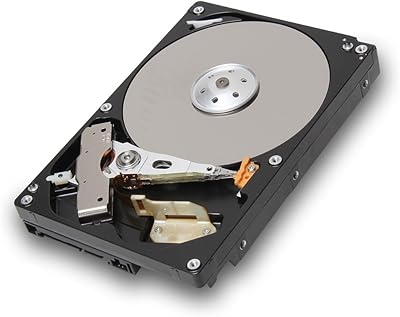
79%
91%
Value for Money
74%
Transfer Speed
77%
Reliability & Longevity
93%
Installation Ease
79%
Noise Level
More
Toshiba DT01ACA200 2TB 7200 RPM Internal Hard Drive
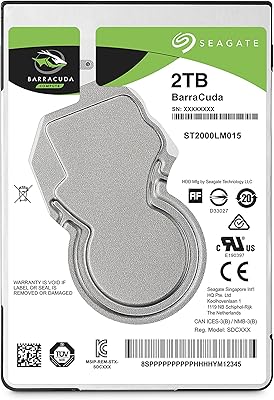
86%
88%
Performance for Gaming
91%
Value for Money
85%
Ease of Installation
90%
Storage Capacity
87%
Power Efficiency
More
WD Black 2TB 3.5″ Internal Hard Drive
79%
78%
Read & Write Performance
82%
Reliability & Longevity
74%
Noise & Vibration
76%
Value for Money
89%
Installation & Compatibility
More
Seagate 2TB BarraCuda 2.5-Inch Internal Hard Drive
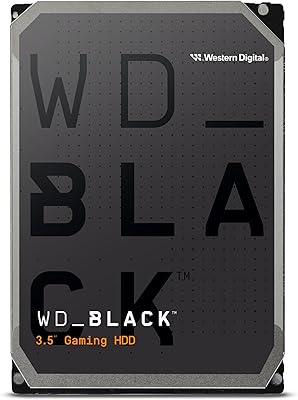
86%
89%
Performance
91%
Quiet Operation
88%
Energy Efficiency
93%
Installation Ease
90%
Reliability
More
Western Digital WD Blue 2TB Hard Drive
81%
88%
Long-Term Reliability
91%
Value for Money
74%
Read/Write Performance
83%
Noise & Vibration
92%
Installation Ease
More
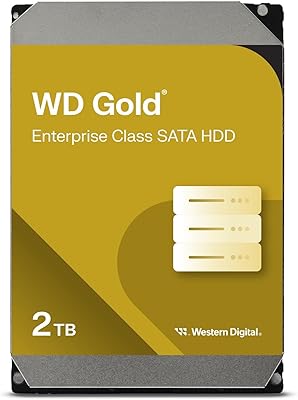
Western Digital Gold 2TB Internal Hard Drive
80%
84%
Long-Term Reliability
91%
Workload Endurance
86%
RAID Performance
78%
Noise & Acoustics
61%
Value for Money
More
HGST Ultrastar 7K4000 4TB 7200 RPM SATA Internal Hard Drive
87%
89%
Performance
91%
Reliability
75%
Compatibility with Systems
84%
Ease of Installation
88%
Noise Level
More
MDD MaxDigitalData 2TB 7200RPM Internal Hard Drive
70%
83%
Value for Money
88%
Storage Capacity
74%
Read/Write Speed
71%
Installation & Setup
68%
Build & Physical Quality
More
Seagate Game Drive for PlayStation 2TB
79%
94%
Ease of Setup
91%
Storage Capacity
93%
PS4 Compatibility
72%
PS5 Compatibility
74%
Transfer Speed
More
G-Technology G-DRIVE Mobile USB-C 2TB Hard Drive
80%
89%
Build Quality
78%
Transfer Speed
71%
Durability & Reliability
91%
Portability
76%
Value for Money
More

FAQ

Since it uses a SATA III interface, this 2TB drive is backward compatible with SATA II and SATA I ports as well. You'll still get full functionality on an older motherboard, just without the maximum theoretical bandwidth that SATA III ports allow. Most users won't notice a real-world speed difference for everyday tasks.

Yes, noticeably so for tasks like loading large files, copying folders, or running applications directly off the drive. The higher spindle speed means data gets read and written more quickly under normal use. It won't match an SSD, but it's a solid step up from slower drive options.

You can, though most people get better results pairing this internal hard drive with an SSD for the operating system and using this one for storage instead. Mechanical drives like this one are excellent for bulk file storage but slower for boot times compared to solid-state drives. It really depends on your budget and performance priorities.

Like most 7200RPM mechanical drives, you'll hear some spin-up noise and occasional clicking during heavy read or write activity. It's not silent, but it's also not unusually loud compared to similar drives in this class. If your case has decent sound dampening, you likely won't notice much during normal use.

It depends on what you need. If you want reliable, no-frills bulk storage at a reasonable price, this HGST drive still gets the job done. If you're chasing the latest capacity or speed benchmarks, you'll find newer drives that outperform it on paper.

Reviews are mixed. Many owners report years of trouble-free use, while a smaller group has dealt with early failures, which is a normal risk with any mechanical hard drive. It's worth keeping backups regardless of which hard drive you choose, since no mechanical drive is immune to eventual failure.

Warranty coverage can vary depending on where you purchase it and current manufacturer policies, so it's worth checking directly with the seller or HGST/Western Digital before buying. Many buyers researching this drive specifically ask about warranty length because of its age, so don't skip this step.

This drive uses the standard 3.5-inch form factor, so it needs a case with a compatible drive bay. Smaller mini PCs or laptops typically use 2.5-inch drives instead, so double-check your case specifications before purchasing this one.

No, installation is pretty straightforward. It fits into a standard 3.5-inch drive bay using typical screws or trays, and most desktop cases already have the mounting points needed. You'll just need a SATA data cable and a SATA power connector from your power supply.

Newer drives in this capacity range often offer larger cache sizes, improved reliability ratings, and sometimes better energy efficiency. This drive still performs reliably for general storage, but if cutting-edge specs matter to you, it's worth comparing current-generation options before deciding.