Overview

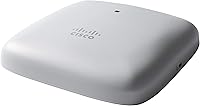
The Cisco CBW240AC Wi-Fi Access Point sits in an interesting spot — it's not a consumer router dressed up in business clothing, and it's not a full enterprise appliance with a matching price tag. This ceiling-mount AP brings dual GbE ports and 4x4 MU-MIMO to small and mid-sized businesses that need real reliability without the complexity of a Meraki or Catalyst deployment. Physically, it's a low-profile disc that disappears into a drop ceiling or wall without drawing attention. Cisco's name on the box carries genuine weight here — buyers aren't just paying for specs, they're paying for an ecosystem they can actually trust long-term.
Features & Benefits

The CBW240AC's 4x4 MU-MIMO radio means up to 200 devices can connect without fighting each other for bandwidth — a real difference in environments where staff laptops, point-of-sale terminals, and customer devices all compete simultaneously. Two GbE ports give you wiring flexibility that single-port APs simply don't offer. Built-in mesh capability supports up to 25 extenders, so if your space grows, the network can grow with it. For security, Cisco Umbrella integration handles DNS-layer threat filtering without requiring a separate appliance. Management through the Cisco Business mobile app is genuinely straightforward — though you'll want a solid wired connection in place before starting the initial setup.

Best For

This Cisco business access point is a natural fit for small and mid-sized businesses needing centrally managed wireless across a real physical space — a retail floor, a medical clinic, or a co-working environment. IT administrators already working within the Cisco Business ecosystem will appreciate the consistency without paying for Meraki licensing. Guest network segmentation and traffic prioritization make it practical for locations where customer Wi-Fi and internal operations need to stay clearly separate. If ceiling aesthetics matter — and in client-facing spaces, they do — the CBW240AC's low-profile form factor handles that quietly. It suits any team wanting professional-grade hardware without a full enterprise rollout budget.

User Feedback

With a 4.2-star average across roughly 126 ratings, the ceiling-mount AP has earned a reasonably positive reputation — though the sample size is modest enough that a few outlier experiences carry noticeable weight. Users consistently praise long-term stability: many report months of uptime without a forced reboot, which matters more in a business context than raw speed numbers. The mobile app setup also gets credit from owners who aren't IT professionals. On the critical side, some buyers were caught off guard to find the PoE injector sold separately — worth budgeting for before you order. A handful of reviewers also note that mesh and VLAN configuration has a learning curve, particularly for first-time Cisco users.

Pros

  • The Cisco CBW240AC Wi-Fi Access Point supports up to 200 devices — a real-world buffer for busy business environments.

  • Dual GbE ports provide wiring flexibility that most competing APs in this class simply don't offer.
  • Cisco Umbrella integration delivers active malware and phishing protection without a separate security appliance.
  • Long-term users consistently report sustained uptime with no forced reboots — exactly what a business needs.
  • The mobile app makes day-to-day network monitoring accessible even for non-technical business owners.
  • Mesh support for up to 25 extenders means the network can grow alongside the business without replacing core hardware.
  • The low-profile ceiling-mount design blends into professional and client-facing spaces without drawing attention.
  • Guest network segmentation is quick to configure and works reliably for separating public and internal traffic.
  • A limited lifetime warranty adds meaningful peace of mind for a hardware investment in a business-critical role.
  • Ceiling and wall mounting options, with brackets included, give installers real flexibility across different venue types.

Cons

  • The PoE injector is sold separately and must be budgeted for — it is not included in the box.
  • 802.11ac (Wi-Fi 5) is a generation behind current Wi-Fi 6 hardware now available at comparable price points.
  • Mesh and VLAN configuration carries a real learning curve that can frustrate less experienced network administrators.
  • Initial setup requires an active wired connection, which is not always practical in every deployment scenario.
  • Occasional firmware updates have caused app connectivity issues for a subset of users, requiring manual re-pairing.
  • Coverage claims assume open, unobstructed spaces — concrete walls and dense environments will reduce effective range.
  • The 200-device capacity is a theoretical maximum; real-world performance degrades noticeably above roughly 100 active clients.
  • Outside the Cisco Business ecosystem, the unified management benefits largely disappear for mixed-brand infrastructure users.
  • Physical status indicators are limited to a single LED, making on-site troubleshooting less intuitive without a connected device.
  • The review sample size is relatively modest, so edge-case reliability issues may not yet be fully represented in the ratings.

Ratings

The Cisco CBW240AC Wi-Fi Access Point has been scored by our AI rating engine after analyzing verified global buyer reviews, with spam, bot-generated, and incentivized feedback actively filtered out. These scores reflect the real-world consensus of business owners, IT administrators, and network professionals who have deployed this ceiling-mount AP in live environments. Both its genuine strengths and recurring frustrations are transparently represented in every category below.
Wireless Performance
83%
Users consistently report stable, broad coverage across open office and retail environments, with the 4x4 MU-MIMO configuration handling dense device loads better than single-stream alternatives. Businesses with 50-plus concurrent connections note noticeably fewer dropouts compared to consumer-grade hardware they replaced.
A portion of reviewers note that throughput at range edges can dip more than expected, particularly when the 5 GHz band is under heavy load. The 802.11ac standard also means this AP won't satisfy buyers already anticipating Wi-Fi 6 client hardware.
Setup & Configuration
76%
24%
The Cisco Business mobile app genuinely lowers the barrier for non-technical owners — several SMB users report completing basic setup without reading any documentation. Browser-based management is clean and logically organized for those who prefer a desktop workflow.
Initial setup requires a stable, active wired connection, and some buyers were not prepared for this dependency. Mesh configuration and VLAN segmentation introduce a steeper learning curve that casual users found frustrating without prior Cisco experience.
Build Quality & Design
88%
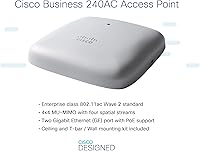
The low-profile disc form factor feels premium and installs cleanly into standard drop ceilings or flat walls without looking out of place in a client-facing environment. At 15 ounces, it's solid without being unwieldy, and the included mounting hardware covers most common ceiling rail types.
The finish, while neutral, is described by a handful of reviewers as slightly plasticky up close. There are no physical status indicators beyond a single LED, which can make on-site troubleshooting less intuitive without a connected device nearby.
Coverage Range
81%
19%
The CBW240AC's rated 3,000 square feet translates well in open-plan offices and single-floor retail spaces, with users reporting consistent signal across the advertised area under normal business loads. Mesh support for up to 25 extenders adds meaningful scalability for growing spaces.
Coverage in environments with thick concrete walls or heavy RF interference drops noticeably, and some multi-floor deployments required additional units sooner than the spec sheet suggested. Range claims should be treated as best-case figures in open, unobstructed conditions.
Security Features
87%
Cisco Umbrella DNS-layer integration is a standout feature for SMBs that need active malware and phishing protection without deploying a separate security appliance or paying for complex licensing. IT managers in healthcare and professional services specifically praised this as a meaningful differentiator.
Umbrella integration requires an active Cisco Umbrella subscription to unlock its full potential, which adds ongoing cost that not all buyers factor in during the purchase decision. Out of the box, the built-in firewall controls are functional but not particularly granular.
Value for Money
74%
26%
For a business-class access point carrying the Cisco name, dual GbE ports, and enterprise security integration, the price sits at a reasonable level for what the hardware delivers. Buyers replacing aging consumer routers in professional settings generally feel the upgrade is well justified.
The PoE injector being sold separately is the most commonly cited complaint in value assessments — it's a real added cost that should be budgeted upfront. Factoring in that accessory, some buyers feel competing 802.11ac APs from Ubiquiti or TP-Link offer comparable performance at a lower all-in cost.
Device Capacity Handling
79%
21%
The 200-device ceiling holds up well in practice for small business environments, with users in busy retail and co-working spaces noting stable connections across a mix of laptops, tablets, POS terminals, and smartphones during peak hours.
A smaller subset of reviews indicate performance degrades more noticeably above 100 simultaneously active devices, suggesting the 200-device figure represents a theoretical maximum under ideal conditions rather than a comfortable operating load.
Management Software
78%
22%
The Cisco Business mobile app is regularly singled out as one of the more polished management interfaces in this product tier, with real-time device visibility and intuitive network monitoring that works well for owners checking in remotely.
Occasional firmware update notifications through the app have been described as inconsistent, and a few users report the app losing connection to the AP after updates, requiring a manual re-pairing process that is not clearly documented.
PoE & Power Options
61%
39%
PoE support does reduce cable clutter meaningfully once the required injector is in place, and the CB-PWRINJ is a reliable, well-matched accessory for this unit when purchased alongside it.
The PoE injector not being included in the box is a recurring source of frustration among first-time buyers, several of whom discovered the gap only after mounting the unit. This omission feels like a meaningful oversight for a product aimed at simplifying deployment.
Mesh & Scalability
77%
23%
Support for up to 25 mesh extenders gives this ceiling-mount AP a scalability story that most single-unit competitors cannot match, and users who have expanded their deployments report the mesh handoff between nodes is generally smooth.
Configuring a multi-node mesh setup is not as intuitive as the marketing implies, and several reviewers noted that the documentation for mesh deployment is sparse. Users without prior access point experience may find this feature harder to activate reliably.
Guest Network & Segmentation
82%
18%
Guest network creation through the app takes only a few minutes, and traffic isolation between guest and internal networks works reliably — a critical feature for clinics, law offices, and any environment handling sensitive internal data alongside public Wi-Fi.
Advanced VLAN tagging and policy-based access controls require web-based management and some networking knowledge, which puts the more nuanced segmentation features out of reach for less technical small business owners working entirely through the app.
Long-Term Reliability
86%
Long-term reviewers — those who have had the unit running for a year or more — consistently highlight sustained uptime without forced reboots as its most underappreciated quality. For a business AP, that kind of quiet reliability has real operational value.
A small number of users report intermittent connectivity issues following specific firmware versions, suggesting that update timing matters. Keeping auto-update enabled without testing in a staging scenario first carries a modest but real risk in production environments.
Ecosystem Integration
84%
For teams already running Cisco Business switches or routers, the CBW240AC slots into an existing management workflow with minimal friction. Unified visibility across devices through a single app or dashboard is a genuine operational convenience.
Outside the Cisco Business ecosystem, the integration benefits largely disappear, and the AP functions as a standalone unit without the cross-device management advantages. Buyers using mixed-brand infrastructure will not see the same return on the Cisco premium.
Installation Experience
80%
20%
The included mounting bracket and ceiling rail clip cover most standard installation scenarios, and the physical installation process is quick enough that most users report ceiling mounting completed in under 20 minutes per unit.
Wall mounting, while supported, requires a bit more planning around cable routing and bracket positioning, and the included documentation is light on wall-specific guidance. Users without basic mounting experience may benefit from a professional installation.

Suitable for:

The Cisco CBW240AC Wi-Fi Access Point is built for small and mid-sized businesses that have outgrown consumer routers but don't need — or can't justify — a full enterprise wireless infrastructure. Retail stores, medical clinics, co-working spaces, and open-plan offices are exactly the environments where this ceiling-mount AP earns its keep, particularly where a mix of staff devices, POS terminals, and guest connections all need to coexist reliably. IT administrators managing a Cisco Business switch or router stack will find the unified app-based management especially practical, since it brings everything under one interface without additional licensing overhead. Organizations where network security matters — think healthcare, legal, or financial services — will appreciate the built-in Cisco Umbrella integration, which adds a meaningful layer of DNS-layer threat filtering without purchasing a separate security appliance. If your space runs up to roughly 3,000 square feet and you want hardware that stays up without constant babysitting, this ceiling-mount AP is a genuinely strong fit.

Not suitable for:

The Cisco CBW240AC Wi-Fi Access Point is not the right call for buyers who need cutting-edge wireless performance, as its 802.11ac (Wi-Fi 5) standard is a full generation behind Wi-Fi 6 hardware that now occupies a similar price range. Home users or very small setups with just a handful of devices will likely find the configuration depth unnecessarily complex and the price hard to justify relative to simpler alternatives. Anyone expecting a plug-and-play experience straight out of the box should be aware that initial setup requires a stable wired connection, and that mesh or VLAN configuration carries a real learning curve without prior networking experience. Budget-conscious buyers should also factor in the cost of the PoE injector, which is not included and is required if you plan to run the unit without a nearby power outlet — an oversight that consistently catches first-time buyers off guard. Finally, teams operating in a mixed-brand networking environment won't see the ecosystem management benefits that Cisco Business users get, which removes one of the more compelling reasons to choose this unit over competitors at a similar price point.

Specifications

  • Wireless Standard: The CBW240AC operates on the 802.11ac (Wi-Fi 5) dual-band standard, supporting both 2.4 GHz and 5 GHz frequency bands simultaneously.
  • MIMO Configuration: A 4x4 MU-MIMO antenna arrangement allows the unit to communicate with multiple client devices at the same time, reducing congestion under heavy loads.
  • Max Clients: The access point is rated to support up to 200 concurrent wireless client devices under optimal conditions.
  • Coverage Area: Maximum wireless coverage is rated at up to 3,000 sq ft in open, unobstructed environments.
  • Wired Ports: Two 1 GbE Ethernet ports are included, enabling flexible uplink or limited daisy-chain wiring configurations without additional switching hardware.
  • PoE Support: Power over Ethernet is supported but requires the separately purchased Cisco CB-PWRINJ injector; no PoE injector is included in the box.
  • Mesh Capability: The unit can anchor a mesh network of up to 25 additional extender nodes, allowing coverage expansion across larger or multi-room floor plans.
  • Security Integration: Cisco Umbrella DNS-layer integration provides active malware and phishing protection at the network level without requiring a separate security appliance.
  • Management Options: The network can be configured and monitored through the Cisco Business mobile app (iOS and Android) or a standard web browser interface.
  • Mounting Options: The unit supports ceiling or wall installation; a mounting bracket and ceiling rail mount clip are included in the box.
  • Dimensions: Physical dimensions are 6.95 x 6.98 x 1.5 inches, with a low-profile disc form factor designed for unobtrusive overhead installation.
  • Weight: The unit weighs 15 ounces, making single-person ceiling installation straightforward in most standard office environments.
  • Operating System: The access point runs Cisco IOS, providing a familiar software environment for administrators already working within the Cisco ecosystem.
  • Warranty: Cisco provides a limited lifetime hardware warranty on this unit, along with one year of included technical support from the date of purchase.
  • In the Box: Package contents include the CBW240AC access point, a mounting bracket, ceiling rail mount clip, Cat5 Ethernet cable, support contact card, and a quick start guide.
  • Availability: The CBW240AC was first made available in April 2020 and currently holds a top-500 rank in the Amazon Computer Networking Wireless Access Points category.

Related Reviews
Cisco Business 150AX Wi-Fi 6 Access Point
85%
89%
Performance
92%
Security Features
78%
Ease of Setup
85%
Wi-Fi Coverage
80%
Management App Usability
More
Grandstream GWN7630 Wi-Fi 5 Access Point
87%
88%
Performance
81%
Setup & Installation
84%
Software & App Experience
90%
Reliability
85%
Build Quality
More
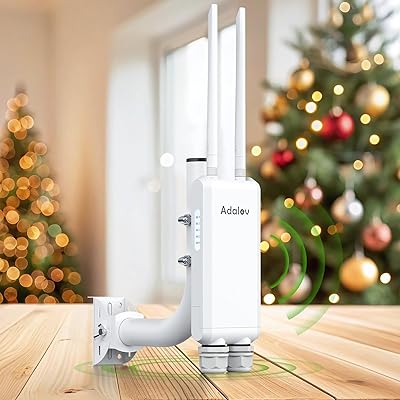
AdaLov CF-EW84 Outdoor Wi-Fi Access Point
83%
85%
Performance
90%
Durability (Weatherproofing)
88%
Ease of Installation
82%
Signal Coverage & Range
84%
Dual-Band Wi-Fi Performance
More
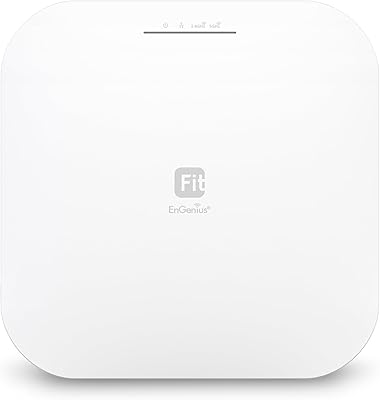
EnGenius EWS276-FIT Wi-Fi 6 Access Point
85%
88%
Performance
91%
Setup & Installation
86%
Wi-Fi Speed & Range
89%
Ease of Use (App/Cloud Management)
84%
Reliability
More
Ubiquiti U6-Mesh Wi-Fi 6 Access Point
79%
93%
Wireless Performance
54%
Setup & Configuration
91%
Build Quality & Durability
88%
Coverage Range
74%
Value for Money
More
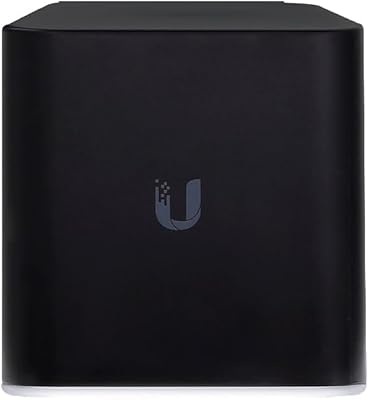
Ubiquiti Networks airCube ACB-ISP-US Wi-Fi Access Point
83%
91%
Ease of Installation
88%
Value for Money
82%
Wi-Fi Performance
85%
Compactness & Design
68%
Range Coverage
More
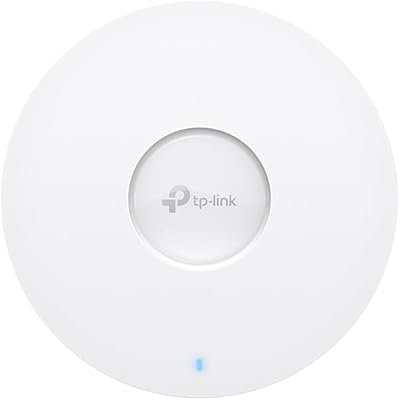
TP-Link Omada EAP673 AX5400 Wi-Fi 6 Access Point
86%
91%
Performance & Speed
88%
Ease of Setup
89%
Wireless Coverage
85%
Build Quality
92%
App & Cloud Management
More
EnGenius EWS356-FIT Wi-Fi 6 Dual-Band Access Point
83%
91%
Wi-Fi Performance
89%
Ease of Setup
87%
Coverage Area
82%
Software and App Experience
90%
Security Features (WPA3)
More
TRENDnet TPL-430AP Powerline Wireless Access Point
75%
91%
Ease of Setup
64%
Powerline Throughput
78%
Wi-Fi Coverage & Signal Quality
88%
Wired Port Performance
74%
Build Quality & Durability
More
TP-Link Festa F65-Outdoor AX3000 Wi-Fi 6 Access Point
84%
88%
Performance
94%
Outdoor Durability
85%
Ease of Setup
82%
Signal Strength
79%
Cloud Management & App
More

FAQ

It is sold separately. You will need to purchase the Cisco CB-PWRINJ injector if you plan to power the unit over Ethernet rather than using a nearby electrical outlet. This catches a lot of buyers off guard, so factor it into your budget before ordering.

Not necessarily, but some basic networking familiarity helps. The Cisco Business mobile app walks you through the initial setup process and is accessible enough for a non-technical business owner. That said, you will need a working wired connection to the unit during setup, and more advanced features like mesh configuration or VLAN segmentation do carry a steeper learning curve.

Remote management is supported through the Cisco Business mobile app, so you can check in on your network from anywhere. Most day-to-day monitoring tasks — connected devices, signal status, guest network controls — are accessible without being physically present at the location.

It will function as a standalone access point with any standard router or switch, regardless of brand. However, the unified management dashboard and cross-device visibility features only work when paired with other Cisco Business hardware, so mixed-brand setups lose some of the ecosystem advantages.

Yes, guest network creation is built in and takes only a few minutes through the app or web interface. Traffic between guest and internal networks is properly isolated, which is important for any business handling sensitive internal data alongside public Wi-Fi access.

Cisco Umbrella works at the DNS layer, meaning it can block connections to known malicious domains before any traffic even reaches a device on your network. It acts as a background filter against malware, phishing sites, and other threats without requiring you to install anything on individual devices. Note that full Umbrella functionality requires an active Umbrella subscription beyond the access point purchase.

The rated coverage of 3,000 sq ft works well in open-plan environments without major physical obstructions. If your space has thick concrete walls, heavy equipment, or multiple separated rooms, you may see effective coverage drop noticeably. The good news is that the unit supports mesh networking with up to 25 extenders, so expanding coverage later is straightforward.

This ceiling-mount AP is positioned below the Meraki and Catalyst product lines — it's genuinely business-grade, but without the advanced cloud management licensing, enterprise-scale feature sets, or corresponding price tags those platforms carry. For most SMBs, that's the right trade-off: serious reliability and security without the complexity or cost of a full enterprise deployment.

A small number of users have reported connectivity issues following certain firmware updates, typically requiring a manual re-pairing through the app. Cisco does provide firmware management through the web interface, and it is worth checking community forums or release notes before applying major updates in a live business environment. Auto-update is best left disabled if network stability is critical during business hours.

Yes, this is actually one of the stronger use cases for this hardware. The 4x4 MU-MIMO configuration handles simultaneous connections well, and the ability to prioritize traffic by device type or use case — for example, giving your POS system priority over guest browsing — makes it well-suited for active retail environments. Real-world performance stays solid under moderate loads, though the 200-device maximum is best treated as a ceiling rather than a comfortable everyday operating number.

Where to Buy