Overview

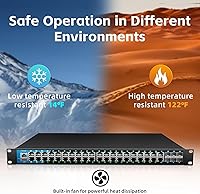
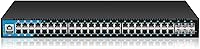
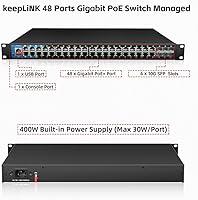
The keepLiNK KP-9000-54XGPM-X6-ACR 48-Port PoE Switch is built for network installers who need real horsepower, not just port count. Underneath the metal shell sits a 216Gbps switching fabric pushing 160.7Mpps, which is plenty for a fully loaded rack of cameras and access points. Six 10G SFP+ slots give you serious uplink headroom once your edge traffic starts piling up, and the chassis can mount in a rack or sit on a desk depending on your setup. Fan-assisted cooling keeps things stable across a wide -10°C to 50°C range, useful in closets that don't always get climate control. There's no cloud dashboard baked in, though MQTT support means it can slot into an existing cloud management system if you already run one.
Features & Benefits

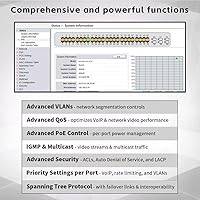
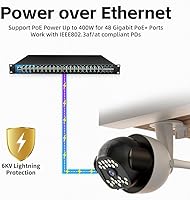
Power delivery is the headline feature here: 48 Gigabit PoE+ ports can each push up to 30W, backed by a 400W total budget that's enough to run a serious mix of cameras, phones, and access points without juggling separate injectors. On the management side, this PoE switch covers L2, L2+, and L3 functions, including static routing and IGMP snooping for cleaner multicast handling on video networks. Security is layered rather than an afterthought, with VLAN tagging, ACLs, port security, DHCP snooping, and 802.1X authentication all available. Link aggregation and LACP let you bond uplinks for redundancy, while the 32K MAC address table comfortably handles a mid-size office or campus segment without breaking a sweat.

Best For

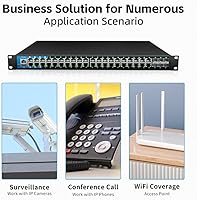
This 48-port switch makes the most sense for installers wiring up multi-camera surveillance systems that need a deep PoE budget rather than scraping by on a handful of injectors. It's also a strong fit for offices or small campuses rolling out dozens of wireless access points across multiple floors, where per-port power and uplink bandwidth both matter. IT admins who want basic Layer 3 static routing without paying enterprise-switch prices will appreciate what's on offer, and the rack-mount option means it slots neatly into a server room alongside other gear. If you'd rather manage things locally through a browser instead of paying for a cloud subscription, that local-only web interface starts to look like a genuine selling point instead of a limitation.

User Feedback

Most buyers who've put this managed switch into a real install come away impressed with the PoE headroom, especially anyone running a dozen-plus cameras that used to strain a smaller unit. The web management interface gets mixed reactions; some find it perfectly functional for day-to-day VLAN and port tasks, while others wish the menus felt a bit more modern. A few users have mentioned the cooling fans are audible up close, which matters if the switch lives in an open office rather than a closet or rack. Compared to bigger-name networking brands, the price-to-feature ratio tends to draw praise, though some buyers note they'd like more visibility into firmware update frequency and long-term support before fully trusting it in mission-critical deployments.

Pros

  • Hefty 400W total PoE budget comfortably powers dozens of cameras or access points
  • 216Gbps switching fabric handles heavy traffic loads without choking
  • Six 10G SFP+ slots give real uplink headroom as your network grows
  • Full L2/L2+/L3 feature set including static routing rarely found at this tier
  • Layered security options like 802.1X and DHCP snooping suit business networks
  • Metal chassis and wide operating range hold up in non-climate-controlled spaces
  • Flexible desktop or rackmount design fits different installation environments
  • Strong price-to-feature ratio compared to bigger-name managed switches
  • LACP and link aggregation support add real uplink redundancy

Cons

  • No built-in cloud management platform unless you already run an MQTT system
  • Web interface feels functional but somewhat dated compared to modern competitors
  • Active cooling fans are noticeable in quiet office environments
  • Limited public track record makes long-term reliability hard to confirm
  • Firmware update frequency and support history are not well documented
  • Overkill in power and port count for small home networks
  • Brand lacks the broader recognition of established enterprise networking names
  • Setup may require more networking knowledge than plug-and-play consumer switches

Ratings

Our AI rating engine analyzed verified buyer feedback from across the web for the keepLiNK KP-9000-54XGPM-X6-ACR 48-Port PoE Switch, filtering out spam, bot activity, and incentivized reviews to surface what real installers and IT admins actually experienced. The scores below reflect both the strong points and the rough edges, so you can judge fit before committing rack space and budget to it.

PoE Power Delivery
89%
Installers running camera-heavy networks consistently praise the 400W budget for letting them populate most ports without adding injectors. For surveillance jobs with 20-30 PoE devices, this headroom genuinely simplifies the install and cuts down on extra hardware.
A handful of users running higher-draw devices like PTZ cameras found the total budget gets eaten up faster than expected, meaning you can't always max out all 48 ports at full 30W simultaneously.
Switching Performance
85%
The 216Gbps fabric and 160.7Mpps forwarding rate handle dense traffic loads smoothly, even with multiple 4K camera streams and heavy LAN activity running at once. Network admins report no noticeable bottlenecking under typical office or surveillance workloads.
Since this isn't an enterprise-class chassis, throughput under extreme multi-gigabit aggregation scenarios hasn't been stress-tested by many reviewers, leaving some uncertainty for very large deployments.
Port Density & Uplinks
91%
Forty-eight PoE ports plus six 10G SFP+ slots gives serious flexibility for scaling a network without running out of uplink bandwidth. Buyers building multi-switch topologies appreciate not having to choose between port count and fiber headroom.
The sheer port density means the unit is physically larger and heavier than smaller switches, which isn't ideal for buyers with limited rack space or smaller installs.
Managed Feature Set
83%
L2/L2+/L3 support including static routing and IGMP snooping lets IT admins handle VLAN segmentation and multicast video traffic without stepping up to a pricier enterprise switch line. This hits a sweet spot for mid-size networks.
Some advanced routing scenarios that larger enterprise switches handle natively aren't supported here, so admins managing more complex multi-subnet environments may eventually outgrow it.
Network Security
81%
19%
VLAN tagging, ACLs, DHCP snooping, and 802.1X authentication cover the security basics that business networks actually need day to day. Reviewers managing shared office networks specifically called out the port security and storm control as useful safeguards.
The security suite, while solid, doesn't include some of the more advanced threat detection or anomaly monitoring tools found on premium enterprise-grade switches.
Build Quality
84%
The metal chassis feels sturdy in hand, and the wide -10°C to 50°C operating range gives confidence for installs in closets or rooms without tight climate control. Several buyers noted it feels more substantial than plastic-bodied alternatives.
Without years of field data yet, long-term durability under continuous 24/7 operation remains something buyers are watching rather than something fully proven.
Cooling & Noise
68%
32%
The fan-assisted cooling keeps internal temperatures stable even when most PoE ports are actively powering devices, which matters for switches running hot in enclosed cabinets.
Multiple reviewers mention the fans are audible enough to notice in quiet office settings, making this a better fit for a server closet than an open desk environment.
Web Management Interface
70%
30%
The local web interface covers all the core configuration tasks, VLANs, port settings, security rules, without requiring a steep learning curve for anyone with prior managed switch experience.
Feedback is mixed on how modern the interface feels, with some users describing it as functional but visually dated compared to switches from more established networking brands.
Remote & Cloud Management
62%
38%
For buyers who already run an MQTT-compatible cloud platform, the switch integrates well enough to fit into an existing remote monitoring workflow without much friction.
There's no native cloud dashboard included, so buyers expecting plug-and-play remote management out of the box will need to set up their own MQTT integration first.
Installation & Setup
79%
21%
Physical installation is straightforward thanks to standard rack-mount hardware and clear port labeling, and most users with basic networking knowledge got it running without major hiccups.
Buyers without prior experience configuring managed switches may need to spend extra time learning the menu structure before unlocking the more advanced VLAN and routing features.
Value for Money
86%
Given the port count, PoE budget, and managed feature set, reviewers frequently compare it favorably against pricier switches from bigger brand names with similar specs.
The value proposition softens slightly for buyers who specifically want strong brand-name support history, since that peace of mind isn't something this switch offers yet.
Brand Trust & Support
58%
42%
Early adopters generally report responsive enough support when issues come up, and the hardware itself hasn't generated major complaint patterns so far.
Compared to long-established networking brands, there's less public track record around firmware update cadence and long-term reliability, which gives some buyers pause before deploying it in mission-critical environments.

Suitable for:

The keepLiNK KP-9000-54XGPM-X6-ACR 48-Port PoE Switch makes the most sense for network installers and IT admins handling real deployments rather than home setups. If you're wiring a building full of security cameras, this switch's deep 400W PoE budget means you won't be rationing power across ports or adding injectors halfway through the job. Offices and small campuses rolling out large batches of wireless access points will also benefit from the combination of port count and managed Layer 3 features. It suits admins who want static routing and VLAN segmentation without paying for a full enterprise switch line. The rack-mount option and metal chassis make it a natural fit for server rooms that already house similar gear. Anyone who prefers handling network management locally through a browser, rather than depending on a cloud subscription, will also feel at home here.
Not suitable for:

This isn't the right pick for casual home users who just need a few extra ports for a router and a couple of devices. The keepLiNK KP-9000-54XGPM-X6-ACR 48-Port PoE Switch is sized and priced for commercial-scale jobs, so the 48-port format and 400W power budget will be overkill if you're only running five or six PoE devices. Buyers who want a polished cloud management app out of the box should also look elsewhere, since this unit relies on local web management unless you already have an MQTT-compatible platform to connect it to. People sensitive to fan noise in shared living or working spaces may want a fanless or quieter alternative. Anyone needing strong brand-name support history or a long public track record might hesitate, given the more limited reputation compared to established networking brands.
Specifications

  • Port Count: The switch provides 48 Gigabit PoE+ RJ45 ports alongside 6 dedicated 10G SFP+ slots for uplinks.
  • PoE Standard: PoE delivery follows the 802.3af and 802.3at standards, supplying up to 30W on each individual port.
  • PoE Power Budget: Total power available for connected devices across all ports is capped at 400W.
  • Switching Capacity: The internal switching fabric handles up to 216Gbps of aggregate throughput.
  • Forwarding Rate: Packet forwarding is rated at 160.7Mpps under standard test conditions.
  • Management Tier: The switch supports Layer 2, Layer 2+, and Layer 3 managed functions including static routing.
  • Routing Support: Up to 32 static routes are supported for both IPv4 and IPv6 addressing.
  • MAC Table Size: The MAC address table can hold up to 32,000 entries.
  • Security Features: Built-in security includes 802.1Q VLAN tagging, ACLs, port security, DHCP snooping, and 802.1X authentication.
  • Link Aggregation: LACP and static link aggregation are supported for combining ports into higher-bandwidth trunks.
  • Management Interface: Configuration is handled through a local web-based management console rather than a dedicated cloud app.
  • Cloud Integration: The switch can connect to an existing third-party cloud platform using the MQTT protocol.
  • Cooling System: Heat dissipation is handled through a vented metal enclosure combined with internal cooling fans.
  • Operating Temperature: The unit is rated to operate reliably between -10°C and 50°C (14°F to 122°F).
  • Chassis Material: The housing is constructed from metal for durability in rack or desktop installations.
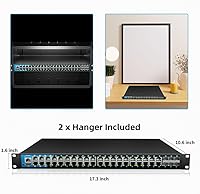
  • Mounting Options: The switch can be installed as a standalone desktop unit or mounted in a standard equipment rack.
  • Dimensions: The chassis measures 17.3 inches long by 10.6 inches wide by 1.6 inches high.
  • Weight: The switch weighs 8.8 pounds (4 kg) without external cabling.
  • Input Power: The unit accepts AC input voltage between 100V and 240V at 50/60Hz.
  • Included Accessories: The package includes the switch unit, a power cable, and a printed user manual.

Related Reviews
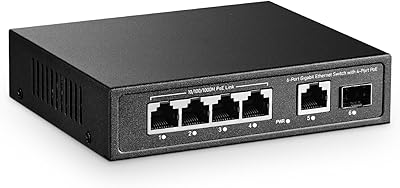
YuLinca 6-Port Gigabit PoE Switch with 4 PoE+ Ports
87%
95%
Ease of Installation
88%
PoE Functionality
91%
Build Quality
87%
Performance and Speed
94%
Fanless Operation (Noise)
More
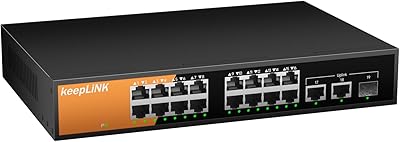
keepLiNK 16-Port Gigabit PoE Unmanaged Switch
81%
91%
Value for Money
93%
Ease of Setup
78%
PoE Power Delivery
84%
Build Quality
71%
Thermal Performance
More
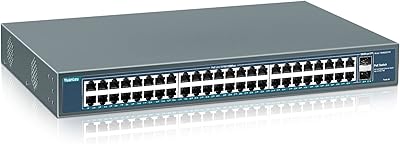
YuanLey YS4802GS-P8 48-Port Gigabit PoE Switch
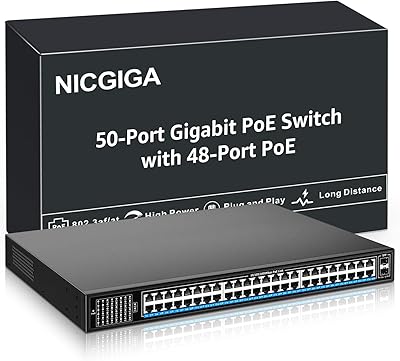
79%
91%
Value for Money
93%
Ease of Installation
84%
PoE Performance
86%
Build Quality
52%
Fan Noise
More
NICGIGA GS4802P 48-Port Gigabit PoE+ Switch
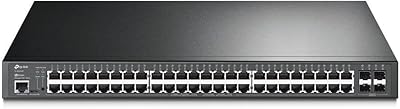
85%
89%
Value for Money
85%
Performance
92%
Setup & Installation
90%
Power Delivery for PoE Devices
87%
Build Quality & Durability
More
TP-Link TL-SG3452P 48-Port Managed PoE Switch
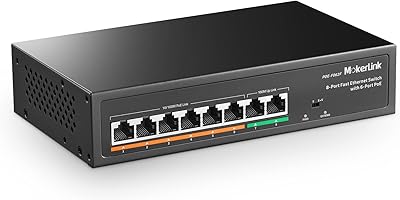
73%
91%
Value for Money
93%
Port Density
67%
PoE Power Budget
82%
Omada SDN Integration
58%
Setup & Configuration
More
MokerLink POE-F1602G 16-Port PoE Switch
80%
91%
Value for Money
94%
Setup & Ease of Use
87%
PoE Reliability
57%
Port Speed Performance
62%
PoE Compatibility
More
MokerLink POE-F062F 8-Port PoE Switch
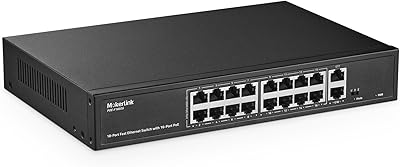
86%
91%
Value for Money
88%
Performance Stability
95%
Ease of Installation
85%
PoE Power Output
82%
Build Quality
More
MokerLink POE-G1604GS 20-Port Gigabit PoE Switch
77%
86%
Build Quality
81%
PoE Power Delivery
89%
Ease of Setup
88%
Value for Money
93%
Noise & Cooling
More
MokerLink POE-G082G 10-Port Gigabit PoE Switch
78%
94%
Ease of Setup
88%
PoE Reliability
83%
Build Quality
91%
Value for Money
71%
Thermal Management
More
LINOVISION POE-SW508G Industrial 8-Port PoE++ Switch
77%
91%
Power Delivery
88%
Build Quality
93%
PoE Watchdog
84%
Installation Ease
86%
Thermal Performance
More

FAQ

It depends on the power draw of each device, but with a 400W total PoE budget, you can comfortably run somewhere between 20 and 40 standard IP cameras or APs, assuming they're not all maxing out at 30W simultaneously. If you're running high-power PTZ cameras or lighting fixtures, you'll hit the budget sooner. It's worth adding up your actual device wattage before assuming you can fully populate all 48 ports.

Not out of the box. Management happens through a local web interface accessed via browser, not a hosted cloud dashboard. If you already use a cloud platform that supports MQTT, you can integrate this switch into that system, but it won't give you cloud management on its own.

Yes, it's designed to be rack-mountable using standard mounting hardware, so it should fit into a typical 19-inch rack alongside switches, patch panels, or servers from other manufacturers. The metal chassis and dimensions are fairly standard for this switch category.

Some buyers have mentioned the cooling fans are audible up close, so if you're placing this in an open desk area rather than a closet or rack, you might notice it. For server rooms or dedicated network closets, it generally isn't an issue.

Each port can deliver up to 30W individually, but the switch only has 400W total to share across all 48 ports. If every connected device tried to pull 30W at once, you'd exceed the budget, so the switch allocates power dynamically based on actual demand rather than guaranteeing max wattage on every port simultaneously.

Basic connectivity works plug-and-play, but to take advantage of VLANs, static routing, or security features, you'll want at least some familiarity with managed switch configuration. It's not designed for total beginners, but anyone with intermediate IT or AV install experience should find the web interface manageable.

The switch itself isn't weatherproof and should stay indoors or in a protected enclosure, but it's well suited to powering outdoor-rated cameras as long as the switch itself sits in a climate-appropriate location like a server room or weatherproof cabinet.

It's a newer entrant compared to long-established networking brands, so there's less of a public track record to lean on. Early feedback on performance is generally positive, but if long-term brand reputation is a top priority for you, that's worth factoring into your decision.

Yes, the six 10G SFP+ slots are meant for exactly that, letting you run fiber uplinks to a core switch, aggregation layer, or another building on your network. You'll need compatible SFP+ transceivers, which aren't included.

Honestly, yes, for most home setups. This switch is built for commercial-scale deployments with dozens of PoE devices, so if you only need to power a few cameras or one access point, a smaller and less expensive switch would serve you better.