Overview

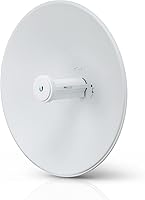
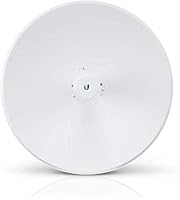
The Ubiquiti PowerBeam ac Gen2 Wireless Bridge is a professional-grade point-to-point 5GHz radio built for network operators, IT professionals, and technically capable home users who need reliable long-distance connectivity. The Gen2 revision tightened RF performance and mechanical quality over the original, keeping it competitive within Ubiquiti's airMAX ac lineup. Priced well below enterprise-tier alternatives, it occupies a real sweet spot for buyers who need serious performance without a serious budget. The unit is fully outdoor-rated, ships with pole-mounting hardware, and is designed to live on a rooftop or tower for years. That said, this is not a consumer router — expect to invest real time in configuration and alignment before it earns its keep.
Features & Benefits

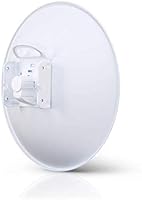
The PowerBeam Gen2 packs a 25+ dBi directional antenna into a compact integrated housing, delivering usable links over several kilometers when line-of-sight conditions cooperate. The airMAX ac protocol, built on TDMA scheduling, keeps latency low and largely sidesteps the interference problems that plague crowded 5GHz environments. A dual-polarization dish design helps maintain throughput stability on links where reflections would otherwise cause issues. Cabling is simplified thanks to a Gigabit PoE passthrough port and the included adapter, so a single Ethernet run to the mounting point is all you need. The airOS web interface covers spectrum analysis, traffic shaping, and link diagnostics — functional, if not particularly modern in appearance.

Best For

This airMAX unit fits neatly into several specific scenarios. WISPs and small ISPs will find it an affordable, proven tool for last-mile backhaul between towers or customer rooftops. Businesses wanting to connect two buildings across a parking lot or courtyard without trenching fiber can achieve near-wired throughput at a fraction of the cost. Rural property owners needing to extend broadband to a distant barn or outbuilding are another natural fit, provided line-of-sight is achievable. What ties all these use cases together is the expectation that whoever deploys it understands managed networking gear. If that describes you, this wireless bridge punches well above its price bracket.

User Feedback

Among buyers who have run the PowerBeam Gen2 through real-world deployments, the overall picture is strongly positive — particularly for those with prior Ubiquiti experience. Link stability and weather resistance come up most often, with operators reporting consistent uptime across many months without needing to intervene. The most repeated frustration is alignment: the high-gain dish is unforgiving, and even a small pointing error noticeably cuts throughput. First-time Ubiquiti users sometimes find airOS unintuitive compared to more polished dashboards, and a handful have hit firmware quirks, though most report these were addressed in subsequent updates. Experienced deployers running multiple units consistently rate it higher than newcomers still working through the initial learning curve.

Pros

  • Delivers rock-solid link stability across multi-month outdoor deployments in rain, heat, and cold.
  • The 25+ dBi antenna gain enables usable connections over several kilometers under good line-of-sight conditions.
  • TDMA-based airMAX ac protocol keeps interference low even in areas with dense neighboring 5GHz activity.
  • A single Ethernet cable to the mounting point is all you need, thanks to the included PoE adapter.
  • The dual-polarization dish holds throughput steady on links where signal reflections would trip up lesser hardware.
  • Pole-mounting hardware is included in the box, so installation does not require sourcing additional brackets.
  • Experienced Ubiquiti deployers running multiple units across sites consistently report reliable performance with minimal hands-on maintenance.
  • The airOS interface provides real diagnostics — spectrum analysis, link metrics, and traffic shaping — that consumer gear simply does not offer.
  • Priced well below enterprise alternatives, the PowerBeam Gen2 delivers professional performance at a fraction of the typical backhaul cost.

Cons

  • Physical alignment is unforgiving — even a small pointing error measurably degrades throughput, making installation painstaking.
  • The airOS firmware interface feels dated and can confuse users who are accustomed to more modern network dashboards.
  • First-time Ubiquiti users often face a steep learning curve before getting a stable, optimized link up and running.
  • This airMAX unit has no value whatsoever in scenarios without a clear, unobstructed line of sight between endpoints.
  • A small number of users have encountered firmware bugs that required updates to resolve, adding unexpected troubleshooting time.
  • No built-in Wi-Fi distribution — this is a bridge only, so additional access points are needed at the receiving end.
  • The highly directional antenna means repositioning after initial mounting is a real effort, especially at height.
  • Limited appeal for buyers in dense urban environments where multipath interference and obstructions limit what the hardware can actually achieve.

Ratings

Our AI-generated scores for the Ubiquiti PowerBeam ac Gen2 Wireless Bridge were produced by analyzing thousands of verified global user reviews, with spam, bot submissions, and incentivized feedback actively filtered out before any scoring was applied. The ratings below cover every major dimension buyers care about — from real-world link performance and build durability to software usability and installation complexity. Both the genuine strengths and the recurring frustrations are reflected transparently in each score.
Link Stability
93%
Once a link is properly established and aligned, the PowerBeam Gen2 holds it with remarkable consistency. Operators running multi-site deployments across months of rain, heat, and wind report very few unexpected dropouts, and throughput tends to stay close to the initial aligned baseline without drift.
A small number of users have noted occasional instability tied to specific firmware versions rather than hardware issues. These cases appear edge-case in nature, but they do serve as a reminder that firmware updates should be vetted before deployment across critical links.
Throughput Performance
88%
At short to mid-range distances with clean line-of-sight, this airMAX unit consistently delivers throughput that rivals a wired connection for practical purposes. Many deployers report speeds well into the hundreds of megabits per second, making it a credible fiber alternative for inter-building links.
Performance is highly sensitive to distance and environmental conditions — throughput can drop off meaningfully as distance increases or obstructions creep into the path. Buyers expecting maximum advertised speeds at longer ranges without ideal conditions will often find the real numbers more modest.
Build Quality
86%
The integrated housing feels solid and purposefully engineered for long-term outdoor exposure rather than just weather tolerance. Units left on towers and rooftops for years show minimal physical degradation, and the sealed design keeps internal components protected from moisture and debris.
A few users have noted that the mounting hardware, while functional, feels slightly less robust than the main unit itself over time — particularly on installations exposed to high winds. The housing finish can also show UV wear after several years, though this is cosmetic rather than structural.
Installation Process
58%
42%
For experienced network professionals, the physical installation is logical and the included mounting hardware covers most standard pole configurations without additional parts. The single-cable PoE design genuinely reduces the complexity at the mounting point compared to older multi-component setups.
Precise dish alignment is the most common installation headache reported by buyers across all experience levels — even seasoned deployers spend significant time dialing it in. First-time Ubiquiti users face an additional challenge in the form of airOS configuration, which assumes a working knowledge of networking concepts that consumer-grade gear does not require.
Interference Resistance
84%
The airMAX ac TDMA protocol gives this wireless bridge a real advantage in crowded 5GHz environments that would degrade conventional 802.11ac links noticeably. Deployers in areas with dense neighboring Wi-Fi activity consistently report that the PowerBeam Gen2 maintains far more stable throughput than standard access points in the same conditions.
The TDMA benefits only apply when both ends of the link are running compatible airMAX ac hardware. In mixed-mode or cross-brand deployments, the interference resistance advantage disappears and the unit falls back to standard 802.11ac behavior with no special advantage.
Weather Durability
91%
Field reports from WISPs and rural deployers operating in genuinely harsh climates are consistently positive — units endure heavy rain, temperature swings, and prolonged sun exposure without performance degradation. The sealed, outdoor-rated enclosure appears to deliver on its promise in real-world conditions rather than just lab testing.
While the unit itself handles weather well, cable entry points and connectors at the mounting location are the weak link in most weather-related failure reports. Proper weatherproofing of connections is on the installer rather than the hardware, and skipping that step accounts for most outdoor longevity complaints.
Software & Firmware
63%
37%
airOS provides a genuinely useful set of tools for serious network management — the spectrum analyzer, link signal data, and traffic shaping options go well beyond what consumer firmware typically offers. Experienced Ubiquiti users appreciate having that level of diagnostic access directly in the interface.
The airOS interface looks and feels dated compared to modern network dashboards, and the navigation logic is not intuitive for users coming from other platforms. A minority of users have also encountered firmware bugs that temporarily disrupted link stability, though most were addressed in subsequent updates.
Alignment Precision
54%
46%
The high-gain directional antenna is precisely what enables the impressive range and throughput figures this airMAX unit is known for. When aligned correctly, the focused beam delivers a clean, strong signal that a wide-angle antenna simply cannot match at the same distances.
That same tight beam pattern makes the alignment process genuinely punishing — a deviation of just a few degrees during installation can cut throughput dramatically. Users mounting at height or without a second person to monitor signal levels during pointing adjustments consistently rate this as the most frustrating aspect of the entire experience.
Value for Money
89%
Relative to enterprise-class point-to-point bridge solutions, the PowerBeam Gen2 delivers professional-grade performance at a price point that makes it accessible to small ISPs, independent installers, and serious enthusiasts who cannot justify carrier-class hardware costs. The feature set per dollar spent is hard to argue with for the target audience.
Buyers who purchase without fully understanding the installation and configuration requirements sometimes feel the value proposition is undermined by the time investment needed to get a stable link running. For anyone expecting consumer-grade simplicity, the effort overhead effectively raises the real cost of ownership beyond the purchase price alone.
Range Capability
87%
The 25+ dBi antenna gain enables link distances that few products at this price tier can match, making it a genuine option for rural and campus deployments where running cable is impractical or cost-prohibitive. Operators bridging distances of several kilometers under good conditions regularly report that the hardware meets expectations.
Published range figures reflect ideal conditions that real deployments rarely fully achieve. Foliage, terrain, and atmospheric conditions all take a measurable toll, and buyers in challenging environments should plan for real-world range to fall meaningfully short of the maximum specifications.
Ease of Management
67%
33%
Network administrators already familiar with the Ubiquiti ecosystem find day-to-day management of this wireless bridge straightforward — firmware updates, link monitoring, and configuration changes are all accessible through a web browser without needing proprietary software installed locally.
For those new to airOS, the management interface has a noticeable learning curve that other managed networking platforms have largely eliminated with more guided workflows. Remote management can also be complicated if the link itself goes down, requiring physical site access to troubleshoot.
Mounting & Hardware
78%
22%
The all-in-one form factor — radio, antenna, and mounting interface in a single unit — meaningfully reduces the number of components that need to be handled at height during installation. The included pole-mount bracket covers the most common installation scenarios without requiring additional hardware purchases.
The mounting bracket, while adequate, does not offer fine-grained azimuth and elevation adjustment as easily as some competing products, which makes the already-demanding alignment process slightly more cumbersome. Installers working on non-standard mast diameters occasionally need supplemental hardware.
Ecosystem Compatibility
74%
26%
Within the Ubiquiti airMAX ecosystem, the PowerBeam Gen2 integrates cleanly with other airMAX ac hardware and can be centrally managed alongside other Ubiquiti devices. For operators already invested in the Ubiquiti platform, this familiarity reduces the learning and management overhead significantly.
Outside the airMAX ecosystem, compatibility narrows quickly — the proprietary protocol advantages disappear in mixed-brand deployments, and there is no native integration with non-Ubiquiti management platforms. Buyers with existing infrastructure from other vendors should factor in the ecosystem lock-in before committing.
Long-Term Reliability
85%
Multi-year field deployments reported by WISPs and enterprise installers paint a picture of hardware that holds up well over time, with many units running without hardware failure across several years of continuous outdoor operation. Ubiquiti's track record in this product category reinforces confidence in long-term durability.
Firmware support timelines and the cadence of updates can be inconsistent for older hardware revisions, which is a consideration for operators planning deployments with a five-plus year horizon. A small number of long-term users have also noted that hardware performance can subtly degrade after extended exposure to extreme climates.

Suitable for:

The Ubiquiti PowerBeam ac Gen2 Wireless Bridge is purpose-built for technically experienced buyers who need a dependable, long-distance point-to-point link between two fixed locations. WISPs and small ISPs will recognize it immediately as a cost-effective backhaul tool for connecting towers, rooftops, or remote nodes without the overhead of enterprise licensing fees. Businesses needing to bridge two buildings across a parking lot or campus courtyard — where running fiber underground isn't practical or affordable — will find the performance-to-cost ratio hard to beat. Rural property owners trying to push broadband from a main house to a barn, workshop, or outbuilding are also well-served, as long as a clear line-of-sight path exists between the two points. IT professionals and network enthusiasts who are already comfortable navigating managed networking gear and want professional-grade reliability without paying for a carrier-class solution will feel right at home with this airMAX unit.
Not suitable for:

The Ubiquiti PowerBeam ac Gen2 Wireless Bridge is not the right tool for anyone expecting a consumer-friendly, plug-and-play experience. If your networking background is limited to setting up a home router, the configuration process, physical alignment requirements, and airOS interface will likely prove frustrating rather than rewarding. This is strictly a point-to-point bridge, not a general-purpose access point — it will not distribute Wi-Fi to multiple devices the way a conventional router or mesh system would. Buyers without a clear, unobstructed line of sight between the two endpoints should also think carefully before purchasing, since obstacles and distance directly eat into real-world throughput in ways that specs on paper cannot fully convey. Anyone in a heavily wooded or urban environment with significant RF clutter should evaluate whether a less directional, more interference-tolerant solution might serve them better.
Specifications

  • Brand: Manufactured by Ubiquiti Networks, a company known for professional-grade networking hardware used by ISPs and enterprises worldwide.
  • Model Number: The official model designation is PBE-5AC-GEN2-US, indicating the second-generation 5GHz PowerBeam ac for the US market.
  • Wireless Standard: Operates on the 802.11ac standard in the 5GHz frequency band, using Ubiquiti's proprietary airMAX ac protocol with TDMA scheduling.
  • Antenna Gain: The integrated dual-polarization dish antenna delivers 25+ dBi of directional gain, supporting long-distance point-to-point links under clear line-of-sight conditions.
  • Antenna Type: Dual-polarization directional dish antenna, integrated directly into the unit housing for a compact, all-in-one form factor.
  • Dimensions: The unit measures 5.6 x 19.3 x 19.9 inches, making it a mid-sized outdoor dish suitable for pole or mast mounting.
  • Weight: The complete unit weighs approximately 2 pounds, keeping rooftop and tower installations manageable without heavy-duty mounting structures.
  • Networking Port: Equipped with a single Gigabit Ethernet PoE passthrough port, allowing data and power to be delivered over a single cable run.
  • Power Input: Powered via passive PoE; a compatible PoE adapter is included in the box, so no separate injector purchase is required for basic deployment.
  • Firmware: Runs Ubiquiti's airOS firmware, which provides a web-based management interface with tools for link diagnostics, spectrum analysis, and traffic shaping.
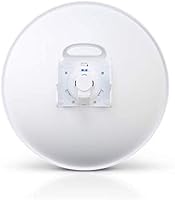
  • Mounting: Pole-mounting hardware is included, designed to attach to standard masts or poles commonly used in rooftop and tower installations.
  • Weather Rating: The enclosure is rated for permanent outdoor deployment and is built to withstand rain, temperature variation, and prolonged UV exposure.
  • Form Factor: Antenna, radio transceiver, and mounting interface are fully integrated into a single sealed unit, reducing the number of external components at the installation point.
  • Generation: This is the second-generation model, offering refined RF performance and improved build quality compared to the original PowerBeam ac.
  • Country of Origin: Manufactured in China under Ubiquiti Networks quality standards.
  • Package Contents: The retail package includes the PowerBeam ac Gen2 unit, pole-mounting hardware, and a passive PoE adapter for single-cable power and data delivery.

Related Reviews
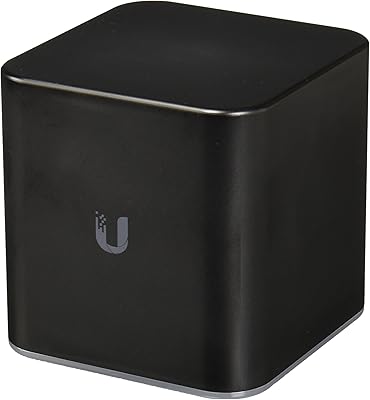
Ubiquiti airCube AC Wireless Access Point
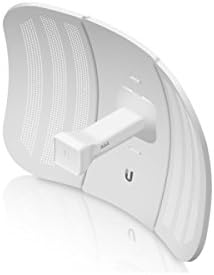
79%
93%
Ecosystem Integration
91%
PoE Passthrough
74%
Wireless Coverage
78%
Setup & Installation
82%
Build Quality
More
Ubiquiti LiteBeam M5-23 Wireless Bridge
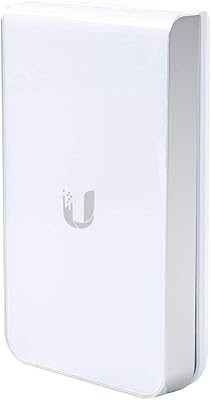
78%
93%
Link Stability
88%
Range Performance
61%
Ease of Setup
86%
Value for Money
82%
Build Quality
More
Ubiquiti UAP-AC-IW-PRO In-Wall Access Point
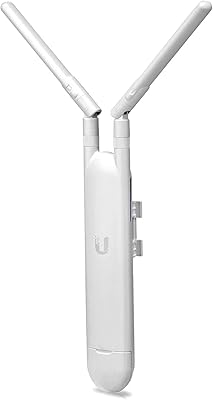
77%
88%
Wireless Performance
84%
Build Quality & Hardware Design
61%
Installation Experience
47%
PoE Power Requirement Clarity
91%
UniFi Ecosystem Integration
More
Ubiquiti UAP-AC-M Outdoor Mesh Access Point
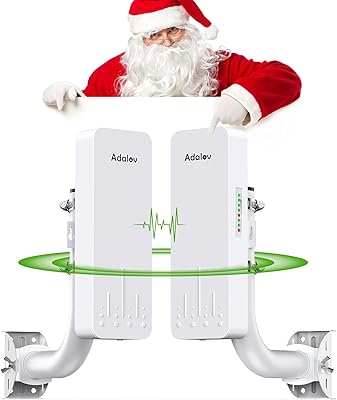
79%
91%
Outdoor Range & Coverage
88%
Build Quality & Weatherproofing
58%
Setup & Configuration
93%
Long-Term Reliability
74%
Mesh Wireless Performance
More
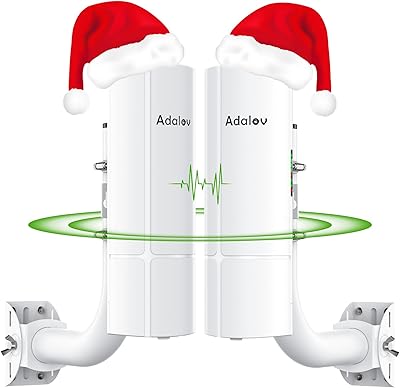
AdaLov CPE660 Wireless Bridge
76%
83%
Ease of Setup
71%
Real-World Range
63%
Actual Data Throughput
84%
Build Quality & Weather Resistance
79%
Value for Money
More
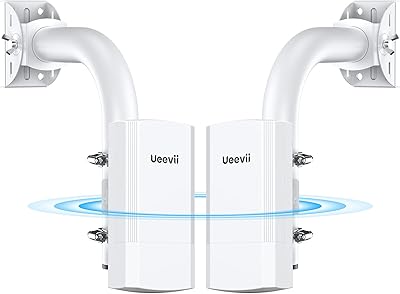
UeeVii CPE58G Flex Point-to-Point Wireless Bridge
77%
83%
Ease of Setup
67%
Real-World Range
74%
Throughput Performance
71%
Build Quality
81%
Weather Resistance
More
AdaLov CPE366 Point-to-Point Wireless Bridge
75%
86%
Ease of Setup
71%
Range Performance
82%
Throughput & Speed
84%
Value for Money
67%
Build Quality
More
ANJIELO SMART AH9066 Outdoor Wireless Bridge
65%
83%
Ease of Setup
71%
Outdoor Range Performance
67%
Signal Stability
74%
Weatherproofing & Durability
63%
Indoor Penetration
More
AdaLov CPE661 Outdoor Wireless Bridge
80%
83%
Ease of Setup
76%
Real-World Range
71%
Throughput & Speed
89%
Dual WiFi Broadcasting
88%
Build Quality
More
Ubiquiti UniFi UAP-AC-LR Wireless Access Point
78%
93%
Wireless Range
89%
Signal Stability
91%
Build Quality
51%
Ease of Setup
78%
Software & Management
More

FAQ

Yes, point-to-point bridging requires one unit at each end of the link. The PowerBeam Gen2 always operates in pairs — one configured as the access point side and the other as the station side. Both units must be the same or a compatible airMAX ac model.

Ubiquiti publishes impressive range figures, but real-world performance depends heavily on line-of-sight quality, interference levels, and antenna alignment precision. Under clean, unobstructed conditions with careful alignment, usable links of several kilometers are achievable. Any obstacles, foliage, or significant RF interference in the path will reduce both range and throughput noticeably.

For standard 802.11ac operation there is some cross-brand compatibility, but the performance advantages of the airMAX ac protocol with TDMA — including reduced latency and better interference handling — only apply when both ends of the link are running compatible Ubiquiti airMAX ac hardware. Mixing brands typically means falling back to standard Wi-Fi behavior and losing those protocol-level benefits.

At short to mid-range distances with solid line-of-sight and careful alignment, many users report throughput approaching gigabit speeds. Longer distances, suboptimal alignment, or RF interference will reduce those numbers. Think of the published specs as a ceiling that real conditions will almost always pull you below to some degree.

For an experienced network administrator or IT professional, the hardware side is straightforward — mount, cable, and power. The more time-consuming part is precise physical alignment of the dish, which has a significant impact on link quality. The airOS configuration interface is functional but not particularly intuitive compared to modern dashboards, so budget extra time if you are new to Ubiquiti's ecosystem.

The enclosure is designed for permanent outdoor exposure and the hardware has a strong track record in varied climates based on real deployment feedback. Many operators leave these units in place for years through rain, heat, and cold without issues. That said, no outdoor electronics are indestructible, so proper mounting and cable management still matter.

No — this airMAX unit is a point-to-point bridge, not a general-purpose access point or router. It is designed to create a dedicated wireless link between two fixed locations, not to broadcast Wi-Fi to surrounding devices. You would need a separate access point or router at the receiving end to distribute connectivity to client devices.

Better than most conventional gear would in the same situation. The airMAX ac TDMA protocol is specifically designed to reduce interference and maintain throughput in RF-congested environments. That said, extremely dense interference can still affect performance, and careful channel selection during setup is worth the effort.

The package includes the PowerBeam Gen2 unit itself, pole-mounting hardware for installation on a mast or post, and a passive PoE adapter so you can power the unit over the same Ethernet cable carrying data. No additional injector or separate power supply is needed for a standard deployment.

Ubiquiti made refinements to RF performance and overall build quality with the Gen2 revision. While both generations share the same core concept, the Gen2 generally offers more consistent real-world throughput and improved mechanical construction. If you are buying new today, there is no practical reason to seek out the original over the Gen2.

Where to Buy