Overview

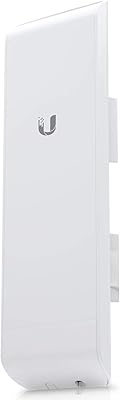
The Ubiquiti LiteBeam M5-23 Wireless Bridge is a purpose-built outdoor point-to-point solution designed for network professionals who need to extend connectivity over real distances without running cable. It sits firmly within Ubiquiti's AirMax ecosystem, which means it plays well alongside other AirMax hardware and benefits from the company's mature management toolset. The housing is surprisingly compact and light for what it does — under two pounds — which simplifies rooftop and tower installations compared to older, bulkier alternatives. Operating exclusively on 5GHz single-band, it trades broad consumer compatibility for cleaner spectrum performance. Be clear-eyed going in: this outdoor bridge unit is a prosumer and SMB tool that expects you to bring some networking knowledge to the table.

Features & Benefits

The 23 dBi directional antenna is where this wireless bridge earns its keep. That gain figure translates to a narrow, focused beam capable of holding a strong link across several kilometers under clear line-of-sight — realistic range for building-to-building scenarios typically falls between 1 and 5 km depending on obstructions and local RF noise. The AirMax TDMA protocol uses scheduled time slots to coordinate transmissions, which meaningfully cuts interference in areas crowded with competing networks. Firmware runs on EdgeOS through a browser-based interface clean enough for a small IT team, yet it still exposes advanced radio and routing parameters when you need them. Power delivery is handled by 24V passive PoE, so a single Cat5e run carries both data and power to the unit.

Best For

This outdoor bridge unit is a natural fit for small businesses and SMBs that need to link two buildings across a parking lot or courtyard without the cost and disruption of trenching fiber. Rural ISPs and network integrators use it regularly for last-mile wireless links where running cable simply is not practical. IT teams bridging separate wings of a campus network, or anyone running a dedicated backhaul for IP security cameras and IoT sensors, will appreciate the link reliability on offer. Because AirMax TDMA actively manages interference, it also holds up well in RF-dense environments like industrial parks or office complexes where neighboring networks compete for the same spectrum. Consumer Wi-Fi extenders are not in the same conversation here.

User Feedback

Among the 273 ratings averaging 4.3 out of 5, the clearest pattern is satisfaction from installers who already know their way around AirOS. Link stability comes up repeatedly — people consistently report holding clean connections over distances that would challenge cheaper hardware. Physical alignment is easier than expected given the narrow beam, partly because the on-screen signal strength display makes pointing the unit straightforward. The honest criticism is the initial configuration learning curve: users without prior Ubiquiti or enterprise networking experience often hit walls early, particularly around IP addressing and TDMA pairing. A handful of reviews also flag the firmware update process as less intuitive than it should be. Know your way around a router admin page, and the LiteBeam M5-23 will rarely disappoint.

Pros

  • The 23 dBi directional antenna holds focused, stable links across multi-kilometer line-of-sight distances.
  • AirMax TDMA protocol cuts through RF interference in crowded spectrum environments better than standard Wi-Fi protocols.
  • Single-cable PoE installation keeps outdoor deployments clean and straightforward once you know what you are doing.
  • Pole-mount hardware is included out of the box, so you are not sourcing mounting hardware separately.
  • EdgeOS firmware gives small IT teams a manageable interface without hiding advanced radio and routing controls.
  • Lightweight at under two pounds, making rooftop and tower installations physically easier than bulkier alternatives.
  • Strong long-term link stability is a consistent theme across real-world installer feedback.
  • Sits within the broad AirMax ecosystem, which simplifies mixed-hardware deployments for integrators already using Ubiquiti gear.
  • On-screen signal strength display during alignment makes pointing the unit far less tedious than expected given the narrow beam.

Cons

  • Initial configuration is genuinely difficult for anyone without prior Ubiquiti or enterprise networking experience.
  • The 100 Mbps LAN port creates a throughput ceiling that can become a real bottleneck in bandwidth-intensive deployments.
  • 802.11n is an aging wireless standard; competing hardware at similar price points now ships with newer radio generations.
  • Strict line-of-sight requirement means even partial obstructions between endpoints can seriously degrade link quality.
  • Firmware update process has been flagged by multiple users as less intuitive and more error-prone than it should be.
  • Operating on 5GHz only limits usable range compared to lower-frequency alternatives in challenging outdoor environments.
  • No onboard management without a connected device; there is no standalone LCD or status display for quick field diagnostics.
  • AirMax ecosystem dependency means mixing with non-Ubiquiti hardware introduces compatibility headaches that take time to resolve.

Ratings

The Ubiquiti LiteBeam M5-23 Wireless Bridge has been scored by our AI engine after analyzing hundreds of verified buyer reviews worldwide, with spam, bot-generated, and incentivized submissions actively filtered out before any scoring was applied. The result reflects what real installers, IT professionals, and network integrators actually experienced — both the strengths that keep this outdoor bridge unit in high demand and the friction points that tripped up less-prepared buyers. Every category below is scored transparently, meaning weak spots are scored weak, not glossed over.

Link Stability
93%
This is the category where the LiteBeam M5-23 consistently earns its reputation. Installers deploying building-to-building links across parking lots, fields, and industrial campuses report connections that hold steady for months without dropping or degrading. The AirMax TDMA scheduling plays a direct role here, actively managing airtime to prevent the packet collisions that destabilize cheaper bridges.
A small subset of users in extremely dense urban RF environments — think rooftops surrounded by dozens of competing 5GHz networks — report occasional throughput dips during peak interference hours. These cases are the exception rather than the rule, but they do occur and are worth factoring in for dense metro deployments.
Range Performance
88%
Under genuine line-of-sight conditions, the 23 dBi directional antenna delivers exactly what experienced integrators expect — reliable links stretching well beyond a kilometer with signal to spare. Rural ISPs and campus IT teams regularly cite achieving stable, usable connections at distances that would be impossible with consumer-grade hardware, and alignment is less finicky than you might expect given the narrow beam.
Range claims collapse quickly once obstructions enter the equation. Trees, gentle terrain undulations, or even heavy foliage between endpoints can cut effective range dramatically. Users who assumed line-of-sight without properly surveying their path first were the most disappointed — this outdoor bridge unit rewards planning and punishes assumptions.
Ease of Setup
61%
39%
For network professionals already familiar with AirOS or Ubiquiti's broader ecosystem, the setup process is described as logical and reasonably fast. The browser-based interface exposes the right parameters without burying them, and the on-screen signal strength display during antenna alignment is a genuine time-saver that experienced installers specifically call out as well-implemented.
For anyone without prior enterprise or prosumer networking experience, the initial configuration is a real obstacle. Assigning static IPs, navigating the AirMax pairing sequence, and correctly setting wireless modes is not intuitive for beginners, and Ubiquiti's documentation, while available, assumes a baseline knowledge level that not every buyer has. First-time deployments regularly take far longer than expected.
Value for Money
86%
Among technically proficient buyers, the cost-to-performance ratio is one of the most praised aspects of this wireless bridge. Achieving multi-kilometer point-to-point connectivity at this price point would require significantly more expensive licensed or fiber alternatives, and installers frequently note that the hardware holds up in production environments long after cheaper competitors have been replaced.
The value argument weakens if you factor in the labor cost of a difficult first-time setup, or if the 100 Mbps LAN ceiling forces you to upgrade sooner than expected as your bandwidth demands grow. Buyers who discover after purchase that they need a gigabit-capable link feel the price-to-value proposition shifts considerably.
Build Quality
82%
18%
The housing feels solid and purposeful for an outdoor unit — UV-resistant, light enough for easy solo installation, and clearly built for permanent outdoor exposure rather than occasional use. Installers who have had units running on rooftops through multiple seasons of sun, rain, and temperature swings report no housing degradation or connector corrosion issues under normal conditions.
The compact form factor, while an asset during installation, does leave some users questioning long-term durability in extreme climates — particularly in regions with very high humidity or sustained sub-zero temperatures. A small number of reviews mention connector and port area vulnerability when installations are not properly weatherproofed with self-amalgamating tape.
Firmware & Interface
71%
29%
The AirOS browser interface is cleaner than many competing prosumer platforms, and it exposes a useful range of radio parameters — transmit power, channel width, frequency selection — without requiring command-line access for standard deployments. Small IT teams managing a handful of links generally find it approachable once the initial learning curve is behind them.
The firmware update process has attracted repeated criticism, with users reporting that updates occasionally break configurations or require a full reset to apply cleanly. There is also a lingering frustration that the interface, while functional, has not evolved as meaningfully as some competing platforms over the years, and certain workflow steps feel unnecessarily manual.
Interference Rejection
84%
The AirMax TDMA protocol gives this outdoor bridge unit a measurable edge over standard 802.11n devices in environments where 5GHz spectrum is shared with other access points or bridges. IT professionals who switched from generic wireless bridges to this hardware in cluttered industrial park environments report noticeably more consistent throughput without needing to re-engineer their RF environment.
AirMax TDMA only works between two Ubiquiti AirMax devices — it provides no benefit if one end of the link is a non-Ubiquiti radio. In mixed-vendor environments, the interference rejection advantage disappears entirely, and the unit falls back to behaving like a standard 802.11n device, which narrows its edge considerably.
Physical Installation
79%
21%
The included pole-mount bracket handles most standard rooftop mast and pipe diameters without supplementary hardware, and the unit's sub-two-pound weight means one person can manage the physical mounting alone in most scenarios. Cabling is straightforward given the single PoE Ethernet run — no separate power cable to route or weatherproof at height.
The mounting bracket, while adequate for standard poles, offers limited adjustability for fine elevation tilting once bolted down. Installers working on non-standard mounting surfaces — walls, J-poles, or uneven structures — often find themselves sourcing additional hardware that should arguably have been included or at least offered as an accessory bundle.
Throughput Ceiling
58%
42%
For the use cases this wireless bridge was designed around — IP cameras, general office internet access, VoIP, and light file transfers between buildings — the 100 Mbps LAN port is sufficient in a large share of real-world deployments. Many small business and SMB buyers confirm that their actual throughput demands fit comfortably within that ceiling for years of productive use.
The 100 Mbps hard cap is an increasingly visible limitation as business bandwidth demands grow and gigabit WAN connections become standard. Users who deploy this outdoor bridge unit and later find their connectivity needs outpacing it have no upgrade path short of replacing the hardware entirely, which makes the total cost of ownership less attractive for forward-looking buyers.
AirMax Ecosystem Fit
89%
For buyers already invested in Ubiquiti's hardware ecosystem, the LiteBeam M5-23 slots in cleanly alongside existing AirMax access points, switches, and management tools. Network integrators who manage multi-site Ubiquiti deployments specifically cite the ecosystem consistency as a practical time-saver — familiar interfaces, compatible management platforms, and predictable behavior across hardware generations.
The ecosystem benefits flip into a constraint for buyers mixing vendors. AirMax TDMA requires matching Ubiquiti radios on both ends, and UISP or UNMS management tools add dependency overhead that some smaller deployments find unnecessary. Getting locked into a single vendor's ecosystem is a real strategic consideration, not just a technical one.
Antenna Alignment
77%
23%
The real-time RSSI meter in the AirOS interface makes the alignment process considerably less stressful than it sounds on paper, especially for a 23 dBi beam. Experienced installers describe a clear and responsive signal level readout that lets them optimize pointing without a second technician on a phone relaying signal readings from a remote location.
First-time users frequently underestimate how sensitive a 23 dBi directional antenna is to even slight pointing errors. Small deviations that would be inconsequential on a wider-beam antenna translate to meaningful signal drops here, and without prior experience reading the relationship between physical movement and signal change, the alignment process becomes frustrating and time-consuming.
PoE Power Delivery
81%
19%
Single-cable 24V passive PoE is genuinely convenient for outdoor deployments — threading one Cat5e run through a wall gland or conduit is far simpler than managing separate power and data cables. The included PoE adapter covers the basics for a straightforward two-unit deployment right out of the box without additional procurement.
The 24V passive PoE standard is a compatibility minefield for buyers who expect plug-and-play compatibility with their existing managed PoE switches. Connecting the unit to a standard 802.3af switch without a passive injector in between risks hardware damage, and this incompatibility catches uninformed buyers off guard more than almost any other aspect of the product.
Documentation & Support
63%
37%
Ubiquiti's community forums are a genuinely useful resource, and the depth of peer knowledge available for AirOS configuration scenarios is extensive given how widely deployed this hardware family is. Experienced users rarely need to contact official support because the community has documented almost every common deployment scenario in detail.
Official documentation from Ubiquiti assumes a level of background knowledge that many legitimate buyers — particularly small business owners without an in-house IT team — simply do not have. Formal support channels are known within the community for being slow and inconsistent, meaning buyers without the technical confidence to self-serve through forums often feel stranded.

Suitable for:

The Ubiquiti LiteBeam M5-23 Wireless Bridge is purpose-built for IT professionals, network integrators, and technically capable small business owners who need a reliable, cost-effective way to link two locations over the air without running cable. If you are trying to connect two buildings across a parking lot, bridge a remote warehouse to a main office, or deliver a last-mile wireless link in a rural area, this outdoor bridge unit is exactly the kind of tool built for that job. ISPs deploying point-to-point links across fields or suburban rooftops will find the 23 dBi directional antenna and AirMax TDMA protocol a serious combination for holding stable throughput even in RF-cluttered environments. Security and surveillance installers who need a dedicated, high-reliability backhaul for IP cameras or IoT sensors will also get strong value here. Anyone already working within the Ubiquiti AirMax ecosystem gets the added benefit of familiar management interfaces and hardware interoperability.

Not suitable for:

The Ubiquiti LiteBeam M5-23 Wireless Bridge is not the right call for home users or anyone expecting a plug-and-play setup experience. If your goal is simply extending Wi-Fi coverage inside or around a house, this outdoor bridge unit is significant overkill — and its browser-based EdgeOS configuration will frustrate anyone without prior enterprise or prosumer networking experience. The 100 Mbps LAN port is also worth noting: in a world where gigabit links are standard, deployments with high bandwidth demands may find that ceiling limiting. The 802.11n standard, while capable, is an older generation than what newer competing hardware now ships with. And because this wireless bridge operates on 5GHz only with a narrow directional beam, it demands clear line-of-sight between endpoints — any significant obstruction between buildings will degrade performance sharply or make the link unworkable entirely.

Specifications

  • Frequency Band: Operates exclusively on the 5 GHz single-band spectrum, avoiding the congestion common on 2.4 GHz networks.
  • Wireless Standard: Uses 802.11n with Ubiquiti's proprietary AirMax TDMA protocol layered on top for improved scheduling and interference rejection.
  • Antenna Gain: Integrated 23 dBi directional antenna focuses the signal into a narrow beam optimized for long-distance point-to-point links.
  • LAN Connectivity: Single 10/100 Mbps RJ45 port carries both network data and 24V passive PoE power over a single Cat5e or Cat6 cable run.
  • Power Input: Powered by 24V passive PoE delivered through the included PoE adapter; no separate power outlet is required at the mounting location.
  • RAM: Equipped with 64 MB of onboard RAM, sufficient for running the AirOS firmware and managing a dedicated point-to-point link.
  • Operating System: Ships with Ubiquiti's EdgeOS (AirOS) firmware, accessible via a browser-based management interface from any connected PC.
  • Weight: The unit weighs 1.65 pounds, making single-person rooftop and tower installations practical without heavy rigging equipment.
  • Dimensions: Compact form factor designed for low wind-load outdoor mounting; significantly smaller in profile than traditional sector or dish antennas of comparable gain.
  • Color & Housing: Finished in white with a UV-resistant outdoor enclosure built to withstand prolonged sun, rain, and temperature variation in typical deployment environments.
  • Included Accessories: Package includes a pole-mount bracket and a 24V PoE power adapter, so basic installation hardware is ready without a separate purchase.
  • WPS Support: WPS is supported, though most professional deployments will rely on the AirOS web interface for pairing and configuration rather than WPS.
  • Voltage Rating: Rated for 24V input via passive PoE; using an active 802.3af or 802.3at PoE injector without a passive adapter is not recommended.
  • BSR Ranking: Holds a top-500 ranking in the Computer Networking Wireless Access Points category on Amazon, reflecting consistent long-term sales volume.
  • User Rating: Carries a 4.3 out of 5 average rating across 273 verified customer ratings, with the bulk of positive feedback coming from professional installers.

Related Reviews
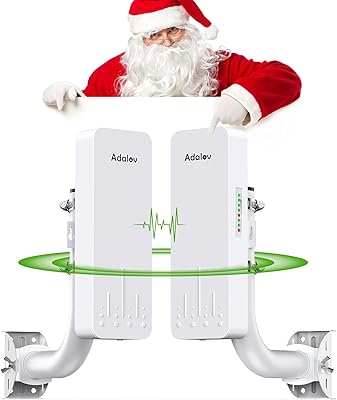
AdaLov CPE660 Wireless Bridge
76%
83%
Ease of Setup
71%
Real-World Range
63%
Actual Data Throughput
84%
Build Quality & Weather Resistance
79%
Value for Money
More
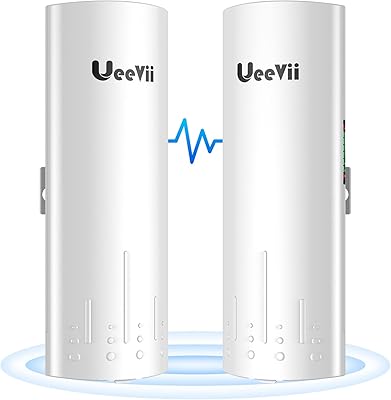
UeeVii CPE58G Flex Point-to-Point Wireless Bridge
77%
83%
Ease of Setup
67%
Real-World Range
74%
Throughput Performance
71%
Build Quality
81%
Weather Resistance
More
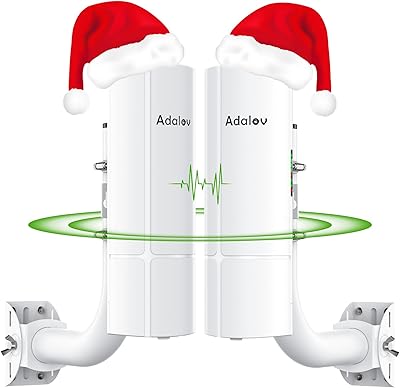
AdaLov CPE661 Outdoor Wireless Bridge
80%
83%
Ease of Setup
76%
Real-World Range
71%
Throughput & Speed
89%
Dual WiFi Broadcasting
88%
Build Quality
More
AdaLov CPE366 Point-to-Point Wireless Bridge
75%
86%
Ease of Setup
71%
Range Performance
82%
Throughput & Speed
84%
Value for Money
67%
Build Quality
More
Ubiquiti U6+
Ubiquiti U6+
80%
88%
Wireless Performance
54%
Setup & Configuration
84%
Range & Coverage
82%
Build Quality & Design
91%
PoE+ Implementation
More
Ubiquiti NanoStation M5 Outdoor Wireless Access Point
77%
88%
Link Stability
79%
Range Performance
91%
Build Quality
54%
Ease of Setup
84%
Value for Money
More
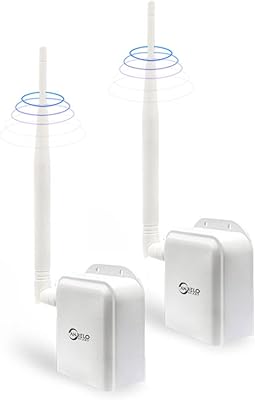
ANJIELO SMART AH9066 Outdoor Wireless Bridge
65%
83%
Ease of Setup
71%
Outdoor Range Performance
67%
Signal Stability
74%
Weatherproofing & Durability
63%
Indoor Penetration
More
EnGenius EnStation6 Kit Outdoor Wireless Bridge
76%
84%
Throughput Performance
72%
Range & Coverage
61%
Ease of Setup
88%
Build Quality & Weatherproofing
76%
Value for Money
More
UeeVii CPE450 Point-to-Point Wireless Bridge Kit
76%
88%
Ease of Setup
82%
Signal Stability
67%
Real-World Range
61%
Throughput & Speed
79%
Build Quality & Durability
More
EnGenius ENH500-AX Outdoor Wireless Bridge
85%
93%
Long-Range Performance
90%
Weatherproofing & Durability
78%
Installation & Setup
85%
Wi-Fi Speed & Stability
88%
Signal Strength
More

FAQ

Yes, point-to-point bridging always requires one unit at each end of the link. The Ubiquiti LiteBeam M5-23 Wireless Bridge must be purchased in a pair — one configured as the access point and one as the station — to create a functional link between two locations.

Under true line-of-sight conditions with no significant obstructions, practical real-world links of 1 to 5 kilometers are commonly reported by installers. Beyond that range, link quality becomes more dependent on antenna alignment precision, local RF environment, and elevation. Marketing range figures are theoretical maximums; plan conservatively for reliable performance.

No, the LiteBeam M5-23 uses 24V passive PoE, which is not compatible with 802.3af or 802.3at active PoE switches. You should use the included 24V PoE adapter or another Ubiquiti-compatible 24V passive injector. Plugging it into a standard managed PoE switch without a passive adapter can damage the unit.

For reliable performance at any meaningful distance, clear line-of-sight is effectively required. The 23 dBi directional antenna focuses signal into a very narrow beam, which is great for distance but unforgiving of obstructions. Trees, buildings, or even heavy foliage in the signal path will degrade throughput significantly or break the link entirely.

Honest answer: it has a real learning curve if you are coming from consumer networking gear. Assigning IP addresses, navigating the AirOS pairing process, and getting the radio settings right takes some familiarity with basic networking concepts. Ubiquiti's online documentation and community forums are solid resources, but expect a few hours of troubleshooting on your first deployment.

No. The onboard LAN port is limited to 100 Mbps, which caps the maximum throughput regardless of the wireless link quality. For most building-to-building use cases like IP cameras, general office internet access, or VoIP, this is adequate. If you need gigabit backhaul, you will need to look at Ubiquiti's higher-end AirMax AC or AirFiber product lines.

No, you do not need a controller. The unit runs standalone using its built-in AirOS web interface, which you access directly via a browser pointed at the device's IP address. A centralized controller like UNMS or UISP is optional and useful if you are managing many devices, but it is not required for a basic two-unit bridge deployment.

The box includes a pole-mount bracket designed for standard round poles, which covers most rooftop mast and pipe installations. For wall mounts, J-poles, or non-standard pole diameters, you may need additional hardware. The included bracket is sturdy enough for typical deployments, and most professional installers report it works well right out of the box.

The bridge itself connects to your LAN via a standard Ethernet port, so it integrates with any router, switch, or firewall brand on either end of the link. The AirMax protocol is proprietary between the two radio units, but once the wireless bridge is established, the Ethernet side is completely agnostic. You do not need an all-Ubiquiti network to use it.

The AirOS interface shows a real-time signal strength meter while you are logged in, which most installers use to fine-tune alignment after rough positioning by eye. Start by aiming both units directly at each other using a compass bearing or line-of-sight visual, then make small adjustments while watching the signal level climb. Even a few degrees off-axis can noticeably affect link quality given how narrow the 23 dBi beam is.