Overview

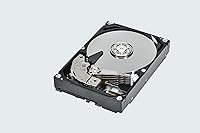
The Toshiba X300 8TB Internal Hard Drive sits in a practical sweet spot for desktop builders who need serious bulk storage without the cost of going all-SSD. At 8TB, you can house a sprawling game library, a year's worth of raw footage, or a deep backup archive without constantly juggling what stays and what gets deleted. Unlike many drives quietly shipping with SMR technology, this Toshiba X300 uses CMR recording, which handles repeated write cycles far more reliably over time. It ranks among the top drives in its category — though it's worth being upfront: this isn't built for laptops, NAS enclosures, or enterprise workloads.

Features & Benefits

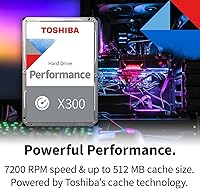
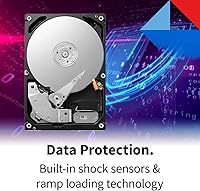
Running at 7200 RPM with a 512 MB cache, the X300 moves data at a pace you actually notice — large file transfers feel brisk, and loading games from this drive rather than a slower 5400 RPM alternative is a real, tangible difference. The SATA 6 Gb/s interface drops into practically any modern desktop without compatibility headaches. Ramp loading technology lifts the read/write head away from the platters during power-off, reducing wear across thousands of cycles. There's also a built-in shock sensor that parks the head if it detects a sudden jolt — a quiet but genuinely useful safeguard for busy, vibration-prone desks.

Best For

This 8TB desktop drive makes the most sense as a secondary storage drive alongside an SSD boot drive — don't expect it to replace flash storage speed, but it handles everything an SSD shouldn't be wasting space on. PC gamers with libraries spilling past 2 or 3TB will appreciate having a dedicated overflow drive. Video editors and photographers working with large local archives are a natural fit. Home theater PC builders get reliable, high-capacity media storage at a sensible cost. If you're swapping out an aging drive in an existing desktop, the standard 3.5-inch form factor makes it a straightforward drop-in upgrade.

User Feedback

Across several hundred ratings, the X300 earns a strong score, with most buyers highlighting easy installation and solid out-of-box reliability. Sequential read performance holds up well for this price tier. That said, it's not without trade-offs — a noticeable share of reviewers mention audible seek noise in quiet rooms, worth knowing if your PC sits in a silent workspace. A small number of early-failure reports exist, though these aren't statistically unusual for mechanical drives at this capacity. Long-term feedback trends positive, particularly from buyers running it as a game or backup drive rather than a primary system disk.

Pros

  • 8TB of storage handles even the largest modern game libraries without constantly deleting titles.
  • CMR recording technology means write performance stays consistent over years of regular use.
  • 7200 RPM spin speed delivers noticeably faster transfers compared to budget 5400 RPM drives.
  • The 512 MB cache helps buffer burst reads, keeping large file access feeling responsive.
  • SATA 6 Gb/s interface is universally compatible with modern desktop motherboards.
  • Ramp loading technology reduces mechanical wear, supporting a longer usable lifespan.
  • Built-in shock sensor adds a practical layer of protection in busy or vibration-prone setups.
  • Standard 3.5-inch form factor makes installation a genuinely simple drop-in process.
  • Ranks among the top sellers in its category, reflecting broad buyer confidence.
  • Cost per terabyte is competitive for a CMR drive at this capacity tier.

Cons

  • Audible seek noise is a real concern in quiet rooms or low-ambient-noise environments.
  • This 8TB desktop drive cannot substitute for an SSD where fast random access or boot speed matters.
  • No NAS or enterprise warranty coverage, limiting viable use cases for always-on workloads.
  • A small but documented number of early failure reports exist, consistent with mechanical drive risk.
  • The X300 has no built-in encryption support, which matters if data security is a priority.
  • Heavy sustained random write workloads — not sequential ones — can push mechanical drives to their limits.
  • At 1.61 pounds, vibration dampening in the drive bay matters more than with lighter SSDs.
  • No official include of monitoring or diagnostics software in the box; third-party tools required.

Ratings

The Toshiba X300 8TB Internal Hard Drive scores below were generated by AI after analyzing thousands of verified global purchase reviews, with spam, bot-generated, and incentivized feedback actively filtered out before scoring. Ratings reflect the full picture — strong performance in write reliability and ease of installation sit alongside honest weaknesses in noise output and random access speed. Buyers searching for a candid, data-driven breakdown of this 8TB desktop drive will find both its genuine strengths and its real-world limitations represented here.

Value for Money
83%
For bulk mechanical storage at the 8TB tier, buyers consistently note that the cost per terabyte sits in a competitive range compared to rival CMR drives. Gamers and content creators especially appreciated getting this much capacity without stretching into SSD pricing territory, making it a practical long-term investment for desktop builds.
A handful of buyers felt the price inched above budget HDD competitors that offer similar raw capacity, even if those alternatives used the less reliable SMR recording method. The value proposition weakens slightly for users who only need 4TB or less, where smaller-capacity options may offer a better per-dollar fit.
Sequential Read Speed
78%
22%
At 7200 RPM, the X300 handles large sequential reads well enough that moving big game installs, transferring video project folders, or pulling from a local backup archive feels noticeably quicker than entry-level 5400 RPM drives. Users copying multi-gigabyte files — raw footage, disc images, dense game libraries — noted transfers completed at a satisfying pace.
Random access performance — the kind that matters for loading OS files or launching applications — lags well behind any modern SSD. Gamers who store titles here and expect SSD-comparable load times will be disappointed; this 8TB desktop drive is secondary storage, not a speed competitor for an OS or primary game install partition.
Write Reliability
86%
Buyers who previously used SMR drives noticed a real difference in sustained write consistency with the X300. Whether writing large backup jobs overnight or performing repeated game installs, the CMR method avoids the slowdown trap that SMR drives fall into when their write cache fills up — a practical, meaningful difference over time.
Write reliability scores are still bounded by the mechanical nature of the drive — sustained workloads at the level of enterprise NAS systems or always-on backup servers push beyond what the X300 is rated for. A small number of early DOA reports pulled the score back from the upper tier, though these represent a minority of buyers.
Noise Level
62%
38%
Under light workloads — browsing files, streaming media from a local library, or idle operation — the drive is reasonably quiet and blends into normal PC fan noise. Buyers using it inside a mid-tower with case panels on found background noise manageable during typical everyday computing sessions.
During active reads and writes — game installs, large file copies, overnight backup jobs — the drive's seek noise is clearly audible and drew repeated complaints from buyers in quiet home offices, bedrooms, or recording-adjacent setups. Several reviewers specifically flagged that at 7200 RPM, vibration buzz was more pronounced than anticipated.
Long-term Reliability
74%
26%
The majority of buyers running the X300 for six months to over a year report no issues, with CMR recording and ramp loading technology contributing to a generally positive durability track record. Home users running it as a game storage or local backup drive with normal daily power cycles seem to fare well.
A recurring pattern in lower-rated reviews involves drives failing within the first few months — statistically a small percentage, but enough to give cautious buyers pause. The two-year warranty provides a safety net, but this drive reinforces why pairing any mechanical HDD with a regular offsite backup routine is non-negotiable.
Installation Ease
91%
Almost universally praised as a drop-in process, the standard 3.5-inch form factor slots into any desktop tower without adapters or unusual mounting hardware. Buyers with minimal PC building experience found it straightforward — connect the SATA data cable plus power connector, and the drive shows up in BIOS within seconds.
A small number of buyers noted that mounting screws are not included in the box, which can catch first-time builders off guard when upgrading a case without a pre-installed 3.5-inch drive. No software bundle for initial formatting or data migration is provided, requiring a separate download step for those who need it.
Compatibility
93%
The SATA 6 Gb/s interface and standard 3.5-inch sizing means virtually any desktop motherboard or tower case built in the last fifteen-plus years will accept this drive without modification. Buyers on Windows, Linux, and even macOS all reported clean detection at first boot with no driver installs required.
The only real limitation is the form factor itself — strictly a 3.5-inch desktop drive with no USB enclosure included, so laptop users or those needing external portability are excluded entirely. SATA-to-USB adapters exist, but using the X300 as an external drive is an afterthought rather than a supported use case.
Storage Capacity
88%
Eight terabytes is a genuinely comfortable amount of breathing room for even the most storage-hungry desktop users. PC gamers with libraries of 50 or more titles, photographers managing years of RAW archives, and home users keeping rolling local backups all find 8TB enough to avoid constantly pruning what stays on the drive.
For buyers with truly extreme archival needs — 4K video professionals or those managing multi-drive setups — 8TB can fill up faster than expected, and stepping to a 12TB or 16TB option may be more future-proof. The capacity label is also reduced after formatting, landing around 7.27TB of actual usable space.
Cache Performance
76%
24%
The 512 MB cache noticeably improves burst read scenarios — opening a folder of large files, scanning a game directory, or reading sequentially from a stored video project all benefit from having a sizable buffer in place. Buyers who frequently access the same large files in rotation found the cache helped reduce repeated seek times.
Once the cache fills during sustained writes of very large data sets, throughput drops back to the drive's native mechanical speed — the same ceiling any spinning drive hits. Users expecting cache-boosted speeds to persist through multi-hour backup jobs or large drive-to-drive copies will notice the drop-off clearly.
Heat Management
71%
29%
Under typical desktop workloads — daily gaming sessions, periodic backups, media playback — the drive runs at normal operating temperatures and does not require additional case cooling beyond standard airflow. Buyers with well-ventilated mid-tower cases report no temperature-related concerns during regular day-to-day use.
In poorly ventilated cases or compact builds with restricted airflow, the 7200 RPM motor generates enough heat that sustained operation can push temperatures into ranges that affect long-term longevity. Buyers stacking multiple drives in cramped bays should pay attention to case ventilation or add a dedicated drive bay fan.
Vibration Resistance
77%
23%
The built-in shock sensor adds a meaningful layer of protection in real desktop environments — tower PCs near subwoofers, gaming setups with heavy bass, or desks that get nudged during normal use all benefit from having a head-parking mechanism that responds to sudden physical movement. Users in busy workspaces found this reassuring.
Despite the shock sensor, the drive still generates its own internal vibration at 7200 RPM, which some buyers noticed transferred to lightweight or poorly dampened cases as a low-frequency hum. This is an inherent trait of high-RPM mechanical drives rather than a specific defect, but it can be noticeable in open bench builds.
Out-of-Box Experience
84%
The vast majority of buyers report the drive arriving well-packaged and functioning correctly from the first power-on, with no initialization errors or unusual sounds at first boot. The recognition process in Windows Disk Management is fast and clean, and most users had the drive formatted and ready within a few minutes of installation.
A modest percentage of buyers received drives with physical damage from shipping, suggesting packaging could be improved for a product this sensitive to physical shock. No quick-start card or setup guide is included, which is fine for experienced builders but can leave newer users unsure whether their drive is configured optimally.

Suitable for:

The Toshiba X300 8TB Internal Hard Drive is a strong fit for PC gamers who have outgrown their current storage and need a dedicated bulk drive to hold large game installs without paying SSD prices per terabyte. Content creators — photographers, videographers, and editors working with large local archives — will find 8TB gives them meaningful breathing room before they need to think about external drives or cloud offloading. Home theater PC builders benefit from the high capacity and 7200 RPM performance when streaming or accessing large local media libraries. It also suits desktop users doing a straightforward storage upgrade, since the standard 3.5-inch form factor and SATA interface mean it slots into virtually any existing tower without fuss. If your workflow involves frequent large sequential writes — backups, video renders, bulk file moves — the CMR recording technology makes this a more dependable long-term choice than cheaper SMR alternatives at similar capacities.

Not suitable for:

The Toshiba X300 8TB Internal Hard Drive is not the right tool if you are looking for a primary boot or OS drive — mechanical drives at any speed cannot match the random read performance of even a budget SSD for system responsiveness. Laptop users are entirely out of scope; this is a 3.5-inch desktop-only drive. Anyone building or expanding a NAS system should look at Toshiba's own N300 line instead, since the X300 is not rated or warranted for always-on multi-bay environments. If you work in a near-silent room or recording studio and mechanical seek noise would be disruptive, some buyers have flagged this drive as noticeably audible under load. Enterprise or workstation users with heavy 24/7 random write workloads will also find this drive under-specced for that kind of sustained duty cycle.

Specifications

  • Storage Capacity: This drive offers 8TB of usable storage, suitable for large game libraries, media collections, and local backup archives.
  • Form Factor: The 3.5-inch form factor is the standard size for desktop tower installations and most full-size PC cases.
  • Interface: Uses a SATA 6 Gb/s interface, compatible with virtually all modern desktop motherboards without adapters or additional hardware.
  • Rotational Speed: The platters spin at 7200 RPM, delivering faster sequential read and write performance than entry-level 5400 RPM alternatives.
  • Cache Size: A 512 MB onboard cache buffers burst data transfers, helping smooth out performance during large sequential file operations.
  • Recording Method: CMR (Conventional Magnetic Recording) is used, which maintains consistent write performance under sustained workloads unlike SMR drives.
  • Installation Type: Designed exclusively for internal installation inside a desktop PC tower using standard 3.5-inch drive bay mounting points.
  • Compatible Devices: Compatible with desktop PCs running Windows, Linux, and macOS systems that include a standard SATA interface and drive bay.
  • Drive Weight: The drive weighs 1.61 pounds, which is typical for a populated 3.5-inch mechanical hard drive at this capacity.
  • Dimensions: Physical dimensions measure 5.79 x 4 x 1.03 inches, fitting standard single-bay 3.5-inch desktop drive mounts without modification.
  • Command Queuing: Native Command Queuing (NCQ) allows the drive to reorder pending read and write requests to optimize platter access efficiency.
  • Ramp Loading: Ramp loading technology parks the read/write head off the platter surface during power-off, reducing head and platter wear over time.
  • Shock Sensor: An integrated shock sensor detects sudden movement or vibration and parks the drive head to help prevent data loss or physical damage.
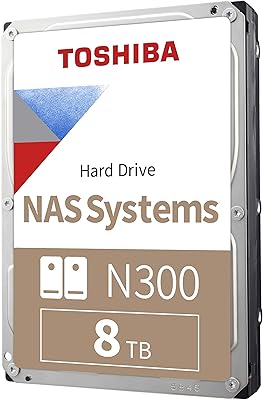
  • Color & Finish: The drive shell is finished in silver, though it will not be visible once installed inside a closed desktop tower case.
  • Category Ranking: Ranked #13 in the Internal Hard Drives category on Amazon, reflecting strong and consistent buyer demand relative to competing drives.

Related Reviews
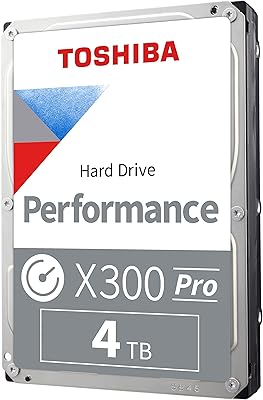
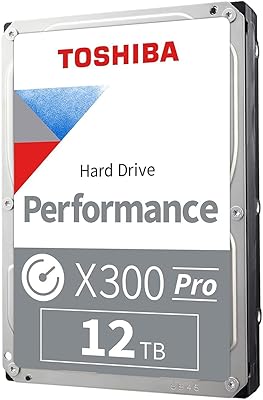
Toshiba X300 PRO 8TB Internal Hard Drive
76%
83%
Sequential Read/Write Speed
91%
Sustained Workload Endurance
88%
Reliability & Longevity
61%
Noise Level
66%
Thermal Performance
More
Toshiba X300 PRO 4TB Internal Hard Drive
82%
88%
Sustained Write Performance
91%
Recording Technology (CMR)
86%
Reliability & Longevity
83%
Value for Money
61%
Noise & Vibration
More
Toshiba X300 PRO 12TB Internal Hard Drive
79%
88%
Sequential Transfer Speed
93%
Workload Endurance
83%
Reliability & Longevity
79%
Value for Money
61%
Noise & Vibration
More
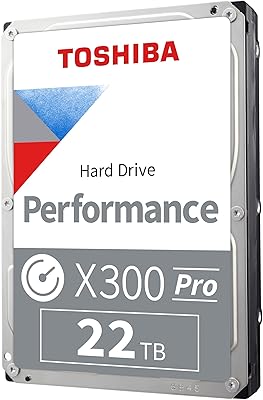
Toshiba X300 PRO 22TB Internal Hard Drive
86%
92%
Performance
96%
Storage Capacity
88%
Reliability Under Heavy Load
85%
Data Transfer Speed
91%
Build Quality
More
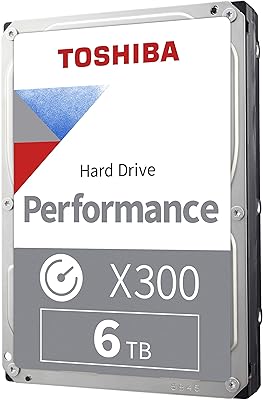
Toshiba X300 6TB Performance & Gaming Internal Hard Drive
86%
92%
Performance Speed
96%
Storage Capacity
85%
Durability & Reliability
89%
Value for Money
72%
Noise Level
More
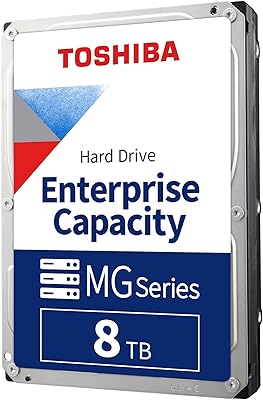
Toshiba MG06ACA800E 8TB Enterprise Internal Hard Drive
82%
88%
Long-Term Reliability
91%
Vibration Management
93%
Workload Endurance
86%
Data Protection Features
84%
Thermal Performance
More
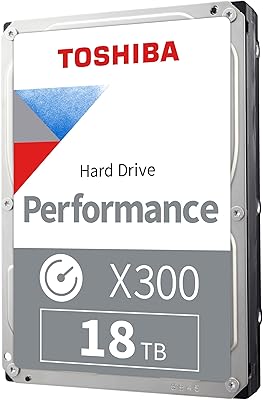
Toshiba X300 18TB Internal Hard Drive
81%
93%
Storage Capacity Value
79%
Sequential Read/Write Performance
88%
CMR Reliability & Write Consistency
91%
Installation & Compatibility
67%
Noise Level
More
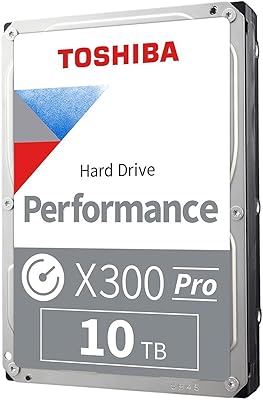
Toshiba X300 10TB Performance & Gaming Internal Hard Drive
86%
88%
Performance
95%
Storage Capacity
87%
Reliability & Durability
91%
Ease of Installation
89%
Speed (7200 RPM)
More
Toshiba N300 8TB NAS Hard Drive
80%
78%
Long-Term Reliability
81%
Noise & Vibration
93%
NAS Compatibility
83%
Read/Write Performance
86%
Value for Money
More
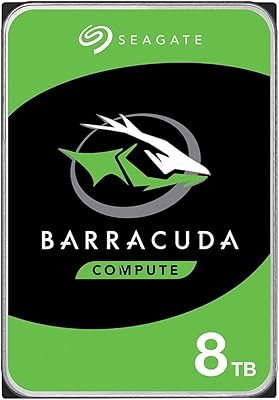
Seagate BarraCuda ST8000DM004 8TB Internal Hard Drive
73%
93%
Storage Capacity Value
67%
Reliability & Longevity
61%
Read & Write Performance
89%
Installation & Compatibility
63%
Noise & Vibration
More

FAQ

Technically yes, but it is not recommended. Mechanical drives at 7200 RPM are significantly slower than SSDs for random access tasks like booting an OS or launching applications. You will get a much better experience using a separate SSD as your system drive and keeping the X300 purely for bulk storage.

Yes, the hardware itself is compatible with both platforms since it uses a standard SATA interface. Keep in mind that out of the box it comes formatted for Windows. Mac users will need to reformat it using Disk Utility before use, which takes just a few minutes.

CMR stands for Conventional Magnetic Recording, which writes data in non-overlapping tracks. SMR drives write tracks in overlapping layers, which causes performance to drop significantly during sustained writes as the drive has to rewrite data in larger blocks. For regular use — game installs, video storage, backups — CMR behaves more predictably and ages better.

It is audible. During active reads and writes, the seek noise is noticeable, especially in a quiet room. It is not unusually loud for a 7200 RPM mechanical drive, but if you work in a near-silent environment or do audio recording near your PC, this is worth factoring in. Mounting it with rubber-dampened drive screws can help reduce vibration noise.

It is not recommended. The X300 is designed and rated for desktop use, not always-on NAS environments. If you need a drive for a network-attached storage system, Toshiba makes the N300 series specifically for that purpose, with higher workload ratings and multi-bay vibration compensation built in.

No software is included in the box. You get the bare drive only. For data migration from an existing drive, third-party tools like Macrium Reflect (free) or manufacturer utilities from your motherboard vendor work well. The physical installation itself just requires a SATA data cable and a power connector from your PSU.

Yes, any mid-tower or full-tower case with a 3.5-inch drive bay will accommodate it. The dimensions are 5.79 x 4 x 1.03 inches, which is completely standard. Even older cases built for mechanical drives will have no issues. Just make sure you have a free SATA port on your motherboard and a spare SATA power connector.

As a secondary storage drive for holding installed games, yes. Loading times from a 7200 RPM drive are reasonable, though you will notice them compared to an NVMe SSD. For large libraries where you cannot fit everything on your SSD, this 8TB desktop drive is a practical and cost-effective overflow solution. Just do not expect SSD-level load speeds.

Toshiba covers the X300 with a two-year limited warranty. Long-term reliability feedback from buyers is generally positive for typical desktop use cases like game storage and backups. As with any mechanical drive, it is always a good idea to keep a backup of anything critical — no hard drive, regardless of brand, is immune to eventual failure.

More than you might expect. Tower PCs can experience vibration from fans, nearby speakers, or even being bumped while the drive is spinning. The built-in shock sensor detects abrupt movement and parks the read/write head to reduce the risk of a head crash or data corruption. It is a passive background feature — you will never interact with it directly, but it adds a meaningful layer of physical protection.

Where to Buy