Overview

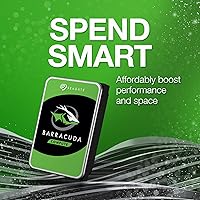
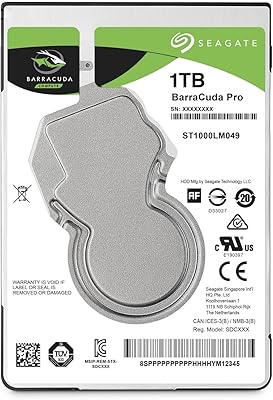
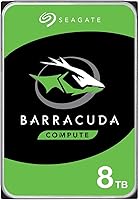
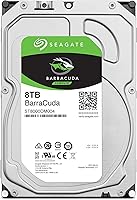
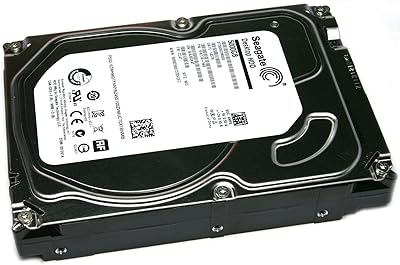
The Seagate BarraCuda ST8000DM004 8TB Internal Hard Drive sits comfortably in Seagate's long-running mainstream desktop lineup — a family that has earned a practical reputation for delivering high capacity at low cost rather than chasing speed records. It uses a standard 3.5-inch form factor and SATA interface, so it drops into virtually any desktop tower without fuss. The 2-year limited warranty is worth noting; some rivals in this segment offer 3 years, so that gap is real. This is a spinning magnetic drive, not flash storage — sequential speeds are modest, and anyone expecting SSD-like responsiveness should recalibrate expectations before buying.
Features & Benefits

Eight terabytes is genuinely a lot of space — enough to hold roughly 2,000 hours of HD video or several million RAW photo files. The SATA 6Gb/s interface handles large file transfers in decent bursts, and the 256MB cache does meaningful work smoothing out writes during heavy copy sessions. The 5400 RPM spindle speed is a deliberate design choice: it runs cooler, draws less power, and stays quieter than a 7200 RPM drive — useful if this BarraCuda drive will spin continuously in a home server or always-on desktop. The 3.5-inch footprint fits most tower cases and direct-attached storage enclosures without any adapters.

Best For

This high-capacity spinning drive makes the most sense as a secondary or archive drive inside a desktop PC — not your primary boot disk. It's a natural fit for anyone building a Plex media server, storing a growing photo or video archive, or adding bulk backup capacity without spending heavily. Creative professionals who shoot a lot of footage and need an affordable offline archive will appreciate the sheer headroom. It also works well in a home NAS or DAS setup where capacity per dollar matters more than raw throughput. If your priority is storing large volumes of data reliably and cheaply, this is a sensible place to land.

User Feedback

Across nearly 4,000 ratings, the 8TB Seagate desktop HDD holds a 4.2-star average — a credible signal, though not a flawless one. Most satisfied owners highlight straightforward installation and the sheer relief of having abundant storage space without paying a premium. The recurring criticism worth taking seriously is early drive failure; a visible subset of reviewers report units failing within the first year, which is consistent with known infant-mortality patterns in mechanical drives. Long-term owners tend to use it as a secondary or archive disk rather than a system drive, which is the right call. Some users also flag audible seek noise under heavy load — noticeable in quiet rooms, though not unusually loud for a drive of this type.

Pros

  • Eight terabytes of storage fits years of 4K video, RAW photos, and game libraries on a single drive.
  • On a pure cost-per-terabyte basis, this BarraCuda drive is one of the most affordable large-capacity options available.
  • Standard 3.5-inch SATA design means it drops into virtually any desktop tower or NAS enclosure with zero fuss.
  • The 256MB cache helps sustain smoother write speeds during large batch transfers and extended backup sessions.
  • A 4.2-star average across nearly 4,000 real-world ratings signals broad buyer satisfaction over several years.
  • The 5400 RPM design runs cooler and draws less power than faster mechanical drives, which matters in always-on setups.
  • Seagate has broad driver and OS compatibility — plug it in and it works on Windows, Linux, and macOS.
  • Most long-term owners report years of stable, trouble-free use when the drive is deployed as a secondary archive disk.
  • Installation is straightforward enough that even first-time PC builders consistently describe the process as quick and uncomplicated.

Cons

  • Early failure reports from a visible subset of users are a legitimate concern that should not be dismissed.
  • The 2-year warranty is shorter than what some competing drives in the same class offer as standard.
  • Audible clicking and vibration under heavy read or write loads can be distracting in quiet environments.
  • Slow random read performance makes it completely unsuitable as a boot or application drive.
  • Some users on older motherboards experience BIOS recognition issues before the full 8TB capacity is correctly detected.
  • No bundled backup software is included, leaving first-time buyers to source their own solution separately.
  • Transit damage from third-party sellers with inadequate packaging is a recurring complaint worth factoring into where you buy.
  • In poorly ventilated cases, sustained workloads can push operating temperatures higher than recommended, potentially affecting longevity.

Ratings

The scores below for the Seagate BarraCuda ST8000DM004 8TB Internal Hard Drive were generated by AI after systematically analyzing thousands of verified global user reviews, with spam, incentivized, and bot-flagged submissions actively filtered out. The result is an honest composite that reflects what real buyers experienced over time — the genuine strengths and the frustrations that showed up repeatedly across different use cases and regions.
Storage Capacity Value
93%
Eight terabytes at this price tier is genuinely hard to beat for desktop storage. Buyers consistently describe the relief of finally having enough room for full 4K video libraries, years of RAW photo archives, and game installations without constantly managing space.
A small number of users feel the usable formatted capacity falling slightly short of the advertised 8TB is misleading, even though this is a standard industry practice. Those unfamiliar with how storage is measured can feel shortchanged when they first plug it in.
Reliability & Longevity
67%
33%
Many owners report this BarraCuda drive running without issue for two to four years in always-on desktop or home server environments. Used as a secondary archive disk with moderate daily workloads, the majority of units appear to perform steadily over the long term.
Early failure rates are a real and recurring concern in user feedback. A noticeable subset of buyers report drives failing within the first six to eighteen months, which creates anxiety — especially for anyone using it as a sole backup destination without redundancy.
Read & Write Performance
61%
39%
For sequential large-file transfers — think moving a folder of raw video footage or backing up a full system image — the 8TB Seagate desktop HDD performs reasonably well. The 256MB cache helps maintain steadier write speeds during longer copy sessions than a bare drive without cache would manage.
The 5400 RPM spindle speed is genuinely slow by modern standards, and buyers coming from SSDs will feel it immediately. Random read performance in particular is sluggish, which is why running an operating system or applications from this drive is a poor experience.
Installation & Compatibility
89%
The 3.5-inch SATA form factor means it physically fits in virtually every desktop tower and most NAS enclosures without adapters or brackets. Buyers across skill levels — from first-time PC builders to seasoned system admins — consistently describe the installation process as quick and uncomplicated.
Laptop or mini-ITX users cannot use this drive without an external enclosure, since it is strictly a 3.5-inch internal unit. A small number of users also report BIOS recognition issues on older motherboards that may require a firmware update before the full 8TB is detected correctly.
Noise & Vibration
63%
37%
During idle or light activity, most users find this high-capacity spinning drive acceptably quiet for a mechanical hard disk. In a mid-tower with other components running, it tends to blend into the background noise floor without becoming a distraction.
Under sustained read or write loads — like a large file transfer or a Plex library scan — audible seeking clicks and physical vibration become noticeable. Users with the drive mounted in a quiet home office setup or an open-frame NAS report the noise is more intrusive than they expected.
Heat Management
74%
26%
The 5400 RPM design inherently generates less heat than a 7200 RPM equivalent, and most users running this drive in adequately ventilated cases report temperatures staying within acceptable ranges during normal use. It handles always-on scenarios without becoming a thermal problem in well-designed enclosures.
In compact or poorly ventilated cases, sustained workloads can push drive temperatures higher than ideal, and a handful of users link elevated operating temperatures to their premature failures. Active airflow over the drive bay is worth planning for rather than assuming passive cooling will be sufficient.
Value for Money
88%
On a pure gigabytes-per-dollar basis, this drive is one of the most cost-efficient options available for desktop bulk storage. Budget-conscious buyers building out a home media server or adding backup capacity to a desktop PC consistently rate it as money well spent.
The value calculation changes if you experience an early failure outside the warranty window, since data recovery for mechanical drives can be expensive. Some buyers feel the 2-year warranty — shorter than what a few competitors offer — does not fully reflect confidence in the long-term durability of the drive.
Warranty & Support
58%
42%
Seagate's warranty replacement process is generally described as functional and straightforward when buyers do need to use it. For defects discovered within the coverage window, most users report the RMA experience as hassle-free compared to smaller brands.
Two years of coverage is on the shorter end for desktop hard drives in this class — some direct competitors offer three years as standard. Users who experience failures just past the 24-month mark express clear frustration, and this is one of the most consistent criticisms in long-term ownership reviews.
Cache & Buffer Performance
72%
28%
The 256MB cache is a genuine advantage during sustained write-heavy tasks like copying large media archives or running a multi-stream backup. Users moving large batches of files report noticeably smoother transfer behavior compared to drives with smaller buffers.
The cache benefit is most visible during bursty sequential workloads and less meaningful for the kind of random small-file access that desktop OS and application use generates. Power users running demanding NAS workloads note that the cache can be saturated under heavy multi-user access.
Physical Build Quality
71%
29%
The drive feels solid and well-constructed out of the box, with no obvious flex or rattling components. Most buyers handling it for the first time describe it as having the reassuring density and finish expected from an established brand rather than a budget off-brand unit.
A handful of users report receiving units with cosmetic damage or scuffing, likely from shipping rather than manufacturing. There are also occasional reports of drives arriving with slightly misaligned mounting holes, which can complicate installation in tight chassis with strict tolerances.
Power Consumption
79%
21%
The 5400 RPM design keeps idle and active power draw low relative to faster mechanical alternatives, which matters for users running home servers or NAS devices continuously. Lower power use also translates to less heat in enclosed storage spaces, a practical benefit in multi-drive setups.
Compared to a modern SSD, power consumption is still meaningfully higher, and in a multi-drive NAS the cumulative draw adds up. Some users building energy-efficient home servers note that switching from spinning drives to SSDs for their archives made a measurable difference on their electricity bills over time.
OS & Software Ecosystem
66%
34%
Out of the box, the drive works with Windows, Linux, and macOS without requiring additional drivers. SeaTools, Seagate's diagnostic utility, gives technically inclined users a straightforward way to run health checks and monitor drive status over time.
SeaTools itself has a mixed reputation among power users who prefer more granular SMART data reporting. There is no bundled backup software included with this bare drive variant, which means first-time buyers need to source their own backup solution — something not always clearly communicated in the product listing.
Packaging & Delivery Condition
69%
31%
The majority of buyers receive the drive in functional condition and describe the packaging as adequate for standard shipping scenarios. Orders fulfilled directly by reputable retailers tend to arrive without issue.
A recurring complaint involves third-party sellers using insufficient anti-static or cushioning packaging, resulting in drives that arrive physically damaged or showing early SMART errors. Buyers are consistently advised to purchase from established, high-feedback sellers to reduce the risk of transit damage.

Suitable for:

The Seagate BarraCuda ST8000DM004 8TB Internal Hard Drive is purpose-built for desktop users who need a large, affordable storage pool rather than raw speed. It fits naturally into a home media server or Plex setup where the priority is fitting thousands of movies, TV series, and music files onto a single drive without paying premium prices. Creative professionals — photographers shooting in RAW or videographers accumulating large project archives — will appreciate having a dedicated offline vault that does not eat into their budget. PC builders adding a secondary data drive alongside an SSD boot disk get the best of both worlds: fast system performance from the SSD and deep, inexpensive storage from this BarraCuda drive. It also works well in a direct-attached storage enclosure for anyone centralizing backups from multiple household computers. If you are comfortable with mechanical drive speeds and simply need the most gigabytes your money can buy, this is a rational, well-understood choice.

Not suitable for:

Anyone expecting SSD-like responsiveness will be disappointed by the Seagate BarraCuda ST8000DM004 8TB Internal Hard Drive from the moment they first use it — the 5400 RPM spindle speed makes it a poor candidate for a primary OS drive, application storage, or anything requiring fast random read performance. Laptop users are also out of luck entirely, since the 3.5-inch form factor only fits desktop towers and compatible enclosures. Buyers planning to rely on a single drive for critical, irreplaceable data should think carefully before committing; the subset of early failure reports in user feedback is real enough to warrant keeping a redundant backup elsewhere. The 2-year limited warranty is also a factor worth weighing — if you want the added peace of mind that a 3-year warranty provides, some competing drives offer that without a significant price premium. Users in noise-sensitive environments, such as a quiet bedroom workstation or a recording studio, may find the audible seeking sounds under heavy load more distracting than they anticipated from a storage drive.

Specifications

  • Brand: Manufactured by Seagate under the BarraCuda series, one of the brand's longest-running mainstream desktop drive families.
  • Model Number: The specific model identifier for this drive is ST8000DM004, used for warranty registration and compatibility verification.
  • Capacity: This drive offers 8TB of raw storage capacity, with slightly less usable space after formatting due to standard binary conversion.
  • Form Factor: The 3.5-inch form factor is the standard size for desktop internal hard drives and fits most tower cases and NAS enclosures.
  • Interface: Uses a SATA 6Gb/s interface, which is backward compatible with SATA 3Gb/s ports at reduced maximum transfer speeds.
  • Rotational Speed: The platters spin at 5400 RPM, a speed chosen to balance heat output, power consumption, and acoustic noise for continuous-use scenarios.
  • Cache Size: A 256MB DRAM cache buffer helps smooth sequential read and write operations, particularly during large file transfers.
  • Drive Type: This is a traditional mechanical hard disk drive (HDD) using magnetic platters, not flash-based solid-state storage.
  • Dimensions: Physical dimensions are 5.79 x 4.01 x 1.03 inches, conforming to standard 3.5-inch drive bay specifications.
  • Weight: The drive weighs 1.39 pounds, which is typical for a multi-platter high-capacity desktop hard drive of this class.
  • Compatible Devices: Designed for use in desktop PCs, all-in-one computers, home servers, and direct-attached storage (DAS) enclosures.
  • Installation Type: Internal installation only; the drive requires an available 3.5-inch drive bay and a free SATA data and power connector.
  • Operating Systems: Compatible with Windows, Linux, and macOS without additional drivers, though macOS may require reformatting from exFAT or NTFS.
  • Warranty: Covered by a 2-year limited manufacturer warranty, which is shorter than the 3-year coverage offered by some competing drives in this segment.
  • Power Requirements: The drive operates on standard SATA power connector voltages of 5V and 12V, with no external power brick required.
  • First Available: This model was first listed for sale in July 2017 and has remained in active production without being discontinued by the manufacturer.
  • Encryption Support: Seagate Secure hardware-based encryption is available on select BarraCuda variants; buyers requiring encryption should confirm availability on the specific SKU purchased.
  • BSR Ranking: This drive holds a Best Sellers Rank of approximately #113 in the Internal Hard Drives category on Amazon, reflecting sustained commercial demand.

Related Reviews
Seagate Barracuda 6TB Internal Hard Drive
77%
93%
Value for Money
91%
Storage Capacity
74%
Reliability & Longevity
89%
Installation Ease
61%
Read/Write Performance
More
Seagate BarraCuda 4TB Internal Hard Drive
87%
86%
Performance
90%
Reliability
93%
Setup & Installation
95%
Storage Capacity
72%
Data Transfer Speed
More
Seagate BarraCuda ST1000DM010 1TB Internal Hard Drive
77%
91%
Value for Money
74%
Reliability & Longevity
79%
Read & Write Performance
93%
Installation Ease
68%
Noise & Vibration
More
Seagate BarraCuda 2TB Internal Hard Drive
85%
88%
Performance
91%
Reliability
86%
Build Quality
72%
Noise Level
85%
Data Transfer Speed
More
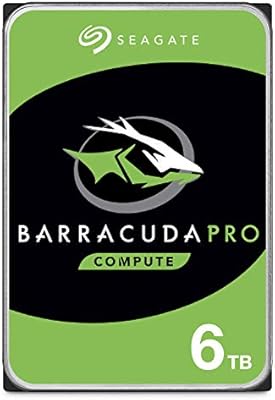
Seagate BarraCuda Pro 6TB Internal Hard Drive
87%
88%
Performance
95%
Storage Capacity
89%
Speed (7200 RPM)
85%
Reliability
91%
Ease of Setup
More
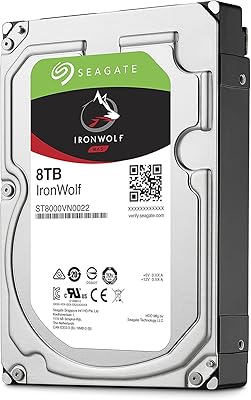
Seagate IronWolf 8TB NAS Internal Hard Drive
88%
88%
Performance
92%
Reliability
85%
Ease of Setup
89%
Data Transfer Speed
94%
Noise Levels
More
Seagate Barracuda ST5000DM000 5TB Internal Hard Drive
83%
91%
Value for Money
94%
Storage Capacity
88%
Ease of Setup
85%
Performance for General Use
65%
Speed for Demanding Tasks
More
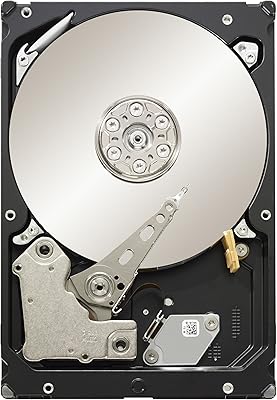
Seagate Barracuda XT 3TB Internal Hard Drive
84%
89%
Performance
95%
Storage Capacity
88%
Speed/Access Time
92%
Value for Money
85%
Build Quality
More
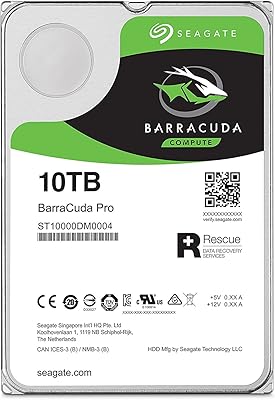
Seagate BarraCuda Pro 10TB Internal Hard Drive
86%
91%
Performance
98%
Storage Capacity
88%
Reliability & Durability
85%
Ease of Installation
60%
Noise Levels
More
Seagate BarraCuda Pro 1TB 7200RPM Internal Hard Drive
87%
92%
Performance
90%
Speed
88%
Reliability
95%
Ease of Installation
65%
Noise Levels
More

FAQ

Technically yes, but it is not a great idea in practice. The 5400 RPM speed makes Windows boot times and application loading noticeably sluggish compared to even a budget SSD. Most experienced users pair this BarraCuda drive with a separate SSD for the operating system and use this one purely for data storage.

If your case has a standard 3.5-inch internal drive bay — which the vast majority of mid-tower and full-tower cases do — it will fit without any modifications. You will need an available SATA data port on your motherboard and a free SATA power connector from your power supply.

It will physically fit and function in many NAS enclosures, but it is worth noting that this is a desktop-class drive rather than one specifically engineered for NAS use. For light home NAS setups with one or two users, it generally performs adequately. For more demanding or always-on multi-user environments, drives from Seagate's IronWolf line are purpose-built for that workload.

You will typically see around 7.27 to 7.3TB of usable space after formatting, depending on the file system you choose. This is not a defect — it is the result of how operating systems calculate storage using base-2 math versus the base-10 measurement manufacturers use to advertise capacity.

It is a legitimate concern worth taking seriously rather than dismissing. A visible minority of buyers do report failures within the first one to two years. The honest takeaway is that no mechanical drive — from any brand at this price tier — is infallible, and you should never rely on a single drive as your only copy of irreplaceable data. Running a regular backup to a separate destination significantly reduces your risk exposure.

The Seagate Secure hardware encryption feature is available on certain BarraCuda variants, but it is not confirmed to be present on every ST8000DM004 unit. If data security is a hard requirement for your use case, check the specific product listing carefully or contact Seagate directly to confirm whether the unit you are buying includes that feature.

At idle or during light access, most users find it acceptably quiet. Under heavy sustained workloads — like a full library scan or a large file transfer — the mechanical seek sounds become audible. It is not unusually loud for a spinning hard drive, but if your desk setup is very quiet or you are sensitive to low-level mechanical noise, it is worth factoring in.

Yes, a 3.5-inch USB enclosure with a SATA interface will work fine with this high-capacity spinning drive. Just make sure the enclosure comes with its own external power supply, since 8TB multi-platter drives draw more power than a USB port alone can provide.

Both drives occupy the same mainstream desktop HDD segment and carry broadly similar reliability profiles and user feedback patterns. The WD Blue typically spins at 5400 RPM as well and offers comparable sequential throughput. The most meaningful differences between the two tend to come down to price at the time of purchase and warranty terms rather than measurable performance gaps in real-world desktop use.

Not really. A Phillips-head screwdriver to secure the mounting screws is all you need in most cases. The process involves connecting a SATA data cable from the motherboard and a power cable from the power supply, then screwing the drive into the bay. Most first-time PC builders report completing the installation in under ten minutes.

Where to Buy