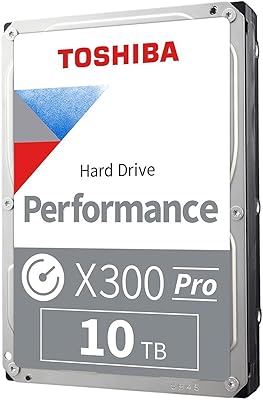
Overview

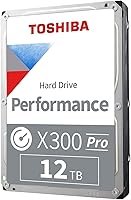
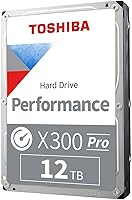
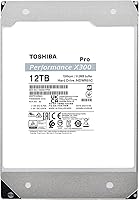
The Toshiba X300 PRO 12TB Internal Hard Drive is built squarely for creative professionals and power users who push desktop workstations hard every single day. Unlike SMR drives that throttle write speeds under sustained load, this Toshiba workload drive uses CMR recording technology, which means consistent write performance no matter how long you hammer it. It launched in March 2022 into a crowded high-capacity HDD market, yet has carved out a legitimate position — currently sitting at #15 in Internal Hard Drives. The 3.5-inch form factor makes it strictly a desktop drive; set those expectations before you buy.
Features & Benefits

At 7200 RPM paired with a 512 MB cache, this high-endurance desktop HDD moves large files at a pace that keeps creative workflows from stalling — think scrubbing through 4K timelines or batch-exporting RAW files without the drive becoming the bottleneck. The standout spec is the 300 TB/year workload rating. A typical consumer desktop drive handles around 55 TB/year; this one is rated for roughly five times that load. Reliability sits at 1.0 million hours MTTF, which translates to years of punishing daily use. Ramp loading and built-in shock sensors protect against desk vibrations and minor knocks that gradually degrade spinning drives over time.

Best For

The X300 PRO 12TB is the right pick for video editors and motion graphics artists working with 4K or 8K footage who need fast, high-capacity local storage that will not buckle under daily abuse. Photographers sitting on massive RAW libraries will appreciate the endurance headroom — this is not a drive you need to babysit. PC workstation builders looking for a reliable secondary or archive drive will also find it fits well here, especially when enterprise NAS feels like overkill but a standard desktop drive feels underspecced. One firm note: this is a workstation-only drive, not designed for NAS enclosures.

User Feedback

Across over 300 ratings, this Toshiba workload drive holds a 4.5-star average, and the pattern in the reviews is fairly consistent. Most buyers highlight speed and sustained performance under heavy workloads, with several creative professionals noting the endurance claims hold up in real use. That said, a handful of users flag noise and vibration at idle — which is honestly expected from any 7200 RPM mechanical drive. There are occasional early-failure reports, as you find with any HDD sold at volume, but they appear to be the minority. Long-term reliability feedback skews positive. Pairing it with a solid backup strategy remains sensible practice regardless.

Pros

  • CMR recording technology ensures consistent write speeds even during long, sustained transfers — no SMR slowdowns mid-project.
  • The 300 TB/year workload rating is roughly five times what most consumer desktop drives are designed to handle.
  • At 12TB capacity, this Toshiba workload drive gives creative professionals room to store multiple large projects without constant archiving.
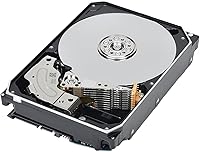
  • Built-in shock sensors and ramp loading provide meaningful protection for a spinning drive in an active workstation environment.
  • The 1.0 million hour MTTF rating translates to years of heavy daily use before reliability becomes a concern.
  • Compatible with Linux, Mac, and PC out of the box — no format gymnastics needed for most users.
  • A 512 MB cache helps sustain throughput during large sequential transfers, keeping creative workflows moving.
  • Holds a strong 4.5-star average across hundreds of real buyer ratings, with many confirming the endurance claims in practice.
  • Sits at a competitive price per terabyte for a CMR workload-class drive at this capacity.
  • Buyers in professional creative contexts consistently praise the drive for not becoming a bottleneck in demanding workflows.

Cons

  • Audible noise and vibration at 7200 RPM are noticeable in quiet rooms — not ideal for acoustically sensitive setups.
  • Random read and write performance lags well behind even budget SSDs, making it a poor choice as a primary boot or application drive.
  • Not rated or recommended for NAS enclosures, limiting its flexibility compared to dual-purpose storage options.
  • A small number of buyers have reported early drive failures, which is a reminder that no HDD is immune to the occasional lemon.
  • The 3.5-inch internal form factor rules out use in laptops, external enclosures, or compact desktop builds without a standard drive bay.
  • Heat output under sustained workloads can be a concern in cases with limited airflow, requiring attention to cooling setup.
  • At 12TB, it may be more capacity than casual users need, making smaller-capacity alternatives a smarter value in lighter workloads.

Ratings

The Toshiba X300 PRO 12TB Internal Hard Drive has been scored by our AI system after analyzing hundreds of verified buyer reviews from global markets, with spam, bot-generated, and incentivized feedback actively filtered out. The scores below reflect both what real users consistently praised and the friction points that surfaced repeatedly across professional and enthusiast workloads. Nothing has been smoothed over — the strengths and trade-offs are represented as buyers actually experienced them.
Sequential Transfer Speed
88%
Creative professionals consistently report that this Toshiba workload drive handles large sequential transfers without the stuttering or slowdowns that plague SMR drives. Video editors moving multi-gigabyte project folders and photographers batch-exporting RAW files note that throughput stays predictable throughout the entire transfer.
While sequential performance is strong for a mechanical drive, it still cannot approach even mid-range SSD speeds for large file operations. Users coming from NVMe storage will feel the difference immediately, especially when dealing with thousands of smaller files rather than large sequential ones.
Workload Endurance
93%
The 300 TB/year workload rating is the single most praised specification among professional buyers who actually understand what it means. Users running media servers, daily video ingestion pipelines, and continuous render workflows report the drive handles sustained abuse without degradation in a way that standard desktop drives simply do not.
The endurance advantage is essentially invisible to light or moderate users, meaning they end up paying a premium for headroom they will never use. A small number of reviewers noted that verifying the endurance rating in practice requires long-term use, so short-term buyers have to take the spec largely on trust.
Reliability & Longevity
83%
The 1.0 million hour MTTF figure resonates with buyers who have owned previous Toshiba drives, and many longer-term users report years of trouble-free operation under heavy daily use. The ramp loading and shock sensor combination also earns specific mentions from users in environments with desk vibration or nearby equipment.
A visible minority of reviews document early failures within the first year, which creates reasonable concern given the price point. While statistically these represent a small fraction of units, the pattern is consistent enough across reviews that buyers should factor in a backup strategy from day one rather than treating it as optional.
Value for Money
79%
21%
Among high-workload CMR drives at this capacity, this high-endurance desktop HDD lands at a competitive price per terabyte that professional buyers generally accept as fair. Workstation builders in particular highlight that getting 12TB of CMR storage with this endurance rating at this price avoids stepping up to significantly more expensive enterprise options.
Casual users and those with lighter storage demands will find better value in standard desktop drives that cost noticeably less for the same raw capacity. The workload-class premium only justifies itself if you are actually running the kind of workflows this drive was designed for.
Noise & Vibration
61%
39%
Most buyers acknowledge upfront that 7200 RPM drives make noise, and the X300 PRO 12TB is no exception — yet quite a few users report the hum is tolerable in a typical workstation environment with a case and other components running. Those using it in closed tower cases with sound dampening tend to rate noise levels as acceptable.
In quieter environments — home studios, open-frame builds, or setups without case dampening — the operational hum and seek noise are described as genuinely distracting. Users comparing it to their previous 5400 RPM drives consistently flag it as louder than expected, and vibration transfer to the case is a recurring complaint.
Heat Management
68%
32%
Under moderate workloads, the drive runs at temperatures that most users consider within normal and manageable range, especially in cases with reasonable airflow. Users who mount it away from other heat-producing components report stable temperatures during extended sessions.
Under prolonged heavy workloads, heat output climbs noticeably, and users in cases with poor ventilation report temperatures that warrant attention. A handful of buyers have noted that sustained high temperatures over months of operation left them uncertain about long-term impact on drive health.
Installation & Setup
91%
The standard 3.5-inch SATA form factor means installation is entirely straightforward for anyone who has built or upgraded a desktop PC before. Compatibility with Windows, Linux, and macOS requires no driver hunting, and the drive is recognized without issue on all three platforms according to the overwhelming majority of buyers.
New PC builders occasionally report initial confusion when the drive does not appear ready to use immediately after installation, not realizing it needs to be initialized and formatted as a new volume. This is a standard HDD process, not a product flaw, but it surfaces in reviews often enough to be worth noting.
Random Access Performance
52%
48%
For large sequential reads — which is the dominant operation in most creative professional workflows — performance is solid and consistent. Users whose work is primarily moving or reading large files in sequence rarely flag random access as a pain point in real use.
Random read and write performance is the Achilles heel of any mechanical drive, and this one is no different. Users who attempt to use it as a primary or boot drive, or who run applications directly from it, report sluggish response times that make the experience frustrating compared to even entry-level SSDs.
CMR Write Consistency
92%
Buyers who previously dealt with SMR drives throttling mid-transfer are notably vocal about how much they appreciate the consistent write behavior here. Long overnight backups, multi-hour video encodes written to disk, and continuous ingestion workflows all complete without the mid-session slowdowns that SMR recording causes.
The CMR advantage is most apparent under sustained load, meaning users with lighter intermittent workloads may not notice the difference in day-to-day use. For those buyers, the distinction carries less practical weight than the marketing might suggest.
Build & Physical Quality
81%
19%
The drive feels solid and well-assembled out of the box, and the standard 3.5-inch chassis fits securely in workstation bays without any unusual flex or play. The ramp-load mechanism gives it a reassuring design detail that buyers replacing older drives with exposed-head designs appreciate.
There is nothing visually distinctive about the build — it looks and feels like a professional-tier drive but not a premium one. A few users noted the silver finish showed minor scuffing after handling, though this has no functional impact.
Platform Compatibility
94%
Out of hundreds of reviews, compatibility issues across Windows, Linux, and macOS are essentially absent. IT professionals and hobbyists on Linux distributions in particular appreciate that it works without any additional configuration or kernel modules.
Compatibility extends only as far as systems with an available internal SATA bay, which limits it to desktops. Users who assumed it could be adapted for external USB enclosures found the experience more complicated than expected and outside the intended use case.
Cache Effectiveness
77%
23%
The 512 MB cache does its job well during sustained sequential transfers, reducing the frequency of interruptions when moving large batches of high-resolution files. Users performing repeated large writes in a single session report smoother behavior compared to drives with smaller buffers.
The cache benefit is most apparent in sustained sequential scenarios and less impactful for fragmented or random workloads. A few technically inclined reviewers noted that 512 MB, while generous for an HDD, is no substitute for the architectural speed advantages of flash-based caching in hybrid or SSD solutions.
Packaging & Documentation
72%
28%
The drive arrives well-protected and undamaged in the vast majority of reported cases, with adequate cushioning for the weight and sensitivity of the hardware. Most buyers report it arrives exactly as expected with no cosmetic or physical damage.
Documentation included in the box is minimal, which is largely standard for internal drives but frustrating for less experienced users hoping for installation guidance. A few buyers noted they wished Toshiba included clearer warranty and registration instructions in the physical packaging.

Suitable for:

The Toshiba X300 PRO 12TB Internal Hard Drive was built for people who genuinely push their storage hard — not occasionally, but every day. Video editors cutting 4K or 8K projects, motion graphics artists juggling massive render outputs, and photographers sitting on tens of thousands of RAW files will all find that this high-endurance desktop HDD was sized and rated specifically for their workloads. The 300 TB/year endurance rating is not a marketing number to gloss over; it reflects a drive engineered to handle the kind of sustained sequential writes that would wear a standard consumer drive down prematurely. PC workstation builders who want a dependable secondary or archive drive — something that complements a boot SSD without the cost of enterprise-class hardware — will also find it hits a practical sweet spot. If your work consistently saturates storage and you need capacity and endurance in the same package, this is a sensible choice.
Not suitable for:

The Toshiba X300 PRO 12TB Internal Hard Drive is not the right tool for every storage problem, and being clear about that matters. This is strictly a 3.5-inch internal desktop drive — it cannot be dropped into a NAS enclosure as a replacement for purpose-built NAS drives, and buyers who need multi-bay RAID setups should look at Toshiba's N300 PRO line instead. Anyone expecting SSD-level performance will be disappointed; mechanical drives at any spindle speed simply cannot match solid-state random read and write speeds, and no cache size changes that fundamental reality. If your primary concern is silent operation, this drive will likely frustrate you — 7200 RPM platters produce audible noise and vibration that are noticeable in quiet environments. Laptop users and those with only USB enclosures for external storage should also look elsewhere, as this is an internal SATA drive only.
Specifications

  • Storage Capacity: The drive provides 12 TB of formatted storage, suitable for holding large video project libraries, RAW photo archives, or extensive media collections.
  • Form Factor: Built in the standard 3.5-inch form factor, it fits desktop tower and workstation cases with a compatible internal drive bay.
  • Interface: It connects via SATA 6 Gb/s, the current standard for internal mechanical drives, compatible with the vast majority of modern desktop motherboards.
  • Rotational Speed: Platters spin at 7200 RPM, the higher end of the mechanical HDD range, contributing to faster sequential read and write throughput compared to 5400 RPM alternatives.
  • Cache Size: A 512 MB buffer cache helps manage data flow during sustained transfers, reducing interruptions in high-throughput creative workflows.
  • Recording Tech: The drive uses Conventional Magnetic Recording (CMR), which delivers consistent write performance and does not throttle under extended workloads the way SMR drives can.
  • Workload Rate: Rated for up to 300 TB of data written per year, making it appropriate for professionals who regularly push large volumes of data through their storage on a daily basis.
  • Reliability (MTTF): Toshiba rates the mean time to failure at up to 1.0 million hours, indicating a design intended for sustained, heavy-use professional environments.
  • Shock Protection: Ramp loading technology keeps read/write heads off the platters when idle, and built-in shock sensors help reduce the risk of data loss from desk vibrations or minor impacts.
  • Compatible Platforms: Works with Windows, Linux, and macOS systems, requiring only a standard SATA port and a compatible 3.5-inch drive bay for installation.
  • Installation Type: Designed exclusively as an internal drive; it does not support hot-swap NAS enclosures or USB external enclosures without additional adapter hardware.
  • Dimensions: The drive measures 5.79 x 4 x 1.03 inches, adhering to standard 3.5-inch HDD dimensions for straightforward case compatibility.
  • Weight: At 1.52 pounds, the drive is within normal weight range for a high-capacity mechanical HDD and should not strain standard drive bay mounting hardware.
  • Drive Type: This is a conventional mechanical hard disk drive (HDD), not a solid-state drive, meaning it uses spinning magnetic platters for data storage.
  • Model Number: The official model number is HDWR51CXZSTB, which should be used when checking compatibility lists, purchasing warranties, or contacting Toshiba support.
  • Availability Date: The drive was first made available in March 2022 and remains an active product in Toshiba's current X300 PRO performance lineup.
  • Market Position: It holds a top-15 ranking in the Internal Hard Drives category on Amazon, reflecting consistent buyer demand since its release.

Related Reviews
Toshiba X300 PRO 4TB Internal Hard Drive
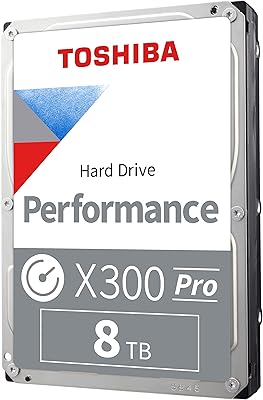
82%
88%
Sustained Write Performance
91%
Recording Technology (CMR)
86%
Reliability & Longevity
83%
Value for Money
61%
Noise & Vibration
More
Toshiba X300 PRO 8TB Internal Hard Drive
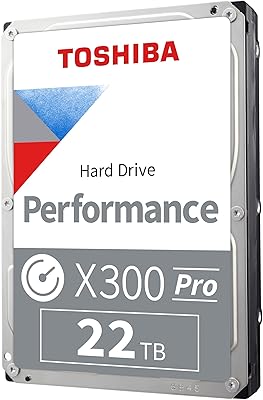
76%
83%
Sequential Read/Write Speed
91%
Sustained Workload Endurance
88%
Reliability & Longevity
61%
Noise Level
66%
Thermal Performance
More
Toshiba X300 PRO 22TB Internal Hard Drive
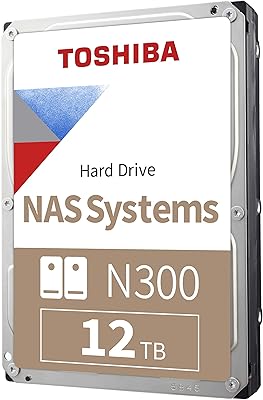
86%
92%
Performance
96%
Storage Capacity
88%
Reliability Under Heavy Load
85%
Data Transfer Speed
91%
Build Quality
More
Toshiba N300 PRO 10TB Internal Hard Drive
87%
92%
Reliability for 24/7 NAS Use
89%
Performance in RAID Setups
91%
Workload Capacity (300 TB/year)
85%
Data Transfer Speed
88%
Vibration Control with RV Sensors
More
Toshiba N300 12TB NAS Internal Hard Drive
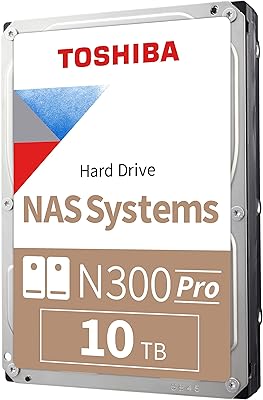
76%
83%
Reliability & Longevity
81%
Performance Consistency
89%
NAS Compatibility
88%
CMR Recording Quality
62%
Noise & Vibration
More
Toshiba X300 6TB Performance & Gaming Internal Hard Drive
86%
92%
Performance Speed
96%
Storage Capacity
85%
Durability & Reliability
89%
Value for Money
72%
Noise Level
More
Toshiba X300 18TB Internal Hard Drive
81%
93%
Storage Capacity Value
79%
Sequential Read/Write Performance
88%
CMR Reliability & Write Consistency
91%
Installation & Compatibility
67%
Noise Level
More
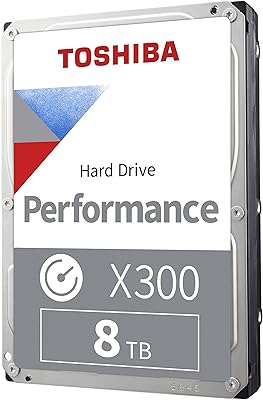
Toshiba X300 8TB Internal Hard Drive
80%
83%
Value for Money
78%
Sequential Read Speed
86%
Write Reliability
62%
Noise Level
74%
Long-term Reliability
More
Toshiba X300 10TB Performance & Gaming Internal Hard Drive
86%
88%
Performance
95%
Storage Capacity
87%
Reliability & Durability
91%
Ease of Installation
89%
Speed (7200 RPM)
More
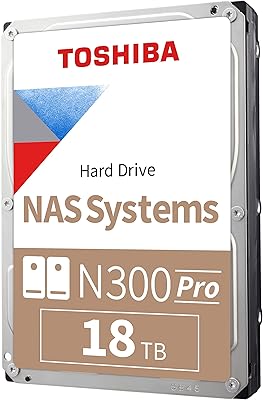
Toshiba N300 PRO 18TB NAS Hard Drive
81%
88%
Read/Write Performance
84%
Reliability & Durability
91%
Vibration Control
93%
Workload Capacity
89%
RAID Suitability
More

FAQ

Yes, the X300 PRO 12TB works with macOS systems out of the box since it uses a standard SATA interface. Keep in mind you will need an internal bay — it is not a plug-and-play USB drive. Most Mac Pro tower users install it without issues, but MacBooks and Mac Minis do not have accessible internal SATA bays, so it is really a Mac Pro or desktop workstation option only.

No, and this is worth being firm about. This Toshiba workload drive is designed and rated for desktop workstation use, not NAS enclosures. NAS environments involve different vibration, heat, and multi-drive interference conditions that this drive is not optimized for. If you need a NAS drive, Toshiba's N300 PRO series is the right product to look at instead.

It is audible — there is no way around that with a 7200 RPM mechanical drive. You will hear a low hum and occasional seek noise during active reads and writes. In a typical office or studio environment with other equipment running, most users find it easy enough to tune out. If you work in a completely silent room and noise sensitivity is high, that is worth factoring into your decision.

It matters if you are pushing the drive hard on a regular basis. Standard consumer desktop drives are typically rated around 55 TB/year. If you are editing video daily, batch-processing large files, or running a media server that writes constantly, those drives can accumulate wear much faster than their design anticipates. The higher rating on this high-endurance desktop HDD gives you a meaningful reliability buffer if your work falls into that heavy-use category.

No special drivers are needed. Modern operating systems on Windows, Linux, and macOS will recognize it automatically once it is physically installed. You may need to initialize and format the drive through your OS disk management tools if it is being used as a secondary drive, but that is a standard two-minute process.

Technically it will work, but it is not the ideal choice. Mechanical drives at any speed have significantly slower random access times than SSDs, which is what determines how fast your operating system and applications load. You would get a noticeably slower experience compared to booting from even a budget SSD. The best use case is as a high-capacity secondary drive paired alongside an SSD boot drive.

CMR stands for Conventional Magnetic Recording, and it matters because the alternative — SMR (Shingled Magnetic Recording) — can slow down dramatically when writing large amounts of data continuously. CMR does not have that limitation; it writes at a consistent speed regardless of how long the transfer runs. For anyone dealing with large file sizes on a regular basis, this distinction is genuinely important.

The drive uses two complementary mechanisms. Ramp loading keeps the read/write heads parked off the platters when the drive is idle, reducing wear and the risk of head crashes from small vibrations. The built-in shock sensors detect sudden movement and can react to protect the heads during operation. Neither feature makes the drive indestructible, but they do add a meaningful layer of protection compared to drives without these features.

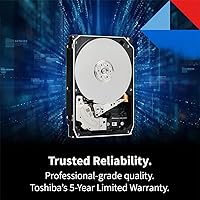
Toshiba offers a standard limited warranty on this drive — check the current terms directly with Toshiba or the retailer at time of purchase, as warranty periods can vary by region. Regardless of warranty coverage, it is strongly advisable to maintain a backup of anything important stored on this or any mechanical drive. No single drive, regardless of its MTTF rating, should be your only copy of critical data.

It will work perfectly well in a gaming PC. The drive does not care what kind of files you store on it. That said, the high workload rating and price positioning mean you are paying for endurance that a typical gamer may never come close to needing. If you are storing a large game library or using it as a media archive alongside a gaming rig, the X300 PRO 12TB is a solid choice. If your use is lighter, a standard desktop drive in the same capacity might give you better value.