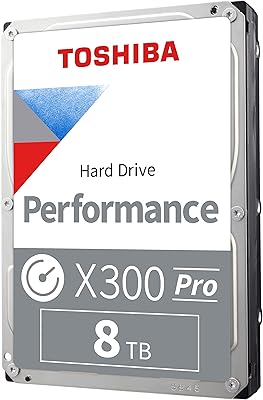
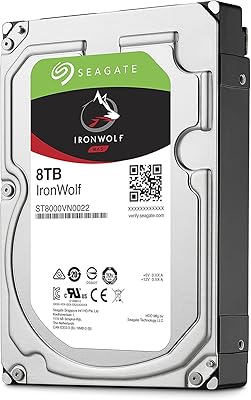
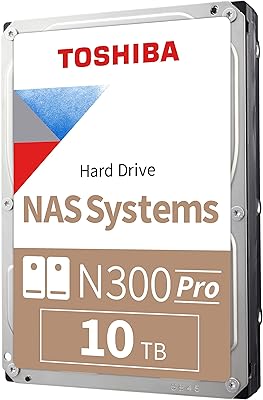
Overview

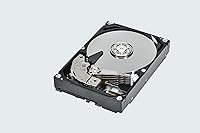
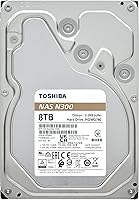
The Toshiba N300 8TB NAS Hard Drive is built specifically for always-on network storage — not repurposed from a desktop drive line, but engineered from the ground up for NAS enclosures. Where some drives cut corners with SMR recording, this NAS drive uses CMR technology, which matters enormously for RAID arrays and mixed read/write workloads. Toshiba's N300 family sits in the mid-tier of their storage lineup, positioned below the Pro variants meant for larger business deployments. At its price point, it competes directly with WD Red Plus and Seagate IronWolf, offering a solid option for home users and small offices that need dependable, round-the-clock storage without paying enterprise premiums.
Features & Benefits

The N300 8TB spins at 7200 RPM with a 512 MB cache, which translates to noticeably snappier response times compared to lower-RPM NAS drives. Its workload rating of up to 180 TB per year sounds abstract, but in practice that covers streaming 4K video to multiple users, continuous backup jobs, and regular file access simultaneously — typical for a busy home or small office setup. The SATA 6 Gb/s interface means it drops into any modern NAS without compatibility headaches. Worth noting: this drive includes integrated RV sensors that help compensate for vibration caused by neighboring drives spinning in the same enclosure. That matters most in four-bay or larger units, less so if you are running a two-bay box.

Best For

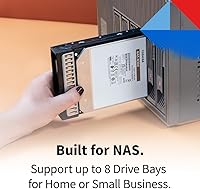
This NAS drive is a natural fit for home users building out a personal media server or centralized backup system — particularly anyone running a Synology or QNAP enclosure with up to eight bays. Photographers and video editors who need a large, always-accessible local archive will find the capacity and 24/7 reliability rating reassuring. It also makes sense for small offices that want shared storage for a handful of users without the cost or complexity of enterprise-grade hardware. That said, if your NAS handles heavy transactional workloads or you are running more than eight drives, Toshiba's N300 Pro is the better call — it carries a significantly higher workload rating and supports larger multi-drive configurations.

User Feedback

Among verified buyers, consistent praise centers on quiet operation and dependable day-to-day performance — owners running Toshiba's NAS hard drive continuously for six months or more generally report no issues, which does back up the 24/7 operation claims. Compatibility across popular NAS brands comes up often as a positive. On the flip side, a portion of reviews mention early failure rates, with some units failing within weeks of installation. This is not unusual for mechanical drives sold at volume, but it is worth factoring in. Noise and heat in multi-drive enclosures are described as acceptable, not exceptional. Head-to-head comparisons with WD Red Plus and Seagate IronWolf tend to land this drive as a comparable performer, with value often cited as the deciding factor.

Pros

  • CMR recording ensures RAID arrays rebuild cleanly without the timeout issues common to SMR alternatives.
  • Plug-and-play compatibility with Synology, QNAP, Asustor, and TerraMaster enclosures out of the box.
  • 7200 RPM performance is noticeably faster than 5400 RPM budget NAS drives in daily use.
  • Runs quietly in one- and two-bay setups, making it a practical choice for home office environments.
  • Integrated RV sensors help stabilize performance in four-bay or larger multi-drive enclosures.
  • The N300 8TB holds its own against WD Red Plus and Seagate IronWolf at a competitive price point.
  • 180 TB per year workload rating comfortably covers demanding home and light small-office scenarios.
  • Buyers running this drive for six or more months consistently report stable, trouble-free operation.

Cons

  • Early failure rates in the first few weeks are a recurring complaint across a meaningful share of reviews.
  • The RMA process is slow and inconsistently handled, amplifying frustration when a drive does fail early.
  • No dedicated Toshiba drive management software — health monitoring depends entirely on your NAS platform.
  • Vibration and low-frequency hum become noticeable in larger enclosures with limited chassis dampening.
  • Some older NAS enclosures require a firmware update before the drive is fully recognized, adding unexpected setup friction.
  • Drives purchased through third-party sellers occasionally arrive with inadequate protective packaging, raising dead-on-arrival risk.
  • Sustained random write performance can lag under peak multi-user load, limiting appeal for write-heavy workflows.

Ratings

The Toshiba N300 8TB NAS Hard Drive has been scored by our AI system after analyzing verified buyer reviews from global markets, with spam, incentivized, and bot-generated feedback actively filtered out. These scores reflect the real distribution of user sentiment — including the frustrations — so you get an honest picture before committing to a purchase. Strengths in reliability and compatibility are well-represented, but so are the recurring concerns that a meaningful share of buyers raised.
Long-Term Reliability
78%
22%
Most buyers who run this NAS drive continuously for six months or longer report consistent, stable performance with no degradation in read/write speeds. It holds up well in always-on home NAS setups where drives never get a break, which is exactly the environment it was built for.
A notable minority of users report drives failing within the first few weeks, which creates anxiety around early-life reliability. While this is partly a statistical reality for mechanical drives sold at volume, the failure reports are frequent enough to be a genuine concern rather than an isolated pattern.
Noise & Vibration
81%
19%
In single or dual-bay NAS enclosures, most users describe this drive as pleasantly quiet during normal operation — far less intrusive than older 7200 RPM drives they replaced. Seek noise during heavy file transfers is present but not disruptive in a home office setting.
In four-bay or larger enclosures with multiple drives spinning simultaneously, some users notice increased vibration and a low hum that becomes noticeable in quiet rooms. The RV sensors help compensate for this, but they do not eliminate it entirely at higher drive counts.
NAS Compatibility
93%
Buyers consistently confirm this drive drops into Synology, QNAP, Asustor, and TerraMaster enclosures without any fuss. It shows up correctly in NAS management dashboards and passes compatibility checks without requiring firmware workarounds or manual configuration.
A small number of users with older or budget NAS enclosures report occasional recognition hiccups, though these appear to be enclosure-side limitations rather than a fault with the drive itself. Compatibility with non-standard or legacy hardware is rarely tested in reviews.
Read/Write Performance
83%
The 7200 RPM spin speed and generous cache deliver noticeably faster response times compared to 5400 RPM NAS drives, which buyers upgrading from slower units appreciate immediately. Streaming 4K video to multiple devices simultaneously or running large backup jobs overnight works without bottlenecks.
Sequential write speeds are strong, but users running demanding workloads — like simultaneous multi-user access with heavy random I/O — find that the drive can lag behind expectations at peak load. It performs at its best in read-heavy environments rather than write-intensive ones.
Value for Money
86%
At its mid-range price point for 8TB of NAS-class CMR storage, most buyers feel they are getting a fair deal relative to comparable drives from WD and Seagate. Users who specifically sought out a CMR drive for RAID use find the cost justifiable given the reliability advantages over cheaper SMR alternatives.
When early failures occur, the value calculation shifts significantly — replacement hassle and potential data loss make the initial savings feel less compelling. A few buyers also note that the N300 Pro offers a meaningfully higher workload rating for a price premium that some consider worth stretching for.
RAID Compatibility
91%
CMR recording technology means this drive behaves predictably inside RAID 1, RAID 5, and RAID 6 arrays — a hard requirement for anyone building a redundant NAS setup. Buyers rebuilding arrays after drive swaps report clean, trouble-free rebuild processes without the timeout issues that SMR drives can cause.
There are no significant RAID-specific complaints tied directly to the drive itself. The only friction point noted by a handful of users involves very long RAID rebuild times at 8TB, which is a physical reality of the capacity rather than a flaw in how the drive handles the process.
Heat Management
77%
23%
Under typical home NAS workloads — nightly backups, media streaming, occasional file transfers — operating temperatures stay within comfortable ranges that most NAS enclosures manage without spinning up fans aggressively. Users running two to four of these drives together report stable thermal behavior.
In tightly packed enclosures with limited airflow, some users see temperatures creep higher than expected during sustained sequential writes. This is not unique to this drive, but buyers with poorly ventilated enclosures should factor in adequate cooling rather than assuming the drive runs cool by default.
Workload Capacity
74%
26%
A 180 TB per year workload rating is more than sufficient for home users and small teams — roughly equivalent to transferring around 500 GB every single day, which most SOHO setups never approach. For its intended audience, the headroom is comfortable.
For anyone running a busier environment — think a small creative studio with multiple editors hitting the NAS continuously throughout the day — the 180 TB ceiling starts to feel limiting. Those users consistently mention that the N300 Pro or a competing enterprise-tier drive would be a smarter long-term investment.
Installation Experience
88%
Physical installation is straightforward — standard 3.5-inch form factor, standard SATA connector, nothing unusual about the drive's dimensions or mounting. Buyers consistently mention it takes minutes to seat and spin up inside a supported enclosure.
A small number of users report their NAS requiring a firmware update before fully recognizing the drive, which adds an unexpected setup step. This is an edge case, but it is worth knowing if you are deploying into an older enclosure that has not been updated in a while.
Packaging & Arrival Condition
72%
28%
The majority of buyers receive the drive well-packaged and in working condition. Toshiba's protective packaging is adequate for standard shipping conditions and most units arrive without visible damage.
A recurring complaint involves drives arriving in minimal packaging when fulfilled through third-party sellers, leading to a handful of dead-on-arrival reports tied to shipping damage. Buying directly from reputable fulfillment sources reduces this risk but does not eliminate it entirely.
CMR vs SMR Transparency
89%
Toshiba clearly designates the N300 line as CMR, and buyers who researched the SMR versus CMR distinction specifically sought this drive out for that reason. The transparency around recording technology earns consistent appreciation from informed buyers.
Less technically savvy buyers occasionally purchase this drive without understanding why CMR matters, meaning they cannot fully evaluate what they are paying a modest premium for. The benefit is real, but only for buyers who understand RAID behavior well enough to appreciate it.
Customer Support & Warranty
68%
32%
Toshiba offers a standard warranty, and buyers who have gone through the RMA process report that replacements do eventually arrive. For straightforward failure cases, the process works as expected.
Multiple reviewers describe the RMA process as slow and communication as inconsistent, which amplifies frustration when a drive fails early. The warranty coverage itself is not unusual for this category, but the execution of support leaves room for improvement compared to what some competitors offer.
Software & Ecosystem
62%
38%
The drive works with all major NAS operating systems and monitoring tools without requiring any proprietary software. Standard SMART diagnostics report accurately, and NAS dashboards display health data cleanly.
Toshiba does not offer dedicated NAS drive management software the way some competitors do. Buyers looking for enhanced health monitoring tools or predictive failure analytics need to rely entirely on their NAS platform, which may or may not provide the depth they want.

Suitable for:

The Toshiba N300 8TB NAS Hard Drive is built for anyone running a home or small office NAS who needs dependable, always-on storage without paying enterprise prices. If you are a home user with a Synology or QNAP enclosure used for media streaming, centralized backups, or personal cloud storage, this drive fits the role well. Photographers and video editors maintaining large local archives will appreciate the 8TB capacity paired with a spin speed that keeps file access feeling responsive. It is also a smart pick for anyone specifically avoiding SMR drives — the CMR recording method makes this NAS drive a reliable choice for RAID 1 or RAID 5 arrays where consistent write behavior matters. Small offices sharing files across a handful of workstations will find the workload rating more than sufficient for typical day-to-day demands.
Not suitable for:

The Toshiba N300 8TB NAS Hard Drive is not the right tool for high-demand business environments where multiple users hammer the storage system simultaneously throughout the workday. The 180 TB per year workload ceiling, while generous for home use, starts to look modest if your NAS is handling continuous transactional reads and writes from a larger team. Users building out a NAS with more than eight drive bays should look at the N300 Pro, which supports larger configurations and carries a significantly higher workload rating. Anyone who has experienced early drive failures and found the RMA process frustrating may also want to weigh the support experience before committing. Finally, if your enclosure is poorly ventilated or runs in a warm environment without active cooling, thermal management with multiple drives installed can become a real concern.

Specifications

  • Storage Capacity: The drive provides 8 TB of usable storage, suitable for large media libraries, multi-user backups, and archival workloads in a home or small office NAS.
  • Recording Technology: Uses Conventional Magnetic Recording (CMR), which delivers consistent write performance and full compatibility with RAID configurations — unlike SMR drives that can throttle under sustained writes.
  • Interface: Connects via SATA 6 Gb/s, the standard interface found on virtually all modern NAS enclosures and desktop motherboards.
  • Rotational Speed: Spins at 7200 RPM, placing it in the higher-performance tier of NAS drives and enabling faster data access compared to 5400 RPM alternatives.
  • Cache Size: Equipped with a 512 MB buffer cache, which helps smooth out read/write bursts during multi-user access or simultaneous backup jobs.
  • Form Factor: Standard 3.5-inch form factor fits the drive bays found in the vast majority of consumer and prosumer NAS enclosures on the market.
  • Dimensions: Measures 5.79 x 4 x 1.03 inches (L x W x H), consistent with the standard 3.5-inch hard drive footprint.
  • Weight: Weighs 1.61 pounds, typical for a 3.5-inch mechanical hard drive of this capacity.
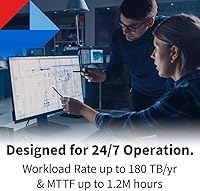
  • Workload Rating: Rated for up to 180 TB of data transferred per year, which comfortably covers the demands of home NAS users and light small-office environments running around the clock.
  • 24/7 Operation: Engineered and rated for continuous 24-hour, 7-day-a-week operation, unlike standard desktop drives that are designed for intermittent use only.
  • Vibration Sensors: Integrated rotational vibration (RV) sensors actively detect and compensate for mechanical vibration caused by neighboring drives, which is most beneficial in enclosures running four or more drives simultaneously.
  • Drive Bays Supported: Compatible with NAS enclosures supporting up to 8 drive bays, covering the full range of consumer and prosumer SOHO units.
  • RAID Compatibility: Fully compatible with RAID 0, 1, 5, 6, and 10 configurations, with CMR technology ensuring predictable rebuild behavior without the timeout risks associated with SMR drives.
  • Drive Type: Mechanical hard disk drive (HDD) using spinning platters, not solid-state — optimized for high-capacity sequential storage rather than the low-latency access of SSDs.
  • Intended Use: Designed specifically for small office and home office (SOHO) NAS environments, not general desktop use or enterprise-level high-workload deployments.
  • Color & Finish: Ships in a standard silver metallic enclosure typical of 3.5-inch internal hard drives, with no external indicators or LED activity lights.

Related Reviews

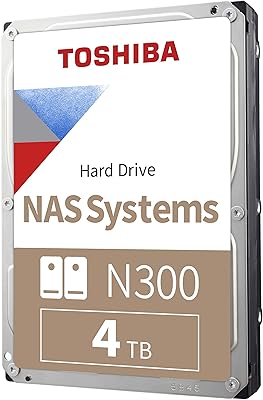
Toshiba N300 4TB NAS Hard Drive
85%
88%
Performance
92%
Reliability
85%
Data Transfer Speed
80%
Noise Levels
90%
Workload Rating (Durability)
More
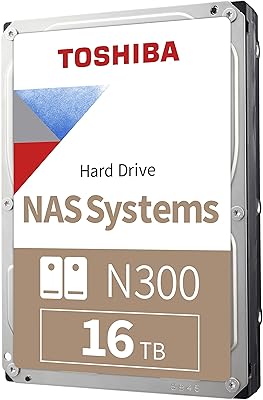
Toshiba N300 16TB NAS Hard Drive
84%
91%
Reliability for 24/7 Use
88%
Performance Speed
84%
Ease of Setup
75%
Noise Level
90%
Durability and Build Quality
More
Toshiba N300 6TB NAS Internal Hard Drive
86%
88%
Performance
91%
Reliability
72%
Noise Levels
86%
Data Transfer Speed
85%
Ease of Installation
More
Toshiba N300 20TB NAS Internal Hard Drive
87%
91%
Performance
94%
Reliability for 24/7 Operation
85%
Ease of Setup
68%
Noise Levels
96%
Storage Capacity
More
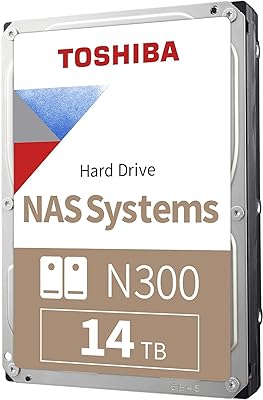
Toshiba N300 14TB NAS Internal Hard Drive
83%
96%
Storage Capacity
91%
Performance in NAS Systems
89%
Reliability for 24/7 Use
67%
Ease of Setup
84%
Vibration Resistance
More
Toshiba N300 12TB NAS Internal Hard Drive
86%
89%
Performance
91%
Reliability
80%
Setup and Installation
87%
Noise Level
88%
Build Quality
More
Toshiba N300 PRO 18TB NAS Internal Hard Drive
87%
94%
Performance
92%
Reliability
88%
Data Transfer Speed
72%
Noise Levels
89%
Build Quality
More
Toshiba N300 PRO 10TB Internal Hard Drive
87%
92%
Reliability for 24/7 NAS Use
89%
Performance in RAID Setups
91%
Workload Capacity (300 TB/year)
85%
Data Transfer Speed
88%
Vibration Control with RV Sensors
More
Seagate IronWolf 8TB NAS Internal Hard Drive
88%
88%
Performance
92%
Reliability
85%
Ease of Setup
89%
Data Transfer Speed
94%
Noise Levels
More
Toshiba X300 PRO 8TB Internal Hard Drive
87%
92%
Performance Speed
88%
Durability & Reliability
94%
Storage Capacity
85%
Ease of Installation
70%
Noise Levels
More

FAQ

In almost all cases, yes. The N300 8TB is widely tested with Synology, QNAP, Asustor, and TerraMaster enclosures and shows up correctly in their management interfaces without any special configuration. If your NAS firmware is significantly outdated, a quick update before installation is worth doing just to be safe.

CMR (Conventional Magnetic Recording) writes data to non-overlapping tracks, which means the drive can handle sustained reads and writes predictably. SMR drives overlap tracks to squeeze in more data, but they need to rewrite entire sections when updating existing data — this causes serious slowdowns during RAID rebuilds and can even trigger drive timeouts that corrupt arrays. For any NAS running RAID, CMR is the safer choice by a wide margin.

For most home setups, absolutely. To hit 180 TB in a year, you would need to transfer roughly 500 GB of data every single day without a break. A typical home NAS doing nightly backups, media streaming, and occasional file access will use a small fraction of that. Where it starts to feel limiting is in small creative studios or offices with multiple people accessing and writing to the NAS continuously throughout the day.

Most users describe the Toshiba N300 8TB NAS Hard Drive as noticeably quieter than older 7200 RPM desktop drives. In a single or dual-bay enclosure, it is unobtrusive enough for a home office environment. In larger enclosures with four or more drives running simultaneously, you will hear a low hum and some vibration, but it rarely becomes genuinely disruptive.
Physically it will fit and function in a desktop, but it is not the ideal use case. NAS drives are tuned for continuous operation and sequential access patterns rather than the random, bursty I/O that desktop workloads generate. You are not going to damage anything by using it in a desktop, but you would be overpaying for characteristics you do not need.

Toshiba covers the N300 line with a standard warranty, and replacements do come through eventually. The honest caveat is that the RMA process has a reputation for being slow, and communication during the process can be inconsistent. If you are running mission-critical data, make sure your NAS is set up with RAID redundancy and that you have an off-site or cloud backup as well — no drive warranty is a substitute for a proper backup strategy.

Not really. The rotational vibration sensors are most useful when you have four or more drives spinning in close proximity, where the mechanical vibration from neighboring drives can interfere with read/write head positioning. In a one- or two-bay enclosure, the benefit is minimal and unlikely to make any measurable difference in day-to-day performance.

All three are solid CMR NAS drives at the 8TB tier and perform comparably in most real-world home and small office workloads. The choice often comes down to brand preference, pricing at the moment of purchase, and your experience with each brand's support process. None of them has a decisive technical edge at this capacity for SOHO use — you are unlikely to make a wrong choice among the three.

It can handle light surveillance workloads alongside other NAS tasks, but Toshiba makes a dedicated S300 series specifically optimized for continuous video write streams from multiple cameras. If surveillance recording is your primary use case, that purpose-built line is a better fit. For mixed use where surveillance is just one function among many, this NAS drive is workable.

RAID 1 mirroring gives you instant redundancy and keeps your NAS online if one drive fails, which is genuinely useful for uptime. But it is not a backup — if your enclosure fails, gets stolen, or a file gets corrupted, RAID does not protect you. The smartest approach is pairing two drives in RAID 1 for redundancy and also maintaining a separate backup, whether that is an external drive, another NAS, or a cloud service.