Overview

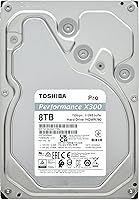
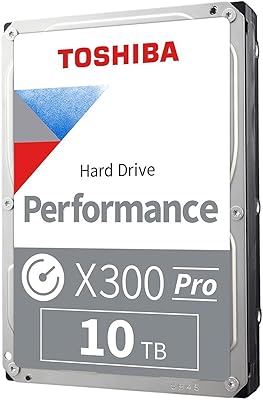
The Toshiba X300 PRO 8TB Internal Hard Drive sits firmly in the professional tier of Toshiba's desktop lineup — a clear step up from the standard X300, built for users who push their storage hard day after day. This is not a drive for someone storing family photos or streaming media. It's engineered for sustained, heavy workloads: think video production pipelines, large asset libraries, or archiving workflows that would chew through a consumer drive in months. CMR recording technology keeps it rewrite-friendly and predictable under pressure. Its #15 ranking in Internal Hard Drives on Amazon isn't marketing — it reflects genuine demand from creative professionals who need capacity and dependability in one package.
Features & Benefits

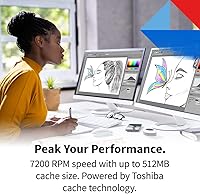
At the core of the X300 PRO's performance story is a 7200 RPM spindle speed paired with a 512 MB cache — a combination that keeps large file transfers moving at a consistent clip rather than stuttering mid-task. The drive is rated for up to 300 TB of data written per year, which is meaningful in practice: that's roughly filling its entire 8TB capacity every ten days, sustained. Most consumer drives cap out well below that. Conventional Magnetic Recording means rewrites are clean and predictable, unlike SMR drives that slow dramatically under heavy write loads. Built-in shock sensors and ramp load technology add a reasonable layer of protection for a drive handling irreplaceable project files.

Best For

This high-workload desktop drive is a natural fit for video editors and motion graphics artists who spend their days moving large ProRes or RAW footage files on and off storage. Photographers archiving thousands of high-resolution files will appreciate the reliable sequential write performance that CMR technology brings. It also works well as a nearline or local backup drive for content creators who want dependable capacity without relying solely on cloud services. If you're running creative applications that generate continuous read/write cycles — color grading, audio production, 3D rendering — this is the kind of drive built for that. Users exploring RAID-adjacent desktop setups will also find the CMR foundation reassuring.

User Feedback

With a 4.5-star average across over 300 ratings, the X300 PRO earns its reputation largely through consistency — buyers repeatedly note that real-world transfer speeds hold up well under prolonged use, which is exactly what this Toshiba performance drive promises. Installation is straightforward, and most users report no complications getting it recognized in a desktop system. That said, it's not without trade-offs. A portion of reviewers mention the drive runs warmer than expected under sustained loads, and some note it's audible during heavy activity — par for the course with a 7200 RPM mechanical drive, but worth knowing if your workspace is quiet. Compared to rivals like the WD Black, buyers generally find Toshiba's reliability competitive at this capacity.

Pros

  • Rated for up to 300 TB of data written per year — far beyond what most desktop drives can sustain.
  • CMR recording keeps write performance consistent and predictable, even under heavy repeated use.
  • The 512 MB cache helps maintain solid throughput when handling large sequential files like video footage.
  • MTTF of up to 1.0 million hours signals a reliability tier closer to workstation-class than consumer-grade.
  • Broad SATA 6 Gb/s compatibility means installation is straightforward in virtually any modern desktop.
  • Built-in shock sensors and ramp load technology offer meaningful protection for irreplaceable project data.
  • Strong real-world reviews back up the performance claims — buyers consistently report speeds holding steady under load.
  • At 8TB, the capacity hits a practical sweet spot for creative professionals managing growing asset libraries.
  • Sits comfortably in the top 20 of Internal Hard Drives on Amazon, reflecting sustained buyer trust.

Cons

  • The drive runs noticeably warm under prolonged heavy use, which may require adequate case airflow to manage.
  • Audible operation at 7200 RPM can be distracting in quiet workspaces or open-plan environments.
  • No meaningful performance advantage over competitors like WD Black in standard desktop read/write tasks.
  • Purely mechanical storage means random access speeds lag far behind any SSD option at a similar price point.
  • The high workload rating is largely wasted on users who don't push their drives continuously — value diminishes for light users.
  • Limited to desktop internal use only — no enclosure, no USB option, no flexibility for portable workflows.
  • Eight terabytes may still feel constraining for professionals shooting high-bitrate 6K or 8K video at volume.
  • No official NAS certification, which limits its appeal for users wanting to repurpose it in a home server.
  • Warranty and long-term support documentation can be harder to track down compared to some enterprise-focused competitors.

Ratings

The scores below reflect an AI-driven analysis of verified global buyer reviews for the Toshiba X300 PRO 8TB Internal Hard Drive, with spam, bot-generated, and incentivized feedback actively filtered out before any scoring was applied. Ratings are drawn from real-world usage patterns across creative professionals, desktop power users, and archiving workflows. Both consistent strengths and recurring frustrations are factored in transparently — nothing is glossed over.

Sequential Read/Write Speed
83%
Buyers working with large video files consistently report that transfer speeds hold steady during prolonged sessions, which is exactly what matters when you're offloading hours of footage or running a long backup job overnight. The 7200 RPM spindle and 512 MB cache combination earns genuine praise for keeping throughput predictable rather than spiking and dropping.
While sequential speeds are solid for a mechanical drive, anyone coming from SSD-heavy workflows will feel the contrast immediately. A handful of reviewers noted that speeds felt slightly below what competing 7200 RPM drives deliver in benchmark comparisons, though day-to-day differences were rarely described as deal-breaking.
Sustained Workload Endurance
91%
This is where the X300 PRO genuinely stands out. Users running continuous read/write cycles — color grading, multi-stream video editing, or automated backup pipelines — report that the drive handles extended sessions without the slowdowns that plague consumer-grade alternatives. The 300 TB/year rating isn't just a spec; buyers confirm it translates to real-world staying power.
A small subset of professional users pushing the drive well beyond typical creative workloads, such as those using it for surveillance-adjacent or server-lite applications, noted it isn't quite rated for those edge cases. The workload ceiling is high but not unlimited, and a few buyers wished Toshiba offered clearer guidance on optimal duty cycle limits.
Reliability & Longevity
88%
The 1.0 million hour MTTF figure resonates with buyers who've had bad experiences with cheaper drives failing within a year. Long-term owners — those who've had the drive running for several months under regular professional use — report no issues, and the drive's ramp load technology gets quiet credit for reducing mechanical wear during idle periods.
Because the drive is relatively new to market (available since early 2024), multi-year reliability data from real users is still limited. Some reviewers expressed measured caution about committing critical data to any drive without a longer track record, which is a fair concern regardless of the rated MTTF.
Noise Level
61%
39%
For users in louder studio environments or those running the drive inside a mid-tower with decent sound dampening, the operational noise is a non-issue. Several buyers working in home offices with ambient background noise reported barely noticing it during typical use.
In quieter workspaces, the 7200 RPM spin-up whir and the audible seek noise during heavy transfers drew consistent complaints. Multiple reviewers specifically flagged this as a drawback compared to quieter 5400 RPM alternatives, and a few noted vibration hum transferring into lightweight desk setups.
Thermal Performance
66%
34%
In well-ventilated desktop cases, the drive maintains stable temperatures during typical workloads. Users with good airflow setups — at least one dedicated intake fan near the drive bays — report no thermal throttling or unexpected heat-related behavior during standard editing sessions.
Under sustained heavy loads, heat buildup is a recurring theme in user feedback. Several buyers noted the drive runs warmer than expected compared to previous drives they've owned, and those in compact or poorly ventilated cases reported temperatures high enough to cause concern, prompting them to add supplemental cooling.
CMR Recording Reliability
93%
Among technically informed buyers, the CMR implementation draws consistent praise. Reviewers who explicitly upgraded from SMR drives report a night-and-day difference in write consistency — no write cache stalling, no mysterious slowdowns mid-task. For anyone archiving large files repeatedly, CMR is the right technology and buyers know it.
For less technical buyers who weren't aware of the CMR vs SMR distinction before purchasing, this benefit goes unappreciated, which occasionally leads to unfair comparisons against cheaper SMR drives in casual reviews. A clearer explanation of this distinction in Toshiba's packaging would help set expectations from the start.
Installation & Compatibility
89%
Setup is universally described as straightforward. The standard SATA interface means it drops into virtually any modern desktop without drivers, jumpers, or configuration steps. Multiple reviewers praised how quickly they were up and running — plug in the SATA data and power cables, format, done.
The drive ships without mounting screws or a SATA cable, which caught some buyers off guard. It's standard practice for bare drives, but first-time builders expecting everything in the box came away frustrated. Reviewers also noted that the lack of USB enclosure support limits flexibility for those wanting external use.
Value for Money
74%
26%
For professional users who actually push the drive, the premium over a standard consumer desktop HDD feels justified — the higher workload rating, CMR recording, and stronger reliability specs are tangible advantages. Buyers who understood what they were purchasing generally rated value favorably relative to alternatives in this class.
Casual buyers who don't need the workload headroom find the price hard to justify when consumer drives offer adequate performance for far less. Several reviewers also pointed out that comparable capacity SSDs are narrowing the price gap, making the value proposition feel more time-sensitive than it once was.
Packaging & Arrival Condition
81%
19%
The majority of buyers report receiving drives in good condition with no evident shipping damage. Toshiba's protective packaging for the X300 PRO is generally considered adequate, and DOA complaints are rare relative to the volume of reviews, which builds confidence for buyers ordering online.
A small but notable percentage of reviewers reported drives arriving with clicking noises or failing initial health checks, which points to occasional issues with shipping handling rather than manufacturing defects. Most resolved the issue via replacement, but it added friction to what should have been a seamless experience.
Software & Ecosystem Support
57%
43%
The drive is plug-and-play compatible with all major operating systems including Windows, macOS, and Linux without needing proprietary software. For buyers who prefer a clean, software-free setup, this simplicity is appreciated.
Toshiba does not bundle any meaningful software utilities — no drive health dashboard, no backup tool, no performance monitor. Buyers accustomed to WD's Dashboard or Seagate's SeaTools feel the absence of a first-party utility, and finding Toshiba-specific diagnostic tools requires extra research that shouldn't be necessary.
Random Access Performance
52%
48%
For sequential workloads like video playback and large file copies, random access limitations are rarely felt. Users sticking to the drive's intended purpose — large block reads and writes — don't run into meaningful issues in everyday creative workflows.
Random access is the drive's most visible weak point, and it's inherent to spinning magnetic storage. Loading software, browsing through large asset libraries with lots of small files, or running a database from this drive feels sluggish compared to any SSD. Reviewers who expected SSD-like responsiveness were routinely disappointed.
Brand Reputation & Trust
84%
Toshiba carries genuine credibility in the storage industry, and buyers frequently cite brand trust as part of their purchasing rationale. The X300 PRO's ranking in Amazon's Internal Hard Drives category reflects sustained consumer confidence, not just a launch spike.
Some reviewers expressed lingering uncertainty around Toshiba's long-term storage business direction and warranty support infrastructure compared to more dominant players like Western Digital or Seagate. It's a minority concern but surfaces often enough in feedback to be worth noting.
Vibration Dampening
63%
37%
In desktop towers with rubber-mounted drive bays or aftermarket dampening trays, vibration transmission is manageable and rarely a source of complaints. Users who invested in vibration isolation reported a noticeably quieter and more stable experience.
In cases without dampening features, the 7200 RPM motor transmits noticeable vibration to the chassis, which amplifies the operational sound profile. Buyers with lightweight desk setups or thin-panel cases mentioned the vibration being felt through the desk surface, which became irritating during long editing sessions.

Suitable for:

The Toshiba X300 PRO 8TB Internal Hard Drive was built with a specific type of user in mind: someone who puts their storage through the wringer on a regular basis and can't afford for it to buckle under pressure. Video editors working with large ProRes, RAW, or 4K footage libraries will find the high workload rating genuinely useful — this isn't a drive that's going to slow to a crawl after a few hours of sustained writes. Photographers archiving thousands of high-resolution RAW files, particularly those running local backup workflows alongside cloud solutions, will appreciate the CMR foundation that keeps write performance predictable over time. Content creators who use their desktop workstations for rendering, audio production, or motion graphics — tasks that involve continuous, repeated disk access — are exactly the kind of users this drive is engineered for. It also makes a compelling choice for anyone building a RAID or nearline storage setup who needs CMR reliability rather than the unpredictable write behavior of SMR alternatives.

Not suitable for:

If you're a casual home user looking for extra storage to hold movies, music, or everyday documents, the Toshiba X300 PRO 8TB Internal Hard Drive is almost certainly more drive than you need — and you'd likely be paying a premium for workload headroom you'll never touch. Laptop users or anyone working in a compact, space-constrained build should also look elsewhere, as this is a full-size 3.5-inch internal desktop drive with no mobile application. Users hoping for SSD-level responsiveness — fast boot times, snappy application launches, low-latency random access — will be disappointed, because no mechanical spinning drive competes with solid-state on those metrics, and this one is no exception. Anyone who works in a very quiet environment should know upfront that a 7200 RPM drive is audible under load; if near-silent operation matters to you, this may be a frustrating daily companion. Finally, buyers on a tight budget who only need occasional storage access would be better served by a standard consumer-grade drive at a lower price point.
Specifications

  • Storage Capacity: The drive offers 8 TB of formatted storage, suitable for large media libraries, project archives, and nearline backup use.
  • Form Factor: Built in the standard 3.5-inch form factor, it is designed exclusively for installation in desktop tower workstations and compatible enclosures.
  • Interface: It connects via SATA 6 Gb/s, which is universally supported by modern desktop motherboards and HDD docking stations.
  • Rotational Speed: The platters spin at 7200 RPM, the standard for performance-class mechanical hard drives targeting throughput-heavy workloads.
  • Cache Size: A 512 MB buffer cache helps smooth out data transfer bursts and maintain consistent sequential read and write speeds.
  • Recording Technology: The drive uses CMR (Conventional Magnetic Recording), which offers more predictable and stable write performance compared to SMR-based alternatives.
  • Workload Rating: Rated for up to 300 TB of data written per year, this drive is built to handle sustained professional workloads without performance degradation.
  • Reliability (MTTF): Toshiba rates the mean time to failure at up to 1.0 million hours, placing it in a dependability tier above typical consumer desktop drives.
  • Shock Protection: Integrated shock sensors detect and respond to vibration or impact events during operation to help reduce the risk of data loss.
  • Load Technology: Ramp load technology parks the read/write heads off the disk surface when not in use, reducing wear and protecting platters during idle periods.
  • Installation Type: This is an internal drive and must be mounted inside a desktop case using standard 3.5-inch drive bays with a SATA data and power cable connection.
  • Dimensions: The drive measures 5.79 x 4 x 1.03 inches, conforming to the standard 3.5-inch HDD form factor used across desktop PC cases.
  • Weight: It weighs 1.61 pounds, which is typical for a multi-platter 3.5-inch mechanical hard drive of this capacity.
  • Compatible Devices: Officially compatible with desktop PCs and workstations; it is not rated or warranted for NAS enclosures or laptop use.
  • Available Since: This model has been available for purchase since March 2024, making it a relatively recent addition to Toshiba's X300 lineup.

Related Reviews
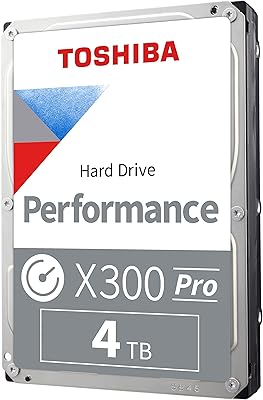
Toshiba X300 PRO 4TB Internal Hard Drive
87%
94%
Performance
92%
Reliability under Heavy Workloads
88%
Ease of Installation
77%
Noise Levels
91%
Value for Money
More
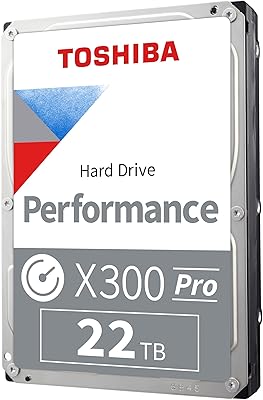
Toshiba X300 PRO 22TB Internal Hard Drive
86%
92%
Performance
96%
Storage Capacity
88%
Reliability Under Heavy Load
85%
Data Transfer Speed
91%
Build Quality
More
Toshiba X300 PRO 12TB Internal Hard Drive
87%
89%
Performance
96%
Storage Capacity
87%
Build Quality
90%
Durability
92%
Reliability Under Heavy Use
More
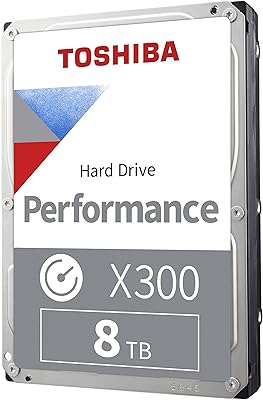
Toshiba X300 8TB Performance & Gaming Internal Hard Drive
88%
93%
Performance
95%
Storage Capacity
89%
Reliability
90%
Shock Resistance
92%
Speed (RPM & Cache)
More
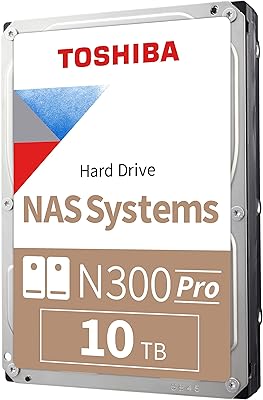
Toshiba N300 PRO 10TB Internal Hard Drive
87%
92%
Reliability for 24/7 NAS Use
89%
Performance in RAID Setups
91%
Workload Capacity (300 TB/year)
85%
Data Transfer Speed
88%
Vibration Control with RV Sensors
More
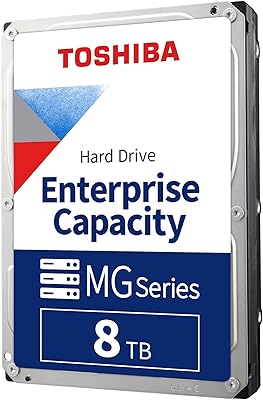
Toshiba 8TB MG Series Enterprise Internal Hard Drive
86%
88%
Performance
90%
Reliability & Uptime
85%
Ease of Integration
87%
Workload Tolerance
70%
Noise Level
More
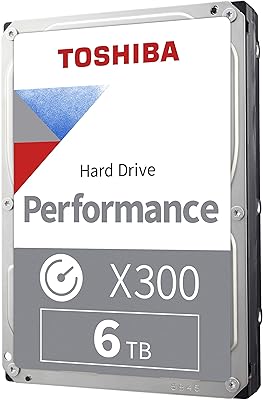
Toshiba X300 6TB Performance & Gaming Internal Hard Drive
86%
92%
Performance Speed
96%
Storage Capacity
85%
Durability & Reliability
89%
Value for Money
72%
Noise Level
More
Toshiba X300 10TB Performance & Gaming Internal Hard Drive
86%
88%
Performance
95%
Storage Capacity
87%
Reliability & Durability
91%
Ease of Installation
89%
Speed (7200 RPM)
More
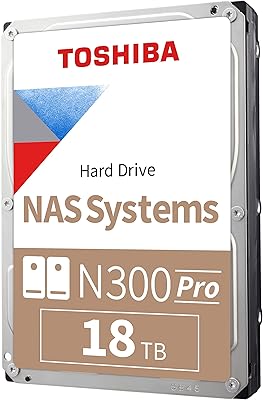
Toshiba N300 PRO 18TB NAS Internal Hard Drive
87%
94%
Performance
92%
Reliability
88%
Data Transfer Speed
72%
Noise Levels
89%
Build Quality
More
Toshiba X300 18TB Internal Hard Drive
81%
93%
Storage Capacity Value
79%
Sequential Read/Write Performance
88%
CMR Reliability & Write Consistency
91%
Installation & Compatibility
67%
Noise Level
More

FAQ

Technically it will physically fit and function in many NAS enclosures, but the X300 PRO is not NAS-certified by Toshiba. If you need a drive specifically validated for 24/7 NAS operation, Toshiba's N300 PRO line is the better choice. For desktop-based nearline storage or a RAID setup inside a workstation, this drive is well-suited.

This is a CMR drive, which stands for Conventional Magnetic Recording. It matters because SMR drives can slow down significantly when rewriting data in densely packed tracks, which is a real problem for video editing or backup workloads. CMR handles repeated writes much more consistently, which is exactly what this drive is designed for.

It is audible — that's worth being honest about. At 7200 RPM, you will hear it spin and seek during active transfers. It's not disruptively loud, but if you're in a very quiet studio environment or working with a near-silent PC build, the operational noise may be noticeable. Some users mitigate this with rubber vibration dampeners in the drive bay.

You can, but it's not the ideal use case. Booting from a mechanical drive is noticeably slower than booting from an SSD. The better approach is to run your operating system on an SSD and use the X300 PRO as a secondary drive for storing large project files, archives, or backups where its capacity and workload endurance really shine.

It means you could write the entire 8TB capacity of the drive roughly every ten days, sustained over a full year, and still be within the rated operating parameters. For most creative professionals — even busy ones — that headroom is more than sufficient. Consumer drives are often rated at 55 TB/year or less, so this is a meaningful step up in durability.

Yes, SATA is backward compatible, so the drive will work on older SATA 3 Gb/s ports. You won't get the full 6 Gb/s throughput potential, but for a mechanical hard drive the real-world bottleneck is the spinning platters rather than the interface speed anyway, so the practical performance difference is minimal.

The main differences are the workload rating and the intended audience. The standard X300 is rated for lower annual write volumes and is aimed at general desktop users. The X300 PRO bumps the workload ceiling and targets professional or semi-professional use cases where drives are under sustained pressure for longer periods each day.

Typically, no — like most bare internal drives, it ships without SATA cables or mounting screws. You'll need to source those separately or use what's already included with your desktop case and motherboard. This is standard practice for internal desktop hard drives across all major brands.

Under sustained heavy loads, users have reported that it runs warmer than a typical idle drive, which is expected from a 7200 RPM unit working hard. In a well-ventilated mid-tower case with reasonable airflow, it should be fine. If you're cramming it into a compact or poorly ventilated enclosure, adding a dedicated drive bay fan would be a reasonable precaution.

Toshiba typically backs the X300 PRO series with a two-year limited warranty, though you should verify the specific terms at the point of purchase as warranty coverage can vary by region and retailer. Registering the drive with Toshiba's support portal shortly after purchase is a good habit that can simplify any future warranty claims.