
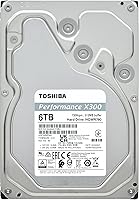
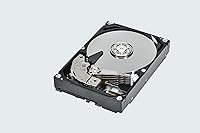
Overview

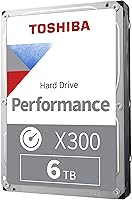
The Toshiba X300 6TB Internal Hard Drive is a high-capacity mechanical drive built for gamers and desktop power users who need serious bulk storage without moving into enterprise hardware territory. Available since early 2024, it has quickly climbed into a top-15 ranking among internal hard drives — a strong signal that buyers are finding real value here. What separates this Toshiba X300 from cheaper options is its use of CMR recording technology, which delivers more predictable write behavior than the SMR drives commonly found at lower price points. That said, set your expectations correctly from the start: this is a secondary storage workhorse, not a substitute for your SSD boot drive.

Features & Benefits

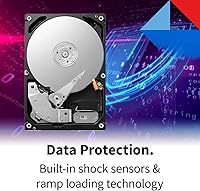
Spinning at 7200 RPM, this desktop HDD moves data noticeably faster than 5400 RPM alternatives — you will feel that difference when installing large games or transferring big video files. A 512 MB cache helps keep sustained transfers running smoothly rather than stalling mid-operation. The Ramp Load head parking system lifts the read/write heads off the platter during power-down cycles, cutting mechanical wear over time. There is also a built-in shock sensor that reacts to vibration in real time, a practical feature for desktop towers that do not always sit perfectly still. The SATA 6 Gb/s interface ensures clean compatibility with virtually any modern desktop motherboard, no adapters required.

Best For

The X300 6TB drive makes the most sense as a secondary storage companion paired with an SSD in a gaming or content creation rig. If your game library has outgrown your primary drive — and for many PC gamers it has — this is a practical solution: 6TB holds dozens of modern titles with room to spare. Content creators storing raw footage, large project files, or photo archives will find the capacity generous. It also fits well in a home media server setup where you want local high-capacity storage without enterprise complexity. Upgrading from a smaller HDD? The jump to 6TB with CMR reliability is a meaningful step up over budget alternatives.

User Feedback

Across more than 300 ratings, this Toshiba X300 holds a 4.5-star average, and reading through the actual comments gives a clearer picture. Buyers consistently highlight cool, quiet operation during normal workloads and straightforward installation in standard desktop towers. Transfer speeds in everyday use draw regular praise as well. On the other side, some owners note the drive becomes audibly present under heavy sustained loads — not unusual for a 7200 RPM mechanical drive, but worth flagging for acoustically sensitive builds. A small number of buyers mention early failures, though that is not uncommon in any HDD category and does not appear to reflect a widespread reliability problem given the strong overall score.

Pros

  • CMR recording technology delivers more predictable and consistent write performance than cheaper SMR alternatives.
  • 7200 RPM spindle speed gives a real throughput advantage over slower 5400 RPM desktop drives.
  • At 6TB, this desktop HDD holds dozens of modern AAA games with meaningful room to spare.
  • The 512 MB cache helps sustain smooth transfer speeds during large sequential operations like game installs.
  • Ramp Load head parking reduces mechanical wear, which matters for long-term drive health.
  • Installation is straightforward — standard SATA connection, no drivers, recognized immediately in most desktop builds.
  • Runs noticeably cool under typical workloads according to multiple buyers, which is a plus for enclosed cases.
  • A 4.5-star average across more than 300 ratings reflects consistently solid real-world satisfaction.
  • Compatible with virtually any modern desktop motherboard via the standard SATA 6 Gb/s interface.
  • The built-in shock sensor adds a layer of data protection against incidental vibration in desktop environments.

Cons

  • Mechanical drives carry inherent long-term failure risk that solid-state storage does not, so backups are non-negotiable.
  • Audible noise under heavy sustained loads has been flagged by several buyers — not ideal for acoustics-sensitive builds.
  • A small but notable number of early failures have been reported, which requires factoring in warranty coverage before buying.
  • This desktop HDD is not rated for NAS or 24/7 always-on workloads, limiting its use in server-style deployments.
  • Random access speeds will always lag far behind any SSD, making it unsuitable as a primary or OS drive.
  • At 3.5 inches, it is desktop-only — there is no compatibility path for laptops or compact mini-ITX cases without a drive bay.
  • Warranty terms and Toshiba support quality are not universally praised, and coverage details should be verified before purchase.
  • Buyers expecting near-silent operation may be disappointed during intensive read/write cycles at full rotational speed.

Ratings

Our AI rating system analyzed hundreds of verified global purchases of the Toshiba X300 6TB Internal Hard Drive, actively filtering out incentivized and bot-generated reviews to surface what real buyers actually experience. Scores reflect both the genuine strengths this desktop HDD delivers and the honest limitations that affect certain users — nothing is glossed over.

Sequential Read Speed
83%
Buyers running large game installs or transferring big video files consistently report that the X300 6TB drive moves data at a pace that feels responsive for a mechanical drive. The 7200 RPM spindle paired with a generous cache means large sequential transfers rarely stall noticeably during real-world desktop use.
Anyone who has recently switched from an NVMe SSD will feel the gap immediately — sequential speeds are solid for an HDD but cannot compete with solid-state alternatives in any meaningful way. Users copying thousands of small files, rather than large archives, will notice throughput drop off more sharply.
Write Consistency
88%
The CMR recording technology is the real differentiator here. Unlike SMR alternatives that slow down significantly when rewriting fragmented data, this desktop HDD maintains predictable write speeds across sustained operations — something content creators repeatedly flagging project re-exports and game download sessions have noticed.
A minority of buyers reported occasional write slowdowns during very long continuous operations, suggesting the cache can become saturated under extreme sustained workloads. This is unlikely to affect typical desktop gaming use but is worth noting for anyone planning intensive backup jobs.
Thermal Performance
86%
A recurring theme across buyer feedback is that this Toshiba X300 runs noticeably cooler than similarly-specced competitors at the same RPM class. For users with tightly packed mid-tower cases that run warm, this is a practical advantage that contributes to long-term reliability.
Temperatures do climb under continuous heavy workloads, particularly in enclosures with limited airflow. Buyers using this drive inside poorly ventilated cases or hot-running systems should ensure at least passive airflow across the drive bays.
Acoustic Noise
67%
33%
Under light to moderate workloads — browsing an installed game library, streaming stored media files — most users describe the drive as unobtrusive and easy to tune out in a typical gaming setup with fans running. The hum at idle is minimal by 7200 RPM standards.
Under heavy sustained reads and writes, the drive becomes audibly present, with seek noise and platter spin clearly detectable in quiet rooms. Users building acoustically sensitive home studio rigs or silent living-room PCs flag this as a genuine pain point that should be factored into build planning.
Installation Ease
93%
Buyers across different skill levels consistently highlight how straightforward the installation process is. Standard SATA data connection, immediate detection in BIOS and Windows Disk Management, no driver installation needed — most users report being up and running in under ten minutes.
The drive ships as a bare unit with no mounting hardware or cables included, which occasionally catches first-time builders off guard. While this is standard practice for internal drives, it is worth flagging for newer builders who assume accessories are bundled.
Long-Term Reliability
71%
29%
The combination of Ramp Load head parking, a built-in shock sensor, and CMR recording technology gives this desktop HDD a meaningful engineering edge over budget alternatives in terms of projected lifespan. The strong sales rank and 4.5-star average across a large review pool suggests most buyers are not experiencing premature failures.
A visible minority of reviewers do report early drive failures, which is a real concern even if statistically modest. Mechanical hard drives carry inherent reliability risks by nature, and no HDD — regardless of brand or price tier — should ever be treated as a sole copy of important data.
Capacity Value
89%
Six terabytes is genuinely spacious for a gaming PC secondary drive — enough to hold dozens of modern AAA titles simultaneously without constant management. Content creators storing raw footage or photo libraries find the headroom practical for months of work before needing to archive anything.
The price per terabyte is competitive but not class-leading; buyers purely focused on cost-per-gigabyte can find cheaper options, typically SMR-based, at this capacity tier. Those who prioritize raw cost over recording technology reliability may feel the premium is hard to justify on paper.
CMR Technology
91%
CMR is a concrete, real-world advantage that shows up in everyday use — especially when repeatedly deleting and reinstalling large games or rewriting project files. Buyers who previously dealt with SMR-related write slowdowns on budget drives frequently call out the consistent performance as a reason they specifically chose the X300 6TB drive.
CMR does not carry a performance advantage over SMR during initial sequential writes to fresh, empty space, so users who only ever write data once and never rewrite it will not see the benefit in day-to-day use. The advantage is most apparent over months and years of mixed-use operation.
Compatibility
94%
The standard SATA 6 Gb/s interface and 3.5-inch form factor make this desktop HDD compatible with essentially every modern desktop motherboard and mid-tower or full-tower case. No adapters, no special drivers, no firmware configuration — it works out of the box in virtually any desktop build.
The 3.5-inch internal form factor is a hard constraint — there is no path to using this in a laptop, an ITX build without a dedicated HDD bay, or as a portable external drive without purchasing a separate enclosure. Buyers with compact or mobile storage needs should look elsewhere.
Cache Effectiveness
81%
19%
The 512 MB cache is large enough to buffer burst transfers smoothly, which shows up most noticeably during game installs and large file copies where drives with smaller buffers tend to stutter. Under typical gaming desktop workloads, the cache keeps transfer rates feeling steady and predictable.
When the cache fills during very long continuous write sessions — large bulk backups, for instance — throughput falls back to native platter speeds, which is a significant step down. For occasional large transfers this is fine, but anyone running frequent multi-hour write sessions may want a drive with a larger buffer.
Vibration Resistance
78%
22%
The built-in shock sensor actively responds to vibration during operation, repositioning heads to reduce the risk of read/write errors in environments where the case shifts or nearby components create vibration. Buyers who transport their desktop rigs to LAN events appreciate this as a practical safeguard.
This is still a spinning mechanical drive — it is fundamentally more sensitive to physical shock than any solid-state storage. The shock sensor is a mitigation tool, not a substitute for handling the drive carefully during installation and transport, and it offers no protection against drops or sharp impacts.
Warranty & Support
66%
34%
Toshiba typically covers the X300 series with a two-year limited warranty, which is standard for this product category and provides a baseline level of purchase confidence for most buyers. The brand has sufficient market presence that replacement and claims processes are generally accessible.
Buyer experiences with Toshiba support when actually claiming a warranty replacement are mixed, with some reviewers describing the process as slower or less responsive than they expected. The two-year coverage period is also shorter than the three-year warranty some competing desktop HDD brands offer at similar price points.
Desktop Gaming Fit
87%
As a secondary storage drive in a gaming rig paired with an SSD boot drive, this Toshiba X300 fills its role well — holding an expansive installed library, pre-loading assets efficiently at 7200 RPM, and running cool enough to avoid thermal throttling during long gaming sessions.
Gamers who want to play directly from the drive without an SSD will notice longer load times compared to modern NVMe or SATA solid-state alternatives. It is best positioned as overflow storage rather than an active game drive for titles where loading speed matters to the experience.

Suitable for:

The Toshiba X300 6TB Internal Hard Drive is a strong match for PC gamers whose libraries have grown too large for a single SSD, and who want a reliable high-capacity secondary drive to offload installed titles without sacrificing too much load-time convenience. Desktop builders pairing it with an NVMe or SATA SSD boot drive will get the best of both worlds: fast system and game launches from the SSD, with a spacious mechanical archive drive handling everything else. Content creators who regularly work with raw video footage, large Premiere or DaVinci Resolve project folders, or bulk photo archives will appreciate the breathing room 6TB provides without needing to invest in a NAS enclosure. Home media server users running Plex or similar software on a desktop machine will find the capacity and sustained read speeds more than adequate for local streaming. If you are upgrading from a 1TB or 2TB spinning drive and want a proven CMR option rather than gambling on an SMR alternative, this Toshiba X300 is a well-positioned step up.

Not suitable for:

The Toshiba X300 6TB Internal Hard Drive is not the right tool if you are looking for a primary boot or application drive — mechanical drives simply cannot compete with solid-state storage on random access times, and no amount of cache or spindle speed changes that fundamental reality. Laptop users or anyone working in a compact form factor should look elsewhere entirely, as this is strictly a 3.5-inch desktop internal drive. If near-silent operation is a priority — say, in a home recording studio PC or a living room HTPC where acoustics matter — the audible noise under heavy load that some reviewers report could be a real annoyance. Users who need the endurance ratings and 24/7 workload tolerance of a dedicated NAS drive should consider Toshiba's N300 line instead, as this desktop HDD is not rated for always-on NAS environments. Anyone already comfortable with cloud storage for archiving large files may also find a 6TB local drive more hardware than their workflow actually demands.

Specifications

  • Storage Capacity: The drive offers 6TB of usable storage, making it well-suited for large game libraries, video archives, and bulk file storage.
  • Recording Technology: Uses Conventional Magnetic Recording (CMR), which provides more consistent and predictable write performance compared to SMR-based drives.
  • Rotational Speed: Platters spin at 7200 RPM, delivering faster sequential read and write throughput than typical 5400 RPM desktop drives.
  • Cache Size: A 512 MB buffer cache helps maintain steady data transfer rates during large sequential operations such as game installs or video exports.
  • Interface: Connects via SATA 6 Gb/s, ensuring broad compatibility with virtually all modern desktop motherboards without requiring adapters.
  • Form Factor: Built in the standard 3.5-inch form factor, designed exclusively for internal installation in desktop towers and compatible enclosures.
  • Dimensions: The drive measures 5.79 x 4 x 1.03 inches, conforming to the standard 3.5-inch HDD footprint for universal bay compatibility.
  • Weight: Weighs 1.56 pounds, consistent with a fully assembled 3.5-inch mechanical hard drive of this capacity class.
  • Head Parking: Ramp Load technology parks the read/write heads off the platter surface during power-down, reducing mechanical wear over the drive's lifespan.
  • Shock Protection: An integrated shock sensor detects vibration in real time and adjusts head positioning to help protect data integrity during operation.
  • Command Queuing: Supports Native Command Queuing (NCQ), which allows the drive to reorder read/write requests for more efficient platter access.
  • Installation Type: Designed for internal installation only and is not intended for use as a portable or external drive without a compatible enclosure.
  • Compatible Devices: Intended for use in desktop PCs and high-end workstations; not rated for NAS enclosures or 24/7 always-on server environments.
  • Drive Type: This is a traditional mechanical hard disk drive (HDD) with spinning platters, not a solid-state or hybrid storage device.
  • Color & Finish: Ships in a silver finish typical of bare internal drives; no external housing or mounting accessories are included in the box.
  • Market Availability: First made available in March 2024 and has since reached a top-15 ranking in the Internal Hard Drives category on Amazon.

Related Reviews
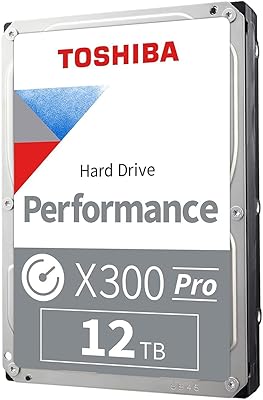
Toshiba X300 PRO 8TB Internal Hard Drive
76%
83%
Sequential Read/Write Speed
91%
Sustained Workload Endurance
88%
Reliability & Longevity
61%
Noise Level
66%
Thermal Performance
More
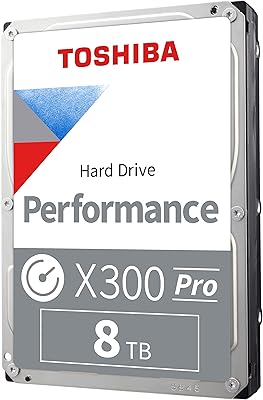
Toshiba X300 PRO 12TB Internal Hard Drive
79%
88%
Sequential Transfer Speed
93%
Workload Endurance
83%
Reliability & Longevity
79%
Value for Money
61%
Noise & Vibration
More
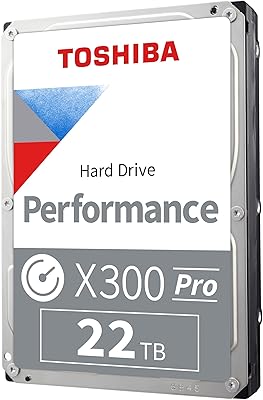
Toshiba X300 PRO 22TB Internal Hard Drive
86%
92%
Performance
96%
Storage Capacity
88%
Reliability Under Heavy Load
85%
Data Transfer Speed
91%
Build Quality
More
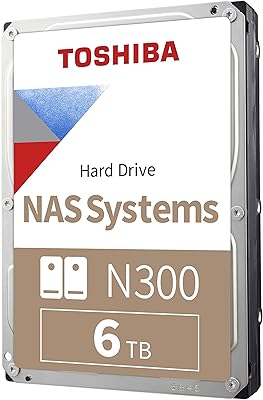
Toshiba N300 6TB NAS Internal Hard Drive
86%
88%
Performance
91%
Reliability
72%
Noise Levels
86%
Data Transfer Speed
85%
Ease of Installation
More
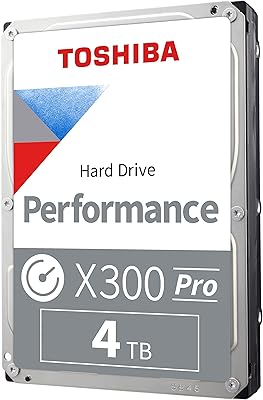
Toshiba X300 PRO 4TB Internal Hard Drive
82%
88%
Sustained Write Performance
91%
Recording Technology (CMR)
86%
Reliability & Longevity
83%
Value for Money
61%
Noise & Vibration
More
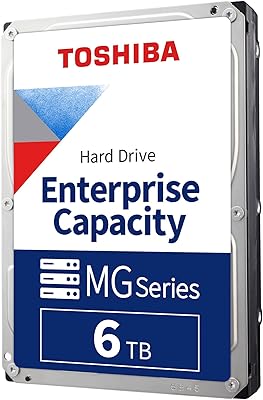
Toshiba MG06ACA600E 6TB Enterprise Internal Hard Drive
76%
91%
Reliability & Longevity
83%
Sustained Performance
88%
Vibration Resistance
86%
Data Protection
78%
Value for Money
More
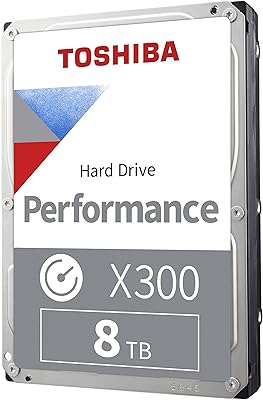
Toshiba X300 8TB Internal Hard Drive
80%
83%
Value for Money
78%
Sequential Read Speed
86%
Write Reliability
62%
Noise Level
74%
Long-term Reliability
More
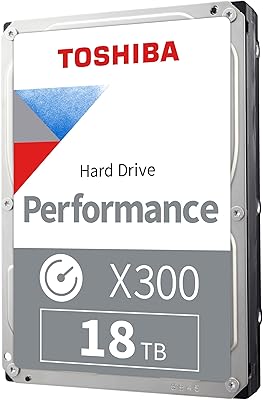
Toshiba X300 18TB Internal Hard Drive
81%
93%
Storage Capacity Value
79%
Sequential Read/Write Performance
88%
CMR Reliability & Write Consistency
91%
Installation & Compatibility
67%
Noise Level
More
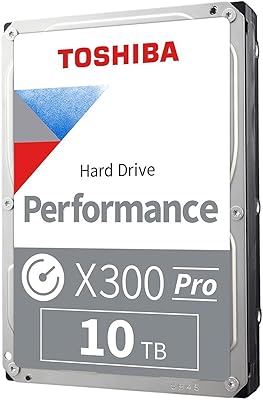
Toshiba X300 10TB Performance & Gaming Internal Hard Drive
86%
88%
Performance
95%
Storage Capacity
87%
Reliability & Durability
91%
Ease of Installation
89%
Speed (7200 RPM)
More
Seagate Barracuda 6TB Internal Hard Drive
77%
93%
Value for Money
91%
Storage Capacity
74%
Reliability & Longevity
89%
Installation Ease
61%
Read/Write Performance
More

FAQ

Technically it can, but it really should not be your first choice for that role. A 7200 RPM mechanical drive will boot and load applications noticeably slower than even a budget SATA SSD. The X300 6TB drive shines as a secondary storage drive paired with an SSD handling your OS and primary applications.

Almost certainly yes. The SATA 6 Gb/s interface is the standard connection used on desktop motherboards for well over a decade. As long as your case has a 3.5-inch drive bay and a free SATA port, installation should be completely plug-and-play.

CMR stands for Conventional Magnetic Recording, which writes data to non-overlapping tracks on the platter. SMR drives write overlapping tracks to pack more data in, but this creates slowdowns when rewriting data. For a gaming or desktop storage drive, CMR gives you more predictable and consistent performance over time, especially when deleting and rewriting large files frequently.

Under light to moderate workloads, most users describe it as quiet enough to ignore. At 7200 RPM under heavy sustained reads or writes, you will hear it — a low hum and occasional seek noise. It is not disruptive in a typical gaming tower, but if you are building a near-silent PC or a living room media box, it is worth factoring in.

Toshiba does not rate this drive for NAS use. It lacks the vibration compensation and 24/7 workload tolerances that dedicated NAS drives like the Toshiba N300 series are built for. If you are building a multi-drive NAS, you are better served by a drive specifically designed for that environment.

Not directly as an internal drive — consoles use different interfaces and form factors. You could use it with an external USB enclosure to expand storage on some platforms, but performance and compatibility will depend on your specific console and enclosure. For PC desktop builds, it works natively.

Due to how operating systems calculate storage versus how manufacturers define it, you will likely see around 5.45TB of usable space once the drive is formatted and recognized by Windows or macOS. That still holds a very large game library or media archive with ease.

Typically no — like most bare internal drives, this desktop HDD ships without SATA cables or mounting hardware. You will need a standard SATA data cable and your case's built-in mounting rails or screws, which are usually included with the case itself.

For large sequential transfers — copying big files, installing games — you can expect speeds in the range of 200 to 250 MB/s under good conditions, which is competitive for a 7200 RPM HDD. Random small-file operations will be much slower than any SSD, which is simply the nature of spinning-platter storage.

Toshiba typically covers the X300 series with a two-year limited warranty, though you should verify the exact terms at the time of purchase as policies can change. More importantly, no hard drive should be treated as your only copy of important data — mechanical drives can and do fail eventually, so pairing this with a backup strategy is strongly recommended regardless of brand or price.