Overview

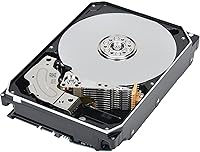
The Toshiba X300 18TB Internal Hard Drive is a high-capacity mechanical storage solution built for desktop power users who need serious room to work with. At 18TB, it sits near the ceiling of what you can practically drop into a consumer PC — enough space to house hundreds of installed games or years of raw video footage without constantly juggling files. Crucially, Toshiba uses CMR recording technology here rather than the SMR approach found in many budget drives, which means write performance stays predictable under sustained workloads. This drive is desktop-only; it won't fit a laptop and isn't rated for NAS enclosures. It's spinning-platter storage — if SSD speeds are the goal, look elsewhere.

Features & Benefits

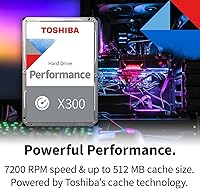
The 7200 RPM spindle is the most immediate spec worth understanding — it delivers meaningfully better sequential transfer rates than the 5400 RPM drives often bundled into budget desktops. A 512 MB cache smooths out the bursts that come with heavy multitasking or moving large project files around. The real standout for long-term owners, though, is the CMR recording method: unlike SMR drives that throttle writes once the cache fills, this high-capacity HDD keeps performance consistent regardless of how much data you push through it. Ramp loading parks the read/write heads off the platters during idle periods, reducing mechanical wear over time. Native Command Queuing rounds things out by reordering concurrent drive requests for better real-world efficiency.

Best For

The 18TB desktop drive makes the most sense as a secondary storage drive in a gaming or workstation build. If you already have an NVMe SSD handling your OS and boot duties — which you almost certainly should — this becomes the logical home for your game library, edited footage, or media archive. Content creators working with 4K or RAW files will appreciate having room to accumulate projects without immediately reaching for external drives. It also suits home media server builds where local capacity matters far more than raw throughput. Upgrading an older desktop rig and just need more room without rearchitecting around costly solid-state storage? Bulk mechanical storage at this capacity is genuinely hard to argue against.

User Feedback

Owners consistently report that this Toshiba X300 installs without drama — Windows and Linux both recognize it immediately, no driver hunting required. The most common praise centers on value per terabyte, with many buyers noting it undercuts competing large-capacity drives at comparable price points. On the critical side, audible noise during heavy reads is a recurring theme: some users find it noticeable, while others in well-insulated cases report no issue. A handful of purchasers flagged heat during sustained transfers, which is worth keeping in mind if case airflow is already marginal. Reported early failures exist but don't appear disproportionate for this drive class, and the overall satisfaction trend among verified buyers skews solidly positive.

Pros

  • 18TB of CMR storage in a single bay eliminates the need to manage multiple smaller drives.
  • Consistent write performance under heavy workloads — no SMR-related slowdowns during large transfers.
  • Drops into virtually any modern desktop over a standard SATA connection with zero driver hassle.
  • Windows, Linux, and most BIOS environments recognize the 18TB desktop drive immediately on first boot.
  • 7200 RPM spindle speed keeps sequential transfer rates competitive among mechanical drives in this class.
  • Ramp loading design reduces head wear, which matters for drives intended to run for years.
  • Cost per terabyte is genuinely hard to beat at this capacity level compared to solid-state alternatives.
  • Native Command Queuing keeps the drive responsive when multiple read/write requests hit simultaneously.
  • Solid physical construction with a standard footprint that fits universally in desktop drive bays.

Cons

  • Audible seek noise is noticeable in quiet rooms or open-frame builds — not a silent drive by any measure.
  • Heat output during prolonged sustained transfers requires decent case airflow to stay in safe temperature ranges.
  • A visible minority of buyers report early-life failures, making purchase protection or warranty verification advisable.
  • Real-world random access speeds lag noticeably behind what users accustomed to SSD storage will expect.
  • Formatted capacity comes in below the advertised 18TB, which catches first-time large-drive buyers off guard.
  • Vibration transfer into thin metal drive cages can produce low-frequency resonance that requires physical dampening.
  • Pricing fluctuates enough that buying at full list price feels less compelling than catching a promotional window.
  • Not rated for NAS enclosures or always-on RAID setups, limiting deployment flexibility compared to enterprise-grade alternatives.

Ratings

The Toshiba X300 18TB Internal Hard Drive has been scored by our AI system after processing verified buyer reviews from multiple global markets, with spam, bot submissions, and incentivized feedback actively filtered out before analysis. Ratings reflect the full picture — where this high-capacity desktop drive genuinely excels and where real users have run into frustration. Both the wins and the sticking points are represented honestly across every category below.

Storage Capacity Value
93%
Buyers repeatedly cite the sheer amount of usable space as the standout reason they chose this drive. For gamers sitting on libraries that routinely push past several terabytes, or editors accumulating raw footage, having 18TB in a single bay eliminates the constant juggling act between drives. Many describe it as the last storage upgrade they expect to need for years.
A small segment of buyers found that the real formatted capacity comes in slightly below the advertised 18TB, which surprised those unfamiliar with how storage manufacturers calculate gigabytes. It is a universal industry convention, but first-time large-drive buyers occasionally flag it as misleading.
Sequential Read/Write Performance
79%
21%
At 7200 RPM, the 18TB desktop drive moves large files at a pace that holds up well against competing mechanical drives in the same class. Users copying multi-gigabyte folders — game installs, video exports, archive transfers — note that speeds feel consistent and do not drop off midway through like SMR alternatives sometimes do.
Compared to even a mid-range NVMe SSD, the performance gap is stark, and buyers who did not fully internalize that difference before purchasing occasionally expressed disappointment. Random read/write speeds in particular lag behind what power users accustomed to solid-state storage expect for everyday desktop responsiveness.
CMR Reliability & Write Consistency
88%
The choice of CMR recording is something technically aware buyers specifically called out as a reason for purchasing this drive over cheaper SMR alternatives. During sustained write sessions — large game installs, bulk file transfers, backup operations — performance stays steady rather than slowing to a crawl once the cache buffer fills up. Long-term owners treat this as a trust signal for archive use.
CMR is a baseline expectation for many buyers at this tier, and a few felt Toshiba should be more upfront about distinguishing it from SMR in the product listing rather than burying it in spec sheets. It is a pro when buyers know to look for it, but easily overlooked by less informed shoppers.
Installation & Compatibility
91%
Out-of-box recognition across Windows 10, Windows 11, and common Linux distributions is consistently praised. Most users report the drive shows up immediately after a standard SATA connection with no driver installation or BIOS adjustments needed. For builders dropping it into a secondary bay alongside an existing SSD setup, the process is described as completely painless.
A small number of users on older motherboards with aging SATA controllers reported initialization hiccups, though these appear to be edge cases tied to legacy hardware rather than a drive-level issue. New builders using a recently manufactured board should have no friction whatsoever.
Noise Level
67%
33%
Many buyers in mid-tower or full-tower cases with reasonable sound dampening report that the drive is audible but not intrusive during normal desktop use. For users who primarily run the PC in a separate cabinet or in a room where ambient noise is present, the mechanical hum becomes a non-issue within days of installation.
In open-frame builds, smaller mini-ITX cases, or quiet office environments, the platter spin and seek clicks are noticeable enough that some users flagged it as a genuine annoyance. A handful of buyers specifically noted the seek noise during large game installs or backup operations as louder than expected for a modern drive.
Heat Management
71%
29%
Under typical desktop workloads — background game library syncing, occasional large file moves — the drive runs at temperatures that most monitoring software reports as well within acceptable ranges. Users with decent case airflow directed at the drive bay report no thermal concerns during everyday operation.
During prolonged sustained transfers, such as copying hundreds of gigabytes continuously, temperatures climb noticeably. Several buyers in cases with limited airflow or tightly packed drive bays flagged heat as a recurring concern, and a few recommended adding a dedicated HDD cooling fan as a precaution for those configurations.
Vibration & Physical Stability
74%
26%
Toshiba's drive stabilization technology does appear to reduce the micro-vibrations that plague some high-capacity spinning drives. Buyers who have installed multiple drives in the same case noted that this one generates less sympathetic vibration in adjacent components than some older or competing models they had previously used.
In cases with thin metal drive cages or loose screw mounting, vibration transfer can still become audible over time. Users who run multiple drives simultaneously in close proximity occasionally reported a low-frequency resonance that required physical dampening solutions — rubber screws or foam padding — to fully resolve.
Long-Term Reliability
72%
28%
The majority of buyers who have owned the drive for a year or more report zero issues, and many treat it as a set-and-forget storage pool for games and archives. Toshiba's history with high-capacity CMR drives contributes to a baseline confidence level that is reflected across most long-term user reviews.
There is a visible minority of one-star reviews citing early failure — typically within the first few months of use. While the failure rate does not appear statistically alarming relative to drive volume, early DOA or early-life failure reports are present enough that some buyers recommend purchasing with a credit card that offers purchase protection or verifying the warranty process before committing.
Cache Performance
77%
23%
The 512 MB buffer handles burst workloads well for a mechanical drive — users running multiple background tasks alongside an active game install notice the drive does not stall the system the way older, smaller-cache drives would. For mixed read/write environments, the cache contributes to a noticeably smoother experience than budget drives offer.
At very high sustained workloads where data is being written faster than the cache can flush, some users observed brief slowdowns. This is an inherent mechanical drive limitation rather than a product defect, but buyers expecting SSD-like sustained write speeds regardless of workload type may encounter it in real use.
Value for Money
86%
The cost-per-terabyte calculation consistently comes up as a strong positive in buyer reviews. At this capacity tier, the drive competes favorably against other large-format desktop HDDs, and buyers building out high-capacity storage on a budget appreciate that they can consolidate multiple smaller drives into a single bay purchase.
A few buyers noted that sale pricing fluctuates enough that timing the purchase matters — some reported paying noticeably more than peers who bought during promotional windows. At full list pricing, a handful felt the value equation tightens slightly compared to competing drives, though most still considered it fair for the capacity delivered.
OS & Software Recognition
92%
Plug-in recognition is one of the most consistently praised aspects across all review cohorts. From first-time builders to experienced system administrators, nearly everyone reports that the drive initializes cleanly and is ready to partition and format within minutes of a cold install, with no third-party utilities required.
A small number of macOS users noted that Apple's Disk Utility required an extra initialization step before the drive appeared usable, which briefly confused a few buyers unfamiliar with how macOS handles new unformatted volumes. This is a platform quirk rather than a drive flaw, but it does surface occasionally in reviews.
Build & Mechanical Feel
81%
19%
The physical construction feels robust for a consumer-grade drive. The standard 3.5-inch footprint fits universally into desktop drive bays, and the weight and casing give the impression of a well-assembled unit rather than a budget product. Buyers handling it during installation consistently describe it as feeling solid.
There is nothing remarkable about the physical design — it is a functional, utilitarian gray box with no premium touches. Buyers who care about aesthetics in open-frame or glass-panel builds may wish for a slightly more polished exterior, though this is an entirely cosmetic observation with no bearing on performance.
Ramp Load Longevity
83%
Buyers who have researched HDD longevity specifically appreciate that ramp loading keeps the read/write heads parked off the platters during idle periods, reducing mechanical wear compared to contact-start designs. For users who power their machines on and off frequently, this design choice theoretically extends usable drive life.
The practical benefit of ramp loading is difficult to quantify in short-term ownership, so buyers looking for immediate, measurable advantages may not find this spec compelling in day-to-day use. Its value is a long-game consideration that only becomes apparent after years of regular use cycles.

Suitable for:

The Toshiba X300 18TB Internal Hard Drive is purpose-built for desktop users who need a serious amount of local storage without the cost ceiling that comes with solid-state alternatives. PC gamers with sprawling libraries — the kind where a single open-world title can exceed 100GB — will find that having 18TB available in one bay effectively eliminates the constant install-and-delete cycle that smaller drives force. Content creators working with raw 4K or cinema-grade footage benefit equally, since bulk project archives can accumulate into the terabytes quickly and external drives introduce their own friction. Home media server builders who prioritize local capacity over streaming dependency will also find the drive fits naturally into that role. Essentially, if your desktop workflow revolves around storing and accessing large volumes of data, and you already have an NVMe SSD handling your OS and active applications, this high-capacity HDD slots in as a logical, cost-effective second drive.
Not suitable for:

The Toshiba X300 18TB Internal Hard Drive is not the right tool for every storage problem, and knowing where it falls short matters as much as knowing where it excels. Laptop users and compact form-factor builders are immediately ruled out — this is a 3.5-inch internal drive that requires a full desktop bay, period. Anyone looking for a NAS solution should also look elsewhere, as this drive is not rated for the always-on, multi-drive RAID environments that NAS enclosures demand; Toshiba's N300 line is the appropriate choice for that use case. If raw transfer speed is a priority — booting an OS, loading games from scratch, or working with fast real-time data pipelines — this high-capacity HDD will disappoint compared to even a mid-tier NVMe drive. Users in quiet, noise-sensitive environments should also think carefully, since mechanical drives at 7200 RPM produce audible seek sounds that not every setup can absorb gracefully. And anyone without at least basic airflow in their case should address cooling before adding a drive that generates meaningful heat under sustained workloads.

Specifications

  • Capacity: The drive offers 18TB of formatted storage, providing enough space for hundreds of installed games or extensive raw media archives.
  • Recording Technology: CMR (Conventional Magnetic Recording) is used, ensuring consistent and predictable write performance even during sustained heavy workloads.
  • Interface: A SATA 6 Gb/s interface provides broad compatibility with virtually all modern desktop motherboards without adapters.
  • Rotational Speed: The platters spin at 7200 RPM, delivering faster sequential transfer rates than typical 5400 RPM consumer drives.
  • Cache Size: A 512 MB buffer cache smooths burst data transfers and reduces latency when multiple read/write operations occur simultaneously.
  • Form Factor: The drive uses the standard 3.5-inch form factor, designed exclusively for full-size desktop PC drive bays.
  • Installation Type: This is an internal hard drive requiring installation inside a compatible desktop case using standard SATA data and power connectors.
  • Drive Technologies: Ramp loading and drive stabilization technologies are incorporated to reduce mechanical wear and manage vibration during operation.
  • Special Feature: Native Command Queuing (NCQ) allows the drive to reorder and optimize multiple simultaneous I/O requests for improved real-world efficiency.
  • Compatible Devices: Designed specifically for desktop PCs; not rated for laptop use, external enclosures, or NAS multi-drive configurations.
  • Dimensions: The drive measures 5.79 x 4 x 1.03 inches, conforming to the industry-standard 3.5-inch HDD footprint.
  • Weight: The unit weighs 1.59 pounds, consistent with other high-capacity 3.5-inch mechanical drives in this class.
  • Model Number: The official Toshiba model number is HDWR51JXZSTA, which should be used when verifying warranty registration or sourcing replacements.
  • Hard Disk Type: This is a mechanical hard disk drive (HDD) using spinning magnetic platters, not a solid-state or hybrid storage solution.
  • Color: The drive ships in a silver finish; as an internal component, its exterior appearance has no functional bearing on performance.
  • Warranty: Toshiba provides a standard limited warranty on the X300 series, covering manufacturing defects — buyers should confirm the current term at time of purchase.

Related Reviews

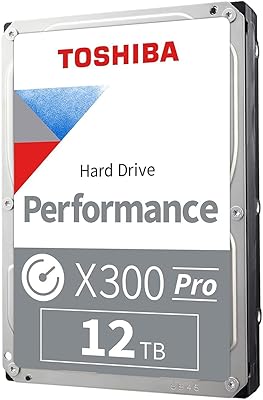
Toshiba X300 PRO 12TB Internal Hard Drive
87%
89%
Performance
96%
Storage Capacity
87%
Build Quality
90%
Durability
92%
Reliability Under Heavy Use
More
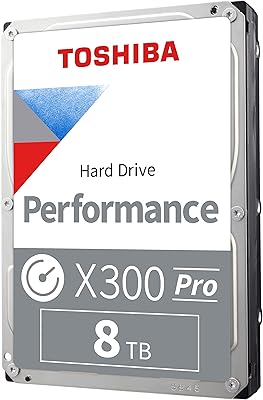
Toshiba X300 PRO 8TB Internal Hard Drive
76%
83%
Sequential Read/Write Speed
91%
Sustained Workload Endurance
88%
Reliability & Longevity
61%
Noise Level
66%
Thermal Performance
More
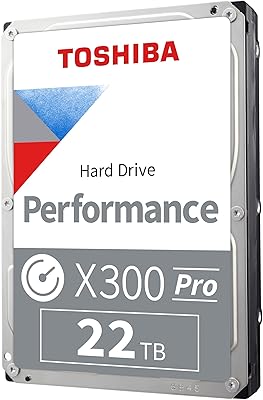
Toshiba X300 PRO 22TB Internal Hard Drive
86%
92%
Performance
96%
Storage Capacity
88%
Reliability Under Heavy Load
85%
Data Transfer Speed
91%
Build Quality
More
Toshiba X300 PRO 4TB Internal Hard Drive
87%
94%
Performance
92%
Reliability under Heavy Workloads
88%
Ease of Installation
77%
Noise Levels
91%
Value for Money
More
Toshiba X300 8TB Performance & Gaming Internal Hard Drive
88%
93%
Performance
95%
Storage Capacity
89%
Reliability
90%
Shock Resistance
92%
Speed (RPM & Cache)
More
Toshiba X300 6TB Performance & Gaming Internal Hard Drive
86%
92%
Performance Speed
96%
Storage Capacity
85%
Durability & Reliability
89%
Value for Money
72%
Noise Level
More
Toshiba N300 PRO 18TB NAS Internal Hard Drive
87%
94%
Performance
92%
Reliability
88%
Data Transfer Speed
72%
Noise Levels
89%
Build Quality
More
Toshiba X300 10TB Performance & Gaming Internal Hard Drive
86%
88%
Performance
95%
Storage Capacity
87%
Reliability & Durability
91%
Ease of Installation
89%
Speed (7200 RPM)
More
Toshiba MG09 18TB Hard Drive
87%
98%
Storage Capacity
92%
Reliability & Durability
89%
Power Efficiency
87%
Transfer Speed
91%
Noise Levels
More
Toshiba N300 12TB NAS Internal Hard Drive
86%
89%
Performance
91%
Reliability
80%
Setup and Installation
87%
Noise Level
88%
Build Quality
More

FAQ

You can technically install an OS on it, but it really shines as a secondary storage drive. Pairing it with an NVMe or SATA SSD for your OS and active applications gives you the best of both worlds — fast boot and load times from the SSD, and a massive local pool for games, media, or archives from this high-capacity HDD.

Most motherboards manufactured in the last several years handle large-capacity SATA drives without issue, but there are edge cases with older BIOS versions that may cap recognized drive sizes. It is worth checking your motherboard manufacturer's site for BIOS updates if the drive is not recognized at full capacity on first connection.

No, the Toshiba X300 18TB Internal Hard Drive uses CMR recording, not SMR. That distinction matters a lot in practice — SMR drives can throttle significantly once the write cache fills, which becomes obvious during large sustained transfers. CMR avoids that behavior, keeping write speeds predictable throughout a long copy session.

It depends on your case and setup. In a mid-tower with sound dampening panels, most users find it produces a low hum that blends into background noise. In an open-frame build or a quiet room, the seek sounds during active reads and writes are noticeable. If noise is a serious concern, rubber mounting screws and drive bay isolation pads can help significantly.

Technically it will mount in many NAS enclosures, but it is not rated or warranted for that use. Toshiba's N300 line is specifically engineered for always-on, multi-drive NAS environments with higher workload ratings. Using the X300 in a NAS is a risk many take, but it voids the intended design parameters and potentially the warranty coverage.

Under moderate workloads it stays within comfortable temperature ranges, but during long sustained transfers — think copying hundreds of gigabytes in one session — temperatures climb. If your case already has good airflow directed at the drive bays, you should be fine. If drives are tightly packed with little ventilation, adding a dedicated HDD cooling fan is a smart precaution.

Toshiba does not typically include a SATA data cable or mounting hardware in the retail package. Most desktop cases and motherboard bundles include spare SATA cables, but if yours does not, pick one up separately before installation day to avoid an unnecessary wait.

For a drive this size on Windows 10 or Windows 11, NTFS is the standard choice and handles volumes well above 18TB without issue. During the initialization process in Disk Management, select GPT (GUID Partition Table) rather than MBR, since MBR cannot address drives larger than 2TB.

A small but visible number of verified buyers have reported failures within the first few months of use — this is not unique to this drive, as early-life failures exist across all mechanical drive brands at scale. Buying from a reputable retailer with a clear return policy, and optionally using a credit card with purchase protection, gives you a practical safety net. Running a disk health check with CrystalDiskInfo shortly after installation is also a good habit.

All three brands offer competitive large-capacity desktop HDDs at this tier, and the performance differences in real-world desktop use are relatively minor. The key differentiators tend to come down to price timing, warranty terms, and whether the specific model uses CMR or SMR recording. The Toshiba X300 holds its own on CMR reliability and cost-per-terabyte, but it is worth comparing current pricing across all three before committing.