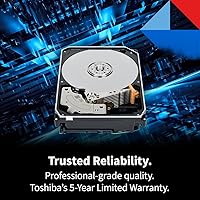
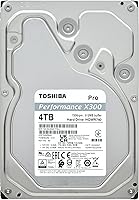
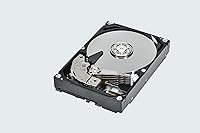
Overview

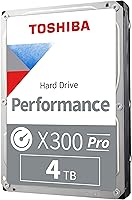
The Toshiba X300 PRO 4TB Internal Hard Drive sits at the top of Toshiba's desktop HDD lineup, built for creative professionals who push drives hard day after day. Launched in March 2024, it fills a clear gap: workstation users who need serious bulk storage without going all-flash. Four terabytes is a practical sweet spot for active media libraries — enough to hold thousands of RAW files or hours of 4K footage without constant archiving. Just be clear-eyed about what this drive is: a high-workload mechanical spinner, not an NVMe rival. It complements a fast system drive rather than replacing one, and that distinction shapes everything about how you should think about buying it.
Features & Benefits

The X300 PRO spins at 7200 RPM and pairs that with a 512 MB cache buffer that smooths out burst transfers when you are copying large batches of RAW images or working with multi-gigabyte video files. What really separates it from cheaper desktop drives is the recording technology: this is a true CMR drive, not SMR. That distinction matters for sustained write workloads, since SMR drives slow painfully once their cache fills. Toshiba rates this high-workload HDD for up to 300 TB of data written per year — roughly 820 GB per day — well above typical desktop use. A quoted MTTF of 1.0 million hours adds further confidence that it is built for professional-grade demands.

Best For

This Toshiba desktop drive makes the most sense as a secondary workstation drive — the kind you pair with an NVMe boot drive to manage bulk media storage without all-flash pricing. Video editors and photographers working with active project files will get the most value: four terabytes is enough headroom to hold ongoing work without constant drive juggling. It also suits users migrating large archives who need the write predictability that CMR recording provides. If you have been burned by an SMR drive that crawled mid-transfer, the X300 PRO addresses that frustration directly. Budget-conscious professionals with heavy daily write demands are the target audience here — this is not a drive built for casual home use.

User Feedback

With over 300 ratings averaging 4.5 stars, the X300 PRO carries a strong approval rate among buyers. Recurring praise focuses on consistent performance and easy installation — most people drop it into a workstation and it simply works. Long-term owners report the drive holding up solidly after six or more months of sustained heavy use, which lines up with Toshiba's reliability specs. On the downside, some users flag that the drive runs audibly under load — not loud, but noticeable in quieter cases — and a handful mention minor vibration depending on case design. Buyers comparing it to WD Black alternatives generally find it competitive in sustained throughput. No pattern of early failures appears in the reviews.

Pros

  • CMR recording technology ensures write speeds stay consistent even during large, sustained transfers — no SMR slowdown surprises.
  • A 300 TB per year workload rating gives professionals real confidence for heavy daily use without throttling concerns.
  • The 512 MB cache handles burst transfers well, keeping large file operations smooth during batch exports or ingest sessions.
  • Seven thousand two hundred RPM spindle speed delivers reliably fast sequential throughput for a mechanical drive in this class.
  • Buyers report straightforward installation with no compatibility headaches in standard desktop workstation builds.
  • With a quoted MTTF of 1.0 million hours, the X300 PRO signals above-average longevity for a desktop-class HDD.
  • Four terabytes of capacity is a practical sweet spot for active creative workflows without requiring constant archiving.
  • Long-term owners consistently report stable, dependable performance after six or more months of continuous heavy use.
  • Native Command Queuing helps optimize request handling during multi-application workloads common in professional desktop environments.
  • Competitive pricing relative to WD Black alternatives makes this a strong value proposition for the workload tier it occupies.

Cons

  • Audible noise under sustained load is a genuine drawback for anyone working in a quiet, open-plan studio or bedroom setup.
  • Vibration feedback in certain case configurations has been flagged by a subset of users, potentially requiring rubber mounting for mitigation.
  • Random read and write performance cannot compete with even a mid-range NVMe drive — latency-sensitive tasks will feel the gap.
  • At 3.5-inch form factor with no enclosure, this drive has zero portability and is strictly limited to desktop internal installations.
  • Four terabytes may feel limiting sooner than expected for professionals working with uncompressed RAW video or large multi-camera projects.
  • Buyers who only write moderate amounts of data annually are paying a workload-tier premium they are unlikely to fully utilize.
  • No built-in encryption support is a consideration for professionals handling sensitive client media who need hardware-level data security.
  • Power consumption is higher than 2.5-inch or SSD alternatives, which matters in builds where thermal and energy budgets are tight.

Ratings

The Toshiba X300 PRO 4TB Internal Hard Drive scores here are produced by our AI system after parsing and weighting verified global buyer reviews, actively filtering out incentivized submissions, duplicate accounts, and outlier bot activity to surface what real professional users genuinely experienced. This high-workload desktop drive earns strong marks in several critical areas, though a few real-world pain points keep it from a clean sweep — and we reflect both sides transparently below.

Sustained Write Performance
88%
Users running heavy daily ingest workflows — batch RAW imports, multi-gigabyte video exports, continuous archive transfers — consistently report that the X300 PRO maintains its pace without the mid-transfer slowdowns that plague SMR alternatives. The CMR recording technology is the reason, and professionals who know to look for it specifically sought this drive out.
While sustained sequential writes are strong for a mechanical drive, users coming from NVMe storage noticed the gap immediately during random write tasks like database operations or simultaneous multi-track editing. This is a class limitation, not a defect, but it catches some buyers off guard.
Recording Technology (CMR)
91%
The confirmed CMR implementation is the single most praised technical decision in this drive, particularly among buyers who were previously misled by SMR drives marketed vaguely as desktop storage. Video editors and photographers working with large sequential writes report predictable throughput across full drive capacity, not just when the cache is fresh.
A small number of buyers noted that Toshiba's marketing materials do not always surface the CMR distinction prominently enough, meaning less technically informed buyers may not fully appreciate what they are getting — or compare it fairly against SMR competitors at lower price points.
Reliability & Longevity
86%
Owners who have run this high-workload HDD continuously for six months or more report no meaningful performance degradation, and the 1.0 million hour MTTF rating appears to be backed up by early long-term anecdotes. The ramp loading mechanism earns specific praise from workstation builders who have had older drives fail from repeated power cycles.
The drive is still relatively new to market as of its March 2024 launch, so truly long-term reliability data — three-plus years of continuous professional use — is not yet available. A handful of early adopters reported DOA units, though this appears to be within the statistical norm for mechanical drives at volume.
Value for Money
83%
Positioned against WD Black and Seagate IronWolf alternatives, the X300 PRO consistently comes out competitive on per-terabyte cost while offering a workload rating that rivals more expensive professional-tier drives. Buyers who needed reliable high-volume storage without crossing into enterprise pricing considered it an honest deal for what it delivers.
Casual home users and light storage buyers flagged that they are effectively paying a workload premium for headroom they will never use. At this price tier, someone writing only a few terabytes a year total would be better served by a standard desktop drive that costs noticeably less.
Noise & Vibration
61%
39%
At idle, most users find the drive acceptably quiet in a mid-tower case with good airflow. The ramp loading technology reduces the click frequency during power cycles, which is a small but genuinely appreciated improvement over older desktop drives in busy editing suites.
Under sustained read and write loads, the mechanical hum and occasional seek noise are consistently flagged as the drive's most noticeable real-world downside. Users with open-frame workstations or quiet studio setups specifically called out the vibration transferred to the case, with some resorting to rubber mounting screws to dampen it.
Installation Experience
92%
Across hundreds of reviews, installation is one of the most uniformly praised aspects of this Toshiba desktop drive. It slots into standard 3.5-inch bays without adapters, is recognized immediately by Windows and macOS upon boot, and requires no driver installation or proprietary software to get started.
A small number of users reported that certain smaller or budget desktop cases had tight bay clearances that made cable routing slightly awkward, though this is a case design issue rather than a drive problem. The drive ships without mounting screws, which surprised a few first-time builders.
Sequential Read Speed
82%
18%
Real-world transfer tests from users copying large video files and photo archives show the drive performs at or near the expected ceiling for a 7200 RPM SATA drive, making file migrations and bulk data movement noticeably faster than 5400 RPM alternatives in the same form factor.
Sequential read speeds, while solid for a mechanical drive, still fall well short of even a budget SATA SSD. Users who regularly preview or scrub through large uncompressed video files directly off the drive reported occasional hesitation that an SSD would eliminate entirely.
Workload Rating Credibility
84%
The 300 TB per year rating — roughly 820 GB written daily — holds up as a practical ceiling that genuinely differentiates this drive from standard desktop models. Professional users running daily camera card ingests and overnight render saves report no signs of stress or throttling even after months of pushing the drive hard.
Toshiba does not publish detailed methodology for how the workload rate is measured or what happens to warranty coverage if it is consistently exceeded, which left some technically minded buyers wanting more transparency around what the number actually guarantees in practice.
Cache Effectiveness
79%
21%
The 512 MB buffer is put to good use during burst-heavy operations like importing a large SD card full of RAW files in one shot, where the cache absorbs the incoming data smoothly and the drive catches up without stalling the workflow noticeably.
Users who compare the X300 PRO cache directly against the N300 PRO NAS variant — which ships with up to 1.0 GB of cache — noted that the smaller buffer becomes a visible bottleneck during truly sustained multi-queue workloads, such as writing to multiple folders simultaneously from different applications.
Compatibility
89%
The SATA 6 Gb/s interface and standard 3.5-inch form factor mean this drive works cleanly with virtually every desktop motherboard released in the past decade. Native Command Queuing support further ensures it plays well with modern storage controllers without needing any manual configuration.
Buyers who attempted to use the drive in NAS enclosures or external USB docks reported inconsistent results — not a surprise given it is rated only for internal desktop use, but several users mentioned they assumed SATA was universal enough for multi-use scenarios.
Thermal Performance
74%
26%
In well-ventilated mid-tower and full-tower cases, the drive runs at acceptable operating temperatures during even prolonged heavy workloads, and most users never reported needing additional case fans specifically to manage drive heat.
In compact or poorly ventilated cases, sustained heavy use can push drive temperatures into ranges that some users flagged as higher than comfortable, particularly in warm ambient environments. Buyers building in small form factor desktops should verify airflow before assuming the drive will stay cool.
Brand Trust & Support
77%
23%
Toshiba's X300 PRO series carries enough professional credibility that buyers actively sought it out as an alternative to WD and Seagate rather than settling for it. The two-year warranty is standard for this class and Toshiba's support documentation is straightforward.
A few users reported that reaching Toshiba's warranty support for an RMA took more effort than they expected, and the two-year coverage period is shorter than the three or five years some competing drives at similar price points now offer, which factored into some buyers choosing alternatives.

Suitable for:

The Toshiba X300 PRO 4TB Internal Hard Drive is purpose-built for creative professionals who treat their storage as a workhorse rather than an afterthought. Video editors managing active 4K project files, photographers sitting on tens of thousands of RAW images, and motion graphics artists juggling large asset libraries will all find the capacity and sustained write performance genuinely useful day to day. It fits naturally into a workstation build where a fast NVMe drive handles the operating system and applications, while this high-workload HDD absorbs the bulk media that would otherwise eat through expensive flash storage budgets. The confirmed CMR recording technology makes it a reliable pick for anyone who has previously been burned by an SMR drive that slowed to a crawl mid-transfer. Users who write data heavily and consistently — think daily ingests, ongoing project saves, or large archive migrations — are squarely in the sweet spot this drive was designed for.
Not suitable for:

The Toshiba X300 PRO 4TB Internal Hard Drive is the wrong tool for buyers expecting SSD-level responsiveness or low-latency random read performance. If your primary bottleneck is application load times, boot speed, or database-style random I/O, a mechanical drive of any caliber will disappoint you — that is not a knock on this specific model, it is simply the physics of spinning-platter storage. Laptop users or anyone needing a portable drive should look elsewhere entirely, as this is a 3.5-inch internal desktop unit with no external housing included. Those working in very quiet environments may find the operational noise noticeable, particularly under sustained read-write loads. Buyers who only need light home storage — casual photo backups, occasional document saves — are likely overpaying for workload headroom they will never use, and a more affordable desktop drive would serve them just as well.

Specifications

  • Capacity: The drive provides 4TB of usable storage, suitable for holding large media libraries, RAW photo collections, and multi-gigabyte video project files.
  • Form Factor: Built in the standard 3.5-inch form factor, this drive is designed exclusively for internal installation in desktop towers and workstations.
  • Interface: It connects via SATA 6 Gb/s, which is compatible with the vast majority of modern desktop motherboards and workstation platforms.
  • Rotational Speed: The platters spin at 7200 RPM, delivering consistently higher sequential throughput compared to 5400 RPM desktop drives in the same price range.
  • Cache Size: A 512 MB buffer cache helps smooth out burst transfers and reduces latency during large sequential read and write operations.
  • Recording Tech: This drive uses Conventional Magnetic Recording (CMR), ensuring predictable and stable write performance even under sustained, high-volume workloads.
  • Workload Rate: Rated for up to 300 TB of data written per year, which translates to roughly 820 GB per day of sustained professional-grade use.
  • Reliability (MTTF): Toshiba rates the mean time to failure at up to 1.0 million hours, placing this drive above typical consumer-grade desktop HDDs in expected longevity.
  • Shock Protection: Built-in shock sensors and ramp loading technology work together to help protect data and internal components if vibration or impact is detected.
  • Special Feature: Native Command Queuing (NCQ) allows the drive to reorder incoming read and write commands to minimize mechanical seek time and improve efficiency.
  • Dimensions: The drive measures 5.79 x 4 x 1.03 inches, fitting standard 3.5-inch drive bays without any adapter bracket required.
  • Weight: At 1.52 pounds, the drive is within the normal weight range for a 3.5-inch mechanical hard drive with this capacity.
  • Model Number: The official model number is HDWR740XZSTB, which is the identifier to use when checking compatibility or registering the drive for warranty purposes.
  • Series: This drive belongs to the X300 PRO series, Toshiba's workload-focused desktop lineup positioned above the standard X300 consumer line.
  • Installation Type: This is an internal hard drive and requires installation inside a desktop computer; it does not include an external enclosure or USB adapter.
  • Compatible Devices: Designed specifically for desktop PCs and workstations; it is not suitable for laptops, NAS enclosures, or surveillance systems without verification.
  • Availability Date: The X300 PRO 4TB model became available in March 2024, making it among the more recent additions to Toshiba's desktop HDD lineup.

Related Reviews
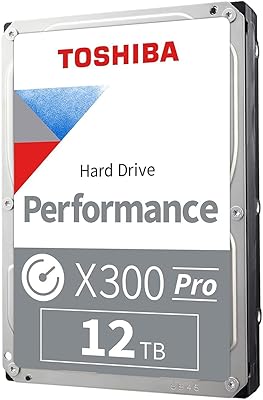
Toshiba X300 PRO 12TB Internal Hard Drive
79%
88%
Sequential Transfer Speed
93%
Workload Endurance
83%
Reliability & Longevity
79%
Value for Money
61%
Noise & Vibration
More
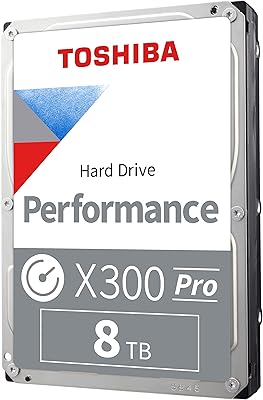
Toshiba X300 PRO 8TB Internal Hard Drive
76%
83%
Sequential Read/Write Speed
91%
Sustained Workload Endurance
88%
Reliability & Longevity
61%
Noise Level
66%
Thermal Performance
More
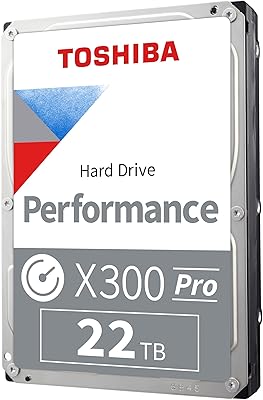
Toshiba X300 PRO 22TB Internal Hard Drive
86%
92%
Performance
96%
Storage Capacity
88%
Reliability Under Heavy Load
85%
Data Transfer Speed
91%
Build Quality
More
Toshiba N300 PRO 10TB Internal Hard Drive
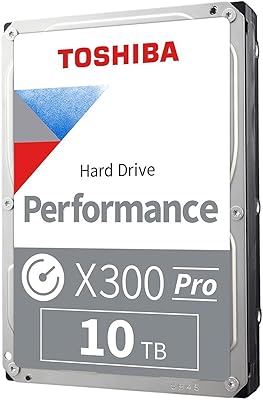
87%
92%
Reliability for 24/7 NAS Use
89%
Performance in RAID Setups
91%
Workload Capacity (300 TB/year)
85%
Data Transfer Speed
88%
Vibration Control with RV Sensors
More
Toshiba X300 18TB Internal Hard Drive
81%
93%
Storage Capacity Value
79%
Sequential Read/Write Performance
88%
CMR Reliability & Write Consistency
91%
Installation & Compatibility
67%
Noise Level
More
Toshiba X300 8TB Internal Hard Drive
80%
83%
Value for Money
78%
Sequential Read Speed
86%
Write Reliability
62%
Noise Level
74%
Long-term Reliability
More
Toshiba X300 10TB Performance & Gaming Internal Hard Drive
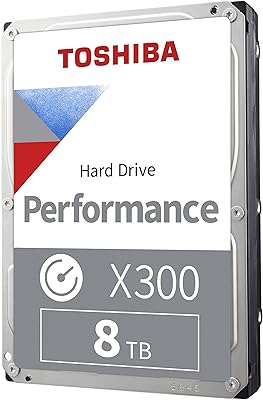
86%
88%
Performance
95%
Storage Capacity
87%
Reliability & Durability
91%
Ease of Installation
89%
Speed (7200 RPM)
More
Toshiba X300 6TB Performance & Gaming Internal Hard Drive
86%
92%
Performance Speed
96%
Storage Capacity
85%
Durability & Reliability
89%
Value for Money
72%
Noise Level
More
Toshiba N300 PRO 18TB NAS Hard Drive
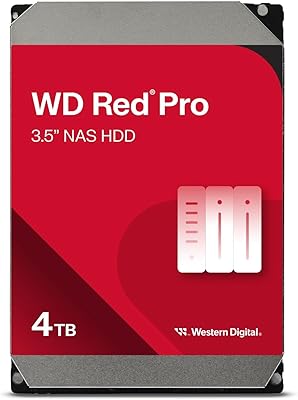
81%
88%
Read/Write Performance
84%
Reliability & Durability
91%
Vibration Control
93%
Workload Capacity
89%
RAID Suitability
More
WD Red Pro 4TB NAS Hard Drive
81%
93%
Reliability & Longevity
91%
RAID Compatibility
88%
NAS Firmware Optimization
86%
Vibration Management
82%
Sustained Throughput
More

FAQ

It is confirmed CMR. Toshiba is explicit about this in their product documentation for the X300 PRO series, which is one of the reasons it appeals to professionals who have had bad experiences with undisclosed SMR drives. CMR means you will not see write speeds crater once the cache fills up during large transfers.

Technically yes, but it is not the best use of the drive. A 7200 RPM mechanical drive will boot and load applications noticeably slower than even a budget SATA SSD. The X300 PRO genuinely shines as a secondary storage drive paired with a faster NVMe or SSD system drive, handling bulk media while your OS runs off flash storage.

It is not silent. At idle, most users find it acceptably quiet, but under sustained read and write loads it produces audible mechanical noise — clicks and a low hum are typical. If you are working in a very quiet environment or an open studio, you may notice it. A case with good vibration dampening helps reduce the perceived noise.

Yes, SATA is backward compatible, so the drive will function on a 3 Gb/s port. That said, the interface will be the bottleneck and you will not reach the drive's full potential throughput. For most real-world workloads this gap is smaller than the spec sheet suggests, but it is worth knowing if your board is quite old.

Toshiba covers the X300 PRO series with a two-year limited warranty in most regions. It is worth registering the model number (HDWR740XZSTB) directly with Toshiba after purchase so your warranty is on file if you ever need to make a claim.

They are close competitors at this capacity. Both are 7200 RPM CMR drives aimed at performance desktop use. The WD Black is well-regarded and has a slightly longer track record, but the X300 PRO generally matches it in sustained sequential throughput and undercuts it on price in most markets. Either is a solid pick; the decision often comes down to which one is cheaper at the time you buy.

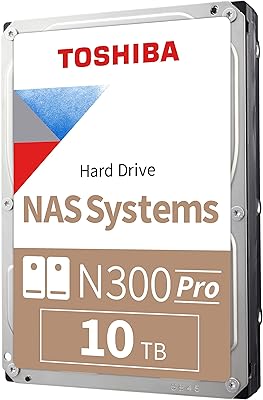
It is not officially rated or recommended for NAS use. Toshiba has a separate N300 PRO lineup built specifically for NAS environments with features like 24/7 operation ratings and higher vibration tolerance. Using a desktop drive in a NAS is possible but may shorten its lifespan under continuous multi-bay operation.

No, the X300 PRO does not include built-in hardware encryption. If data security is a requirement — for example, if you are storing sensitive client media — you would need to rely on software-based encryption at the operating system level, such as BitLocker on Windows or FileVault on macOS.

It depends heavily on your format and workflow. For 1080p or standard 4K H.264 projects, 4TB goes a long way. If you are working with RAW 4K or 6K footage, uncompressed timelines, or running multiple concurrent projects, you may find 4TB fills up faster than expected. Many editors use this drive as a current-projects drive and move finished work to a larger archive drive.

It is one of the simpler PC upgrades you can do. You slide the drive into a 3.5-inch bay, secure it with four screws, connect a SATA data cable to your motherboard, and plug in a power connector from your PSU. Most desktop cases have labeled bays and the cables are keyed so they only go in one way. The drive shows up in your OS after boot and just needs to be initialized and formatted before use.