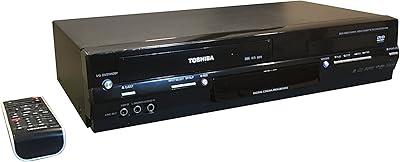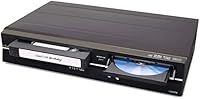
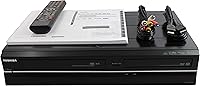
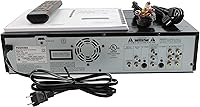
Overview
The Toshiba VHS to DVD VCR Combo Recorder occupies a narrow but genuinely valuable niche: it's built for households that still have shelves of VHS tapes and want to preserve those memories without shipping them off to a digitization lab. At a premium price point, you're essentially paying for the convenience of doing everything in-house, on your own schedule, with no strangers handling personal footage. Toshiba's name carries some weight here — this isn't a no-brand knockoff. That said, be clear-eyed: this VCR-DVD combo is working with legacy hardware, and it performs accordingly. Expect reliability within that context, not a modern electronics experience.
Features & Benefits
The Toshiba combo deck's standout function is its one-touch dubbing — load a VHS tape, insert a blank DVD, press record, and the machine handles the rest. No computer, no software, no extra hardware required. It also outputs via HDMI at 1080p, which is handy for watching tapes on a modern flat-panel before committing them to disc. Just don't expect that connection to make old footage look crisp; the source material caps actual picture quality regardless. AV composite outputs cover older TVs. Stereo and surround audio modes, bundled cables, and included blank DVDs mean the box is genuinely ready to use from the start.
Best For
This home dubbing unit makes the most sense for families sitting on large VHS collections who want full control over the archiving process. If you're uneasy handing wedding videos or childhood recordings to a mail-in service, doing it yourself carries obvious appeal. It also suits anyone still running an older TV with composite inputs — the AV connections keep that setup viable. People who prefer straightforward physical controls over app-based workflows will feel right at home here. And as a thoughtful gift for a parent or grandparent with a stack of old tapes, it checks the right boxes: familiar format, simple operation, everything included out of the box.
User Feedback
Buyers satisfied with this VCR-DVD combo consistently praise how little setup it demands and how reliably it handles tapes in decent condition — the all-in-one format, with no separate components to juggle, earns repeated mention. On the critical side, owners of tapes stored for decades report inconsistent playback quality, which is largely a tape degradation issue rather than a hardware flaw. A handful of buyers have flagged damaged units on arrival, a frustrating outcome at this price tier. Remote navigation draws mixed reactions — functional, but the menu logic feels dated. Most buyers who go in with calibrated expectations come away satisfied; those expecting modern performance do not.
Pros
- One-touch dubbing makes VHS-to-DVD transfers accessible even for non-technical users.
- All-in-one design eliminates the need to connect or sync separate VCR and DVD recorder units.
- HDMI output lets you watch tapes on modern flat-panel TVs without additional adapters.
- AV composite connectivity keeps older CRT and legacy televisions in the loop.
- Box includes blank DVDs, HDMI cable, and AV cable so setup requires no extra purchases.
- Toshiba branding offers more confidence in build consistency than lesser-known alternatives.
- Stereo and surround audio modes improve the listening experience during playback.
- Handles both VHS playback and DVD recording, covering the full transfer workflow in one device.
- Amazon-backed returns provide a meaningful safety net given the investment involved.
Cons
- Physical DVD-only output means no direct path to digital files, cloud storage, or USB export.
- The price tier is difficult to justify if you have only a handful of tapes to convert.
- Aged or poorly stored VHS tapes will still produce poor results regardless of hardware quality.
- Menu navigation and remote layout feel dated and can frustrate users unfamiliar with older interfaces.
- At 13 pounds with large dimensions, this home dubbing unit is bulky and not easy to store away.
- Some buyers have reported units arriving damaged, which is a serious concern at this price point.
- No built-in video editing or chapter-marking features limit control over the final DVD output.
- Refurbished or legacy category means long-term parts availability and service support are uncertain.
Ratings
The scores below reflect our AI-driven analysis of verified buyer reviews for the Toshiba VHS to DVD VCR Combo Recorder, sourced globally and filtered to remove incentivized, bot-generated, and duplicate submissions. Both the genuine strengths and the recurring frustrations are weighted equally, so the numbers you see represent what real owners consistently experienced — not a curated highlight reel.
Ease of Use
Transfer Quality
Build Quality
HDMI & Video Output
Value for Money
Included Accessories
AV & Legacy Compatibility
Shipping & Arrival Condition
Remote Usability
Audio Performance
Setup Experience
Durability & Longevity
Privacy & Control
Suitable for:
The Toshiba VHS to DVD VCR Combo Recorder is a strong fit for families who have accumulated years of home videos on VHS and want a private, self-managed way to preserve them on DVD without involving a third-party service. It particularly suits people who are protective of personal footage — think weddings, birthdays, or childhood recordings — where handing tapes to an outside lab feels uncomfortable or risky. Buyers who still have older televisions with composite inputs will also find it practical, since the AV connectivity keeps legacy setups fully functional. Those comfortable with older electronics and physical button-based interfaces will adapt quickly, and the all-inclusive box means there is no need to source additional cables or blank discs before getting started. It also works well as a considered gift for older relatives who want a simple, no-fuss way to revisit their tape collections.
Not suitable for:
The Toshiba VHS to DVD VCR Combo Recorder is not the right choice for buyers expecting modern performance or future-proof digital output. If your goal is to create high-quality digital files compatible with computers, streaming platforms, or cloud storage, this unit falls short — it records to physical DVD only, with no USB or digital export function. Anyone working with heavily degraded, moldy, or poorly stored tapes should also temper expectations significantly, since no hardware can fully compensate for deteriorated source material. Tech-forward users who prefer managing media through software or smartphones will find the dated menu system and remote navigation frustrating. And frankly, buyers who have only a small number of tapes to convert should weigh the cost carefully against professional digitization services, which may offer better value and results for a modest collection.
Specifications
- Brand: Manufactured under the Toshiba brand, a long-established name in consumer electronics.
- Media Types: Supports both VHS tape playback and DVD recording within a single unit.
- Video Output: Outputs video at up to 1920x1080 resolution via the HDMI connector.
- HDMI Connector: Includes one HDMI port for connecting to modern flat-panel televisions.
- AV Connectivity: Composite AV output allows connection to older CRT and legacy television sets.
- Audio Modes: Supports both stereo and surround sound audio output during playback and recording.
- Key Feature: One-touch VHS-to-DVD dubbing copies tape content directly to disc without a computer.
- Item Weight: The unit weighs 13 pounds, reflecting a full-size deck chassis construction.
- Dimensions: Package measures 22 x 15 x 8.75 inches, typical for a full-size combo deck.
- Color: Available in black with a standard front-loading design for both VHS and DVD slots.
- In the Box: Includes a remote control, user manual, HDMI cable, AV cable, and blank DVDs.
- DVD Format: Records to standard DVD discs; blank DVDs are included to allow immediate use.
- Power Source: Operates on standard AC wall power; no battery or portable operation is supported.
- Model Name: Listed under the model name VHS to DVD Recorder VCR Combo by Toshiba.
- ASIN: Amazon Standard Identification Number for this listing is B07X9D4MQN.
- Availability: First made available on Amazon on August 31, 2019.
- Sales Rank: Holds a Best Sellers Rank of number 29 in the DVD-VCR Combos category on Amazon.
Related Reviews
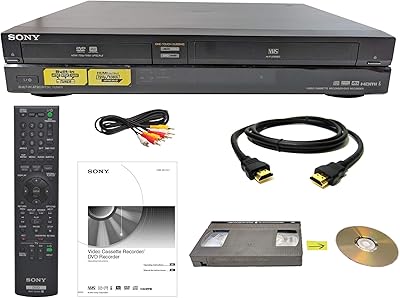
Sony RDR-VX VHS to DVD Recorder Combo
Samsung DVD-VR375A DVD VHS Combo Recorder
Magnavox ZV427MG9
RCA DRC8335 DVD Recorder VCR Combo
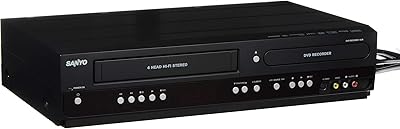
Sanyo RFWZV475F DVD Recorder/VCR Combo
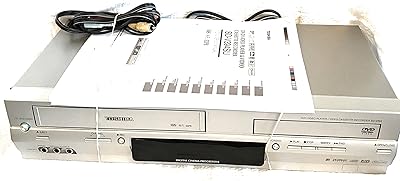
Toshiba SD-V394 DVD/VCR Combo
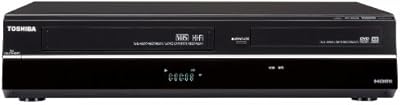
Toshiba DVR670 DVD VHS Combo Recorder
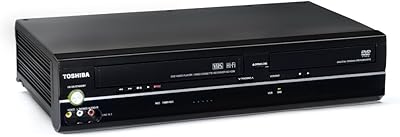
Toshiba SD-V296 DVD VCR Combo Player
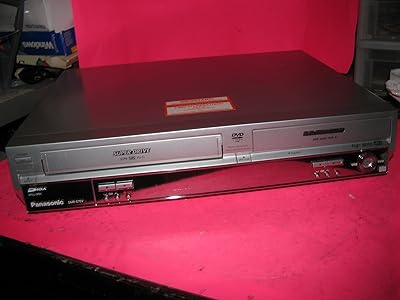
Panasonic DMR-E75VS DVD/VCR Combo Recorder