Overview
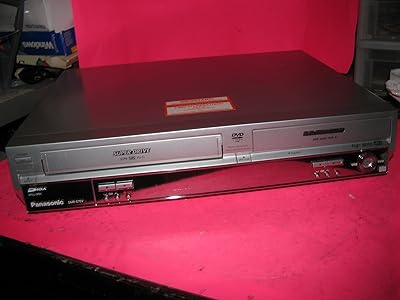
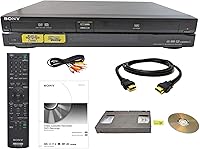
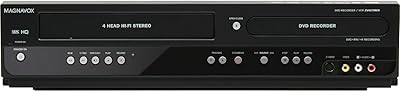
The Sony RDR-VX VHS to DVD Recorder Combo is a dual-format machine built around one very specific purpose: giving people a way to rescue their aging home video tapes without handing them off to a third-party service. It plays and records both VHS and DVD media, and connects to modern televisions via HDMI — a small but meaningful detail if your TV no longer has composite inputs. The unit sits at a premium price point, which typically signals a refurbished or specialty-market listing rather than a brand-new retail box. This is not a general-purpose media center. Know what you need it for before buying.
Features & Benefits
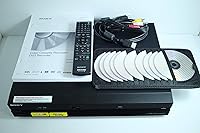
The most practical thing about this dubbing deck is how little it asks of you. Pop in a VHS tape, insert a blank DVD, press one button, and the transfer begins — no computer, no software, no USB drives. The HDMI output carries the signal at 1920x1080, though it is worth being clear-eyed about what that means: VHS footage was shot at a fraction of that resolution, so the picture will look sharper on your screen, but the underlying image quality is still vintage tape. Bundled in the box are an HDMI cable, AV cable, remote, manual, and blank DVDs — everything needed to get started immediately.
Best For
This VHS-to-DVD combo is a natural fit for families sitting on a collection of old home movies they have never gotten around to converting. It is also a strong pick for a parent or grandparent who wants a straightforward solution — no trips to a copy shop, no mailing tapes to a stranger. Privacy matters to a lot of people when it comes to personal footage, and keeping the process in your own living room is a real advantage. Collectors who still actively use both formats will appreciate the dual playback capability. If your shelf holds dozens of VHS tapes and you want to preserve them on disc, this dubbing deck makes that job approachable.
User Feedback
Buyers who purchase this VHS-to-DVD combo tend to praise the setup experience — most report being up and running within minutes, and the one-button dubbing works as advertised for clean tapes in decent condition. That said, the price draws scrutiny. At this tier, buyers reasonably expect a unit in excellent shape, and some have flagged inconsistencies in condition when the listing involves a refurbished or third-party seller. The HDMI output gets positive mentions for making old footage watchable on a modern TV, though experienced users note the picture is still soft and grainy — because the tape itself is. Long-term reliability and tape-head durability are the most common concerns raised over time. The Amazon return policy does provide some peace of mind.
Pros
- One-button dubbing makes VHS-to-DVD transfers genuinely simple, even for first-time users.
- No computer or software required — the entire process is self-contained in the unit.
- HDMI output lets you connect to modern flat-screen TVs without needing an adapter.
- Everything you need to start recording is included in the box, including blank DVDs.
- Sony brand recognition provides a baseline of confidence in component and build quality.
- The full-sized, 12-pound chassis feels substantial and durable compared to budget alternatives.
- Stereo audio output keeps the original sound of recorded tapes intact during transfer.
- Keeping conversion in-house protects privacy for sensitive or sentimental home footage.
- Ranked among the top VCR-DVD combos on Amazon, suggesting consistent buyer demand.
- Amazon’s return policy offers a reasonable safety net given the price involved.
Cons
- Unit is likely refurbished or third-party bundled, not a new retail product, which raises condition questions.
- VHS tape heads wear down over time — a used unit may have limited transfers left in it.
- No option to save footage as a digital file; you are locked into physical DVD output only.
- The upscaled 1920x1080 output does not improve the soft, grainy look of original VHS footage.
- At this price, buyers are paying a significant premium for a machine that does one core task.
- DVD as a long-term archival format is itself aging and increasingly hard to play on newer devices.
- No direct indicator of how many hours the unit has been used prior to purchase.
- Blank DVDs add a recurring cost every time you want to archive additional tapes.
- Limited customer service options if the unit malfunctions outside the return window.
Ratings
Our AI-generated scores for the Sony RDR-VX VHS to DVD Recorder Combo are built by analyzing verified buyer reviews from across global markets, with spam, bot activity, and incentivized feedback actively filtered out before any scoring takes place. The result is a balanced snapshot that reflects both what real users genuinely appreciated and the frustrations that showed up repeatedly — nothing is smoothed over or inflated. Every category below is scored to give you a realistic picture of what to expect before you commit to a purchase.
Ease of Use
Dubbing Performance
Video Output Quality
Build Quality
Value for Money
Setup & Out-of-Box Experience
Audio Reproduction
Compatibility
Remote Control
Reliability & Longevity
Packaging & Shipping
Privacy & In-Home Conversion
Suitable for:
The Sony RDR-VX VHS to DVD Recorder Combo is purpose-built for a very specific kind of buyer, and for that buyer, it genuinely delivers. Families with boxes of old home movies sitting in a closet — birthday parties, holidays, first steps — will find this dubbing deck a practical way to get those memories onto a format that will actually survive the next decade. It is especially well-suited to older adults or less tech-savvy users who want a physical, button-based workflow rather than dealing with capture cards, computer software, or cloud uploads. Gift-givers looking for something meaningful for a parent or grandparent will find it checks the right boxes: familiar controls, a trusted brand name, and everything included in one package. Anyone who values keeping personal footage private — rather than mailing tapes to an unknown conversion service — will appreciate being able to handle the entire process at home.
Not suitable for:
The Sony RDR-VX VHS to DVD Recorder Combo is not the right choice for buyers expecting a versatile, everyday media player or a modern streaming device. If your goal is simply watching DVDs or connecting legacy gear to a new TV, there are far less expensive ways to accomplish that. Tech-savvy users who are comfortable with a laptop and a USB capture device will likely find software-based conversion more flexible and cost-effective, since it allows direct digital file output rather than locking footage onto physical discs. Buyers on a tight budget should also think carefully — at this price tier, the unit is almost certainly refurbished or sold through a specialty reseller, not a sealed retail box, which introduces some uncertainty about mechanical condition and remaining tape-head life. Anyone expecting crisp, high-definition results should also temper expectations: VHS is an inherently low-resolution format, and no amount of HDMI upscaling changes the quality of the original footage.
Specifications
- Brand: Manufactured by Sony, a well-established name in consumer audio and video electronics.
- Model Number: This unit is identified by the model designations RDR-VX and RDR-VXD, depending on regional variant.
- Media Formats: Supports both VHS tape playback and recording, as well as DVD playback and DVD recording.
- Core Function: Features one-button VHS-to-DVD dubbing, allowing direct tape-to-disc transfer without a computer.
- Video Output: Equipped with an HDMI output connector that carries a signal scaled to 1920x1080 resolution.
- Analog Output: Includes AV (composite) connectivity for use with older televisions lacking HDMI inputs.
- Audio Output: Delivers stereo audio output, preserving the original two-channel sound from recorded VHS tapes.
- Dimensions: The unit measures 22.2 x 18.2 x 8.9 inches, making it a full-sized deck rather than a compact unit.
- Weight: Weighs 12 pounds, reflecting a solid, full-bodied chassis construction.
- Color: Available in black only.
- In the Box: Package includes the recorder unit, remote control, user manual, HDMI cable, AV cable, and blank DVDs.
- Availability Date: This listing was first made available on Amazon in December 2019.
- Sales Rank: Holds a ranking of approximately #24 in the DVD-VCR Combos category on Amazon at the time of review.
- Condition: Sold through specialty or third-party sellers, and the unit is most commonly listed as refurbished rather than new.
- Return Policy: Covered by Amazon's standard return guarantee, providing a documented path for returns or replacements if needed.
Related Reviews
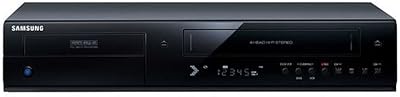
Samsung DVD-VR375A DVD VHS Combo Recorder
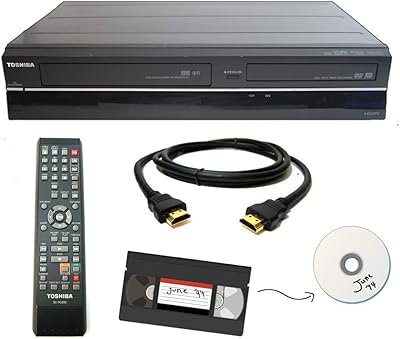
Toshiba VHS to DVD VCR Combo Recorder
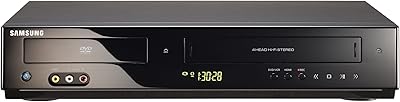
Samsung DVD-V9800 DVD VCR Combo Player
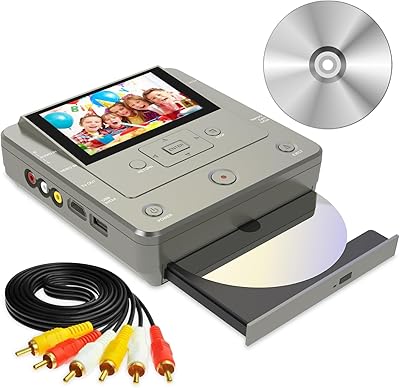
Clariviews VHS to DVD Recorder with 4.3-inch LCD
Sony VRD-MC6 DVDirect
RCA DRC8335 DVD Recorder VCR Combo
Magnavox DV200MW8 DVD/VHS Combo Player
Sanyo RFWZV475F DVD Recorder/VCR Combo
Magnavox ZV427MG9