
Overview
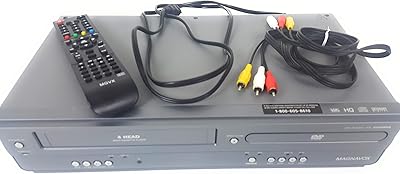
Setting up the Magnavox ZV427MG9 feels like stepping back into a simpler era while keeping a firm grip on modern display technology. This DVD VCR combo acts as a functional bridge for anyone holding onto a library of magnetic tapes who also wants the convenience of optical discs. It solves the clutter problem by housing both decks in a single chassis, which is a relief for crowded media centers. By modernizing your old media through high-definition upscaling, it ensures that your vintage recordings don't look like a blurry mess on a 4K television. The unit is surprisingly compact for a dual-deck system, making it a practical choice for digitizing home movies or just revisiting classic cinema favorites without needing a stack of separate vintage electronics.
Features & Benefits
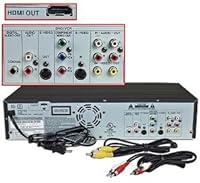
The standout capability of this Magnavox recorder is undoubtedly the internal 2-way dubbing, which lets you move content between VHS and DVD at the touch of a button. It eliminates the rats-nest of cables usually required to link two separate machines. On the output side, the HDMI connection is a vital addition, pushing standard definition footage up to a crisp 1080p signal that looks remarkably stable. Even for older tapes, the 4-head VCR design minimizes tracking issues and provides a consistent, clear picture. If you have a camcorder, the simple RCA inputs on the front make it easy to plug in and record directly to a disc. It is a straightforward archival tool that prioritizes functional simplicity over complex menus or unnecessary bells and whistles.
Best For
For the dedicated home archivist, the dubbing deck is an essential piece of hardware for preserving precious family memories before those old tapes degrade completely. It is also a smart investment for collectors who have spent years building a massive VHS library and need a reliable daily player that won't chew up their rare finds. Beyond preservation, it serves anyone looking to save shelf space in a guest room or bedroom by combining two essential playback formats into one tidy footprint. While it lacks some high-end professional features, its utility for the average user trying to clear out a box of old tapes is undeniable. It provides a reliable way to keep your history alive without requiring a degree in media engineering.
User Feedback
Most people using this DVD VCR combo find the setup remarkably intuitive, frequently praising how quickly they can start transferring old footage without a steep learning curve. The output quality via HDMI receives consistent compliments, as it breathes new life into grainy recordings when viewed on large screens. However, a common point of confusion is the lack of a tuner, meaning you cannot plug a cable line or antenna directly into the unit to record live television broadcasts. You will need an external box if that is your goal. Despite this limitation, the consensus is that for straightforward tape preservation, it performs its primary job with impressive reliability. It remains a favorite for those who value functional hardware that does exactly what the box promises.
Pros
- The 2-way dubbing feature allows for effortless transfers between VHS and DVD formats without extra cables.
- Integrated HDMI output ensures that old analog footage looks its best on modern high-definition displays.
- The 4-head VCR design provides superior tracking and a much cleaner picture than budget single-head players.
- Front-mounted RCA inputs make it incredibly easy to connect and record from older analog camcorders.
- A single remote control simplifies the process of switching between the two different media decks.
- The Magnavox ZV427MG9 takes up much less space than maintaining separate VCR and DVD recording units.
- Internal up-conversion to 1080p helps smooth out the jagged edges common in standard-definition tape recordings.
- The recording process is remarkably intuitive and requires very little technical knowledge to master.
Cons
- Recording from a cable or antenna source is impossible without purchasing a separate external digital tuner.
- Transferring a full two-hour tape takes exactly two hours because it only supports real-time dubbing speed.
- The unit can be quite selective about blank media brands, sometimes rejecting cheaper off-brand DVD-R discs.
- A lack of backlighting on the remote makes it difficult to navigate settings in a dark room.
- Finalizing a disc is a mandatory extra step that can be confusing for first-time users.
- The menu interface looks like it belongs in the early 2000s and can feel clunky to navigate.
- Internal fans can be slightly audible during long recording sessions in very quiet environments.
- You cannot edit out commercials or unwanted footage within the unit before burning the final disc.
Ratings
This performance summary for the Magnavox ZV427MG9 utilizes an advanced analysis of verified owner reviews from around the globe to ensure total transparency. Our AI models specifically identified and removed suspicious or bot-generated feedback to provide an honest look at both the highlights and common frustrations of this Magnavox recorder. You are getting a distilled view of how the dubbing deck handles real-world archival tasks.
Dubbing Simplicity
Image Upscaling
Broadcast Recording
Initial Setup
DVD Burn Reliability
Physical Footprint
VHS Playback Quality
Modern Connectivity
Chassis Durability
Remote Functionality
Instruction Manual
Media Versatility
Suitable for:
The Magnavox ZV427MG9 is a practical choice for home archivists who have boxes of old family videos and want a stress-free way to digitize them. It serves users who need a reliable machine that handles both VHS playback and DVD recording in one compact footprint. This unit is especially helpful for those who aren't tech-savvy, as the internal dubbing eliminates the need for complex computer software or external capture cards. If you own a large collection of legacy tapes and want to watch them on a modern 1080p screen without a blurry mess, this combination player is a solid bridge between eras.
Not suitable for:
This device is not a good fit for cord-cutters or anyone looking to record live television broadcasts, as the Magnavox ZV427MG9 lacks a built-in digital tuner entirely. Professional media editors may also find it limiting because it offers no built-in editing tools to trim footage before it is finalized on a disc. If you are looking for a modern media hub to play Blu-ray discs or stream 4K content from the web, this machine will feel severely outdated. Buyers should look elsewhere if they require high-speed dubbing, as this unit only transfers video in real-time, requiring a significant time commitment for large libraries.
Specifications
- Media Support: This unit supports playback for VHS tapes and both playback and recording for DVD-R and DVD-RW discs.
- Video Resolution: The device provides a maximum output resolution of 1920x1080 via internal up-conversion technology.
- VCR Head System: It features a 4-head Hi-Fi VCR deck designed for stable tracking and high-quality stereo audio playback.
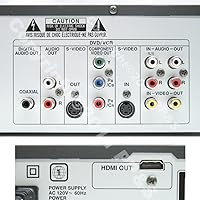
- HDMI Output: A single HDMI port allows for a high-definition digital connection to modern television sets.
- Analog Connectivity: Rear and front-panel RCA composite inputs are available for connecting external analog sources like camcorders.
- Dubbing Modes: The internal software supports 2-way dubbing between the VCR and DVD decks without external cables.
- Product Dimensions: The chassis measures 10.3″ deep, 17.2″ wide, and 4.0″ tall.
- Audio Output: Integrated stereo audio output is provided through both the HDMI port and dedicated RCA analog jacks.
- Power Requirements: The system operates on standard 120V AC power and includes a dedicated remote control.
- Tuner Configuration: This model is designed without a built-in digital tuner for broadcast television reception.
- Battery Type: The included remote control requires two AAA batteries for operation.
- Progressive Scan: The DVD player component supports progressive scan video output for improved image clarity.
- Item Weight: The unit weighs approximately 9.5 pounds, making it easy to integrate into most entertainment centers.
- Color Finish: The exterior casing is finished in a standard matte black aesthetic.
Related Reviews
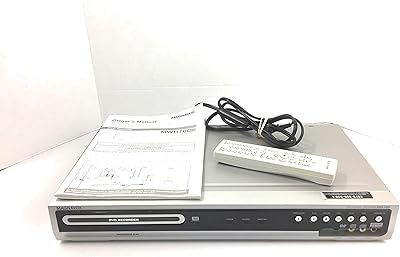
Magnavox MWR10D6 DVD Recorder
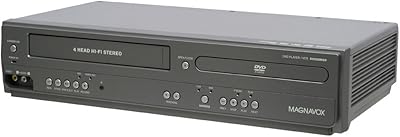
Magnavox DV225MG9 DVD VCR Combo Player
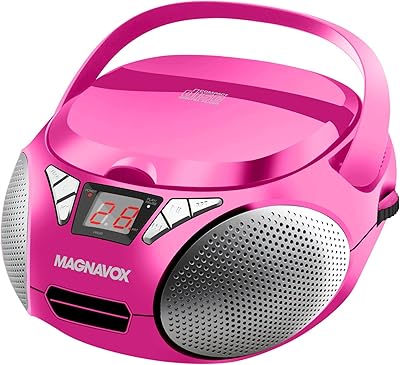
Magnavox MD6924 Portable CD Boombox
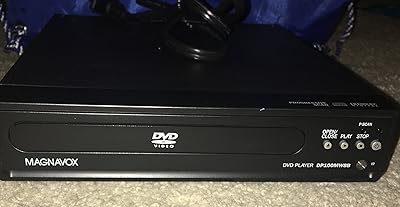
Magnavox DP100MW8B Progressive Scan DVD Player
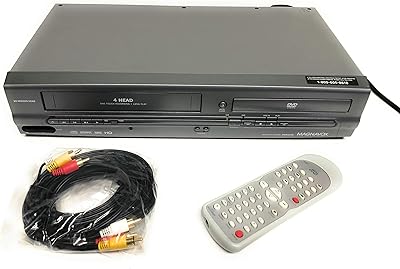
Magnavox MWD2205 DVD/VCR Combo Player
Magnavox MDR535 500GB HDD DVD Recorder

Magnavox MDR513H/F7 320GB HDD and DVD Recorder
Magnavox ZC320MW8B DVD Recorder
Magnavox MD6949 Portable CD Boombox