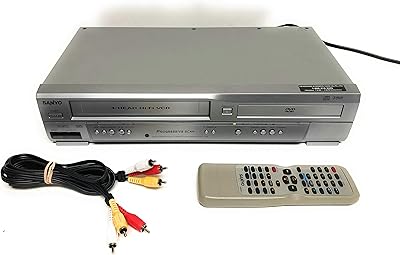
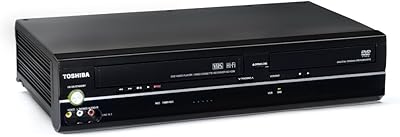
Overview

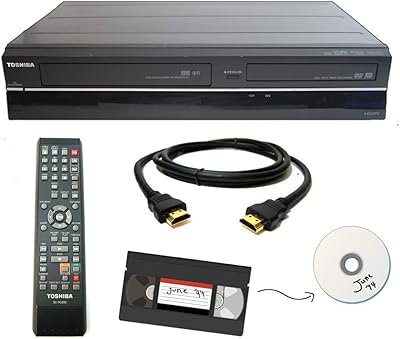
The Toshiba SD-V295 DVD VCR Combo Player arrived in 2006 at a moment when millions of households were caught between two formats — shelves of VHS home recordings on one side, a growing DVD collection on the other. This Toshiba combo unit was built for exactly that situation. One critical detail worth knowing upfront: it has a tunerless design, meaning there is no built-in TV tuner. You will need a cable box or external antenna receiver to watch broadcast TV through it. That trips up some first-time buyers, so it is worth understanding before purchase. Despite being a niche product, it still ranks in the top 35 of its Amazon category — a quiet signal of lasting, real-world demand.

Features & Benefits

The standout capability of this dual-format player is simultaneous playback and recording — you can run a DVD while the VCR records to a blank tape at the same time, making format-to-format dubbing genuinely practical. The One-Touch Recording button reduces that process to a single press rather than a multi-step procedure. On the video side, Progressive Scan smooths DVD picture output noticeably, and the ColorStream Pro outputs deliver a cleaner analog signal to compatible HDTVs compared to standard composite cables. Stereo RCA audio works with virtually any existing receiver or television. At roughly 17 by 9 by 3.5 inches, it fits standard AV shelving without any awkward overhang.

Best For

This DVD-VCR combo makes the most sense for people sitting on decades worth of VHS tapes — particularly irreplaceable recordings of family events, graduations, or home videos that exist nowhere else. It is also a practical pick for anyone wanting to dub tapes before degradation sets in further, since VHS tape deteriorates over time regardless of storage conditions. Older adults or buyers who prefer a single, unified device will appreciate skipping the hassle of managing two separate units. A den, spare bedroom, or basement media room is a natural fit. Community organizations, churches, or groups that still distribute or archive content on VHS will also find this unit a straightforward, dependable solution.

User Feedback

Buyers who use this Toshiba combo unit regularly tend to praise its solid build quality and the reliability of both mechanisms over moderate, sustained use. The on-screen menus are clear enough for less tech-savvy users, and the remote handles day-to-day tasks without confusion. On the critical side, connecting to modern televisions is a recurring friction point — component video inputs are increasingly rare on newer flat screens, and some users end up needing an external adapter. The tunerless design also catches people off guard during initial setup. A handful of long-term owners report VCR transport wear after heavy use, so this unit is best suited to regular but not constant tape playback rather than high-volume daily operation.

Pros

  • Handles both DVD playback and VHS recording in a single, compact unit — no need for two separate devices.
  • One-Touch Recording makes dubbing from DVD to VHS straightforward, even for less technical users.
  • Progressive Scan output noticeably improves DVD picture quality on compatible displays.
  • ColorStream Pro component video delivers a cleaner analog signal than standard composite connections.
  • Simultaneous DVD playback and VHS recording is a genuinely useful feature rarely found elsewhere.
  • Stereo RCA audio output connects to virtually any existing TV or receiver without adapters.
  • Build quality is consistently praised by long-term owners who use both mechanisms regularly.
  • Fits standard AV shelving at roughly 17 by 9 by 3.5 inches without occupying excessive space.
  • On-screen menus and remote layout are clear enough for older or non-technical users to navigate comfortably.
  • Still ranks in the top 35 of its Amazon category, reflecting real, ongoing demand in a niche but loyal market.

Cons

  • Component video inputs are increasingly rare on modern flat-screen televisions, complicating basic setup.
  • The tunerless design regularly confuses first-time buyers expecting a built-in antenna or cable tuner.
  • Cannot record to DVD — VHS is the only recordable format, which disappoints buyers who assume otherwise.
  • VCR transport mechanism shows wear with heavy daily use, making it better suited to moderate playback.
  • Connecting to a current HDTV often requires purchasing an additional analog-to-digital adapter at extra cost.
  • No digital output options limit long-term compatibility as analog TV inputs continue to phase out.
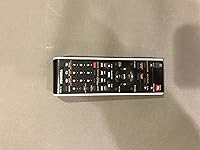
  • Remote lacks backlighting, making it harder to use in dim viewing environments.
  • At 8.6 pounds, it is heavier than expected for its size, which matters if you plan to move it between rooms.
  • Replacement parts and service options are limited for a unit that has been on the market since 2006.
  • Buyers with no remaining VHS tapes get little practical value from this dual-format player at its price point.

Ratings

The scores below reflect an AI-driven analysis of verified global buyer reviews for the Toshiba SD-V295 DVD VCR Combo Player, with spam, bot-generated feedback, and incentivized reviews actively filtered out to ensure accuracy. Ratings are drawn from real ownership experiences across a wide range of household setups and use cases, capturing both what this dual-format player does well and where it genuinely falls short. Strengths and frustrations are weighted equally so you can make a fully informed decision before purchasing.

Build Quality
83%
Owners consistently describe the chassis as solid and reassuringly hefty for its size — at 8.6 pounds, it does not feel like a lightweight budget device. Both the disc tray and the VHS cassette door operate with a firm, mechanical confidence that inspires trust during daily use.
Some long-term owners report that the VCR transport mechanism begins to feel less precise after extended heavy use, particularly in households running multiple tapes per day. The external plastic finish, while tidy, does show surface scratches over time with regular handling.
DVD Playback Quality
79%
21%
Progressive Scan noticeably improves the clarity and smoothness of DVD content compared to interlaced output, and buyers watching films on older CRT televisions or component-capable flat screens report a clean, stable picture. The ColorStream Pro component output gives this unit a real edge over basic composite-only players.
On very modern 4K or OLED televisions, the analog component signal looks soft and dated regardless of the progressive scan processing — this is an inherent limitation of the format, not a defect. Buyers expecting near-HD sharpness on current displays will be disappointed by the reality of standard-definition DVD upscaling.
VHS Playback Quality
67%
33%
For users revisiting home recordings from the 1980s and 1990s, VHS playback is faithful to the original tape quality, with tracking that holds steady on well-preserved tapes. Buyers focused on nostalgia or archival viewing rather than image perfection tend to be satisfied with what this dual-format player reproduces.
Older or partially degraded tapes can trigger tracking instability that the automatic circuitry does not always fully correct, requiring manual adjustment. VHS output on large modern screens looks visibly grainy and soft, which is expected for the format but worth understanding before purchase.
One-Touch Recording
81%
19%
The ability to press a single button and begin dubbing from DVD to VHS is one of the most consistently praised features across buyer reviews, especially among users who are not comfortable navigating complex multi-step menu systems. Households working through a backlog of tapes appreciate how little friction is involved in starting the process.
The one-touch function only works in one direction — DVD to VHS — and some buyers initially assume it can also initiate VHS-to-VHS copying or some form of DVD recording, leading to frustration. There is no on-screen timer recording or scheduling function, so unattended recording requires the source signal to be manually active.
Simultaneous Play and Record
84%
Running DVD playback and VHS recording at the same time is a genuinely rare capability in a single consumer unit, and buyers who specifically need it — for dubbing or format bridging — rate this feature highly. It works reliably without reported signal bleed or mechanical interference between the two mechanisms.
While the simultaneous function performs well, there is no on-screen status indicator clearly showing both operations are active at once, which causes some users to double-check unnecessarily. A minority of buyers also report that the unit runs noticeably warmer during simultaneous operation, though no heat-related failures have been widely documented.
TV Compatibility
48%
52%
For televisions manufactured before approximately 2015 — particularly those with component video inputs — this Toshiba combo unit connects cleanly and delivers a respectable picture without adapters or workarounds. Buyers pairing it with older CRT sets or component-capable flat screens from that era report a plug-and-play experience.
Modern televisions have largely eliminated component video inputs, and many current flat screens lack them entirely, forcing buyers to purchase a separate analog-to-digital converter just to get a basic signal. This compatibility gap is the single most common source of frustration in negative reviews, and it is entirely a function of evolving TV technology rather than a product defect.
Setup Experience
57%
43%
Once the correct cables and TV input are identified, the initial setup process is described by most buyers as manageable without professional help. The on-screen interface uses clear language that less technical users can follow without feeling overwhelmed.
The tunerless design creates significant confusion for buyers who expect to watch live TV through the unit without an external cable or antenna box — this is the most frequently cited setup frustration. Documentation in the manual does not always make this limitation explicit enough upfront, and first-time buyers often discover it only after connecting everything.
Remote Usability
63%
37%
The remote layout covers the essential playback and recording functions in a logical arrangement that most buyers adapt to quickly. Older users who prefer physical buttons over touchscreen interfaces tend to find it familiar and comfortable for day-to-day operation.
The remote lacks backlighting, making it genuinely difficult to use in a darkened viewing room until the button positions are memorized. Several buyers also note that the remote feels lightweight and plasticky relative to the solid feel of the main unit, creating a slight mismatch in perceived quality.
Audio Performance
71%
29%
Stereo RCA audio output connects to virtually any existing receiver, soundbar, or television without compatibility concerns, which buyers appreciate for its simplicity. Audio reproduction from both DVD and VHS sources is clean and free of distortion at normal listening volumes.
There is no optical or digital audio output, which means buyers with modern surround sound systems cannot extract a digital signal for processing. Stereo-only output is a real limitation for home theater enthusiasts who want even basic Dolby or DTS decoding from their DVDs.
Long-Term Durability
62%
38%
For moderate use — a few DVDs and tapes per week — the dual-mechanism design holds up reliably over several years based on owner feedback. Buyers who treat the unit as a supplementary player rather than a daily primary device report few mechanical issues.
Buyers who run this combo unit heavily — multiple tapes daily or in a community or organizational setting — report VCR transport fatigue and occasional disc-reading errors within two to three years. Sourcing service parts or professional repair for a unit launched in 2006 is increasingly difficult, making long-term repair a practical concern.
Value for Money
54%
46%
For buyers who genuinely need both DVD playback and VHS recording in one device, the consolidated functionality avoids purchasing and managing two separate units, which has real practical value. Those with specific tape preservation needs find the price justified by the simultaneous play-and-record capability alone.
At its current market price, buyers who only need DVD playback or only need occasional VHS viewing can find far cheaper dedicated solutions that outperform this unit at their respective tasks. The price reflects the niche dual-format engineering, but it is a hard sell for anyone whose needs are primarily on one side of the format divide.
Physical Footprint
76%
24%
At roughly 17 by 9 by 3.5 inches, this dual-format player occupies a standard single-shelf slot in most AV furniture without overhanging or blocking ventilation for adjacent components. Buyers setting up a compact media area in a den or spare bedroom appreciate that it does not dominate the space.
While the footprint is manageable, the unit is heavier than many buyers expect at 8.6 pounds, which makes repositioning it between rooms less convenient than a lightweight DVD-only player. Ventilation clearance is worth considering, as the unit can run warm during prolonged simultaneous operation.
On-Screen Interface
69%
31%
Menu navigation is straightforward enough that first-time users can locate core settings — playback mode, aspect ratio, recording speed — without consulting the manual repeatedly. The text is legible on standard-definition displays, which is appropriate for the unit's target audience.
The interface looks visually dated on modern flat screens, with low-resolution overlays that appear blocky at larger display sizes. Advanced settings such as progressive scan toggling or component output calibration are buried in submenus that less experienced users may never find without guidance.

Suitable for:

The Toshiba SD-V295 DVD VCR Combo Player was built for a very specific kind of household, and if you fit the profile, it genuinely delivers. If your attic, basement, or living room shelves hold years of home recordings on VHS — birthday parties, school plays, holiday gatherings — this dual-format player lets you watch and preserve them without hunting down a separate VCR. It is also a smart pick for anyone who wants to dub those tapes before the magnetic coating degrades further, since VHS does not age gracefully. Older adults or buyers who are not particularly interested in navigating complex home theater setups will appreciate having one remote and one box handling both formats. Community groups, churches, or small organizations that still circulate VHS media will find it a practical, no-fuss workhorse for a shared media room or meeting space.

Not suitable for:

The Toshiba SD-V295 DVD VCR Combo Player is a poor fit for anyone expecting a modern, digitally connected media hub. It does not output HDMI video natively in a meaningful way for most current televisions, and component video inputs — its best analog connection — have quietly disappeared from most flat screens sold in the last several years, meaning you may need an adapter just to get a picture. The tunerless design is also a real limitation: there is no built-in TV tuner, so you cannot use this unit as a standalone cable or antenna receiver without an external box. Buyers hoping to record content onto DVD will be disappointed — this unit records to VHS only, full stop. If your tape library is already digitized or you have no VHS tapes to speak of, there is simply no practical reason to consider this over a dedicated DVD player at a fraction of the cost.

Specifications

  • Brand: Manufactured by Toshiba, a Japanese multinational electronics brand with decades of consumer AV product history.
  • Model Number: This unit is identified by the model designation SD-V295.
  • Media Types: Supports both DVD and VHS formats for playback, with VHS also available as a recordable format.
  • Dimensions: The unit measures 16.95″ wide, 9″ deep, and 3.53″ tall, fitting comfortably on a standard AV shelf.
  • Weight: The player weighs 8.6 pounds, which is typical for a combined DVD and VHS mechanism in a single chassis.
  • Video Output: Equipped with ColorStream Pro component video outputs for improved analog picture quality on compatible displays.
  • Scan Type: Progressive Scan technology is included to deliver smoother, more detailed DVD picture output on supported televisions.
  • Audio Output: Stereo audio is delivered via standard RCA connectors, compatible with most home theater receivers and televisions.
  • Connectivity: Connection options include RCA composite, component video, a 3.5mm jack, and HDMI for audio or video routing.
  • Tuner: This is a tunerless device, meaning it does not include a built-in TV tuner and requires an external signal source for live television.
  • Recording: Supports One-Touch VHS recording, including simultaneous DVD playback while recording content to a VHS tape.
  • Resolution: Base video output resolution is 360p for standard VHS content, with progressive scan improving DVD output quality.
  • Remote Power: The included remote control requires 2 AAA batteries, which are not included in the box.
  • Color: The unit is finished in black, consistent with standard AV equipment aesthetics for shelf or rack integration.
  • Power Source: The player operates on standard AC mains power via a direct plug-in connection.
  • Availability: First listed on Amazon on November 11, 2006, and has not been officially discontinued by Toshiba as of available listing data.
  • Market Rank: Holds a rank of approximately #35 in the DVD-VCR Combos category on Amazon, reflecting sustained niche demand.

Related Reviews
Toshiba SD-V296 DVD VCR Combo Player
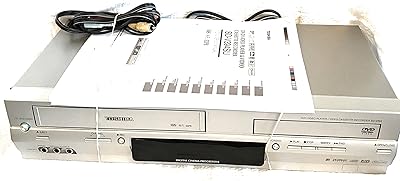
74%
83%
Build Quality
81%
VHS Playback Performance
78%
DVD Playback Quality
76%
Audio Performance
88%
Ease of Setup
More
Toshiba SD-V394 DVD/VCR Combo
85%
85%
Video Quality
91%
Ease of Setup
88%
VCR Performance
82%
Build Quality
83%
Audio Quality
More
Toshiba VHS to DVD Recorder VCR Combo
84%
88%
Ease of Use
85%
Setup & Installation
91%
Video Quality
80%
Audio Quality
84%
Build Quality
More
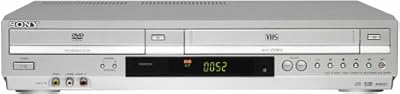
Sony SLVD370P DVD/VCR Progressive Scan Combo Player
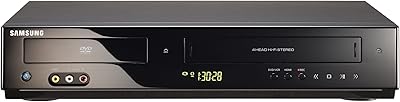
82%
85%
Ease of Use
89%
Picture Quality
82%
Sound Quality
70%
Build Quality
91%
Value for Money
More
Samsung DVD-V9800 DVD VCR Combo Player
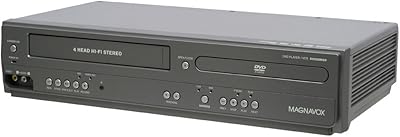
72%
82%
Build Quality
67%
VHS Playback Quality
78%
DVD Upconversion
88%
HDMI Connectivity
54%
Remote Control
More
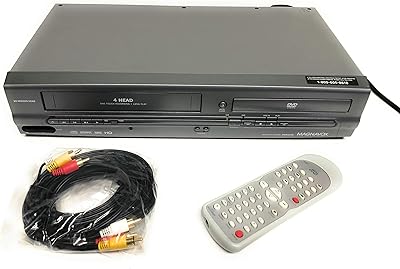
Magnavox DV225MG9 DVD VCR Combo Player
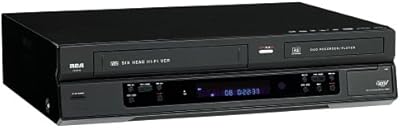
76%
88%
Ease of Setup
76%
VHS Playback Quality
81%
DVD Playback Quality
68%
Line-In Recording
83%
Remote Control Usability
More
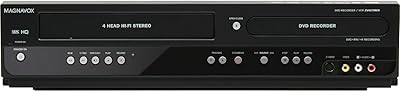
Magnavox ZV427MG9
Magnavox ZV427MG9
77%
88%
Dubbing Simplicity
83%
Image Upscaling
47%
Broadcast Recording
79%
Initial Setup
81%
DVD Burn Reliability
More
Magnavox DV200MW8 DVD/VHS Combo Player
75%
88%
Value for Money
65%
Ease of Setup
75%
Playback Quality
81%
Design and Build Quality
70%
Sound Quality
More
Sanyo RFWZV475F DVD Recorder/VCR Combo
80%
91%
Dubbing Ease
78%
Video Upconversion
84%
Connectivity Options
93%
Space Efficiency
82%
Remote Control Utility
More
Sanyo DVW-7200 DVD/VCR Combo
80%
85%
Value for Money
89%
Video Quality
73%
Audio Performance
92%
Ease of Setup
88%
VHS Playback
More

FAQ

It records to VHS only. There is no DVD recording capability on this dual-format player. If you want to dub content, you will need a blank VHS tape — it cannot write to a DVD disc at all.

Tunerless means the unit does not have a built-in antenna or cable tuner. To watch broadcast or cable TV, you will need an external source — such as a cable box, satellite receiver, or a separate TV tuner device — connected to this unit first. On its own, it cannot pull in a live TV signal.

It depends on what inputs your TV has. The best connection option on this unit is the component video output, but many newer televisions have dropped component inputs entirely. If your TV only has HDMI ports, you may need a component-to-HDMI converter, which is sold separately. Composite RCA is also available as a fallback, though picture quality will be lower.

Yes, and this is actually one of the more practical features of the Toshiba SD-V295 DVD VCR Combo Player. You can play a DVD in the disc tray while the VCR simultaneously records to a blank VHS tape. The One-Touch Recording button makes starting the process straightforward.

Standard definition video is typically displayed in an interlaced format, which can look a bit flickery or soft. Progressive scan processes all the lines of the image in sequence rather than alternating rows, resulting in a noticeably smoother and more stable picture when watching DVDs on a compatible display. It only applies to DVD playback, not VHS.

According to available product data, Toshiba has not officially discontinued this model. That said, it has been on the market since 2006, so finding manufacturer-sourced replacement parts or authorized service centers can be challenging. For a unit used lightly to moderately, this is rarely an immediate concern, but it is worth keeping in mind for long-term ownership.

Most buyers find the remote manageable for everyday tasks like play, stop, and record. The on-screen menus are relatively clear. One practical note: the remote does not have backlighting, so using it in a dim room can be a little awkward until you memorize the button layout.

The unit is designed primarily for commercially pressed DVD-Video discs. Compatibility with DVD-R or DVD+R burned discs can vary depending on how the disc was finalized and the quality of the media used. Retail store-bought DVDs will play reliably, while home-burned discs may be hit or miss.

For moderate, regular use — say, a few tapes per week — the mechanism holds up well based on owner feedback. If you plan to run tapes through it constantly every day, the transport mechanism may show wear over time, as is common with any VCR of this age and design. Keeping the heads clean with an appropriate VCR cleaning tape will help extend its useful life.

Most people can set this up on their own without professional help. You connect the output cables from this combo unit to your television, choose the right input on the TV, and you are largely ready to go. The main stumbling block tends to be figuring out the right cable type for your specific TV — once that is sorted, the rest of the setup is fairly intuitive.

Where to Buy