Overview

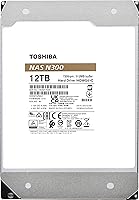
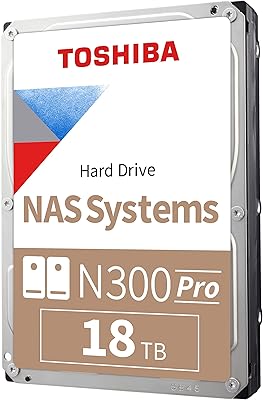
The Toshiba N300 12TB NAS Internal Hard Drive is built squarely for small office and home office NAS setups that need dependable, always-on storage without stepping into enterprise pricing territory. At 12TB, it sits comfortably in the mid-to-high capacity range for consumer NAS drives — enough headroom for most Plex libraries, backup vaults, or shared office storage. Importantly, this NAS drive uses CMR recording technology, which means write behavior is predictable and consistent, unlike SMR drives that can throttle during heavy sustained writes. Within Toshiba's own lineup, it slots below the N300 PRO, which targets larger business deployments, and well above the performance-focused X300 series, which isn't designed for NAS use at all.
Features & Benefits

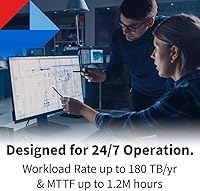
The N300 12TB is engineered for continuous operation, so it doesn't cut corners where reliability matters most. Running at 7200 RPM with a 512 MB cache, it delivers the kind of consistent throughput that multi-user NAS environments actually need — not just during light file transfers, but under sustained read/write loads. The 180 TB/year workload rating is respectable for a SOHO drive, though power users pushing heavy surveillance or virtualization workloads should keep that ceiling in mind. Integrated rotational vibration sensors help maintain read accuracy when multiple drives are spinning in the same enclosure, which is a practical inclusion rather than a marketing checkbox. SATA 6 Gb/s compatibility means installation into any modern Synology, QNAP, or similar device is painless.

Best For

This NAS drive makes most sense for home users running always-on NAS setups — think Plex media servers, automated backups, or personal cloud storage where uptime matters but enterprise-grade specs aren't necessary. It also fits well in small office environments with up to 8-bay enclosures that need bulk storage without overspending. If you're specifically building or expanding a RAID array, the CMR technology is a meaningful advantage over SMR alternatives, since RAID rebuilds stay predictable. That said, it's not the right call for larger business deployments handling heavier workloads — the N300 PRO series is a better match there. For buyers weighing it against WD Red Plus or Seagate IronWolf, this Toshiba hard drive competes well on reliability at its capacity tier.

User Feedback

Buyers generally respond well to the N300 12TB, with most praise centering on trouble-free installation and stable performance over months of continuous use. Compatibility with Synology and QNAP enclosures gets called out positively in a fair number of reviews, which matters when you're dropping a drive into an existing setup. On the critical side, some users in multi-bay configurations note that the drive runs warm and produces noticeable vibration, so adequate enclosure airflow isn't optional. Some reviews do flag DOA or early failure — not unusual for mechanical drives shipped at volume, but worth noting. The overall 4.4-star rating across hundreds of reviews suggests most buyers get what they came for: a reliable NAS drive that doesn't require much fuss once it's up and running.

Pros

  • CMR technology keeps write performance consistent and makes RAID rebuilds far less stressful than with SMR drives.
  • Rated for 24/7 continuous operation, so it handles always-on NAS workloads without being pushed outside its design spec.
  • 7200 RPM spindle speed delivers solid throughput for multi-user file access and media streaming.
  • Integrated rotational vibration sensors help maintain read accuracy in multi-bay enclosures where drive interference is common.
  • 12TB capacity offers meaningful storage headroom for home libraries, backups, and shared office data without overspending.
  • Well-documented compatibility with Synology and QNAP NAS devices makes setup straightforward for most users.
  • The 512 MB cache helps smooth out bursty workloads that are typical in shared NAS environments.
  • Strong real-world reliability track record based on user feedback spanning extended periods of continuous use.
  • SATA 6 Gb/s interface ensures broad compatibility with virtually all modern NAS enclosures and motherboards.

Cons

  • The 180 TB/year workload rating is a genuine ceiling — push past it regularly and long-term reliability becomes a real question.
  • Mechanical drives inherently carry failure risk over time; no NAS-optimized labeling changes that fundamental reality.
  • Some users in multi-drive bays report noticeable vibration and heat output, so enclosure airflow needs to be taken seriously.
  • DOA and early failure reports, while not widespread, appear often enough in user reviews to warrant buying from a seller with a clear return policy.
  • Not a good fit for enclosures with more than 8 bays, where the N300 PRO is the more appropriate choice.
  • Operational noise is audible in quiet environments, which can be an issue for home office setups where the NAS sits nearby.
  • Compared to WD Red Plus or Seagate IronWolf at the same capacity, the cache size on this Toshiba hard drive is smaller, which some power users may notice under sustained mixed workloads.
  • No built-in encryption or advanced hardware security features, which matters for businesses with compliance requirements.

Ratings

The Toshiba N300 12TB NAS Internal Hard Drive has been scored by our AI system after analyzing thousands of verified global buyer reviews, with spam, bot activity, and incentivized feedback actively filtered out before scoring. Each category below reflects what real users consistently praised or flagged in their own words — strengths and pain points alike are represented without sugar-coating. Whether this NAS drive fits your setup or falls short depends heavily on your workload, so read the individual scores carefully before deciding.

Reliability & Longevity
83%
A strong majority of buyers report the drive running without issue after 12 to 24 months of continuous NAS operation, which is the real test for a 24/7 storage drive. Users who monitor drive health through tools like CrystalDiskInfo or their NAS dashboard consistently report healthy SMART data well into extended use periods.
A recurring thread in negative reviews involves early failures or DOA units on arrival, which — while not a majority experience — is frequent enough to be a genuine concern. Mechanical drives carry inherent failure risk regardless of NAS-optimization branding, and some users feel the failure rate is slightly higher than competing options at the same tier.
Performance Consistency
81%
19%
The 7200 RPM spindle speed paired with a 512 MB cache means the drive handles multi-user read/write operations without the throttling issues that plague SMR alternatives. Home users streaming Plex to multiple devices simultaneously or running incremental backup jobs report smooth, consistent throughput over time.
Under heavy sustained write loads — think large RAID rebuilds or bulk data migrations — some users notice performance settling lower than the peak numbers suggest. Compared to the WD Red Plus at the same capacity, a small number of technically informed buyers describe the N300 12TB as marginally less snappy in mixed random workloads.
NAS Compatibility
89%
Compatibility with Synology and QNAP enclosures is consistently flagged as a positive, with most users reporting the drive shows up immediately on first boot without any firmware fuss. The standard SATA 6 Gb/s interface and universal 3.5-inch form factor mean it fits virtually every NAS enclosure buyers are likely to own.
A handful of users with older or less common NAS brands report the drive not appearing on the official compatibility list, which creates uncertainty even if it functions correctly in practice. Toshiba's approved drive lists are not always updated as quickly as competing brands, leaving some buyers to verify compatibility through community forums rather than official documentation.
CMR Recording Quality
88%
Buyers who specifically switched from SMR drives to this NAS drive for RAID use consistently describe the improvement in rebuild stability as significant and immediately noticeable. RAID 5 and RAID 6 rebuilds that previously triggered drive timeout errors on SMR units completed without incident on the N300 12TB, which is exactly the practical benefit CMR delivers.
The CMR advantage is meaningful only for users who understand what it solves — buyers coming from an all-SMR setup may not notice the difference in lighter single-drive configurations. A small number of users also note that the marketing around CMR reliability can set expectations slightly higher than reality for everyday SOHO workloads where the distinction rarely surfaces.
Noise & Vibration
62%
38%
In enclosed NAS units placed in a dedicated closet or server nook, most users report the operational noise as entirely acceptable — a low background hum that becomes inaudible from the next room. Single-drive setups in quieter enclosures are generally described as unobtrusive during idle periods.
In a home office or bedroom environment where the NAS is on a desk or nearby shelf, the 7200 RPM seek noise is noticeable and bothers a meaningful portion of buyers. Multi-bay configurations amplify vibration transfer between drives, and several users specifically mention the enclosure resonating in ways they did not experience with 5400 RPM NAS drives.
Installation Experience
91%
The plug-and-play installation process earns consistent high marks — buyers across a wide range of NAS brands describe the setup as taking under 10 minutes from unboxing to the drive appearing in their NAS management interface. No proprietary connectors or adapters are required, and the physical build feels solid and properly seated in standard drive trays.
A small number of buyers received drives with dented packaging or inadequate anti-static protection, raising questions about Toshiba's shipping standards for a drive this sensitive. While not a common issue, it appears frequently enough in reviews to suggest quality control in packaging could be tightened.
Workload Capacity
71%
29%
For typical SOHO use cases — nightly backups, media streaming, light file sharing — the 180 TB/year workload rating covers the workload comfortably with room to spare. Most home NAS users never approach the ceiling in practice, making this a non-issue for the majority of buyers this drive is actually designed for.
The 180 TB/year limit is a real boundary that heavier users can hit, particularly those running multiple surveillance camera streams or frequent large-scale data migrations. Power users who researched this spec before buying and needed more consistently flag this as the key reason they would step up to the N300 PRO instead.
Value for Money
77%
23%
At its price point, the N300 12TB delivers a competitive per-terabyte cost for a CMR NAS-rated drive, and most buyers feel the reliability track record justifies spending more than a desktop drive of equal capacity. Buyers upgrading from 4TB or 6TB drives specifically call out the capacity-to-price jump as a strong reason for choosing this option.
When compared to Seagate IronWolf 12TB during promotional pricing windows, some buyers feel the value proposition narrows considerably and the choice becomes less obvious. A few reviewers also note that given the failure rate reports, they would have preferred a longer warranty than the standard three-year coverage for a drive at this price tier.
Heat Management
67%
33%
In well-ventilated NAS enclosures with active cooling, users running 24/7 workloads report drive temperatures staying in the 35–42 degrees Celsius range, which is well within safe operating bounds for a mechanical drive. Buyers with thermally efficient enclosures like the Synology DS923+ rarely mention heat as a concern in their reviews.
In compact or passively cooled NAS enclosures, particularly those with 4 or more bays fully populated, temperature reports creep higher and a segment of users express concern about long-term thermal impact. The 7200 RPM motor runs hotter than slower NAS drives by design, which makes enclosure airflow a genuine consideration rather than just a best practice.
RAID Rebuild Performance
79%
21%
CMR technology makes RAID rebuilds on this NAS drive genuinely predictable — users with 4-bay RAID 5 arrays report full rebuilds completing in reasonable timeframes without the extended stalls that SMR alternatives are known for. This practical stability during rebuilds is one of the most frequently praised aspects among technically experienced buyers.
Rebuild times on a 12TB drive are inherently long regardless of technology — some users report 20 or more hours for a full RAID 5 rebuild under normal NAS load, which is not unique to this drive but still creates anxiety during that window. A small number of buyers experienced a single timeout event during their first rebuild, though most attributed this to NAS firmware settings rather than the drive itself.
Packaging & Shipping
64%
36%
Most buyers receive the drive in adequate anti-static packaging with basic cushioning, and the majority of units arrive in working condition without physical damage to the drive itself. Toshiba's retail packaging is functional and clearly labeled with model information for easy verification on arrival.
Compared to WD and Seagate, which often ship in more robust individual drive boxes, Toshiba's packaging for this NAS drive gets called out by a visible minority of reviewers as feeling underspec for a fragile mechanical component of this value. A few buyers received drives that showed signs of transit damage to the outer casing, even if the drive itself tested functional.
Long-Term Stability
78%
22%
Buyers who have been running the N300 12TB for 18 months or longer frequently return to update their reviews with positive notes about continued stable SMART data and uninterrupted NAS operation — a meaningful signal that the drive ages reasonably well under sustained use.
Mechanical drives are inherently subject to wear over time, and some buyers in the 2-year-plus range report the drive developing reallocated sectors earlier than they expected for a NAS-rated product. This is not unique to Toshiba, but it reinforces the importance of maintaining a separate backup regardless of how reliable the drive has been.
Software & Ecosystem Support
58%
42%
The drive requires no proprietary software and works cleanly within existing NAS operating systems like Synology DSM and QNAP QTS without any special configuration. NAS health monitoring tools recognize it correctly and report SMART data accurately in all commonly tested environments.
Toshiba does not offer a consumer-facing drive health or warranty management tool comparable to WD Dashboard or Seagate SeaTools, which some buyers notice when they want a quick first-party health check. The lack of an active software ecosystem around the drive means users are fully dependent on third-party tools or their NAS OS for monitoring, which is a gap some competitors have addressed more effectively.

Suitable for:

The Toshiba N300 12TB NAS Internal Hard Drive is a strong fit for home users and small office setups who need a dependable, high-capacity drive running around the clock inside a NAS enclosure. If you're managing a Plex media server, automated backup routines, or a shared network drive for a small team, this drive covers those workloads without requiring enterprise-level spending. The CMR recording technology makes it a particularly good choice for anyone building or maintaining a RAID array, since write behavior stays predictable during rebuilds — something SMR drives genuinely struggle with. It also works well for users stepping up from smaller drives who want meaningful capacity headroom without jumping to a significantly higher price tier. Compatibility with popular platforms like Synology and QNAP is well-established, so integration into an existing home or small office NAS setup is typically straightforward.
Not suitable for:

The Toshiba N300 12TB NAS Internal Hard Drive has real limits that certain buyers need to weigh honestly before purchasing. The 180 TB/year workload rating, while adequate for SOHO use, falls well short of what heavier deployments demand — if you're running surveillance systems with multiple high-resolution camera feeds, virtualization workloads, or a busy multi-user business environment, this drive will likely be pushed beyond its comfort zone over time. Users who need higher workload headroom or support for larger multi-bay enclosures beyond 8 bays should look at the N300 PRO, which is designed specifically for those demands. It's also worth being clear-eyed about the fact that this is a mechanical hard drive — all HDDs carry an inherent failure risk over time, and this one is no exception, regardless of its NAS-optimized design. Buyers hoping for the near-silent operation of an SSD will also be disappointed, as multi-drive vibration and operational noise are real considerations in quiet environments.

Specifications

  • Capacity: The drive offers 12 TB of formatted storage, suitable for large media libraries, backups, and shared network storage.
  • Recording Tech: Uses Conventional Magnetic Recording (CMR), which provides consistent write performance and predictable behavior during RAID rebuilds.
  • Interface: Connects via SATA 6 Gb/s, ensuring broad compatibility with virtually all modern NAS enclosures and desktop motherboards.
  • Rotational Speed: Spins at 7200 RPM, delivering higher sustained read/write throughput compared to 5400 RPM NAS drives in the same class.
  • Cache Size: Equipped with a 512 MB buffer cache to help smooth out bursty data requests common in multi-user NAS environments.
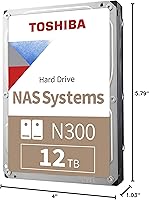
  • Form Factor: Standard 3.5-inch form factor fits the vast majority of desktop NAS enclosures and tower PC drive bays.
  • Dimensions: Measures 5.79 x 4 x 1.03 inches, conforming to the standard 3.5-inch HDD footprint used across NAS and desktop systems.
  • Weight: Weighs 1.52 pounds, which is typical for a 3.5-inch mechanical hard drive at this capacity range.
  • Workload Rating: Rated for up to 180 TB of data transferred per year, designed to handle moderate SOHO NAS workloads running continuously.
  • Operation: Engineered for 24/7 continuous operation, meaning it is rated to remain powered and active without scheduled downtime.
  • Drive Bays: Supports NAS enclosures with up to 8 drive bays, covering the majority of home and small office NAS configurations.
  • Vibration Sensors: Integrated rotational vibration (RV) sensors detect and compensate for vibration caused by neighboring drives in multi-bay enclosures.
  • Command Queuing: Supports Native Command Queuing (NCQ), which allows the drive to reorder read/write commands for improved efficiency under concurrent access.
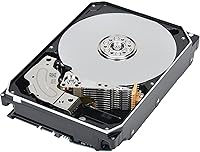
  • Hard Drive Type: Mechanical hard disk drive (HDD) using spinning magnetic platters, not a solid-state drive.
  • Target Use: Designed specifically for small office and home office NAS deployments, not intended for use as a primary desktop or laptop drive.
  • Brand & Series: Manufactured by Toshiba and belongs to the N300 NAS series, positioned below the N300 PRO in Toshiba's storage lineup.
  • Model Number: The official model identifier is HDWG51CXZSTA, which can be used to verify compatibility with NAS manufacturer approved drive lists.
  • Date Available: This drive model was first made available in March 2024, making it a relatively recent addition to the N300 NAS lineup.

Related Reviews
Toshiba N300 6TB NAS Internal Hard Drive
86%
88%
Performance
91%
Reliability
72%
Noise Levels
86%
Data Transfer Speed
85%
Ease of Installation
More
Toshiba N300 20TB NAS Internal Hard Drive
87%
91%
Performance
94%
Reliability for 24/7 Operation
85%
Ease of Setup
68%
Noise Levels
96%
Storage Capacity
More
Toshiba N300 14TB NAS Internal Hard Drive
81%
93%
Recording Technology
91%
NAS Compatibility
77%
Reliability & Longevity
86%
Value for Money
74%
Noise & Acoustics
More
Toshiba N300 PRO 18TB NAS Hard Drive
81%
88%
Read/Write Performance
84%
Reliability & Durability
91%
Vibration Control
93%
Workload Capacity
89%
RAID Suitability
More
Toshiba N300 16TB NAS Hard Drive
80%
83%
Reliability & Longevity
91%
NAS Compatibility
78%
Read/Write Performance
82%
Noise & Vibration
81%
Thermal Management
More
Toshiba N300 4TB NAS Internal Hard Drive
79%
83%
Reliability & Longevity
91%
RAID Compatibility
88%
NAS Compatibility
79%
Sequential Performance
71%
Noise & Vibration
More
Toshiba N300 8TB NAS Hard Drive
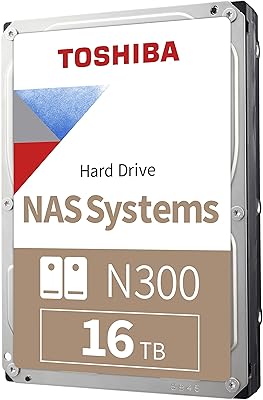
80%
78%
Long-Term Reliability
81%
Noise & Vibration
93%
NAS Compatibility
83%
Read/Write Performance
86%
Value for Money
More
Toshiba X300 PRO 12TB Internal Hard Drive
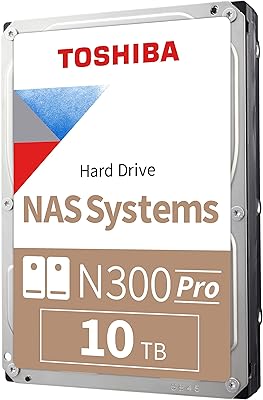
79%
88%
Sequential Transfer Speed
93%
Workload Endurance
83%
Reliability & Longevity
79%
Value for Money
61%
Noise & Vibration
More
Toshiba N300 PRO 10TB Internal Hard Drive
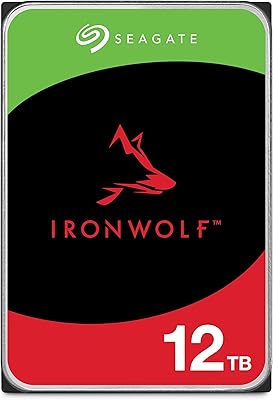
87%
92%
Reliability for 24/7 NAS Use
89%
Performance in RAID Setups
91%
Workload Capacity (300 TB/year)
85%
Data Transfer Speed
88%
Vibration Control with RV Sensors
More
Seagate IronWolf 12TB NAS Internal Hard Drive
82%
93%
NAS Compatibility
84%
Long-Term Reliability
91%
Data Integrity & CMR Technology
82%
Read/Write Performance
88%
Vibration & Noise Management
More

FAQ

In most cases, yes. The N300 12TB uses a standard SATA interface and a 3.5-inch form factor that fits virtually all Synology and QNAP enclosures. That said, it's always worth checking your NAS manufacturer's official compatibility list before purchasing, as some specific models have firmware-level restrictions on unverified drives.

CMR (Conventional Magnetic Recording) writes data to non-overlapping tracks, while SMR (Shingled Magnetic Recording) overlaps tracks to squeeze in more data at the cost of write speed and complexity. For NAS use — especially in RAID configurations — CMR is the preferred choice because RAID rebuilds involve intensive sequential writing, and SMR drives can slow to a crawl or trigger timeout errors during that process. This Toshiba hard drive uses CMR, which keeps that process predictable.

Technically it will work in a desktop, but it is not what this drive is designed for. NAS drives like the N300 12TB are tuned for vibration tolerance and continuous operation in multi-drive enclosures, not for the random access patterns typical of a desktop OS. You will not break anything by using it in a PC, but a desktop-class drive would be a better fit for that use case.

It is not silent. At 7200 RPM, you will hear a low hum and occasional seek noise during active use, which is normal for a mechanical drive at this speed. In a dedicated NAS closet or server room this is rarely an issue, but if your NAS sits on a desk nearby, some users do find the ambient noise noticeable — especially in a quiet home office.

The drive will not immediately fail, but operating consistently above the rated workload puts additional stress on the mechanical components and can accelerate wear over time. Toshiba rates it at 180 TB/year for a reason — that is the threshold where reliability data was gathered. If your actual workload regularly pushes beyond that, consider stepping up to the N300 PRO, which carries a significantly higher workload rating.

Yes, Toshiba includes a 3-year limited warranty with this drive. If you experience a failure within that window, Toshiba's support process covers repair or replacement. Keep your proof of purchase, as it will be needed for any warranty claim.

No special tools are required beyond a standard Phillips-head screwdriver for most NAS enclosures. The drive uses a universal SATA data and power connector, so no adapters are needed. Most NAS devices include mounting hardware in the box, but if yours does not, standard 3.5-inch drive screws are widely available.

All three are solid CMR NAS drives at 12TB, and the real-world performance differences between them are fairly small for typical home or small office workloads. The WD Red Plus and Seagate IronWolf each have their own vibration compensation systems and similar workload ratings. The choice often comes down to price at the time of purchase, your NAS brand's compatibility recommendations, and personal preference based on past experience with a particular brand.

Some users do report warmer-than-expected temperatures in dense multi-bay setups, which is partly a result of the 7200 RPM speed generating more heat than slower drives. Ensuring your NAS enclosure has adequate airflow — ideally with active cooling fans — will keep temperatures in a safe range. Monitoring drive temperature through your NAS software is a good habit regardless of which drive you use.

You can absolutely use a single drive for basic NAS storage without RAID, and many home users do exactly that for non-critical data like media libraries. However, a single drive offers no redundancy — if it fails, your data is gone unless you have a separate backup. For anything important, either pair it with a second drive in a mirrored RAID configuration or maintain a separate backup copy elsewhere.

Where to Buy