Overview

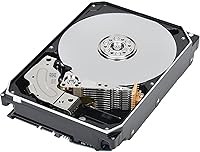
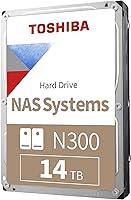
The Toshiba N300 14TB NAS Internal Hard Drive sits squarely in the sweet spot of the SOHO storage market — enough capacity to handle years of accumulated files, backups, and media without pushing into enterprise pricing territory. Released in August 2023, this NAS drive quickly climbed to a top-ten ranking among internal hard drives on Amazon, which says something about how well it landed with its target audience. The N300 series has long been Toshiba's answer to the home-office NAS user, and the 14TB variant represents the upper end of what most small setups will ever realistically need. One detail worth flagging upfront: it uses CMR recording technology, not SMR — and for NAS use, that distinction genuinely matters.
Features & Benefits

At 7200 RPM with a 512 MB cache, the N300 14TB moves data at a pace that keeps multi-user NAS setups from feeling sluggish during simultaneous access. The CMR recording method — conventional rather than shingled — means writes are handled cleanly and predictably, which matters most during RAID rebuilds where SMR drives have been known to cause real headaches. A 180 TB/year workload rating confirms this is not a repurposed desktop drive with a NAS label attached; it is built to absorb sustained continuous use. The integrated RV sensor compensates for vibration from neighboring spinning drives in a multi-bay enclosure, and the SATA 6 Gb/s interface means it drops into virtually any NAS chassis without compatibility concerns.

Best For

This NAS drive makes the most sense for home users and small offices running anywhere from two to eight drive bays — think Synology DS or QNAP TS series enclosures used for centralized file storage, automated backups, or local media libraries. If you run Plex and store large video collections, 14TB per bay gives real breathing room without constant capacity juggling. It is also a strong upgrade path for anyone currently running SMR drives who has hit frustrating RAID rebuild times or write stalls. Toshiba's SOHO hard drive is not aimed at data centers — it is for the person who wants dependable NAS storage that just works reliably without requiring enterprise-grade budget or deep technical expertise.

User Feedback

Across more than 400 ratings, the N300 14TB holds a 4.4-star average — solid, though not without caveats. Buyers consistently praise quiet operation and hassle-free detection in Synology and QNAP enclosures, and many specifically mention choosing it over alternatives after confirming its CMR technology, having been burned by SMR drives before. On the downside, a small but recurring pattern of DOA reports and early failure anecdotes appears in the reviews — not unusual for a mechanical drive at this sales volume, but worth factoring in. Compared to the WD Red Pro or Seagate IronWolf at similar capacities, most reviewers consider the price-to-capacity ratio competitive, though some note the lower workload ceiling versus those alternatives.

Pros

  • CMR recording technology ensures clean, predictable writes — critical for stable RAID array rebuilds.
  • Runs quietly enough that most users report forgetting the NAS is even powered on.
  • Drops into Synology and QNAP enclosures without compatibility headaches or manual configuration.
  • Integrated RV sensors keep performance stable in multi-bay setups where drive vibration is a real issue.
  • 14TB capacity per drive gives home media servers and backup systems serious long-term breathing room.
  • Rated for 24/7 continuous operation, so it is genuinely built for always-on NAS duty — not just labeled that way.
  • Strong value per terabyte compared to enterprise-tier alternatives at similar capacities.
  • The N300 14TB holds a 4.4-star average across hundreds of buyers, reflecting broadly positive real-world experience.
  • SATA 6 Gb/s interface means it works with virtually every NAS enclosure on the market today.
  • Many buyers specifically switched from SMR drives and report noticeably better RAID behavior after doing so.

Cons

  • A recurring pattern of DOA units appears in user reviews — not alarming at this sales volume, but worth noting.
  • The 180 TB/year workload rating is solid for SOHO use but falls short of what WD Red Pro or Seagate IronWolf Pro drives offer for heavier commercial workloads.
  • Like all mechanical hard drives, it carries inherent failure risk over time regardless of brand or build quality.
  • Some users report increased noise levels under heavy sustained load, which may matter in quiet home environments.
  • No included mounting hardware or accessories in the box — you need to source screws or sleds separately for some enclosures.
  • The 3-year limited warranty is standard but shorter than the 5-year coverage offered by some competing NAS drives.
  • Occasional early-life failures mentioned in reviews suggest incoming inspection or a burn-in period is a sensible precaution.
  • Not a smart buy if your NAS workload involves heavy surveillance or virtualization — a higher-tier drive is the better fit there.

Ratings

The Toshiba N300 14TB NAS Internal Hard Drive earns a strong overall standing in our AI-generated scorecard, built by analyzing verified global buyer reviews while actively filtering out incentivized, bot-driven, and spam feedback. Scores reflect both what this NAS drive genuinely does well and where real users have run into friction — nothing is glossed over. The result is a transparent, category-by-category breakdown that helps you decide whether the N300 14TB fits your specific setup.

Recording Technology
93%
The decision to use CMR rather than SMR is the single most appreciated technical choice buyers mention. Users who had previously struggled with sluggish RAID rebuilds on SMR drives report dramatically smoother experiences after switching, and many specifically called out CMR compatibility as their primary reason for choosing this drive over cheaper alternatives.
A small number of users unfamiliar with the CMR vs SMR distinction felt the marketing around it was overstated for their simple single-drive backup use case, where the difference is largely irrelevant. The benefit is real, but it is most meaningful in RAID configurations — solo NAS setups see less of the advantage.
NAS Compatibility
91%
Drop-in compatibility with Synology and QNAP enclosures is one of the most consistently praised aspects across buyer reviews. Users report the drive is recognized immediately on first boot without any manual configuration, and it appears on the official compatibility lists of most major SOHO NAS brands, which removes a significant source of pre-purchase anxiety.
A handful of buyers using older or budget-tier NAS enclosures reported occasional detection hiccups, though these appear to be edge cases tied to the enclosure rather than the drive itself. Users running very niche or white-label NAS hardware should verify compatibility before committing.
Reliability & Longevity
77%
23%
The drive's 24/7 operation rating and NAS-optimized firmware give most buyers genuine confidence for always-on deployments. Users running home Plex servers and office backup systems report stable operation over extended periods, and the 180 TB/year workload rating provides meaningful headroom for multi-user environments that would quickly exceed what a desktop drive can handle.
A recurring thread of DOA reports and early-life failure anecdotes in the reviews prevents a higher score here. While the rate is consistent with high-volume mechanical drives, it is visible enough that buyers should plan to run a burn-in test immediately after installation and keep the drive within its return window until verified healthy.
Value for Money
86%
At 14TB capacity, the N300 hits a competitive price-per-terabyte that most buyers consider fair when weighed against NAS-specific alternatives from WD and Seagate. Users who compared it directly against the WD Red Pro and Seagate IronWolf at the same capacity consistently describe it as the more budget-friendly option without feeling like a compromise for typical SOHO workloads.
Buyers who later discovered the 3-year warranty versus the 5-year coverage on some competing drives felt the value equation shifted slightly. For a drive intended to run 24/7 for years, the shorter warranty period is a real trade-off that factors into total cost of ownership, especially if drive replacement is a logistical burden.
Noise & Acoustics
74%
26%
Under typical NAS workloads — background backups, media streaming, moderate file transfers — most users describe the N300 14TB as quiet, with a low, unobtrusive hum that blends into ambient room noise. Home office users who keep their NAS on a desk or shelf report it rarely draws attention during normal operation.
During sustained heavy-load tasks like full RAID rebuilds or large sequential write jobs, a meaningful portion of buyers note a noticeable increase in operational noise. For NAS enclosures kept in living areas or bedrooms, this intermittent louder behavior is worth factoring into placement decisions.
Data Transfer Speed
82%
18%
The 7200 RPM spindle speed combined with a 512 MB cache delivers transfer rates that hold up well during simultaneous multi-user access, which is where slower NAS drives tend to bottleneck. Users streaming multiple HD or 4K files concurrently from a Plex server report smooth playback without the buffering pauses associated with lower-RPM alternatives.
Like all mechanical drives, sustained random read/write performance cannot compete with even a mid-range SSD used as a cache tier. Power users running virtualization workloads or high-IOPS applications on the same NAS may find the drive struggles to keep up without an SSD cache layer in front of it.
RAID Performance
88%
CMR recording makes a tangible difference in RAID environments, and users who rebuilt arrays after replacing failed SMR drives comment on how much faster and more predictable the process felt. RAID 5 and RAID 6 rebuilds, which are the most read/write-intensive operations a NAS drive faces, complete without the stalls or timeout errors that plague SMR-based alternatives.
Rebuild times at 14TB are still substantial even with CMR — buyers underestimate this, and some report multi-day rebuild windows for large arrays. This is an inherent limitation of high-capacity mechanical drives in general, not specific to this drive, but it reinforces why redundancy planning matters.
Vibration Management
84%
The integrated RV sensor does its job well in populated multi-bay enclosures. Users running four to eight drive configurations report stable performance without the seek errors or degraded speeds that can affect drives without vibration compensation when neighboring platters are spinning simultaneously.
The benefit of RV sensors is largely invisible to users running only one or two drives in a chassis — there is simply not enough cross-drive vibration to compensate for. Buyers in sparse configurations will not feel this feature in any measurable way, even though they are paying for it.
Setup & Installation
89%
Physical installation is straightforward, and the drive's standard 3.5-inch footprint fits without modification into any full-size NAS bay. Most buyers report the entire process from unboxing to the NAS recognizing the drive takes under ten minutes, including drive tray mounting and first-boot detection.
The drive ships without mounting screws, which catches some first-time builders off guard. Most NAS trays include their own hardware, but users with older or non-standard enclosures may need to source M3 screws separately — a small friction point that shows up often enough in reviews to be worth mentioning.
Thermal Performance
79%
21%
Operating temperatures under normal NAS conditions are well within acceptable ranges, and users monitoring drive health via SMART data report stable thermal readings during everyday workloads. The drive runs noticeably cool during idle periods, which is the majority of its operational life in a typical home NAS.
Extended heavy workloads push temperatures higher, and buyers running the drive in enclosures with limited airflow report warmer-than-ideal readings under sustained load. NAS enclosures with active cooling handle this well, but passive or fanless enclosures may not be the best pairing at this capacity.
Firmware & Software
75%
25%
The NAS-tuned firmware behaves well with TLER (Time-Limited Error Recovery) settings that are appropriate for RAID use, which is a genuine advantage over desktop drives repurposed for NAS duty. Users report the drive responds correctly to NAS management software and does not trigger false array degradation alerts.
Toshiba does not provide a standalone drive management utility comparable to what Seagate and WD offer for their NAS lines, so users who want detailed health dashboards or custom firmware settings are reliant entirely on third-party tools like CrystalDiskInfo. For most buyers this is minor, but enthusiasts notice the gap.
Warranty & Support
66%
34%
The 3-year limited warranty covers manufacturing defects and is backed by Toshiba's standard RMA process, which buyers generally describe as functional and not unreasonably slow. For most home users who treat the warranty as a safety net rather than an expectation, 3 years provides adequate coverage.
Competing NAS drives at similar price points increasingly offer 5-year warranties, and the gap is hard to ignore for a drive intended to run continuously for years. A few buyers explicitly mentioned that the shorter warranty was a downside that factored into their decision, and it is a legitimate concern for long-term NAS deployments.
Packaging & Unboxing
71%
29%
The drive arrives in a reasonably protective box with foam cushioning that handles typical shipping without issues. The majority of buyers report receiving the drive in good physical condition, with no visible transit damage to the outer casing or connectors.
DOA reports, while a minority, suggest that packaging protection is not foolproof for every shipping scenario. A few buyers noted the drive arrived loose or with minimal cushioning after apparent rough handling, pointing to inconsistency in how individual units are packed at the fulfillment level rather than at the factory.

Suitable for:

The Toshiba N300 14TB NAS Internal Hard Drive is purpose-built for home users and small office operators who run a multi-bay NAS enclosure around the clock and need high-capacity storage they can genuinely trust over the long haul. If you are building or expanding a Synology, QNAP, or similar SOHO system for centralized file sharing, automated backups, or a local media library, this drive slots in without fuss and delivers the sustained performance those workloads demand. Plex users with growing 4K video libraries will appreciate having 14TB per bay to work with, reducing how often you need to think about capacity. The CMR recording technology makes it a particularly smart choice for anyone running RAID arrays — whether RAID 1 for simple mirroring or RAID 5 and 6 for larger builds — because CMR handles rebuilds predictably in ways that SMR drives simply do not. It also suits small teams where multiple users access shared storage simultaneously, since the drive is rated for continuous 24/7 operation and a meaningful annual workload that desktop-class drives cannot match.
Not suitable for:

The Toshiba N300 14TB NAS Internal Hard Drive is not the right tool for every storage job, and being clear about that saves real frustration. If you need a drive for a single desktop PC or an external enclosure, there are faster and cheaper options designed specifically for those use cases — this drive's NAS-tuned firmware and vibration compensation are wasted outside a multi-drive enclosure. Buyers with heavy-duty workloads, such as small businesses running virtualization, surveillance systems with many camera streams, or intensive database operations, should look further up the product stack toward enterprise-class drives with higher workload ratings and longer warranty coverage. The 180 TB/year workload ceiling, while adequate for most SOHO setups, will be a constraint for genuinely demanding commercial environments. Additionally, anyone hoping to use this as a portable or external solution should look elsewhere entirely — it is a 3.5-inch internal drive that requires a powered enclosure or a NAS chassis to function.

Specifications

  • Capacity: The drive offers 14 TB of formatted storage capacity, suitable for large NAS libraries and long-term backup archives.
  • Recording Tech: It uses CMR (Conventional Magnetic Recording), which delivers consistent write performance and is fully compatible with RAID configurations.
  • Spindle Speed: The drive spins at 7200 RPM, providing faster data access compared to lower-RPM NAS drives in the same category.
  • Cache Size: A 512 MB buffer cache helps smooth out read and write operations during periods of simultaneous multi-user access.
  • Interface: It connects via SATA 6 Gb/s, the standard interface supported by virtually all modern NAS enclosures and desktop motherboards.
  • Form Factor: The drive uses the standard 3.5-inch form factor, compatible with full-size NAS bays and desktop drive cages.
  • Workload Rating: It is rated for up to 180 TB of data transferred per year, reflecting its design for continuous, always-on NAS environments.
  • Drive Bays: Toshiba specifies support for NAS enclosures with up to 8 drive bays, covering the full SOHO and prosumer range.
  • 24/7 Operation: The drive is officially rated and firmware-tuned for continuous 24/7 operation without scheduled downtime requirements.
  • RV Sensor: An integrated Rotational Vibration sensor actively compensates for mechanical vibration caused by neighboring drives in multi-bay enclosures.
  • Hard Disk Type: This is a mechanical hard disk drive (HDD), not a solid-state drive, relying on spinning platters and read/write heads.
  • Dimensions: Physical dimensions measure 5.79 x 4 x 1.03 inches, conforming to the standard 3.5-inch drive footprint.
  • Weight: The drive weighs 1.55 pounds, which is typical for a high-capacity 3.5-inch mechanical hard drive at this density.
  • Installation Type: It is an internal hard drive requiring installation inside a NAS enclosure, desktop PC chassis, or compatible powered drive bay.
  • Brand Series: This drive belongs to Toshiba's N300 series, which is specifically engineered for small office and home office NAS applications.
  • Warranty: Toshiba covers this drive with a 3-year limited warranty, which is standard for SOHO-tier NAS hard drives in this segment.
  • Amazon Rating: It holds a 4.4 out of 5 star average across 427 customer ratings, placing it at number 7 in the Internal Hard Drives category.

Related Reviews
Toshiba N300 12TB NAS Internal Hard Drive
76%
83%
Reliability & Longevity
81%
Performance Consistency
89%
NAS Compatibility
88%
CMR Recording Quality
62%
Noise & Vibration
More
Toshiba N300 6TB NAS Internal Hard Drive
86%
88%
Performance
91%
Reliability
72%
Noise Levels
86%
Data Transfer Speed
85%
Ease of Installation
More
Toshiba N300 20TB NAS Internal Hard Drive
87%
91%
Performance
94%
Reliability for 24/7 Operation
85%
Ease of Setup
68%
Noise Levels
96%
Storage Capacity
More
Toshiba N300 PRO 18TB NAS Hard Drive
81%
88%
Read/Write Performance
84%
Reliability & Durability
91%
Vibration Control
93%
Workload Capacity
89%
RAID Suitability
More
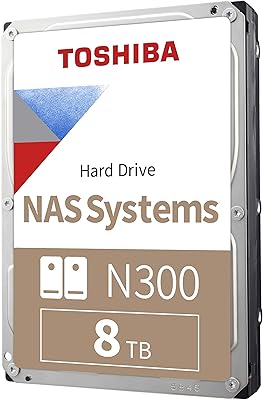
Toshiba N300 8TB NAS Hard Drive
80%
78%
Long-Term Reliability
81%
Noise & Vibration
93%
NAS Compatibility
83%
Read/Write Performance
86%
Value for Money
More
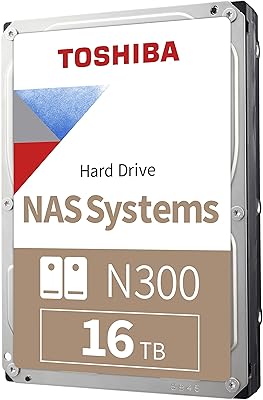
Toshiba N300 16TB NAS Hard Drive
80%
83%
Reliability & Longevity
91%
NAS Compatibility
78%
Read/Write Performance
82%
Noise & Vibration
81%
Thermal Management
More
Toshiba N300 4TB NAS Internal Hard Drive
79%
83%
Reliability & Longevity
91%
RAID Compatibility
88%
NAS Compatibility
79%
Sequential Performance
71%
Noise & Vibration
More
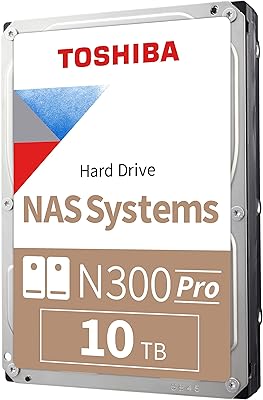
Toshiba N300 PRO 10TB Internal Hard Drive
87%
92%
Reliability for 24/7 NAS Use
89%
Performance in RAID Setups
91%
Workload Capacity (300 TB/year)
85%
Data Transfer Speed
88%
Vibration Control with RV Sensors
More
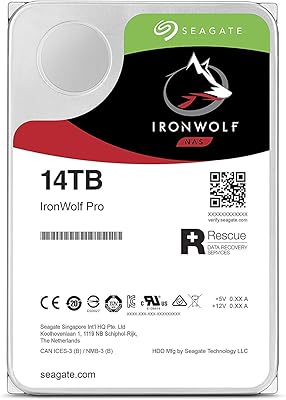
Seagate IronWolf Pro 14TB NAS Internal Hard Drive
84%
94%
Performance under Load
91%
Reliability for 24/7 Operation
89%
Workload Durability
83%
Ease of Setup
80%
Compatibility with NAS Systems
More
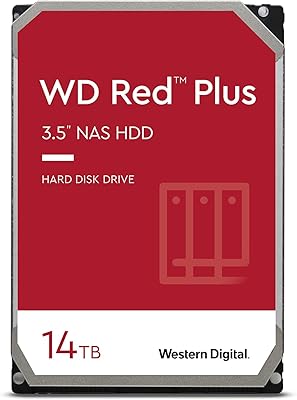
WD Red Plus 14TB NAS Hard Drive
82%
83%
Reliability & Longevity
91%
RAID Compatibility
67%
Value for Money
84%
Write Performance
93%
NAS Compatibility
More

FAQ

In most cases, yes. The N300 14TB uses a standard SATA interface and is recognized without issue by popular Synology DS-series and QNAP TS-series enclosures. It is worth checking your NAS manufacturer's compatibility list before purchasing, but this drive appears on many of them and buyers consistently report clean, automatic detection.

CMR, or Conventional Magnetic Recording, writes data to tracks that do not overlap, which means the drive can rewrite any sector directly without disturbing neighboring data. SMR drives stack tracks partially on top of each other to fit more data in, which creates delays when rewriting — particularly painful during a RAID rebuild. For a NAS running RAID 1 or RAID 5, a slow rebuild window is a real risk period, so CMR is the safer choice.

Under normal NAS workloads — file transfers, background backups, media streaming — most users describe it as quiet, with only a soft hum. Under heavy sustained load, like a prolonged RAID rebuild or large sequential write job, some owners report audible activity. Whether that bothers you depends on where your NAS lives; in a home office or living area it is worth considering.

Physically it will fit in any standard desktop with a 3.5-inch drive bay and a SATA connection, and it will work as a secondary storage drive. That said, the NAS-tuned firmware and vibration compensation are features you will not benefit from in a single-drive desktop setup, so it is not the most cost-efficient choice for that use case — a desktop-class drive would serve you better there.

All three are solid CMR NAS drives, and in day-to-day use the differences are not dramatic. The IronWolf and WD Red Pro both offer higher workload ratings and 5-year warranties, which gives them an edge for heavier or more business-critical workloads. The N300 14TB tends to come in at a lower price point, making it the more practical choice for home users who do not need those extra headroom specs.

It is compatible with all standard RAID levels including RAID 0, 1, 5, 6, and 10, as supported by your NAS enclosure or RAID controller. The CMR technology is what makes it genuinely safe for RAID use — specifically for the rebuild process, which stresses drives significantly.

No, the drive ships without mounting hardware. Most NAS enclosures use tool-less trays or include their own screws, but if yours requires specific mounting screws, you will need to source M3 screws separately. It is a minor thing, but worth checking before installation day.

Toshiba rates it for 24/7 operation with a 1-million-hour MTBF (mean time between failures), but that is a statistical figure, not a guarantee for any individual unit. Mechanical drives can and do fail, sometimes early. A sensible approach is to treat any single drive as replaceable rather than permanent, always run at least a mirrored or parity RAID configuration, and keep off-site or cloud backups for anything truly irreplaceable.

A small percentage of DOA or early-failure reports is common for any high-volume hard drive — it reflects the statistical reality of mechanical components at scale, not necessarily a systemic quality problem. What is worth doing is testing any new drive with a tool like CrystalDiskInfo or running a full surface scan before loading it with data you care about. That way you catch a bad unit within the return window.

It is a strong fit for that use case. A Plex library with a large collection of 4K or HD content can easily consume several terabytes, and 14TB per bay gives you room to grow without reshuffling storage constantly. The 7200 RPM speed helps with simultaneous streams, and since Plex setups often run continuously, the 24/7 operation rating is genuinely relevant here rather than just a marketing checkbox.