Overview

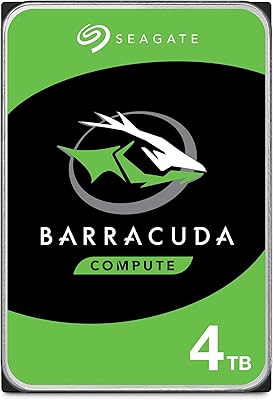
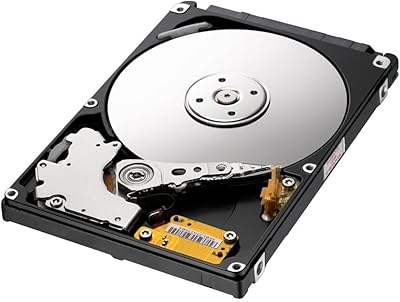
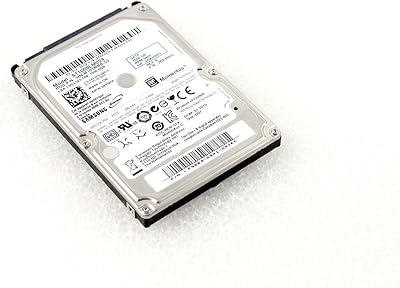
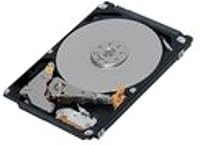
The Toshiba MQ01ABD100 1TB 2.5″ Internal Hard Drive has been around long enough to build a reputation worth paying attention to. Part of Toshiba's MQ01ABD series, it's a mechanical drive built primarily for laptop upgrades and light desktop storage duties. At 5400 RPM and 1TB capacity, it won't win any speed contests, but that's not the point. The slim 0.37-inch profile fits neatly into standard laptop bays, and the lightweight build makes handling and installation straightforward. For buyers who need reliable bulk storage without stretching their budget, this Toshiba drive hits a practical sweet spot that has kept it relevant for years.
Features & Benefits

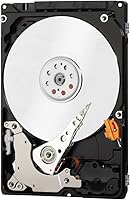
What stands out about the MQ01ABD100 is how thoughtfully Toshiba engineered it for quiet, low-stress environments. The Silent-Seek Technology genuinely keeps noise levels down during active read/write cycles — a real plus if you work in quiet spaces. Power consumption is kept low, which matters when this 1TB laptop HDD is running inside a machine on battery. The built-in shock sensor adds a layer of protection against accidental bumps, and Advanced Format Technology keeps things running cleanly on current operating systems. SATA connectivity means you can drop it into almost any laptop or desktop without compatibility concerns, and the slim form factor takes the friction out of installation.

Best For

This Toshiba drive makes the most sense for a specific type of buyer, and it's worth being honest about that. If your laptop's original drive has failed or is simply too small — 256GB fills up fast — swapping in the MQ01ABD100 is a cost-effective fix that gets you back up and running with plenty of room to work. It also performs well as secondary storage in a desktop tower or a NAS setup. Students and casual users who store documents, photos, and media will find 1TB more than sufficient. It's also a popular pick for caddy-based optical drive replacements. Just don't expect snappy speeds running an operating system day to day.

User Feedback

With nearly 5,000 ratings and a 4.3-star average, the MQ01ABD100 has earned its standing through consistent real-world performance rather than hype. Buyers frequently highlight quiet operation and straightforward installation, especially first-time upgraders who found the process refreshingly painless. On the downside, the 5400 RPM speed is a recurring point of friction for users who expected faster response times for everyday tasks — this is a mechanical drive, not a speed machine. A small but notable portion of reviewers report early failure within the first year, which is worth factoring into your decision. Overall, the feedback pattern points to dependable, no-fuss storage that does exactly what it promises.

Pros

  • 1TB of storage gives you room for years of files, media, and software without micromanaging space.
  • Silent-Seek Technology keeps the drive noticeably quiet during regular use, even in silent environments.
  • Low power consumption makes this 1TB laptop HDD a smart choice for machines running on battery.
  • The slim 2.5-inch form factor fits the vast majority of laptops and desktop bays without adapters.
  • Installation is straightforward enough that first-time upgraders consistently report no issues.
  • A built-in shock sensor provides basic protection against minor bumps during everyday use.
  • Nearly 5,000 ratings with a 4.3-star average reflects long-term satisfaction across a wide user base.
  • SATA interface means broad compatibility with older and newer machines alike.
  • Solid secondary storage option for desktop towers or NAS setups where cost-per-GB matters most.

Cons

  • 5400 RPM speeds make for slow boot times and sluggish app launches when used as a primary OS drive.
  • Mechanical design makes it more susceptible to damage from drops or heavy physical impact than SSDs.
  • A notable minority of buyers have reported early drive failures within the first year of use.
  • No hardware encryption support limits appeal for users with strict data security requirements.
  • Slower sequential speeds mean large file transfers take meaningfully longer than on modern solid-state options.
  • As a spinning-platter drive, it generates slightly more heat than SSDs during sustained workloads.
  • Long-term reliability under heavy, continuous workloads is less predictable than with solid-state alternatives.
  • Not well-suited for users who need consistent, fast random read performance for databases or virtual machines.

Ratings

The scores below for the Toshiba MQ01ABD100 1TB 2.5″ Internal Hard Drive were generated by our AI system after analyzing thousands of verified global buyer reviews, with spam, incentivized feedback, and bot activity actively filtered out. Each category reflects a genuine synthesis of what real users praised and where they ran into frustration. Nothing is glossed over — the strengths and the pain points are both represented honestly.
Value for Money
88%
For buyers on a tight budget, this 1TB laptop HDD consistently over-delivers on the cost-per-gigabyte equation. Reviewers upgrading aging machines frequently mention being surprised by how much usable life they get back from an affordable swap. It remains one of the most practical storage investments in the mechanical HDD category.
A small but real proportion of users who experienced early failures felt the value proposition collapsed entirely when the drive died within months. Without a reliable long-term warranty claim process, those buyers felt they had gambled rather than saved.
Noise Level
91%
Silent-Seek Technology makes a tangible difference in day-to-day use. Users working in libraries, quiet offices, or shared bedrooms consistently note that this Toshiba drive produces far less clicking and seeking noise than older mechanical drives they have used. Under moderate workloads, the drive is essentially inaudible.
Under sustained heavy read/write loads — like transferring several hundred gigabytes in one go — a low hum becomes noticeable. It is not disruptive, but users expecting complete silence in all conditions may occasionally notice it during long operations.
Installation Ease
93%
First-time upgraders are a significant portion of this drive's buyer base, and their feedback is overwhelmingly positive on installation. The standard 2.5-inch SATA form factor requires no adapters in most laptops, and the lightweight build makes handling easy. Most users report completing the swap in under 20 minutes.
The drive ships without mounting screws or a SATA cable, which catches some buyers off guard. Those upgrading from scratch rather than replacing an existing drive may need to source hardware separately, adding a small but avoidable friction point.
Read/Write Speed
52%
48%
For secondary storage duties — holding photos, documents, archived files, or media — the 5400 RPM speed is more than adequate. Users who slot it into a second bay or NAS enclosure for bulk storage rarely complain about transfer times in that context.
As a primary OS drive, the speed limitation is hard to ignore. Boot times and application launches are sluggish by current standards, and users migrating from SSDs find the experience noticeably frustrating. This is the single most cited complaint across the entire review base.
Long-Term Reliability
67%
33%
The majority of buyers who have used this Toshiba drive for a year or more report it running without issue. Its 4.3-star average across nearly 5,000 ratings reflects a product that, for most users, simply keeps working without drama or intervention.
A persistent minority of reviewers report failures within the first 6 to 12 months, which is higher than ideal for a drive used to store important personal data. Mechanical drives are inherently more prone to failure over time than SSDs, and this model is not immune to that trade-off.
Power Efficiency
86%
Laptop users on battery-dependent workflows appreciate that the MQ01ABD100 draws less power than many comparable mechanical drives. In practical terms, this translates to marginally longer battery life compared to higher-RPM alternatives, which matters in mobile computing scenarios.
It still draws considerably more power than any SSD, so users making a decision purely on battery longevity would be better served by a solid-state option. The efficiency gains are real but should not be overstated relative to the mechanical vs. solid-state divide.
Compatibility
94%
The SATA interface and standard 9.5mm height mean this drive works with an exceptionally wide range of laptops and desktops. Buyers across PC brands — Lenovo, HP, Dell, Acer — regularly confirm drop-in compatibility with no configuration needed.
A small number of ultra-thin laptops use 7mm drive bays, and the 9.5mm thickness of this drive makes it incompatible without a shim. Users with slim ultrabook-style machines should verify their bay dimensions before purchasing.
Shock & Vibration Resistance
71%
29%
The built-in shock sensor provides a meaningful layer of protection for a mechanical drive, and users who carry laptops in bags report fewer concerns about accidental bumps causing data issues during idle or sleep states.
No mechanical spinning-platter drive is genuinely robust against drops or significant impact while actively reading or writing. Users who work in rough environments or travel constantly will find this protection insufficient compared to the inherent resilience of solid-state storage.
Physical Build Quality
78%
22%
The drive feels solid and well-constructed for its price tier. The grey metal casing gives it a professional finish, and nothing about the physical build feels cheap or flimsy when handling it during installation.
The external casing, while adequate, does not offer the premium feel of higher-end drives. A handful of users noted minor cosmetic imperfections out of the box, though these had no impact on function.
Thermal Performance
74%
26%
Under typical workloads — file storage, occasional media access — the drive runs at a comfortable temperature and does not contribute noticeably to laptop heat. Users replacing failed drives in budget laptops report no thermal issues in normal use.
During extended sustained transfers, the drive does warm up more than a solid-state alternative would. In compact laptop chassis with poor airflow, prolonged heavy use could push temperatures to levels worth monitoring with a tool like CrystalDiskInfo.
Capacity Satisfaction
89%
For the target audience — students, casual users, and people upgrading from 500GB or smaller drives — 1TB feels genuinely spacious. Reviewers consistently mention that the jump in available storage transformed how comfortably they could manage their files and media.
Power users or anyone storing large raw video libraries, game installations, or extensive software suites will hit the 1TB ceiling sooner than expected. For those buyers, capacity satisfaction drops significantly within the first year of heavy use.
OS Compatibility
87%
Advanced Format Technology ensures the drive aligns correctly with Windows 10, Windows 11, and modern Linux distributions without manual intervention. Buyers performing clean installs or cloning from older drives report no software-level compatibility issues.
Users migrating from very old operating systems like Windows XP or Vista may need to run an alignment tool manually to avoid performance degradation. This is an edge case, but it is worth flagging for anyone managing legacy systems.

Suitable for:

The Toshiba MQ01ABD100 1TB 2.5″ Internal Hard Drive is a strong match for anyone who needs to breathe new life into an aging laptop without spending heavily on an SSD. If your current drive has failed, is making noise, or simply doesn't hold enough data anymore, this is one of the most practical and accessible replacements available. Students storing course materials, downloaded media, and project files will find 1TB of space more than comfortable for years of use. It also works well as a secondary drive in a desktop tower or a basic NAS enclosure where sequential read speeds matter less than raw capacity. Buyers who replace their laptop's optical drive with a caddy will find this Toshiba drive fits cleanly and performs reliably in that role too. For anyone whose priority is getting maximum storage at a sensible price point, this drive consistently delivers without overcomplicating the decision.
Not suitable for:

The Toshiba MQ01ABD100 1TB 2.5″ Internal Hard Drive is not a good fit for users who want a fast, responsive primary system drive. At 5400 RPM, boot times and application load speeds will feel noticeably sluggish compared to even entry-level SSDs, and anyone running a modern operating system from this drive daily will likely find the experience frustrating over time. Gamers, video editors, or anyone routinely moving large files under time pressure should look elsewhere. It's also worth considering that mechanical drives are inherently more vulnerable to physical shock than solid-state alternatives, so users who carry their laptops frequently in bags or travel often may be taking on more risk than they realize. A minority of real-world buyers have reported early failures, so mission-critical or irreplaceable data should always be backed up if this drive is in use. If speed, durability in transit, or long-term reliability under heavy workloads is your top concern, a budget SSD is a better investment.
Specifications

  • Capacity: This drive offers 1TB (1000 GB) of usable storage space for files, media, and applications.
  • Form Factor: It uses a standard 2.5-inch form factor, compatible with most laptops and compact desktop bays.
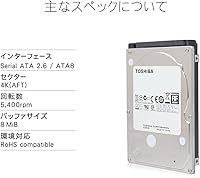
  • Rotational Speed: The platters spin at 5400 RPM, prioritizing power efficiency and quiet operation over raw speed.
  • Interface: Connectivity is handled via Serial ATA (SATA), ensuring broad compatibility with modern and legacy systems.
  • Thickness: At just 0.37 inches (9.5mm) thick, the drive fits standard laptop drive bays without clearance issues.
  • Dimensions: The drive measures 3.94 x 2.76 x 0.37 inches, consistent with the universal 2.5-inch HDD footprint.
  • Weight: Weighing 4.1 ounces, the drive is light enough to avoid adding meaningful bulk to portable machines.
  • Drive Type: This is a traditional mechanical hard disk drive (HDD) using spinning platters and a read/write head.
  • Silent-Seek: Toshiba's Silent-Seek Technology actively reduces the acoustic noise generated during read and write head movements.
  • Shock Sensor: A built-in shock sensor detects sudden impacts and helps protect data integrity during minor physical disturbances.
  • Advanced Format: Advanced Format Technology aligns data sectors to 4K boundaries, improving efficiency on Windows and modern Linux systems.
  • Power Draw: The drive is engineered for low power consumption, making it well-suited for battery-powered laptop environments.
  • Color: The drive housing is grey, consistent with Toshiba's standard MQ01ABD series finish.
  • Series: This drive belongs to Toshiba's MQ01ABD series, a long-running line of 2.5-inch mobile storage solutions.
  • Installation Type: Designed for internal installation, it mounts directly into a laptop or desktop drive bay via SATA connection.
  • Platform: Compatible with both laptop and desktop systems that support a standard 2.5-inch SATA internal drive.
  • Manufacturer: Manufactured by Toshiba, a long-established name in consumer and enterprise storage hardware.

Related Reviews
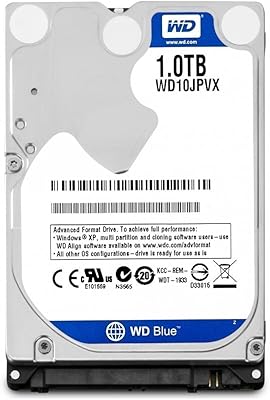
WD 1TB 2.5-inch SATA Internal Hard Drive
86%
91%
Value for Money
78%
Performance
95%
Ease of Installation
84%
Reliability
88%
Noise Level
More
Western Digital Velociraptor 1TB 10K RPM SATA III 2.5-Inch Internal Hard Drive
81%
92%
Performance in Demanding Tasks
88%
Data Transfer Speed
85%
Build Quality & Durability
90%
Compatibility with Desktop/Server Setups
65%
Noise Levels During Operation
More
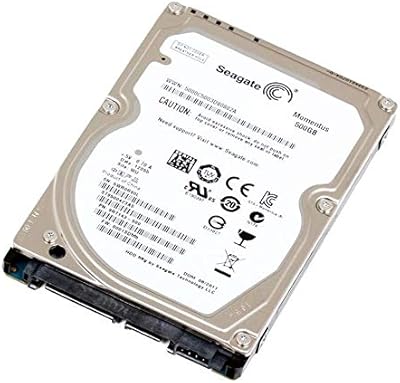
Seagate 2TB BarraCuda 2.5-Inch Internal Hard Drive
86%
89%
Performance
91%
Quiet Operation
88%
Energy Efficiency
93%
Installation Ease
90%
Reliability
More
Seagate BarraCuda ST4000LM024 4TB Internal Hard Drive
70%
93%
Storage Density
84%
Value for Money
61%
Compatibility
67%
Sequential Read/Write Speed
48%
Random Access Performance
More
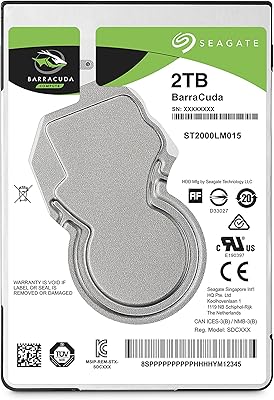
Seagate Momentus ST9500423AS 500GB 2.5″ Internal Hard Drive
85%
88%
Performance
90%
Durability (G-Force Protection)
85%
Power Efficiency
92%
Speed (7200 RPM)
82%
Compatibility with Laptops
More
Seagate BarraCuda Pro 500GB 2.5-inch Internal Hard Drive
87%
94%
Performance
92%
Read/Write Speed
88%
Reliability
87%
Value for Money
90%
Build Quality
More
Samsung SpinPoint M8 1TB 2.5-Inch SATA Hard Drive
86%
92%
Value for Money
78%
Performance
85%
Build Quality
90%
Compatibility
88%
Noise Levels
More
Seagate Momentus ST1000LM024 1TB 2.5-Inch SATA III 5400 RPM Hard Drive
84%
91%
Value for Money
88%
Storage Capacity
94%
Ease of Installation
85%
Performance for Everyday Use
90%
Power Efficiency
More
Seagate BarraCuda ST1000DM010 1TB Internal Hard Drive
77%
91%
Value for Money
74%
Reliability & Longevity
79%
Read & Write Performance
93%
Installation Ease
68%
Noise & Vibration
More
Seagate Exos 1TB Internal Hard Drive
85%
91%
Performance
94%
Reliability
89%
Durability
87%
Workload Handling
80%
Installation Ease
More

FAQ

In most cases, yes. The drive uses a standard 2.5-inch form factor and a 9.5mm height, which fits the vast majority of laptops made in the last 15 years. If your laptop originally came with a hard drive rather than an SSD, there is a very good chance this will slot right in. Check your laptop's service manual or manufacturer specs if you are unsure of the bay depth.

Yes, it works fine with Windows 11. The Advanced Format Technology on this drive is designed to align correctly with modern operating systems, including Windows 10 and 11. You may want to run a quick alignment check after cloning an older drive, but for a fresh install there is nothing special to configure.

It is significantly slower. At 5400 RPM, this 1TB laptop HDD will feel noticeably sluggish for boot times and application launches compared to even a budget SSD. If you plan to run your operating system from it daily, manage your expectations accordingly. It shines as a storage drive for documents, photos, and media, not as a speed-focused system drive.

Yes, you can. If you place it inside a compatible 2.5-inch USB enclosure, it works perfectly as a portable external drive. Just make sure the enclosure supports SATA connectivity, which virtually all 2.5-inch enclosures do.

It can work in a basic single-bay or low-demand NAS setup, but it is worth noting this is a mobile drive, not a NAS-rated one. For occasional backups or a home media server with light access, it performs adequately. For always-on NAS use with frequent simultaneous reads and writes, a drive rated for NAS workloads would be a more reliable long-term choice.

Quiet enough that most users do not notice it. Toshiba's Silent-Seek Technology meaningfully reduces the clicking and seeking sounds that older or cheaper mechanical drives tend to produce. Under heavy load, there is a faint hum from the spinning platters, but it is not disruptive in typical working environments.

Just a small Phillips-head screwdriver in most cases. Laptop drive replacement is usually a matter of removing a panel, unscrewing the old drive, sliding it out, and reversing the process with the new one. Many users with no prior experience complete the swap in under 15 minutes.

No, the drive ships on its own without cables, mounting brackets, or software. If you are replacing an existing drive and want to copy your data over, you will need a USB-to-SATA adapter and free cloning software such as Macrium Reflect or Clonezilla.

A small percentage of mechanical drives do fail within the first year — this is not unique to this model, but it is worth taking seriously. Before installation, register your purchase and check Toshiba's warranty terms. Always keep a backup of important files regardless of which drive you use, and run a health check with a tool like CrystalDiskInfo periodically to catch problems early.

Yes, this is a popular use case. With a 9.5mm caddy bracket (also called a hard drive caddy or ODD adapter), you can mount this drive in the optical drive bay of most laptops. Just confirm your laptop's optical bay depth beforehand, as some ultra-thin models use a 7mm bay instead.

Where to Buy