Overview

The Seagate BarraCuda Pro 500GB Internal Hard Drive sits at the top of Seagate's BarraCuda family, separating itself from the standard lineup with faster spindle speeds, a longer warranty, and bundled data recovery services. Built around the 2.5-inch form factor, it's a natural fit for laptop upgrades, compact desktop builds, or slim external enclosures. At its price point, you're paying a premium over budget HDDs and edging closer to entry-level SSD territory, so the value depends heavily on what you actually need. If raw speed is the priority, flash storage wins outright. But for a reliable mechanical drive with serious warranty backing and included Rescue Data Recovery Services, this BarraCuda Pro drive makes a genuinely strong case.
Features & Benefits

The most meaningful upgrade over a typical laptop HDD is the 7200 RPM spindle speed. Most stock drives ship at 5400 RPM, which feels noticeably sluggish when loading large files or launching applications. Bumping to 7200 RPM won't close the gap with an SSD, but you'll feel a real difference day-to-day. The SATA 6Gb/s interface ensures broad compatibility across laptops and desktops, though mechanical throughput ultimately caps what that bandwidth can deliver. The 128MB cache helps smooth out read and write bursts during media editing or file-heavy workflows. Then there's the five-year limited warranty — genuinely rare in this segment — which signals real confidence in the drive's longevity. The included two-year data recovery service is a practical bonus most competing drives simply don't offer.

Best For

This 2.5-inch HDD makes the most sense for a specific type of buyer. If your laptop still runs a slow stock drive and you want a meaningful speed boost without committing to SSD prices, this is a solid upgrade path. It also works well as secondary storage inside a desktop or enclosure, especially for creative workflows where you're archiving video projects, photo libraries, or game installs. The 500GB capacity is modest by today's standards, so it isn't the right pick if you need one drive to hold everything. Think of it as a dedicated archive drive or a capable primary replacement in an older machine. The warranty and recovery services make it especially attractive for anyone who can't afford unexpected data loss on a working system.

User Feedback

With over 500 ratings averaging 4.5 stars, the BarraCuda Pro 500GB earns its reputation — but the picture isn't entirely uniform. Most buyers report a smooth out-of-the-box experience, with many noting a clear improvement over the slower drives they replaced. Installation tends to go well for those comfortable with basic hardware work. The most consistent complaint is audible seek noise. Coming from an SSD, the clicking and vibration of a spinning drive can be jarring — this is normal mechanical behavior, not a defect, but it's worth knowing before you buy. A handful of users raise questions about long-term reliability, though the five-year warranty appears to reassure the majority. Opinions on the Rescue Data Recovery Services are split — some find it genuinely useful, others feel the redemption process adds unnecessary friction.

Pros

  • The 7200 RPM speed delivers a real, day-to-day improvement over the slow stock drives found in most budget laptops.
  • A five-year limited warranty is genuinely rare in this segment and signals strong confidence in long-term reliability.
  • Bundled two-year Rescue Data Recovery Services offer a practical safety net most competing drives skip entirely.
  • The 2.5-inch SATA form factor fits a wide range of laptops, compact desktops, and external enclosures without adapters.
  • The 128MB cache helps smooth out performance spikes during file transfers and media editing sessions.
  • Installation is straightforward for anyone comfortable with basic hardware work — no proprietary connectors or complex setup.
  • Broad SATA 6Gb/s compatibility means this 2.5-inch HDD works with virtually any system that has a standard SATA port.
  • At its price tier, it undercuts SSDs of comparable capacity while offering superior warranty and recovery coverage.
  • Frustration Free Packaging keeps unboxing simple and reduces unnecessary waste for environmentally conscious buyers.

Cons

  • Audible clicking and vibration during heavy reads are normal for 7200 RPM drives but jarring if you are coming from an SSD.
  • 500GB fills up faster than most buyers expect, especially when storing video files or large game installs.
  • Sequential and random read speeds lag well behind even entry-level SSDs, making boot times and app launches noticeably slower.
  • The Rescue Data Recovery redemption process has frustrated some users who expected a smoother claims experience.
  • Being a mechanical drive, it is more vulnerable to physical shock and drops than flash-based alternatives.
  • At its price point, the cost-per-gigabyte is not especially competitive compared to larger-capacity HDDs in the same family.
  • The BarraCuda Pro 500GB offers no meaningful advantage over a standard BarraCuda for light, everyday computing tasks.
  • Noise levels may be disruptive in open-frame desktop builds or quiet office environments where silence matters.

Ratings

Our AI rating system analyzed thousands of verified global reviews for the Seagate BarraCuda Pro 500GB Internal Hard Drive, actively filtering out incentivized, duplicate, and bot-generated submissions to surface what real buyers actually experience. The scores below reflect both the genuine strengths and the recurring frustrations reported across diverse use cases — from laptop upgrades to creative workstation builds. Nothing is glossed over: where this 2.5-inch HDD earns high marks, you'll see why, and where it falls short, that's reflected honestly in the numbers.

Read/Write Performance
74%
26%
Buyers upgrading from 5400 RPM stock drives consistently report a noticeable improvement in file transfer speeds and application load times. For sequential tasks like copying large video files or loading game levels, the 7200 RPM speed and 128MB cache deliver a real, day-to-day difference that justifies the upgrade for many users.
Anyone coming from an SSD background will find the performance gap jarring — boot times and random read speeds in particular expose the fundamental limits of spinning platter technology. Heavy multitasking scenarios, where an SSD would barely flinch, can cause this drive to lag noticeably.
Reliability & Longevity
83%
The five-year limited warranty is one of the strongest signals of reliability in this category, and most buyers report trouble-free operation well into extended use. Seagate's two decades of HDD engineering experience shows in the consistent out-of-the-box performance reported across a large and diverse pool of reviewers.
A small but non-trivial segment of buyers has reported early failures, which is a reality with any mechanical drive technology. While the warranty covers these situations, the inconvenience of a drive dying before the warranty period ends — especially on a primary laptop — is a legitimate concern worth factoring in.
Value for Money
67%
33%
When you factor in the five-year warranty and bundled Rescue Data Recovery Services, the overall package offers more long-term assurance than most bare drives at a similar price. For buyers who place a premium on peace of mind and data protection, those extras genuinely shift the value calculation in this drive's favor.
At 500GB, the cost-per-gigabyte is hard to justify purely on storage grounds — larger HDDs in the same family offer significantly more space for modest additional spend. Buyers who shop purely on capacity efficiency will find better deals elsewhere, and the proximity to entry-level SSD pricing makes the decision tougher than it used to be.
Noise & Vibration
58%
42%
Most desktop users find the operational noise entirely tolerable in normal computing environments, where ambient room sound masks the drive's activity fairly well. Users with the drive tucked into an enclosure or inside a properly dampened desktop case report little distraction during everyday tasks.
The seek noise from this 2.5-inch HDD is a recurring complaint, particularly among laptop users and those working in quiet spaces. At 7200 RPM the clicking and vibration are inherently more pronounced than slower drives, and buyers accustomed to SSD silence find the adjustment significant — some describing it as distracting during sustained file operations.
Compatibility
91%
The standard 2.5-inch SATA form factor means this drive slots into an enormous range of laptops, desktops, and external enclosures without any adapters or fuss. Nearly every buyer who attempted installation in a SATA-equipped system reported zero compatibility issues, regardless of the host machine's age or brand.
The drive is entirely incompatible with systems that use M.2 or NVMe slots exclusively, which increasingly describes modern ultrabooks and recent-generation laptops. Buyers who don't verify their system's bay type before purchasing account for a portion of the negative reviews — an avoidable mismatch but a real one.
Installation Experience
86%
The physical installation process is widely described as smooth and uncomplicated for anyone with basic hardware experience. The Frustration Free Packaging keeps things organized, and the drive itself requires no special tools or configuration beyond what a standard SATA swap demands.
Buyers who have never swapped a hard drive before occasionally find the lack of included instructions or mounting screws a minor hurdle. The drive ships as a bare unit, so users needing a mounting bracket for certain desktop cases may need to source one separately.
Warranty & Support
82%
18%
A five-year limited warranty is a genuine differentiator in the consumer HDD space, offering a level of coverage that most competing drives simply don't match. Buyers who have gone through the standard warranty replacement process generally describe it as functional and relatively painless when the drive registration is in order.
The Rescue Data Recovery Services, while valuable in theory, draws mixed reviews around the redemption experience — some users report friction navigating the claims process during what is already a stressful data-loss situation. Clearer documentation and a more streamlined support pathway would strengthen an otherwise strong warranty offering.
Storage Capacity
61%
39%
For targeted use cases — an OS installation drive, a dedicated game storage partition, or a photo archive alongside other storage devices — 500GB is a workable and tidy allocation. Users who already have a primary storage solution and just need a reliable secondary drive report that the capacity fits their workflow without issue.
By current standards, 500GB is modest to the point of being a limiting factor for many buyers, particularly those who assumed it would serve as a sole system drive. Large game libraries, raw video projects, and even moderately sized photo collections can push this capacity to its limits faster than most users anticipate.
Build & Form Factor
88%
At under 3 ounces and a slim 0.28-inch profile, the physical build is impressively compact and well-suited to the tight tolerances of most laptop bays and slim enclosures. Buyers handling the drive describe it as solid and well-constructed, with no flex or cheap feel to the casing.
As a mechanical drive, it inherently carries more vulnerability to physical shock and drops than a flash-based alternative — a trade-off baked into the technology rather than a flaw in this specific unit. Users who move their laptops frequently or work in physically demanding environments should keep this in mind.
Data Recovery Service
71%
29%
The inclusion of two-year Rescue Data Recovery Services is a genuinely rare benefit at this drive tier, and for users storing irreplaceable work files or client project archives, the safety net provides real psychological reassurance. Buyers who have actually used the service for legitimate recovery needs report positive outcomes in most documented cases.
The service is time-limited to two years, which leaves users exposed through the remaining three years of the warranty period if data loss occurs after that window closes. Additionally, the claims and verification process has been described as cumbersome by a subset of users, particularly those in urgent recovery situations.
Sequential Read Speed
77%
23%
For workloads that favor long sequential reads — streaming video from the drive, scanning large photo directories, or backing up files — the combination of 7200 RPM and 128MB cache delivers consistently respectable throughput for a mechanical drive. Creative professionals using this as a dedicated media read drive generally report satisfaction with sustained transfer rates.
Sequential performance is where mechanical drives look their best, yet even here the BarraCuda Pro 500GB trails entry-level SSDs by a significant margin. Users who regularly move large batches of high-resolution files will notice that transfers take meaningfully longer than they would on flash-based storage.
Packaging
79%
21%
The Frustration Free Packaging approach keeps unboxing clean and practical, with minimal waste and no excessive plastic clamshell battles to contend with. Buyers appreciate that the drive arrives protected without unnecessary bulk, which also makes storage of the packaging simpler if needed for warranty purposes.
A handful of buyers have raised concerns about drive protection during shipping, noting that minimal packaging can occasionally translate to less cushioning against rough transit handling. While outright shipping damage appears rare, it is a legitimate consideration for buyers in regions with less reliable courier services.
Gaming Performance
63%
37%
As a secondary game storage drive, the BarraCuda Pro 500GB performs adequately for older or less asset-heavy titles where long load screens are an accepted norm. Buyers who use it to offload infrequently played games from a primary SSD find it a cost-effective way to extend their available library storage.
Modern open-world games that stream assets continuously expose the performance ceiling of any mechanical drive, and load times on titles like these are noticeably long. Serious PC gamers who expect SSD-grade responsiveness from game storage will be disappointed, and the 500GB ceiling limits how many modern titles can fit on the drive at once.

Suitable for:

The Seagate BarraCuda Pro 500GB Internal Hard Drive is a well-matched choice for anyone still running an older laptop with a sluggish 5400 RPM stock drive who wants a meaningful performance boost without the cost of a full SSD upgrade. It fits naturally into compact desktop builds where a 2.5-inch bay is the only option, or inside an external enclosure used for archiving photos, video projects, or game libraries. Creative professionals who work with large sequential files — think raw video footage or high-resolution photo shoots — will appreciate the 7200 RPM speed and the smoothing effect of the 128MB cache on sustained transfers. It also makes a practical replacement drive for any older laptop that's suffered a mechanical failure and just needs a dependable, warrantied part to get back up and running. The bundled two-year Rescue Data Recovery Services sets it apart from most drives in this class, making it a smart pick for anyone who stores work they genuinely cannot afford to lose.
Not suitable for:

If speed is your primary concern, the Seagate BarraCuda Pro 500GB Internal Hard Drive simply cannot compete with even a mid-range SSD — the physics of spinning platters impose a ceiling that no amount of cache or spindle speed can fully overcome. Users who have grown accustomed to the near-silent operation of flash storage should also be prepared for an adjustment: this drive produces audible seek noise and some vibration during heavy use, which is completely normal but noticeable in quiet environments. At 500GB, the capacity is modest by current standards, so anyone planning to use a single drive for a full media library, a large Steam collection, or a primary workstation will likely find themselves running out of space sooner than expected. It is also not the right fit for ultrabooks or systems without a standard 2.5-inch SATA bay, and buyers who need NVMe speeds or M.2 form factors should look elsewhere entirely.
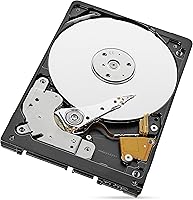
Specifications

  • Brand: Manufactured by Seagate, one of the longest-established names in consumer and enterprise hard drive storage.
  • Series: Part of the BarraCuda Pro lineup, which sits above the standard BarraCuda family and targets performance-oriented and professional users.
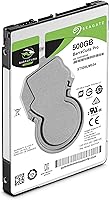
  • Model Number: The official model number is ST500LM034, useful for confirming compatibility or registering the warranty.
  • Capacity: Offers 500GB of usable storage, which is best suited for targeted use cases such as OS installation, media archives, or secondary game storage.
  • Form Factor: Built in the 2.5-inch format, making it compatible with most laptops, slim desktops, and standard external enclosures.
  • Interface: Uses a SATA 6Gb/s connection, which is universally supported across modern laptops and desktop motherboards with a standard SATA port.
  • Rotational Speed: Spins at 7200 RPM, which is significantly faster than the 5400 RPM drives commonly found in budget and mid-range laptops.
  • Cache Buffer: Equipped with a 128MB cache buffer that helps manage bursts of read and write activity during demanding workloads.
  • Drive Type: This is a mechanical hard disk drive (HDD), meaning it uses spinning magnetic platters rather than flash memory for data storage.
  • Dimensions: Measures 3.95 x 2.75 x 0.28 inches, keeping it compact enough for thin-and-light laptop bays and slim enclosures.
  • Weight: Weighs 2.99 ounces, making it light enough to handle easily during installation without adding meaningful bulk to a laptop.
  • Compatible Devices: Designed for internal installation in desktop PCs and laptops that feature a standard 2.5-inch SATA drive bay.
  • Installation Type: Intended for internal installation; it is a bare drive and requires a compatible host system or enclosure rather than a plug-and-play USB connection.
  • Warranty: Covered by a five-year limited warranty from Seagate, one of the most generous coverage periods available for a consumer-grade internal HDD.
  • Data Recovery: Includes two years of Seagate Rescue Data Recovery Services, which provides professional recovery assistance in the event of accidental data loss or drive failure.
  • Packaging: Ships in Frustration Free Packaging, designed to minimize waste and make the unboxing and installation process straightforward.

Related Reviews

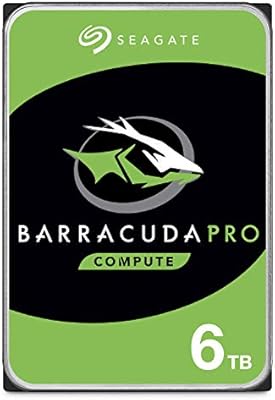
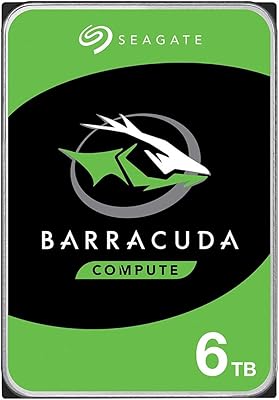
Seagate BarraCuda Pro 6TB Internal Hard Drive
87%
88%
Performance
95%
Storage Capacity
89%
Speed (7200 RPM)
85%
Reliability
91%
Ease of Setup
More
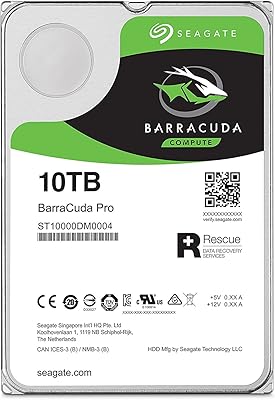
Seagate BarraCuda Pro 10TB Internal Hard Drive
74%
93%
Storage Capacity
78%
Read/Write Performance
61%
Reliability & Longevity
54%
Noise & Vibration
91%
Warranty Coverage
More
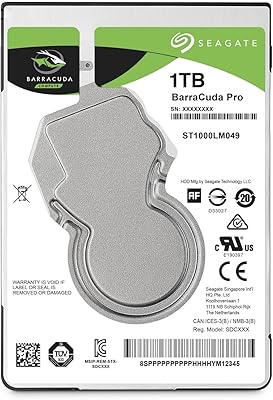
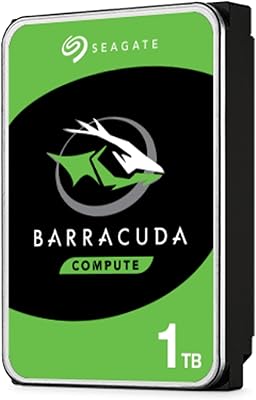
Seagate BarraCuda Pro 1TB 7200RPM Internal Hard Drive
87%
92%
Performance
90%
Speed
88%
Reliability
95%
Ease of Installation
65%
Noise Levels
More
Seagate BarraCuda ST500DM002 500GB Internal Hard Drive
71%
83%
Value for Money
91%
Installation Ease
67%
Read/Write Performance
72%
Long-Term Reliability
88%
Compatibility
More
Seagate BarraCuda ST1000DM010 1TB Internal Hard Drive
77%
91%
Value for Money
74%
Reliability & Longevity
79%
Read & Write Performance
93%
Installation Ease
68%
Noise & Vibration
More
Seagate BarraCuda 4TB Internal Hard Drive
87%
86%
Performance
90%
Reliability
93%
Setup & Installation
95%
Storage Capacity
72%
Data Transfer Speed
More
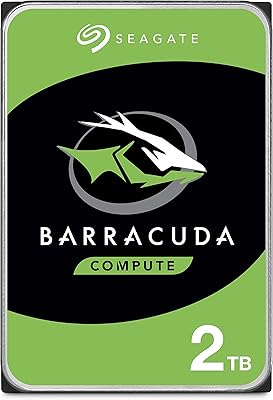
Seagate BarraCuda 2TB Internal Hard Drive
79%
91%
Value for Money
74%
Transfer Speed
77%
Reliability & Longevity
93%
Installation Ease
79%
Noise Level
More
Seagate Barracuda 6TB Internal Hard Drive
77%
93%
Value for Money
91%
Storage Capacity
74%
Reliability & Longevity
89%
Installation Ease
61%
Read/Write Performance
More
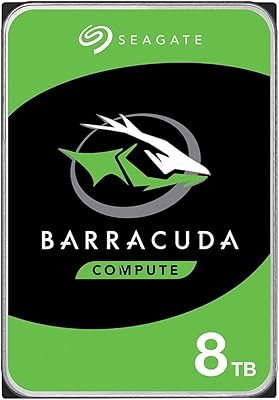
Seagate BarraCuda ST8000DM004 8TB Internal Hard Drive
73%
93%
Storage Capacity Value
67%
Reliability & Longevity
61%
Read & Write Performance
89%
Installation & Compatibility
63%
Noise & Vibration
More
Seagate Barracuda ST5000DM000 5TB Internal Hard Drive
83%
91%
Value for Money
94%
Storage Capacity
88%
Ease of Setup
85%
Performance for General Use
65%
Speed for Demanding Tasks
More

FAQ

If your laptop has a standard 2.5-inch SATA drive bay, it should fit without issue. The drive is 0.28 inches thick, which suits most standard laptop bays, but it is worth double-checking your laptop's specs before ordering since some ultrabooks use a thinner 7mm bay or an M.2 slot instead of a SATA connector.

Most laptops ship with 5400 RPM drives, and the jump to 7200 RPM makes a noticeable difference in everyday tasks like booting up, launching applications, and transferring large files. That said, it still won't match the speed of a solid-state drive — the improvement is real but keeps you firmly in mechanical HDD territory.

It depends entirely on how you plan to use it. For a dedicated OS drive, a secondary game drive, or a media archive alongside another storage device, 500GB works fine. If you're planning to store everything on one drive — a large Steam library, raw video footage, and your full photo collection — you'll likely run out of space faster than expected.

Yes, a standard 2.5-inch SATA enclosure will work perfectly. Just make sure the enclosure supports SATA drives rather than IDE, and you're good to go. This is a popular option for people who want to repurpose the drive for portable backup storage.

The Seagate BarraCuda Pro 500GB Internal Hard Drive comes with two years of Rescue Data Recovery Services, which gives you access to Seagate's professional data recovery team if the drive fails or data is accidentally deleted. It covers mechanical failure, accidental damage, and file corruption scenarios, though it's worth reading Seagate's terms to understand any limitations before you need to use it.
It produces audible seek noise during heavy read and write activity — a faint clicking or buzzing sound that's normal for any 7200 RPM mechanical drive. If you're coming from an SSD, it will be a noticeable change. In a typical desktop setup it's rarely distracting, but in a quiet room or a laptop sitting on a desk, you'll hear it working during large file operations.

Yes, in most cases. The drive ships unformatted, so you'll need to initialize and format it through your operating system before it shows up as usable storage. On Windows, Disk Management handles this in a few clicks. If you're installing an operating system onto it fresh, your OS installer will take care of formatting during setup.

The Pro tier runs at 7200 RPM versus the 5400 RPM found in many standard BarraCuda models, which translates to better sustained performance. You also get a longer warranty period and the bundled data recovery service, neither of which comes with the base model. For everyday light use, a standard BarraCuda gets the job done, but the Pro makes more sense if you're doing anything performance-intensive or need that extra peace of mind.

You can, but managing expectations is important. Games will load noticeably slower from a mechanical drive compared to an SSD, and open-world titles that stream assets continuously will show the difference most. This 2.5-inch HDD is better suited as a secondary drive for storing your game library while an SSD handles the OS and your most-played titles.

Seagate's warranty process is generally straightforward — you register the drive using the model number, and replacement requests are handled through their support portal. Most buyers report the process being uncomplicated, though a small number have noted that navigating the Rescue Data Recovery redemption specifically can involve some back-and-forth. Keeping your purchase receipt and registering the drive early makes everything easier if you ever need to make a claim.