Overview

The Seagate ST9500423AS 500GB 2.5″ Internal Hard Drive is part of Seagate's Momentus line — a family of spinning drives built for laptops and compact systems that need reliable storage without breaking the bank. SSDs have clearly taken over as the performance choice, but this 500GB Seagate laptop drive still makes a compelling case where cost-per-gigabyte matters more than raw speed. Think older laptops, secondary machines, or budget refurbishments where dropping in a solid-state drive simply isn't worth the expense. It's a mechanical drive and doesn't pretend to be anything else — honest, practical storage for the use cases that still call for it.
Features & Benefits

The 7200 RPM spindle speed is the headline spec here, and it makes a real difference compared to the 5400 RPM drives common in budget laptops — snappier file transfers and quicker load times, though still nowhere near SSD territory. The 16 MB cache helps smooth out short bursts of read/write activity during multitasking. G-Force Protection adds meaningful durability against minor bumps and vibration, which genuinely matters in a portable machine. The fluid dynamic bearing motor keeps heat and noise lower than older ball-bearing designs, and S.M.A.R.T. monitoring lets you track drive health proactively before small issues become full failures.

Best For

This Momentus hard drive is a practical fit for anyone replacing a dead or sluggish 2.5-inch drive in an older laptop, especially when an SSD upgrade isn't in the budget. It also works well as secondary archive storage inside a desktop tower or compact NAS where capacity outweighs speed as a priority. IT professionals maintaining legacy hardware fleets will appreciate the low cost per unit for bulk replacements. Media collectors storing large video libraries can put it to work without much fuss. Just set realistic expectations — this is a mechanical drive built for light to moderate workloads, not high-demand performance tasks.

User Feedback

Sitting at 3.9 out of 5 across roughly 650 ratings, this 2.5″ mechanical drive earns cautious approval rather than strong enthusiasm. Satisfied buyers consistently highlight easy installation and solid SATA compatibility — pop it in, format it, and it works without drama. The speed bump over slower 5400 RPM alternatives gets genuine appreciation from users upgrading aging systems. That said, noise is a recurring complaint; 7200 RPM spins audibly louder in quiet environments. More importantly, a notable share of reviewers report early unit failures within the first year. It isn't the majority experience, but it's consistent enough to factor in — backing up regularly is non-negotiable with this drive.

Pros

  • Faster than typical 5400 RPM laptop drives, making everyday tasks noticeably more responsive on older hardware.
  • 500GB of capacity covers most general storage needs without requiring an external drive.
  • G-Force Protection adds a layer of durability that matters in portable machines prone to bumps.
  • S.M.A.R.T. support lets you monitor drive health and catch warning signs before a full failure occurs.
  • The fluid dynamic bearing motor runs cooler and quieter than older mechanical drive designs.
  • Standard SATA interface means installation is straightforward with no adapter or special tools needed.
  • Native Command Queuing improves efficiency when the drive handles multiple simultaneous read/write requests.
  • At its price point, this 500GB Seagate laptop drive offers strong value-per-gigabyte for budget-focused upgrades.
  • Works reliably as secondary or archival storage where speed is not the primary concern.
  • Compact 2.5-inch form factor fits most laptops and slim desktop bays without compatibility headaches.

Cons

  • A meaningful share of user reviews report unit failure within the first year, which is difficult to ignore.
  • Noticeably louder than 5400 RPM alternatives, which can be distracting in quiet environments.
  • Mechanical drives are inherently more vulnerable to physical shock than solid-state options despite G-Force Protection.
  • Any budget SSD will outperform this Momentus hard drive significantly for OS and application load times.
  • No warranty details are prominently communicated, leaving buyers uncertain about post-purchase coverage.
  • Sequential read and write speeds are limited by the mechanical nature of the drive, capping practical throughput.
  • Not suitable as a sole primary drive without a reliable backup strategy given the reliability concerns raised by buyers.
  • Heat buildup during sustained workloads is a consideration in compact laptop chassis with limited airflow.

Ratings

Our AI rating engine analyzed hundreds of verified global purchases of the Seagate ST9500423AS 500GB 2.5″ Internal Hard Drive, actively filtering out incentivized, duplicate, and bot-generated submissions to surface what real buyers actually experienced. The scores below reflect both the genuine strengths and the recurring frustrations reported across diverse use cases — from budget laptop rescues to secondary storage setups. Nothing has been smoothed over; where buyers struggled, the scores show it.

Reliability & Longevity
61%
39%
A solid portion of buyers reported units that ran without issue for several years, particularly in light-use scenarios like archival storage or secondary drives in desktops. Those who used it as a non-primary drive and kept workloads modest generally had a positive long-term experience.
A notable and recurring pattern in negative reviews involves units failing within the first 12 months, which is difficult to dismiss as statistical noise across hundreds of ratings. For buyers relying on this as a sole drive, the failure rate makes it a risky proposition without a solid backup strategy in place.
Value for Money
78%
22%
At its price point, this 500GB Seagate laptop drive delivers more storage per dollar than most budget SSDs, making it genuinely useful for users who need capacity over speed. Budget-conscious buyers refurbishing older machines consistently highlighted this as one of its strongest arguments.
The value calculation shifts when you factor in the reliability concerns — a drive that fails early ends up costing more in time and replacement fees than a slightly pricier alternative. Buyers who experienced early failures felt the savings weren't worth the hassle.
Read/Write Performance
69%
31%
The 7200 RPM speed gives this Momentus hard drive a real edge over the 5400 RPM drives found in many budget laptops, with users noticing quicker file transfers and snappier response during everyday tasks like opening folders or loading documents.
Against any SSD — even a basic entry-level one — the performance gap is stark and immediately noticeable for OS and application tasks. Users who expected modern performance were often disappointed once they compared it side by side with current storage alternatives.
Installation Ease
88%
Buyers across skill levels consistently praised how straightforward installation was — standard SATA connector, familiar 2.5-inch form factor, and no driver requirements meant most people had it up and running within minutes. Even first-timers replacing a laptop drive reported no friction.
A small number of users noted that some laptop models require specific screw mounts or caddy adapters that don't always come included, adding a minor extra step. This isn't a flaw with the drive itself, but it caught a few buyers off guard.
Noise Level
58%
42%
Compared to older ball-bearing drive designs, the fluid dynamic bearing motor does keep vibration and idle hum reasonably controlled. Users running this drive inside a desktop case or external enclosure reported acceptable noise levels during light activity.
At 7200 RPM, this 2.5″ mechanical drive is noticeably louder than quieter 5400 RPM alternatives, and several buyers working in quiet home offices or using thin laptops flagged the audible whirring as a persistent annoyance during sustained read/write operations.
Compatibility
86%
The standard SATA interface and universal 2.5-inch form factor mean this drive works with an enormous range of laptops, desktops, and USB enclosures without any fuss. Buyers upgrading machines from multiple different brands — Dell, HP, Lenovo, Acer — all reported smooth compatibility.
A handful of users ran into issues with very thin ultrabook-style laptops that use proprietary connectors or have no 2.5-inch bay at all, leading to returns. Buyers should verify their machine's drive bay type before purchasing.
Heat Management
71%
29%
The fluid dynamic bearing motor runs cooler than older drive architectures, and most users didn't report heat as a primary concern during normal everyday use. In desktop builds with adequate airflow, thermal performance was consistently reported as acceptable.
Under sustained workloads — long backup sessions or extended media transfers — a few users noted warmth building up inside compact laptop chassis with limited ventilation. It's not a chronic issue, but worth monitoring in older machines with poor airflow.
Capacity Usefulness
81%
19%
500GB sits in a practical sweet spot for secondary storage, media archives, and older system upgrades where massive capacity isn't the goal. Students, home users, and IT technicians all found it a comfortable fit for their moderate storage needs without paying for unused space.
For users accumulating large 4K video libraries or maintaining extensive game installations, 500GB fills up faster than expected. Those with expanding storage needs may find themselves outgrowing this drive sooner than anticipated.
S.M.A.R.T. & Health Monitoring
74%
26%
S.M.A.R.T. support is a genuinely useful feature that lets tools like CrystalDiskInfo or HDD Sentinel flag early warning signs before a drive fails completely. Several buyers specifically mentioned using this to catch degradation in time to back up their data safely.
S.M.A.R.T. only helps if you actually use monitoring software — buyers who ignored it and experienced failures wished they had set it up earlier. The feature doesn't prevent failure; it just gives you a warning window that not everyone takes advantage of.
G-Force Protection
66%
34%
The built-in G-Force Protection feature gives this Momentus hard drive a degree of resilience against the minor bumps and vibrations a laptop encounters during daily use, which is a meaningful advantage over bare mechanical drives with no such protection.
G-Force Protection has real limits — it's designed for minor operational shocks, not drops from height or rough handling. A few users who dropped their laptops mid-operation still reported drive damage, so it shouldn't be confused with the kind of ruggedized protection found on purpose-built portable drives.
Build & Physical Quality
72%
28%
The drive feels solidly constructed for its weight class, and the compact dimensions fit cleanly into standard laptop bays. At just over 3 ounces, it's light enough that its presence in a laptop chassis is essentially undetectable.
As a mechanical drive, it inherently carries the physical vulnerabilities of spinning platters and a moving read head — components that SSDs simply don't have. Long-term structural durability under daily mobile use remains a legitimate concern for buyers who move their laptops frequently.
Software & Ecosystem Support
63%
37%
Seagate's DiscWizard cloning software is available as a free download for drive owners, which several buyers found helpful when migrating their existing system to this drive without a clean reinstall. The brand's support documentation is reasonably thorough for a legacy product.
Software support for older Seagate products can be inconsistent, and some buyers noted difficulty finding up-to-date drivers or tools compatible with newer operating systems. The product has aged enough that ecosystem support feels thinner than it once was.

Suitable for:

The Seagate ST9500423AS 500GB 2.5″ Internal Hard Drive is a solid pick for anyone working with older or budget laptops that need a straightforward, affordable storage replacement. If your machine's original drive has failed or slowed to a crawl, dropping in this Momentus hard drive is a practical fix that doesn't demand a big investment. It also serves well as secondary or archival storage inside a compact desktop or entry-level NAS, where the goal is capacity rather than blazing transfer speeds. IT professionals maintaining fleets of legacy machines will find real value here, since the low unit cost makes bulk stocking sensible. Media collectors or students storing large files on a secondary device will also get their money's worth, provided they understand what a mechanical drive can and cannot do.

Not suitable for:

The Seagate ST9500423AS 500GB 2.5″ Internal Hard Drive is simply the wrong tool for anyone who needs fast, responsive everyday computing. If you're building or upgrading a primary system and plan to run an operating system, applications, or games from this drive, the performance gap versus even a budget SSD will frustrate you quickly. Power users, video editors, and anyone doing frequent large file transfers will hit the ceiling of what mechanical storage can offer. The audible noise at 7200 RPM is also a real concern in quiet work environments or for users sensitive to drive hum. Perhaps most importantly, the reliability track record is uneven enough that using this 2.5″ mechanical drive as your only backup or sole system drive carries genuine risk — it should never be the single copy of anything important.

Specifications

  • Capacity: This drive offers 500GB of storage, suitable for general laptop use, media archives, and secondary storage roles.
  • Form Factor: Built in the compact 2.5-inch format standard for laptops and slim desktops, measuring 3.95 x 2.75 x 0.37 inches.
  • Interface: Uses a SATA 3.0 Gb/s (SATA/300) connection, compatible with the vast majority of laptops and desktop motherboards built in the last two decades.
  • Rotational Speed: The spindle spins at 7200 RPM, placing this drive in the faster tier of mechanical laptop hard drives.
  • Cache Buffer: A 16 MB onboard buffer helps manage short bursts of read and write activity during everyday computing tasks.
  • Average Latency: Average rotational latency is rated at 4.2 ms, reflecting the time it takes for the correct data sector to rotate under the read head.
  • Read Seek Time: Random read seek time is specified at 11 ms, indicating how quickly the drive head locates data during typical read operations.
  • Write Seek Time: Random write seek time is rated at 13 ms, slightly slower than read seeks as is standard for mechanical drives.
  • Drive Type: This is a traditional mechanical hard disk drive (HDD), using spinning platters and a physical read/write head rather than flash memory.
  • G-Force Protection: Seagate's G-Force Protection technology is built in to help the drive withstand minor vibrations and accidental bumps during operation.
  • Command Queuing: Native Command Queuing (NCQ) is supported, allowing the drive to reorder pending commands for more efficient data access.
  • Health Monitoring: S.M.A.R.T. (Self-Monitoring, Analysis, and Reporting Technology) is supported, enabling compatible software to monitor drive health over time.
  • Bearing Motor: A fluid dynamic bearing motor is used in place of older ball-bearing designs, which reduces operating noise and heat generation.
  • Weight: The drive weighs 3.17 ounces, making it light enough for portable laptop installations without adding meaningful bulk.
  • Installation Type: Designed as an internal drive, requiring physical installation inside a laptop or desktop bay — not plug-and-play via USB.
  • Compatible Devices: Officially compatible with laptops and desktop computers that support a 2.5-inch SATA internal drive bay.
  • Manufacturer: Manufactured by Seagate Technology, one of the longest-established hard drive brands in the industry.
  • Model Number: The official model number is ST9500423AS, part of Seagate's Momentus ST9500423 series.

Related Reviews
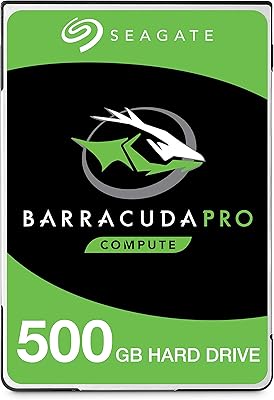
Seagate BarraCuda Pro 500GB Internal Hard Drive
75%
74%
Read/Write Performance
83%
Reliability & Longevity
67%
Value for Money
58%
Noise & Vibration
91%
Compatibility
More
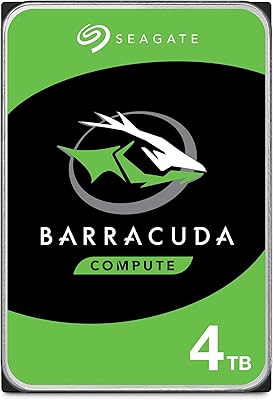
Seagate BarraCuda ST4000LM024 4TB Internal Hard Drive
70%
93%
Storage Density
84%
Value for Money
61%
Compatibility
67%
Sequential Read/Write Speed
48%
Random Access Performance
More
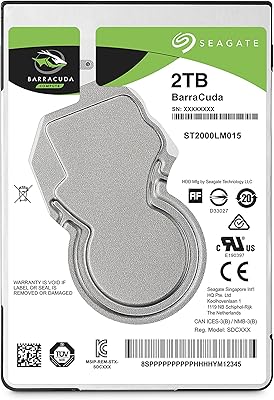
Seagate 2TB BarraCuda 2.5-Inch Internal Hard Drive
86%
89%
Performance
91%
Quiet Operation
88%
Energy Efficiency
93%
Installation Ease
90%
Reliability
More
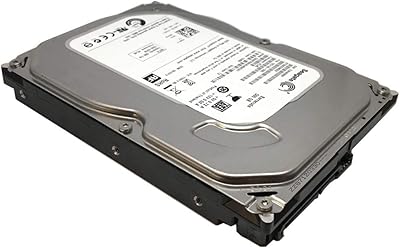
Seagate BarraCuda ST500DM002 500GB Internal Hard Drive
71%
83%
Value for Money
91%
Installation Ease
67%
Read/Write Performance
72%
Long-Term Reliability
88%
Compatibility
More
Toshiba MQ01ABD100 1TB 2.5″ Internal Hard Drive
81%
88%
Value for Money
91%
Noise Level
93%
Installation Ease
52%
Read/Write Speed
67%
Long-Term Reliability
More
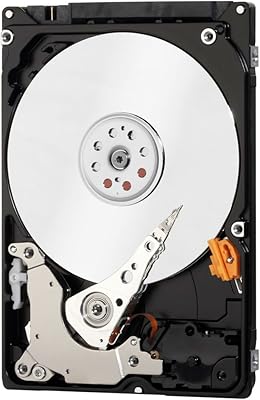
Seagate Momentus 2TB 2.5″ SATA Hard Drive
85%
85%
Performance
91%
Ease of Installation
94%
Portability/Size
93%
Storage Capacity
88%
Compatibility
More
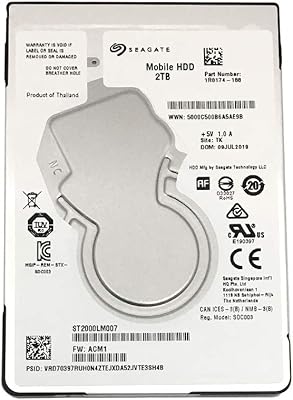
WD Blue 1TB 2.5-inch Internal Hard Drive
79%
88%
Value for Money
91%
Storage Capacity
54%
Read & Write Speed
93%
Installation Ease
82%
Noise Level
More
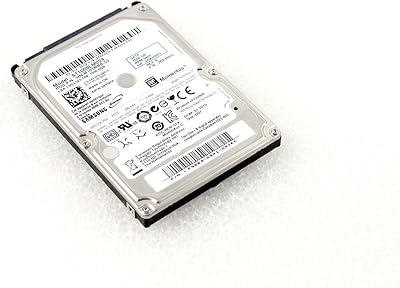
Seagate ST2000LM007 2TB Internal Hard Drive
75%
88%
Storage Value
58%
Read/Write Speed
93%
Installation Ease
74%
Reliability
61%
Noise & Vibration
More
Seagate Momentus ST1000LM024 1TB 2.5-Inch SATA III 5400 RPM Hard Drive
84%
91%
Value for Money
88%
Storage Capacity
94%
Ease of Installation
85%
Performance for Everyday Use
90%
Power Efficiency
More
Western Digital Velociraptor 1TB 10K RPM SATA III 2.5-Inch Internal Hard Drive
81%
92%
Performance in Demanding Tasks
88%
Data Transfer Speed
85%
Build Quality & Durability
90%
Compatibility with Desktop/Server Setups
65%
Noise Levels During Operation
More

FAQ

If your laptop uses a standard 2.5-inch SATA drive bay — which covers the vast majority of consumer laptops made in the last 15 or so years — it should fit without any issues. Just double-check your laptop's specs before ordering, since a small number of ultra-thin models use proprietary connectors or M.2 slots instead.

Quite possibly, yes. Many laptops ship with 5400 RPM drives to save power and reduce cost, and this Momentus hard drive spins at 7200 RPM, which translates to noticeably quicker file access and slightly faster load times. That said, it still won't come close to the speeds you'd get from an SSD.

That really depends on your priorities. An SSD will be dramatically faster and more durable, but it typically costs more for the same storage capacity. This 500GB Seagate laptop drive makes more sense if you're working with a tight budget, an older machine, or you just need extra storage rather than a performance boost.

Seagate has historically offered their DiscWizard software as a free download for Seagate drive owners, which can handle cloning your existing drive to this one. However, it's best to verify current software availability on Seagate's website at the time of purchase, since software offerings can change.

At 7200 RPM, this 2.5″ mechanical drive is audibly louder than a 5400 RPM alternative or any SSD. In a quiet room, you'll likely notice a soft whirring or clicking during heavy read/write activity. It's not disruptive for most people, but if you're sensitive to drive noise, it's worth factoring in.

Yes, a standard 2.5-inch SATA USB enclosure will work fine with this drive. It's a popular way to repurpose old internal drives, and the setup is straightforward — just slide the drive into the enclosure, connect via USB, and format it for your operating system.

The Seagate ST9500423AS 500GB 2.5″ Internal Hard Drive has a mixed reliability record based on real user feedback. Many units have run without problems for years, but a notable number of buyers have reported failures within the first year. Like any mechanical hard drive, it should never be your only copy of important data — a regular backup habit is essential.

It works with Windows, macOS, and Linux without any special drivers needed. The drive simply shows up as a standard SATA storage device once installed and formatted for your chosen operating system.

Technically yes, but it's not the ideal choice for a primary OS drive if you have alternatives. Boot times and application load speeds will be significantly slower compared to an SSD. It's better suited as a secondary storage drive, with an SSD handling the OS if your machine supports it.

It can work in a NAS that accepts 2.5-inch SATA drives, and it functions fine in a USB enclosure as well. Just keep in mind it's rated for light to moderate workloads — running it continuously under heavy NAS demands may accelerate wear faster than a drive built specifically for that purpose.

Where to Buy