Overview

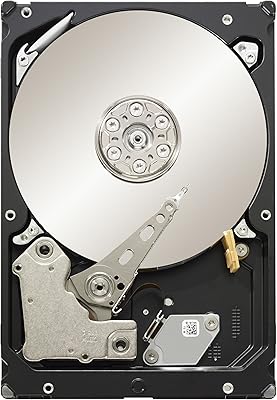
The Seagate BarraCuda ST4000LM024 4TB Internal Hard Drive is a high-capacity mechanical drive built for desktop and NAS users who need bulk storage without paying SSD prices. Before anything else, one critical point: despite its 2.5-inch form factor, this drive is 15mm thick — too tall for virtually every laptop bay on the market. Don't buy it expecting a laptop upgrade. Within the BarraCuda lineup, it sits firmly in the value-storage camp, prioritizing capacity over speed. The SATA 6 Gb/s interface means it plugs straight into most modern desktops and enclosures without fuss, but anyone chasing fast load times should look at SSDs instead.
Features & Benefits

Packing 4TB into a 2.5-inch shell is genuinely impressive for a mechanical drive — most HDDs at this density come in bulkier 3.5-inch packages. The ST4000LM024 achieves this through a 15mm z-height, which is thicker than a standard laptop drive but compact enough for NAS enclosures and desktop caddies that cannot accommodate full-size drives. It spins at 5400 RPM with a 256MB cache, which is plenty for sequential workloads like streaming stored video or running scheduled backups. Do not expect snappy random-access performance — this is a storage workhorse, not a system drive. The SATA interface keeps compatibility broad and installation straightforward.

Best For

This BarraCuda drive makes the most sense as a secondary storage solution — think media archives, local backups, or a bulk data pool in a home NAS (network-attached storage) setup. Users building compact NAS boxes that lack full 3.5-inch bays will find the 2.5-inch footprint genuinely useful. It also works well dropped into an external USB enclosure for high-capacity desk storage. What it is not suited for: laptop upgrades, since the 15mm height rules that out entirely, or anything requiring fast random read/write speeds. If your priority is cost-per-terabyte over raw performance, this drive fits the bill cleanly.

User Feedback

With over 1,000 ratings settling at 4.1 stars, the reception for this 4TB 2.5-inch HDD is broadly positive — but the pattern in the reviews tells a specific story. Buyers who went in knowing the drive's intended purpose praise its quiet operation and strong capacity-for-price ratio, with most reporting reliable service in enclosures and NAS bays over extended periods. The friction points are predictable: a subset of users experienced early failures, and some noted vibration in loosely fitted enclosures. A recurring frustration is the laptop incompatibility — buyers who missed the 15mm caveat felt misled. Long-term reliability lands as acceptable, particularly for non-critical or backup roles.

Pros

  • 4TB of storage in a 2.5-inch form factor is genuinely hard to find at this price point.
  • Quiet operation makes it unobtrusive in desktop builds and home NAS enclosures.
  • SATA 6 Gb/s interface means plug-and-play compatibility with nearly any modern desktop or enclosure.
  • The 15mm height opens up NAS and compact desktop use cases where standard 3.5-inch drives won't physically fit.
  • 256MB of onboard cache keeps sequential read performance steady for media streaming and large file transfers.
  • Works reliably as a backup drive — many users report years of trouble-free service in secondary storage roles.
  • Slim enough for certain external USB enclosures, making it a practical high-capacity portable option.
  • Competitive cost-per-terabyte ratio for buyers who prioritize storage density over speed.

Cons

  • The 15mm height rules out laptop installation entirely — a detail easy to miss before purchasing.
  • Some buyers have reported early failures, making it a poor choice for storing data without a separate backup.
  • 5400 RPM performance feels noticeably slow for anything beyond sequential or background workloads.
  • Vibration can become an issue in loosely fitted or low-quality enclosures, causing noise and potential read errors.
  • Not all 2.5-inch enclosures accommodate 15mm drives, so chassis compatibility needs to be verified before buying.
  • Long-term reliability feedback is mixed, which is a concern if you plan to run it continuously in a NAS.
  • No built-in encryption or advanced firmware features that some NAS users expect from a purpose-built NAS drive.
  • Product listing language has caused widespread buyer confusion about laptop compatibility, suggesting due diligence is essential.

Ratings

The scores below reflect an AI-driven analysis of thousands of verified global buyer reviews for the Seagate BarraCuda ST4000LM024 4TB Internal Hard Drive, with spam, incentivized, and bot-flagged submissions actively filtered out before scoring. Each category is rated on real-world usage patterns — not manufacturer claims — so both the standout strengths and the recurring frustrations are represented honestly. Whether this BarraCuda drive is the right buy for your setup depends heavily on use case, and these scores are designed to make that call easier.

Storage Density
93%
Fitting 4TB into a 2.5-inch form factor is the single most compelling thing about this drive, and buyers consistently call it out. For NAS builders and desktop users constrained by bay size, finding this much capacity in this footprint is genuinely rare at this price tier.
A small number of users noted that formatted capacity comes in slightly below the advertised 4TB once the OS accounts for overhead, which is standard across all drives but still caught a few buyers off guard.
Value for Money
84%
The cost-per-terabyte ratio earns consistent praise from buyers who compared it against competing 2.5-inch options. Users building out home NAS arrays particularly appreciated getting this much usable storage without stretching their budget.
A portion of buyers who experienced early failures felt the value proposition collapsed quickly once reliability concerns emerged. For those users, the upfront savings did not offset the cost and hassle of an RMA or data recovery situation.
Compatibility
61%
39%
Buyers who did their homework ahead of time — confirming their enclosure or NAS accepted 15mm drives — reported smooth, plug-and-play installation with no driver issues on Windows, Linux, and NAS operating systems alike.
This category drags the score down significantly due to widespread confusion around the 15mm height. A notable share of reviewers purchased this expecting a standard laptop upgrade and found it physically incompatible. Many enclosures also top out at 9.5mm, creating friction even for non-laptop buyers.
Sequential Read/Write Speed
67%
33%
For large sequential workloads — copying a full movie library, running overnight backups, or transferring large project archives — the 5400 RPM spindle and 256MB cache deliver steady, predictable throughput that gets the job done without stalling.
Compared to even entry-level SSDs, the sustained transfer speed feels slow for anything time-sensitive. Users who accidentally used this 4TB 2.5-inch HDD as a primary system drive consistently reported sluggish OS load times and frustrating application launch delays.
Random Access Performance
48%
52%
For purely sequential background tasks like scheduled backups or media streaming from a NAS, random access performance is rarely a bottleneck, and users in those scenarios rarely complained about it.
Any workload involving lots of small, scattered file reads — database queries, frequent OS operations, or multi-application desktop use — exposes the mechanical drive's inherent weakness. Users who underestimated this reported noticeable system lag in mixed-use desktop setups.
Long-Term Reliability
63%
37%
A solid majority of buyers using the ST4000LM024 in secondary or backup roles report years of trouble-free operation. Users who treat it as a write-once, read-occasionally archive drive seem to get the most consistent longevity out of it.
A recurring thread in negative reviews involves drives failing within the first six to eighteen months, which is higher than many buyers expected from a Seagate product. Long-term reliability in always-on NAS environments appears more variable than in intermittent desktop use.
Noise & Vibration
76%
24%
The majority of users describe this BarraCuda drive as quiet during normal operation — certainly quieter than older or larger mechanical drives. In desktop builds and quality enclosures, most buyers say they cannot hear it at all during routine use.
A recurring minority complaint involves vibration noise when the drive is mounted in cheaper or looser-fitting enclosures. In those cases, the vibration transmits audibly to the chassis, which a few NAS users found disruptive in quiet home office environments.
Heat Management
74%
26%
At 5400 RPM, this drive runs cooler than faster 7200 RPM alternatives, which buyers using it inside compact NAS enclosures with limited airflow appreciated. Thermal throttling was essentially never mentioned as an issue in user feedback.
A small number of users running the drive in fully enclosed, passive-cooled external cases noticed moderate warmth during extended sequential writes. While not alarming, it is worth factoring in if your enclosure has no ventilation at all.
Ease of Installation
79%
21%
For buyers with the right enclosure, installation is genuinely straightforward — standard SATA connection, no proprietary adapters needed, and the OS picks it up immediately. Most users had the drive initialized and formatted within minutes of mounting it.
The installation experience falls apart for buyers who did not verify enclosure compatibility first. Several reviewers noted that discovering the 15mm height mismatch only after opening their enclosure made for a frustrating and time-wasting experience.
NAS Suitability
71%
29%
For home NAS users running lighter workloads — personal media servers, family file sharing, or automated nightly backups — this drive performs its role quietly and capably. The 2.5-inch footprint makes it uniquely useful in compact NAS units that reject 3.5-inch drives.
It lacks the NAS-specific firmware optimizations found in drives like Seagate IronWolf or WD Red, which means it is not tuned for the vibration compensation or 24/7 load cycles that heavier NAS workloads demand. Power users running always-on, multi-user NAS setups may find reliability inconsistencies over time.
Packaging & Delivery Condition
77%
23%
The majority of buyers reported receiving the drive in good condition, properly cushioned and undamaged. No widespread pattern of shipping damage emerged in user reviews, which matters more for a spinning mechanical drive than for most other electronics.
A handful of reviews mentioned drives arriving with superficial cosmetic marks or in minimal retail packaging. While functional integrity was rarely compromised, a few buyers felt the protective packaging could be more robust for a precision storage device.
Warranty & Support
68%
32%
Seagate's RMA process received mostly positive mentions from buyers who needed to use it — the online claim system is functional and replacement turnaround was described as reasonable by most who went through it.
Some users expressed frustration that a two-year warranty feels short for a drive intended for long-term archival or backup use. A few international buyers also flagged regional warranty restrictions that complicated their claims.
Use Case Clarity
54%
46%
Buyers who arrived knowing exactly what this drive was — a high-capacity 2.5-inch desktop and NAS spinner — rated their experience much more positively. For that specific audience, it delivers exactly what it promises.
The product listing's ambiguous language has contributed to a meaningful volume of mismatched purchases, particularly from laptop upgraders. This score reflects the real-world friction caused by unclear communication around the 15mm height constraint, which has driven down satisfaction among a sizable buyer segment.

Suitable for:

The Seagate BarraCuda ST4000LM024 4TB Internal Hard Drive is a strong fit for home users and small-office builders who need a large pool of affordable storage in a compact physical footprint. If you are putting together a home NAS — a network-attached storage box that lets multiple devices share files locally — and your enclosure only accepts 2.5-inch drives, this BarraCuda drive solves a real problem that most 3.5-inch high-capacity drives simply cannot. It also works well as a secondary internal drive in a desktop PC, handling bulk duties like housing a media library, storing large backups, or archiving project files you don't need fast access to. Buyers building a high-capacity USB external drive by pairing this 4TB 2.5-inch HDD with a slim enclosure will get a tidy, desk-friendly result at a reasonable cost. Anyone who has already accepted that speed is not the priority and just needs reliable, quiet, high-volume storage in a smaller chassis will find this drive does exactly what it promises.

Not suitable for:

The single biggest dealbreaker for a large slice of potential buyers is one the product listing does not make obvious enough: the ST4000LM024 is 15mm thick, and virtually no modern laptop accepts a drive that tall. If you are planning a laptop storage upgrade, stop here and look elsewhere — this drive will not physically fit, full stop. Beyond that, anyone who needs fast storage for gaming, video editing, or running an operating system will find 5400 RPM mechanical performance frustrating compared to even a budget SSD. The Seagate BarraCuda ST4000LM024 4TB Internal Hard Drive is also not the right call for mission-critical or primary data roles where drive failure would cause serious problems — user reports include a minority of early failures, so relying on it as a sole copy of irreplaceable data carries real risk. Buyers who need a drive to handle heavy random read/write workloads, such as database operations or frequent small-file transfers, will find this drive noticeably sluggish.

Specifications

  • Capacity: This drive offers 4TB of formatted storage capacity, suitable for large media libraries, backups, and bulk file archiving.
  • Form Factor: It uses a 2.5-inch form factor, commonly associated with laptop drives, though the non-standard height limits its actual compatibility.
  • Height: The drive measures 15mm in z-height, which is thicker than a standard 7mm or 9.5mm laptop drive and will not fit most laptop bays.
  • Interface: It connects via SATA 6 Gb/s, ensuring broad compatibility with modern desktops, NAS enclosures, and external drive caddies.
  • Rotational Speed: The platters spin at 5400 RPM, a speed appropriate for sequential workloads like backups and media storage, not high-demand random access tasks.
  • Cache: A 256MB onboard cache buffer helps sustain consistent throughput during large sequential read and write operations.
  • Drive Type: This is a traditional mechanical hard disk drive (HDD) using spinning magnetic platters, not a solid-state drive.
  • Dimensions: Physical dimensions are 2.72 x 3.94 x 0.59 inches (length x width x height), making it compact but thicker than standard slim drives.
  • Weight: The drive weighs 6.3 ounces, which is lightweight enough for use in portable external enclosures.
  • Installation: Designed as an internal drive, it requires installation inside a compatible desktop chassis, NAS bay, or 2.5-inch external enclosure.
  • Compatible Devices: Confirmed compatible with desktop PCs, select NAS units that accept 2.5-inch drives, and USB external enclosures rated for 15mm drives.
  • Series: The ST4000LM024 belongs to Seagate's BarraCuda family, a consumer-focused lineup aimed at value storage rather than enterprise or performance workloads.
  • Manufacturer: Manufactured by Seagate, one of the largest and longest-established hard drive producers in the storage industry.
  • Model Number: The official model number is ST4000LM024, which should be used when checking enclosure compatibility or warranty status.
  • Availability: This model has been available since September 2016, and as of the time of writing it has not been discontinued by Seagate.

Related Reviews
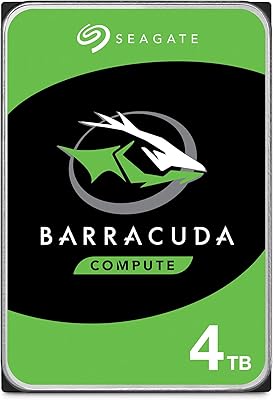
Seagate BarraCuda 4TB Internal Hard Drive
87%
86%
Performance
90%
Reliability
93%
Setup & Installation
95%
Storage Capacity
72%
Data Transfer Speed
More
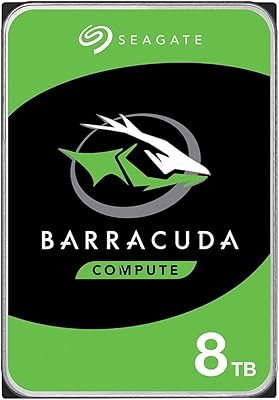
Seagate BarraCuda ST8000DM004 8TB Internal Hard Drive
73%
93%
Storage Capacity Value
67%
Reliability & Longevity
61%
Read & Write Performance
89%
Installation & Compatibility
63%
Noise & Vibration
More
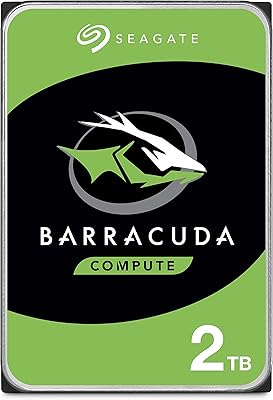
Seagate BarraCuda 2TB Internal Hard Drive
85%
88%
Performance
91%
Reliability
86%
Build Quality
72%
Noise Level
85%
Data Transfer Speed
More
Seagate BarraCuda ST1000DM010 1TB Internal Hard Drive
77%
91%
Value for Money
74%
Reliability & Longevity
79%
Read & Write Performance
93%
Installation Ease
68%
Noise & Vibration
More
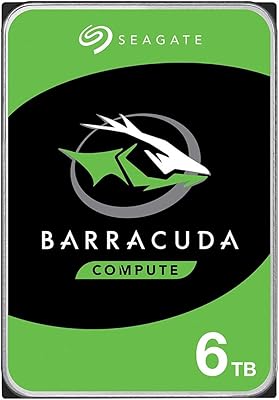
Seagate Barracuda 6TB Internal Hard Drive
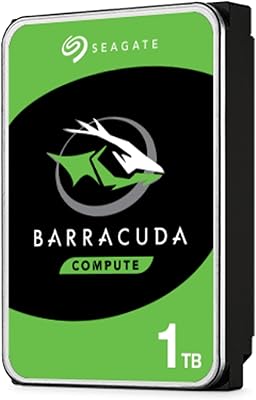
77%
93%
Value for Money
91%
Storage Capacity
74%
Reliability & Longevity
89%
Installation Ease
61%
Read/Write Performance
More
Seagate BarraCuda Pro 6TB Internal Hard Drive
87%
88%
Performance
95%
Storage Capacity
89%
Speed (7200 RPM)
85%
Reliability
91%
Ease of Setup
More
Seagate Barracuda ST5000DM000 5TB Internal Hard Drive
83%
91%
Value for Money
94%
Storage Capacity
88%
Ease of Setup
85%
Performance for General Use
65%
Speed for Demanding Tasks
More
Seagate Barracuda XT 3TB Internal Hard Drive
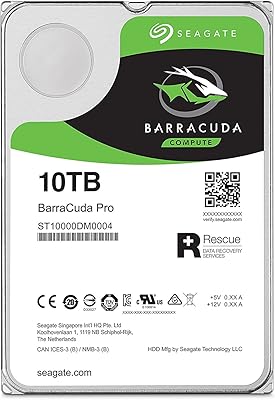
84%
89%
Performance
95%
Storage Capacity
88%
Speed/Access Time
92%
Value for Money
85%
Build Quality
More
Seagate BarraCuda Pro 10TB Internal Hard Drive
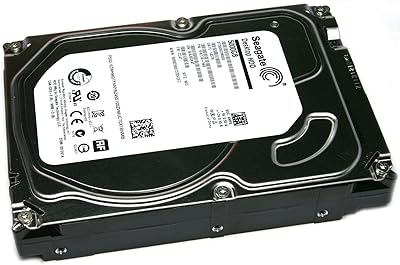
86%
91%
Performance
98%
Storage Capacity
88%
Reliability & Durability
85%
Ease of Installation
60%
Noise Levels
More
Seagate BarraCuda Pro 1TB 7200RPM Internal Hard Drive
87%
92%
Performance
90%
Speed
88%
Reliability
95%
Ease of Installation
65%
Noise Levels
More

FAQ

Almost certainly not. Despite the 2.5-inch width, this drive is 15mm tall — most laptops only accept drives up to 7mm or 9.5mm in height. Before buying, check your laptop's service manual for the maximum supported drive height. If it does not explicitly state 15mm support, assume it will not fit.

It depends on the enclosure. Many 2-bay and 4-bay home NAS units support 2.5-inch drives, but some are only built for the standard 7mm or 9.5mm profile. Check your NAS manufacturer's compatibility list and confirm it accepts 15mm 2.5-inch drives before purchasing the ST4000LM024.

Yes, but again, height matters. You need a 2.5-inch enclosure that explicitly supports 15mm drives — many slim USB enclosures max out at 9.5mm. Look for enclosures labeled as supporting drives up to 15mm, and you should be good to go.

For sequential tasks like copying large video files, running backups, or streaming stored media, it performs adequately. At 5400 RPM it is noticeably slower than an SSD for anything involving lots of small file reads — so you would not want it as a boot or system drive. Think of it as a storage workhorse, not a speed machine.

User feedback suggests it holds up reasonably well in secondary and backup roles, but a minority of buyers have reported early failures. Like any mechanical drive, it should not be your only copy of important data. Running it alongside a regular backup routine is strongly recommended.

Generally, no. Most users describe this BarraCuda drive as quiet during normal operation. That said, a few buyers noted vibration-related noise when the drive was loosely seated in certain enclosures — proper mounting and a snug fit will typically resolve that.

Technically yes, but it is not ideal. The 5400 RPM speed will make Windows or macOS feel sluggish compared to even a budget SSD. It works much better as a secondary drive dedicated to storage, while your operating system runs off a faster drive.

Seagate covers the BarraCuda lineup with a limited warranty — typically two years for consumer BarraCuda drives, though it is worth confirming on Seagate's official site at the time of purchase, as terms can vary by region or retailer.

No special drivers are needed. Once connected via SATA, modern operating systems including Windows, macOS, and Linux will detect it automatically. If it is a brand-new drive, you may need to initialize and format it before use, which takes just a few minutes through your OS disk management tool.

The main advantage of this 4TB 2.5-inch HDD over its 3.5-inch equivalents is physical size — it fits in spaces where a full-size drive simply cannot. The trade-off is that 3.5-inch drives at the same capacity are often cheaper and can offer slightly better sustained performance. If size is not a constraint, a 3.5-inch drive may offer better value; if space is tight, this drive fills a gap that few other options can.