Overview

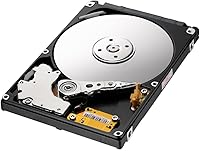
The Samsung SpinPoint M8 1TB 2.5-Inch Hard Drive is a mechanical storage drive that has quietly held its ground in a market increasingly dominated by flash storage. It launched back in 2010, yet it still sells — which says something. This is not a drive you buy for speed; it is one you buy when you need affordable bulk storage in a familiar form factor without straining your budget. Samsung had a strong reputation in hard drive engineering before Seagate acquired that division, and the M8 reflects that era of solid, dependable design. If raw performance is not your priority, this 2.5-inch hard drive makes a practical, no-nonsense case for itself.
Features & Benefits

The SpinPoint M8 packs 1TB into a slim 9.5mm-tall, 2.5-inch chassis — a form factor that fits the vast majority of laptops and external enclosures without modification. The SATA 3.0 Gbps interface means compatibility with practically anything built in the last fifteen years, old or new. Running at 5400 RPM keeps noise levels low and power draw modest, which matters in battery-powered devices. The 8MB buffer is nothing extraordinary, but for storing large media libraries or acting as a secondary archive, it handles sequential workloads without complaint. At under 4 ounces, portability is genuine, not just a spec sheet talking point.

Best For

This mechanical laptop drive makes the most sense for anyone who needs storage capacity without paying SSD prices. Laptop owners replacing a failed drive or upgrading from a cramped 250GB original are the obvious audience. Console gamers — particularly those with a PS3 or PS4 — will find it fits the bay neatly and adds real room for game installs. It also works well as a secondary desktop drive for backups and media archives where access speed is not critical. Tuck it into an external enclosure, and you have a solid portable archive. If your priority is volume over throughput, this 2.5-inch hard drive fits the brief.

User Feedback

Across more than 1,500 ratings averaging 4.1 stars, the SpinPoint M8 earns consistent praise for two things: quiet operation and straightforward installation. Buyers regularly note that it dropped right into their laptop or console with no fuss. On the downside, a small but vocal group reports drives that arrived dead or failed within the first year — a reminder to always purchase from reputable sellers and keep a return window in mind. Long-term owners sometimes flag failures after two to four years of steady use, which is not unusual for mechanical drives but does reinforce the importance of regular backups. For casual, non-critical storage, the overall satisfaction rate is genuinely solid.

Pros

  • Genuine 1TB capacity at a price point that is hard to argue with for casual storage needs.
  • The slim 9.5mm height fits the vast majority of laptops and external enclosures without modification.
  • SATA compatibility means it works with practically any system built in the last fifteen years.
  • Installation is straightforward — most buyers report a clean, plug-and-play experience with no driver headaches.
  • Runs quietly in operation, which matters in bedroom setups, living room consoles, or quiet work environments.
  • At under 4 ounces, it is light enough for use in portable external enclosures without adding noticeable bulk.
  • Over 1,500 user ratings averaging 4.1 stars reflects a genuinely broad base of satisfied buyers.
  • Power consumption is modest at 5400 RPM, which helps preserve laptop battery life compared to faster spinning drives.

Cons

  • As a mechanical drive, it is considerably slower than even entry-level SSDs for OS and application use.
  • A subset of buyers report units arriving dead on arrival, making seller reputation an important factor.
  • Some long-term users flag drive failures after two to four years of regular use — backups are non-negotiable.
  • The 8MB buffer cache is modest and can become a bottleneck in random read and write-heavy workloads.
  • Mechanical drives are vulnerable to damage from drops or bumps, limiting their suitability for truly on-the-go use.
  • No NVMe or M.2 compatibility — strictly limited to systems with a standard SATA interface and 2.5-inch bay.
  • Being an older drive design, it lacks features like hardware encryption found on more modern storage options.
  • Long-term support and firmware updates are essentially nonexistent given the age and acquisition history of the product line.

Ratings

Our AI rating system analyzed verified global user reviews for the Samsung SpinPoint M8 1TB 2.5-Inch Hard Drive, actively filtering out incentivized, bot-generated, and outlier feedback to surface what real buyers actually experience. Scores reflect both the consistent praise and the recurring frustrations reported across thousands of purchases worldwide, giving you a transparent, balanced picture before you decide.

Value for Money
88%
For buyers who need 1TB of storage without spending much, the SpinPoint M8 consistently delivers. Reviewers replacing aging laptop drives or expanding console storage repeatedly call out how much capacity they are getting for the price, making it a go-to recommendation in budget-focused communities.
The value calculation shifts if you factor in potential early failure — a dead drive means the money spent was wasted entirely. A small percentage of buyers feel burned after short-lived units, which drags perceived value down for that group despite the attractive upfront cost.
Storage Capacity
91%
One terabyte in a 2.5-inch form factor remains genuinely useful for most everyday storage tasks — game libraries, photo archives, video collections, and system backups all fit comfortably. Users upgrading from 250GB or 500GB originals describe the jump as transformative for their day-to-day workflow.
For power users accumulating 4K video footage or large application suites, 1TB fills up faster than expected. There is no higher-capacity variant in this specific model line, so buyers with growing storage needs may find themselves back in the market sooner than they would like.
Installation Ease
89%
Across hundreds of reviews, buyers highlight how straightforward the physical installation process is — drop it in the bay, connect the SATA cable, and the system recognizes it immediately. Console gamers and first-time laptop upgraders specifically appreciate that no special tools or technical knowledge are required.
A small number of users ran into compatibility hiccups with certain older BIOS configurations that did not auto-detect the drive. While rare, these edge cases required manual intervention that frustrated less technically confident buyers who expected a truly zero-effort setup.
Read & Write Speed
54%
46%
For sequential tasks like transferring large media files or playing back stored video, the drive performs adequately and does not create obvious bottlenecks. Users running it as a secondary archive or NAS drive on a home network report perfectly acceptable throughput for their needs.
As the primary drive in a laptop, the 5400 RPM speed limitation is noticeable and frustrating. Boot times are sluggish, application launches feel slow, and anyone who has used an SSD before will immediately feel the difference — this is the most commonly cited disappointment across long-form reviews.
Noise Level
86%
Quiet operation is one of the most pleasant surprises buyers mention. In bedroom setups, living room consoles, and quiet office environments, the drive runs at a near-silent hum that does not intrude on the experience — a welcome contrast to older or higher-RPM mechanical drives some users replaced.
During heavy sequential reads or intensive access periods, a faint clicking or ticking sound becomes noticeable. While not alarming or unusually loud, users in very quiet environments do pick up on it, and for some it creates a persistent low-level awareness that the drive is mechanical.
Build Quality
67%
33%
The drive feels solid and well-assembled in hand, consistent with Samsung's hardware standards from this era. Users who handle it during installation note that it does not feel cheap, and the standard metal casing holds up well under typical internal mounting conditions.
Long-term durability is the real concern here. A meaningful portion of users report failures between two and four years of regular use, which is shorter than many buyers expect from a storage device. The mechanical design is also inherently vulnerable to physical shock in ways that solid-state alternatives are not.
Compatibility
87%
The SATA interface and standard 2.5-inch form factor mean this drive works across an impressively wide range of devices — laptops from multiple brands, desktop towers, PS3, PS4, and external enclosures — without requiring adapters or configuration changes in most cases.
The 9.5mm height rules out installation in ultra-slim laptops that require a 7mm drive, and some buyers only discover this after purchase. There is also no compatibility with systems using NVMe or M.2 slots, which are increasingly common in modern machines.
Power Consumption
81%
19%
Running at 5400 RPM rather than 7200 RPM translates into measurably lower power draw, which laptop users on battery notice in the form of slightly extended runtime. For a device that prioritizes low-intensity storage tasks, the energy footprint is well-suited to mobile use.
It still consumes more power than any solid-state alternative, which matters for users in battery-critical scenarios. In thin and light laptops already constrained by small battery cells, even the modest draw of this mechanical drive has a measurable impact on total battery life.
Form Factor Fit
83%
The 9.5mm height and standard 2.5-inch width fit the overwhelming majority of target devices without any modification. Buyers upgrading PS3 or PS4 storage and those replacing laptop drives both report clean physical fitment on the first try, with mounting screws lining up correctly.
The slim profile does not extend to ultra-thin laptop compatibility, which creates a frustrating mismatch for buyers who assume all 2.5-inch drives are interchangeable. Clear measurement verification before purchase is essential, yet a recurring theme in negative reviews is buyers skipping this step.
Reliability
61%
39%
For buyers using the drive in lower-intensity roles — occasional file storage, seasonal backups, or as a secondary drive — many report years of trouble-free operation. The drives that work well tend to do so quietly and consistently without requiring any attention.
The reliability picture is uneven enough to be a genuine concern. Reports of dead-on-arrival units and early failures within the first year appear often enough to stand out, and the two-to-four year failure window cited by long-term users suggests this is not a drive to rely on as your only copy of important data.
Setup & Formatting
84%
Out of the box, the drive is recognized by Windows, macOS, and Linux without any driver installation. Formatting with built-in disk management tools takes only a few minutes, and most users describe the entire setup process from unboxing to first use as genuinely quick and painless.
Users who expected the drive to come pre-formatted and immediately ready for file storage were sometimes caught off guard by the need to initialize and partition it first. While a minor inconvenience for technically savvy buyers, it creates unnecessary friction for first-timers.
Thermal Performance
74%
26%
Under typical storage workloads — background file access, media playback, or light backup tasks — the drive stays at a comfortable operating temperature and does not contribute meaningfully to system heat inside a laptop or desktop chassis.
Under sustained heavy access, temperatures can climb into ranges that some users found concerning, particularly in poorly ventilated laptop enclosures. While thermal throttling is not commonly reported, the lack of active cooling means heat management relies entirely on the host system.
Packaging & Delivery Condition
71%
29%
Many buyers note that the drive arrived well-protected and in good physical condition, with sufficient padding in the retail packaging to survive standard shipping without obvious damage to the external casing or connectors.
The DOA and early failure reports raise questions about whether packaging is consistently adequate across all fulfillment channels. A noticeable number of negative reviews specifically mention receiving units that showed no signs of external damage yet failed to function, suggesting some vulnerabilities in the supply chain.

Suitable for:

The Samsung SpinPoint M8 1TB 2.5-Inch Hard Drive is a strong fit for anyone whose primary need is affordable storage capacity rather than blazing read and write speeds. Laptop owners dealing with a dead drive or a cramped original disk will find it drops in cleanly and adds meaningful room without a significant financial outlay. Console gamers — especially those on PS3 or PS4 — will appreciate that it meets the size requirements and expands game library space considerably. It also earns its place as a secondary drive in a desktop tower, handling backups, photo archives, or video collections without needing to be fast. Repurposing an aging laptop into a home media server or NAS node is another scenario where the SpinPoint M8 makes real sense. Anyone who needs portable bulk storage in an external enclosure on a budget will find it a practical, low-fuss option.

Not suitable for:

The Samsung SpinPoint M8 1TB 2.5-Inch Hard Drive is not the right choice for buyers who need snappy system performance or fast application load times. As a 5400 RPM mechanical drive, it will feel noticeably sluggish as a primary OS drive compared to even a budget-tier SSD — boot times and application launches will reflect that gap clearly. Creative professionals working with large video files or high-resolution photo editing workflows will find the throughput frustrating for day-to-day use. Buyers planning to run this drive hard and continuously for years — as in a 24/7 NAS or surveillance system — should factor in that long-term reliability has been a concern for some users, and the mechanical design is inherently less durable under sustained workloads than solid-state alternatives. If your system uses an NVMe or M.2 slot rather than a standard SATA bay, this drive simply will not connect. Those who prioritize longevity and shock resistance over cost per gigabyte are better served elsewhere.

Specifications

  • Brand: Manufactured by Samsung, a well-regarded name in storage hardware prior to the sale of its HDD division to Seagate.
  • Model Number: The official model identifier for this drive is HN-M101MBB.
  • Capacity: This drive offers 1TB of total formatted storage space for files, media, and applications.
  • Form Factor: Built to the standard 2.5-inch form factor, compatible with laptops, slim desktops, and external enclosures.
  • Height: The drive measures 9.5mm in height, fitting both standard and slim laptop bays that accept this profile.
  • Dimensions: Physical dimensions measure 3.95 x 2.75 x 0.37 inches, consistent with the 2.5-inch internal drive standard.
  • Weight: The drive weighs 3.77 oz, keeping the overall system weight impact minimal in portable devices.
  • Interface: Uses a SATA 3.0 Gbps interface, providing broad backward and forward compatibility with most SATA-equipped systems.
  • Spin Speed: The drive spins at 5400 RPM, prioritizing quiet operation and lower power draw over maximum read and write throughput.
  • Buffer Cache: Equipped with an 8MB DRAM buffer cache to assist with sequential data transfer tasks such as media playback and file copying.
  • Drive Type: This is a traditional mechanical hard disk drive (HDD) using spinning platters and a read and write head rather than flash memory.
  • Installation: Designed for internal installation inside compatible laptops, desktop towers, or external 2.5-inch drive enclosures.
  • Connectivity: Connects via Serial ATA (SATA), requiring a standard SATA data cable and power connector for internal setups.
  • OS Compatibility: Listed as compatible with Windows 7 and above, though it functions as standard storage across most modern operating systems.
  • Power Use: The 5400 RPM motor draws less power than 7200 RPM alternatives, making it a practical choice for battery-dependent laptops.
  • Availability: First made available in March 2010 and remains listed as not discontinued by the manufacturer as of the latest product data.
  • Sales Rank: Holds a ranking of approximately 1,111 in the Internal Hard Drives category on Amazon based on available listing data.
  • User Rating: Carries an average rating of 4.1 out of 5 stars based on over 1,500 verified customer ratings on Amazon.

Related Reviews
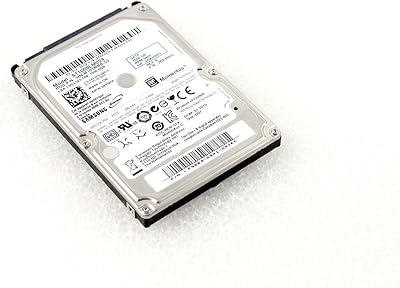
WD Blue 1TB 2.5-inch Internal Hard Drive
79%
88%
Value for Money
91%
Storage Capacity
54%
Read & Write Speed
93%
Installation Ease
82%
Noise Level
More
Seagate Momentus ST1000LM024 1TB 2.5-Inch SATA III 5400 RPM Hard Drive
84%
91%
Value for Money
88%
Storage Capacity
94%
Ease of Installation
85%
Performance for Everyday Use
90%
Power Efficiency
More
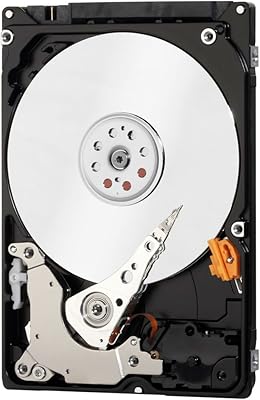
Western Digital Velociraptor 1TB 10K RPM SATA III 2.5-Inch Internal Hard Drive
81%
92%
Performance in Demanding Tasks
88%
Data Transfer Speed
85%
Build Quality & Durability
90%
Compatibility with Desktop/Server Setups
65%
Noise Levels During Operation
More
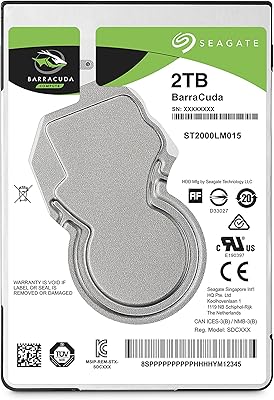
Toshiba MQ01ABD100 1TB 2.5″ Internal Hard Drive
81%
88%
Value for Money
91%
Noise Level
93%
Installation Ease
52%
Read/Write Speed
67%
Long-Term Reliability
More
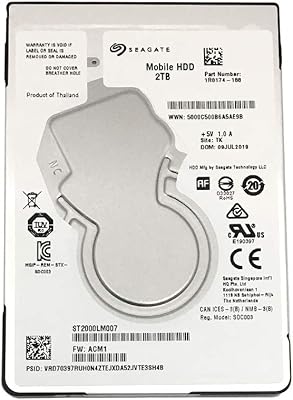
Seagate 2TB BarraCuda 2.5-Inch Internal Hard Drive
86%
89%
Performance
91%
Quiet Operation
88%
Energy Efficiency
93%
Installation Ease
90%
Reliability
More
Seagate ST2000LM007 2TB Internal Hard Drive
75%
88%
Storage Value
58%
Read/Write Speed
93%
Installation Ease
74%
Reliability
61%
Noise & Vibration
More
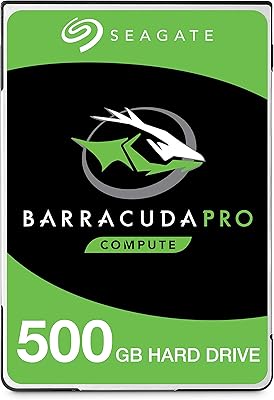
Seagate BarraCuda Pro 500GB Internal Hard Drive
75%
74%
Read/Write Performance
83%
Reliability & Longevity
67%
Value for Money
58%
Noise & Vibration
91%
Compatibility
More
Western Digital WD1600BEVT 160GB 5400RPM 2.5-inch SATA Hard Drive
84%
75%
Performance
85%
Build Quality
80%
Reliability
88%
Portability
92%
Compatibility
More
HP 15 15.6-Inch Touchscreen Laptop
72%
81%
Value for Money
57%
CPU Performance
63%
Display Quality
86%
RAM & Multitasking
88%
Storage
More
ikuai 3.5″ USB 3.0 Hard Drive Enclosure
80%
93%
Ease of Setup
71%
Build Quality
62%
Cable Quality & Reliability
88%
Drive Compatibility
74%
Data Transfer Speed
More

FAQ

In most cases, yes. The 2.5-inch form factor and 9.5mm height cover the vast majority of consumer laptops manufactured in the last fifteen or so years. That said, some ultra-thin laptops use a 7mm bay, so it is worth double-checking your laptop's specifications before ordering.

Yes, the SpinPoint M8 is a popular choice for console upgrades. Both the PS3 and PS4 accept 2.5-inch SATA drives, and this one fits the internal bay without any adapter. Just make sure to back up your console data before swapping drives.

It will work as a primary drive, but you should go in with realistic expectations. At 5400 RPM, boot times and application loading will be noticeably slower than what you would get from a solid-state drive. For a system where responsiveness matters, it is a compromise. For a secondary machine or a low-priority device, it is perfectly functional.

No special drivers are needed. It is recognized as standard storage by Windows, macOS, and Linux out of the box. You may need to format and partition it if it is a fresh install, but that takes only a few minutes using built-in disk management tools.

Quiet is one of the things buyers consistently mention in feedback. At 5400 RPM, it runs noticeably quieter than older or faster-spinning drives. You may hear a faint hum or occasional soft clicking during heavy access, but under typical use it is barely audible.

Realistically, two to five years of regular use is a reasonable expectation for most mechanical drives, and the SpinPoint M8 is no different. Some users get longer life from it, while others have reported failures earlier. The honest advice is not to rely on any single mechanical drive without a backup — treat it as one layer of storage, not your only one.

Absolutely. Any standard 2.5-inch USB enclosure with a SATA connection will work. Plug the drive in, connect it to your computer via USB, and it shows up as external storage. This is actually a popular use case for keeping costs low on portable backup drives.

Yes, it works with Mac systems. You will likely need to format it to APFS or HFS+ using Disk Utility before macOS recognizes it for read and write access, but the hardware compatibility is straightforward since it uses a standard SATA interface.

First, check all cable connections and confirm the drive is seated properly. Try it in a different SATA port or a USB enclosure to rule out a port or cable issue. If the drive is still not recognized, it may be a faulty unit. In that case, contact the retailer promptly — this is why buying from a reputable seller with a clear return policy matters.

Typically, no. It ships as the drive only, without SATA cables, mounting brackets, or screws. Most laptop replacements do not need extras since you reuse what is already in the machine, but if you are installing it in a desktop or enclosure, make sure you have the necessary hardware on hand beforehand.

Where to Buy