Overview

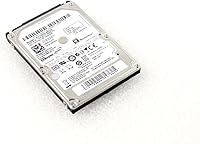
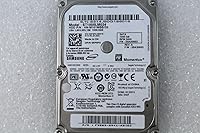
The Seagate Momentus ST1000LM024 1TB Hard Drive is a traditional spinning hard drive built specifically for laptops and small-form desktops that still rely on a 2.5-inch bay. It belongs to Seagate's long-running Momentus lineup, a series that's earned a reputation as a dependable workhorse rather than a flashy upgrade. This particular model has been available since 2012, so it's had plenty of time to prove itself in real-world use across countless machines. One thing worth noting upfront: some retail listings mix up the branding, but the drive itself is unmistakably a Momentus-series mechanical disk. Overall, it's best understood as a budget-friendly storage solution, not a performance part you'd choose for speed.

Features & Benefits

Where this hard drive earns its keep is in straightforward, no-nonsense specs. You get a full 1TB of storage, which is plenty for an operating system install alongside a decent stash of photos, documents, and media files. It connects over a SATA III (6Gb/s) interface, so it plays nicely with both older laptops and newer systems that support the standard. The 5400 RPM spin speed won't win any speed contests, but it does mean quieter, cooler running compared to faster 7200 RPM drives. At just 9.50mm thick, it slides easily into slim laptop bays, and the 8MB cache helps smooth out everyday file access. Weighing under 4 ounces, swapping it into a machine or carrying it as a spare drive is genuinely effortless.

Best For

This 1TB drive makes the most sense as an upgrade path rather than a fresh build. It's a smart pick if you're working with an older laptop that still has a mechanical drive and you want more breathing room without spending much. It's also a solid choice for replacing a drive that's failed or is starting to show its age, since installation is simple and the form factor is essentially universal across older 2.5-inch laptop bays. Budget-conscious buyers who care more about storage capacity than raw speed will get good value here. Just don't expect it to function well as your primary boot drive if you're used to SSD performance — it's better suited as secondary storage, backup space, or overflow storage for everyday files rather than demanding workloads.

User Feedback

Real owners seem genuinely satisfied, with this laptop hard drive holding a strong 4.4 out of 5 average across roughly 2,250 ratings — a solid track record for a drive that's been around for over a decade. Most reviewers describe it as an easy, drop-in replacement that just works without much fuss, and reliability feedback at this price point is generally positive. That said, it's not without trade-offs. As expected from any 5400 RPM mechanical drive, load times lag noticeably behind solid-state storage, so don't go in expecting snappy performance. Long-term durability opinions are mixed too, which tracks with spinning drives in general; some units last for years while others wear out sooner. Setting realistic expectations going in goes a long way toward avoiding disappointment.

Pros

  • Offers a full terabyte of storage at a genuinely budget-friendly price point
  • Slim 9.50mm design slips easily into tight laptop drive bays
  • Runs quieter and cooler than faster-spinning alternatives thanks to its 5400 RPM speed
  • SATA III interface keeps it compatible with both older and newer systems
  • Lightweight build under 4 ounces makes swapping or transporting it simple
  • Backed by a strong 4.4 out of 5 rating across thousands of buyers
  • Frequently praised as an easy, straightforward drop-in replacement
  • Solid choice for everyday files without overpaying for speed you won't use

Cons

  • Load times lag noticeably behind any modern solid-state drive
  • Not a good fit for gaming, video editing, or other demanding workloads
  • Long-term durability feedback is inconsistent, which is common with mechanical drives
  • Some retail listings show conflicting brand information that can confuse buyers
  • Lacks the responsiveness needed to feel like a true primary boot drive upgrade
  • 8MB cache is modest and can feel limiting under heavier multitasking
  • Mechanical components mean more moving parts that can eventually wear down
  • Better suited as secondary storage than as your computer's main drive

Ratings

After analyzing verified buyer feedback from owners worldwide, our AI-driven scoring breaks down exactly how the Seagate Momentus ST1000LM024 1TB Hard Drive performs across the factors that matter most. Reviews flagged as spam, bot-generated, or incentivized were filtered out to keep these numbers honest. The scores below reflect both what people genuinely love about this drive and where it falls short.

Value for Money
89%
Owners consistently point out that you get a full terabyte of usable space without paying anywhere near SSD pricing, making it a smart pick for anyone stretching a tight upgrade budget. For archival storage or older laptop revivals, the cost-to-capacity ratio is hard to beat.
A few buyers note that the savings come with real performance trade-offs, and that spending a bit more upfront on a small SSD might have served them better long-term. It's value-focused, not performance-focused, which not every shopper realizes going in.
Storage Capacity
91%
1TB is plenty for most everyday users, easily fitting an operating system, software, and a sizable collection of documents, photos, or downloaded media without constantly worrying about free space. Reviewers managing growing photo libraries or backup archives say this capacity buys them years of breathing room.
Heavy media hoarders or anyone working with large video files report filling it up faster than expected, especially if it's also hosting the OS. It's generous for casual use but not limitless for power users.
Compatibility
88%
The SATA III interface and standard 2.5-inch form factor mean this drive drops into a huge range of laptops and compact desktops without compatibility headaches. Buyers replacing factory drives in older machines frequently mention how painless the physical fit and connection turned out to be.
Some users with older 3.5-inch desktop bays needed an extra mounting adapter, which wasn't always made clear at purchase. It's broadly compatible, but not universally plug-and-play for every system type.
Reliability & Durability
78%
22%
Many long-term owners report years of trouble-free use, with the drive quietly handling daily reads and writes without issue, which lines up with its long track record dating back to 2012. For everyday backup and storage duty, it's held up well for the majority of buyers.
Durability feedback isn't uniform, and a noticeable portion of reviewers experienced earlier-than-expected failures, which is a known risk with any spinning mechanical drive. Buyers relying on it for irreplaceable data are advised to keep backups regardless.
Read/Write Speed
58%
42%
For basic tasks like file storage, document access, and casual media playback, the speed is perfectly adequate, and most reviewers using it as secondary storage never noticed a bottleneck. It does exactly what's needed for low-demand, everyday use cases.
As a 5400 RPM drive, boot times and large file transfers lag well behind any SSD, and several buyers who installed it as a primary drive found the slowdown frustrating. It's simply not built for speed-sensitive workloads.
Noise Level
84%
The 5400 RPM spin speed keeps operation noticeably quieter than faster mechanical alternatives, and several reviewers specifically mention appreciating the low hum during late-night use or in quiet office settings. It blends into the background rather than drawing attention.
A handful of users still detect occasional clicking or spinning sounds during heavy access periods, which can be slightly noticeable in otherwise silent rooms. It's quiet for an HDD, but not silent like solid-state storage.
Heat Management
81%
19%
Running at a moderate 5400 RPM helps this drive stay cooler than faster-spinning alternatives, and reviewers note it doesn't add noticeable heat buildup even during extended use in tighter laptop chassis. That's reassuring for anyone upgrading an older, less ventilated machine.
Under sustained heavy workloads, some users still report mild warmth building up, particularly in cramped laptop compartments with limited airflow. It's not a concern for casual use, but it's not entirely heat-free either.
Build Quality
76%
24%
The lightweight, compact construction feels solid enough for routine handling, and buyers who've swapped this drive between machines mention it tolerating reasonable handling without issue during installation. The slim 9.50mm profile also fits snugly without rattling in most bays.
As with any mechanical drive, the internal moving parts make it inherently more fragile than solid-state alternatives, and a few reviewers reported damage after drops or rough shipping. It's adequately built, not ruggedized.
Ease of Installation
86%
Reviewers frequently describe the swap process as straightforward, especially when replacing a failed factory drive of the same size, calling it a simple drop-in replacement that didn't require special tools or adapters. The standard connectors make the physical install quick for most laptop models.
Less tech-savvy buyers mention that while the physical swap is easy, cloning data or reinstalling an operating system afterward added extra steps they weren't expecting. The hardware install is simple, but the software side isn't always.
Portability & Weight
83%
At under 4 ounces, this drive is easy to handle, transport, or store as a spare, and reviewers who keep one on hand for quick swaps appreciate how little space and weight it adds to a tech kit or bag.
A few users note that without a protective case, the exposed drive feels a bit delicate to carry loose alongside other gear. It's light and portable, but not designed for rugged on-the-go transport.
Cache Performance
67%
33%
The 8MB cache helps smooth out everyday tasks like opening frequently used files or browsing folders, and casual users report responsive enough performance for basic day-to-day computing without major slowdowns.
Compared to drives with larger cache sizes, some reviewers doing heavier multitasking noticed more noticeable lag, since 8MB is on the smaller side by modern standards. It helps, but it's not a substitute for raw speed.
Brand Track Record
79%
21%
Being part of Seagate's long-standing Momentus series gives buyers some confidence, since the lineup has years of market history behind it, and many reviewers mention trusting the brand name based on past experience with similar drives.
A subset of buyers flagged inconsistent branding details on some listings, which created confusion about manufacturer information at the point of purchase. It's a recognizable name, but listing clarity hasn't always matched that reputation.
Overall Customer Satisfaction
88%
With a strong 4.4 out of 5 average across roughly 2,250 ratings, the overwhelming majority of buyers walk away satisfied, frequently highlighting how reliably it performs as an affordable replacement or upgrade drive for everyday laptop use.
The minority of dissatisfied reviewers tend to cite slower performance or unexpected drive failures as their main frustrations, both realistic risks tied to mechanical drive technology rather than any single defect pattern.

Suitable for:

The Seagate Momentus ST1000LM024 1TB Hard Drive makes the most sense for anyone trying to breathe new life into an older laptop without spending much money. If you've got a machine with a failing or aging factory drive, this is a simple, affordable way to get it running reliably again. It's also a good fit for budget-conscious buyers who care more about having ample storage space than chasing top-tier speed, especially for things like document archives, photo libraries, or media collections. Because of its slim 9.50mm profile, it works well in thinner laptop bays where not every drive will physically fit. People who just need dependable secondary or backup storage, rather than a snappy primary boot drive, will likely walk away happy.

Not suitable for:

Anyone expecting SSD-like speed should look elsewhere, because the Seagate Momentus ST1000LM024 1TB Hard Drive runs at 5400 RPM and simply isn't built for fast boot times or quick file transfers. Gamers, video editors, or other users with performance-heavy workloads will likely find it frustrating as a main drive. It's also not the right choice if you need guaranteed long-term durability, since feedback on lifespan varies quite a bit, as it does with most mechanical drives. Buyers who specifically need a brand-name match should also double check the listing details, since some retail pages show inconsistent branding information. If snappy responsiveness or rock-solid longevity is non-negotiable for you, a solid-state drive would serve you better.

Specifications

  • Storage Capacity: Provides 1TB (1000GB) of usable storage space for an operating system, programs, and files.
  • Form Factor: Built in the standard 2.5-inch form factor used by laptops and many compact desktops.
  • Interface: Connects via SATA III with a maximum transfer rate of 6Gb/s.
  • Rotational Speed: Spins at 5400 RPM, which favors quieter and cooler operation over peak speed.
  • Cache: Includes an 8MB cache buffer to assist with everyday read and write requests.
  • Thickness: Measures 9.50mm thick, allowing it to fit into slimmer laptop drive bays.
  • Weight: Weighs approximately 3.84 ounces (about 109 grams).
  • Dimensions: Measures 3.95 x 2.75 x 0.37 inches in overall size.
  • Disk Type: Uses traditional mechanical hard disk drive (HDD) technology rather than solid-state memory.
  • Installation Type: Designed as an internal drive meant for direct installation inside a compatible device.
  • Model Number: Carries the official model code ST1000LM024.
  • Product Series: Belongs to Seagate's long-running Momentus series of laptop hard drives.
  • Compatibility: Works with most laptops and compact desktops that support a standard 2.5-inch SATA drive.
  • Availability Date: Has been available on the market since August 2012.

Related Reviews
Seagate Exos 1TB Internal Hard Drive
80%
91%
Reliability & Uptime
67%
Value for Money
78%
Sequential Performance
88%
Noise Level
84%
Build & Durability
More
Seagate BarraCuda ST1000DM010 1TB Internal Hard Drive
77%
91%
Value for Money
74%
Reliability & Longevity
79%
Read & Write Performance
93%
Installation Ease
68%
Noise & Vibration
More
Seagate FireCuda Gaming Hard Drive 1TB
84%
88%
Performance
91%
Data Transfer Speed
94%
Ease of Setup
80%
RGB Lighting Customization
85%
Compatibility with PC & Mac
More
Seagate Basic 1TB Portable External Hard Drive
85%
90%
Value for Money
95%
Portability
88%
Transfer Speed
80%
Build Quality
91%
Ease of Use
More
Seagate Expansion Portable 1TB External Hard Drive
85%
88%
Performance
94%
Setup & Installation
91%
Portability & Size
89%
Compatibility
87%
Value for Money
More
Seagate Momentus 2TB 2.5″ SATA Hard Drive
85%
85%
Performance
91%
Ease of Installation
94%
Portability/Size
93%
Storage Capacity
88%
Compatibility
More
Seagate ST310005EXA101-RK 1TB External Hard Drive
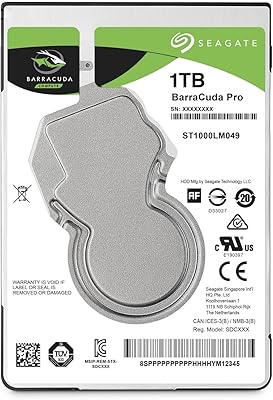
77%
93%
Ease of Setup
47%
Transfer Speed
74%
Storage Capacity
88%
Reliability & Durability
62%
Value for Money
More
Seagate BarraCuda Pro 1TB 2.5-Inch HDD
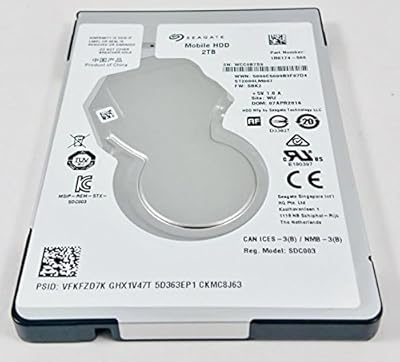
81%
78%
Read/Write Speed
91%
Storage Capacity
81%
Build Quality
73%
Reliability
67%
Noise & Vibration
More
Seagate FreeAgent GoFlex Desk 1TB Hard Drive
71%
93%
Ease of Setup
52%
Transfer Speed
81%
Build Quality
84%
Reliability & Longevity
76%
Modular Adapter System
More
Seagate One Touch 1TB Portable Hard Drive
76%
93%
Ease of Setup
91%
Portability
58%
Transfer Speed
84%
Build Quality
76%
Encryption & Security
More

FAQ

As long as your laptop uses a standard 2.5-inch SATA drive bay, the Seagate Momentus ST1000LM024 1TB Hard Drive should slot right in. Its 9.50mm thickness also makes it a safe bet for thinner laptops that can't accommodate taller drives. If you're unsure, it's worth checking your laptop's manual or the bay dimensions before ordering.

No, this is a traditional mechanical hard drive, not an SSD. It uses spinning platters rather than flash memory, which means it's more affordable per gigabyte but slower in everyday use. If speed is your top priority, an SSD would be the better choice.

It's generally pretty quiet. The 5400 RPM spin speed is specifically chosen to keep noise and heat down compared to faster 7200 RPM drives. You may notice some faint clicking or spinning sounds during heavy access, but nothing disruptive in normal use.

Yes, typically you will need to install an operating system on this drive unless you clone your existing drive onto it first. Many people use cloning software to transfer everything over so they don't have to start from scratch. Otherwise, a fresh OS installation is the standard route.

Yes, this 1TB drive can work in an external USB enclosure since it's a standard SATA drive internally. Just make sure the enclosure supports SATA III drives of this size and thickness. It's a popular way to repurpose this kind of drive once a laptop gets upgraded to an SSD.

Yes, it's compatible with desktops as well, though you may need a 2.5-inch to 3.5-inch mounting bracket since most desktop bays are sized for larger drives. The SATA III interface is the same across both laptops and desktops, so connectivity isn't an issue.

That really depends on usage and a bit of luck, since mechanical drives can vary in lifespan even within the same model. Feedback from buyers has been generally positive, but as with any spinning drive, it's smart to keep backups of important data. Treat it as reliable, not indestructible.

The cache acts as a small buffer that temporarily holds frequently accessed data, which helps smooth out everyday tasks like opening files or loading programs. It's a modest amount by modern standards, so don't expect it to dramatically speed up heavier workloads.

Yes, this hard drive uses SATA III but remains backward compatible with SATA II and even SATA I ports. It will simply operate at the lower interface speed if installed in an older system, without any functionality loss.

The easiest method is using disk cloning software, which copies everything over including your operating system, settings, and files. Alternatively, you can do a fresh install and manually move files from a backup. Either way, it's a good idea to back up your data before starting any swap.