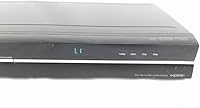
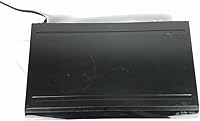
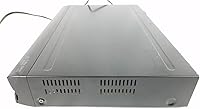
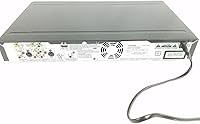
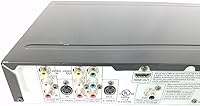
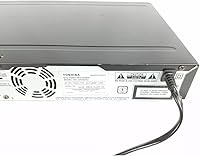
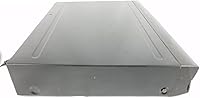
Overview

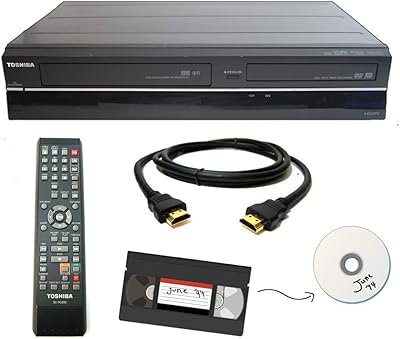
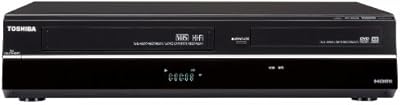
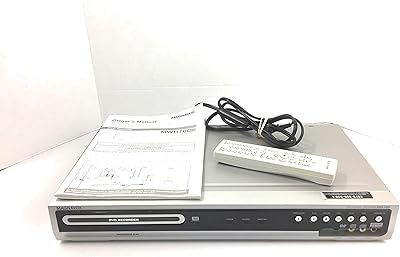
The Toshiba DR420 DVD Recorder is a dedicated home recording unit that has quietly held its ground since its 2009 debut, largely because it solves a problem streaming services never will: putting your content onto a physical disc you actually own. It handles both minus and plus DVD formats, so you're not locked into hunting down specific disc types. The HDMI output with 1080p upconversion is a welcome addition for anyone connecting to a modern flat-screen, and the Energy Star certification means it won't quietly inflate your electricity bill. This is a niche device, and it knows it.

Features & Benefits

What makes this Toshiba recorder genuinely practical is the auto-finalization feature, which automatically closes recorded discs so they play back on virtually any standard DVD player — no extra steps, no frustrating compatibility surprises. Both HDMI and RCA outputs are on board, covering everything from a brand-new 4K television to a decade-old tube set in the spare room. It also handles MP3 audio, JPEG photos, and VCD playback, which adds real versatility. The upconversion sharpens standard-definition content noticeably on HD screens, though it enhances rather than transforms — temper expectations accordingly. At under 2.5 inches tall, the compact chassis tucks into crowded AV cabinets without fuss.

Best For

The DR420 is squarely aimed at people who have a specific, old-school task in mind. If you want to record over-the-air or cable broadcasts directly to disc without involving a computer, this handles it cleanly. It's equally well-suited to anyone working through a backlog of home video footage that needs a permanent physical archive. Those who distrust cloud storage or simply prefer handing a disc to a relative will find real comfort here. Mixed analog-and-digital AV setups — where RCA cables still coexist with HDMI — are handled without adapters. If you want smart features or streaming integration, look elsewhere; this recorder keeps things simple by design.

User Feedback

Owners consistently point to easy initial setup as a genuine highlight — plug it in, load a disc, and it records without requiring a manual. That simplicity earns a lot of goodwill. On the other side, some buyers report that cheap or off-brand discs occasionally cause compatibility hiccups, so sticking with reputable disc brands seems worth the minor extra cost. Remote control navigation draws mixed opinions; the menus work, but they feel dated and can be sluggish. Long-term reliability concerns surface occasionally given the unit's age, though many owners report years of steady use. The upconversion improvement is real but modest — most users describe it as a nice bonus rather than the main reason to buy.

Pros

  • Auto-finalization means recorded discs play on other DVD players immediately, with no extra steps required.
  • Supports DVD-R, DVD-RW, DVD+R, and DVD+RW, so you are not locked into one disc type.
  • HDMI and RCA outputs in a single unit covers both modern TVs and older analog setups without adapters.
  • Setup is genuinely plug-and-play — most users are recording within minutes of unboxing.
  • 1080p upconversion via HDMI produces a noticeably cleaner picture on flat-screen televisions.
  • The compact chassis fits easily into crowded AV cabinets without dominating shelf space.
  • Plays back MP3 audio, JPEG photos, and VCD discs, adding real versatility beyond standard DVD video.
  • Energy Star certified, so long-term running costs remain low even with regular use.
  • Build quality is solid enough that many owners report years of consistent, trouble-free operation.

Cons

  • Off-brand or budget discs frequently cause recording failures and finalization errors — name-brand discs are essentially mandatory.
  • The remote control is sluggish and often requires a second button press before the unit responds.
  • No USB port means you cannot record directly from a flash drive or external hard drive.
  • Menu navigation feels outdated and can be genuinely confusing when switching input sources or recording modes.
  • No auto-shutdown timer, so the unit stays powered on indefinitely if you walk away after recording.
  • Component video output is absent, limiting connection options for mid-era HDTVs without HDMI.
  • Sourcing service or replacement parts for a device this age is difficult and often not economical.
  • Higher recording speeds produce a visible drop in output quality that more attentive viewers will notice.

Ratings

Our AI-generated scores for the Toshiba DR420 DVD Recorder were produced by systematically analyzing verified buyer reviews from global markets, with spam, bot-submitted, and incentivized feedback actively filtered out before scoring. The ratings reflect a balanced picture — genuine strengths and real frustrations included — so you can make a confident, informed decision. Every category score below represents where this recorder actually lands based on what real owners experienced day to day.

Ease of Setup
88%
Owners repeatedly call out how little time it takes to get recording. Connecting to a TV via HDMI or RCA, loading a disc, and hitting record is about as involved as it gets. For buyers who have struggled with convoluted AV equipment before, this straightforward experience is a genuine relief.
A small number of users found the initial menu navigation confusing, particularly when selecting recording modes or input sources for the first time. The on-screen guidance is functional but dated, and occasional unclear labeling on the remote added to early friction.
Disc Compatibility
74%
26%
Support for DVD-R, DVD-RW, DVD+R, and DVD+RW gives buyers real flexibility at the disc shop. Most owners using mid-range or name-brand discs report clean recordings and solid playback without any tinkering required.
Budget or off-brand discs cause problems more often than they should — failed recordings, finalization errors, and occasional read failures surface regularly in user reports. Sticking to reputable brands is less a suggestion and more a practical requirement with this recorder.
Recording Quality
71%
29%
For standard-definition source content, recordings come out clean and watchable. Users archiving home video footage or recording broadcast TV report that the output quality meets expectations for DVD-grade media without noticeable degradation.
At higher recording speeds, a modest drop in visual quality is noticeable to attentive viewers. The recorder also lacks the finer bitrate controls that enthusiast users might want, which limits how much you can optimize quality versus disc space.
Upconversion Performance
67%
33%
Connecting via HDMI to a modern flat-screen and enabling 1080p upconversion does produce a visibly cleaner image compared to a standard composite connection. For casual viewing of older recordings, the difference is appreciable and welcome.
Expectations need to be managed here — upconversion sharpens and scales the picture but does not add detail that was never in the source. Users hoping for a near-HD result from old VHS transfers or low-bitrate DVDs are typically disappointed by what they actually see.
Remote Control & Navigation
58%
42%
The remote covers all core functions and keeps the layout relatively simple. Buyers who only need to press Record, Stop, and Play will find it perfectly adequate without ever needing to read the manual.
Responsiveness is sluggish enough that several owners mention having to press buttons twice before the unit reacts. The menu system itself feels like it belongs to an earlier decade — functional, but clunky compared to anything released in the past several years.
Build Quality
69%
31%
The chassis feels solid for a consumer-grade recorder, and most long-term owners report that the unit held up through years of regular use without mechanical issues. The tray mechanism in particular draws praise for staying reliable over time.
The outer plastic shell is on the lighter side and picks up scuffs easily. A handful of users report disc tray issues after extended ownership, and given that replacement parts for a product this age are harder to source, any hardware failure tends to be final.
Auto-Finalization
86%
The auto-finalization feature is one of the most consistently praised aspects across all user feedback. Recorded discs play immediately on other players without any extra steps, which matters enormously when sharing recordings with family members or playing them on living room devices.
In rare cases, auto-finalization appears to fail silently — the disc looks done but won't play on external players. This seems tied to disc brand compatibility rather than a systemic flaw, but it happens often enough to warrant keeping a backup disc on hand.
Connectivity Options
81%
19%
Having both HDMI and RCA outputs on a single unit is genuinely practical for households where the TV setup has evolved over the years but older gear is still in the mix. Users with analog camcorders or older cable boxes appreciated not needing an adapter to get a signal in.
There is no component video output, which limits options for users with mid-era HDTVs that lack HDMI but have component inputs. USB playback or recording is also absent, which feels like a missed opportunity for a device aimed at archiving content.
Playback Versatility
77%
23%
Beyond standard DVD video, the ability to play MP3 audio, JPEG photo slideshows, and VCD discs makes this recorder a small but useful media hub. Families with older disc collections or photo CDs from the early 2000s get real mileage out of these extra formats.
There is no Blu-ray playback, which is expected at this price tier but still worth flagging. AVCHD and other modern video formats from newer camcorders are not supported, which can surprise buyers expecting broader file format coverage.
Long-Term Reliability
63%
37%
A fair number of buyers report using the DR420 for five or more years without significant problems, which speaks well of the core engineering. For light-to-moderate recording use, it tends to hold up better than its age might suggest.
As with any discontinued-era hardware, wear on the disc mechanism becomes a concern after heavy use. Finding authorized service for a unit this old is difficult, and several buyers note that once problems appear, repair is rarely economical compared to sourcing a replacement unit.
Audio Output Quality
72%
28%
Stereo output is clean and distortion-free across the units that buyers tested. For most living room setups, the audio output is more than adequate and pairs well with standard soundbars or AV receivers via RCA.
The surround sound support is limited in practice — it passes through audio rather than processing it, so actual surround performance depends entirely on the source material and the downstream AV equipment. Buyers expecting active surround processing will be underwhelmed.
Energy Efficiency
82%
18%
The Energy Star certification translates to real-world efficiency that owners in standby-heavy households appreciate. Running costs over time are low, and the unit does not generate significant heat even during extended recording sessions.
There is no auto-shutdown timer, so if you forget to power the unit down after recording, it stays on indefinitely. For users who record occasionally and then leave the room, this small oversight can add up over weeks of unattended standby.
Value for Money
54%
46%
For the specific buyer who needs a standalone DVD recorder with broad disc format support and zero dependency on a computer, this unit still delivers on its core promise. The niche utility justifies a premium over cheap no-name alternatives that often fail within months.
At its current asking price, the DR420 is a difficult sell against the broader landscape of media storage options available today. Cloud backup, USB hard drives, and even Blu-ray recorders all offer more capability per dollar, making the value case rest almost entirely on very specific use requirements.

Suitable for:

The Toshiba DR420 DVD Recorder is the right tool for a specific kind of buyer: someone who wants to record television broadcasts or archive personal video footage onto physical discs without involving a computer at any step. It suits households that have accumulated years of home video on older camcorders and need a straightforward way to get that footage onto a format the whole family can play on any standard DVD player. People who distrust cloud storage or simply want a tangible backup they can hand to a relative will find the physical disc workflow genuinely reassuring here. It also works well in mixed AV setups where a newer flat-screen television shares a cabinet with older RCA-equipped gear, since both connection types are on board. If your priority is simplicity — press record, finalize, done — this recorder delivers that experience reliably.

Not suitable for:

Buyers who are shopping for a modern, feature-rich media device will find the Toshiba DR420 DVD Recorder a frustrating mismatch for their expectations. It has no smart features, no network connectivity, no USB recording port, and no support for Blu-ray or contemporary video file formats from newer cameras. If you are hoping to record streaming content, connect via Wi-Fi, or archive AVCHD footage from a recent camcorder, this unit simply cannot help you. The remote and on-screen interface reflect the era in which the device was designed, so anyone accustomed to modern TV operating systems will find the navigation slow and unintuitive. Given the asking price and the age of the underlying technology, buyers who do not have a clear, specific legacy use case in mind are likely to feel they overpaid the moment they start comparing alternatives.

Specifications

  • Brand: Manufactured by Toshiba, a long-established Japanese electronics brand with a broad consumer AV product history.
  • Model: The specific model designation is DR420, a standalone home DVD recorder in Toshiba's consumer lineup.
  • Dimensions: The unit measures 9.7 x 16.6 x 2.3 inches, making it compact enough to fit into standard AV cabinet shelving.
  • Weight: At 5.28 pounds, the recorder is light enough to reposition easily without assistance.
  • Video Output: HDMI output supports 1080p upconversion at a resolution of 1920x1080 for use with modern flat-screen televisions.
  • Analog Output: RCA composite output is included, allowing connection to older televisions and AV receivers without HDMI inputs.
  • Recordable Formats: Supports recording to DVD-R, DVD-RW, DVD+R, and DVD+RW disc formats, covering the full range of standard writable DVD media.
  • Playback Formats: Plays back DVD video, VCD, MP3 audio, JPEG photo files, and Kodak Picture CD discs in addition to recorded content.
  • Upconversion: Built-in video upconversion scales standard-definition content to 1080p output resolution when connected via HDMI.
  • Audio Output: Stereo audio output is standard, with surround sound passthrough support for compatible home theater receiver configurations.
  • Auto-Finalization: The auto-finalization feature automatically closes recorded discs to ensure compatibility with standard DVD players without requiring manual steps.
  • Connectivity: Connectivity options include one HDMI output and RCA composite inputs and outputs for both video source input and TV output.
  • Power Certification: The unit carries Energy Star certification, indicating it meets established energy efficiency standards for consumer electronics.
  • Color: Available in black with a standard matte plastic finish that blends into most home theater or AV cabinet setups.
  • Remote Batteries: The included remote control requires two AA batteries, which are supplied in the box at purchase.
  • Availability: First made available in March 2009, the DR420 is a legacy-era device that remains available through select retail and resale channels.

Related Reviews

Toshiba DR430 DVD Recorder
70%
83%
Ease of Setup
76%
Recording Quality
71%
HDMI Upconversion
58%
Disc Compatibility
88%
One-Touch Recording
More
Toshiba D-R400 DVD Recorder
84%
87%
Video Quality
91%
Ease of Use
83%
Build Quality
89%
HDMI Connectivity
84%
Audio Performance
More
Toshiba VHS to DVD Recorder VCR Combo
84%
88%
Ease of Use
85%
Setup & Installation
91%
Video Quality
80%
Audio Quality
84%
Build Quality
More
Toshiba DVR670 DVD/VHS Recorder with Built-In Tuner
86%
88%
Overall Performance
92%
Ease of Use
90%
Video Quality (Post-Upconversion)
85%
Recording Reliability
76%
Compatibility with VHS Tapes
More
Samsung DVD-VR375 DVD Recorder VHS Combo
84%
85%
Overall Performance
88%
Build Quality
91%
Ease of Use
80%
Recording Quality
87%
Compatibility with Media Formats
More
Magnavox MWR10D6 DVD Recorder
80%
89%
Ease of Use
85%
Picture Quality (Progressive Scan)
81%
Recording Performance
84%
Audio Quality
78%
Build Quality
More
Clariviews VHS to DVD Recorder with 4.3-inch LCD
83%
93%
Ease of Setup
88%
Interface Simplicity
86%
LCD Preview Quality
67%
Build Materials
91%
Media Compatibility
More
Corel Dazzle DVD Recorder HD
78%
72%
Video Quality
88%
Ease of Use
77%
Software Functionality
90%
Setup Process
60%
Compatibility with Older Systems
More
Sony VRD-MC6 DVDirect
81%
94%
Ease of Setup
91%
Standalone Reliability
88%
Build Quality
83%
LCD Preview Screen
76%
Media Compatibility
More
Magnavox ZV427MG9
Magnavox ZV427MG9
77%
88%
Dubbing Simplicity
83%
Image Upscaling
47%
Broadcast Recording
79%
Initial Setup
81%
DVD Burn Reliability
More

FAQ

Yes, entirely. The Toshiba DR420 DVD Recorder is a fully standalone unit — you connect it directly to your TV and your signal source, load a blank disc, and record. No PC, no software, and no network connection required at any point.

In most cases, yes. The auto-finalization feature automatically closes each disc after recording, which is what allows other players to read it. That said, stick with name-brand discs — cheaper off-brand media sometimes causes finalization to fail silently, which can leave you with a disc that only plays back on the recorder itself.

You can, as long as the content is not protected by copy protection encoding. Connect the cable or satellite box to the RCA inputs on the recorder, select that input as your source, and record normally. Keep in mind that many cable providers apply copy protection to their signal, which will block recording on any consumer DVD recorder.

It does make a difference, particularly if your TV is 40 inches or larger. The upconversion scales the picture to 1080p, which reduces the soft, slightly blurry look you get from a standard composite connection. It is not a dramatic transformation — the source material is still standard definition — but most users find the HDMI output meaningfully cleaner on a modern flat-screen.

Verbatim and Maxell are the two brands most consistently recommended by owners of this recorder. Sony-branded discs also tend to perform reliably. The general advice from long-term users is to avoid extremely cheap bulk discs, as they cause recording errors and finalization problems at a much higher rate than name-brand media.

Yes, DVD-RW and DVD+RW discs are rewritable, so you can erase and re-record on them multiple times. The DR420 supports both rewritable formats. Just be aware that rewriting does slightly reduce the long-term reliability of the disc over many cycles, so do not depend on rewritable media for anything you need to preserve permanently.

It covers all the functions you need, but response time is a common complaint. A slight lag between pressing a button and the unit reacting means you sometimes end up pressing twice by accident. For basic record and stop functions it is fine, but navigating menus takes patience. Some users find using the front panel controls more reliable for menu navigation.

Toshiba has listed the DR420 as not discontinued by the manufacturer, though given its 2009 debut it occupies a legacy position in the product landscape. Units are available through resale and third-party sellers. If long-term service support matters to you, factor in that authorized repair options for a device this age are limited.

You can connect an analog camcorder via the RCA input and record the footage to disc in real time, which is actually one of the most popular use cases for this recorder among buyers. However, if your camcorder outputs a digital format like AVCHD or records to memory cards, the DR420 cannot read those formats directly — you would need to connect via an analog output from the camcorder.

This is an important point to verify before buying. The DR420 does not include a built-in ATSC digital tuner for recording over-the-air digital broadcasts directly. To record broadcast television, you would need an external tuner or set-top box connected to the recorder via RCA input, with the recorder capturing whatever signal the external box is outputting.