Overview
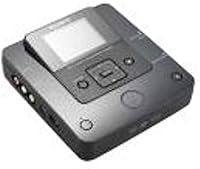
The Sony VRD-MC6 DVDirect serves as a specialized tool for anyone drowning in a sea of old tapes and memory cards. Unlike modern capture cards that require a high-end PC and frustrating driver updates, this standalone burner operates entirely on its own. It is refreshing to find a device that handles the heavy lifting of video encoding without a mouse or keyboard. Its footprint is surprisingly small, making it easy to tuck away in a desk drawer when you are finished. The hardware feels purposeful and sturdy, featuring a clean interface that does not overwhelm you with unnecessary options. It is basically a bridge between the analog past and a more accessible digital future, focusing strictly on quick disc creation without the headache of software crashes.
Features & Benefits
One of the standout elements of the DVDirect unit is the small, vibrant LCD screen that lets you monitor exactly what is being recorded. You can preview footage in real-time, which is a massive help when you are trying to find a specific clip on a long tape. Around the back and sides, you will find a versatile array of inputs, including standard composite jacks and slots for various memory cards. This flexibility allows for a streamlined archival workflow where you simply press a button and let the hardware do the work. It supports various blank DVD formats, ensuring you are not locked into one specific brand of media. The stereo audio support also ensures that those old home movies sound just as clear as you remember them.
Best For
If you have a box of MiniDV or Hi8 tapes gathering dust, this portable recorder is likely your best path to preserving them. It is specifically tailored for people who want to rescue family memories without spending weeks learning video editing software. It also shines as a dedicated solution for archiving digital photos from older SD or Memory Stick cards directly to a physical disc. This is particularly useful for users who prefer having a tangible backup rather than relying solely on cloud storage or external hard drives that might fail. Since it requires no computer, it is a great gift for less tech-savvy relatives who want to digitize vintage collections at their own pace. The simplicity is the real selling point here for most home archivists.
User Feedback
Real-world users often praise the physical setup of this standalone burner, noting that it feels like a professional piece of equipment rather than a plastic toy. The Sony build quality is evident in the tactile buttons and the reliable disc tray. However, a common point of discussion is the limitation regarding modern high-definition formats. Since this device focuses on standard definition video, it is not the tool for 4K content, which is a fair trade-off for its intended use case. Many owners consider it a massive time-saver for large-scale migration projects because it works in real-time without the overhead of file rendering. While it is a niche product in today’s world, it remains a highly respected solution for its specific, straightforward purpose of media preservation.
Pros
- You can transfer video directly from a camcorder without ever touching a computer or installing difficult drivers.
- The built-in color LCD screen provides a convenient way to monitor the transfer progress and verify content in real-time.
- Simple one-touch recording makes the archival process accessible even for users who are not technically inclined.
- Its small footprint allows the unit to fit comfortably on a crowded desk or inside a small storage drawer.
- The DVDirect unit supports multiple card formats, making it easy to archive photos from various older digital cameras.
- Reliable build quality ensures the physical buttons and disc tray stand up to repetitive use over long projects.
- Native stereo audio support ensures that the original sound from your home movies is preserved with decent clarity.
- Standalone operation removes the risk of system crashes or software updates interrupting a two-hour recording session.
Cons
- Recording happens strictly in real-time, meaning a two-hour tape will take exactly two hours to transfer to a disc.
- The lack of an HDMI input prevents you from connecting modern devices that do not offer analog output options.
- This recorder is notoriously picky about the quality of blank DVDs and may fail when using cheaper bulk-brand media.
- The LCD screen has a fairly low resolution, making it difficult to check the fine details of the video being transferred.
- You have almost no control over advanced encoding settings, which might frustrate users who want to adjust the bit-rate.
- The proprietary power brick is surprisingly large and adds extra bulk when you are trying to transport the compact unit.
- Standard definition output looks dated on modern large-screen televisions compared to upscaled digital files.
- The glossy black finish is highly susceptible to visible fingerprints and fine scratches from even light handling.
Ratings
Our analysis of global user experiences for the Sony VRD-MC6 DVDirect is powered by an AI engine that meticulously filters out incentivized feedback and spam. This ensures you get a transparent look at both the highlights and the genuine frustrations shared by real owners of this standalone burner.
Ease of Setup
Standalone Reliability
Build Quality
LCD Preview Screen
Media Compatibility
Archival Speed
Video Quality
Input Versatility
Portability
Value for Money
Suitable for:
The Sony VRD-MC6 DVDirect is a perfect match for home archivists who have a closet full of old MiniDV or Hi8 camcorder tapes. It targets users who want a simple, tactile way to preserve memories without navigating the complexities of computer capture software and driver updates. This standalone burner is particularly beneficial for those who prefer physical DVDs over cloud storage for their family history. It also serves as a convenient bridge for digital camera owners who want to offload photos from memory cards directly to a disc for safekeeping. If you value a straightforward, one-button workflow over professional editing control, this device is designed for you.
Not suitable for:
High-definition purists and those with modern 4K equipment should look elsewhere, as the Sony VRD-MC6 DVDirect is strictly limited to standard-definition recording. It is not intended for users who only have HDMI-based devices, given its reliance on older analog connections like RCA and S-Video. If you have a massive library consisting of hundreds of hours of footage, the real-time recording process might prove too tedious and time-consuming for your needs. Furthermore, those who require Blu-ray capacity or specialized video editing features will find the simple DVD format and lack of settings quite restrictive. It is essentially a legacy tool, making it a poor choice for anyone primarily working with contemporary file formats.
Specifications
- Manufacturer: The device is produced by Sony.
- Supported Media: This unit records directly onto standard DVD-R, DVD+R, DVD-RW, and DVD+RW blank discs.
- Video Resolution: Recording is performed at standard definition with a resolution of 1280x720 pixels.
- Primary Inputs: Connectivity includes composite video RCA and S-Video inputs for analog sources.
- Digital Inputs: Dedicated slots support SD, SDHC, and Memory Stick Pro Duo cards for photo transfers.
- Audio Support: The internal encoding engine captures audio in high-quality stereo mode.
- Integrated Display: A built-in 2.4-inch color LCD screen allows for real-time video monitoring and menu navigation.
- Dimensions: The physical chassis measures approximately 2.05 x 5.67 x 6.14 inches.
- Device Weight: The recorder weighs approximately 2.4 ounces without the external power adapter.
- Power Source: Operation requires the use of the included AC power adapter.
- Interface Type: Users interact with the device via physical top-mounted buttons and an on-screen menu.
- Recording Modes: Multiple quality settings allow for recording times ranging from one to six hours per disc.
- Color: The exterior casing features a high-gloss black finish.
- Model Number: This specific variant is identified as the VRDMC6 model.
Related Reviews
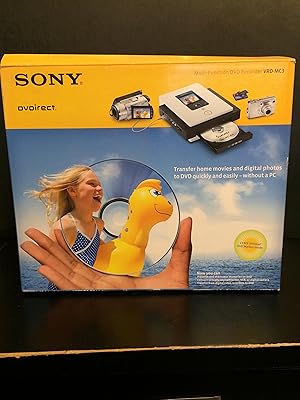
Sony VRDMC3 DVDirect DVD Recorder
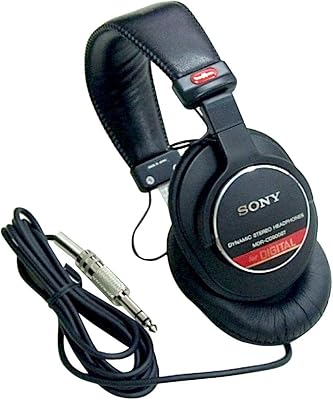
Sony MDR-CD900ST Studio Monitor Headphones

Sony BDP-S360 Blu-ray Disc Player
Sony WH-CH720N Noise-Canceling Wireless Headphones
Sony MDRXB600IP Extra Bass Over-Ear Headphones
Sony MDR-E9LP In-Ear Earbuds

Sony SRS-XB23 Portable Bluetooth Speaker
Sony ECM77B Lavalier Condenser Microphone
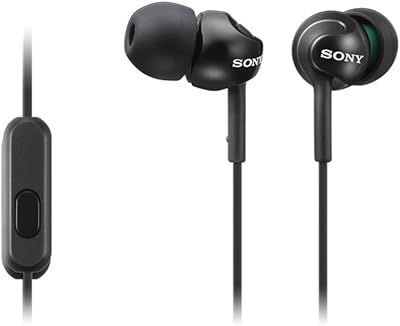
Sony MDR-EX110AP