Overview

The Toshiba Canvio Ready B3 1TB Hard Drive is the kind of storage device that does exactly what it promises — no surprises, no fuss. Toshiba has been making dependable storage hardware for decades, and this portable hard drive carries that reputation without trying to be something it isn't. It connects via USB 3.0, works straight out of the box with Windows PCs, and slips easily into a bag thanks to its compact 2.5-inch build. If you need reliable extra storage or a straightforward backup solution, the Canvio Ready delivers on both counts without overcomplicating things.
Features & Benefits

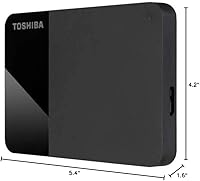
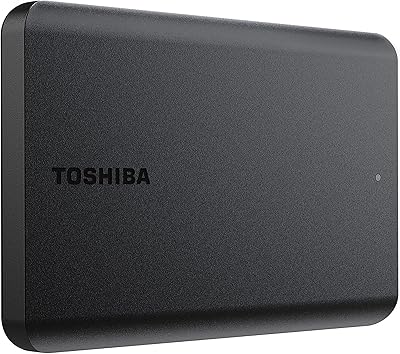
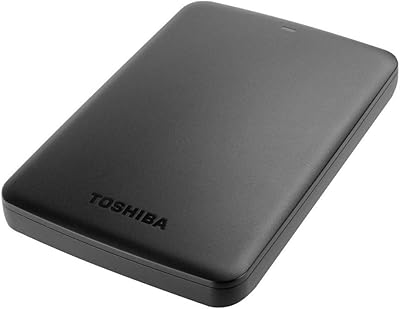
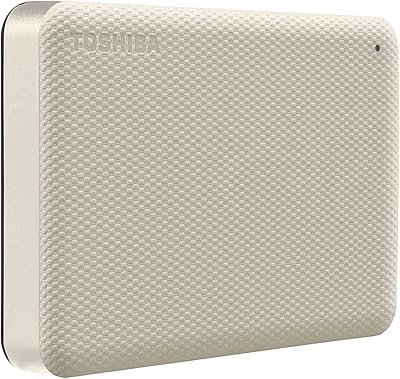
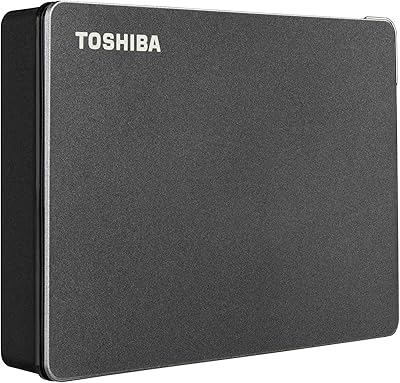
The biggest practical advantage of this portable hard drive is how little effort it demands. Plug it into a USB port and it powers up on its own — no wall adapter, no driver installation required. The 1TB of storage is genuinely useful for most people: think thousands of photos, years of documents, or a full media library. Transfer speeds are respectable for an HDD, handling everyday file moves without much waiting. A bundled backup utility for Windows adds real value for anyone who wants scheduled, automated protection. The matte black casing is clean and practical — fingerprints don't cling to it the way they do on glossy surfaces.

Best For

This Toshiba drive makes the most sense for people who want straightforward, dependable storage without a lot of overhead. Students who need to back up coursework, remote workers shuffling large files between machines, or anyone trying to reclaim space on a crowded laptop will find it fits their needs well. It's also a smart choice if you want a physical backup to complement cloud storage — not instead of it, but alongside it. And because setup requires nothing beyond plugging it in, it works well as a gift for less tech-savvy family members who'd balk at a more involved device.

User Feedback

Across a large pool of buyer reviews, the Canvio Ready earns consistent praise for its plug-and-play experience — most people report having it up and running within minutes. Buyers regularly mention using it for photo archives, work document backups, and offloading files from aging laptops. That said, a few reviewers note that transfer speeds can feel slow when moving large batches of video files, which is a fair trade-off for an HDD at this price point. Long-term reliability is where opinions vary slightly — some users flag concerns about heat during extended sessions. Overall, satisfaction rates are high, but going in with realistic speed expectations will keep you from being disappointed.

Pros

  • Plug-and-play setup on Windows PCs requires zero technical knowledge or driver installation.
  • 1TB of storage covers most personal and professional backup needs without careful space monitoring.
  • Bus-powered design eliminates the need for a separate power adapter, keeping your bag lighter.
  • The matte finish resists fingerprints and surface scuffs better than glossy alternatives.
  • Bundled backup software gives Windows users a ready-to-use automated protection option at no extra cost.
  • Compact 2.5-inch form factor fits easily in a jacket pocket or the smallest laptop compartment.
  • Toshiba's established reputation in storage hardware provides reasonable baseline confidence in the purchase.
  • Transfer speeds are consistently adequate for everyday document, photo, and media file management.
  • The fixed USB cable means one fewer accessory to track down before accessing your files.
  • High overall satisfaction ratings across a large buyer pool reflect a product that delivers on its core promise.

Cons

  • Sustained large-file transfers — especially video projects — reveal the inherent speed limits of HDD technology.
  • The drive ships Windows-formatted, requiring a manual reformat before it functions correctly on macOS.
  • No rubber bumpers or reinforced casing means limited protection against accidental drops or knocks.
  • The integrated cable, while convenient, cannot be replaced if it frays or sustains damage near the connector.
  • Extended backup sessions cause the casing to warm up noticeably, which some users find concerning over time.
  • Mac and Linux users receive no usable benefit from the bundled backup software whatsoever.
  • A small but recurring share of reviews flags reliability concerns after roughly 12 to 18 months of regular use.
  • The cable length is shorter than ideal, which can feel restrictive depending on where your USB port is positioned.
  • No water or dust resistance limits confidence when using this portable hard drive in unpredictable environments.
  • As portable SSD prices continue to fall, the value gap between this drive and faster alternatives keeps narrowing.

Ratings

The Toshiba Canvio Ready B3 1TB Hard Drive has been evaluated by our AI system after processing thousands of verified global user reviews, with spam, bot-submitted, and incentivized feedback actively filtered out. The scores below reflect a balanced picture of where this portable hard drive genuinely excels and where real buyers have run into friction. Both strengths and recurring pain points are represented transparently so you can make a confident buying decision.
Ease of Setup
94%
Buyers consistently describe unboxing this Toshiba drive and having it recognized by their Windows PC within seconds — no driver downloads, no configuration menus. For non-technical users, that immediate plug-and-play experience is repeatedly called out as the single biggest reason they would buy it again.
A small number of users on older machines report the drive occasionally requiring a manual port reassignment before it appears in File Explorer. Mac users also note the drive ships formatted for Windows only, requiring a reformat before use on macOS.
Transfer Speed
67%
33%
For everyday tasks — copying a semester's worth of documents, offloading a photo library, or moving a few gigabytes of work files — the USB 3.0 speeds feel responsive and practical. Most buyers in this use case report no meaningful frustration with throughput.
Move into larger workloads, like transferring 50GB video projects or full system image backups, and the HDD platter design becomes a noticeable bottleneck. Users who upgraded from an SSD-based drive are the most critical, often citing speeds that feel sluggish by comparison.
Build Quality
72%
28%
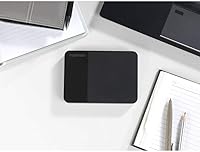
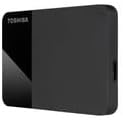
The matte black casing has a clean, understated look that holds up well on a desk or inside a bag. The drive feels solid enough for routine daily handling, and the finish resists surface scuffs noticeably better than glossy alternatives in this category.
It does not have any rubber bumpers or reinforced casing, so buyers who carry it loose in a backpack alongside keys or chargers have flagged minor surface marks over time. There is no ingress protection of any kind, which limits confidence in unpredictable environments.
Portability
88%
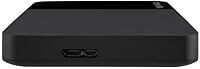
At 6.4 ounces and roughly the size of a small paperback, this portable hard drive genuinely disappears into a laptop bag or jacket pocket. Remote workers and students repeatedly praise how little space it takes up relative to how much it holds.
It is slightly thicker than some competing 2.5-inch drives, which a handful of buyers mention when comparing it to slimmer alternatives. The attached USB cable, while convenient, adds a bit of bulk when coiling it for travel.
Storage Value
86%
One terabyte hits the right sweet spot for most home and student users — enough to hold tens of thousands of photos, years of documents, or a large music library without requiring careful space management. Buyers frequently note they still have room to spare after loading it with everything they planned to store.
For users who work with video production or large RAW photo files, 1TB can fill faster than expected. A few reviewers express mild regret not opting for a 2TB model given how quickly modern file sizes accumulate.
Software & Backup Utility
61%
39%
The bundled Toshiba backup software is a genuine bonus for Windows users who want scheduled, automated protection without paying for a third-party solution. First-time backup users in particular appreciate having something ready to configure immediately.
More experienced users find the utility basic and somewhat dated in its interface compared to modern alternatives. It is Windows-only, meaning Mac users get no software value at all, and a few reviewers report the utility becoming unresponsive during large initial backup jobs.
Noise & Heat
63%
37%
During light, intermittent use — copying a folder here, opening a file there — the drive runs quietly and stays cool enough that most users never think about it. For typical desk backup sessions, thermal behavior is unremarkable.
Extended continuous read/write sessions, like a full system backup or large file transfer, cause the casing to warm up noticeably. Some buyers flag a faint spinning sound during heavy workloads that can become distracting in quiet environments.
Compatibility
79%
21%
Works immediately with Windows 10 and 11 systems, and the USB interface ensures broad compatibility across desktops and laptops without any setup friction. The backward compatibility with older USB standards means it functions on a wide range of machines.
Out of the box it is formatted exclusively for Windows, so macOS and Linux users face an extra reformatting step before use. There is no mention of Android or smart TV compatibility, which limits its versatility compared to some rivals that support broader device ecosystems.
Cable & Connectivity
74%
26%
The integrated USB cable eliminates the common frustration of hunting for a misplaced cable before you can access your files. Having it permanently attached is a practical design choice that frequent travelers in particular tend to appreciate.
Because the cable is fixed to the drive, if it sustains damage the entire unit becomes compromised — and a few long-term owners have reported fraying near the drive end after extended use. The cable length is also on the shorter side, which can be awkward when port placement is inconvenient.
Long-Term Reliability
66%
34%
Many buyers who have used this Toshiba drive for one to two years report no failures or data loss, and Toshiba's track record in consumer storage hardware gives most buyers baseline confidence when first purchasing. For backup-use scenarios where the drive is not running constantly, longevity feedback skews positive.
A subset of reviews — not dominant but present — describe drive failures or unrecognized devices after 12 to 18 months of regular use. As with all spinning-disk drives, there is an inherent mechanical vulnerability that solid-state alternatives simply do not carry.
Value for Money
83%
For a buyer who needs reliable, no-frills portable storage without wanting to pay SSD prices, the Canvio Ready makes a compelling case. The combination of brand reputation, capacity, and plug-and-play convenience at its price point is hard to argue with for everyday use.
As SSD prices continue to drop, the gap between this drive's cost and entry-level portable SSDs has narrowed. Buyers who prioritize speed over budget may find that spending a bit more for a solid-state option is increasingly worth the premium.
Packaging & Unboxing
77%
23%
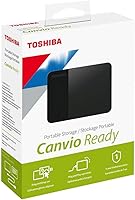
The drive arrives in compact, no-waste packaging that feels appropriate for a practical storage device. Everything needed is in the box, and multiple buyers note it arrived well-protected with no cosmetic damage.
There is nothing particularly memorable about the unboxing experience, which matters little functionally but does occasionally come up in gift-giving contexts where presentation is part of the value. A short setup guide for non-Windows users would have been a useful inclusion.

Suitable for:

The Toshiba Canvio Ready B3 1TB Hard Drive is a strong match for anyone who needs dependable, low-maintenance storage without a complicated setup process. Students carrying laptops between classes and libraries will appreciate how it slips into a bag without adding noticeable weight, while remote workers who regularly move large project folders between home and office will find the plug-and-play workflow genuinely practical. Home users who have been putting off backing up years of family photos, scanned documents, or downloaded media will get immediate value from the 1TB capacity — it is enough to hold a substantial personal archive without requiring careful space management. It also works well as a secondary physical backup for people who already use cloud storage but want a local copy they can access without an internet connection. Gift buyers looking for something that a non-technical family member can actually use without guidance will find this Toshiba drive about as approachable as external storage gets.
Not suitable for:

The Toshiba Canvio Ready B3 1TB Hard Drive is not the right pick for buyers whose workflows demand speed above all else. Video editors, photographers shooting high-resolution RAW files, or anyone regularly moving multi-gigabyte batches of data will find the spinning-disk transfer rates a real bottleneck — this is not a device that will keep pace with SSD-level expectations. Mac users should also factor in that the drive ships formatted for Windows, meaning an extra reformatting step is unavoidable before it works properly on macOS, and none of the bundled software applies to them at all. Anyone who needs rugged, drop-resistant, or water-resistant storage for outdoor work or frequent travel in rough conditions should look at drives with dedicated protective housing, since this one offers no such features. Finally, buyers who are already stretching 1TB on their current storage and anticipate that need growing quickly — particularly with 4K video or large game libraries — may find themselves outgrowing this Toshiba drive sooner than expected.
Specifications

  • Storage Capacity: This drive provides 1TB of usable storage, sufficient for large photo libraries, document archives, and media collections.
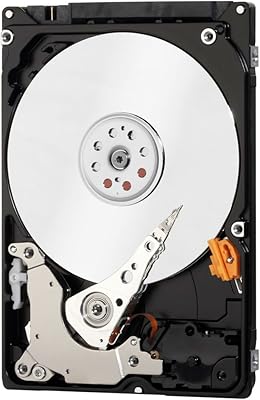
  • Drive Type: It uses a traditional spinning-disk HDD mechanism, which offers high capacity at a lower cost than solid-state alternatives.
  • Form Factor: The 2.5-inch form factor makes it compact enough to carry in a pocket or small bag without a dedicated case.
  • Interface: It connects via USB 3.0, with backward compatibility for USB 2.0 and USB 1.1 ports on older machines.
  • Power Source: The drive is entirely bus-powered through its USB connection, requiring no external power adapter or separate cable.
  • Dimensions: Physical dimensions measure 5.75 x 4.5 x 1.5 inches, giving it a slightly thicker profile than some ultra-slim competitors.
  • Weight: At 6.4 ounces, the drive adds minimal load to a laptop bag or backpack during daily commutes or travel.
  • Finish & Color: The casing features a matte black surface that resists fingerprints and minor surface scuffs better than glossy alternatives.
  • OS Compatibility: It is formatted out of the box for Windows operating systems; macOS users must reformat before use.
  • Included Software: A Toshiba backup utility for Windows is bundled with the drive, enabling scheduled and automated local backups.
  • Compatible Devices: Designed for use with desktop and laptop PCs, connecting via any standard USB Type-A port.
  • Model Number: The official model identifier is HDTP310XK3AA, useful for warranty registration and support queries.
  • Brand & Series: Manufactured by Toshiba America Electronic Components and part of the Canvio Ready product line.
  • First Available: This model was first listed for sale in November 2020, making it a well-established product with a broad buyer review base.
  • USB Ports Required: The drive requires a single USB port and draws all necessary power from it, with no secondary port needed for power.

Related Reviews

Toshiba Canvio Flex 1TB External Hard Drive
74%
93%
Cross-Platform Compatibility
91%
Ease of Setup
88%
Included Accessories
89%
Portability & Form Factor
54%
Transfer Speed
More
Toshiba Canvio Basics 1TB Portable External Hard Drive
74%
94%
Ease of Setup
91%
Portability
61%
Transfer Speed
67%
Build Quality
83%
Value for Money
More
Toshiba Canvio Advance 1TB
76%
88%
Value for Money
93%
Portability
91%
Ease of Setup
67%
Transfer Speed
74%
Build Quality
More
Toshiba Canvio Partner 1TB Portable Hard Drive
81%
96%
Ease of Setup
93%
Compatibility
61%
Transfer Speed
91%
Portability & Form Factor
74%
Build Quality & Durability
More
Toshiba DT01ABA100V 1TB Surveillance Internal Hard Drive
77%
91%
DVR Compatibility
83%
24/7 Endurance
62%
Recording Capacity
88%
Noise & Vibration
74%
Value for Money
More
Toshiba Canvio Basics 500GB Portable Hard Drive
85%
91%
Value for Money
95%
Portability
94%
Ease of Use
86%
Build Quality
73%
Performance (Speed)
More
Toshiba 3TB Canvio Desktop External Hard Drive
83%
86%
Performance
92%
Storage Capacity
89%
Ease of Setup
85%
Compatibility
80%
Build Quality
More
Toshiba Canvio Flex 2TB
79%
93%
Cross-Platform Compatibility
91%
Included Accessories
89%
Portability & Form Factor
71%
Transfer Speed
68%
Build Quality & Durability
More
Toshiba MQ01ABD100 1TB 2.5″ Internal Hard Drive
81%
88%
Value for Money
91%
Noise Level
93%
Installation Ease
52%
Read/Write Speed
67%
Long-Term Reliability
More
Toshiba Canvio Gaming 2TB Portable Hard Drive
77%
88%
Value for Money
93%
Ease of Setup
84%
Storage Capacity
61%
Load & Transfer Speed
74%
Build Quality
More

FAQ

On a Windows PC, yes — just plug it in and it shows up in File Explorer within a few seconds. No driver installation is needed. The bundled backup software is optional and only needs to be installed if you want automated backups.

It will be recognized by macOS, but the drive ships pre-formatted for Windows (NTFS), which means Macs can read from it but not write to it by default. To use it fully on a Mac, you will need to reformat it to exFAT or APFS using Disk Utility — a straightforward process, but worth knowing before you buy.

No, the Toshiba Canvio Ready B3 1TB Hard Drive is entirely bus-powered, meaning it draws all the power it needs directly from your computer's USB port. Just the one cable that comes attached to the drive is all you need.
For everyday use — moving documents, photo libraries, or music files — you will likely not notice any frustrating delays. For very large file batches, like 20GB or more of video footage, the spinning-disk technology does show its limits compared to an SSD. If speed is a priority for your workflow, an SSD-based external drive would serve you better.

The cable is permanently attached to the drive and cannot be swapped out. This is convenient day-to-day since you never misplace it, but if the cable sustains damage near the connector, the entire unit would need to be replaced. Handle the connection point with reasonable care, especially when traveling.

Quite a lot for most personal use. Roughly speaking, 1TB can hold around 250,000 average-sized photos, several hundred hours of HD video, or hundreds of thousands of standard documents. Unless you are regularly working with 4K video or massive RAW image files, most home users will have room to spare for years.

The drive is reasonably sturdy for desk use and light travel, but it has no rubber bumpers, reinforced corners, or drop protection. If you are carrying it loose in a bag with other hard items like chargers or keys, a simple padded sleeve is worth the small investment to protect it from knocks.

This Toshiba drive is designed primarily for desktop and laptop PCs via a standard USB Type-A connection. While some smart TVs with USB ports may recognize it for media playback, that functionality is not officially supported or guaranteed. For Android use, you would also need an OTG adapter, and compatibility varies by device.

During short transfers or occasional file access, the drive stays cool enough that most people never notice. During a long continuous backup session, the casing can become warm to the touch — that is normal behavior for a spinning-disk drive. If you are running extended backups regularly, giving it some airflow rather than placing it under other objects is a sensible habit.

The Canvio Ready series typically includes a two-year limited warranty from Toshiba, though it is worth confirming the specific terms for your region at the time of purchase. Toshiba has an established consumer support infrastructure, and most straightforward warranty claims are handled without significant friction based on buyer-reported experiences.

Where to Buy