Overview

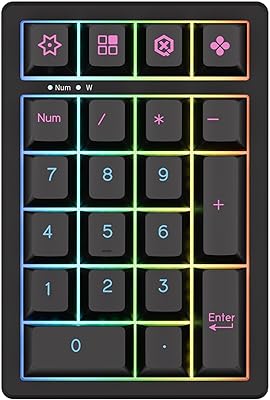
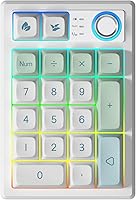
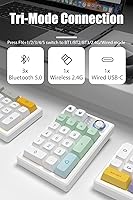
The TISHLED K19 Wireless Mechanical Numpad arrived in mid-2024 as an option for users who want something more refined than a basic office numpad without spending enthusiast-grade money. What separates it from the crowd early on is its gasket-mount construction — a design approach that sandwiches foam layers between the plate and housing to soften vibrations and quiet the overall sound. Connectivity is genuinely flexible: Bluetooth 5.0 for up to three devices, a 2.4GHz wireless dongle, and USB-C wired, all switchable on the fly. The mint colorway gives it a clean, contemporary look that fits well on a tidy desk.
Features & Benefits

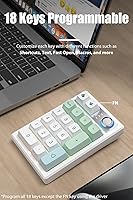
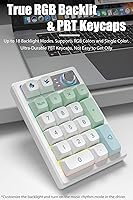
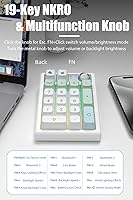
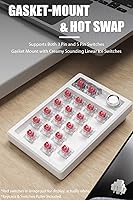
The gasket mount here uses EVA foam and IXPE switch pads on both the top and bottom of the plate, which gives typing a noticeably softer, more cushioned feel compared to typical tray-mount numpads. The pre-installed Ice linear switches are smooth and quiet — ideal if you share a workspace. That said, the hot-swap sockets support both 3-pin and 5-pin switches, so swapping to tactiles or anything else requires no soldering. All 18 keys (minus the FN key) are fully programmable via the companion driver, and settings are stored onboard so they survive unplugging. The metal knob handles volume, backlight brightness, and acts as an Escape key. PBT keycaps round things out with better durability than the ABS plastic you typically see at this price.

Best For

This wireless numpad makes the most sense for people who constantly bounce between devices — think accountants or data entry professionals juggling a desktop, laptop, and tablet throughout the day. The ability to switch connections via a key combination rather than physically unplugging anything is a genuine convenience. Keyboard hobbyists on a tighter budget will also appreciate the hot-swap capability and gasket feel, features that usually cost considerably more. MacOS and Windows users are both fully supported, which is not always a given at this price point. And if you work in a quiet shared office, the dampened acoustic profile of the linear switches and gasket construction makes this one of the more considerate options in its category.

User Feedback

With a 4.4-star average across 83 ratings, the K19 numpad has a solid early reception — though the pool is still small enough that a few strong opinions in either direction can skew things. Buyers tend to highlight wireless reliability and the typing sound as standout positives, and several note that the build quality feels honest for the price. On the less enthusiastic side, a few users mention that the driver software has a learning curve, and occasional Bluetooth pairing hiccups have been reported across multiple devices. Battery life commentary is mixed — some find it matches the claimed range, others less so. For a relatively new brand, this feedback pattern is fairly typical.

Pros

  • Gasket-mount construction delivers noticeably softer, quieter keystrokes compared to typical numpads in this price range.
  • Hot-swap sockets accept 3-pin and 5-pin switches, so changing your switch type requires no tools and no soldering.
  • Tri-mode wireless lets you stay connected to up to five devices simultaneously and switch between them in seconds.
  • PBT double-shot keycaps resist shine and legend fade far better than the ABS keycaps common at this price.
  • The metal multifunction knob handles volume, backlight brightness, and Escape — genuinely useful beyond simple number entry.
  • All 18 programmable keys support macros and shortcuts stored onboard, so settings persist across different computers.
  • Battery life is comfortably multi-week with RGB off, reducing how often you reach for the USB-C charging cable.
  • Cross-platform support covers Windows, macOS, iOS, and Android without needing separate hardware for each system.
  • Full 19-key anti-ghosting ensures every keystroke registers accurately, even during fast, overlapping input.

Cons

  • The driver software has a steep learning curve and feels unpolished, especially for users coming from established keyboard brands.
  • Bluetooth reconnection after device sleep is inconsistent and has frustrated users who rely on it as their primary connection.
  • Battery life drops noticeably when RGB lighting is active, falling well short of the advertised upper range.
  • The housing shows corner flex under firm pressure and early cosmetic wear for users who move it frequently.
  • macOS users get limited software functionality — full programmability and RGB control are effectively Windows-only features.
  • The mode-switching key combination is not intuitive, and there is no clear on-device indicator showing which profile is active.
  • Documentation in the box is thin, and the driver download relies on a short URL that some buyers have found unreliable.
  • Switch wobble after hot-swapping has been noted by detail-oriented users, which may bother enthusiasts who care about consistency.

Ratings

The TISHLED K19 Wireless Mechanical Numpad has been evaluated by our AI rating system after processing verified buyer reviews from global marketplaces, with spam, incentivized, and bot-generated feedback actively filtered out. The scores below reflect a transparent picture of where this compact mechanical number pad genuinely delivers and where it falls short — no cherry-picking. Strengths around typing feel and connectivity flexibility are weighed honestly against recurring pain points like driver usability and Bluetooth consistency.
Typing Feel & Acoustics
88%
The gasket-mount design — which uses foam layers to cushion the internal plate — gives keystrokes a noticeably softer, more dampened feel than you would expect from a numpad at this price. Users working in shared offices or on late-night data entry sessions consistently praise how quiet and non-fatiguing the Ice linear switches are over extended use.
A small subset of users who prefer tactile or clicky feedback find the pre-installed linears too light and undifferentiated. While the hot-swap feature allows switch replacement, buyers who want a different feel out of the box need to factor in that extra cost and effort.
Wireless Connectivity
82%
18%
Switching between a work laptop, a personal tablet, and a desktop without reaching for a cable is one of this wireless numpad's most practical advantages. The 2.4GHz dongle connection in particular gets consistent praise for staying stable during fast number entry sessions where latency would otherwise be noticeable.
Bluetooth pairing across multiple devices has caused frustration for a portion of users, with occasional reconnection delays reported when waking devices from sleep. Those relying on Bluetooth exclusively — rather than the 2.4GHz dongle — are more likely to encounter these inconsistencies.
Build Quality & Materials
79%
21%
For a sub-40-dollar peripheral, the K19 numpad feels more substantial than most competitors in its tier. The metal multifunction knob in particular is frequently called out as a detail that punches above the price, contributing to an overall impression of solidity that buyers do not always expect here.
The plastic housing, while sturdy enough for desk use, shows some flex when pressed firmly at the corners. Users who travel with their numpad or toss it into a bag regularly have flagged minor cosmetic wear appearing sooner than expected.
Battery Life
71%
29%
With RGB turned off, a good number of buyers report wireless usage stretching comfortably across several weeks before needing a charge, which is genuinely convenient for those who want to keep cables off their desk entirely. The auto-sleep behavior after 30 minutes of inactivity helps extend real-world runtime noticeably.
The advertised 30 to 60 day range appears to represent an optimistic upper bound. Users who keep even modest RGB lighting active report significantly shorter cycles, and a few note the battery indicator method — pressing FN and the decimal key — is not intuitive enough to check before a charge dies mid-session.
Programmability & Driver Software
63%
37%
Having 18 fully remappable keys with onboard memory storage is a genuine advantage, meaning custom macros and shortcuts survive across different computers without reinstalling software. Power users setting up file launchers or complex text strings have found the depth of customization worthwhile once they learn the interface.
The driver software has a clear learning curve and the interface feels rough around the edges compared to what mainstream keyboard brands offer. Some users on macOS report compatibility hiccups, and the documentation provided in the box does not do enough to guide newcomers through the setup process.
Hot-Swap Switch Support
86%
Supporting both 3-pin and 5-pin mechanical switches without soldering is a feature that typically appears on keyboards costing considerably more. Enthusiasts who already own a collection of switches can transform the typing character of this compact mechanical number pad in minutes, making it a flexible long-term investment.
The hot-swap sockets feel slightly looser than premium hot-swap boards, and a few users have noted that switch wobble is more pronounced than expected after swapping. This is unlikely to affect everyday users but may bother those who care about switch consistency at a granular level.
Keycap Quality
81%
19%
PBT double-shot keycaps are a meaningful upgrade over the ABS plastic found on most numpads in this category. The texture stays dry and matte even after months of daily use, and the legends show no signs of fading — something that cannot be said for similarly priced competitors whose lettering wears away within weeks.
The keycap profile is fairly standard and unremarkable, and users coming from sculpted or premium profiles may find the uniform feel less comfortable during long input sessions. There is also limited aftermarket keycap availability in this layout size for those who want to customize the look further.
RGB Lighting
74%
26%
Eighteen backlight modes give the K19 numpad enough variety to suit both productivity-focused setups and those who want a bit of personality on their desk. The music rhythm mode, which pulses lighting in sync with system audio, is a fun addition that a subset of users genuinely enjoy.
RGB brightness and uniformity are acceptable but not impressive — lighting bleeds unevenly between keycaps in some modes, and the per-key color customization requires navigating the driver software rather than being adjustable directly on the device. Users expecting rich lighting comparable to dedicated gaming peripherals will likely be disappointed.
Multi-Device Switching
77%
23%
The ability to store up to three Bluetooth profiles plus a 2.4GHz connection, all toggled with a simple key combination, is a workflow advantage that remote workers and multi-device users genuinely notice day to day. Switching takes only a couple of seconds in most cases when devices are already on and unlocked.
The key combination required for switching modes is not immediately obvious without referencing a guide, and there is no visual indicator beyond an LED blink to confirm which profile is active. Users who regularly switch between four or more devices may still find the workflow slightly clunky.
Multifunction Knob
84%
A physical metal volume knob on a numpad is a practical feature that goes beyond novelty — adjusting system volume or display brightness mid-task without interrupting keyboard flow is something users quickly grow to rely on. The knob action feels smooth and precise, with no noticeable wobble or skip.
The knob serves multiple functions depending on which mode is active, and remembering which mode controls what can require a brief pause to think. A small number of users also wish the click action — which registers as Escape — were remappable, as it occasionally conflicts with their workflow.
Cross-Platform Compatibility
78%
22%
Working across Windows, macOS, iOS, and Android without needing separate profiles for each system is a meaningful convenience for users who do not want to think about compatibility. Mac users in particular appreciate that basic functionality works out of the box without driver installation.
Full programmability and RGB customization require the driver software, which is Windows-centric and offers a noticeably degraded experience on macOS. iOS and Android users get reliable wireless connectivity but essentially no customization access, which limits the depth of use on those platforms.
Ergonomics & Form Factor
76%
24%
At 5.2 by 3.5 inches, this compact mechanical number pad takes up very little desk real estate and is easy to reposition throughout the day. The low 1.4-inch profile keeps wrist strain manageable during extended number entry, and the slight weight of 12.3 ounces keeps it from sliding around during use.
There is no adjustable tilt or wrist rest included, which some users feel is a missed opportunity at this size and price. Those who prefer a steeper typing angle will need to improvise a solution, as the fixed profile may not suit all hand positions equally.
Value for Money
83%
Gasket mounting, hot-swap support, PBT keycaps, a rechargeable battery, and tri-mode wireless in a single package at this price point is a combination that is difficult to match in the current market. Buyers who understand what they are getting consistently rate it as punching above its weight.
The value proposition holds up best when the software and Bluetooth experience cooperate. Users who run into driver frustrations or persistent pairing issues tend to feel the savings are offset by the time spent troubleshooting, which skews the perceived value downward for a minority of buyers.
Setup & Out-of-Box Experience
67%
33%
Hardware setup is genuinely plug-and-play for wired and 2.4GHz use — the dongle works immediately on Windows and macOS without any driver installation. Buyers who stick to basic number entry without any customization can be up and running within minutes of unboxing.
The included documentation is thin, and the driver download link relies on a short URL rather than a clearly printed address, which has confused several users. The onboarding experience for programming macros or configuring RGB requires patience and some tolerance for a non-polished software interface.

Suitable for:

The TISHLED K19 Wireless Mechanical Numpad is a strong fit for anyone who regularly works across multiple devices and wants a single numpad that follows them between setups without the hassle of cables. Accountants, financial analysts, and data entry professionals who switch between a desktop at the office and a laptop at home will get the most practical value from the tri-mode wireless system. The dampened, gasket-mount typing feel also makes it well-suited to open-plan offices or shared workspaces where a loud, clicky peripheral would be inconsiderate. Budget-conscious mechanical keyboard enthusiasts — people who already know what hot-swap sockets and PBT keycaps mean — will recognize that this compact mechanical number pad offers features typically reserved for products at considerably higher price points. It also works cleanly for Mac and Windows users alike, without requiring platform-specific hardware, and the compact mint design fits naturally into minimalist desk setups where aesthetics matter alongside function.
Not suitable for:

Buyers who expect polished, consumer-friendly software out of the box should approach the K19 numpad with caution — the driver experience is functional but rough, and setting up macros or custom RGB lighting requires patience that not everyone will want to spend. If Bluetooth stability is non-negotiable for your workflow, this compact mechanical number pad carries some risk; reconnection delays after device sleep have been a genuine pain point for a portion of users, and the 2.4GHz dongle is the more reliable path for critical tasks. Users who need deep macOS software integration, beyond basic wireless connectivity, will find the driver support disappointingly limited compared to major keyboard brands. Those who type heavily with tactile or clicky switch feedback will also want to budget for switch replacements, since the pre-installed linear switches will feel too light and undifferentiated for that preference. And if you carry your peripheral in a bag daily and want something built to handle rough transit, the housing flex and early cosmetic wear reported by some buyers suggest this is primarily a desk-bound device.

Specifications

  • Dimensions: The numpad measures 5.2″ long by 3.5″ wide by 1.4″ tall, making it compact enough to sit beside a tenkeyless keyboard without crowding the desk.
  • Weight: At 12.3 ounces, the unit is heavy enough to stay put during use but light enough to move between workspaces without inconvenience.
  • Key Count: There are 19 physical keys in total, with 18 of them fully programmable via the companion driver software; the FN key is excluded from remapping.
  • Switch Type: The hot-swap sockets are compatible with both 3-pin and 5-pin mechanical switches, allowing users to replace or upgrade switches without soldering.
  • Included Switches: Ice linear switches come pre-installed, offering a smooth, low-resistance keystroke well-suited to quiet typing environments.
  • Mount Type: The internal plate uses a gasket-mount design with EVA foam and IXPE pads on both the top and bottom sides to reduce vibration and soften acoustic output.
  • Keycaps: PBT double-shot keycaps are included, which resist surface shine and legend fade more reliably than ABS alternatives over long-term daily use.
  • Connectivity: Three connection modes are supported: Bluetooth 5.0 with storage for up to three paired devices, a 2.4GHz wireless dongle, and USB-C wired.
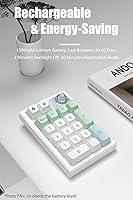
  • Battery: A built-in 1500mAh lithium polymer battery powers wireless operation and is recharged via the USB-C port; no battery replacement is required.
  • Battery Life: Estimated wireless runtime is 30 to 60 days with backlighting disabled, depending on usage frequency and which connection mode is active.
  • Backlight: RGB backlighting is supported across 18 preset modes, including a music rhythm mode; brightness is adjustable via the multifunction knob and driver software.
  • Multifunction Knob: The metal knob adjusts system volume by default, functions as an Escape key when clicked, and switches to backlight brightness control when activated via FN and click.
  • Anti-Ghosting: All 19 keys support full N-key rollover, meaning every simultaneous keystroke is registered independently with no input conflicts.
  • OS Compatibility: The numpad works with Windows, macOS, iOS, and Android, though full driver-based programmability is primarily available on Windows.
  • Auto-Sleep: The backlight turns off automatically after 2 minutes of inactivity, and the device enters a full hibernation mode after 30 minutes to conserve battery.
  • Color Option: The unit is available in a mint colorway with a contemporary finish designed to complement modern minimalist desk setups.
  • Driver Access: The programming driver is available for download via a dedicated short link (bit.ly/K19-Driver) and supports macro creation, key remapping, and RGB customization.
  • Onboard Memory: Custom key mappings and macros are stored directly on the device, so programmed settings remain active across different computers without reinstalling software.

Related Reviews
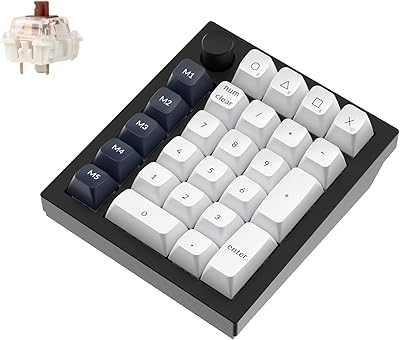
Keychron Q0 Max Wireless Mechanical Numpad

79%
94%
Build Quality
91%
Typing Sound & Feel
86%
Wireless Performance
83%
Customization & Firmware
89%
Switch Hot-Swap
More
Merdia Wireless Mechanical Keyboard
83%
90%
Connectivity Options
88%
Typing Experience
86%
RGB Customization
84%
Build Quality
91%
Battery Life
More
Logitech MX Mechanical
81%
88%
Typing Feel & Switch Quality
91%
Noise Level
86%
Build Quality & Materials
93%
Battery Life
87%
Multi-Device Connectivity
More
Pauroty 60% Wireless Mechanical Keyboard
86%
88%
Connectivity Options
75%
Battery Life
93%
Portability
84%
Ergonomics
91%
RGB Customization
More
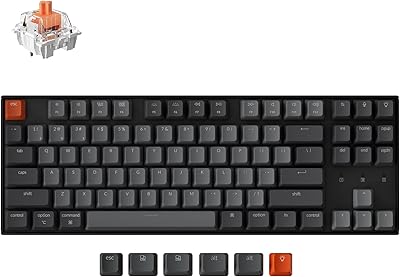
Keychron K8
Keychron K8
80%
91%
Typing Feel & Switch Quality
88%
Noise Level
86%
Multi-Device Connectivity
67%
Build Quality & Materials
72%
Battery Life
More
Logitech POP Keys Mechanical Wireless Keyboard
87%
88%
Overall Satisfaction
90%
Typing Comfort
85%
Customization Options
92%
Battery Life
75%
Bluetooth Connectivity
More
NocFree Wireless Ergonomic Split Mechanical Keyboard
84%
89%
Ergonomics & Comfort
85%
Build Quality
91%
Customization Options
80%
Battery Life
88%
Connectivity & Compatibility
More
Keychron K4 Bluetooth Wireless Mechanical Keyboard
86%
91%
Build Quality
88%
Battery Life
85%
Typing Experience
90%
Connectivity & Versatility
82%
RGB Backlighting
More
AULA F75 Pro
AULA F75 Pro
82%
91%
Typing Sound & Feel
83%
Build Quality & Construction
89%
Hot-Swap & Customizability
86%
Wireless Performance
82%
Battery Life
More
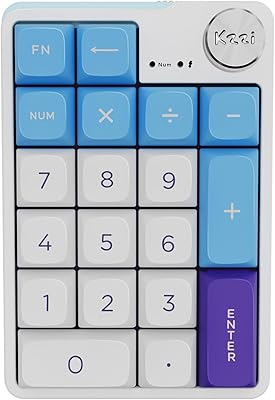
LOFREE Foundation Wireless Mechanical Numpad
82%
91%
Wireless Connectivity
88%
Typing Feel
86%
Build Quality
84%
Multi-Device Switching
79%
Hot-Swap Usability
More

FAQ

Yes, basic functionality works on macOS without installing any software — just connect via Bluetooth or the USB-C cable and start typing. That said, the driver software that handles key remapping and RGB customization is Windows-focused, so Mac users will have limited access to those deeper settings.

Yes, the hot-swap sockets let you pull out the pre-installed Ice linear switches and push in replacements by hand — no soldering iron needed. Just make sure the replacement switches are either 3-pin or 5-pin MX-style, as those are the two formats the sockets support.

The K19 numpad stores up to three Bluetooth device profiles plus one 2.4GHz wireless connection. To switch, you press FN along with the number key corresponding to the profile you want — FN+1 through FN+3 for Bluetooth slots, FN+4 for 2.4GHz, and FN+5 for wired. It takes a couple of seconds to reconnect once the target device is awake.

Realistically, no — the 30 to 60 day estimate assumes you have the backlighting completely off. With even moderate RGB active, expect noticeably shorter cycles. Many users find that keeping lighting off or at low brightness is a fair trade-off for the convenience of not charging every few days.

Gasket mount refers to how the internal switch plate is suspended inside the case — instead of being screwed rigidly to the housing, it rests on foam pads that absorb the impact of each keystroke. In practice, it makes typing feel softer and sounds noticeably quieter compared to a standard mounted numpad, which is a real advantage if you work near other people.

Yes, programmed macros and key assignments are saved directly on the device itself rather than in the software on your PC. So if you set up a macro at home and bring the numpad to your office computer, everything works the same without reinstalling the driver.

It leans toward productivity use — the 19-key layout and macro programmability make it useful for number entry, shortcuts, and workflow automation. That said, the full anti-ghosting across all 19 keys means every input registers cleanly, and some users do map keys for in-game actions. Just do not expect gaming-grade software or ultra-low latency over Bluetooth.

Press FN together with the decimal point key, and the numpad will briefly signal the battery level through its LED indicators. It is not a percentage readout — it is a color-coded or blink-based signal — so check the manual for what the indicator patterns mean on your specific firmware version.

The driver is hosted via a short URL that redirects to TISHLED's download page, which is a setup that understandably raises eyebrows. If you are uncomfortable with that, searching for the model number K19-IS alongside the brand name should help you locate the official source. Some users have also confirmed the software is clean, but as with any peripheral driver, downloading from the manufacturer is always the right move over third-party sites.

Yes, standard keycap pullers work fine here, and the switches underneath are MX-compatible, which is the most common footprint in the hobby. The trickier part is sourcing aftermarket keycaps in a layout that fits a numpad, since fewer keycap sets include numpad coverage compared to full or tenkeyless keyboard sets — so check compatibility before purchasing a new set.