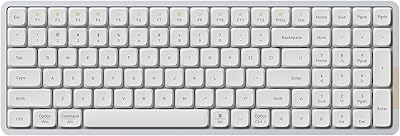
LOFREE Foundation Wireless Mechanical Numpad
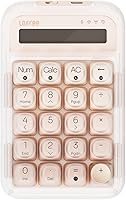
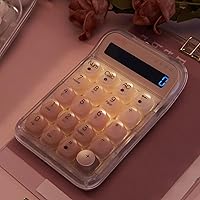
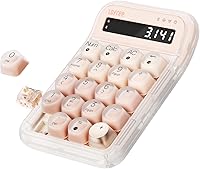

Overview
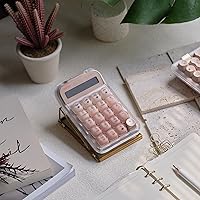
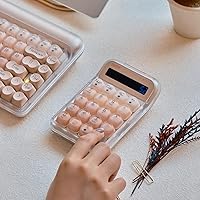
The LOFREE Foundation Wireless Mechanical Numpad enters a category long dominated by cheap, plasticky afterthoughts — and it arrives with a noticeably different attitude. Where most standalone keypads force you to choose between wired reliability and wireless convenience, this wireless numpad supports three connection modes in one compact package. The contemporary Foundation colorway lineup gives it a clean, considered look that doesn't feel out of place next to a premium laptop setup. That said, it's priced accordingly — this isn't an impulse buy, and buyers expecting budget-tier value may want to recalibrate their expectations before committing.
Features & Benefits
What actually makes the LOFREE numpad worth considering is how well its connectivity options translate to real daily use. Bluetooth 5.3 handles the wireless side reliably, the 2.4GHz dongle cuts latency when you need it, and USB-C wired mode is there when battery paranoia strikes. Pairing up to three devices means you can switch between a MacBook, a Windows desktop, and an iPad without re-pairing every time. The hot-swappable switches are a genuine plus — tune the typing feel without a soldering iron. N-key rollover ensures accurate input during rapid data entry, and the white LED backlight is clean and functional, though buyers expecting RGB will want to know upfront that this one keeps it simple. A built-in rechargeable battery rounds things out.
Best For
This mechanical keypad is a natural fit for anyone who works with numbers daily and is tired of reaching across to a full-size keyboard. Accountants, financial analysts, and data entry professionals will appreciate having a dedicated numeric input device that doesn't compromise on typing feel. Mac users in particular benefit — it pairs cleanly with macOS and iOS, which isn't always a given with third-party keypads. If you regularly work across multiple machines, the three-device switching is genuinely useful rather than a spec-sheet checkbox. Switch enthusiasts who want to customize a numpad will also find it accommodating. It's a tighter fit for buyers with a single fixed workstation who don't need wireless or hot-swap flexibility.
User Feedback
Across over a hundred ratings, the pattern is fairly consistent: buyers are happy with their purchase, and the complaints tend to be minor rather than dealbreakers. The build quality gets frequent praise — it feels solid for its size, not hollow or plasticky the way cheaper keypads often do. Typing feel is another common highlight, especially for those who went ahead and swapped switches. On the downside, a handful of users mention initial pairing quirks, particularly on first setup with Bluetooth. Battery life comments are mostly positive, though real-world range estimates vary. A few buyers note the white-only backlight as a limitation after coming from RGB setups. Nothing here suggests a systemic quality issue — just typical early-adopter friction for a product launched in late 2024.
Pros
- Tri-mode connectivity covers Bluetooth, 2.4GHz, and USB-C wired — genuinely useful, not just a spec-sheet checkbox.
- Pairs with up to three devices simultaneously, making multi-machine workflows significantly less frustrating.
- Hot-swappable switches let you tune typing feel without tools, soldering, or buying a whole new keypad.
- macOS and iPadOS compatibility works cleanly out of the box — no manual remapping required for most setups.
- N-key rollover ensures accurate input registration during fast, sustained data entry sessions.
- Build quality feels solid and dense for its size — no flex, no hollow rattle under firm keystrokes.
- Rechargeable battery eliminates the disposable battery cycle entirely.
- Compact footprint keeps desk clutter minimal without sacrificing a full numpad layout.
- The Foundation colorway lineup gives it a refined aesthetic that holds up next to premium peripherals.
Cons
- Initial Bluetooth pairing can be inconsistent, particularly on Windows machines during first-time setup.
- The white-only LED backlight offers no brightness zones, effects, or software control — RGB users will notice the gap.
- In-box documentation is sparse; switch-swapping and device-switching shortcuts require outside research for most buyers.
- ABS keycaps develop visible shine in high-contact zones after several months of daily use.
- Device-switching has a one-to-two second lag that feels sluggish compared to faster competing peripherals.
- Battery duration varies noticeably depending on backlight and connection mode — no on-device indicator to warn you before it dies.
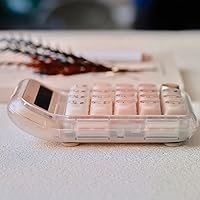
- The 1.77-inch height profile can cause wrist angle fatigue during long sessions without a wrist rest.
- Bluetooth reconnection after sleep mode required manual re-pairing for some Windows 11 users in early firmware versions.
- Minimal guidance on compatible third-party switch types makes sourcing replacements unnecessarily confusing for newcomers.
Ratings
The scores below reflect an AI-driven analysis of verified global user reviews for the LOFREE Foundation Wireless Mechanical Numpad, with spam, bot submissions, and incentivized feedback actively filtered out before any scoring was applied. Each category is weighted against real-world usage patterns reported by buyers — not manufacturer claims — so both the strengths and the friction points are represented honestly. Where consensus was strong, the scores reflect that; where opinions diverged, the numbers land accordingly.
Wireless Connectivity
Typing Feel
Build Quality
Multi-Device Switching
Hot-Swap Usability
macOS & iOS Compatibility
Backlight Quality
Battery Life
Portability & Footprint
Value for Money
Setup & Out-of-Box Experience
N-Key Rollover Accuracy
Keycap Aesthetics
Windows Compatibility
Suitable for:
The LOFREE Foundation Wireless Mechanical Numpad is built for people whose daily work genuinely revolves around numbers — accountants, financial analysts, spreadsheet-heavy operations managers, and anyone else who finds themselves reaching across a laptop keyboard to hunt for the number row dozens of times an hour. If you work across multiple machines, the tri-mode connectivity and three-device pairing make real practical sense: you can keep the keypad on your desk and bounce it between a MacBook, a Windows workstation, and an iPad without re-pairing from scratch each time. Mac users in particular will find the compatibility refreshingly straightforward — no driver headaches, no remapping gymnastics. Mechanical keyboard enthusiasts who want switch customization on a standalone numpad will also find the hot-swap support genuinely useful, especially since most competing keypads in this space are fully sealed. Home office workers with compact desk setups benefit from the clean footprint and wireless freedom, and the contemporary aesthetic means it doesn't look like an afterthought sitting next to a premium laptop.
Not suitable for:
The LOFREE Foundation Wireless Mechanical Numpad is a harder sell if you only need a numpad occasionally — the price reflects a feature set that rewards daily, multi-device use, and casual users will find themselves paying for capabilities they rarely touch. If you're coming from a mechanical keyboard with RGB lighting and expect the same level of backlight customization, the single-color white LED will feel like a step backward with no software workaround available. Buyers who are completely new to mechanical peripherals and have no interest in switch customization may find the hot-swap feature an unnecessary complexity rather than a benefit. Those who need an ultra-slim, low-profile keypad for travel should note the 1.77-inch height profile, which sits taller than flatter alternatives. And if you're on a single fixed machine with a full-size keyboard that already includes a numpad, there's simply no gap for this mechanical keypad to fill.
Specifications
- Model Number: This keypad carries the official model designation EH121, manufactured by LOFREE.
- Dimensions: The unit measures 5.91″ long by 3.94″ wide by 1.77″ tall, making it a compact but non-flat peripheral.
- Weight: At 15.2 ounces, the keypad has enough heft to stay planted on a desk without sliding during active use.
- Connectivity: Three connection modes are supported: Bluetooth 5.3, a 2.4GHz RF wireless dongle, and a wired USB-C connection.
- Multi-Device: The keypad can be paired with up to three devices simultaneously and switched between them without re-pairing each time.
- Switch Type: Mechanical switches with a hot-swappable socket design allow users to replace individual switches without soldering equipment.
- Keycap Material: Keycaps are constructed from a combination of ABS and PC plastic, offering durability with a contemporary finish.
- Backlight: A single-color white LED backlight is built in, providing uniform key illumination with no RGB or multi-zone options.
- Rollover: Full N-key rollover is supported, ensuring every simultaneous keypress is registered accurately during rapid data entry.
- Battery: A rechargeable lithium polymer battery is included and built in, eliminating the need for disposable replacement cells.
- Charging Port: The keypad charges and connects via a USB-C port located on the unit, compatible with standard USB-C cables.
- OS Support: Compatible operating systems include macOS, iOS, Windows, and Android, covering the majority of consumer device ecosystems.
- 2.4GHz Dongle: A 2.4GHz RF USB dongle is included in the box for low-latency wireless connection without Bluetooth dependency.
- Style: The keypad follows a contemporary design language, with the Foundation colorway series offering coordinated aesthetic options.
- Device Category: Classified as a numeric keypad, it ranked #51 in the Numeric Keypads category on Amazon as of early review periods.
- Availability: The product was first made available for purchase on October 31, 2024, placing it among the newer entries in this category.
- Compatible Devices: Designed for use with laptops and desktop PCs as primary host devices, with tablet support via Bluetooth pairing.
- Recommended Use: Intended for everyday personal and professional use, with particular suitability for data entry and number-heavy workflows.
Related Reviews
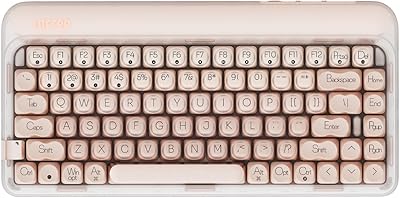
LOFREE DOT Foundation Mechanical Keyboard
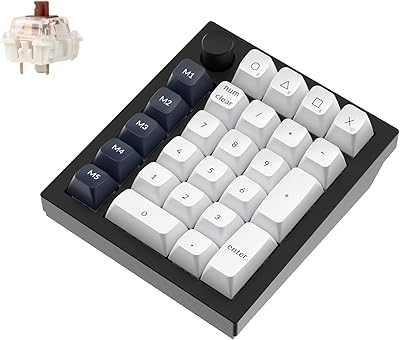
Keychron Q0 Max Wireless Mechanical Numpad
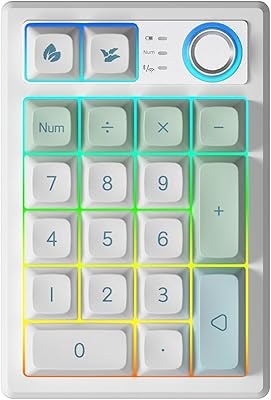
TISHLED K19 Wireless Mechanical Numpad

Merdia Triple Mode 100-Key Wireless Mechanical Keyboard
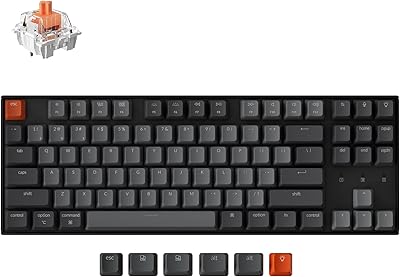
Keychron K8

Logitech MX Mechanical
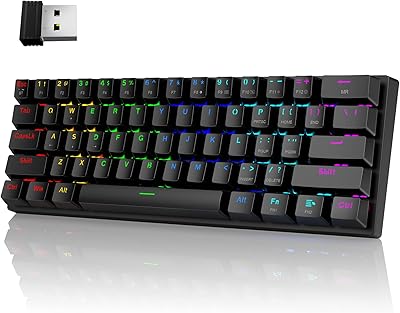
Pauroty 60% Wireless Mechanical Keyboard
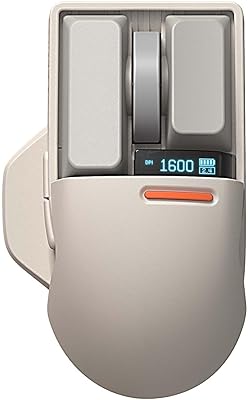
LOFREE Touch PBT Wireless Mouse OE909
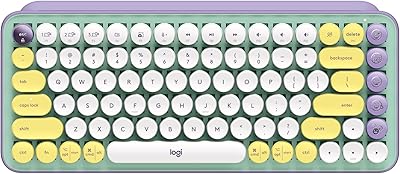
Logitech POP Keys Mechanical Wireless Keyboard