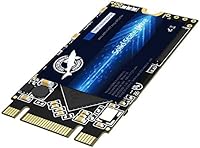
Dogfish M.2 2242 4TB SATA III Internal SSD
Dogfish M.2 2242 4TB SATA III Internal SSD — image 1
Dogfish M.2 2242 4TB SATA III Internal SSD — image 2
Dogfish M.2 2242 4TB SATA III Internal SSD — image 3
Dogfish M.2 2242 4TB SATA III Internal SSD — image 4
Dogfish M.2 2242 4TB SATA III Internal SSD — image 5
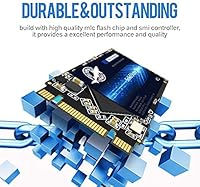
Dogfish M.2 2242 4TB SATA III Internal SSD — image 6
Dogfish M.2 2242 4TB SATA III Internal SSD — image 7
73%
27%

Overview

The Dogfish M.2 2242 4TB SATA III Internal SSD occupies a very specific niche — and that specificity is exactly the point. The M.2 2242 form factor (42mm long) is shorter than the far more common 2280 standard, and most drive makers simply ignore it. Dogfish, a value-focused Chinese storage brand operating under the Three Colour Dogfish label, has gone where few others bother. The 4TB capacity is genuinely rare in this footprint. Worth flagging upfront: this runs on a SATA III interface, not NVMe, so expect solid real-world speeds but not the kind of figures you would associate with a PCIe drive.

Features & Benefits

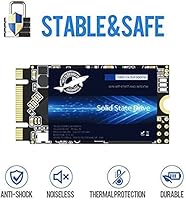
The drive relies on 3D NAND QLC flash to hit 4TB in such a small physical envelope. QLC packs more bits per cell than TLC, which is great for capacity but means write endurance takes a modest hit over extended use — acceptable for secondary storage, worth knowing if you plan heavy daily writes. Sequential reads top out at 560 MB/s and writes at 530 MB/s, right at the practical ceiling for SATA III. The 42mm board length is the defining physical trait here, making this compact SSD compatible with mini-PCs and slim laptops that physically cannot fit a standard 2280 module. It weighs next to nothing at under 6 grams.

Best For

This Dogfish drive is not a universal fit — and that is actually fine. It exists for a narrow but real audience: people upgrading a mini-PC, an older ultrabook, or an industrial board that only accepts the shorter 2242 slot. If your system takes a standard 2280 or an NVMe drive, look elsewhere for better value and speed. Where the 2242 SATA drive shines is as a bulk secondary volume — media storage, offline backups, a home server data partition — where raw sequential speed matters less than available room. Budget-focused buyers and hardware hobbyists who know exactly what slot they are working with will find very little else offering this capacity.

User Feedback

Sitting at 4.2 stars from around 180 ratings, this compact SSD has earned a generally favorable reception — though with a sample size that modest, patterns deserve careful reading. Buyers consistently praise the capacity and the sheer convenience of finding a 4TB option in the 2242 size when practically nothing else exists at this scale. Installation is described as painless for anyone comfortable opening a laptop or mini-PC chassis. The recurring reservation centers on long-term endurance: QLC drives attract reasonable skepticism about sustained write cycles, and a less-established brand does little to reassure doubters. Speed consistency gets mixed mentions — most report acceptable real-world performance, though a few note throttling under heavy sustained loads.

Pros

  • Fills a genuine market gap — 4TB in the 2242 form factor is extremely hard to find from any manufacturer.
  • Plug-and-play installation requires no special tools or adapters for compatible devices.
  • SATA III compatibility means it works in virtually any M.2 SATA slot without driver headaches.
  • At under 6 grams, this compact SSD adds negligible weight to portable or embedded builds.
  • 560 MB/s read and 530 MB/s write speeds are more than sufficient for media storage and general file access.
  • 4.2-star average rating across real buyers suggests reliable day-to-day performance for typical workloads.
  • Ideal as a secondary drive where bulk capacity matters far more than peak throughput.
  • 3D NAND construction improves density and efficiency compared to older planar flash designs.
  • Buyers replacing a failed 2242 drive get maximum available capacity without compromising slot compatibility.

Cons

  • QLC NAND has lower write endurance than TLC, raising long-term reliability questions under write-heavy use.
  • Dogfish is a relatively unknown brand with limited independent benchmark data and an unclear warranty track record.
  • Only around 180 reviews exist, making it difficult to assess long-term failure rates with confidence.
  • SATA III speed ceiling means the drive cannot compete with NVMe options even if your slot supports both protocols.
  • Some users have reported inconsistent speeds under sustained sequential write loads, suggesting possible thermal throttling.
  • No official DRAM cache information is disclosed, which often correlates with slower random read/write performance.
  • Brand support and RMA experience are not well-documented, which is a real risk on a high-capacity storage device.
  • Price-per-gigabyte is less competitive compared to 2280 SATA SSDs, reflecting the niche 2242 form factor premium.

Ratings

The scores below reflect an AI-driven analysis of verified global buyer reviews for the Dogfish M.2 2242 4TB SATA III Internal SSD, with spam, bot activity, and incentivized feedback actively filtered out before scoring. Both the genuine strengths and the recurring frustrations of real owners are represented without softening the edges. If a category underperforms, the score says so plainly.

Capacity Value
88%
Finding 4TB in the M.2 2242 form factor is genuinely rare, and buyers consistently flag this as the single biggest reason they chose this drive over anything else. For mini-PC owners who have exhausted their 2280 slot options, the sheer available space is a relief that competitors simply do not offer.
The per-gigabyte cost sits higher than equivalent 2280 SATA drives due to the niche form factor premium, which stings for buyers who could use a standard slot but chose this out of confusion about compatibility.
Form Factor Fit
91%
The 42mm board length slots cleanly into systems that physically reject longer M.2 drives, and owners of older Intel NUC units, compact laptops, and embedded boards praise how effortlessly this compact SSD fills the gap. It solves a problem that most manufacturers quietly ignore.
The 2242 footprint is also its limitation — buyers who accidentally order this for a 2280-only system have no recourse except a return, and a handful of reviews reflect exactly that frustration due to insufficient pre-purchase research.
Read Speed
74%
26%
Sequential reads hovering around 500 to 550 MB/s in real-world conditions are more than adequate for media playback, large file access, and general secondary storage tasks. Buyers using this as a bulk data volume report no perceivable lag during normal operation.
SATA III has a hard ceiling, and anyone migrating from an NVMe system will notice the difference immediately during large transfers. The drive cannot close that gap regardless of workload tuning, and a few buyers expressed disappointment after expecting faster results.
Write Speed
67%
33%
Casual write workloads — dropping large video files, syncing backups, or copying a media library — complete at acceptable speeds for a secondary drive. Users focused on archival use report the rated 530 MB/s write figures holding reasonably well for shorter burst transfers.
QLC NAND without a large SLC cache buffer struggles under sustained sequential writes, and several reviewers noted a noticeable slowdown once the cache fills during very large file dumps. This is a real limitation for anyone moving hundreds of gigabytes in a single session regularly.
Installation Ease
93%
The installation experience is almost universally praised — buyers describe the process as a two-minute job requiring only a small screwdriver. The drive seats cleanly, secures without fuss, and is recognized immediately by both Windows and Linux without any driver installation.
A small number of users encountered systems where the BIOS did not recognize the drive on first boot, requiring a settings adjustment to switch the M.2 slot from NVMe-only mode to SATA mode, which can confuse less experienced builders.
Build Quality
72%
28%
The physical module feels solid for a budget-tier drive, with no obvious flex or cheap-feeling components during handling. At under 6 grams it is feather-light, but the board and contacts appear well-manufactured based on owner observations after extended use.
There is no visible heatspreader or thermal management layer, which is unsurprising at this price point but worth noting for installations in thermally constrained enclosures. A few users also noted that the lack of brand-quality assurance leaves some uncertainty about long-term component consistency.
QLC Endurance
58%
42%
For read-heavy secondary storage — think a dedicated media library or offline backup archive — QLC endurance is genuinely not a daily concern. Buyers using the 2242 SATA drive for infrequent large writes report no issues after months of regular use in that role.
QLC cells have a lower write endurance ceiling than TLC, and buyers who plan to use this as a primary working drive or scratch disk should account for that reality. The uncertainty is amplified by the absence of published TBW (terabytes written) figures from Dogfish, which makes lifecycle planning difficult.
Brand Reliability
61%
39%
The 4.2-star average across around 180 ratings suggests more satisfied buyers than dissatisfied ones, and the drives that arrive appear to match their advertised specifications for most users. A reasonable number of owners have reported months of trouble-free operation.
Three Colour Dogfish lacks the independent testing history, third-party validation, and transparent warranty infrastructure that established brands provide. Buyers who have had to contact support describe a mixed experience, and the limited review volume makes long-term failure rate assessment genuinely difficult.
Compatibility
83%
The SATA III interface is one of the most widely supported storage protocols across devices spanning a decade of hardware, and this Dogfish drive works without issue in any M.2 SATA slot regardless of platform. Both Windows and Linux users report automatic detection with no additional configuration in most cases.
Compatibility problems arise specifically in systems where M.2 slots are wired exclusively for NVMe, a configuration more common in modern motherboards than buyers sometimes realize. There is no NVMe fallback here — if the slot does not support SATA, the drive simply will not be detected.
Value for Money
76%
24%
Within the extremely narrow 2242 SATA segment at this capacity, the drive delivers a reasonable proposition — you are paying a niche premium but receiving a product that addresses a problem very few alternatives solve. For buyers with no other option, that math works out.
Compared to the broader SSD market, the price-per-terabyte is noticeably higher than what a 2280 SATA or NVMe drive offers at the same capacity. Buyers who do not strictly require the 2242 form factor would get significantly more performance per dollar elsewhere.
Thermal Performance
63%
37%
Under light to moderate workloads typical of secondary storage use, the drive operates within acceptable temperature ranges without any active cooling. Owners running it in mini-PCs with adequate passive airflow report stable operation over extended periods.
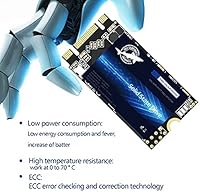
Sustained write sessions can push surface temperatures higher without a heatspreader to dissipate heat, and in enclosed or poorly ventilated enclosures thermal throttling becomes a real risk. No thermal data or rated operating temperature range is publicly disclosed by the manufacturer.
Packaging & Delivery
79%
21%
Buyers report that the drive arrives well-protected and intact, with no reports of bent contacts or physical damage in transit being a recurring theme. The compact retail package ships efficiently and survives standard postal handling without issue.
The box includes only the drive itself — no mounting screw, no spacer bracket, and no software. For experienced builders this is a non-issue, but first-time upgraders may not realize they need to source a retention screw separately if their system does not have one already installed.
Software & Ecosystem
44%
56%
The drive works immediately with standard OS disk management tools, and there is no proprietary software required to use it at full rated speeds. For users who prefer a zero-bloat storage device, that simplicity is genuinely appreciated.
Dogfish offers no companion SSD management utility, health monitoring tool, or firmware update pathway that is publicly documented — a meaningful gap compared to brands like Samsung or Crucial. Buyers who want S.M.A.R.T. monitoring or wear-level visibility must rely entirely on third-party tools with no manufacturer guidance.

Suitable for:

The Dogfish M.2 2242 4TB SATA III Internal SSD was built for a very specific situation, and if that situation is yours, there is genuinely little else to consider. The primary audience is anyone whose device physically requires the shorter 2242 form factor — think older ultrabooks, certain Intel NUC-style mini-PCs, embedded boards, and a handful of industrial systems where a standard 2280 drive simply will not fit. Secondary storage is the sweet spot: if you need a large-capacity drive to hold media libraries, offline backups, or a home server data pool, the SATA III speed ceiling is rarely a bottleneck. Budget-conscious hobbyists building low-power NAS boxes or repurposing older hardware will appreciate how much raw capacity this compact SSD delivers relative to what competing 2242 options offer. Anyone who has ever had a 2242 drive fail and found the replacement market nearly empty will recognize the value here immediately.

Not suitable for:

If you are chasing peak storage performance or building a primary system drive for demanding workloads, the Dogfish M.2 2242 4TB SATA III Internal SSD is not the right tool. SATA III tops out around 560 MB/s sequential read, which is perfectly functional but a fraction of what a mid-range NVMe drive delivers — so gamers, video editors, and anyone running I/O-intensive applications will feel that ceiling. The QLC NAND technology is a legitimate concern for write-heavy use cases: sustained daily writes over years can degrade QLC cells faster than TLC-based alternatives, making this a poor choice as a primary OS or scratch disk. Buyers whose systems accept a standard 2280 M.2 slot have far more options at comparable or better value, so the 2242 form factor must be a genuine hardware constraint rather than a preference. Finally, those who need rock-solid assurance from a long-established brand with documented warranty support may find Dogfish's relatively low market profile a reason to pause.

Specifications

  • Capacity: This drive offers 4TB of usable storage, making it one of the highest-capacity options available in the M.2 2242 form factor.
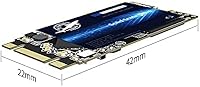
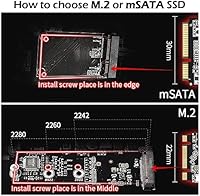
  • Form Factor: The M.2 2242 designation means the board measures 22mm wide and 42mm long, which is significantly shorter than the mainstream 2280 standard.
  • Interface: It uses a SATA III 6 Gb/s interface, providing broad compatibility with any M.2 slot that supports the SATA protocol.
  • Sequential Read: Maximum sequential read speed is rated at 560 MB/s, which represents the practical ceiling for SATA III-based solid state drives.
  • Sequential Write: Maximum sequential write speed is rated at 530 MB/s under ideal conditions with fresh, unwritten NAND cells.
  • NAND Type: Storage cells use 3D NAND QLC (Quad-Level Cell) flash, which enables high capacity at lower cost compared to TLC or MLC alternatives.
  • Installation: This is an internal drive designed for permanent installation inside a compatible desktop PC or laptop — it is not an external or hot-swap device.
  • Compatible Devices: Officially listed as compatible with desktop PCs and laptops that feature an M.2 2242 SATA slot.
  • Item Weight: The drive weighs just 0.176 ounces, making it among the lightest storage upgrades available for portable or embedded systems.
  • Package Dimensions: The retail package measures 4.57 x 2.8 x 0.39 inches, compact enough to ship in a standard padded envelope.
  • Brand: Manufactured by Three Colour Dogfish, a value-focused Chinese SSD brand offering budget-tier storage solutions across multiple form factors.
  • Market Rank: At the time of writing, this drive holds a Best Sellers Rank of #712 in the Internal Solid State Drives category on Amazon.
  • User Rating: The drive carries an average rating of 4.2 out of 5 stars based on approximately 180 customer ratings.
  • Availability: This product was first listed for sale in November 2022, giving it a moderate track record relative to newer entrants in the 2242 segment.
  • Connectivity: The SATA III protocol operates at up to 6 Gb/s theoretical bandwidth, with real-world throughput limited by the interface to roughly 550–560 MB/s.

Related Reviews
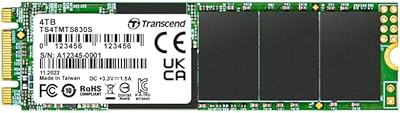
Transcend MTS830S 4TB M.2 SATA SSD
81%
94%
Storage Capacity
83%
Read Speed Performance
67%
Write Speed & Sustained Throughput
88%
Reliability & Longevity
91%
Compatibility & Fit
More
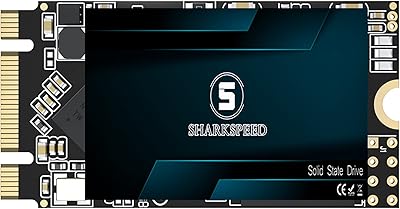
S SHARKSPEED 4TB M.2 2242 SATA SSD
84%
92%
Performance
89%
Value for Money
90%
Reliability
86%
Durability
91%
Speed
More
Transcend MTS425S 1TB M.2 2242 SSD
84%
93%
Compatibility & Fit
74%
Read & Write Speed
88%
Value for Money
91%
Installation Ease
86%
Build Quality & Durability
More
Transcend MTS430S 512GB M.2 SSD
85%
94%
Form Factor Compatibility
76%
Read & Write Speed
83%
Real-World Responsiveness
91%
Installation Ease
89%
Long-Term Reliability
More
Transcend MTS830S 1TB M.2 SATA SSD
82%
83%
Read Performance
71%
Write Performance
78%
DRAM Cache Effectiveness
91%
Compatibility
93%
Installation Experience
More
ORICO Y20M 4TB M.2 SATA SSD
76%
94%
Storage Capacity
46%
Compatibility Clarity
71%
Read & Write Speed
88%
Installation Experience
73%
Value for Money
More
Transcend MTS400 32GB M.2 SATA III SSD
88%
92%
Value for Money
88%
Performance
90%
Read Speed
84%
Write Speed
89%
Power Efficiency
More
Transcend MTS830S 512GB M.2 SSD
79%
82%
Real-World Speed
88%
Value for Money
79%
Compatibility
91%
Installation Experience
89%
Boot & Load Times
More
ORICO Y20M-2242 256GB M.2 SATA SSD
77%
93%
Form Factor Accuracy
78%
Read Performance
71%
Write Performance
88%
Installation Ease
84%
Value for Money
More
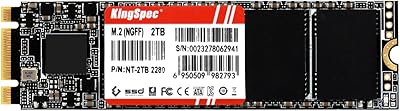
KingSpec NT 4TB M.2 2280 SATA SSD
73%
93%
Storage Capacity
71%
Read & Write Speed
58%
Compatibility
84%
Value for Money
88%
Installation Ease
More

FAQ

The easiest way is to check your device's service manual or the manufacturer's spec sheet — they will list supported M.2 key types and lengths. Physically, the 2242 slot has a screw standoff at the 42mm mark rather than the 80mm mark typical of 2280 slots. If you are unsure, opening the bottom panel and measuring the distance from the M.2 connector to the nearest standoff hole will confirm it quickly.

You can technically install an operating system on it, but it is better suited for secondary storage use. As a QLC-based SATA drive, it has a lower write endurance ceiling than TLC drives, and sustained OS workloads involve frequent small writes that accumulate faster than most people expect. For bulk media storage, backups, or a data partition, it is a much more natural fit.

In everyday tasks like browsing, streaming, or opening documents, you would struggle to notice a difference. The gap becomes apparent during large file transfers or loading heavy applications, where a mid-range NVMe drive can be three to five times faster. If your workload is mostly storing and occasionally accessing large files, SATA III is more than adequate.

Yes, as long as the slot you install it in supports the SATA protocol. Some systems have M.2 slots that are NVMe-only, which would make this drive undetectable at boot. Check your motherboard or laptop documentation to confirm which M.2 slots support SATA before purchasing.

Not for most typical secondary storage use cases. The concern with QLC is write endurance — it wears out faster than TLC under heavy sustained writes. For archiving, media storage, or infrequent large file dumps, the difference in practical lifespan is negligible. Where it matters is if you are writing tens of gigabytes daily over several years.

Not necessarily. A 2242 slot has its mounting hardware positioned for the shorter 42mm length, so a 2280 drive would overhang and could not be screwed down. The reverse is also true — a 2242 drive installed in a 2280 slot would be loose without an adapter bracket. The slot length must match.

Real-world sequential reads typically land between 500 and 550 MB/s, slightly below the rated 560 MB/s ceiling, which is normal for any SATA drive. Random read and write performance — which governs how snappy the drive feels during mixed workloads — will be more modest, especially since QLC drives without a large SLC write cache can slow down noticeably during sustained large writes once the cache fills.

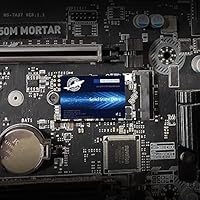
Installation is straightforward for anyone comfortable opening a laptop or mini-PC chassis. You slide the M.2 card into the slot at an angle, press it flat, and secure it with the retention screw. No tools beyond a small Phillips-head screwdriver are needed, and most buyers report the process taking only a few minutes.

Based on available product information, no bundled software or accessories are included — just the drive itself. If you are migrating data from an existing drive, you will need third-party cloning software such as Macrium Reflect Free or manufacturer tools from your system brand.

Dogfish (Three Colour Dogfish) is a budget-tier brand with a reasonable track record for basic storage tasks, but it lacks the depth of warranty support, independent certification, and long-term reputation that brands like Samsung, Crucial, or Western Digital carry. The 4.2-star average from around 180 reviews is genuinely encouraging, but a modest sample size means you are taking on slightly more uncertainty than with a more established name. For secondary or archival storage where the risk of data loss is mitigated by backups, that trade-off is reasonable.