Overview

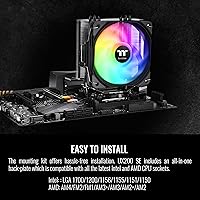
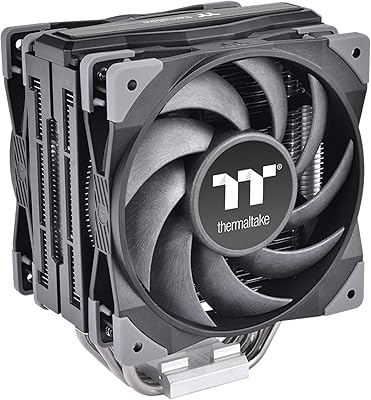
The Thermaltake UX200 SE CPU Air Cooler sits in a sweet spot for builders who want genuine cooling headroom without spending big. It handles a 170W thermal ceiling, which is more than enough for mainstream processors — think a Ryzen 5 or a Core i5 running at stock settings — with room to spare. What makes it worth a look at this price tier is the direct-contact heatpipe design, a technique usually reserved for pricier hardware. The socket support list is impressively long, covering current platforms like AM5 and LGA 1700 all the way back to older AM2 and LGA 1156 systems. Just don't expect it to tame a fully unleashed high-end chip under sustained all-core loads.
Features & Benefits

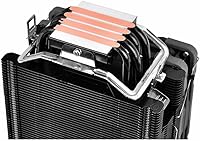
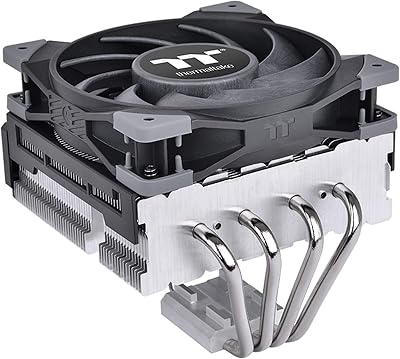
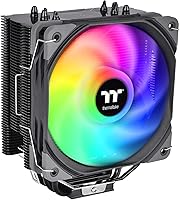
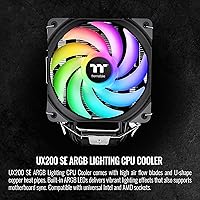
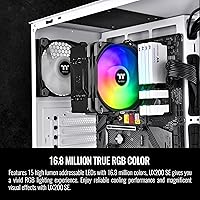
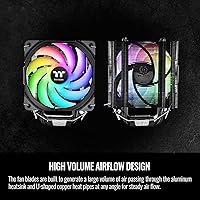
Four 6mm copper heatpipes run in direct contact with the CPU surface — no soldered base plate in the way — which helps heat move off the chip quickly and into the aluminum fin stack above. The 120mm fan keeps things quiet; at casual workloads it barely registers, and even when it ramps up toward its top speed it stays well within comfortable listening range. The ARGB lighting is a genuine highlight, with 15 addressable LEDs that sync cleanly over a 5V header with boards from ASUS, Gigabyte, ASRock, and MSI. Fan speed adjusts automatically through the 4-pin PWM connection, so you're not manually tuning curves in software.

Best For

This tower air cooler is a natural fit for anyone building around a mainstream processor — a Ryzen 5 7600, a Core i5-13400, or similar chips that stay within a sensible power envelope under real workloads. First-time builders will appreciate how uncomplicated the installation is, and the ARGB sync works out of the box without any software gymnastics. It also sits comfortably in standard mid-tower cases and many compact builds, given its manageable footprint and moderate weight. Coming off a stock cooler, the temperature difference is immediately noticeable. What this Thermaltake cooler isn't built for is serious overclocking or pairing with a power-hungry flagship CPU that would push it consistently to its limits.

User Feedback

Across a wide range of buyer reviews, two things surface consistently: noticeable CPU temperature drops compared to whatever cooler came before, and a straightforward installation process that rarely causes frustration. The ARGB lighting earns frequent praise too — users regularly comment that it looks better than expected at this price point. On the flip side, some builders have flagged that mounting pressure can feel uneven depending on the socket, and the backplate has drawn criticism for feeling less solid than it should. Noise-wise, the real-world experience tracks closely with the rated spec — quiet at idle and only mildly audible under load. Long-term reliability is generally well-regarded, though a smaller number of long-time users have reported fan bearing noise after extended continuous use.

Pros

  • Handles mainstream CPUs comfortably, with thermal headroom to spare for typical everyday workloads.
  • Direct-contact copper heatpipes move heat off the CPU faster than most competitors at a similar price.
  • ARGB lighting looks genuinely impressive and syncs cleanly with major motherboard software ecosystems.
  • Broad socket compatibility means the UX200 SE can follow you across platform upgrades for years.
  • Fan noise at idle is nearly imperceptible, making it a good fit for quiet home or office builds.
  • PWM fan control works automatically, so you rarely need to touch curve settings after initial setup.
  • Installation is straightforward enough for first-time builders to complete without much frustration.
  • Lightweight aluminum construction keeps case weight down and avoids stressing the motherboard over time.
  • A noticeable drop in CPU temperatures compared to stock coolers is consistently reported by buyers.
  • Compact dimensions fit comfortably in standard mid-tower cases without clearance headaches.

Cons

  • Sustained all-core loads on higher-power chips will push this cooler close to its limits quickly.
  • The mounting backplate feels flimsy to many experienced builders, raising concerns about long-term clamping reliability.
  • Mounting pressure can feel inconsistent across different socket types, potentially affecting thermal contact quality.
  • A small but recurring number of users report fan bearing noise developing after prolonged continuous use.
  • No bundled thermal paste is included in some shipments, which can catch first-time builders off guard.
  • The single 120mm fan configuration cannot compete with larger or dual-fan tower coolers for raw heat dissipation.
  • RAM clearance may be tight on boards with tall memory heatspreaders depending on exact case and layout.
  • Long-term durability data is mixed, with a portion of buyers noting performance degradation after heavy extended use.

Ratings

The scores below reflect an AI-driven analysis of verified global buyer reviews for the Thermaltake UX200 SE CPU Air Cooler, with spam, bot-submitted, and incentivized feedback actively filtered out before scoring. Each category captures both the genuine strengths that earned buyer loyalty and the recurring frustrations that tempered enthusiasm. Nothing has been smoothed over — the ratings reflect what real builders actually experienced.

Thermal Performance
78%
22%
Builders upgrading from box coolers consistently report meaningful temperature drops under everyday workloads — often 10 to 20 degrees Celsius — which translates into a quieter, more stable system during gaming sessions or long work-from-home days. The direct-contact heatpipe design punches above its weight class for moderate CPU loads.
When paired with higher-power chips running sustained all-core workloads — think long video renders or extended compilation jobs — temperatures climb toward uncomfortable territory and occasional throttling has been reported. It is genuinely not built for that kind of sustained punishment, and buyers who push it there are the most disappointed.
Noise Level
82%
18%
At idle and during light tasks like browsing or document work, most users describe it as essentially silent — the kind of quiet that makes an open-concept room noticeably more pleasant. Even under moderate gaming load the fan ramps up smoothly without producing the sharp whine that plagues cheaper coolers.
Under sustained heavy load the fan does become audible, and a portion of users found it more intrusive than the 25 dB spec suggested. The gap between idle whisper and full-load noise is wider than some buyers expected, making it slightly disruptive in dead-quiet listening environments during demanding tasks.
Build Quality
63%
37%
The aluminum fin stack feels solid and the copper heatpipes are well-formed with no visible gaps at the contact points on the units buyers received. For the price bracket it occupies, the heatsink assembly itself gives a reasonable first impression when held in hand.
The mounting backplate is the weak link — multiple buyers across different platforms described it as noticeably thin and flex-prone during installation, which creates anxiety about long-term clamping integrity. A few users also noted minor cosmetic inconsistencies on fin edges, suggesting quality control is not perfectly uniform across production batches.
Installation Experience
81%
19%
First-time builders in particular praised how manageable the installation process felt — the bracket system is logical, the hardware is well-labeled, and the whole process from unboxing to a seated cooler rarely takes more than 20 minutes. It is accessible enough that many newcomers completed it without needing to consult outside tutorials.
Achieving consistent mounting pressure across all four contact points proved tricky for a notable subset of builders, especially on AMD platforms. Some users reported needing to reseat the cooler after initial installation when temperatures came in higher than expected, suggesting the first attempt does not always yield optimal contact.
ARGB Lighting Quality
86%
The lighting is a genuine highlight relative to what this cooler costs — 15 addressable LEDs produce rich, even illumination that holds up well in side-panel windowed builds. Buyers regularly commented that it looked more expensive than it was, and sync with ASUS Aura, MSI Mystic Light, and Gigabyte RGB Fusion worked reliably without fussing around.
The diffusion across the fan frame is not perfectly even, and at certain viewing angles a few individual LED hotspots are visible rather than a smooth gradient. Users who already own high-end ARGB components in their build may notice the difference in uniformity when comparing side by side.
Socket Compatibility
93%
The breadth of supported sockets is one of the strongest practical arguments for this cooler — it covers current-generation Intel and AMD platforms as well as legacy sockets going back over a decade, meaning it can follow a builder through multiple upgrades without needing replacement brackets. For users who repurpose hardware across older systems, this is a real convenience.
While the compatibility list is long, a small number of buyers noted the included instruction sheet does not always make it obvious which hardware combination applies to their specific socket, leading to some confusion during installation. The documentation could be clearer for less experienced builders navigating multi-platform kits.
Value for Money
84%
When judged strictly within its intended use case — mainstream CPUs in everyday builds — buyers consistently felt the purchase was justified. Getting direct-contact heatpipes, ARGB lighting, and broad compatibility at this price point genuinely overdelivers compared to alternatives that offer only one or two of those features.
Buyers who stretched its use beyond mainstream chips or expected premium build quality from the mounting hardware walked away feeling the value proposition weakened considerably. The cooler earns its price only when matched to the right CPU — outside that window, the compromises start to feel more significant.
Fan Longevity
58%
42%
For the first year to eighteen months of normal use, the fan runs reliably and quietly for the majority of buyers. Units used in typical home desktop workloads — moderate gaming, productivity, occasional rendering — held up without incident across a solid portion of the user base.
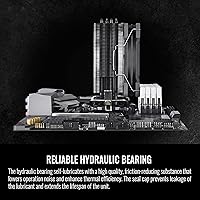
A recurring pattern in long-term feedback involves the fan bearing developing a low hum or intermittent rattle after extended continuous operation, particularly in systems that run around the clock. This is not universal, but it appears often enough to be a credible concern for users planning to keep a build running for several years without component swaps.
RAM Clearance
67%
33%
On the majority of mainstream board and memory combinations — standard-height DDR4 or DDR5 sticks on typical ATX layouts — clearance is not an issue, and builders slot it in without any interference. The relatively slim base profile helps it avoid conflict in most conventional builds.
Users running extra-tall heatspreaders on memory installed in the slot closest to the CPU socket ran into genuine clearance problems on certain board layouts, particularly tighter mATX designs. This is not a universal issue, but it catches enough people off guard that it warrants checking before purchase.
Packaging & Unboxing
74%
26%
The cooler arrives well-protected in most cases, with adequate foam cushioning that prevents transit damage to the fin stack and fan blades. Buyers generally reported receiving the unit in clean condition with all mounting hardware present and organized.
A handful of buyers noted that thermal paste was absent or the instruction sheet was unhelpfully sparse for identifying the correct mounting configuration. For experienced builders this is a minor inconvenience, but for newcomers it introduced unnecessary confusion right at the start of the build process.
Case Compatibility
79%
21%
The compact tower height fits comfortably in the overwhelming majority of standard mid-tower cases without requiring any modifications or component rearranging. Its modest footprint also leaves adequate room around the socket area for cable management in most typical layouts.
Compact ITX and some slim mATX cases with CPU cooler height limits below 155mm may not accommodate it, and a few users in small-form-factor builds discovered the fit issue only after purchase. Buyers working with restrictive enclosures should verify exact clearance numbers before committing.
Overclocking Suitability
41%
59%
For mild, conservative overclocks on CPUs that respond well to modest frequency bumps — a slight boost on an older Ryzen 5 or a modest all-core lift on a non-K Intel chip — the UX200 SE can maintain acceptable temperatures in cooler ambient environments.
It was simply not designed for serious overclocking, and buyers who pushed unlocked or high-TDP chips hard found temperatures spiraling quickly toward throttling thresholds. This is the single clearest misuse case, and the negative reviews driven by overclocking disappointment are almost entirely avoidable with proper expectations going in.
Motherboard RGB Sync
83%
Sync functionality with ASUS Aura Sync, MSI Mystic Light, Gigabyte RGB Fusion, and ASRock Polychrome worked without any additional driver installation for most users — plug in the 5V header and the software picks it up immediately. This plug-and-play behavior is exactly what casual builders hope for.
A small number of users on older boards or niche motherboard brands outside the major four found that automatic sync did not work as expected and required manual workarounds. The 5V ARGB standard is widely supported today, but edge cases on legacy or budget-tier boards do still exist.
Weight & Motherboard Stress
88%
At under two pounds the cooler exerts minimal lateral stress on the motherboard, which matters particularly for builds that get transported frequently — LAN party regulars and those who move systems between rooms appreciated not having to worry about PCB flex over time. It is light enough that sag reinforcement brackets feel unnecessary.
There is very little to criticize here given the weight, though buyers using the cooler in horizontally oriented cases noted that the mounting hardware, not the weight itself, was the variable they felt least confident about for long-term stability.

Suitable for:

The Thermaltake UX200 SE CPU Air Cooler is a strong pick for budget-conscious builders who want a meaningful upgrade over a stock cooler without spending a lot. It fits naturally into builds centered around mainstream processors — a Ryzen 5 or Ryzen 7, a Core i5 or Core i7 non-K — where typical power draw stays well within the cooler's rated thermal capacity. First-time builders will find the installation process approachable, and the 5V ARGB sync support means the lighting integrates cleanly with popular boards from ASUS, Gigabyte, ASRock, and MSI right away. Its compact footprint and modest weight also make it a practical choice for standard mid-tower and some smaller cases where a large dual-tower cooler simply wouldn't fit. If you're building a visually appealing system on a tight budget and your CPU isn't an extreme power draw, this Thermaltake cooler delivers real value.
Not suitable for:

The Thermaltake UX200 SE CPU Air Cooler is not the right tool for users who plan to push their system hard — think overclocked high-end CPUs or unlocked processors running sustained all-core workloads for extended periods. At that level, direct-contact heatpipe coolers at this price tier start to run out of headroom, and temperatures will climb in ways that can throttle performance. Enthusiast builders who already own or are considering premium tower coolers or all-in-one liquid coolers will find little reason to downgrade. The mounting hardware has drawn criticism for feeling less robust than expected, which may give experienced builders pause. Anyone running a compact ITX case with strict height limits should also verify clearance carefully before committing, as the tower profile may conflict with low-profile memory or tightly spaced components.
Specifications

  • Dimensions: The cooler measures 4.8″ long by 2.4″ wide by 6.15″ tall, making it compact enough for most standard mid-tower cases.
  • Weight: At 1.72 lbs, the heatsink assembly is light enough to avoid placing undue stress on the motherboard PCB over time.
  • TDP Rating: Rated for up to 170W of thermal dissipation, covering the full range of mainstream desktop CPUs without issue.
  • Heatpipes: Four 6mm U-shape copper heatpipes sit in direct contact with the CPU heat spreader, bypassing a traditional base plate for faster heat transfer.
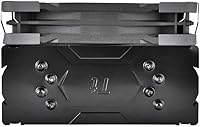
  • Fan Size: A single 120mm fan is mounted to the aluminum fin stack and handles all airflow through the heatsink.
  • Fan Speed: The fan spins between a low idle speed and a maximum of 1800 RPM, adjusting automatically based on system thermal load.
  • Noise Level: Maximum noise output is rated at 25 dB, which is quiet enough that the fan rarely becomes noticeable in a typical room environment.
  • Power Connector: Uses a standard 4-pin PWM connector, allowing the motherboard to control fan speed automatically without manual software configuration.
  • ARGB Lighting: Fifteen addressable RGB LEDs are built into the fan frame and support over 16 million color combinations through compatible motherboard software.
  • RGB Header: The 5V ARGB header is compatible with lighting sync software from ASUS, ASRock, Gigabyte, and MSI motherboards out of the box.
  • Heatsink Material: The fin stack is constructed from aluminum, while the heatpipes are copper, combining thermal conductivity with a manageable overall weight.
  • Intel Sockets: Supports Intel LGA 1851, 1700, 1200, 1156, 1155, 1151, and 1150, covering platforms from current-generation back to older Sandy Bridge-era boards.
  • AMD Sockets: Supports AMD AM5, AM4, FM2, FM1, AM3+, AM3, AM2+, and AM2, covering everything from the current Ryzen 7000 series back to Athlon-era platforms.
  • Cooling Method: Air cooling via a tower heatsink design, with no liquid, pump, or tubing involved.
  • Voltage: The ARGB lighting operates at 5 volts, in line with the standard 5V ARGB header specification used across modern motherboards.
  • Blade Count: The 120mm fan uses 9 individual blades, a count optimized to balance static pressure against the fin stack with overall airflow volume.
  • Compatible Devices: Designed exclusively for use in desktop PCs and is not compatible with laptop or small-form-factor embedded systems.

Related Reviews

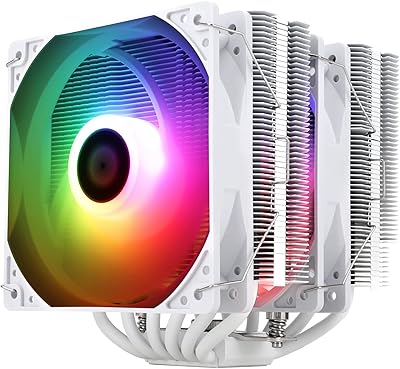
Thermalright Peerless Assassin 120 SE ARGB White CPU Air Cooler
87%
92%
Cooling Performance
88%
ARGB Lighting Customization
85%
Noise Levels
90%
Installation Ease
87%
Build Quality
More
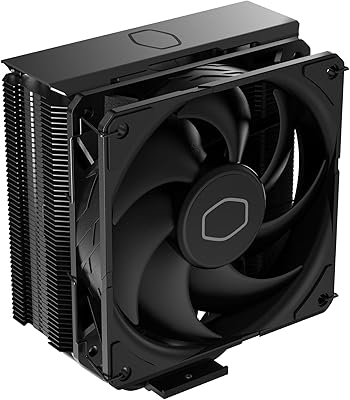
Cooler Master Hyper 212 Black CPU Cooler
79%
83%
Thermal Performance
79%
Noise Level
93%
Value for Money
76%
Installation Experience
81%
Build Quality
More
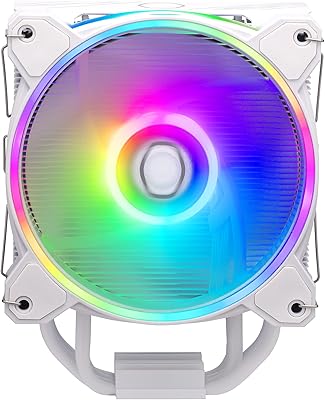
Cooler Master Hyper 212 Halo CPU Air Cooler
84%
88%
Cooling Performance
91%
Noise Level
85%
Ease of Installation
89%
Build Quality
80%
RGB Aesthetics
More
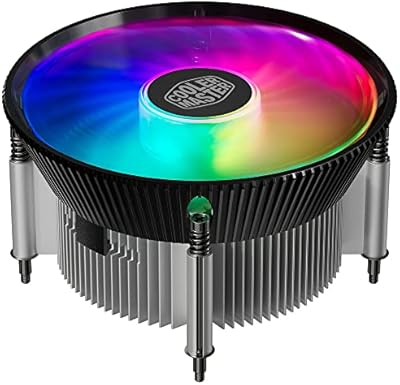
Cooler Master i70C Low-Profile CPU Cooler
78%
72%
Thermal Performance
88%
Noise Level
93%
Form Factor & Fit
86%
Installation Ease
78%
ARGB Lighting
More
Cooler Master i71C RGB Intel Low-Profile CPU Air Cooler
84%
88%
Cooling Performance
91%
Noise Level
85%
RGB Customization
89%
Build Quality
75%
Installation Ease
More
Cooler Master MasterAir MA824 Stealth CPU Cooler
81%
88%
Thermal Performance
91%
Noise Level
93%
RAM Clearance
72%
Installation Experience
89%
Build Quality & Materials
More
Cooler Master Hyper 622 Halo Dual Tower CPU Cooler
82%
83%
Thermal Performance
88%
Noise Level
89%
Ease of Installation
67%
RAM Clearance
86%
Build Quality
More
Vetroo V5 CPU Air Cooler
82%
73%
Thermal Performance
84%
Noise Level
91%
Value for Money
71%
Build Quality
88%
ARGB Lighting Quality
More
Thermaltake TOUGHAIR 510 CPU Air Cooler
80%
83%
Thermal Performance
78%
Noise Level
67%
Installation Experience
86%
RAM Clearance
81%
Build Quality & Materials
More
Thermalright PS120SE CPU Air Cooler
80%
89%
Thermal Performance
86%
Noise Level
93%
Value for Money
74%
Build Quality
81%
Ease of Installation
More

FAQ

In most standard mid-tower cases it fits without any problem. The tower stands just over 6 inches tall, so as long as your case supports CPU coolers up to around 155mm to 160mm in height, you should be fine. It is worth double-checking your specific case spec sheet if you are working with a more compact enclosure.

Yes, the UX200 SE supports both LGA 1700 and AM5 natively, along with a long list of older sockets going back several generations. The mounting hardware in the box covers all of these platforms, so you should not need to source any additional brackets.

This is one area where buyer experiences have varied. Some units ship with thermal paste pre-applied or included separately, while others do not. It is a good idea to have a small tube of quality thermal compound on hand before you start your build, just to be safe.

Under sustained load the fan ramps up noticeably, but it stays well within comfortable range for most people. At idle or light use it is nearly silent. The 25 dB rating reflects an upper ceiling that requires the CPU to be genuinely stressed — regular everyday computing keeps the fan much quieter than that.

Technically the socket is compatible, but it is not the best match for those chips. High-end processors in that class can sustain power draws that push this cooler toward its limits under prolonged all-core workloads. You would likely see thermal throttling during extended rendering or compilation tasks. For those CPUs, a beefier dual-tower air cooler or an all-in-one liquid cooler is a more appropriate choice.

The Thermaltake UX200 SE CPU Air Cooler uses a standard 5V 3-pin ARGB header, which is found on most modern mid-range and higher motherboards from ASUS, Gigabyte, ASRock, and MSI. Once plugged in, you control colors and effects through the same software you already use for your other RGB components. If your board does not have a 5V header, the lighting simply will not function, though the cooler itself will still work normally.
Most first-time builders find it pretty approachable. The mounting system is straightforward, and the included hardware covers all supported platforms. Reading through the instruction sheet before starting goes a long way, especially when it comes to getting the backplate seated correctly. The main thing to watch is applying even pressure when tightening the mounting screws to ensure solid contact with the CPU.

The difference is usually meaningful. Most users coming off a stock Intel or AMD box cooler report drops of 10 to 20 degrees Celsius under load, though actual results depend on your CPU, case airflow, and ambient room temperature. The improvement at idle is smaller but still noticeable, and the reduction in fan noise alone tends to make the upgrade feel worthwhile.

The cooler generally holds up well for the first couple of years. A smaller portion of long-term users have reported that the fan bearing develops a faint humming or rattling noise after sustained heavy use over a long period. This is not universal, but it is worth keeping in mind. The heatpipes and heatsink themselves are passive components with no moving parts, so they tend to remain reliable indefinitely.

It depends on your specific board layout and memory kit. The cooler has a fairly slim profile at the base, which helps, but extra-tall DDR5 heatspreaders on boards where the RAM slots sit very close to the CPU socket can sometimes conflict with the lower fin edge. If you are running high-profile memory, it is worth checking the RAM clearance spec for this cooler against the height of your sticks before committing.

Where to Buy