Overview

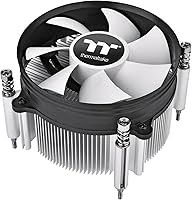
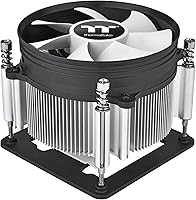
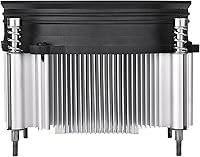
The Thermaltake Gravity i3 CPU Cooler is built around one clear priority: fitting where taller coolers simply cannot. At just 2.58 inches tall, it targets builders working within tight clearance constraints — think slim mini-ITX enclosures, HTPC cabinets, or any case where vertical space is at a premium. It supports LGA 1700 and 1851 sockets, covering 12th through 14th Gen Intel processors. Thermaltake is a legitimate cooling brand with a real support structure, and the two-year warranty reflects that. Just set expectations accordingly — this compact air cooler is a practical, no-frills solution for light-to-moderate workloads, not a competitor for high-TDP performance rigs.

Features & Benefits

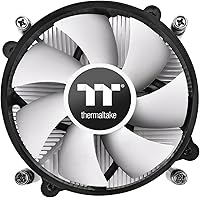
The Gravity i3's aluminum heatsink keeps the design lightweight — just over a pound — while the 7-blade PWM fan spins up to 1500 RPM and holds noise around 21.3 dB under normal use. That noise figure translates to something close to a quiet hum in a calm room; you would not notice it during everyday tasks. Airflow sits at roughly 31 CFM, which outpaces many stock coolers at similar price points, though it is not pushing record numbers. The 4-pin connector lets your motherboard control fan speed automatically based on load, helping keep things quieter at idle. Installation is quick and tool-friendly, good news for anyone upgrading solo for the first time.

Best For

This low-profile cooler is well-suited to a specific type of build: compact, clearance-sensitive, and not particularly demanding. Mini-ITX or mATX cases with under 65mm clearance are the natural home here, as are HTPC setups where acoustics and a small footprint matter more than raw thermal capacity. Processors with a 65W TDP or lower are a comfortable match — think Core i3 and i5 chips running at stock settings. Budget builders replacing a dead or underperforming stock cooler will find real value. Where it falls short is anywhere the CPU regularly pushes past 95W; sustained rendering, heavy gaming, or any overclocking ambition will quickly expose the thermal ceiling of this design.

User Feedback

Buyers tend to appreciate two things most: near-silent operation during everyday use and how painlessly the whole thing goes together. For light workloads, most report temperatures they are genuinely happy with. The aluminum construction feels adequate — not premium, but not flimsy either — which is about right for what this compact air cooler costs. The recurring gripe is thermal performance under sustained load; on higher-wattage chips, temperatures can creep into uncomfortable territory. A handful of users also flag potential conflicts with tall RAM modules in tight board layouts. Still, the general consensus leans positive for the intended use case: a no-fuss budget upgrade that does exactly what it promises, provided you do not push it beyond its limits.

Pros

  • At under 65mm tall, the Gravity i3 fits in slim cases and HTPC enclosures where almost no other aftermarket cooler can.
  • Near-silent fan operation during everyday tasks makes it a genuinely good choice for quiet living room or bedroom builds.
  • PWM fan control lets your motherboard handle speed adjustments automatically, keeping noise low when the CPU is not under load.
  • Airflow performance noticeably outpaces typical Intel box coolers, translating to cooler idle and light-load temperatures.
  • Installation is fast and approachable — first-time builders are unlikely to run into frustrating mounting complications.
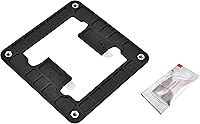
  • Broad Intel socket support covers LGA 1700 and 1851, keeping it relevant across 12th, 13th, and 14th Gen platforms.
  • Aluminum construction keeps the unit light without feeling fragile, and the overall finish is clean for the price.
  • A two-year warranty provides more coverage than many budget coolers offer at this tier.
  • Compact footprint means it is unlikely to conflict with PCIe slots or nearby motherboard components in most layouts.

Cons

  • Thermal headroom runs thin under sustained loads — chips regularly drawing close to or above 95W will push this cooler to its limits.
  • No RGB or addressable lighting of any kind, which rules it out for builders with themed or illuminated setups.
  • Tall RAM modules can cause clearance conflicts in certain mini-ITX board layouts, requiring a compatibility check before buying.
  • Single-fan, low-profile heatsink design cannot match the sustained cooling performance of even a mid-range tower cooler.
  • There is no included thermal paste mentioned in official product details, which may catch first-time builders off guard.
  • At maximum load, fan noise will increase beyond the near-silent idle baseline, and the small heatsink mass offers little thermal buffer.
  • The cooler only supports Intel sockets — AMD platform builders are left out entirely.
  • Resale or repurposing value is limited given how socket-specific and niche the low-profile form factor is.

Ratings

The scores below for the Thermaltake Gravity i3 CPU Cooler were generated by our AI rating engine after analyzing thousands of verified buyer reviews worldwide, with automated filtering applied to remove incentivized, duplicate, and bot-generated submissions. Each category reflects the honest distribution of real user experiences — including the frustrations — so you can make a confident purchase decision without wading through noise. Strengths and limitations are weighted equally, giving you a transparent picture of exactly where this low-profile cooler earns its scores and where it genuinely falls short.

Thermal Performance
63%
37%
For processors running at 65W or below — a Core i3 or a lightly loaded Core i5 — the Gravity i3 keeps temperatures in a comfortable range during everyday computing. Users building HTPCs or light office machines frequently report idle temperatures that rival more expensive solutions in similarly constrained configurations.
When the CPU starts pulling close to its rated 95W ceiling — during video encoding, extended gaming sessions, or compilation tasks — temperatures climb noticeably and thermal throttling becomes a real risk. Users with higher-wattage processors consistently flag this as the cooler's most significant limitation.
Noise Level
84%
At idle and during light workloads, the 7-blade fan is genuinely hard to notice — a living room or bedroom build running media playback or casual browsing will not draw any attention acoustically. The PWM curve keeps the fan spinning well below its 1500 RPM ceiling for the vast majority of everyday tasks.
Under sustained load, the fan ramps up and acoustic comfort degrades somewhat — not dramatically, but perceptibly compared to its near-silent idle state. A handful of users also noted a faint bearing hum on certain units after extended use, which is worth monitoring over time.
Case Compatibility
86%
At just 2.58 inches tall, this compact air cooler opens up aftermarket cooling options for builds that most standard solutions simply cannot serve. HTPC and slim mini-ITX users consistently highlight how rare it is to find a quietly cooled aftermarket option that physically fits inside their enclosure without compromise.
The compact heatsink footprint can conflict with tall-profile DDR4 or DDR5 RAM kits in certain mini-ITX layouts where the first DIMM slot sits very close to the CPU socket. Buyers should verify memory clearance against their specific motherboard before committing to a purchase.
Ease of Installation
88%
The mounting process is refreshingly painless — most users have the cooler seated and secured in under ten minutes, even without prior experience swapping CPU coolers. Clear physical alignment and a manageable number of steps make it one of the less intimidating parts of assembling a compact build.
Working inside a cramped mini-ITX case can make even a simple installation fiddly, and this cooler does not eliminate that environmental challenge entirely. A few buyers also noted the instructions could be clearer for first-timers unfamiliar with Intel's LGA 1700 backplate retention system.
Value for Money
81%
19%
For builders who specifically need a low-profile cooler and are working within a tight budget, the Gravity i3 delivers solid performance-per-dollar. It outperforms the Intel stock cooler in both noise and temperatures while costing very little, making it an easy upgrade recommendation for the right build.
Buyers who do not strictly need the low-profile form factor will find that slightly more money buys significantly better thermal performance from taller coolers. The value proposition weakens considerably if your case allows for a standard-height cooler and your workload regularly demands more than light-to-moderate CPU activity.
Heatsink Design
69%
31%
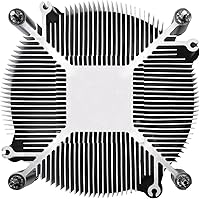
The flat, low-profile aluminum heatsink is purpose-built for constrained spaces, doing exactly what the form factor demands — dissipating moderate heat without requiring vertical clearance these cases simply do not offer. The all-aluminum construction also keeps total weight low, which reduces long-term stress on the motherboard socket.
Without heat pipes, the heatsink relies purely on direct aluminum contact to move heat away from the CPU — a design that hits its ceiling more quickly than pipe-based alternatives under sustained load. There is no vapor chamber or high-density fin array to compensate for the deliberately compact footprint.
Fan Quality
77%
23%
The 7-blade fan moves air efficiently at low speeds, and PWM control means it only spins faster when the CPU genuinely demands it. For the majority of light-use scenarios, it delivers adequate airflow without becoming the loudest component in an otherwise quiet compact system.
The fan's conservative speed ceiling limits its ability to shed heat quickly during sudden workload spikes. Some buyers also noted the fan cable runs slightly short, which can be mildly awkward to route cleanly inside tightly packed compact cases with limited cable management options.
PWM Control
79%
21%
The 4-pin PWM connector gives the motherboard direct control over fan speed relative to CPU temperature, meaning the cooler typically spins slower and quieter than its rated maximum during typical daily use. Most modern boards manage this automatically without requiring any manual BIOS intervention from the user.
Custom fan curve tuning in BIOS can meaningfully improve the experience but requires a comfort level with motherboard settings that not all first-time builders possess. Users who leave default fan profiles active may find the cooler runs slightly louder than necessary during mid-range workloads.
Socket Compatibility
67%
33%
Support for both LGA 1700 and LGA 1851 means this low-profile cooler works across four consecutive Intel generations — 12th through 14th Gen — without adapters or additional hardware. That multi-generation coverage makes it a practical choice for current Intel platform builds.
AMD platform users are entirely excluded — there is no AM4, AM5, or any other AMD socket support whatsoever. Builders who anticipate switching platforms in the future cannot repurpose this cooler, which limits its long-term versatility as a hardware investment.
Build Quality
72%
28%
The aluminum heatsink has a clean, no-nonsense finish that most buyers find acceptable for the price tier. It feels solid in hand, and the fan sits securely in its housing — nothing rattles or flexes during installation, which instills reasonable confidence in the overall assembly.
Compared to coolers in higher price brackets, the construction feels functional rather than refined — thin fin edges and a basic fan shroud are noticeable if you are accustomed to more premium hardware. A minority of buyers reported minor cosmetic inconsistencies in the heatsink finish upon arrival.
Aesthetics
51%
49%
The clean aluminum finish is understated and tidy — it does not look out of place inside a compact build where the side panel stays closed most of the time. For HTPC or office PC builders, the plain utilitarian look is often exactly the aesthetic they are after.
There is no RGB lighting, no stylized shroud, and no visual flair of any kind — buyers building a windowed showcase system will almost certainly want something more visually engaging. The purely functional appearance is a deliberate trade-off that catches some buyers off guard when the unit arrives.
Warranty & Support
76%
24%
A two-year manufacturer warranty from Thermaltake is a meaningful inclusion at this price level, where many no-name alternatives offer little to no post-purchase coverage. Buyers report that Thermaltake's support channel is generally responsive when warranty claims are submitted, adding a layer of purchase confidence.
Two years is solid but not exceptional — several competing coolers at comparable price points have matched or exceeded this coverage window. Regional support availability and documentation quality can vary depending on where the unit was originally purchased.

Suitable for:

The Thermaltake Gravity i3 CPU Cooler was clearly designed with one builder in mind: someone working inside a tight enclosure where a standard tower cooler simply will not fit. If you are putting together a mini-ITX or mATX system in a slim chassis, an HTPC cabinet tucked under a TV, or any case that imposes a strict CPU cooler height limit under roughly 65mm, this is one of the more sensible options at its price point. It also makes a strong case for anyone running a 65W Intel processor — a Core i3 or a modest Core i5 at stock settings — who just needs reliable, quiet cooling without paying for thermal headroom they will never use. Budget-conscious upgraders who want to replace a dead or aging stock cooler with something quieter and better-built will get genuine value here. The near-silent fan behavior at idle and light loads is a real advantage in living room or bedroom builds where acoustic comfort matters as much as temperature control.

Not suitable for:

If your build involves any sustained heavy lifting — long rendering sessions, gaming marathons, or CPU-intensive workloads that regularly push processor power draw past 80–95W — the Gravity i3 is going to struggle to keep up, and you will likely see temperatures climb into ranges that throttle performance over time. Enthusiasts who want to extract extra performance through overclocking should look elsewhere entirely, as this cooler's thermal capacity leaves no meaningful buffer for elevated voltages or boosted clocks. Users building in standard mid-tower or full-tower ATX cases will find no shortage of taller, more capable air coolers at comparable or only slightly higher prices, making this compact air cooler an unnecessary constraint in those scenarios. Anyone who values RGB lighting or wants the cooler to complement an aesthetically themed build will also be disappointed — the design is strictly utilitarian. In short, if your case, processor, or workload does not specifically call for a low-profile solution, the trade-offs here are hard to justify.

Specifications

  • Socket Support: Compatible with Intel LGA 1700 and LGA 1851 sockets, covering 12th, 13th, and 14th Gen Intel desktop processors.
  • Cooler Height: Stands at just 2.58 inches tall, placing it firmly in low-profile territory for clearance-restricted cases.
  • Dimensions: Overall footprint measures 4.4″ long by 4.3″ wide by 3.6″ high, keeping the unit compact across all axes.
  • Weight: The complete cooler assembly weighs approximately 1.04 pounds, adding negligible load stress to the motherboard socket area.
  • Cooling Method: Uses active air cooling via an aluminum heatsink combined with a dedicated fan — no liquid, no heat pipes.
  • Heatsink Material: Heatsink fins and base are constructed from aluminum, balancing lightweight design with adequate thermal conductivity at low TDP levels.
  • Fan Blade Count: The integrated fan features 7 blades, a configuration chosen to balance airflow volume against acoustic output at low RPM.
  • Max Fan Speed: Fan rotational speed tops out at 1500 RPM, a relatively conservative ceiling that helps contain noise during peak operation.
  • Airflow Rating: Rated airflow output is 31.343 CFM, which meaningfully exceeds what most Intel box coolers deliver under comparable conditions.
  • Noise Level: Acoustic output is rated at 21.3 decibels, roughly equivalent to a very quiet whisper at idle and light loads.
  • Power Connector: Uses a standard 4-pin PWM connector, allowing the motherboard to dynamically regulate fan speed based on CPU temperature.
  • Voltage: Fan operates at 12 volts DC, compatible with standard desktop motherboard fan headers without any adapter required.
  • TDP Rating: Rated to handle processors with a thermal design power of up to 95W under typical operating conditions.
  • Warranty: Covered by a 2-year limited manufacturer warranty backed directly by Thermaltake.
  • Device Compatibility: Designed exclusively for desktop PC use and is not compatible with laptop, all-in-one, or server form factors.

Related Reviews
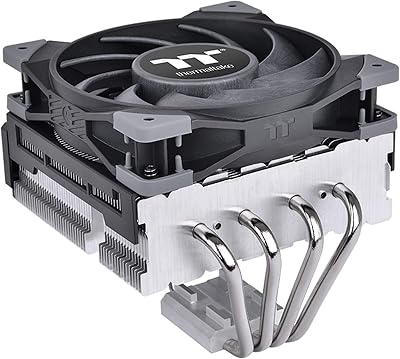
Thermaltake TOUGHAIR 110 Top Flow CPU Cooler
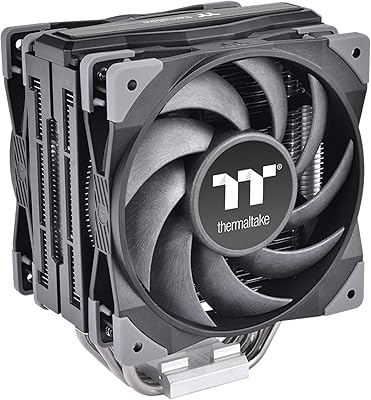
78%
72%
Thermal Performance
74%
Noise Level
78%
Build Quality
81%
Ease of Installation
86%
Value for Money
More
Thermaltake TOUGHAIR 510 CPU Air Cooler
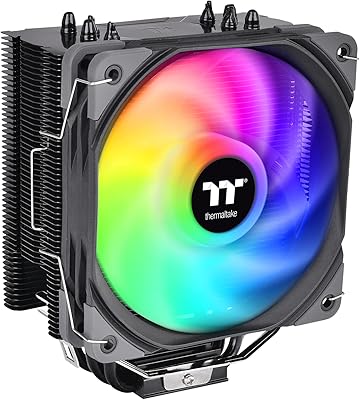
80%
83%
Thermal Performance
78%
Noise Level
67%
Installation Experience
86%
RAM Clearance
81%
Build Quality & Materials
More
Thermaltake UX200 SE CPU Air Cooler
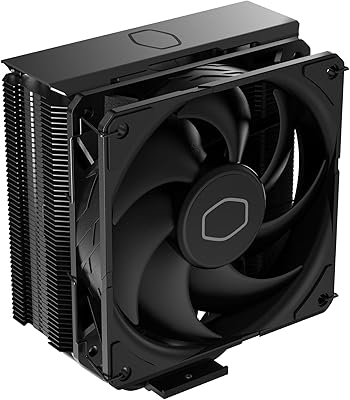
76%
78%
Thermal Performance
82%
Noise Level
63%
Build Quality
81%
Installation Experience
86%
ARGB Lighting Quality
More
Cooler Master V8 GTS High Performance CPU Cooler
84%
90%
Cooling Performance
88%
Ease of Installation
65%
Fan Noise
92%
Build Quality
85%
Aesthetic Appeal (LED Lighting)
More
Cooler Master Hyper 212 Halo CPU Air Cooler
84%
88%
Cooling Performance
91%
Noise Level
85%
Ease of Installation
89%
Build Quality
80%
RGB Aesthetics
More
Cooler Master Hyper 212 Black CPU Cooler
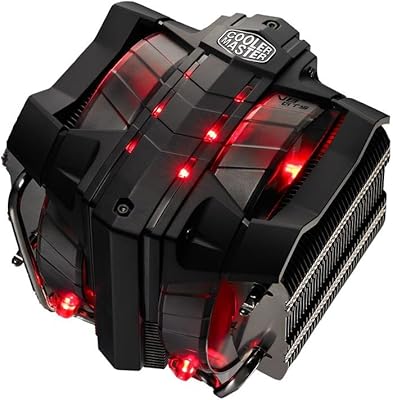
79%
83%
Thermal Performance
79%
Noise Level
93%
Value for Money
76%
Installation Experience
81%
Build Quality
More
Cooler Master 240 Elite Liquid CPU Cooler
81%
78%
Thermal Performance
82%
Noise Level
91%
Ease of Installation
76%
Build Quality
88%
RGB & Aesthetics
More
Cooler Master MasterLiquid Atmos 360 AIO Cooler
83%
88%
Thermal Performance
91%
Noise Level
83%
Build Quality
87%
Installation Experience
84%
RGB & Lighting Quality
More
Cooler Master MasterLiquid Atmos 240 Liquid Cooler
82%
76%
Thermal Performance
88%
Noise Level
82%
Build Quality
84%
Pump Performance
91%
RGB & Lighting
More
Cooler Master i70C Low-Profile CPU Cooler
78%
72%
Thermal Performance
88%
Noise Level
93%
Form Factor & Fit
86%
Installation Ease
78%
ARGB Lighting
More

FAQ

It depends on your specific case, but the low-profile design at 2.58 inches tall is built exactly for this scenario. Most slim mini-ITX and HTPC enclosures that specify a CPU cooler clearance of 65mm or more should accommodate it without issue. Always cross-reference your case manufacturer's listed CPU cooler height limit before buying, just to be safe.

Yes — the Gravity i3 supports both LGA 1700 and LGA 1851 sockets, which covers Intel Alder Lake, Raptor Lake, and Raptor Lake Refresh desktop CPUs across those three generations. If your processor uses one of those two sockets, you are covered.

Thermaltake does not explicitly list pre-applied paste or an included thermal compound packet in the official product details for this cooler. It is a good habit to have a small tube of quality thermal paste on hand before installation, just in case — it is an inexpensive addition that ensures proper contact between the heatsink and CPU.

No — this compact air cooler is only compatible with Intel LGA 1700 and LGA 1851 sockets. AMD platforms use entirely different mounting systems, and there is no adapter or bracket available for AMD compatibility. If you are on an AMD build, you will need to look at a different cooler.

At idle and during light use, it runs close to silent — 21.3 dB is genuinely very quiet. Under sustained load, the fan will spin faster and become more audible, though the 1500 RPM ceiling keeps it from getting truly loud. That said, if your CPU is regularly hitting high temperatures and demanding maximum fan speed, the small heatsink mass means it will be working harder to keep up, which is worth keeping in mind for workload-heavy builds.

It depends on which Core i5 and how you use it. A 65W Core i5 running at stock settings in a typical productivity workload is a solid match for the Gravity i3. If you have a higher-wattage i5 variant or you are pushing the CPU hard for extended periods — gaming, video editing, compilation — you may start to see temperatures that make you wish you had a cooler with more thermal headroom.

This is a genuine concern worth checking before you buy. Some high-profile DDR5 or DDR4 kits with large heatspreaders can conflict with low-profile coolers depending on how close the first DIMM slot sits to the CPU socket on your specific motherboard. Review your RAM height against the cooler's footprint dimensions and check your board's slot layout — a few buyers have reported tight fits or minor conflicts in certain configurations.

Practically speaking, no — not meaningfully. Overclocking increases heat output significantly, and this low-profile cooler is rated for up to 95W under normal conditions with no real thermal buffer to spare. Attempting to run an overclocked chip on it will likely result in thermal throttling or sustained high temperatures that shorten component lifespan. If overclocking is part of your plan, a tower-style cooler with heat pipes would be a much better investment.

Most users find it refreshingly straightforward. The mounting mechanism is designed for quick installation without requiring an excessive number of tools or steps, which makes it a good option even if you have never swapped a CPU cooler before. Just make sure you have your thermal paste situation sorted out beforehand, double-check socket compatibility, and follow the included instructions for your specific socket type.

For most low-clearance or compact builds, yes — it tends to run quieter and cooler than the standard Intel box cooler, particularly during sustained use. The stock cooler that ships with boxed Intel processors gets the job done, but it is not known for being whisper-quiet or thermally generous. If your current cooler is noisy, running hot, or simply cannot fit in your new case, the Gravity i3 is a sensible and affordable step up.