Overview

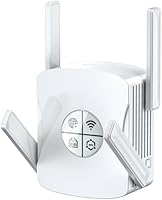
The Techtex WiFi 6 Dual-Band Range Extender positions itself as a serious option for homeowners tired of patchy coverage across large properties — not just another budget plug-in booster. It runs on the WiFi 6 (802.11ax) standard, covers a claimed 10,000 square feet across dual bands, and carries an IP65 weatherproof rating that genuinely sets it apart from the indoor-only competition. Setup is as simple as pressing the WPS button, and the dual Gigabit Ethernet ports mean you can wire in a desktop or console without sacrificing wireless reach elsewhere. This extender works best when dead zones, large yards, or outdoor smart devices are the actual problem you are solving.
Features & Benefits

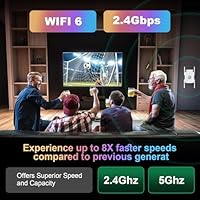
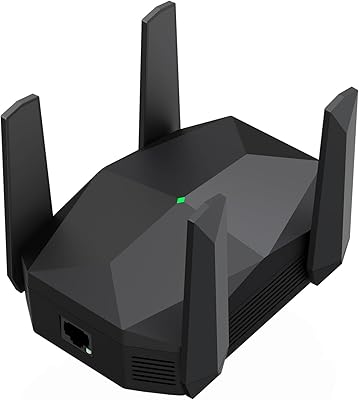
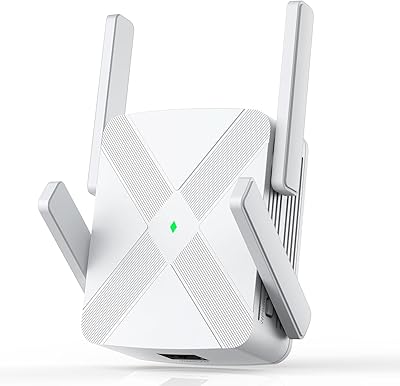
This WiFi 6 extender handles up to 99 devices simultaneously using MU-MIMO, which matters in homes running smart speakers, security cameras, laptops, and game consoles all at once. The aggregate speed tops out at 2400Mbps on paper — a number that reflects combined band capacity rather than what any single device realistically receives, so temper expectations accordingly. Four external antennas with beamforming help direct the signal where it is needed most, whether through thick interior walls or out to a backyard shed. The dual Gigabit ports let you hardwire bandwidth-hungry devices while still boosting wireless coverage for the rest of the household. WPA3 security and one-tap WPS pairing round things out.

Best For

The Techtex booster makes the most sense for homeowners dealing with genuine coverage gaps — think three-story houses, detached garages, or sprawling yards where the router signal simply does not reach. It is also a solid pick for anyone running bandwidth-intensive tasks simultaneously: 4K video, online gaming, and work-from-home video calls all competing for the same connection. Smart home setups with outdoor Ring cameras or IoT devices benefit from the weatherproof design and stable range. Worth noting: if your router and devices do not already support WiFi 6, you will not unlock the full speed advantage. For those ready to leave WiFi 5 behind without a full mesh overhaul, this range extender is a credible step up.

User Feedback

Buyers who have installed this WiFi 6 extender in larger homes consistently highlight easy WPS setup and real coverage gains as the top wins — especially for outdoor cameras and smart devices that previously dropped signal. The dual Ethernet ports earn positive mentions from home office users and gamers who value a reliable wired connection. On the critical side, some buyers report real-world speeds fall noticeably short of the 2400Mbps headline figure, which is an inherent limitation of repeater architecture worth knowing upfront. A handful also mention inconsistent performance through multiple concrete walls depending on unit placement. Overall, the booster rewards good positioning; router quality and proximity to the dead zone matter as much as the hardware itself.

Pros

  • IP65 weatherproofing makes it one of the few extenders genuinely suited for outdoor and semi-exposed installations.
  • Dual Gigabit Ethernet ports let you hardwire a desktop or gaming console without losing wireless range for other devices.
  • WPS one-touch setup takes under a minute and requires no app, account, or technical knowledge.
  • WiFi 6 MU-MIMO handles dozens of simultaneous connections without the congestion older extenders struggle with.
  • WPA3 security is a meaningful upgrade over the WPA2 standard still found on many competing extenders.
  • Four external antennas with beamforming actively direct signal rather than broadcasting in all directions and hoping for the best.
  • Coverage gains in large multi-story homes and sprawling yards are consistently reported as a real, noticeable improvement.
  • Works in hybrid mode, serving wired and wireless devices at the same time from a single unit.
  • No subscription, no cloud account, and no app dependency keeps the setup private and low-maintenance.
  • Solid mid-range option for users stepping up from basic WiFi 5 repeaters without jumping to full mesh pricing.

Cons

  • Advertised 2400Mbps is an aggregate figure across both bands; real single-device throughput will be considerably lower.
  • Repeater architecture means any device connected through the extender shares bandwidth with the router link, reducing effective speed.
  • Performance through multiple concrete walls can be inconsistent depending on wall thickness and unit placement.
  • Full WiFi 6 speed benefits require both your router and end devices to also support the WiFi 6 standard.
  • No seamless roaming support means devices may not automatically hand off between router and extender without manual reconnection.
  • At roughly 15.8 ounces with four protruding antennas, it is bulkier than many plug-in extenders and needs a dedicated surface or mount.
  • No dedicated app means network diagnostics, signal strength monitoring, and advanced configuration are unavailable.
  • Placement sensitivity is high; suboptimal positioning relative to the router noticeably limits coverage gains.
  • Not cost-effective for small homes or apartments where a basic single-band extender would provide equivalent results.
  • Brand recognition is limited compared to established networking names, which may affect confidence in long-term firmware support.

Ratings

Our AI rating system analyzed verified global buyer reviews for the Techtex WiFi 6 Dual-Band Range Extender, actively filtering out incentivized, bot-generated, and single-use accounts to surface what real homeowners actually experienced. Scores reflect both the genuine strengths buyers repeatedly praised and the friction points that showed up consistently across different home setups and router configurations. Nothing here is cherry-picked — the numbers represent the full picture, good and frustrating alike.

Coverage Range
83%
Buyers in large homes consistently reported meaningful dead zone elimination, particularly in detached garages, second-floor bedrooms, and backyard areas previously cut off entirely. For properties in the 3,000–8,000 sq ft range, the improvement over standard single-antenna repeaters was frequently described as night and day.
The marketed 10,000 sq ft figure is achievable only under near-ideal open-plan conditions. Homes with multiple concrete or brick interior walls saw noticeably reduced effective coverage, and a handful of buyers in dense construction reported coverage closer to 4,000–5,000 sq ft in practice.
Setup Experience
91%
The WPS pairing process earned some of the most enthusiastic feedback in the entire review pool. Buyers who had previously struggled with app-based extender setups appreciated pressing one button and being done in under 60 seconds — no account, no browser portal, no troubleshooting.
A small subset of users with older or ISP-locked routers found that WPS was disabled on their gateway by default, requiring a manual web-based configuration that was less straightforward. The lack of a companion app also means there is no signal strength indicator to help with optimal placement.
Real-World Speed
67%
33%
For everyday tasks — 4K streaming, video calls, casual gaming, and smart home device polling — the throughput proved more than adequate. Users who switched from WiFi 5 repeaters noticed a tangible improvement in how many devices could run simultaneously without the connection feeling sluggish.
The 2400Mbps headline figure disappointed buyers who took it literally. Repeater architecture inherently halves effective bandwidth on the uplink, and several tech-savvy reviewers noted that measured throughput on a single device typically landed between 300–600Mbps at mid-range distances — respectable, but a long way from the spec sheet.
Outdoor Durability
88%
The IP65 rating held up well in real-world outdoor use. Buyers who mounted the extender under pergolas, on exterior garage walls, or on covered balconies reported consistent performance through summer heat, rain, and winter cold without any weathering or connectivity degradation after months of use.
IP65 means the unit is not submersion-proof, so direct exposure to driving rain without any overhead cover is still a risk. A few buyers also noted that extremely high ambient temperatures in enclosed outdoor spaces — like a south-facing metal shed in summer — pushed the unit close to its thermal limits.
Multi-Device Handling
79%
21%
Households with 20–40 connected devices — a realistic count for a smart home with cameras, speakers, thermostats, phones, and laptops — found the MU-MIMO performance genuinely useful. Streaming on multiple TVs simultaneously while someone video-called from a laptop caused noticeably less congestion than on older single-stream extenders.
The 99-device claim is a theoretical ceiling. As device counts climbed past 50 in real-world testing, some buyers noted increased latency and occasional drops, particularly on the 2.4GHz band where IoT devices compete heavily. Heavy simultaneous upload workloads, like multiple security cameras streaming at once, stressed the connection more than light browsing tasks.
Ethernet Port Utility
86%
The dual Gigabit Ethernet ports earned consistent praise from home office users and console gamers who plugged in directly and immediately felt the benefit of a stable, low-jitter wired connection. Several buyers specifically mentioned using one port for a desktop PC and the other for a NAS drive, running both alongside active wireless clients without issue.
The ports are Gigabit-rated, but the actual throughput to a wired device is still constrained by the wireless backhaul link to the router. In practice this means a wired device connected to the extender will not hit true Gigabit speeds unless the extender itself is within excellent signal range of the main router.
WiFi 6 Benefit Realization
72%
28%
Buyers who had already upgraded to a WiFi 6 router and used WiFi 6 capable laptops or phones noticed genuine improvements in connection stability under load and reduced interference in device-dense environments. The OFDMA scheduling in WiFi 6 makes a real difference when many devices are active at once.
A meaningful portion of buyers did not have WiFi 6 routers, which means they connected at WiFi 5 speeds and received no benefit from the extender's advanced standard. This is not a product flaw, but the marketing does not make this dependency clear enough, leading to disappointed expectations from older-router households.
Security Features
84%
WPA3 support is a genuine differentiator at this price point — most competing extenders in the same tier still ship with WPA2 only. Home office users handling sensitive work data and buyers who mentioned running medical or financial applications at home called this out specifically as a deciding factor.
WPA3 is only as strong as the weakest link in the network, and if the main router does not also support WPA3, the connection falls back to WPA2 by default. There is also no built-in network monitoring or intrusion detection, so advanced users looking for router-level security controls will find this extender limited.
Build Quality
77%
23%
The housing feels more substantial than budget plastic extenders, and the four external antennas have firm, adjustable hinges that hold their position rather than drooping over time. Buyers who handled both budget and mid-range extenders noted the chassis feels like it belongs in the higher tier.
The matte plastic surface showed scuff marks and UV discoloration after prolonged outdoor exposure in a handful of reviews, suggesting the casing material handles physical weathering less gracefully than the IP65 electrical rating implies. The size and antenna layout also makes it slightly awkward to position neatly indoors on a shelf.
Signal Penetration
69%
31%
Through standard drywall and wood-frame interior walls, buyers generally found the signal held up well across two or three rooms. The beamforming implementation did appear to make a practical difference compared to older omni-directional extenders for users in open-plan layouts.
Concrete, brick, and steel-reinforced walls significantly degraded performance, as expected with any WiFi device. Buyers in older European-style stone construction or homes with concrete internal walls reported much shorter effective range, sometimes reducing usable coverage to a single room beyond the wall barrier.
Value for Money
74%
26%
For buyers who genuinely needed outdoor weatherproofing, dual Ethernet ports, and WiFi 6 support in one device, the price point represents fair value — getting those three features separately would cost more. Smart home installers and property owners with large outdoor areas found the feature-to-cost ratio justified.
For buyers in average-sized homes who just need a basic signal boost, there are simpler options available at a lower price that would achieve the same result without paying for outdoor durability and WiFi 6 capabilities they may never fully use. The value proposition depends almost entirely on whether you actually need what makes this extender unique.
Indicator & Feedback Lights
61%
39%
Signal indicator LEDs give a basic read on connection status and band activity, which is enough for most users to confirm the unit is paired and functioning. Buyers appreciated that the LEDs were not excessively bright, making nighttime use near a bedroom less disruptive than some competing units.
The LED indicators are too simplistic to guide optimal placement — they show connected versus not connected but do not give granular signal strength feedback. Without a companion app, buyers had to rely on their phone's WiFi signal bar to find the best physical location for the extender, which several users found tedious.
Router Compatibility
81%
19%
Across hundreds of reviews mentioning specific router brands — Netgear, TP-Link, Asus, Xfinity gateways, AT&T routers, and Eero — the vast majority of buyers reported successful pairing without any special configuration. The broad 802.11a/b/g/n/ac/ax standard support makes it genuinely flexible across hardware generations.
A recurring issue surfaced with certain ISP-provided gateways that have WPS disabled or a non-standard WPS implementation. In these cases users had to navigate manual setup steps that are not well-documented in the included instructions, leading to frustration particularly among less technical buyers.
Noise & Heat
89%
Passive cooling means complete silence during operation, which buyers installing the extender in bedrooms, home offices, or near workspaces specifically appreciated. The fanless design is also a reliability advantage for outdoor installations where fan vents would create moisture ingress points.
In enclosed, poorly ventilated spaces during peak summer temperatures, a few buyers noted the chassis became quite warm to the touch after extended operation. While no thermal shutdowns were reported, the heat accumulation in confined installations is worth monitoring in particularly hot climates.

Suitable for:

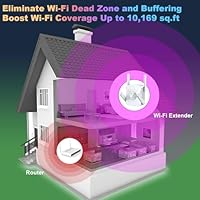
The Techtex WiFi 6 Dual-Band Range Extender is built for homeowners who have genuinely run out of patience with dead zones — the kind that swallow the backyard, the detached garage, or the far end of a three-story house. If your household juggles 4K streaming, remote work video calls, and a growing fleet of smart home devices all at the same time, this range extender was designed with that exact chaos in mind. The IP65 weatherproof build makes it a rare option for anyone who needs reliable outdoor coverage for Ring cameras, smart lighting, or outdoor speakers without buying a dedicated outdoor access point. Home office users will appreciate having two Gigabit Ethernet ports to hardwire a desktop or NAS device while still pushing wireless signal throughout the rest of the home. It also makes practical sense for anyone upgrading from an older WiFi 5 repeater who wants meaningfully better multi-device performance without committing to the cost and complexity of a full mesh system.
Not suitable for:

The Techtex WiFi 6 Dual-Band Range Extender is not the right answer for every connectivity problem, and it is worth being honest about that upfront. If your router is more than a few years old and does not support WiFi 6, you will not get the headline speeds the marketing emphasizes — the extender will still work, but you are paying for a capability your existing setup cannot fully use. Buyers in small apartments or single-story homes with modest coverage needs are likely overspending here; a simpler, cheaper extender would do the same job. Like all repeater-architecture devices, this booster does introduce some latency overhead compared to a true mesh node or a wired access point, which matters if you are a competitive online gamer chasing the lowest possible ping. It also relies heavily on placement — mount it too far from your router and coverage gains shrink fast, regardless of what the spec sheet claims. If you need seamless roaming between your router and extender on a single network name, a mesh system remains the cleaner long-term solution.
Specifications

  • WiFi Standard: This extender uses the 802.11ax (WiFi 6) standard, which offers improved efficiency and throughput compared to the older 802.11ac (WiFi 5) generation.
  • Frequency Bands: It operates on both 2.4GHz and 5GHz bands simultaneously, allowing devices to connect on whichever band best suits their range and speed needs.
  • Max Aggregate Speed: The combined theoretical throughput across both bands reaches 2400Mbps, though real-world single-device speeds will be lower due to repeater overhead.
  • Coverage Area: The manufacturer rates coverage at up to 10,000 sq ft, which is intended for large multi-story homes, sprawling yards, and outbuildings.
  • Device Support: MU-MIMO technology allows the extender to handle up to 99 devices simultaneously without severely degrading individual connection performance.
  • Ethernet Ports: Two Gigabit Ethernet ports (each rated at 1000Mbps) allow direct wired connections for desktops, gaming consoles, or network-attached storage devices.
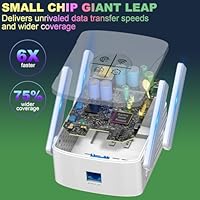
  • Antennas: Four external amplified antennas with beamforming capability are designed to focus the signal toward connected devices rather than broadcasting equally in all directions.
  • Weather Resistance: The enclosure carries an IP65 rating, meaning it is fully dust-tight and protected against low-pressure water jets from any direction.
  • Operating Temperature: The unit is rated to function in ambient temperatures ranging from -4°F to 122°F (-20°C to 50°C), suitable for outdoor year-round use in most climates.
  • Security Protocol: WPA3 encryption is supported alongside WPA2 for backward compatibility, providing strong protection against common wireless intrusion methods.
  • Setup Method: A physical WPS button on the device pairs it with a compatible router in approximately 8 seconds, with no companion app or account required.
  • Special Features: The extender supports MU-MIMO, beamforming, and WiFi Mesh functionality for integration into broader home network architectures.
  • Dimensions: The unit measures 6.7 x 3.1 x 4.7 inches, making it a mid-sized device that requires a flat surface or dedicated mount rather than a wall outlet.
  • Weight: At 15.8 ounces, the extender is heavier than typical plug-in repeaters, which is partly attributable to its weatherproof housing and four external antennas.
  • Power Input: The device connects via a standard AC power cable rather than plugging directly into a wall outlet, consistent with its surface-mount or outdoor installation design.
  • Brand: Manufactured by Techtex, a brand focused on consumer WiFi extension hardware, currently ranked among the top 100 products in the Amazon Repeaters category.

Related Reviews
Linksys RE7310 WiFi 6 Range Extender
84%
89%
Performance
91%
Ease of Setup
88%
Coverage Area
84%
Speed Stability
92%
Compatibility
More
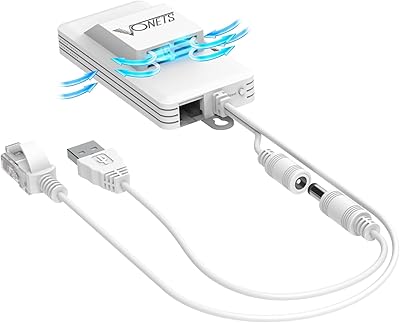
Vonets VAP11AC AC1200 Dual Band WiFi Bridge
65%
74%
WiFi-to-Ethernet Bridging Performance
71%
Dual-Band Radio Coverage
78%
Thermal Management & Reliability
44%
Setup & Configuration Experience
81%
Operating Mode Versatility
More
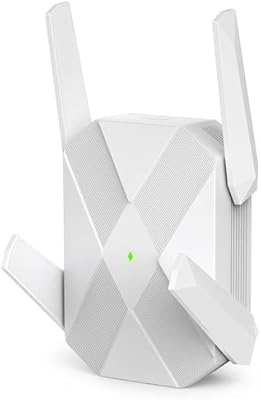
ingabis M-A25 AX3000 WiFi 6 Range Extender
77%
91%
Ease of Setup
78%
Signal Coverage
82%
WiFi Speed Performance
88%
Gigabit Ethernet Port
79%
Multi-Device Handling
More
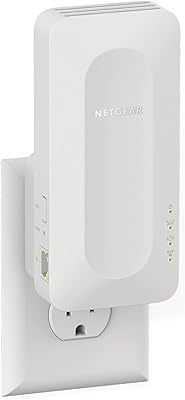
NETGEAR EAX12 WiFi 6 Range Extender
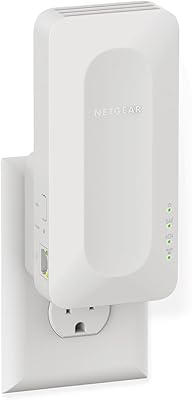
76%
91%
Ease of Setup
73%
WiFi Coverage
67%
Real-World Speed
69%
Router Compatibility
74%
Connection Stability
More
NETGEAR EAX17 WiFi 6 Range Extender
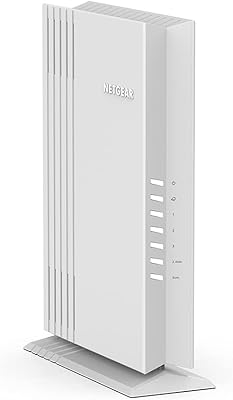
76%
88%
Ease of Setup
82%
Signal Coverage
71%
Real-World Speed Performance
78%
Device Handling Capacity
63%
Roaming & Handoff
More
Surncest AX3000 WiFi 6 Range Extender
85%
88%
Value for Money
91%
WiFi Performance
85%
Setup & Installation
89%
Coverage & Range
80%
Build Quality
More
Linksys RE6350 AC1200 Dual-Band WiFi Extender
86%
91%
Setup & Installation
88%
Wi-Fi Performance
89%
Coverage Area
85%
Dual-Band Performance
84%
Streaming & Gaming
More
Linksys RE7350 WiFi 6 Wireless Range Extender
84%
88%
WiFi Performance
84%
Coverage Area
93%
Setup Ease
87%
Build Quality
82%
Speed Consistency
More
NETGEAR WiFi 6 Mesh Range Extender EAX11
85%
94%
Ease of Setup
88%
WiFi Coverage
91%
Speed & Performance
85%
Compatibility with Routers
79%
Roaming & Signal Consistency
More
FjUoLzgK M-97G WiFi Extender
74%
91%
Ease of Setup
67%
Signal Coverage
62%
5GHz Band Performance
78%
2.4GHz Band Reliability
83%
Ethernet Port Utility
More

FAQ

It is compatible with virtually any router brand — Netgear, TP-Link, Asus, Eero, or ISP-provided gateways. You connect it via WPS or standard wireless pairing, so no special router is required. That said, you will only get the full WiFi 6 speed advantage if your router also supports the 802.11ax standard.

Yes, the IP65-rated casing is designed for semi-permanent outdoor installation in locations like pergolas, covered balconies, or garage exteriors. It handles temperatures from -4°F to 122°F, so most year-round climates in the US are within spec. Just make sure the power cable and any connected Ethernet runs are properly weather-protected at the entry points.

Setup is straightforward. Press the WPS button on your router, then press the WPS button on this range extender, and within about 8 seconds they are paired. No app download, no account creation, no browser-based configuration page needed. Most people have it running in under two minutes.

By default, this type of extender typically broadcasts under a slightly different network name — often your existing name with an underscore or suffix added. Some routers with Smart Connect may merge them, but if seamless single-network roaming is important to you, a mesh system handles that more reliably than a traditional extender.

Not quite. The 2400Mbps figure is the combined theoretical maximum across both the 2.4GHz and 5GHz bands added together, which is not a speed any single device will see. In practice, a repeater also uses half its bandwidth to maintain the link back to your router, so real-world throughput is meaningfully lower. For most streaming and browsing tasks that is still plenty, but hardcore gamers or power users should keep this in mind.

Yes, the hybrid mode lets you do both simultaneously. You can plug a desktop PC or gaming console into one of the Gigabit Ethernet ports for a wired connection while the extender continues broadcasting WiFi to wireless devices nearby. The two functions do not cancel each other out.

Beamforming and four amplified antennas do help compared to a basic single-antenna extender, but concrete is still one of the hardest materials for any WiFi signal to penetrate. Placement matters enormously here — positioning the extender closer to the wall barrier, rather than deep inside the dead zone, generally produces better results. Through one or two concrete walls most users report improvement; through five or more, results become less predictable.

No, this extender is passively cooled with no internal fan, so it operates silently. The weatherproof casing dissipates heat through the housing itself, which is standard for devices designed for outdoor installation where fan vents would compromise water resistance.

Ring cameras are one of the more practical use-cases for this booster, particularly for outdoor camera placements that fall outside normal router range. Because the cameras connect at relatively modest bandwidth requirements, the extender handles them well. Just make sure the extender is placed where it can maintain a strong link back to your main router — the camera connection is only as stable as the uplink.

A mesh system generally wins on roaming, consistency, and single-network management, but it costs significantly more and often requires replacing your existing router. This range extender makes more sense if you want to extend coverage without overhauling your whole network and you can tolerate a separate network name or occasional manual band switching. For most large-home dead zone problems it is a practical and cost-effective middle ground.