Overview

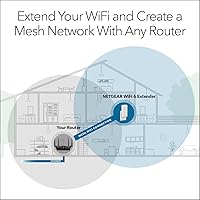
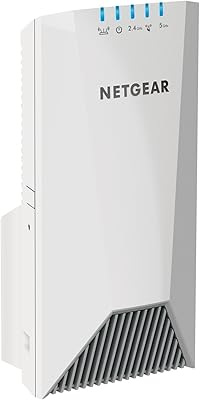
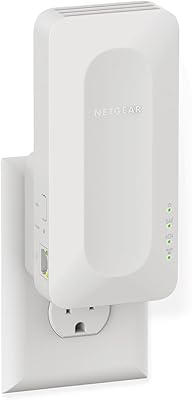
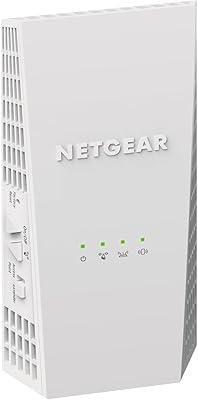
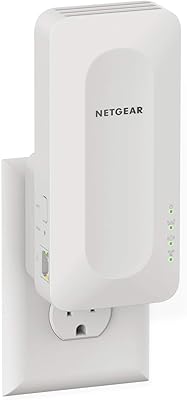
The NETGEAR EAX11 WiFi 6 Mesh Range Extender is a practical, no-frills solution for anyone tired of watching videos buffer in the back bedroom or losing signal in the home office. It runs on WiFi 6, which puts it ahead of most older extenders still sold at similar prices. Setup takes minutes — plug it into a wall outlet, run a quick sync with your existing router, and you're done. No app required. It keeps your existing network name, so your phone or laptop won't demand you manually switch networks as you move around. That said, this is best suited for targeted dead zone fixes in medium-sized spaces, not whole-home overhauls.
Features & Benefits

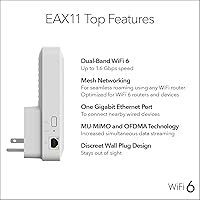
The EAX11 runs on the 802.11ax standard, which means it handles more devices at once with less congestion compared to older WiFi 5 hardware. In practice, that translates to noticeably steadier streams and video calls when multiple people are online simultaneously. It supports up to 15 connected devices across its dual-band setup, and a built-in quad-core processor helps prevent slowdowns when the network is busy. There's also a single Gigabit Ethernet port — handy for plugging in a console or desktop directly. Security gets an upgrade too, with WPA3 support offering stronger protection than the WPA2 standard most older routers and extenders still use.

Best For

This WiFi 6 extender makes the most sense for renters or homeowners who have a capable router but need to push coverage into one or two stubborn dead zones. Think a back bedroom, a basement office, or a garage workspace where signal drops out. It's also a good fit for households running several streaming devices or video calls at once — the WiFi 6 standard handles that kind of simultaneous load more gracefully than older hardware. If you're weighing this range booster against a full mesh system, be honest about your needs. For one or two problem areas, this is a focused, cost-effective fix. For whole-home coverage, a mesh setup is likely the smarter investment.

User Feedback

With over 1,200 ratings averaging 4 out of 5 stars, most buyers come away satisfied — but the picture isn't completely rosy. The most consistent praise centers on how quick and straightforward the setup is, and the real-world speed difference in previously weak areas. Where things get mixed is roaming. Some users on third-party routers report their devices don't always hand off cleanly between the router and the EAX11, causing brief drops. Placement also matters more than the box implies; thick walls or poor outlet positioning can significantly cut into the advertised range. A handful of harsher reviews trace back to compatibility quirks with specific routers rather than flaws in this range booster itself.

Pros

  • Setup takes minutes with no app, account, or technical knowledge required.
  • WiFi 6 hardware at this price point is genuinely good value for future-proofing a home network.
  • Keeps your existing network name, so devices reconnect automatically as you move around.
  • The built-in Gigabit Ethernet port is a practical bonus for wired consoles or desktop PCs.
  • WPA3 security support is a meaningful upgrade over what most older extenders offer.
  • Handles up to 15 devices simultaneously without obvious performance degradation under normal loads.
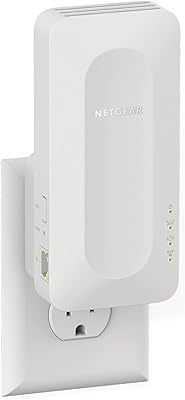
  • Compact plug-in design fits flush to the wall and doesn't draw attention or take up shelf space.
  • Works with virtually any router on the market, not just NETGEAR hardware.
  • The quad-core processor helps maintain stable speeds even when the network is busier than usual.

Cons

  • Real-world coverage can fall noticeably short of the advertised figure in homes with dense walls or interference.
  • Device handoff when moving between the router and the EAX11 can be inconsistent on non-NETGEAR routers.
  • Only one Ethernet port is available, which limits wired connections to a single device at a time.
  • Placement is more sensitive than the simple plug-in premise suggests; a poorly chosen outlet can cut performance significantly.
  • Not a viable replacement for a mesh system if your coverage problems span more than a couple of rooms.
  • Some users have reported compatibility quirks with specific third-party routers that require troubleshooting.
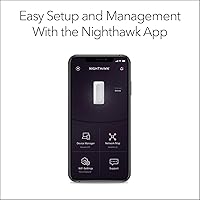
  • No dedicated mobile app means limited visibility into network performance or device management after setup.
  • At peak device loads close to the 15-device limit, some users note a drop in consistency for bandwidth-heavy tasks.

Ratings

The scores below were generated by AI after analyzing thousands of verified global buyer reviews for the NETGEAR EAX11 WiFi 6 Mesh Range Extender, with spam, incentivized, and bot-flagged submissions actively filtered out before any scoring was applied. The analysis surfaces both what users genuinely appreciate and where the device falls short in real-world conditions — not just in ideal setups. Every category reflects the full spectrum of owner experience, from first-time extender buyers to users who have tested multiple competing products.

Ease of Setup
91%
Setup is consistently praised as one of the strongest aspects of this range booster. Most users report being fully connected in under five minutes using the WPS button sync, with no app download, no account creation, and no cryptic instructions to navigate. First-time extender owners in particular highlight how stress-free the process feels.
A small but recurring group of reviewers — typically those on less common third-party routers — report that WPS pairing fails silently and requires falling back to the browser-based setup, which is slightly less intuitive. The browser portal also feels dated compared to app-driven competitors in a similar price range.
Signal Coverage
73%
27%
In open-plan apartments and single-floor homes with standard drywall, the EAX11 delivers a meaningful and noticeable coverage improvement. Users who previously had dead zones in a back bedroom or home office consistently report that streaming and video calls become reliable after placing the extender in a central hallway outlet.
The advertised coverage figure is an optimistic ceiling, not a realistic average. Buyers in older homes with plaster walls, brick construction, or multi-story layouts frequently find that real-world reach falls well short of expectations. Placement sensitivity is genuinely high — a poorly chosen outlet can cut effective range by a third or more.
Wireless Speed Performance
78%
22%
For day-to-day tasks — 4K streaming, video conferencing, and online gaming — the WiFi 6 hardware delivers noticeably more stable throughput than older WiFi 5 extenders at a comparable price. Users upgrading from a previous-generation booster often remark that video buffering in extended zones essentially disappears under normal household load.
Maximum theoretical speeds are rarely approached in practice, which is true of all extenders but still draws frustration from buyers who expect the advertised figures. At peak device loads, some users report that speeds in the extended zone drop more than expected, particularly when the router-to-extender backhaul is stretched across multiple walls.
Roaming & Handoff
61%
39%
When paired with a NETGEAR router, the One WiFi Name feature works as intended for most users — phones and laptops generally switch over without requiring manual network selection, which is exactly what buyers want when moving from room to room during a work call or while watching something on a mobile device.
This is the most divisive aspect across all user feedback. On non-NETGEAR routers, handoff can be choppy or delayed, with some devices stubbornly clinging to the weaker router signal instead of transitioning to the extender. A notable portion of users on mixed-brand setups report that they still find themselves manually switching networks, which undermines one of the key selling points.
Device Capacity
76%
24%
For average households, the ability to handle up to 15 concurrent connections is more than sufficient. Families with a mix of phones, smart TVs, laptops, and smart home devices report that the EAX11 manages the load without obvious degradation under typical usage patterns throughout the day.
Tech-forward households approaching the 15-device ceiling — especially those with multiple simultaneous 4K streams or active video calls — report occasional slowdowns that suggest the extender is being pushed to its limits. The 15-device cap also feels restrictive relative to some competing units in the same price bracket that support more connections.
Wired Ethernet Port
69%
31%
The single Gigabit Ethernet port is a genuinely useful addition that buyers of gaming consoles and desktop PCs appreciate. Plugging a wired device directly into the extender rather than relying on wireless delivers measurably more consistent speeds for latency-sensitive use cases like online gaming or large file transfers.
Having only one port is a real limitation for users who want to wire multiple devices — say, a console and a smart TV in the same room. Competitors at a similar price point sometimes offer two ports, and the lack of a second jack here is a common source of frustration among buyers who discover the limitation only after purchase.
Router Compatibility
74%
26%
The EAX11 connects reliably to the vast majority of consumer routers buyers already own, and coverage extension itself works regardless of router brand. Users coming from ISP-provided modem-router combos — which are notoriously varied in their standards support — report successful pairing without major issues in most cases.
A meaningful minority of reviewers with specific ISP-branded gateways or older router firmware report intermittent connectivity issues or failed syncs that required a factory reset to resolve. The extender works universally in theory but less consistently in practice when the host router is non-standard or running outdated firmware.
Build Quality & Design
82%
18%
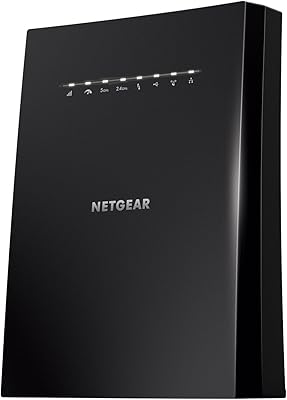
The compact plug-in form factor is genuinely appreciated — it sits flush against the wall without blocking adjacent outlets, which is something buyers specifically call out as a thoughtful design choice. The white matte finish is neutral enough to blend into most home interiors without drawing attention.
The plastic housing feels adequate but not premium, and a handful of users report that the unit runs noticeably warm during extended use under heavy load. There are no LED brightness controls, which a small but vocal group of buyers finds annoying in bedroom placements where the indicator light is visible at night.
Network Security
88%
WPA3 support is a meaningful and often underappreciated upgrade at this price tier. Security-conscious buyers — particularly those working from home on corporate networks — note that the EAX11 meets modern enterprise-level security requirements that many older extenders still on the market simply cannot match.
WPA3 is only fully functional when both the router and client devices also support the standard. Users on older routers are effectively defaulting to WPA2, which reduces this advantage to a future-proofing benefit rather than an immediate one. There is no dedicated network monitoring or parental control feature built into the extender itself.
Value for Money
79%
21%
Getting WiFi 6 hardware, a Gigabit Ethernet port, WPA3 security, and a quad-core processor in a plug-in extender at this price point is genuinely competitive. Buyers who compare it against older WiFi 5 extenders at the same price consistently feel they are getting a generation ahead in technology without paying a premium for it.
Where value perception dips is among buyers who expected whole-home performance improvements and received targeted zone fixes instead. Compared to entry-level mesh systems — which are closing the price gap — the EAX11 feels like a less flexible long-term investment for anyone whose coverage needs extend beyond one or two specific rooms.
Placement Flexibility
63%
37%
The wall-plug design gives it a physical footprint advantage over box-style extenders that need a table or shelf. In well-positioned central outlets, the EAX11 can cover a surprising amount of ground with minimal setup effort, which aligns well with the plug-and-play promise the product makes.
Being limited to wall outlets means you are entirely dependent on where your electrical sockets happen to be located, which often is not the optimal position for signal distribution. Unlike desktop extenders that can be repositioned freely, users with awkward home layouts or outlets clustered in poor locations have limited options for fine-tuning placement.
App & Management Experience
47%
53%
The lack of a required app is genuinely praised during setup — buyers who have struggled with bloated networking apps from other brands appreciate that this range booster gets out of their way once configured. For users who just want it to work quietly in the background, the minimal management interface is a feature, not a flaw.
Once set up, there is no easy way to monitor connected devices, check signal strength, or adjust band settings without logging into a browser-based portal that many users find clunky and unintuitive. Buyers who are used to polished mobile apps from competing products find the management experience a frustrating step backward.
Long-Term Reliability
71%
29%
The majority of longer-term owners — those who have used the EAX11 for several months — report that it runs stably without needing reboots or reconnection. For a set-and-forget device, that baseline consistency is exactly what most buyers are looking for and is reflected positively across verified purchase reviews.
A recurring thread in longer-term reviews involves firmware update behavior — some users report that automatic updates occasionally cause temporary dropouts or reset custom settings without warning. A smaller group notes that performance gradually degrades over months in dense WiFi environments, requiring a periodic reboot to restore normal operation.

Suitable for:

The NETGEAR EAX11 WiFi 6 Mesh Range Extender is a strong fit for renters and homeowners who have a reliable router but struggle with one or two specific dead zones — a back bedroom, a basement office, or a garage that just never gets enough signal. It works particularly well for households where several people are streaming, video calling, or gaming at the same time, since the WiFi 6 standard handles that kind of concurrent load more efficiently than older extenders. People upgrading from a WiFi 5 booster will notice a real difference in stability and speed. It also suits anyone who wants a quick, low-effort fix: there's no app to install, no account to create, and no complicated configuration — just plug it in and sync it with your existing router.
Not suitable for:

If your goal is whole-home coverage across multiple floors or a large house, the EAX11 is likely to leave you disappointed — the advertised coverage figure assumes ideal open-air conditions, and real-world performance in homes with thick walls or multiple rooms will fall short of that. Buyers who are already experiencing weak signal throughout most of their home are better served investing in a proper mesh system rather than stacking a single extender onto an already struggling router. The EAX11 also isn't the right choice for users who need rock-solid, automatic device handoff regardless of router brand; roaming works best when paired with NETGEAR's own hardware, and third-party router owners may find the transition between router and extender occasionally choppy. Finally, if you have more than 15 devices competing for bandwidth — a busy smart home setup, for instance — this range booster may become a bottleneck rather than a relief.

Specifications

  • WiFi Standard: Operates on the 802.11ax (WiFi 6) standard, offering improved efficiency and throughput compared to the previous WiFi 5 generation.
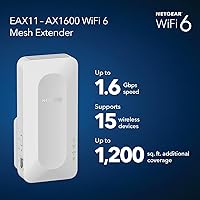
  • Max Speed: Delivers combined dual-band speeds up to 1.6 Gbps across both the 2.4 GHz and 5 GHz bands under optimal conditions.
  • Coverage Range: Designed to extend wireless coverage by up to 1,200 sq. ft., though real-world results vary depending on wall density and interference.
  • Device Capacity: Supports up to 15 simultaneously connected wireless devices across both bands.
  • Band Configuration: Dual-band design broadcasts on both 2.4 GHz for range and 5 GHz for speed, allowing devices to connect to the most appropriate band.
  • Ethernet Port: Includes one Gigabit Ethernet port for connecting a single wired device such as a gaming console, desktop PC, or smart TV.
  • Processor: Powered by a quad-core 1.5 GHz processor to help distribute network load and maintain stable performance across connected devices.
  • Security Protocol: Supports WPA3 encryption, the current industry standard, along with backward compatibility for WPA2 devices.
  • Roaming Feature: One WiFi Name technology allows devices to stay connected under a single SSID as users move between the router and the extender.
  • Setup Method: Configured via a direct WPS button sync or a browser-based setup at mywifiext.net — no dedicated app or cloud account is required.
  • Router Compatibility: Works with any standard wireless router or cable modem router, with performance optimized when paired with a WiFi 6 router.
  • Dimensions: Measures 5.9 x 2.7 x 2.1 inches, with a compact plug-in form factor that fits most standard wall outlets without blocking adjacent sockets.
  • Weight: Weighs 14.8 oz, making it a lightweight unit that draws no shelf or desk space.
  • Model Number: The official model designation is EAX11-100NAS, with the included hardware unit identified as the EAX11v2.
  • Release Date: Made available to consumers in March 2025, positioning it as a current-generation product with up-to-date hardware specifications.
  • Included Contents: Package includes the EAX11v2 extender unit and a printed quick start guide; no Ethernet cable or power adapter is included.
  • Power Source: Draws power directly from a standard wall outlet via integrated prongs — no external power brick or USB power adapter is needed.
  • Manufacturer: Designed and sold by NETGEAR, a US-based networking hardware company with an established product line of consumer and business wireless equipment.

Related Reviews
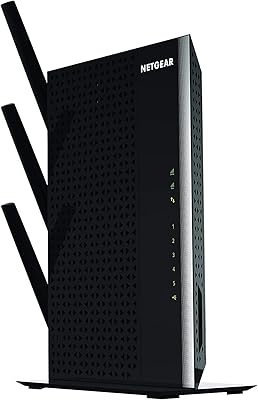
NETGEAR EX6250 WiFi Mesh Range Extender
81%
89%
WiFi Coverage
85%
Ease of Setup
84%
Speed and Performance
91%
Device Compatibility
87%
Build Quality
More
NETGEAR EX7000 WiFi Range Extender
73%
74%
Signal Range & Coverage
71%
WiFi Speed Performance
88%
Ease of Setup
91%
Wired Connectivity
61%
Long-term Reliability
More
Netgear EX6400 WiFi Mesh Range Extender
73%
83%
Signal Coverage
61%
Throughput & Speed Performance
88%
Setup & Installation
58%
Smart Roaming Performance
86%
Wired Ethernet Connectivity
More
NETGEAR EAX12 WiFi 6 Range Extender
76%
91%
Ease of Setup
73%
WiFi Coverage
67%
Real-World Speed
69%
Router Compatibility
74%
Connection Stability
More
NETGEAR EX7500 Tri-Band WiFi Range Extender
72%
74%
Signal Coverage
67%
Real-World Speed
83%
Setup Experience
58%
Smart Roaming
62%
Value for Money
More
NETGEAR EAX17 WiFi 6 Range Extender
76%
88%
Ease of Setup
82%
Signal Coverage
71%
Real-World Speed Performance
78%
Device Handling Capacity
63%
Roaming & Handoff
More
NETGEAR WiFi Mesh Range Extender EX8000
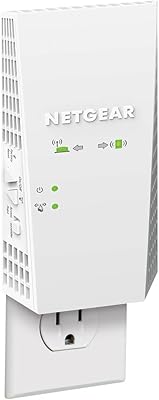
86%
85%
Wi-Fi Performance
88%
Ease of Setup
90%
Coverage Area
84%
Device Support
87%
Streaming & Gaming Performance
More
NETGEAR EAX15 AX1800 WiFi 6 Mesh Extender
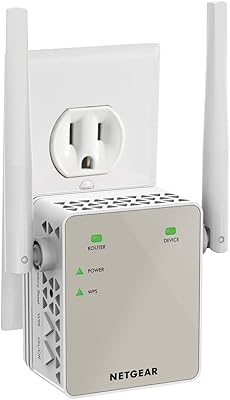
79%
91%
Ease of Setup
74%
WiFi Coverage
77%
Wireless Speed
68%
Roaming Performance
83%
Ethernet Port Utility
More
NETGEAR EX6120 WiFi Range Extender
74%
83%
Ease of Setup
76%
Signal Coverage
61%
Connection Speed
79%
Value for Money
58%
5GHz Band Performance
More
ingabis M-A25 AX3000 WiFi 6 Range Extender
77%
91%
Ease of Setup
78%
Signal Coverage
82%
WiFi Speed Performance
88%
Gigabit Ethernet Port
79%
Multi-Device Handling
More

FAQ

It works with virtually any standard wireless router or cable modem router on the market. That said, the One WiFi Name roaming feature performs most reliably when paired with a NETGEAR router. On third-party hardware, coverage extension still works well — but automatic device handoff as you move around can occasionally be less consistent.

No app is required. The easiest method is to press the WPS button on your existing router and then on the EAX11 within two minutes — they'll pair automatically. Alternatively, you can connect to the extender's temporary network and run a browser-based setup at mywifiext.net. Most users are up and running in under five minutes.

If you set it up using the same network name (SSID) as your router — which the One WiFi Name feature handles automatically — your devices will switch between the router and the extender without you needing to manually select a network. In practice, how smoothly that handoff happens depends on your device and your router brand. Some users report the transition is instant; others notice a brief delay, particularly on non-NETGEAR routers.

Yes. The EAX11 has a single Gigabit Ethernet port on the side, which is great for a console, desktop, or smart TV that benefits from a wired connection. Just keep in mind it only supports one wired device at a time, so if you need more wired ports, you would need a small network switch plugged into that port.

Probably not the full advertised figure. That coverage estimate is based on open-air, ideal conditions. Concrete, brick, and dense drywall all reduce range meaningfully. In a typical apartment with a couple of internal walls, expect real-world coverage closer to 700–900 sq. ft. Placement matters too — try to position it roughly halfway between your router and the dead zone for best results.

Not exactly. A dedicated mesh system uses multiple nodes that communicate on a backhaul channel specifically designed for that purpose, which generally gives cleaner, more consistent roaming. This range booster extends your existing router's signal, which is a more affordable and simpler approach, but it can introduce a slight speed reduction compared to a true mesh setup. For one or two dead zones, this extender is often more than enough. For whole-home coverage, a mesh system is usually the better long-term choice.

The hardware supports up to 15 devices, and the quad-core processor helps manage the load. For typical household use — a few phones, a laptop, and a streaming device or two — performance holds up well. If you're pushing close to that 15-device ceiling with bandwidth-heavy tasks on multiple devices simultaneously, you may notice some degradation. Everyday browsing and video calls are unlikely to cause issues even at moderate device counts.

No, it's compatible with any standard router, including older WiFi 5 models. You will get the full performance benefit of the WiFi 6 standard only when both your router and your connected devices also support WiFi 6. On an older router, it will still extend your coverage effectively — you just won't unlock the full speed potential that WiFi 6 allows.

The most effective placement is typically halfway between your router and the area with poor signal — not inside the dead zone itself, where it may struggle to maintain a strong connection back to the router. Avoid tucking it behind large appliances, inside cabinets, or near microwaves and cordless phones, as these can interfere with the signal. A central wall outlet in a hallway or open room tends to work well.

None. This range booster operates entirely on your local network with no subscription, cloud account, or recurring fee required. Once it's set up, it runs in the background without needing any maintenance unless you change your router's settings or network name.

Where to Buy