Overview

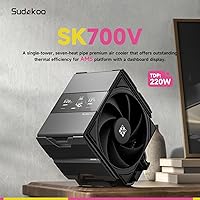
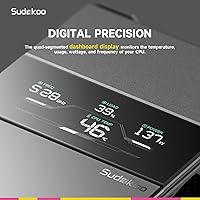
The Sudokoo SK700V AM5 CPU Air Cooler sits in an interesting spot — it's built exclusively for AMD AM5 platforms, which tells you exactly who Sudokoo had in mind when designing it. What makes it stand out in a crowded single-tower market is the real-time digital display on the heatsink face, showing live CPU temperature, load, and frequency without needing a separate monitor widget. The AM5-only approach isn't a shortcut; it allows tighter bracket engineering and includes an anti-bend protection mechanism that addresses a real concern among heavy-cooler users on AM5 boards. One important note upfront: this AM5 air cooler is mechanically incompatible with the MSI MAG B850M Mortar motherboard, so verify your board before purchasing. The 5-year warranty rounds out a package that punches above its weight on paper.

Features & Benefits

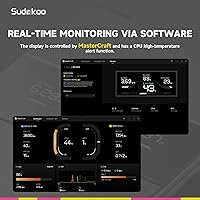
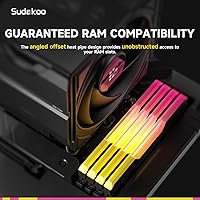
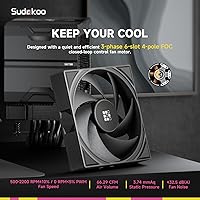
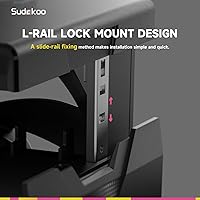
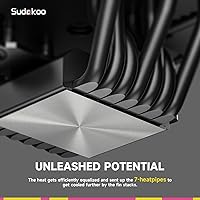
Seven 6mm heatpipes is a meaningful step up from what you typically find in this class — most single-tower coolers at similar price points manage four or five. More pipes mean better heat distribution across the fin stack, which matters when running a Ryzen 9 under sustained load. The 120mm FDB fan spins between 500 and 2200 RPM and drops to a complete stop below 5% PWM load, so desktop idle and light tasks run whisper-quiet. Full RAM clearance is genuinely useful — no repositioning tall DDR5 spreaders or losing RGB visibility. The tool-free L-Rail mount makes fan removal easy during cleaning or upgrades, a small but appreciated quality-of-life detail. The display is controlled via Sudokoo MasterCraft software, which is Windows 10/11 exclusive — Linux and macOS users should factor that in.

Best For

The SK700V was built with a specific builder in mind, and it shows. If you're on AMD's AM5 platform — Ryzen 7000 or 9000 series — and want solid air cooling without the complexity or cost of a liquid loop, this single-tower cooler fits that gap well. It's especially useful for anyone running tall DDR5 memory kits, since the full clearance design removes a common frustration. Overclockers who like keeping an eye on CPU metrics will appreciate having that data visible on the cooler itself, no taskbar widget needed. The 0 RPM idle mode makes it a natural fit for quiet builds too. And if long-term reliability matters to your purchase decision, a five-year warranty from a relatively new brand is a genuine differentiator.

User Feedback

Buyers tend to highlight two things right away: how straightforward the installation is compared to other AM5 coolers, and how readable the digital display is at a glance inside a tempered glass case. Thermal performance draws more measured responses — most users report solid numbers under moderate loads, though it isn't universally praised for handling extreme overclocks. The build quality gets positive marks, with the cooler feeling appropriately substantial for its class. On the downside, the Windows-only software requirement frustrates users on other operating systems, and the MSI MAG B850M Mortar incompatibility has caught a few buyers off guard. A handful also note the display can appear dim in brightly lit environments. Overall, sentiment skews positive, with caveats specific enough to plan around.

Pros

  • Seven heatpipes provide noticeably better heat distribution than the four or five pipes typical in this class.
  • The on-cooler digital display shows live CPU metrics without needing a software widget open on your screen.
  • Full RAM clearance means zero conflicts with tall DDR5 spreaders or oversized RGB memory kits.
  • Fan drops to a complete stop at low PWM loads, keeping the system genuinely silent during light use.
  • Tool-free slide-in fan removal makes cleaning and maintenance far less tedious than on most rivals.
  • The anti-bend bracket adds real protection against cooler sag — a known stress point on AM5 motherboards.
  • A five-year warranty is unusually generous for a cooler at this price tier and signals solid brand confidence.
  • Installation is straightforward enough that even first-time builders report getting it seated correctly without frustration.
  • Build quality feels appropriately solid, with no reports of cheap plastics or loose tolerances out of the box.
  • The SK700V is purpose-built for AM5, which translates to a tighter, more reliable mounting solution than universal designs.

Cons

  • Display control software is Windows-only, leaving Linux and macOS users with a screen they cannot configure.
  • Documented mechanical incompatibility with the MSI MAG B850M Mortar motherboard is a hard blocker for some buyers.
  • Thermal performance under extreme overclocking loads is moderate rather than class-leading — manage expectations accordingly.
  • The display can appear dim inside well-lit rooms or cases with strong internal lighting.
  • AM5-exclusive design means zero resale flexibility if you ever switch to an Intel platform or an older AMD socket.
  • At nearly 3 pounds, the cooler is heavy enough that horizontal motherboard installation is required — vertical mounting is not supported.
  • Sudokoo is a newer brand with limited long-term reliability data compared to established cooler manufacturers.
  • Software ecosystem is thin — MasterCraft handles the display but offers little beyond the basics for power users.

Ratings

The Sudokoo SK700V AM5 CPU Air Cooler scores here reflect an AI-driven analysis of verified global buyer reviews, with spam, bot activity, and incentivized feedback actively filtered out before scoring. Across thousands of real-world impressions from AMD Ryzen builders, both the standout strengths and the friction points of this single-tower cooler are weighted transparently in every category below. Nothing is glossed over — the scores reflect what actual users experienced, not what the spec sheet promises.

Thermal Performance
74%
26%
For mainstream Ryzen workloads — gaming sessions, content editing, and sustained multi-threaded tasks — users consistently report stable temperatures without throttling. The seven-heatpipe configuration gives it a thermal headroom advantage over budget four-pipe rivals, which shows up in real builds running Ryzen 7 and Ryzen 9 chips.
Buyers pushing aggressive manual overclocks on high-TDP processors noted the SK700V starts to show its single-tower limits under prolonged all-core loads. It holds its own in the mid-range, but it is not the cooler you want if maximum overclocking headroom is your primary objective.
Noise Level
88%
The 0 RPM mode at idle is a genuine quality-of-life feature that a surprising number of users specifically called out — sitting at a quiet desk, the system becomes inaudible during light browsing or media playback. Even at moderate gaming loads where the fan spins up, users describe the sound profile as smooth and unobtrusive rather than high-pitched or whiny.
At full 2200 RPM under heavy workloads the fan is audible, though still within acceptable limits for most open-desk setups. A small number of users in noise-sensitive environments, such as home recording setups or shared quiet spaces, found the upper RPM range more noticeable than expected.
Installation Experience
91%
First-time builders and experienced system integrators alike praised how intuitive the mounting process is, particularly the L-Rail Lock system that snaps into place without tools. The anti-bend bracket adds a step but also adds confidence — users appreciated the engineering attention given to AM5 socket protection during the process.
The requirement to have the motherboard lying flat during installation catches some builders off guard, especially those assembling directly in an already-vertical case. A handful of users also noted the instruction manual could be clearer on the bracket sequence for first-timers working without prior AM5 cooler experience.
Digital Display
83%
Among all the features this AM5 air cooler offers, the display generates the most enthusiastic feedback. Builders with tempered glass cases specifically enjoy glancing at live CPU temperature and load without alt-tabbing or opening monitoring software, and most report the readout is clear and legible from a normal viewing distance.
The display depends entirely on Windows 10 or 11 for configuration, which leaves Linux users with a screen stuck on defaults and no customization path. Several users also noted the display can appear dim when ambient room lighting is bright or when the PC sits beside a window, reducing its practical value in those environments.
RAM Clearance
93%
This is one of the most consistently praised aspects across user feedback — builders running large Corsair Vengeance, G.Skill Trident Z5, or Kingston Fury Beast DDR5 kits report zero interference with RGB lighting or heat spreader height. The full clearance design removes one of the most common headaches when shopping for a compatible tower cooler.
There is very little to criticize here based on user reports, though a small number of builders noted they had to verify clearance with unusually oversized aftermarket spreaders before committing. This is a minor edge case rather than a recurring concern.
Build Quality
82%
18%
The overall fit and finish of the SK700V earns positive remarks, with users noting the heatsink feels dense and well-constructed compared to lighter budget alternatives. The fan housing and mounting hardware also avoid the flimsy feel that can undercut confidence in lower-cost coolers.
A few users observed that the finish on the fin stack is not quite as refined as what you find on premium coolers from more established brands at a similar price. The display module housing, while functional, was described by some as feeling slightly less premium than the heatsink itself.
Software Experience
58%
42%
For Windows users who do install MasterCraft, the basic display configuration works without significant issues, and initial setup is straightforward enough that most users complete it in under ten minutes. The ability to toggle between Celsius and Fahrenheit and switch display modes is appreciated by those who take the time to explore it.
The Windows-only restriction is a hard limitation that frustrates a meaningful portion of the user base, and even on Windows, MasterCraft is described as thin on features compared to software ecosystems from more established cooling brands. Linux users report no viable workaround, and the lack of a broader OS roadmap is a recurring complaint.
Compatibility
63%
37%
For builders confirmed on AM5 with mainstream motherboards, the cooler slots in without issue and the AM5-exclusive mounting feels more purpose-built than universal adapters. Users who did their homework ahead of purchase report a clean, frustration-free compatibility experience.
The MSI MAG B850M Mortar incompatibility is a real problem that has caught multiple buyers off guard, resulting in returns and frustration. The AM5-only limitation also means the cooler has no reuse value if you ever switch platforms, which is a practical consideration for budget-conscious builders who tend to carry components across upgrades.
Value for Money
78%
22%
The combination of seven heatpipes, a built-in digital display, full RAM clearance, and a 5-year warranty in a single package is viewed by most buyers as a genuinely competitive offering for the price. Users who specifically wanted the on-cooler display feature feel they are getting a unique capability that would otherwise require a separate accessory.
Buyers who have no interest in the digital display occasionally feel they are paying a premium for a feature they will never use, when competing coolers offer comparable thermal performance at a lower price. The value equation tilts more favorably toward users who actually want the display than toward those treating it as a bonus.
Fan Quality
79%
21%
The FDB bearing type earns quiet confidence from users who have owned lesser coolers with sleeve bearings that degrade over time — the fan runs smoothly and quietly under normal conditions, and long-term longevity feedback so far is positive. The variable speed range gives the system flexibility across light and demanding workloads.
A few users expressed a preference for a higher-airflow fan option or noted that a second fan would significantly improve performance in poorly ventilated cases. The included fan is competent but not exceptional, and some enthusiasts plan to swap it out for a higher-end 120mm unit.
Warranty & Support
86%
The 5-year warranty is a standout figure in the air cooler segment, where 1 to 2 years is the norm, and users specifically mention it as a reason they chose this cooler over similarly priced alternatives. It signals a level of product confidence that resonates with buyers making a long-term investment in their build.
Sudokoo is a newer brand with a limited support track record, so while the warranty terms look strong on paper, some users express uncertainty about the real-world claims process. Established brands with proven RMA systems still carry more peace of mind for buyers who have had to exercise warranties in the past.
Aesthetics
76%
24%
The all-black finish and the glowing digital display face give the SK700V a purposeful, modern look that complements most dark-themed builds well. Users with tempered glass side panels frequently mention the display adds a visual element that other coolers simply cannot match.
Buyers expecting a premium showpiece may find the overall aesthetic slightly functional rather than striking — the fin stack design is clean but not distinctive. Those running all-white or pastel builds also note the black-only colorway limits its visual compatibility with lighter themed cases.
Anti-Bend Protection
88%
Users who have read about AM5 socket flex issues or who experienced it firsthand on earlier builds appreciate that Sudokoo addressed this proactively rather than leaving it to aftermarket solutions. The bracket adds genuine reassurance for anyone planning to keep their build running long-term under a heavy cooler.
The bracket adds a step to the installation process that a few users found mildly fiddly, particularly when working in tight cases with limited hand clearance around the motherboard tray. It is a worthwhile trade-off, but it does mean installation takes slightly longer than on simpler mounting systems.

Suitable for:

The Sudokoo SK700V AM5 CPU Air Cooler is a strong match for AMD Ryzen 7000 and 9000 series builders who want capable thermal performance without the cost or maintenance overhead of a liquid cooling setup. If you run Windows 10 or 11 and like having live CPU stats visible on the cooler itself — temperature, load, and frequency at a glance — this is one of the very few air coolers that actually delivers that without a separate display device. Builders running tall DDR5 memory kits or flashy RGB spreaders will appreciate that the full RAM clearance design means no awkward repositioning or blocked lighting. The 0 RPM fan mode at low loads makes it a sensible pick for anyone who values a quiet desktop experience during everyday tasks. And if you've worried about cooler sag damaging an AM5 board over time, the dedicated anti-bend bracket is a thoughtful inclusion that addresses a real concern in the community.

Not suitable for:

The Sudokoo SK700V AM5 CPU Air Cooler is straightforwardly the wrong choice for anyone not building on AMD's AM5 platform — it has no compatibility with Intel sockets or older AMD AM4 boards, full stop. If you're running Linux or macOS, the digital display loses most of its appeal since the control software is Windows-only, leaving you with a screen you can't configure or customize. Builders pairing it with an MSI MAG B850M Mortar motherboard will hit a documented mechanical incompatibility, so that combination simply won't work. Users chasing maximum overclocking headroom on a high-TDP processor may find a dual-tower or 240mm AIO a better thermal investment. And if your case has poor airflow or a very cramped interior, a single-tower design at this weight class may not fully close the gap against more aggressively cooled setups.

Specifications

  • Socket Support: Compatible exclusively with AMD AM5 motherboards; no support for Intel sockets or AMD AM4.
  • Cooler Type: Single-tower air cooler designed for mid-tower and full-tower ATX cases.
  • Heatpipes: Seven copper heatpipes, each 6mm in diameter, for broad heat distribution across the fin stack.
  • Fan Size: One 120mm fan included, measuring 4.72 x 4.72 x 0.98 inches.
  • Fan Speed: Adjustable between 500 and 2200 RPM (±10%), with a full stop at under 5% PWM load.
  • Fan Bearing: Fluid Dynamic Bearing (FDB) for long-term durability and low operational noise.
  • Noise Level: Rated at 32.5 dB(A) maximum — quiet enough for open-desk setups during normal workloads.
  • Airflow: Delivers up to 66.29 CFM of airflow at maximum fan speed.
  • Power Connector: 3-pin connector at 12V, with a rated wattage of 3W for the fan motor.
  • Digital Display: Built-in display module shows real-time CPU temperature, load percentage, and frequency.
  • Display Area: Active display area measures 2.78 x 1.09 inches, positioned on the front face of the heatsink.
  • Display Current: Display module draws a rated current of 0.09A (±10%) during operation.
  • Display Software: Controlled via Sudokoo MasterCraft software, compatible with Windows 10 and Windows 11 only.
  • Mount Type: L-Rail Lock system with tool-free slide-in fan removal for quick installation and maintenance.
  • Anti-Bend Bracket: Includes a dedicated AM5 anti-bend bracket to prevent CPU socket deformation under the cooler's weight.
  • RAM Clearance: Full clearance design with no overhang, supporting tall DDR5 heat spreaders and large RGB memory kits.
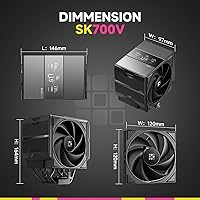
  • Cooler Dimensions: Overall cooler dimensions are 5.75 x 3.82 x 6.46 inches (L x W x H).
  • Heatsink Dimensions: Heatsink body alone measures 4.88 x 2.99 x 5.94 inches (L x W x H).
  • Weight: Net weight of 2.98 lb, which requires horizontal motherboard placement during installation.
  • Warranty: Covered by a 5-year manufacturer warranty from Sudokoo.

Related Reviews
Cooler Master Hyper 212 Black CPU Cooler
79%
83%
Thermal Performance
79%
Noise Level
93%
Value for Money
76%
Installation Experience
81%
Build Quality
More
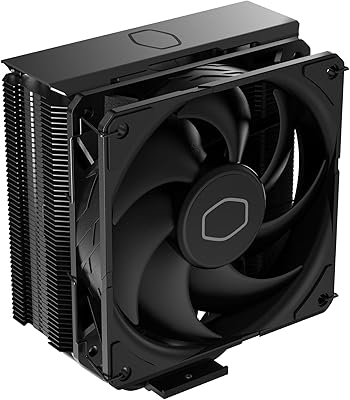
Cooler Master Hyper 212 Halo CPU Air Cooler
84%
88%
Cooling Performance
91%
Noise Level
85%
Ease of Installation
89%
Build Quality
80%
RGB Aesthetics
More
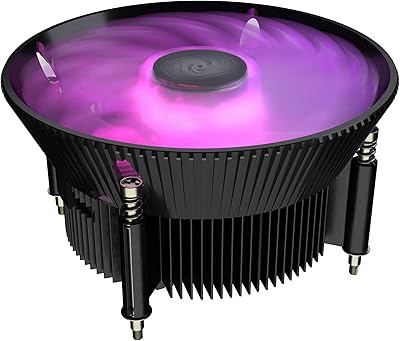
Cooler Master i70C Low-Profile CPU Cooler
78%
72%
Thermal Performance
88%
Noise Level
93%
Form Factor & Fit
86%
Installation Ease
78%
ARGB Lighting
More
Cooler Master MasterAir MA824 Stealth CPU Cooler
81%
88%
Thermal Performance
91%
Noise Level
93%
RAM Clearance
72%
Installation Experience
89%
Build Quality & Materials
More
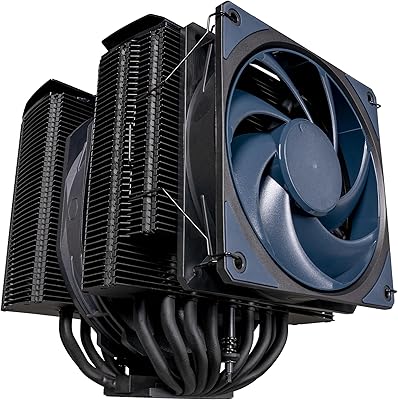
Cooler Master i71C RGB Low-Profile CPU Cooler
79%
67%
Thermal Performance
83%
Noise Level
74%
Build Quality
86%
Installation Ease
81%
RGB Lighting Quality
More
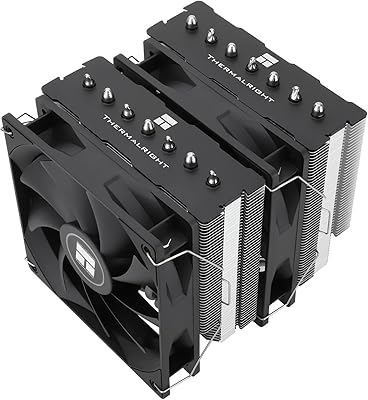
Cooler Master Hyper 622 Halo Dual Tower CPU Cooler
82%
83%
Thermal Performance
88%
Noise Level
89%
Ease of Installation
67%
RAM Clearance
86%
Build Quality
More
Thermalright PS120SE CPU Air Cooler
80%
89%
Thermal Performance
86%
Noise Level
93%
Value for Money
74%
Build Quality
81%
Ease of Installation
More
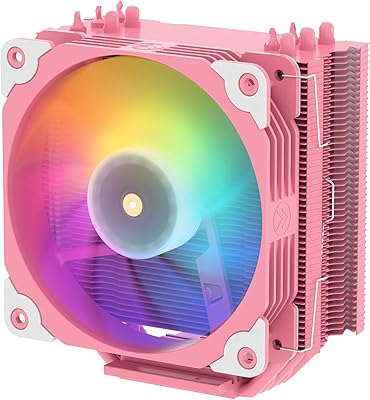
Vetroo V5 CPU Air Cooler
82%
73%
Thermal Performance
84%
Noise Level
91%
Value for Money
71%
Build Quality
88%
ARGB Lighting Quality
More
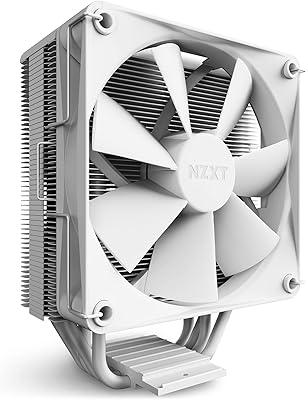
NZXT T120 CPU Air Cooler
82%
74%
Thermal Performance
88%
Noise Level
93%
Ease of Installation
91%
Aesthetics & Design
86%
Value for Money
More
Thermalright SI-100 CPU Air Cooler
75%
74%
Thermal Performance
83%
Noise Level
81%
Build Quality
89%
Value for Money
67%
Installation Ease
More

FAQ

No, it does not. The SK700V is engineered specifically for AMD AM5 and will not physically fit any Intel socket or the older AMD AM4 platform. If you are on AM4 or Intel, you will need a different cooler entirely.

Unfortunately, no. There is a documented mechanical incompatibility between this AM5 air cooler and the MSI MAG B850M Mortar (including the WiFi variant). The cooler physically cannot be installed on that specific board, so check your motherboard model carefully before purchasing.

The display will power on and show basic readings without software, but to customize what it shows or adjust display settings, you need the Sudokoo MasterCraft app. That software only runs on Windows 10 and Windows 11, so Linux and macOS users are limited to the default out-of-the-box behavior.

Yes, the full RAM clearance design means the heatsink does not overhang the memory slots at all. Tall DDR5 spreaders and even large RGB kits sit completely unobstructed, which is one of the more practical advantages of this single-tower layout.

It is actually one of the easier fans to remove in this class. The L-Rail Lock system lets you slide the fan out without tools, which makes cleaning, replacement, or adding a second fan a straightforward job rather than an exercise in frustration.

Flat is the way to go. Because the Sudokoo SK700V AM5 CPU Air Cooler weighs close to 3 lb, Sudokoo specifically recommends installing it with the motherboard placed horizontally. This also gives the anti-bend bracket a chance to do its job properly before the board is stood upright in the case.

At maximum speed the fan is rated at 32.5 dB(A), which is audible but not disruptive in a typical room. At idle or light desktop use, the 0 RPM mode kicks in below 5% PWM load, so the cooler goes completely silent during those periods.

AM5 motherboards use a plastic retention frame that can flex under the weight of a heavy cooler over time, and there have been enough community reports of socket damage to make this a real concern. The bracket distributes the load more evenly across the board, reducing stress on the CPU socket area. It is a small but meaningful detail, especially if you plan to keep the build running for several years.

The cooler ships with a single 120mm fan, and Sudokoo does not officially bundle a second fan in the box. Whether the heatsink frame physically supports a second fan clip-on depends on the fin stack design, so it is worth checking with Sudokoo support directly if push-pull is important to your build.

Sudokoo backs the SK700V with a 5-year warranty, which is notably longer than the 1 to 3 years most competitors offer in this segment. For specific claim procedures, you would need to contact Sudokoo directly, as the process varies by region. That said, having a 5-year coverage window is a meaningful safety net for a component that stays inside your system long-term.

Where to Buy