StarTech PEXUSB3S7 7-Port PCIe USB 3.0 Card
Overview
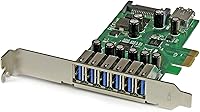
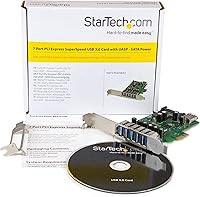
The StarTech PEXUSB3S7 7-Port PCIe USB 3.0 Card is the kind of purchase you make when your desktop's rear panel has become a bottleneck — too many devices, not enough ports. It slots into any PCIe x1 lane, which means virtually every modern desktop has a home for it. StarTech ships two brackets in the box — one standard height, one low-profile — so it fits both full-size towers and compact small form factor cases without any guesswork. That dual-profile bracket inclusion alone saves you from a frustrating return. The Intel chipset underneath gives it credibility without positioning it as a premium enterprise product. Think of this port add-in card as a dependable workhorse: it solves a specific problem cleanly, and that is exactly what it is meant to do.
Features & Benefits
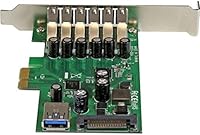
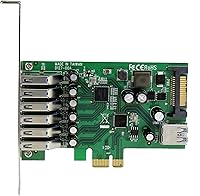
Six rear-panel Type-A ports handle the bulk of everyday connections, while the seventh — an internal header — lets you wire up a front-panel bay device or an internal storage enclosure without occupying motherboard headers. This USB expansion card runs at USB 3.2 Gen 1 speeds, which is the modern label for what most people still call USB 3.0; both mean a 5Gbps ceiling. UASP support is included, and while it sounds impressive, the real-world benefit shows up mainly when pairing it with a fast SATA or NVMe enclosure. What genuinely matters for many users is the SATA power connector: each port can deliver generous current, so bus-powered drives and demanding peripherals stay stable. Backward compatibility with older USB 2.0 and 1.x devices is maintained, and it installs without drama on Windows, Linux, and most Windows Server environments.
Best For
This USB expansion card makes the most sense for a few specific types of buyers. Workstation users who regularly plug in multiple external drives, audio interfaces, and peripherals will feel the difference immediately. The low-profile bracket option makes it a rare find for HTPC and compact desktop builders, where most multi-port USB cards simply do not physically fit. Server admins and NAS enthusiasts will appreciate the reliable Intel-based controller and the onboard power delivery, which removes the need for a separate powered hub on the rack. Linux users, in particular, tend to find plug-and-play support here better than with many competing cards. Anyone connecting bus-powered external SSDs or multi-drive docks should factor in the per-port power headroom — it makes a real difference in day-to-day stability.
User Feedback
Across more than 150 verified ratings, the StarTech 7-port PCIe card holds a 4.3-star average, which reflects a genuinely positive but not flawless ownership experience. Most buyers highlight how straightforward the install is — drop it in, connect the SATA power cable, and Windows or Linux picks it up without hunting for drivers. Build quality gets consistent praise; the card feels solid and the included brackets are properly machined. Where things get murkier is on certain Windows Server configurations, where a small number of users have encountered driver instability. A few reviewers also note that the rear port cluster can get tight with chunky USB cables, especially if adjacent slots are occupied. As for value, opinions split between those who prioritize brand reliability and those who wonder if a cheaper, lesser-known card would have done the same job.
Pros
- Seven ports total — six external and one internal — handle a wide range of connection scenarios from a single card.
- The dual-profile bracket means it installs in both standard towers and compact low-profile cases without buying extras.
- Onboard SATA power delivery keeps bus-powered external drives stable without needing a separate powered hub.
- Works out of the box on Windows 10, Windows 11, and most Linux distributions with zero driver hunting.
- The Intel-based controller gives this USB expansion card a reliability edge over cards using lesser-known chipsets.
- UASP support provides a real throughput boost when paired with fast external SSDs or NVMe enclosures.
- TAA compliance makes it a viable option for government or federally contracted procurement environments.
- Backward compatibility with USB 2.0 and 1.x means older peripherals work without adapters or fuss.
- PCIe x1 interface fits in any PCIe slot on the motherboard, including x4, x8, or x16 lanes.
- StarTech includes solid documentation and has a reputation for responsive support if issues arise.
Cons
- Speed is capped at 5Gbps; buyers needing 10Gbps USB 3.2 Gen 2 performance must look at a different card entirely.
- Some Windows Server users have hit driver instability that requires manual troubleshooting to resolve.
- The rear port cluster can get tight with thick or right-angle USB cables, especially in crowded cases.
- No USB-C ports included — all seven connections are Type-A only, which is a gap for modern peripheral users.
- At this price point, budget-focused buyers will find cheaper cards that cover basic port expansion needs adequately.
- The internal header adds value mainly for specific builds; users without a front-panel USB 3.0 bay get less from it.
- UASP benefits are largely irrelevant unless you own a compatible fast enclosure, so many buyers will not notice the feature.
- Requires an available SATA power cable from the PSU; very small or aging power supplies may lack a spare connector.
Ratings
The StarTech PEXUSB3S7 7-Port PCIe USB 3.0 Card was evaluated by our AI rating engine after analyzing verified global purchase reviews, with spam, incentivized, and bot-generated submissions actively filtered out. Scores reflect the honest consensus of real buyers across home workstation, small business, and server deployment scenarios. Both the card's genuine strengths and its recurring friction points are represented without softening either side.
Ease of Installation
Build Quality
Port Count & Layout
Transfer Performance
Driver & OS Compatibility
Power Delivery
Form Factor Flexibility
Value for Money
UASP Implementation
Cable Management
Long-Term Reliability
Internal Header Utility
TAA Compliance
Suitable for:
The StarTech PEXUSB3S7 7-Port PCIe USB 3.0 Card is a strong fit for anyone whose desktop has become a port juggling act — constantly swapping cables between drives, audio interfaces, printers, and other peripherals. Home studio operators and content creators who keep multiple storage devices connected simultaneously will find the combination of six rear ports and one internal header genuinely useful rather than just a spec-sheet talking point. The included low-profile bracket is a meaningful inclusion for small form factor and HTPC builders, where most competing cards simply cannot be installed at all. Linux users tend to have a smoother experience here than with many cheaper alternatives, making it a reliable choice for those running Ubuntu, Debian, or similar distributions on workstations or home servers. NAS builders and small business server admins who need to expand USB connectivity without worrying about bus-powered device instability will also find the onboard SATA power connector addresses a real pain point.
Not suitable for:
Buyers expecting USB 3.2 Gen 2 (10Gbps) or USB4 speeds should look elsewhere — the StarTech PEXUSB3S7 7-Port PCIe USB 3.0 Card tops out at the 5Gbps ceiling that most people know as plain USB 3.0, and that will not change regardless of what enclosure or device you connect. If your primary use case involves a Windows Server environment, particularly older Server 2012 or niche 2016 configurations, you should know that a subset of users have reported driver inconsistencies that required manual intervention to resolve. Those who only need one or two extra ports and are price-sensitive may find that a simple USB hub or a cheaper two-port PCIe card covers their needs at a lower cost. Laptop users or anyone without an available PCIe slot obviously cannot use this card at all. And if your case has closely packed expansion slots with large graphics or sound cards already installed, the rear port cluster can get physically cramped with thicker USB cables in place.
Specifications
- Model Number: The card is officially designated PEXUSB3S7 by StarTech.com.
- Interface: It connects to the motherboard via a PCIe x1 slot, though it will seat and function in larger PCIe lanes as well.
- External Ports: Six rear-facing USB 3.2 Gen 1 Type-A ports are accessible from outside the case.
- Internal Port: One internal USB 3.0 header allows connection to front-panel USB bays or internal devices.
- Transfer Speed: All ports operate at USB 3.2 Gen 1 speeds, with a ceiling of 5Gbps under ideal conditions.
- Chipset: The card uses an Intel-based controller, which contributes to its broad driver support and stability reputation.
- Power Connector: A SATA power connector draws directly from the PC power supply to supplement bus power delivery.
- Port Power Output: Each port can deliver up to 900mA, enough to run most bus-powered external drives without a separate powered hub.
- UASP Support: UASP (USB Attached SCSI Protocol) is supported, which improves throughput and reduces CPU overhead when used with compatible enclosures.
- Form Factor: Two brackets are included in the box — one full-height and one low-profile — to accommodate both standard towers and compact desktop cases.
- Dimensions: The card measures 4.1″ long by 0.6″ wide by 4.7″ tall, making it a compact single-slot add-in card.
- Weight: The card weighs 2.53 ounces, light enough that it does not stress the PCIe slot even without an additional retention bracket.
- Backward Compatibility: All seven ports are fully backward compatible with USB 2.0 and USB 1.x devices.
- Supported OS: Officially supported operating systems include Windows 7, 8, 10, and 11, Windows Server 2012 through 2019, and a broad range of Linux distributions.
- TAA Compliance: This card is TAA compliant, making it eligible for U.S. federal government and GSA schedule procurement.
- Manufacturer: Made by StarTech.com, a Canadian connectivity hardware company with a long track record in professional AV and IT accessories.
- Release Date: The PEXUSB3S7 was first made available in March 2015 and remains an active, non-discontinued product.
Related Reviews
StarTech PEXUSB3S3GE USB 3.0 PCIe Card
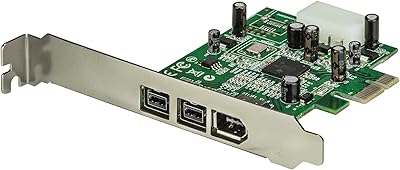
StarTech PEX1394B3 3-Port FireWire PCIe Card
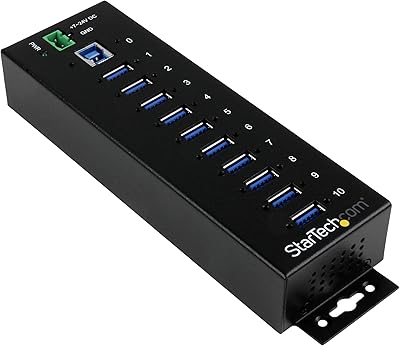
StarTech ST1030USBM 10-Port USB 3.0 Hub
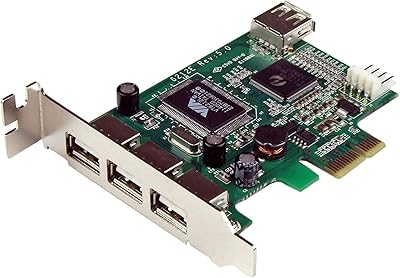
StarTech PEXUSB4DP 4-Port PCIe USB 2.0 Card
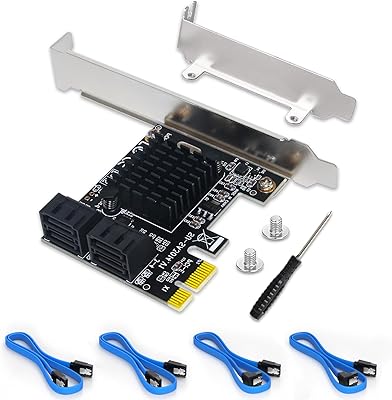
Moonqkuses 4-Port SATA 3.0 PCIe Expansion Card
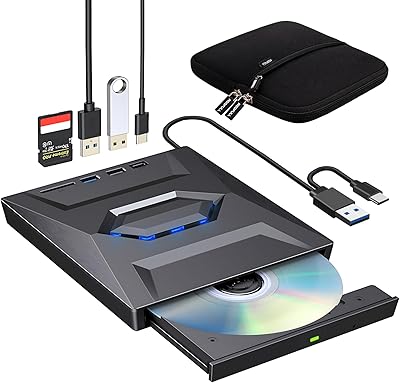
ROOFULL External CD DVD Drive with USB 3.0 Type-C Ports + SD Card Slot

ikuai 3.5″ USB 3.0 Hard Drive Enclosure
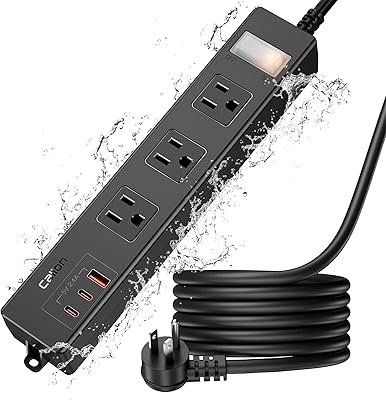
CALIONLTD USB Outdoor Power Strip with 3 Outlets and 3 USB Ports
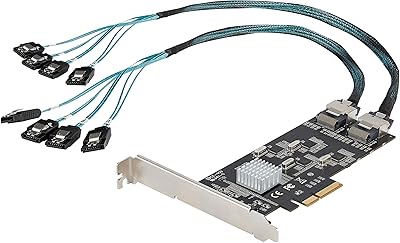
StarTech 8-Port SATA III PCIe Expansion Card