Overview
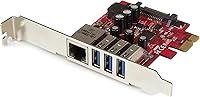
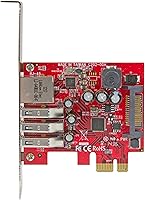
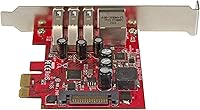
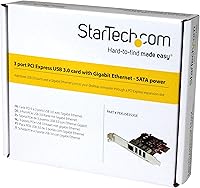
The StarTech PEXUSB3S3GE USB 3.0 PCIe Card is a practical solution for desktop owners who need more USB 3.0 ports and a wired Ethernet connection without dedicating two separate expansion slots. Released back in 2015, it occupies a single PCIe x1 slot and delivers both connectivity upgrades in one compact package. StarTech has long been a reliable name in the connectivity hardware space, and this card reflects that positioning — functional, no-frills, and built for people who know exactly what they need. It fits both standard ATX and low-profile cases, which is a genuine plus for anyone working with a slim or compact desktop build.
Features & Benefits
The real draw of this PCIe combo card is how much it packs into a single slot. You get three USB 3.0 ports capable of hitting 5Gbps each, plus a full Gigabit Ethernet port — no need to install a separate network card. UASP support is worth calling out specifically for anyone using external SSDs or NVMe enclosures, since it noticeably reduces CPU overhead during large file transfers. There is also an optional SATA power connector onboard, which supplies extra current for demanding peripherals like bus-powered drives or docking stations. Backward compatibility with older USB devices means you are not locked into replacing cables or hubs you already own.
Best For
This USB and Ethernet expansion card makes the most sense for owners of older desktops — think pre-2013 builds — that never shipped with USB 3.0 headers or a dedicated Ethernet port. It is also a strong pick for home office setups where a reliable wired connection matters but a spare PCIe slot is limited. The included low-profile bracket makes it genuinely useful for compact and slim-case builds, where most expansion cards simply do not fit. IT professionals who need to quickly provision workstations with both port types will appreciate the single-slot efficiency. If you are running a docking station, an external drive array, or multiple USB peripherals, the optional SATA power becomes less optional and more essential.
User Feedback
Opinions on the StarTech expansion card are genuinely split, and the 3.7-star average across 77 reviews reflects that. On the positive side, most Windows users report a smooth installation experience — drivers are recognized quickly and the card works as expected on Windows 10 and 11. The low-profile bracket earns consistent praise from compact-PC builders, who call it an unexpectedly thoughtful inclusion. That said, the Ethernet port has been a friction point for some; a number of buyers report it going undetected on certain motherboards, requiring workarounds that should not be necessary at this price point. Linux users should be cautious too — support is limited to LTS kernel versions, and experiences outside those boundaries are hit or miss. Long-term reliability is another open question, with a handful of users noting port degradation after extended use.
Pros
- Adds three USB 3.0 ports and Gigabit Ethernet in a single PCIe x1 slot, preserving valuable expansion space.
- Works right out of the box on Windows 10 and 11 with minimal driver friction for most users.
- UASP support delivers noticeably better throughput when pairing this card with compatible external SSDs.
- The included low-profile bracket is a genuine differentiator, making it usable in slim and compact desktop cases.
- Optional SATA power connector supplies enough current for demanding bus-powered peripherals without a separate powered hub.
- Backward compatibility with older USB devices means your existing cables and accessories stay useful.
- Eliminates the need to buy a separate NIC, which helps justify the cost for users who need both upgrades.
- PCIe x1 interface means it will physically fit in nearly any available slot, including x4, x8, and x16 lanes.
- StarTech has solid brand recognition in connectivity hardware, and replacement support is generally accessible.
Cons
- The Ethernet port fails to initialize on some motherboards, with no clear pattern to which systems are affected.
- Linux support is limited to specific LTS kernel versions, leaving many users without a reliable driver path.
- A subset of buyers have reported port degradation over time, raising questions about long-term build quality.
- The 3.7-star average across nearly 80 reviews is a below-average signal for a product at this price point.
- No USB-C ports are included, which limits forward compatibility as modern peripherals shift away from Type-A.
- Troubleshooting the Ethernet detection issue often requires BIOS tweaks or manual driver intervention — not beginner-friendly.
- Three USB ports may feel limiting if you are consolidating a large peripheral setup onto a single card.
- The card was first released in 2015 and has not been meaningfully updated, so the spec ceiling is fixed.
- Customer support experiences with StarTech for this specific model appear inconsistent based on buyer reports.
Ratings
The following scores for the StarTech PEXUSB3S3GE USB 3.0 PCIe Card were generated by AI after analyzing verified buyer reviews from global sources, with spam, bot submissions, and incentivized feedback actively filtered out. The result is an honest, data-driven breakdown that reflects both what this card does well and where real users have run into trouble. Strengths and pain points are weighted equally so you can make a clear-eyed purchase decision.
Ease of Installation
USB Port Performance
Ethernet Reliability
Build Quality
Value for Money
Low-Profile Compatibility
Driver Support
UASP Performance
Power Delivery
Slot Efficiency
Backward Compatibility
Physical Footprint
Long-Term Durability
Suitable for:
The StarTech PEXUSB3S3GE USB 3.0 PCIe Card is a strong fit for anyone running an older desktop that shipped without USB 3.0 ports or a dedicated wired Ethernet connection. If you are working with a pre-2013 tower and want to avoid the cost and hassle of a full motherboard swap, this card offers a quick, targeted fix. Home and small-office users who rely on wired networking for stability — and who cannot afford to dedicate two separate PCIe slots to USB and Ethernet expansion — will find the combo design genuinely useful. The dual-profile bracket makes it one of the few expansion cards that translates directly to slim and low-profile builds, which is a real advantage in compact workstation scenarios. IT professionals provisioning legacy hardware or refurbishing donated machines will also get solid mileage out of this card, especially given its broad Windows driver support and plug-and-play behavior on modern operating systems.
Not suitable for:
The StarTech PEXUSB3S3GE USB 3.0 PCIe Card is not the right choice for every buyer, and it is worth being clear about where it falls short. If your primary machine runs Linux and you are not strictly on a supported LTS kernel, you are likely to hit compatibility walls that the product page glosses over. Users who need a guaranteed, rock-solid Ethernet connection should also take note — a recurring complaint in the real-world feedback involves the network port failing to initialize on certain motherboards, and that kind of uncertainty is unacceptable if Ethernet reliability is the whole reason you are buying. Anyone who already owns a modern desktop with onboard USB 3.0 and Ethernet has no practical reason to look here. This PCIe combo card is also not suited for Mac users, and those expecting enterprise-level long-term durability may want to explore higher-end alternatives given the reports of port degradation over extended use.
Specifications
- Brand: Manufactured by StarTech, a company specializing in connectivity and expansion hardware for professional and consumer markets.
- Model Number: The official model identifier is PEXUSB3S3GE, used across StarTech documentation and driver download pages.
- PCIe Interface: Uses a PCIe x1 interface compliant with PCI Express 2.0, physically compatible with x1, x4, x8, and x16 slot sizes.
- USB Ports: Provides three USB 3.2 Gen 1 (formerly USB 3.0) Type-A ports, each capable of transfers up to 5Gbps.
- USB Compatibility: Fully backward compatible with USB 2.0 and USB 1.x devices, so older peripherals work without adapters.
- Network Port: Includes one integrated Gigabit Ethernet port supporting 10/100/1000Mbps wired network connections.
- UASP Support: Supports USB Attached SCSI Protocol (UASP), which improves sequential read and write speeds and reduces CPU overhead with compatible storage devices.
- Auxiliary Power: Features an optional SATA power connector that can supply up to 900mA per USB port for high-draw peripherals.
- Form Factor: Ships with both a standard full-height bracket and a low-profile bracket, supporting installation in ATX and slim desktop cases.
- Dimensions: Card measures 5.59 x 6.69 x 1.18 inches, making it a standard single-slot half-length expansion card.
- Weight: Weighs approximately 2.08 ounces, which is typical for a single-slot PCIe expansion card of this type.
- Color: The card features a silver and red color scheme on the PCB and port housing.
- OS Support: Compatible with Windows XP through Windows 11, Windows Server 2008 R2 through 2022, and Linux kernel 2.6.31 and above (LTS versions only).
- First Available: Originally released in March 2015, making this a mature product with a long time in the market.
- Chipset: Based on an ARM Cortex-based controller architecture to manage USB and Ethernet functions independently over the PCIe bus.
- Sales Rank: Holds a Best Sellers Rank of approximately #250 in the Internal USB Port Cards category on Amazon.
- User Rating: Carries an average rating of 3.7 out of 5 stars based on 77 customer reviews on Amazon.
- Discontinued: As of the time of writing, StarTech has not discontinued this model and it remains available through major retail channels.
Related Reviews
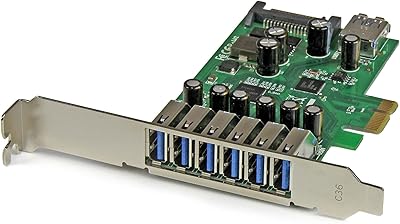
StarTech PEXUSB3S7 7-Port PCIe USB 3.0 Card

ikuai 3.5″ USB 3.0 Hard Drive Enclosure
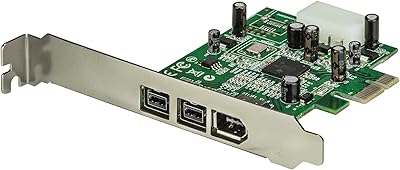
StarTech PEX1394B3 3-Port FireWire PCIe Card
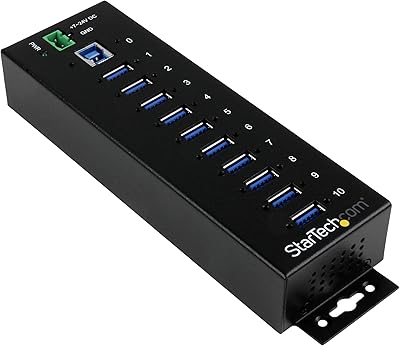
StarTech ST1030USBM 10-Port USB 3.0 Hub
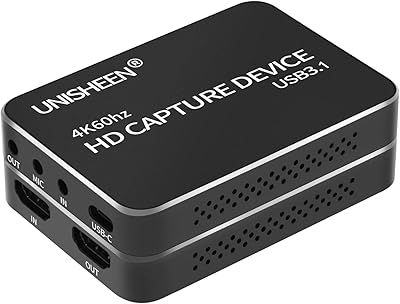
UNISHEEN UC2500H USB 3.0 Game Capture Card

KCEVE KC-303X Triple Monitor KVM Switch
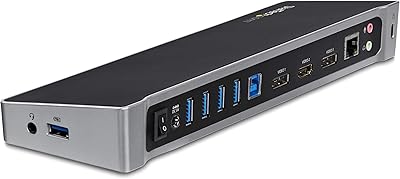
StarTech.com Triple Monitor USB 3.0 Docking Station
Moonqkuses 4-Port SATA 3.0 PCIe Expansion Card
StarTech PEXUSB4DP 4-Port PCIe USB 2.0 Card