Overview

The Aimery Speedwave 300Mbps WiFi Range Extender is a compact plug-in repeater designed to push your existing signal into rooms where your router simply cannot reach. It targets renters and small-household users who want an affordable fix without a steep learning curve. One thing worth clarifying upfront: despite some dual-band language in the marketing, this unit operates on 2.4GHz only. That is not a dealbreaker for most buyers at this price tier, but it is worth knowing before you purchase. Setup runs through a basic web-based interface — no app to download, no account to create — which keeps things genuinely simple for anyone who is not particularly tech-savvy.
Features & Benefits

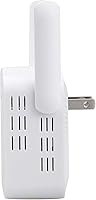
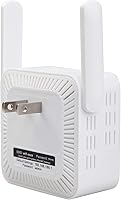
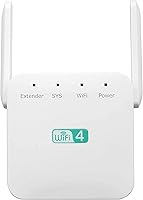
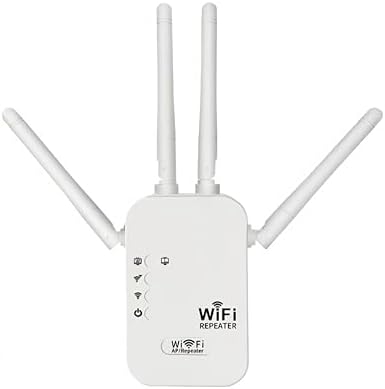
Four external antennas work together to spread signal outward in all directions — a practical edge over single-antenna repeaters in the same price bracket. The unit claims coverage of up to 2,800 sq ft, but that is a best-case figure; heavy walls, floors, and interference will reduce that in real homes. It supports both Repeater and AP modes, giving you flexibility depending on how your network is set up. There is also a built-in Ethernet port — handy for wiring in a smart TV or desktop that sits too far from the main router. The whole unit weighs just 3.52 oz and takes up minimal space, so outlet placement is rarely an issue.

Best For

This WiFi extender makes the most sense for renters and apartment dwellers who need a dead zone addressed without a major hardware investment. It is also well-suited for homes where the devices that need extended coverage — older laptops, smart plugs, security cameras — are all 2.4GHz anyway, meaning the single-band limitation never becomes a real issue. If you have never used a range booster before and want to gauge whether one actually helps your setup, this is a low-commitment way to find out before spending more on a mesh system. The built-in Ethernet port also makes it a solid pick for anyone who needs a wired connection point in a distant room.

User Feedback

Buyers who left positive reviews consistently praised the plug-and-play setup and noticed a real improvement in signal strength in the room directly next to where they plugged it in. The flip side is speed — repeaters at this tier inherently cut throughput roughly in half, and some users found that more noticeable than expected. The 2,800 sq ft coverage claim drew skepticism, particularly from people in multi-story homes where floors and thick walls chip away at range quickly. A handful of longer-term buyers also reported occasional device drop-offs after weeks of continuous use. Those who compared the Speedwave repeater to pricier options generally called it adequate for casual browsing and smart home devices, though not ideal for heavy video streaming.

Pros

  • Setup takes only a few minutes through a browser — no app download or account creation required.
  • Four external antennas provide noticeably broader signal distribution compared to single-antenna budget repeaters.
  • The built-in Ethernet port lets you add a wired connection in any room, which is a rare perk at this price.
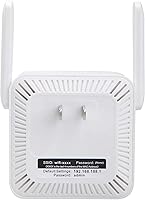
  • Tiny footprint and light weight mean it fits almost any outlet without blocking adjacent sockets.
  • Works with virtually every home router on the market thanks to broad 802.11b/g/n compatibility.
  • Supports Access Point mode, giving you more network flexibility beyond basic repeating.
  • Users in adjacent rooms consistently report a real, noticeable improvement in signal strength after setup.
  • The low price makes it a risk-free way to test whether a repeater actually solves your dead zone problem.

Cons

  • Operates on 2.4GHz only — the dual-band language in the listing is misleading and should be ignored.
  • Throughput drops significantly in repeater mode, making it a poor fit for streaming or fast downloads.
  • The 2,800 sq ft coverage claim reflects ideal conditions; real-world range in typical homes is considerably less.
  • Some buyers report devices occasionally dropping the extended network after weeks of continuous use.
  • No dedicated mobile app means troubleshooting requires a browser, which can be awkward on some devices.
  • Cannot extend a 5GHz network, so households running modern dual-band routers get only partial benefit.
  • Long-term reliability is inconsistent based on user feedback, with performance sometimes degrading over time.
  • Not well-suited for multi-story homes where floors and thick walls sharply limit the effective range.

Ratings

The scores below reflect an AI-driven analysis of verified global buyer feedback for the Aimery Speedwave 300Mbps WiFi Range Extender, with spam, bot-generated, and incentivized reviews actively filtered out to ensure the results represent genuine user experiences. We weighed both the praise and the frustrations equally, so the numbers you see here tell the full story — not just the highlights. Strong points are recognized honestly, and recurring pain points are reflected without being glossed over.

Ease of Setup
88%
Most buyers had this range booster running within ten minutes of opening the box, which is genuinely appreciated by users who dread networking tasks. The browser-based setup skips the app-download friction that plagues many competing devices, and first-time extender owners in particular found the process far less intimidating than expected.
A subset of users ran into confusion when the setup page did not load immediately on certain browsers or older devices. The restriction on special characters in passwords also caught a few people off guard, forcing them to change their router passwords before they could complete pairing.
Signal Improvement
74%
26%
In single-floor apartments and smaller homes, users consistently noticed a real difference in the rooms directly adjacent to where the unit was plugged in. Smart home devices and older laptops that previously struggled to hold a connection reported stable links after adding this WiFi extender to the network.
Results dropped off sharply in multi-story homes and spaces with thick walls or concrete construction. Several buyers in larger houses reported only marginal improvement, and a notable number found the dead zone simply moved further away rather than disappearing entirely.
Speed Performance
58%
42%
For light tasks — browsing, streaming standard-definition video, or running smart home devices — the throughput is adequate, and most users in that use case reported no noticeable lag during everyday activity. The 2.4GHz band, while slower, offers better wall penetration than 5GHz, which does help in some layouts.
The single-band repeater architecture cuts effective throughput roughly in half, and buyers trying to stream 4K content or handle large file transfers through the extended network felt the pinch noticeably. Users who upgraded from a more capable dual-band extender described the speed reduction as the biggest disappointment with this device.
Coverage Range
61%
39%
In open-plan apartments and studio layouts, the Speedwave repeater can push a usable signal across the entire floor with relative ease. The four external antennas do appear to distribute coverage more evenly than basic single-antenna units at a similar price, which users in square-shaped rooms specifically appreciated.
The advertised 2,800 sq ft claim drew consistent skepticism from buyers in real-world homes, where walls, appliances, and neighboring networks carve into range considerably. Multi-story households and older buildings with dense interior walls saw coverage that fell well short of what the marketing implied.
Value for Money
79%
21%
Buyers who entered with calibrated expectations — needing a single-room fix for a 2.4GHz device without spending much — generally felt the price was well justified. The inclusion of an Ethernet port at this price tier was frequently called out as a pleasant surprise that added tangible usefulness beyond basic signal repeating.
Users who purchased expecting performance on par with pricier dual-band extenders felt let down, and that gap in expectations drove most of the negative value assessments. A few buyers concluded that spending a little more upfront for a more capable device would have been a smarter long-term decision.
Build Quality
66%
34%
The plastic housing feels solid enough for a plug-in device, and the compact dimensions mean it sits flush against most wall outlets without sagging or wobbling. The four antennas are firm and stay in their adjusted positions without flopping around, which gives the unit a slightly more premium feel than its price suggests.
The all-plastic construction does not inspire a lot of long-term confidence, particularly for buyers who have had budget networking gear fail on them before. A few users noted the unit felt warm during prolonged operation, which is not unusual for the category but did raise questions about durability over extended periods.
Long-term Reliability
62%
38%
A majority of buyers who reported back after several weeks of use found the unit still functioning without major issues, and those using it for low-demand devices like smart plugs and cameras described consistent behavior. Occasional reboots kept performance steady for most users who experienced minor hiccups.
A recurring thread in long-term feedback involved devices periodically dropping off the extended network, requiring a manual restart of the extender to reconnect. The pattern was not universal, but it appeared often enough to suggest that continuous uptime over months of use is not something buyers should take for granted.
Antenna Design
71%
29%
Having four adjustable external antennas gives users a sense of control over signal direction, and the 360-degree broadcast pattern does help in rooms where the signal needs to reach multiple corners. Buyers who positioned the antennas deliberately rather than leaving them at default angles reported slightly better results.
In practice, the benefit of four antennas over two on a 2.4GHz single-band device is limited, and some technically savvy users pointed out that antenna count matters less than placement and environment. The antennas also add a bit of visual bulk that might not suit users looking for a discreet, low-profile device.
Ethernet Port Utility
82%
18%
The built-in Ethernet port earned consistent praise from buyers who used it to hard-wire a TV, printer, or desktop in a distant room — a genuinely practical feature that many competing units at this price point skip entirely. In AP mode, it also let users with existing cable runs create a clean wireless access point without any additional hardware.
The port supports only one wired connection at a time, which limits its usefulness for users with several wired devices clustered in the same area. Buyers looking to connect a small home office setup with multiple wired devices found themselves needing a separate switch on top of this range booster.
Dual-Band Accuracy
34%
66%
There is very little positive to say here — the product does operate on the 2.4GHz band, which is better at penetrating walls than 5GHz, so buyers with older devices or smart home gadgets running on that band are at least getting the right frequency for their needs.
The dual-band references in the product listing are misleading, and buyers who purchased expecting 5GHz support felt genuinely deceived when they discovered the limitation after setup. This single issue was the most commonly cited reason for negative reviews among buyers who had done their research on what dual-band means.
Router Compatibility
86%
Broad 802.11b/g/n compatibility means this WiFi extender pairs with virtually every consumer router in use today, including ISP-supplied gateways that often use non-standard configurations. Buyers coming from a wide range of router brands reported no pairing issues, which keeps the out-of-box experience smooth.
Compatibility with newer Wi-Fi 5 or Wi-Fi 6 routers is functional but limited — the extender connects to them, but it cannot take advantage of their higher-speed capabilities, effectively creating a bottleneck on the extended network. Users with modern routers may find the performance gap between their main network and the extended one more frustrating than expected.
Physical Footprint
83%
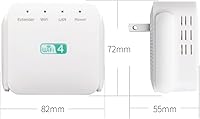
At just over 3 oz and roughly the size of a large charger, this range booster fits neatly into most outlets without blocking the adjacent socket — a small but meaningful practical advantage for users with crowded power strips or limited outlet placement options. Its neutral white finish also blends into most wall and decor contexts without standing out.
The four antennas, while adjustable, do extend the overall profile of the unit noticeably, and in tight spaces like behind furniture or inside cabinets, the full antenna spread may not be achievable. Users who needed to tuck it into a concealed spot found the antenna arrangement more of a hindrance than a help.
Network Security
68%
32%
Standard wireless encryption is supported, and the unit does not require cloud registration or external accounts, which means no personal data is being sent to a remote server during setup or regular use — a point that privacy-conscious buyers found reassuring compared to app-dependent alternatives.
The inability to use special characters in network passwords is a genuine security limitation that forces some users to weaken their password choices during setup. For buyers with strong password hygiene habits, this restriction felt like an unnecessary and frustrating constraint.

Suitable for:

The Aimery Speedwave 300Mbps WiFi Range Extender is a practical choice for renters, apartment dwellers, and small-home users who have one or two dead zones they want to address without spending a lot or reconfiguring their entire network. If your household runs mostly 2.4GHz devices — smart home gadgets, older laptops, wireless cameras, or connected appliances — the single-band limitation will likely never bother you. It also works well for anyone who gets anxious around technical setup processes, since the web-based configuration is about as straightforward as these things get. The built-in Ethernet port adds a layer of genuine versatility, making it useful in rooms where you want a wired connection for a television or a desktop without running a long cable from your router. First-time extender buyers will find this a sensible entry point to test whether a repeater even solves their problem before committing to a pricier mesh system.
Not suitable for:

The Aimery Speedwave 300Mbps WiFi Range Extender is not the right tool for larger homes, multi-story houses, or anyone whose primary frustration is slow speeds rather than weak signal. As a single-band 2.4GHz repeater, it will cut your throughput roughly in half by design — that is a fundamental characteristic of how repeaters work, not a flaw specific to this unit, but it does mean bandwidth-heavy tasks like 4K streaming or large file transfers will feel the pinch. Buyers expecting to blanket 2,800 square feet of real-world space with reliable coverage are likely to be disappointed; thick walls, floors, and competing wireless signals all eat into that headline figure significantly. If you are already running a 5GHz network and your devices support it, this range booster cannot help on that band at all. Power users, remote workers who depend on consistent speeds for video calls, or households with many simultaneous high-demand devices should look at a proper mesh system or a dual-band extender instead.
Specifications

  • Brand: Manufactured by Aimery under the Speedwave product family.
  • Max Throughput: Delivers a maximum data transfer rate of 300Mbps under optimal conditions.
  • Frequency Band: Operates exclusively on the 2.4GHz band, despite dual-band references in some marketing materials.
  • Wireless Standard: Compatible with 802.11b, 802.11g, and 802.11n wireless protocols.
  • Antennas: Equipped with 4 external antennas designed to distribute signal across 360 degrees.
  • Coverage Claim: Rated for up to 2,800 sq ft under ideal, open-space conditions.
  • Operating Modes: Supports two modes: Repeater mode for extending an existing network, and Access Point (AP) mode for wired-to-wireless conversion.
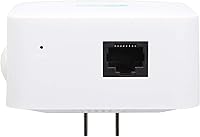
  • Ethernet Port: Includes one RJ-45 Ethernet port for connecting wired devices or using the unit in AP mode.
  • Dimensions: Measures 3 x 2.7 x 2.3 inches, giving it a compact footprint suitable for most standard wall outlets.
  • Weight: Weighs 3.52 oz, making it light enough to sit in an outlet without stressing the socket.
  • Setup Method: Configured entirely through a web-based browser interface; no mobile app or third-party account is required.
  • Router Compatibility: Works with any standard home router or gateway that supports 802.11b/g/n, covering virtually all consumer routers on the market.
  • Security Note: Supports standard wireless network security protocols; special characters cannot be used in the network password during setup.
  • Power Source: Powered directly via a standard AC wall outlet with a built-in plug — no external power adapter or USB cable required.
  • First Available: This product was first listed for sale in November 2023.

Related Reviews
YKMBFEQC 300Mbps WiFi Extender
83%
93%
Ease of Setup
85%
WiFi Coverage Range
88%
Dual-Band Performance
80%
Signal Stability
87%
Compatibility with Devices
More
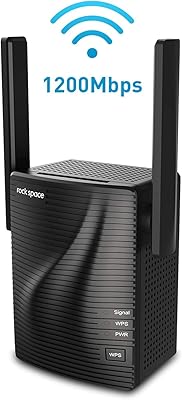
rockspace AC1200 WiFi Range Extender
83%
85%
Performance
92%
Ease of Setup
88%
Range Coverage
75%
Signal Stability
83%
Ethernet Port Functionality
More
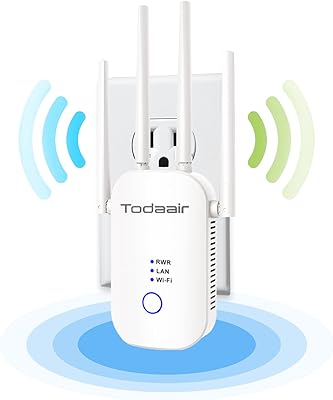
TODAAIR AC1200 WiFi Range Extender
82%
88%
Wireless Coverage
85%
Dual-Band Performance
90%
Setup & Installation
82%
Device Capacity
80%
Speed Consistency
More
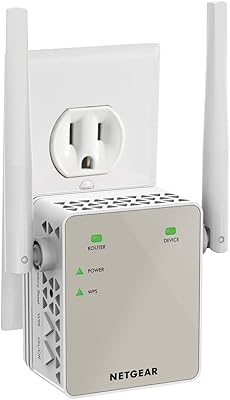
NETGEAR EX6120 WiFi Range Extender
74%
83%
Ease of Setup
76%
Signal Coverage
61%
Connection Speed
79%
Value for Money
58%
5GHz Band Performance
More
NETGEAR EAX12 WiFi 6 Range Extender
76%
91%
Ease of Setup
73%
WiFi Coverage
67%
Real-World Speed
69%
Router Compatibility
74%
Connection Stability
More
Netgear EX6400 WiFi Mesh Range Extender
73%
83%
Signal Coverage
61%
Throughput & Speed Performance
88%
Setup & Installation
58%
Smart Roaming Performance
86%
Wired Ethernet Connectivity
More
NETGEAR WiFi AC1200 Range Extender EX6200
85%
88%
WiFi Performance
85%
Setup & Installation
91%
Build Quality
84%
Range & Coverage
90%
Ethernet Connectivity
More
NETGEAR WiFi Mesh Range Extender EX8000
86%
85%
Wi-Fi Performance
88%
Ease of Setup
90%
Coverage Area
84%
Device Support
87%
Streaming & Gaming Performance
More
Surncest AX3000 WiFi 6 Range Extender
85%
88%
Value for Money
91%
WiFi Performance
85%
Setup & Installation
89%
Coverage & Range
80%
Build Quality
More
Linksys RE7310 WiFi 6 Range Extender
84%
89%
Performance
91%
Ease of Setup
88%
Coverage Area
84%
Speed Stability
92%
Compatibility
More

FAQ

It is a 2.4GHz-only device. Some of the product listing language references dual-band, but based on the specifications, the Speedwave repeater operates solely on the 2.4GHz frequency. If your priority is extending a 5GHz network, this unit will not do that.

No app required. You plug it in, connect your phone or laptop to the extender's default network, and then open a browser to walk through the configuration steps. Most users get it running in under ten minutes.

That figure reflects best-case, open-space conditions. In a real home with walls, floors, appliances, and other wireless devices competing for airspace, the effective range will be noticeably shorter. Think of it as a rough ceiling, not a guarantee. For most apartments or single-floor layouts, coverage in adjacent rooms is realistic.

It can help, but floors are one of the biggest obstacles for any 2.4GHz signal. Placement matters a lot here — putting the extender halfway between your router and the dead zone (rather than at the far end) will give you the best shot at reaching upstairs. Results vary depending on the construction of your home.

Yes, and this is one of the more practical uses for this range booster. If your TV or desktop sits in a room far from your router, you can plug the extender into a nearby outlet and run a short Ethernet cable directly to the device for a wired connection.

Not automatically, in most cases. Traditional repeaters like this one create a separate network name, so your device will stay connected to whichever network it joined first until you manually switch. If seamless roaming is important to you, a mesh system handles that much more gracefully.

In Repeater mode, the unit picks up your existing Wi-Fi signal and rebroadcasts it wirelessly. In Access Point mode, you connect it to a router via the Ethernet port and it creates a new wireless network from that wired connection — useful if you want to extend coverage to an area that already has a cable run but no wireless access.

Yes, to some degree — this is a characteristic of all single-band repeaters, not a specific flaw. Because the device uses the same band to receive and retransmit data, effective throughput is roughly halved. For casual browsing, video calls, and smart home devices, most users find the trade-off acceptable. For heavy streaming or large downloads, the speed reduction can become noticeable.

A small number of users have reported occasional disconnections after extended use. If this happens, a quick restart of the unit usually restores connectivity. It is not a universal issue, but it is worth keeping in mind if rock-solid uptime is a hard requirement for you.

It should work with virtually any router your ISP provides, as long as it supports 802.11b, g, or n — which covers the overwhelming majority of home gateways in use today. Brand does not matter here; the extender connects to your network the same way any wireless device would.