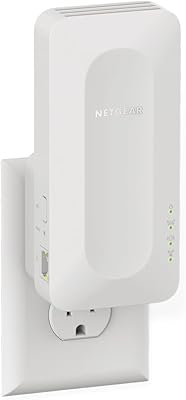
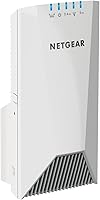
NETGEAR EX7500 Tri-Band WiFi Range Extender

Overview
The NETGEAR EX7500 Tri-Band WiFi Range Extender sits in a comfortable spot between entry-level boosters and full mesh systems — useful framing for anyone trying to decide whether to buy one. Launched in 2017, it has held up reasonably well, though buyers at this price point today should know that purpose-built mesh kits have closed the gap considerably. The wall-plug form factor is a genuine advantage: you can reposition it across rooms without running cables or rearranging furniture. On paper, the AC2200 classification sounds impressive, but real-world throughput is noticeably lower once walls and competing signals enter the picture. Think of the EX7500 as a targeted dead-zone fix, not a full network overhaul.
Features & Benefits
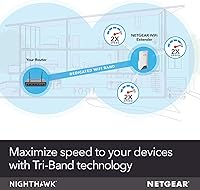
What separates the EX7500 from cheaper dual-band extenders is the tri-band radio setup — one 2.4GHz band and two 5GHz bands. NETGEAR's FastLane3 technology dedicates one of those 5GHz bands purely to backhaul traffic, leaving the other bands free for your devices without the usual speed penalty. Coverage is marketed around 2,300 square feet, but in a real home with walls and interference, expect something closer to 1,500 to 1,800 square feet of reliable signal. Smart Roaming keeps a consistent network name across your router and extender, which works well for general use but can stumble on latency-sensitive tasks when band hand-off lags. Security tops out at WPA2, so buyers who prioritize WPA3 support will need to look elsewhere.
Best For
This tri-band extender makes the most sense for homeowners dealing with a stubborn dead zone in a mid-to-large home — think 1,500 to 2,500 square feet — where repositioning the router simply isn't practical. It's also a strong fit for households running multiple bandwidth-hungry activities at once, like 4K streaming in the living room while someone else is gaming upstairs. Because setup requires nothing more than a WPS button press or a quick browser login, it works well for users who want a straightforward upgrade without swapping out their existing router. Multi-floor homes where running ethernet to a dedicated access point isn't an option are another natural fit. If you value established brand support and a deep pool of community troubleshooting resources, NETGEAR's ecosystem is genuinely hard to beat.
User Feedback
Across several thousand verified buyers, this NETGEAR booster earns a rating that reflects genuine mixed results rather than any single fatal flaw. Most people who leave positive feedback point to a noticeable signal improvement in rooms that were previously unusable, and the setup experience draws consistent praise for being quick and fuss-free. On the other side, the most repeated frustration is device stickiness — phones and laptops that lock onto the extender's signal even when they've moved back within range of the main router. A smaller but vocal group also notes that speeds near the edge of the coverage area drop more than you'd expect. One practical heads-up: buyers using an ISP-provided combined modem-router sometimes hit compatibility snags during setup that aren't covered in the standard documentation.
Pros
- Dedicated backhaul band keeps connected device speeds more consistent than standard dual-band extenders.
- Plug-in form factor lets you reposition it in minutes without any cable management headaches.
- Works with virtually any router, gateway, or modem — no ecosystem lock-in whatsoever.
- Setup is genuinely fast: a WPS button press or a short browser session gets you running.
- Handles a large number of simultaneous connected devices without obvious performance collapse.
- Tri-band design gives bandwidth-hungry households more breathing room during peak usage hours.
- NETGEAR's extensive support documentation and active user community make troubleshooting far less frustrating than with lesser-known brands.
- Universal voltage input makes it usable internationally without a separate power adapter.
- Solid build quality earns consistent praise from long-term buyers across thousands of verified reviews.
Cons
- Smart Roaming hand-off is inconsistent — devices frequently cling to the weaker signal instead of switching automatically.
- Real-world coverage in homes with multiple walls or floors falls noticeably short of the marketed headline figure.
- No WPA3 support puts it a step behind current security standards, which matters for privacy-conscious users.
- Throughput at the outer edge of the coverage zone drops more sharply than the spec sheet suggests.
- ISP-provided combo modem-routers occasionally cause setup complications not addressed in the standard documentation.
- First released in 2017, so dedicated mesh kits at a comparable price now offer meaningfully more modern capabilities.
- No advanced management app — power users who want per-device controls or detailed traffic monitoring will hit a wall quickly.
- Outlet-dependent placement means the extender may need to sit somewhere other than the signal-optimal position in a room.
Ratings
The scores below reflect an AI-driven analysis of thousands of verified buyer reviews for the NETGEAR EX7500 Tri-Band WiFi Range Extender, with spam, incentivized responses, and bot-generated feedback actively filtered out before scoring. Each category is weighted against real usage patterns reported by confirmed purchasers across multiple markets, not against marketing claims. Both the strongest points of praise and the most consistent pain points are represented transparently so you can make a genuinely informed decision.
Signal Coverage
Real-World Speed
Setup Experience
Smart Roaming
Value for Money
Build Quality
Device Capacity
Router Compatibility
Security
Placement Flexibility
Long-Term Reliability
Band Management
Firmware & App Support
Brand Support
Suitable for:
The NETGEAR EX7500 Tri-Band WiFi Range Extender is a practical pick for homeowners who want to keep their existing router but need to push reliable coverage into a stubborn dead zone — particularly on a second floor, in a detached garage, or at the far end of a larger single-story layout. It fits best in real-world spaces of roughly 1,500 to 2,200 square feet where walls and interference are moderate rather than severe. Households running bandwidth-heavy activities simultaneously across many devices — think 4K streaming in one room, video calls in another, and a gaming console running in a third — will benefit from the dedicated backhaul band that helps manage congestion. It also suits buyers who want a meaningful upgrade without the complexity or cost of replacing their entire router setup, since installation requires little more than finding a good outlet and pressing a button. If brand reliability and access to an extensive support community matter to you, NETGEAR's long track record in the networking space is a genuine advantage.
Not suitable for:
The NETGEAR EX7500 Tri-Band WiFi Range Extender is not the right fit for buyers who want a true mesh networking experience with smooth, low-latency roaming as they move around their home — this is an extender by design, and that distinction surfaces in real daily use. Anyone who frequently moves between rooms mid-call or mid-game on a wireless device may find their phone or laptop stubbornly holding onto the weaker signal node rather than handing off cleanly. Security-forward households should also be aware that this unit tops out at WPA2 and does not support the newer WPA3 standard, which is increasingly expected in networks handling sensitive personal or financial data. Homes with serious structural interference — thick concrete walls, multiple floors with dense insulation, or a cluster of competing wireless appliances — will likely see real-world coverage fall well short of the headline figure, making a wired access point or a dedicated mesh kit a smarter investment. Finally, tech-savvy users who want granular QoS controls, detailed per-device bandwidth management, or a polished mobile app experience will find the EX7500's feature set frustratingly limited.
Specifications
- Model: This unit carries the model designation EX7500-100NAS, manufactured and sold under the NETGEAR brand.
- WiFi Standard: Operates on the 802.11ac (Wi-Fi 5) standard across all three radio bands.
- Frequency Bands: Tri-band configuration includes one 2.4GHz band and two independent 5GHz bands for distributed traffic handling.
- Max Speed: Combined theoretical throughput reaches up to 2200Mbps aggregate across all bands under ideal, interference-free conditions.
- Coverage Area: Marketed coverage extends up to 2300 sq.ft., with real-world range varying based on wall density, floor count, and interference sources.
- Device Capacity: Supports a maximum of 45 simultaneous wireless client connections distributed across all three radio bands.
- Backhaul: FastLane3 technology reserves one dedicated 5GHz band exclusively for router-to-extender backhaul traffic, reducing competition with client devices.
- Form Factor: Wall-plug unit that connects directly to a standard electrical outlet, requiring no additional cables or mounting hardware.
- Dimensions: Physical footprint measures 3 x 6.34 x 3.3 inches, making it a compact but noticeable presence on a wall outlet.
- Weight: Unit weighs approximately 1.16 pounds, light enough not to place undue stress on a standard wall outlet.
- Ethernet Port: Includes one Gigabit Ethernet port, enabling a single wired device to connect directly to the extender.
- Security: Supports WEP, WPA, and WPA2 wireless security protocols; WPA3 is not available on this model.
- Voltage Input: Accepts 100–240V AC input, making it electrically compatible with outlets in most countries worldwide.
- Setup Methods: Initial configuration is completed either via WPS button pairing or through a guided setup wizard accessible from any web browser.
- Color: Ships in a White finish intended to blend unobtrusively with standard interior walls and outlet surrounds.
Related Reviews
NETGEAR EX6120 WiFi Range Extender
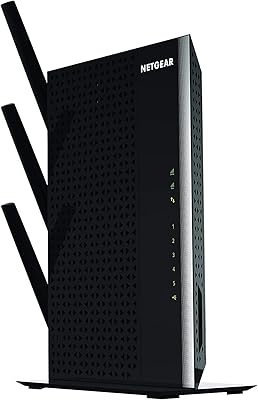
NETGEAR EX7000 WiFi Range Extender
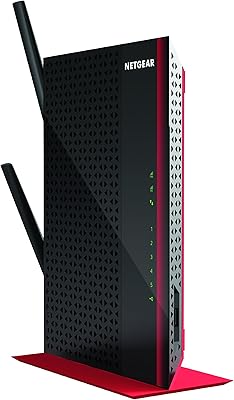
NETGEAR WiFi AC1200 Range Extender EX6200
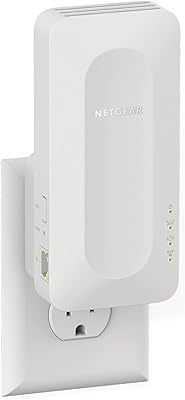
NETGEAR EAX12 WiFi 6 Range Extender
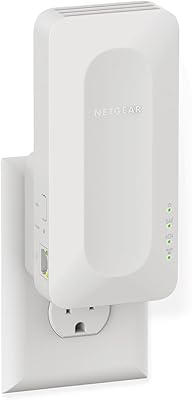
NETGEAR EAX17 WiFi 6 Range Extender
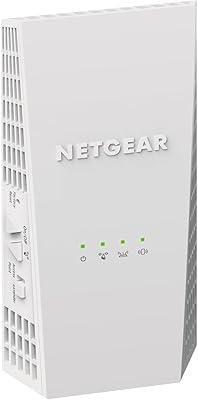
Netgear EX6400 WiFi Mesh Range Extender
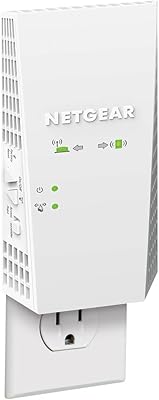
NETGEAR EX6250 WiFi Mesh Range Extender
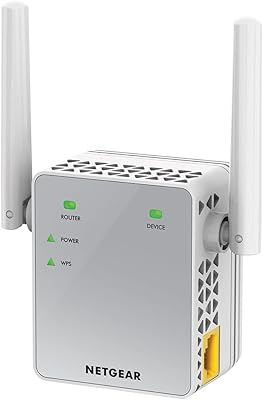
NETGEAR EX3700 AC750 WiFi Range Extender
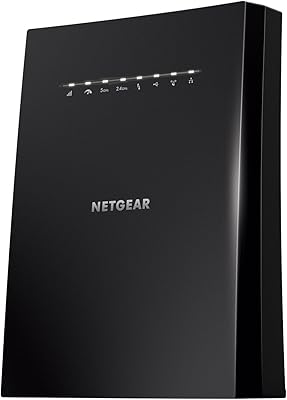
NETGEAR WiFi Mesh Range Extender EX8000