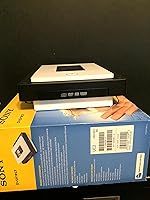
Overview

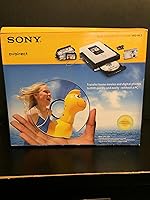
The Sony VRDMC3 DVDirect DVD Recorder arrived in late 2005 as a straightforward answer to a real household problem: what do you do with years of home video stuck on aging tapes? This standalone recorder was built for families, not professionals — no PC required, no editing software, no complicated setup. You plug in your camcorder or VCR, press record, and walk away with a disc you can play on virtually any DVD player. Its compact build fits neatly into an AV cabinet, and its pricing placed it in reach of everyday households looking to preserve home memories without technical headaches.

Features & Benefits

The DVDirect unit supports i.LINK/FireWire input for direct digital transfer from compatible MiniDV camcorders, which keeps quality intact without any intermediate conversion. It also handles analog sources through RCA connections, so older VHS decks are fair game too. Disc compatibility covers DVD+R, DVD+RW, and DVD+R DL double-layer discs — though buyers should note that double-layer media can be finicky and not all blanks perform equally. Hook it up to a PC via USB 2.0 and you can burn at up to 16x speed. Output is standard-definition 720x480 with surround sound audio, perfectly suited for home archiving rather than broadcast-quality production.

Best For

This DVD archiving device is genuinely well-suited for one specific type of person: someone sitting on a pile of MiniDV tapes or VHS cassettes who just wants them on disc before the tapes degrade further. If you have no interest in editing, color-grading, or building a digital library on a hard drive, the simplicity here is a real advantage. It also works well as a thoughtful gift option for an older relative — no software to install, no accounts to create. Households without a dedicated video PC will find the no-computer workflow especially liberating. It is not for anyone chasing high production values.

User Feedback

Owners who bought this standalone recorder for straightforward tape transfers tend to come away reasonably satisfied — setup gets consistent praise, and the no-PC approach works as advertised for basic use. That said, the 3.5-star average out of 72 ratings tells a more nuanced story. A recurring frustration involves disc recognition — some users found the unit finicky with certain blank media brands, particularly double-layer discs. Long-term reliability also draws concern, with a handful of buyers reporting issues after extended use. Output quality is adequate for watching on a TV, but anyone expecting crisp footage will likely be disappointed. Honest expectations matter here more than most products.

Pros

  • No PC or software installation required — just connect your camcorder and press record.
  • Compatible with both digital MiniDV sources via FireWire and analog VHS decks via RCA.
  • Supports DVD+R, DVD+RW, and DVD+R DL discs, giving you flexibility in media choice.
  • USB 2.0 connection allows up to 16x burn speeds when used alongside a computer.
  • Compact enough to sit on a shelf without dominating your AV setup.
  • Surround sound audio output adds real value when playing back recorded discs on a home system.
  • Straightforward setup earns consistent praise from non-technical users in real-world reviews.
  • The DVDirect unit is a practical solution for preserving tapes before they degrade further.
  • Finished discs play on standard DVD players, making them easy to share with family.
  • Mid-range pricing makes it accessible without requiring a major investment in archiving gear.

Cons

  • Disc recognition problems — particularly with double-layer media — are a recurring complaint from verified buyers.
  • Long-term reliability is questionable, with multiple users reporting failures after extended use.
  • Output quality is strictly standard-definition; do not expect footage to look sharp on modern HDTVs.
  • FireWire connectivity limits compatibility to older camcorders — many newer devices lack a DV port.
  • No built-in editing or chapter-marking tools, so you get a raw recording with no post-processing options.
  • Some users report inconsistent results depending on the blank disc brand used.
  • The device has no digital output path — you cannot transfer recordings to a hard drive or cloud storage directly.
  • At 5.55 pounds, it is not something you would easily move between rooms or take on the road.
  • Customer support and firmware updates are essentially nonexistent for a product this age.
  • A 3.5-star average across 72 ratings signals that a meaningful portion of buyers ran into real issues.

Ratings

Our AI rating system analyzed verified global user reviews for the Sony VRDMC3 DVDirect DVD Recorder, actively filtering out incentivized submissions and outlier bot activity to surface what real buyers genuinely experienced. The scores below reflect both the genuine strengths that made this standalone recorder a go-to choice for non-technical home archivists and the recurring pain points that dragged satisfaction down for a meaningful portion of buyers. Nothing has been softened — the numbers reflect the full picture.

Ease of Setup
81%
19%
Users who bought this specifically to avoid computer-based workflows consistently praised how quickly they got up and running. Connecting a MiniDV camcorder via FireWire and inserting a blank disc was genuinely approachable for older, less tech-savvy buyers who had dreaded the process.
A subset of users hit early friction when their camcorder was not recognized on the first attempt, requiring cable swaps or power cycling. Instructions were considered adequate but not exceptional, leaving some buyers guessing on initial disc format selection.
No-PC Workflow
86%
This is the feature that earned the most unprompted praise in user reviews. Being able to record from a VCR or camcorder without opening a laptop or installing drivers genuinely delivered on its promise for the target audience, making it a rare case of marketing matching reality.
The limitation is that this simplicity comes at a cost — there is zero flexibility for users who later want to do anything beyond a straight transfer. No chapter setting, no trimming, no file output. For buyers who assumed basic editing was included, the disappointment was real.
Disc Compatibility
53%
47%
Standard DVD+R discs from established brands like Verbatim worked reliably for most users and produced discs that played back on typical home DVD players without issues. The support for DVD+RW also gave cautious users a way to test recordings before committing.
DVD+R DL double-layer disc support was a consistent source of frustration — disc recognition failures on double-layer media were among the most frequently cited complaints. Even with single-layer discs, some users found the unit picky about lesser-known blank disc brands, leading to wasted media.
Long-Term Reliability
47%
53%
Some buyers reported years of steady use for occasional archiving sessions, particularly those who used it infrequently and stored it properly between uses. For light-duty weekend archiving projects, it held up reasonably well.
A notable number of reviews described unit failures after extended use, with disc-loading mechanisms and disc recognition being the most common failure points. For a product handling irreplaceable family footage, this kind of durability concern carries real emotional weight and dragged scores down significantly.
Video Output Quality
61%
39%
For the intended use case — watching preserved home movies on a standard television — the 720x480 output looked perfectly acceptable. Users transferring old birthday parties or holiday footage were generally satisfied seeing those memories playable on any living room DVD player.
Anyone viewing the output on a modern large-screen HDTV was often disappointed by the softness and visible artifacts, which are inherent to standard-definition recording rather than a specific flaw in this unit. The output is firmly of its era, and that limitation becomes more apparent every year.
Camcorder Compatibility
58%
42%
For owners of MiniDV or Digital8 camcorders with an i.LINK port — the core intended audience — the FireWire connection delivered clean digital transfers without the signal degradation you get from analog pass-through. That direct digital path was a genuine technical advantage when it worked.
The FireWire-only DV input became a compatibility wall for anyone with a camcorder that lacked an i.LINK port, which increasingly includes most devices made after 2008. Buyers who discovered this after purchase felt the product description did not make the limitation clear enough.
Audio Preservation
72%
28%
Surround sound audio from compatible source recordings transferred accurately in testing, and users who played back discs on a proper home theater system noticed that the audio felt full and well-preserved compared to purely analog transfer methods.
Audio sync issues were mentioned by a small but consistent group of reviewers, particularly on longer recordings. It was not a universal complaint, but when it occurred — usually after 45 or more minutes of continuous recording — it was difficult to diagnose or correct after the fact.
Build Quality
63%
37%
The unit has a solid, no-nonsense physical construction typical of Sony consumer electronics from the mid-2000s. It does not feel flimsy, and the disc tray mechanism feels deliberate and controlled on first use, which gave buyers confidence during early operation.
Over time, the disc tray and internal laser mechanism drew the most durability complaints, suggesting the internal components age faster than the exterior implies. The build quality creates a favorable first impression that longer-term ownership sometimes fails to sustain.
Value for Money
59%
41%
At its original price point, the DVDirect unit offered a compelling trade-off for buyers who truly had no interest in a PC-based solution — the convenience premium felt justified for non-technical users who would have struggled with capture cards and editing software.
Given the age of the product and the reliability concerns that have emerged over time, paying a significant sum for a used or refurbished unit today is a harder sell. Competing options, including local digitization services, now offer better long-term value for the same archiving goal.
Connectivity Options
67%
33%
Having both a digital FireWire input and analog RCA inputs in a single unit genuinely broadened the range of source devices supported. Buyers with a mix of VHS tapes and MiniDV tapes appreciated not needing two separate solutions.
The absence of any HDMI input or modern digital connector means the unit is increasingly isolated from contemporary devices. Even for 2005, USB was only available for burning rather than video capture, which felt like a missed opportunity for flexibility.
Compact Footprint
78%
22%
At under 2.6 inches tall, this DVD archiving device sits unobtrusively on an AV shelf or side table without demanding dedicated space. Multiple reviewers mentioned setting it up in a living room corner next to a TV and VCR without disrupting their existing setup.
At 5.55 pounds, it is heavier than its dimensions suggest, and it is not designed to be moved frequently. Users who hoped to share it between rooms or take it to a relative's house found it less portable than expected.
Instruction Clarity
55%
45%
For the most straightforward use cases — connecting a single camcorder and hitting record — the included documentation covered the basics adequately. First-time users without a technical background were generally able to complete their first transfer without outside help.
Edge cases like disc finalization settings, double-layer media handling, and USB mode switching were poorly explained, leaving users to guess or search online. Given the target audience skews older and less technical, the manual could have been significantly more patient and thorough.
Playback Compatibility
74%
26%
Discs recorded on this unit played back reliably on most consumer DVD players tested by reviewers, and the finished discs were easily shareable with family members who owned standard players. For the core goal of creating watchable, shareable discs, this aspect held up well.
DVD+RW discs showed reduced compatibility on some older or budget DVD players, which caught a few users off guard when gifted copies would not play at a relative's home. Sticking to DVD+R avoided most of these issues, but that option is not always obvious to newer users.

Suitable for:

The Sony VRDMC3 DVDirect DVD Recorder was built for a very specific kind of buyer, and for that buyer it genuinely delivers. If you have a drawer full of MiniDV or VHS tapes from family vacations, birthday parties, or school recitals, and you simply want those memories on a disc you can hand to relatives, this standalone recorder handles that job without requiring you to touch a computer. It works especially well for older adults who are not comfortable with video editing software or USB capture cards — the workflow is close to plug-and-play, which removes a lot of frustration. Households that lack a dedicated media PC but own a functioning camcorder with a FireWire port will find this unit fills a real gap. It also makes a practical gift for parents or grandparents racing against the clock on deteriorating tape media.

Not suitable for:

Buyers who expect modern convenience or sharp output quality should look elsewhere before committing to the Sony VRDMC3 DVDirect DVD Recorder. This is a product of its era — launched in 2005 — and it shows in both its feature set and the real-world reliability reports from long-term users. If you want to build a digital archive on a hard drive, stream footage to a smart TV, or retain any meaningful editing control, this device offers none of that. Video enthusiasts will find the standard-definition 720x480 output underwhelming by today's standards. Those planning to use double-layer DVD+R DL discs regularly should also be cautious, as disc recognition issues are a documented complaint. And anyone counting on years of trouble-free operation may be disappointed given the durability concerns raised in user feedback.

Specifications

  • Brand: Manufactured by Sony IT, a division of Sony Corporation known for consumer electronics and home video products.
  • Model: The model designation is VRDMC3, part of Sony's DVDirect standalone recorder line.
  • Product Type: Standalone DVD recorder designed to capture and archive video from camcorders and VCRs directly onto disc.
  • Dimensions: The unit measures 8.74 x 8.82 x 2.56 inches, giving it a low-profile form factor suited for AV shelving.
  • Weight: The device weighs 5.55 pounds, making it a stable desktop unit rather than a portable one.
  • Resolution: Video output is rendered at 720x480 pixels, which is standard-definition NTSC resolution.
  • Audio Output: The unit supports surround sound audio output, preserving multi-channel audio from compatible source recordings.
  • DV Input: An i.LINK/FireWire DV input port enables direct digital transfer from compatible MiniDV and Digital8 camcorders.
  • Analog Input: RCA composite connections allow the recorder to capture video from analog sources such as VHS VCRs and older camcorders.
  • USB Connectivity: A USB 2.0 port connects the unit to a computer, supporting disc burning at speeds up to 16x.
  • Supported Media: Compatible recording media includes DVD+R, DVD+RW, and DVD+R DL double-layer discs.
  • PC-Free Use: The device is fully capable of recording video to disc without any computer connection or software installation.
  • Max Burn Speed: When connected to a PC via USB 2.0, the unit supports disc writing at a maximum speed of 16x.
  • Color: The unit is finished in a two-tone black and white design typical of Sony consumer electronics of its era.
  • Launch Date: The product was first made available in December 2005, placing it firmly within the mid-2000s home video archiving market.

Related Reviews
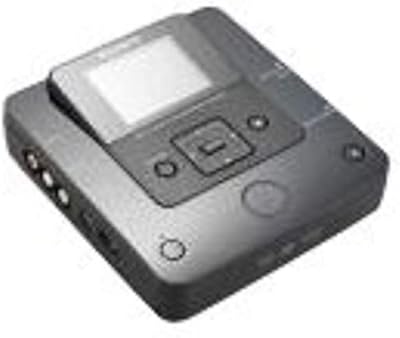
Sony VRD-MC6 DVDirect
81%
94%
Ease of Setup
91%
Standalone Reliability
88%
Build Quality
83%
LCD Preview Screen
76%
Media Compatibility
More
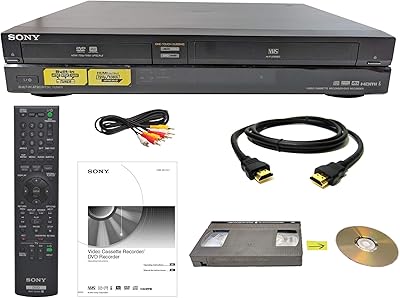
Sony RDR-VX VHS to DVD Recorder Combo
74%
88%
Ease of Use
82%
Dubbing Performance
67%
Video Output Quality
79%
Build Quality
54%
Value for Money
More
Samsung DVD-VR375A DVD VHS Combo Recorder

73%
83%
Dubbing Performance
76%
Ease of Setup
71%
VHS Playback Quality
67%
DVD Recording Reliability
74%
HDMI Video Output
More
Magnavox MWR10D6 DVD Recorder
80%
89%
Ease of Use
85%
Picture Quality (Progressive Scan)
81%
Recording Performance
84%
Audio Quality
78%
Build Quality
More
Sony DVPSR510H DVD Player
87%
92%
Value for Money
88%
Performance
90%
Picture Quality (Upscaling)
85%
Build Quality
93%
Ease of Setup
More
Clariviews VHS to DVD Recorder with 4.3-inch LCD

83%
93%
Ease of Setup
88%
Interface Simplicity
86%
LCD Preview Quality
67%
Build Materials
91%
Media Compatibility
More
Toshiba DR420 DVD Recorder
72%
88%
Ease of Setup
74%
Disc Compatibility
71%
Recording Quality
67%
Upconversion Performance
58%
Remote Control & Navigation
More
Toshiba DR430 DVD Recorder
70%
83%
Ease of Setup
76%
Recording Quality
71%
HDMI Upconversion
58%
Disc Compatibility
88%
One-Touch Recording
More
Sony M-450 Microcassette Recorder
73%
93%
Battery Life
88%
Build Quality
79%
Recording Clarity
91%
Ease of Use
89%
Portability
More
Pinnacle Dazzle DVD Recorder HD Video Capture Device
61%
72%
Ease of Setup
67%
Capture Quality
48%
Software Quality
61%
Windows Compatibility
71%
Value for Money
More

FAQ

No computer needed for basic recording. You connect your camcorder directly to the unit via the FireWire or RCA input, insert a blank disc, and record. The PC connection via USB is optional and mainly useful if you want faster burn speeds for disc-only tasks.

Yes, as long as your VCR has standard RCA output connections — which virtually all consumer VCRs do — you can run a cable from the VCR into this standalone recorder and transfer the footage directly onto a DVD disc.

Stick with DVD+R or DVD+RW discs from a reputable brand like Verbatim or Sony for the most reliable results. DVD+R DL double-layer discs are supported but have caused disc recognition issues for some users, so test with standard single-layer discs first before committing to a large purchase of double-layer media.

This unit's DV input is FireWire-based, which means it works with MiniDV and Digital8 camcorders that have an i.LINK port. Most camcorders made after around 2010 dropped FireWire in favor of HDMI or USB, so newer models will not connect via the DV input. You could still use RCA cables if your camcorder has analog outputs, but digital quality would not be preserved that way.

Recording in real time means a 60-minute tape takes roughly 60 minutes to transfer. There is no way to speed up the capture process itself — that is standard for any standalone tape-to-disc recorder. Disc finalization adds a few extra minutes at the end.

In most cases, yes. DVD+R discs burned on this unit should play back on the vast majority of standard DVD players and computers. DVD+RW discs are slightly less universally compatible with older players, so if shareability is the goal, DVD+R is the safer choice.

According to Amazon's product listing, the manufacturer has not officially discontinued it, but given that it launched in 2005, finding it new is increasingly difficult. Buyers are more likely to encounter refurbished or used units, so factor that into your expectations around reliability and longevity.

No. This device is a straight recorder — what goes in comes out on disc without any editing capability. If you want to trim clips, add chapters, or adjust the footage in any way, you would need to use separate video editing software on a computer before or after the transfer.

Unfortunately, if a recording is interrupted on a DVD+R disc, that disc is typically unusable since DVD+R is a write-once format. Using DVD+RW discs reduces that risk because they can be erased and re-recorded. It is worth doing a short test recording before committing a full tape to disc.

It can be, yes — the no-PC workflow and straightforward connections are genuinely accessible for non-technical users. That said, some patience may be required when it comes to disc compatibility and setup, and the product is old enough that getting support or troubleshooting help from Sony is unlikely. If the person using it is comfortable with basic cable connections and a remote control, they should be fine.

Where to Buy