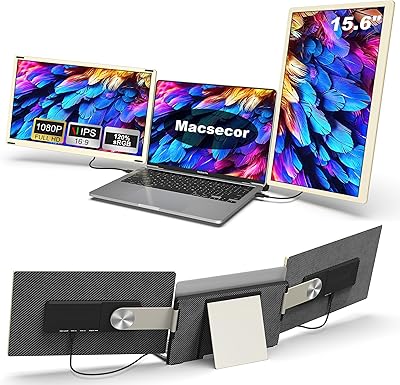
Sitrunda S8Ultra 14.2″ Triple Laptop Screen Extender


Overview
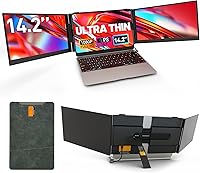
The Sitrunda S8Ultra 14.2″ Triple Laptop Screen Extender represents an interesting evolution in the portable monitor space — instead of carrying two separate screens and juggling multiple cables, you clip one unit onto the back of your laptop lid and run a single connection. It targets road warriors and remote workers who have outgrown a single laptop screen but refuse to haul a full desktop rig. At 4.5mm thin with a glossy finish, build quality feels credible for this price tier. The included carry bag is a practical touch. One honest caveat upfront: this device requires driver installation via a bundled flash drive before it works, so expect a real setup step, not instant plug-and-play.
Features & Benefits
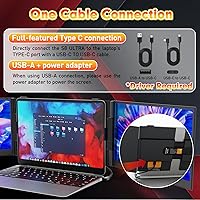
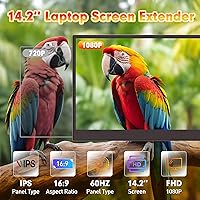
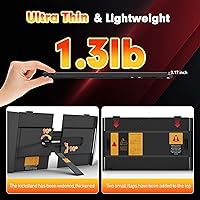
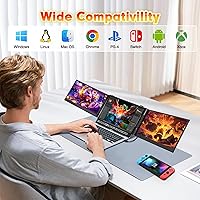
The single-cable connection is the standout feature here — plug one Type-C cable into a full-featured port and both panels come to life together. Not every laptop's Type-C port delivers enough power for this, so the included USB-A cable and power adapter serve as a reliable fallback. Each 14.2-inch panel runs at 1920×1080, sharp enough for spreadsheets, code, and general office tasks, though the glossy surface picks up reflections in brighter rooms. On portability, the screen itself is impressively slim at 4.5mm, but the full kit with cables and adapter weighs closer to 3 lbs — worth factoring in if you're watching pack weight. OS compatibility is broad, covering Windows, macOS, ChromeOS, Android, Linux, Samsung DeX, and Nintendo Switch.
Best For
This triple screen extender suits people who regularly work across multiple windows and can't afford the bulk of a traditional external monitor. Remote workers setting up in hotels or co-working spaces will appreciate how quickly the whole kit packs into its carry bag. Programmers referencing documentation while writing code, and finance professionals watching dashboards alongside their models, are natural fits. Frequent travelers who find a full external monitor too cumbersome will find this a reasonable compromise. Nintendo Switch users can also expand their display on the go, which is a welcome bonus. It also doubles as a practical gift for productivity-minded students or colleagues who might not know this category exists.
User Feedback
Buyers who get the setup right are typically pleased, citing reduced cable clutter and the convenience of two extra screens as real highlights. The physical fit across 13- to 17-inch laptops generally holds up, though the attachment feels more secure on larger chassis. Where opinions divide is driver installation — it involves a flash drive, a video walkthrough, and a few steps that can trip up less technical users. Screen flickering is occasionally reported when the laptop can't supply adequate power, with the adapter resolving the issue in most cases. Panel brightness draws mild criticism in sunny or well-lit spaces, and glossy reflections compound that. Customer support response times appear to meet the stated 24-hour window, based on available feedback.
Pros
- Both extra screens connect through a single Type-C cable on compatible laptops, cutting cord clutter dramatically.
- Each 14.2-inch panel delivers 1920×1080 resolution, which is sharp and comfortable for text, spreadsheets, and code.
- At just 4.5mm thick, the screen unit itself is genuinely slim and slips into bags without awkward bulk.
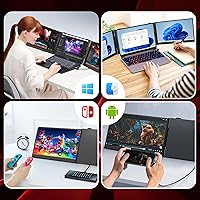
- Compatible with Windows, macOS, ChromeOS, Android, Linux, Samsung DeX, and Nintendo Switch — rare breadth for this category.
- The included carry bag, multiple cables, power adapter, and quick-start guide make for a complete, well-packaged kit.
- Works cleanly across 13- to 17-inch laptops, covering the vast majority of machines in the market.
- A USB-A plus power adapter fallback means users without full-featured Type-C ports are not completely locked out.
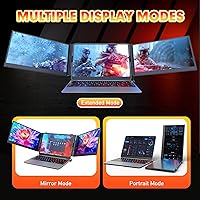
- The triple-screen format lets professionals keep reference windows permanently visible without constantly switching tabs.
- Compact enough to set up in a hotel room or co-working space in minutes, then pack away without fuss.
Cons
- Driver installation via a flash drive is required before use — not optional, and the process trips up less technical users.
- Screen flickering occurs when the host laptop cannot supply sufficient power through its Type-C port.
- The glossy panel surface reflects light noticeably in bright rooms, near windows, or in any outdoor setting.
- The full kit weight lands closer to 3 lbs once cables and adapter are included, despite single-screen marketing figures.
- Panel brightness falls short in well-lit environments, making extended use uncomfortable without adjusting your surroundings.
- Single-cable convenience only applies to laptops with a full-featured Type-C port — a meaningful compatibility caveat many buyers miss.
- Color accuracy is adequate for general productivity but unsuitable for photo editing, color grading, or design-critical work.
- The attachment mechanism feels noticeably more secure on larger laptop chassis, raising questions about fit on smaller 13-inch models.
- Being a newer brand with limited long-term ownership data makes durability over months of daily travel harder to verify.
Ratings
The scores below reflect an AI-driven analysis of verified global user reviews for the Sitrunda S8Ultra 14.2″ Triple Laptop Screen Extender, with spam, bot activity, and incentivized feedback actively filtered out to ensure accuracy. Each category is scored independently based on what real buyers consistently praised or complained about — not on spec sheets or brand claims. Both the standout strengths and the friction points that cost this device repeat purchases are transparently represented.
Single-Cable Convenience
Setup & Installation
Multi-Tasking Performance
Display Quality
Portability
Build Quality
Panel Brightness
Physical Fit & Attachment
OS Compatibility
Accessory Completeness
Value for Money
Color Accuracy
Travel-Readiness
Customer Support
Suitable for:
The Sitrunda S8Ultra 14.2″ Triple Laptop Screen Extender is a strong fit for anyone who lives and works across multiple locations and has genuinely outgrown a single laptop screen. Remote workers, digital nomads, and consultants who regularly set up in hotels, client offices, or co-working spaces will find the most value here — the whole kit packs into a carry bag and deploys faster than a traditional external monitor ever could. Programmers who need a reference pane open while writing code, and finance professionals who track live data on one screen while modeling on another, will appreciate having two extra panels without desk-anchoring equipment. Frequent travelers who consider a full-size monitor impractical but find one laptop screen genuinely limiting are exactly the buyer this device was designed for. Nintendo Switch users who want a bigger display on the road also have a legitimate use case here, and the packaged presentation makes it a thoughtful, practical gift for productivity-focused students or colleagues.
Not suitable for:
Buyers hoping for a true plug-and-play experience should look elsewhere — this portable dual-panel add-on requires driver installation via a bundled flash drive before either screen functions, and that process involves enough steps to frustrate less technical users. If your laptop lacks a full-featured Type-C port (one that carries both data and power delivery), the single-cable setup simply will not work as advertised, and you will need to route through the USB-A cable and a separate power adapter instead. Users who work frequently in bright environments, near windows, or outdoors will find the glossy panels pick up significant reflections, which affects readability more than specs suggest. Anyone expecting the lightest possible travel load should also weigh expectations carefully — while the screen panel itself is slim, the full kit including cables and adapter adds meaningful weight to a bag. Color-critical professionals such as photographers, video editors, or graphic designers will find the panel color accuracy insufficient for accurate production work at this tier.
Specifications
- Brand: Manufactured by Sitrunda under the model designation S8Ultra.
- Panel Count: The unit adds two independent 14.2″ screens to the sides of a host laptop, creating a three-screen workspace.
- Screen Size: Each panel measures 14.2 inches diagonally, sized to align visually with laptops in the 13–17 inch range.
- Resolution: Both panels output at 1920×1080 pixels (Full HD) with a 16:9 aspect ratio.
- Panel Surface: Screens use a glossy finish, which enhances color vibrancy but increases reflectivity in bright environments.
- Thickness: The screen chassis measures 4.5mm at its thinnest point, making it slimmer than the majority of current smartphones.
- Dimensions: Overall unit dimensions are 0.71 × 13.4 × 7.87 inches when closed and ready for transport.
- Kit Weight: The listed shipping weight for the complete kit, including cables and power adapter, is 3.19 lbs; the single screen panel alone is marketed at approximately 1.3 lbs.
- Primary Connectivity: A single full-featured Type-C port on the host laptop can power and drive both screens simultaneously via one included cable.
- Fallback Connectivity: Laptops without a sufficiently powered Type-C port can use the included USB-A to USB-C cable in combination with the bundled power adapter.
- OS Compatibility: Supports Windows, macOS, ChromeOS, Android, Linux, Samsung DeX, and Nintendo Switch, with driver installation required on most desktop platforms.
- Laptop Compatibility: Physically designed to attach to laptops with screen sizes between 13 and 17 inches.
- Driver Setup: A driver must be installed before use via a USB flash drive included in the box; a video walkthrough is stored on the same drive.
- In-Box Contents: Package includes two Type-C cables, one USB-A to USB-C cable, one power adapter, one carry bag, a quick-start guide, and a full instruction manual.
- Carry Bag: A purpose-built carrying bag is included to store the screen unit and accessories as a single compact travel kit.
Related Reviews
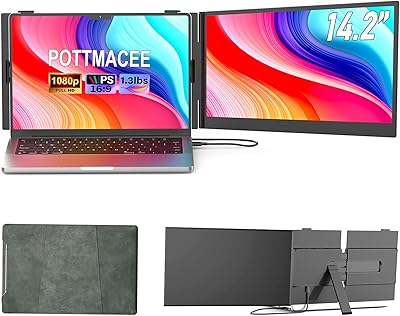
POTTMACEE S8 14.2″ Laptop Screen Extender
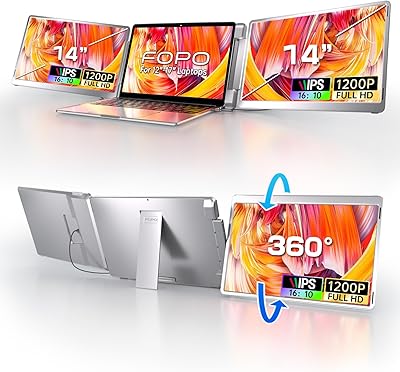
FOPO 14″ Triple Monitor Laptop Screen Extender S7
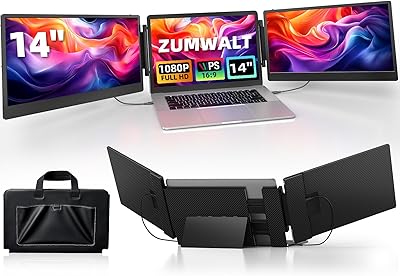
ZUMWALT S3 14″ Triple Portable Monitor
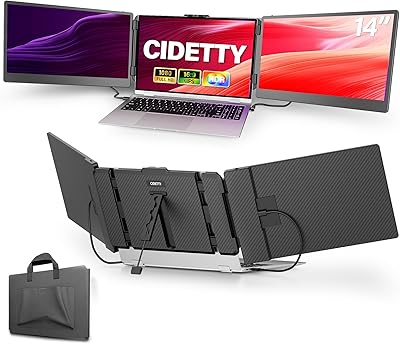
CIDETTY S2 14-Inch Portable Laptop Monitor
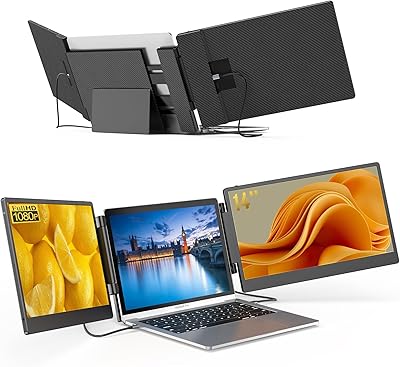
BreezyLife 14″ Triple Portable Monitor Extender
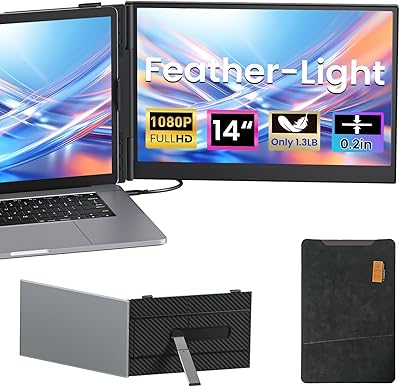
Vixtan 14″ Laptop Screen Extender
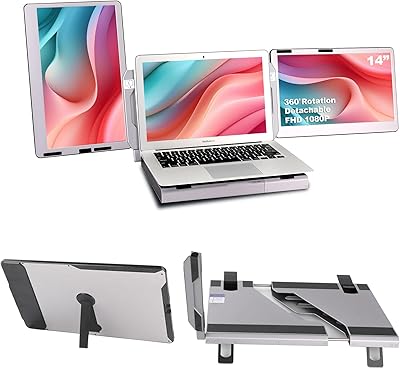
Alecewey F2 14-inch Laptop Screen Extender
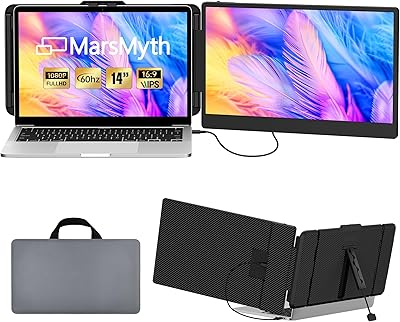
MarsMyth S1 14-inch Portable Laptop Monitor
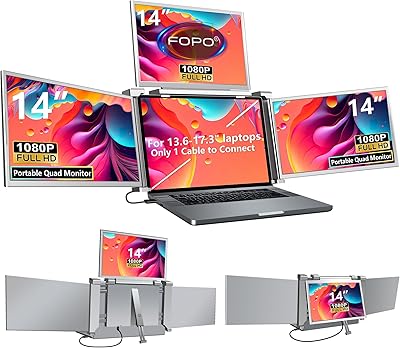
FOPO S680 14″ Quad Monitor Extender