BreezyLife 14″ Triple Portable Monitor Extender

Overview
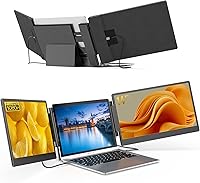
The BreezyLife 14″ Triple Portable Monitor Extender answers a question a lot of road warriors have been asking for years: what if you could bring a proper multi-screen setup without hauling extra gear? This screen extender clips onto laptops ranging from 13 to 17.3 inches, turning a single display into a three-screen workspace — no dedicated desk required. It ships with all necessary cables and a leather carry bag, making it reasonably self-contained out of the box. Broad OS compatibility covers Windows, ChromeOS, and Intel-based Macs, but if you own a MacBook with an M1, M2, or M3 chip, stop here — this unit simply does not support those machines. It is a productivity tool, not a color-grading display.
Features & Benefits
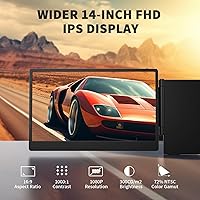
The 14-inch IPS panel delivers 1920×1080 resolution with a 178-degree viewing angle — wide enough that a colleague sitting beside you will not see much color shift. At 300 nits, brightness is solid for indoor use, but direct sunlight will wash it out, so outdoor workers should factor that in. The profile is just 0.3 inches thick, and the stand attaches via a stretchable clamp frame without any adhesive or permanent modification. Rotation adjusts from flat to fully upright, which is handy for reading long documents. Setup involves two cables maximum, all included — no driver downloads, no digging through display settings menus. A flicker-free, blue-light-reduced panel also helps during long coding sprints or back-to-back video calls.
Best For
This portable triple monitor is a strong fit for remote workers and frequent travelers who need to juggle multiple windows without access to a proper desk. Programmers keeping a terminal, documentation, and a code editor visible at once will appreciate the extra real estate. Analysts and finance professionals get solid value from having live data feeds or spreadsheets spread across three panels simultaneously. Students working in cafés can stretch their workspace without hauling anything bulky. Casual gamers can keep Discord or a walkthrough visible on a side panel while playing. That said, skip this if you use a MacBook with an M-series chip or if you need color-accurate output for design or photo editing work.
User Feedback
Buyers consistently highlight quick setup time as the standout experience — most report being up and running in under five minutes, and the leather carry bag earns steady praise for keeping cables and the unit together in one pouch. The clamp mechanism feels stable for most users, though a handful noted slight looseness on thinner laptop lids. Weight is the most recurring complaint: nearly four pounds added to an already heavy bag is real, and some buyers found the portability pitch overstated once they hit the road. USB-C signal dropouts surface occasionally — if your port only handles power delivery, routing video through HDMI resolves it. Outdoor brightness also draws criticism in brighter environments.
Pros
- Setup takes minutes with no driver installation — just two cables and you are running.
- All required cables are included in the box, so there is nothing extra to order.
- The leather carry bag keeps the unit and cables organized in one compact pouch during travel.
- A 178-degree viewing angle means a colleague beside you sees the same image you do with minimal color shift.
- The clamp-on frame attaches without adhesives, leaving your laptop completely unmodified.
- Flicker-free display and blue-light reduction make long work sessions noticeably more comfortable on the eyes.
- Compatible with Windows, Intel-based Macs, ChromeOS, Linux, and Android — broad enough for most non-Apple users.
- The 0–180 degree rotation lets you dial in a viewing angle that works whether you are seated or standing.
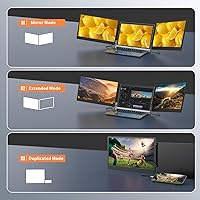
- This portable triple monitor supports expansion, mirror, and duplicate modes for flexible workflow options.
- The 0.3-inch slim profile means the extender adds very little physical bulk when attached to your laptop lid.
Cons
- Completely incompatible with MacBook M1, M2, and M3 chips — a significant portion of the market cannot use it.
- At nearly four pounds, the added bag weight undercuts the portability pitch for frequent flyers traveling light.
- 300 nits of brightness struggles in sunlit environments, limiting genuine outdoor usability.
- USB-C ports that only supply power rather than video signal will trigger a no-signal error without an HDMI workaround.
- The clamp mechanism can feel loose on thinner laptop lids, raising concerns about stability during transport.
- Not suitable for color-sensitive creative work — the panel is calibrated for productivity, not accurate color reproduction.
- Users with only one available USB-C port need to verify their HDMI port availability before purchasing.
- Some buyers report the carry bag, while convenient, feels tight when fitting the unit alongside all cables.
- The stretchable frame accommodates a specific width range, so verifying your laptop dimensions beforehand is necessary.
Ratings
The scores below for the BreezyLife 14″ Triple Portable Monitor Extender were generated by AI after analyzing verified buyer reviews from multiple global markets, with spam, bot-generated, and incentivized submissions actively filtered out. Each category reflects the full spectrum of real user experience — the standout strengths and the genuine frustrations — so you can make a confident, eyes-open purchasing decision.
Ease of Setup
Display Quality
Portability
Build Quality
Compatibility Range
Clamp & Attachment Mechanism
Cable Management
Eye Comfort
Adjustability & Ergonomics
Packaging & Unboxing
Value for Money
Carry Bag Quality
Screen Brightness Adequacy
Display Mode Flexibility
Suitable for:
The BreezyLife 14″ Triple Portable Monitor Extender is built for people whose work genuinely demands more screen space than a single laptop display provides — and who cannot always count on a desk with external monitors waiting for them. Remote workers hopping between hotels, co-working spaces, and airport lounges will get the most out of it, since the clamp-on design turns any flat surface into a multi-panel workstation without any setup complexity. Programmers and developers who like keeping a code editor, terminal, and documentation visible at the same time will find three screens at arm's reach genuinely useful rather than just a novelty. Finance analysts and data-heavy professionals can spread spreadsheets, dashboards, or live feeds across panels without constant alt-tabbing. Students working long sessions in cafés or libraries also stand to benefit — it adds real workspace without adding the bulk of a traditional portable monitor. Even casual gamers who want a side panel for Discord or a video walkthrough while playing will find this a practical and low-effort addition to their setup.
Not suitable for:
There is one compatibility issue that needs to be front and center before anyone buys: the BreezyLife 14″ Triple Portable Monitor Extender does not work with MacBooks running M1, M2, or M3 chips, full stop — Apple silicon users need to look elsewhere. Beyond that hard cutoff, graphic designers, photo editors, and video colorists should also pass on this screen extender, since a 300-nit IPS panel at this price tier is not calibrated for color-accurate work and will not represent hues reliably enough for professional creative output. Buyers who expect a truly lightweight travel companion may also be disappointed — nearly four pounds of additional hardware is meaningful when added to an already heavy laptop bag, and the portability story is more nuanced than the marketing implies. Anyone whose laptop only has a single USB-C port that handles power delivery rather than video output will need to rely on HDMI as the video input, so checking your specific port configuration before purchasing is essential. If you primarily work outdoors or in very bright environments, 300 nits of brightness will likely fall short of comfortable visibility.
Specifications
- Screen Size: The display panel measures 14 inches diagonally, fitting comfortably alongside laptops ranging from 13″ to 17.3″ in screen size.
- Resolution: Native resolution is 1920×1080 pixels (FHD 1080p), providing sharp text and clear imagery for productivity and media tasks.
- Panel Type: An IPS panel is used, which delivers consistent color and contrast across the full 178-degree horizontal and vertical viewing angle.
- Brightness: Peak brightness is rated at 300 nits, suitable for indoor and moderately lit environments but limited in direct sunlight or outdoor use.
- Contrast Ratio: The panel offers a 1000:1 contrast ratio, producing reasonable depth between dark and light areas for everyday office and multimedia use.
- Viewing Angle: A 178-degree wide viewing angle minimizes color shift when the screen is viewed from off-center positions by a second person.
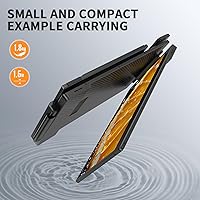
- Profile Thickness: The unit measures 0.3 inches thin when closed, keeping added bulk minimal when attached to the back of a laptop display.
- Weight: The extender weighs 3.96 pounds, which is a meaningful addition to any travel bag and should be factored into packing decisions.
- Dimensions: Physical dimensions are 1.5 × 14 × 8 inches, accommodating laptops with a body width between 11.2 and 14.7 inches.
- Aspect Ratio: The screen uses a standard 16:9 aspect ratio, consistent with most modern laptop displays for a uniform multi-screen appearance.
- Rotation Range: The display arm adjusts from 0 to 180 degrees, allowing the user to tilt each screen to a comfortable viewing angle.
- USB Ports: The unit includes 4 USB ports in total to support the required cable connections for video and power delivery.
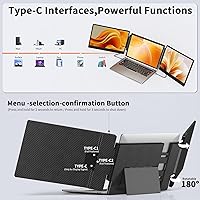
- Connectivity: Connection requires either two full-featured USB-C ports, one USB-C plus one HDMI and one USB-A, or two HDMI ports with two USB-A ports.
- Setup: The extender is plug-and-play with no driver installation required; all necessary cables are included in the retail package.
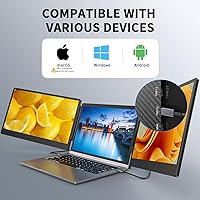
- OS Compatibility: Officially compatible with Windows, Intel-based macOS, ChromeOS, Linux, and Android; not compatible with MacBooks using M1, M2, or M3 chips.
- Eye Care: The panel incorporates flicker-free technology and blue-light reduction to reduce eye strain during extended work or viewing sessions.
- Attachment Method: The unit attaches to the laptop using an adjustable stand with a stretchable frame clamp — no adhesives or permanent modifications are required.
- Display Modes: Supports expansion, mirror, and duplicate display modes, selectable through the host operating system's standard display settings.
- Included Accessories: The package includes all required connection cables and a leather carry bag for consolidated storage and transport.
- Display Count: The extender adds two additional screens to the laptop's built-in display, creating a three-screen setup from a single portable device.
Related Reviews
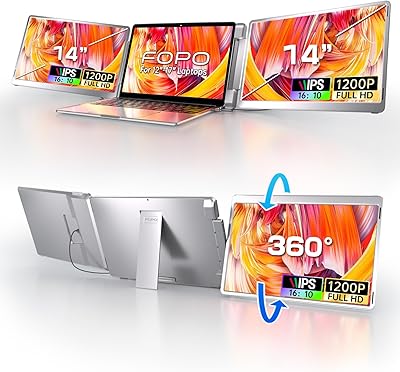
FOPO 14″ Triple Monitor Laptop Screen Extender S7
Mobile Pixels Trio Max 14.1″ Portable Monitor

Dell P1424H 14-inch Portable Monitor
Asani 14″ Portable Monitor
domyfan F1 14″ Portable Monitor
KEEPTIME P142 14-inch Portable Monitor
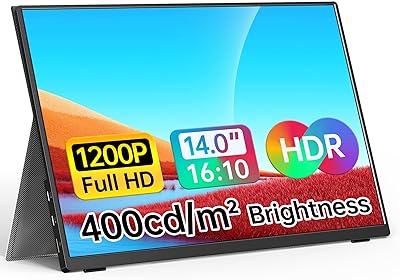
WGK W140F1 14-inch Portable Monitor
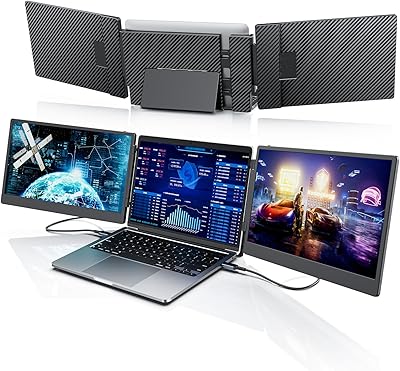
Laptomo S3 14-inch Triple Portable Monitor
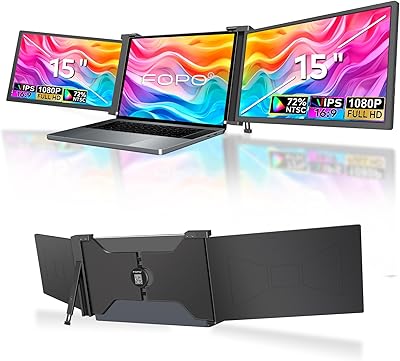
FOPO S17 15″ Triple Portable Monitor