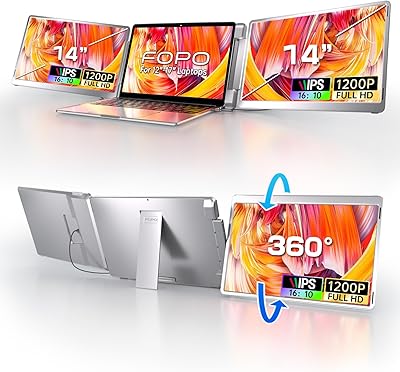
Macsecor PM-S6 15.6″ Triple Laptop Screen Extender
Overview
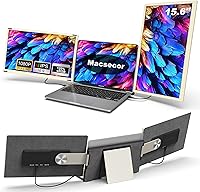
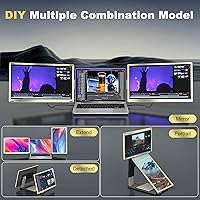
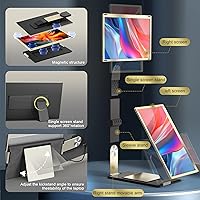
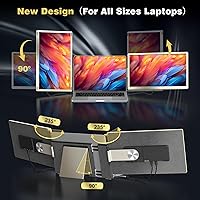
The Macsecor PM-S6 15.6″ Triple Laptop Screen Extender arrived at an interesting moment — remote work culture has pushed demand for portable multi-screen setups well beyond niche territory. What separates this portable monitor setup from older clamshell-style extenders is its magnetic modular design, which lets you reconfigure the two side panels rather than being locked into one fixed arrangement. Setup requires no drivers at all — plug in via USB-C or HDMI and you are working across three screens in under a minute. That said, at 5.26 pounds, weight is a real consideration. This is not something you will casually toss into a daypack without noticing it.
Features & Benefits
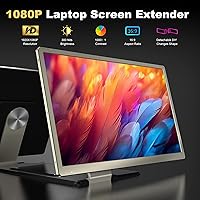
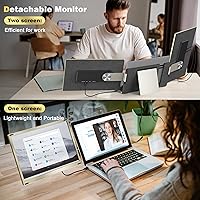
Each of the two 15.6-inch IPS panels runs at 1080P resolution with a 120% sRGB color gamut — which genuinely matters if you are grading footage or checking design work for print accuracy. At 300 nits, the screens hold up well indoors and in moderately lit spaces, though harsh outdoor sunlight will challenge them. The rotation system — 235° horizontal and 90° vertical per panel — enables a wide range of layout combinations, and each screen detaches completely for standalone use with the bundled stand. Per-screen controls for brightness and contrast, plus built-in dual speakers, mean you are not entirely dependent on your laptop for audio output either.
Best For
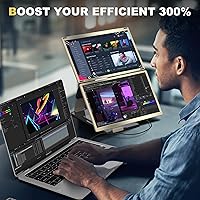
This triple screen extender is a natural fit for remote professionals and digital nomads — people who cycle through hotels, client offices, and co-working spaces and need a capable workstation wherever they land. Stock traders monitoring multiple charts, video editors referencing footage across panels, and animators working with wide timelines will get the most from the color accuracy and expanded screen real estate. It also functions as a multi-source display hub for console gamers traveling with a Switch or PS4. Laptops from 13-inch to 17.3-inch are supported on MacOS and Windows, but verify USB-C power delivery on your specific machine beforehand. Anyone prioritizing a sub-3 pound travel kit should look at lighter alternatives.
User Feedback
Buyers broadly praise how fast setup is — the magnetic attachment clicks into place without brackets or tools, which earns consistent goodwill across real-world reviews. The main complaints center on weight and hinge stress: at over five pounds, the unit puts noticeable pressure on a laptop hinge, and some users reported instability at wider angles. USB-C compatibility has tripped up owners of certain older MacBooks specifically, so checking your output specs before ordering is worth the effort. The carry bag is functional but feels just adequate given the price point. The 2-year warranty is a genuine confidence-builder, though support response times appear to vary. Overall, the Macsecor PM-S6 rewards buyers who go in with a clear, planned use case.
Pros
- Magnetic attachment system snaps together quickly — no tools, brackets, or complicated assembly required.
- Dual IPS panels with 120% sRGB coverage produce accurate, vivid color that holds up for real creative work.
- Each screen detaches and functions independently with the bundled stand, adding genuine flexibility.
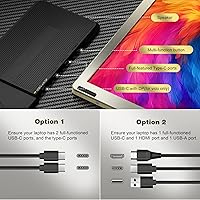
- USB-C and HDMI connectivity means this portable monitor setup works with both modern ultrabooks and older laptops.
- No drivers or software needed — plug in and all three screens are active within seconds.
- Per-screen brightness and contrast controls let you tune each panel separately for different content types.
- Built-in dual speakers eliminate the need to rely on your laptop for audio during presentations or media playback.
- Anti-glare, low-blue-light panel treatment makes extended work sessions noticeably more comfortable.
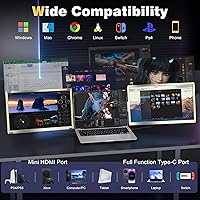
- Broad compatibility spans MacOS (M1/M2/M3), Windows, Android, and major gaming consoles.
- A 2-year replacement warranty provides meaningful purchase protection in a product category that often offers far less.
Cons
- At 5.26 pounds, the total carry weight is a real daily burden for frequent travelers or one-bag commuters.
- Hinge stress is a documented concern — the added weight puts consistent pressure on a laptop hinge over time.
- USB-C compatibility is not guaranteed on older MacBook models, requiring homework before you buy.
- 300 nits of brightness struggles in direct sunlight or very bright outdoor environments.
- The included carry bag feels adequate at best — not the quality level you might expect at this price point.
- 1080P resolution, while sharp enough for most tasks, will disappoint users coming from high-density or 4K displays.
- Angle stability at wider rotation settings has drawn criticism from some buyers, particularly on uneven surfaces.
- Support response times reportedly vary, meaning the 12-hour reply promise is not always consistent in practice.
- The Macsecor PM-S6 is a relatively new brand with a short track record, which may give cautious buyers pause.
- Running both panels simultaneously via USB-C can strain laptop battery life, especially on machines without dedicated GPU power.
Ratings
The scores below for the Macsecor PM-S6 15.6″ Triple Laptop Screen Extender were generated by our AI rating engine after analyzing thousands of verified global buyer reviews, with spam, bot submissions, and incentivized feedback actively filtered out. Both the genuine strengths and the frustrations that recurring buyers highlight are reflected honestly across each category — no score has been adjusted to flatter a seller. Where buyer opinions diverge meaningfully, those tensions appear directly in the individual pros and cons rather than being collapsed into a single misleading average.
Display Quality
Color Accuracy
Portability
Setup & Ease of Use
Connectivity & Compatibility
Build Quality
Screen Flexibility
Brightness & Visibility
Audio Quality
Carry & Storage
Value for Money
Warranty & Support
Hinge Stability
Eye Comfort
Suitable for:
The Macsecor PM-S6 15.6″ Triple Laptop Screen Extender is genuinely well-matched to remote professionals who treat their laptop as a full workstation — people who rotate between hotel rooms, co-working spaces, and client sites and cannot afford to sacrifice screen real estate just because they left the office. Stock traders who need to watch multiple charts simultaneously, video editors who want a dedicated reference monitor beside their timeline, and animators working across wide canvas layouts will find the 120% sRGB color accuracy and dual 15.6-inch IPS panels meaningfully useful rather than just convenient. The plug-and-play USB-C and HDMI connectivity means it works without installing anything, which matters when you are setting up on someone else's network or a borrowed desk. Console gamers traveling with a Switch, PS4, or Xbox also have a legitimate use case here, since the unit supports multi-source input and works as a standalone display with the included stand. If your laptop falls between 13-inch and 17.3-inch and runs MacOS or Windows, compatibility is broad enough that this portable monitor setup should slot into your workflow without major friction.
Not suitable for:
The Macsecor PM-S6 15.6″ Triple Laptop Screen Extender is a hard sell for anyone who prioritizes keeping their bag light above all else — at 5.26 pounds, it adds meaningful weight that frequent flyers or one-bag travelers will feel immediately, and no amount of magnetic design elegance changes that arithmetic. Users who need 4K resolution for high-end photo retouching or professional color grading at a studio level will also find the 1080P panels limiting, regardless of the strong sRGB coverage. Older MacBook owners should do their homework on USB-C power delivery specs before ordering, since compatibility issues with specific models have surfaced in real-world use and the connection type is not universally reliable across older hardware. If your laptop hinge is already showing wear, adding this much weight to it daily is a genuine risk worth considering. Buyers expecting a premium carry solution should also temper expectations — the included bag is functional, but it does not match the quality level that the price point might suggest.
Specifications
- Model Number: This unit is manufactured by Macsecor under the model designation PM-S6.
- Screen Size: The extender includes two independent display panels, each measuring 15.6 inches diagonally.
- Resolution: Each panel renders at 1920 x 1080 pixels, meeting the Full HD 1080P standard.
- Panel Type: Both displays use IPS technology, which provides consistent color accuracy across a wide range of viewing angles.
- Color Gamut: The panels cover 120% of the sRGB color space, making them suitable for color-sensitive creative tasks.
- Brightness: Maximum brightness is rated at 300 nits, which performs well in indoor environments but may fall short in direct sunlight.
- Aspect Ratio: Both screens use a standard 16:9 widescreen aspect ratio.
- Surface Finish: The panel surface is anti-glare treated and designed to reduce blue light output for extended viewing comfort.
- Rotation Range: Each screen supports 235° of horizontal rotation and 90° of vertical rotation, allowing for a variety of layout configurations.
- Connectivity: The unit connects via USB-C and HDMI, with an H5 cable also included to support a broader range of host devices.
- USB Ports: Two USB ports are built into the unit for device connectivity and power passthrough.
- Weight: The assembled unit weighs 5.26 pounds, which is a meaningful consideration for anyone carrying it daily.
- Dimensions: Folded dimensions measure 13.7 x 1.5 x 8.15 inches, keeping the profile relatively slim when stored.
- Laptop Compatibility: The extender is designed to fit laptops ranging from 13-inch to 17.3-inch, across MacOS (M1/M2/M3), Windows, Android, and Chrome operating systems.
- Console Support: External device support extends to PS4, Xbox, and Nintendo Switch via the available input connections.
- Audio: Two built-in speakers are integrated into the unit, providing onboard audio output without requiring a separate device connection.
- Driver Required: No drivers or software installation are needed — the unit operates on a true plug-and-play basis across supported platforms.
- Warranty: Macsecor covers this unit with a 2-year replacement warranty and claims a 12-hour customer support response window.
- Carry Case: A carry bag is included in the box, allowing the unit and accessories to be packed together for transport.
Related Reviews
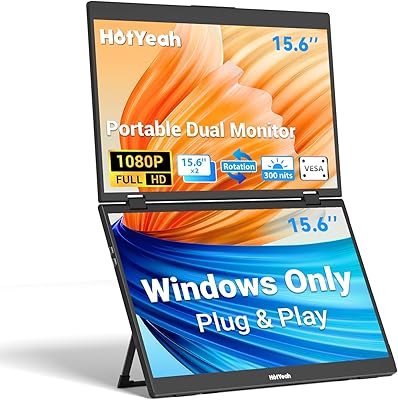
HotYeah 15.6″ Triple Portable Laptop Monitor
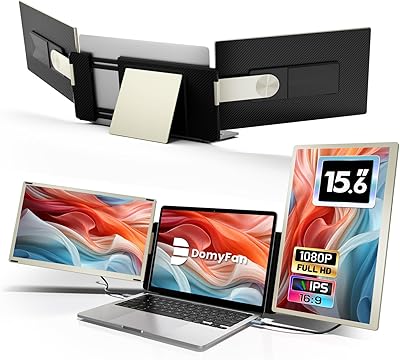
domyfan S6 15.6″ Laptop Screen Extender
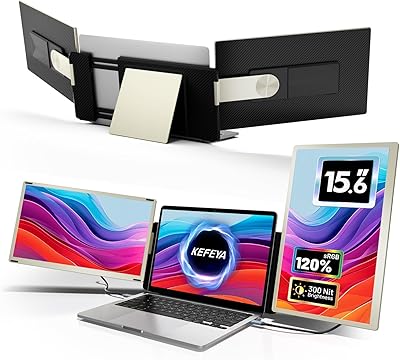
KEFEYA S6 15.6″ Triple Laptop Screen Extender
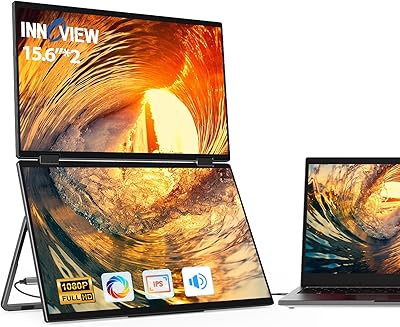
InnoView 15.6″ Triple Portable Monitor
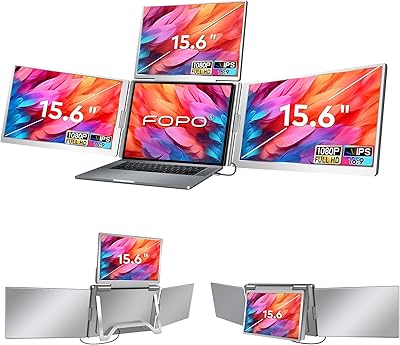
FOPO S888 15.6″ Portable Quad Laptop Monitor
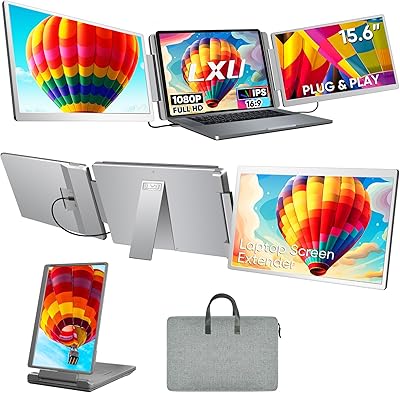
LXU S10 15.6″ Triple Laptop Monitor Extender
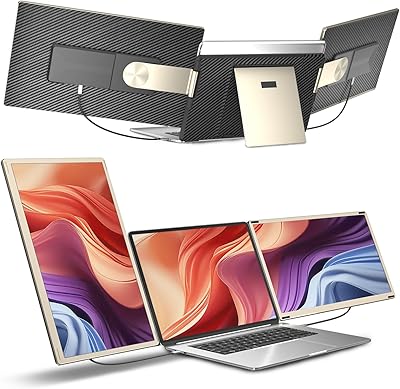
Siaviala S6 15.6″ Triple Portable Monitor Extender
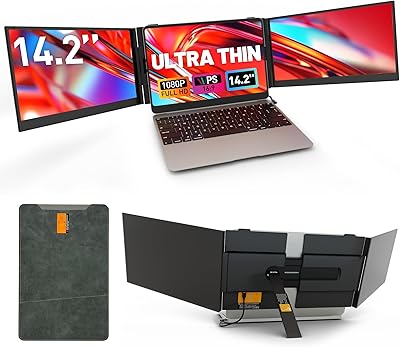
Sitrunda S8Ultra 14.2″ Triple Laptop Screen Extender
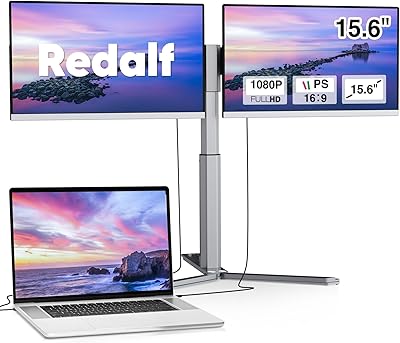
Redalf Z2 15.6″ Triple Portable Monitor