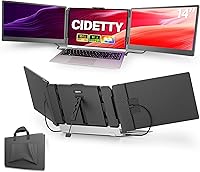
CIDETTY S2 14-Inch Portable Laptop Monitor


Overview
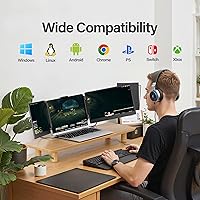
The CIDETTY S2 14-Inch Portable Laptop Monitor is a compact screen-expansion solution aimed at remote workers and frequent travelers who need more screen real estate without hauling a full desktop setup. At its mid-range price point, buyers can reasonably expect solid build quality and reliable daily performance — not pro-grade color accuracy. The plug-and-play setup is a genuine convenience; there's no driver installation to fuss over. It works across Windows, macOS, and Linux, and even connects to consoles like Switch and Xbox. That said, if you own a MacBook with an M1, M2, or M3 chip, or a Surface with a single USB-C port, this isn't the right fit.
Features & Benefits
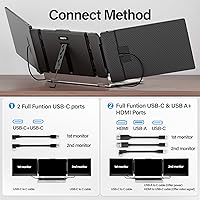
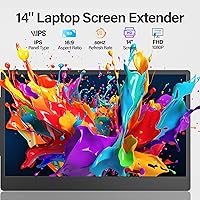
The IPS panel delivers crisp, consistent color at 1920 x 1080 resolution — perfectly adequate for documents, spreadsheets, and video calls. At just 0.24 inches thick, this portable monitor slides into a bag without creating a bulk problem, and the included protective case adds real travel-ready confidence. Connectivity is flexible: two USB-C ports and an HDMI-to-USB-C option cover most laptop configurations and even allow a triple-screen setup when your host machine supports it. The built-in speakers handle a quick video or call in a pinch, though don't expect impressive audio quality. Blue light filtering and anti-glare coating are practical additions for anyone logging long work sessions.
Best For
This laptop display add-on is a strong match for freelancers and remote workers who bounce between hotel rooms, cafes, and co-working spaces and can't always count on a second monitor being available. Students writing papers while referencing source material on a separate screen will find it equally practical. Console gamers traveling with a Switch, Xbox, or PlayStation will appreciate having a dedicated portable display without needing a TV. It also supports phone screen extension for streaming on the go. Just keep in mind: the extender works best with Windows laptops sporting a full-featured USB-C or HDMI port — check your specs before purchasing.
User Feedback
Across more than 1,400 ratings, the CIDETTY screen extender holds a 4.3-star average — a score that tells an honest story. Buyers routinely praise the sharp image quality, how slim the unit is, and the fact that setup rarely takes more than a few minutes. The negatives are worth knowing upfront: a notable share of critical reviews trace back to compatibility confusion, particularly from MacBook M-series and Surface users who missed the fine print. Some buyers also report the screen struggles against bright ambient light. On the support side, customer service appears responsive, which has softened frustrations for buyers who hit connection issues after purchase.
Pros
- Plug-and-play setup works reliably on compatible Windows and Linux laptops — no drivers, no fuss.
- The slim 0.24-inch profile means this portable monitor fits in a laptop sleeve without adding noticeable bulk.
- IPS panel delivers consistent color and sharp text across a wide viewing angle, making it solid for all-day productivity.
- A genuinely complete accessory bundle is included — cables, adapter, and a protective case come in the box.
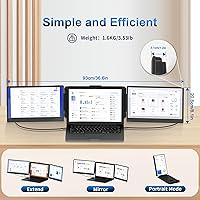
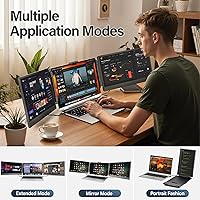
- Supports both mirror and extended display modes, switchable without rebooting or reconfiguring settings.
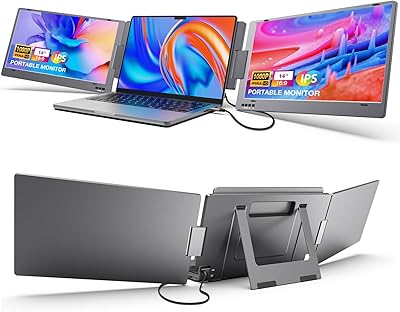
- Triple-screen capability is available for power users whose host laptop has the right port configuration.
- Blue light filtering and anti-glare coating make extended work sessions more comfortable than a bare screen.
- Compatible with Nintendo Switch, Xbox, and PlayStation, making it a practical travel gaming display too.
- FCC, CE, and RoHS certifications signal that it cleared real safety and quality benchmarks, not just marketing claims.
- Customer support has earned positive mentions from buyers who needed help troubleshooting connection issues.
Cons
- M1, M2, and M3 MacBook owners cannot use this extender — a critical limitation that is easy to miss before buying.
- Surface devices with only one USB-C port are also incompatible, ruling out a large segment of Microsoft laptop users.
- Brightness struggles in sunlit rooms or outdoor settings, undermining the portability pitch in real-world conditions.
- The listed 6.78-pound weight likely reflects packaged shipping weight and may mislead buyers expecting a featherlight unit.
- Built-in speakers are too weak for any environment with background noise — earbuds or an external speaker are still necessary.
- The hinge and stand mechanism feels less sturdy than the display itself, which can be an issue on uneven surfaces.
- Some buyers report that only one USB-C port delivers a consistent signal depending on the host laptop model.
- Documentation does not clearly explain compatibility nuances, leading to preventable returns from buyers with incompatible devices.
- Glossy screen surface still produces noticeable reflections in bright settings despite the anti-glare coating.
- Triple-screen mode depends on host device capability that many laptops do not actually support, despite the feature being prominently marketed.
Ratings
The CIDETTY S2 14-Inch Portable Laptop Monitor earns an overall positive reception across more than 1,400 verified global ratings, and the scores below were generated by AI after analyzing that feedback while actively filtering out incentivized, bot-driven, and duplicate submissions. Strengths in portability, display clarity, and setup ease push the scores up, while recurring compatibility frustrations and brightness limitations keep certain categories grounded in reality.
Display Quality
Portability & Form Factor
Ease of Setup
Compatibility Range
Build Quality
Brightness & Visibility
Built-in Speakers
Connectivity Options
Value for Money
Anti-Glare & Eye Comfort
Cable & Accessory Bundle
Display Modes & Flexibility
Customer Support
Thermal Performance
Instructions & Documentation
Suitable for:
The CIDETTY S2 14-Inch Portable Laptop Monitor was built with a clear user in mind: the person who works or studies across multiple locations and cannot always count on a second screen being available. Freelancers running between client sites, hotel rooms, and co-working spaces will get immediate, practical value from a display that sets up in minutes without any software installation. Students who need to keep research open on one screen while writing on another will find the 14-inch size hits a sweet spot — large enough to be useful, compact enough to toss in a backpack alongside a laptop. Travelers who bring a Nintendo Switch, Xbox, or PlayStation on the road gain a dedicated portable display that works without a TV. The extender also suits anyone using a Windows or Linux laptop with at least one full-featured USB-C port or an HDMI output, which covers the vast majority of modern business and consumer machines in those ecosystems.
Not suitable for:
The CIDETTY S2 14-Inch Portable Laptop Monitor has one dealbreaker that buyers absolutely must verify before purchasing: it does not work with MacBooks running M1, M2, or M3 chips, nor with Surface devices that have only a single USB-C port. This is not a minor caveat — it is the source of a meaningful chunk of the negative reviews, and it affects a large and growing segment of laptop owners. Beyond compatibility, buyers who need a monitor for color-grading, graphic design, or any work where display accuracy is critical should look elsewhere; 1080P IPS is fine for productivity but is not calibrated for professional creative use. Anyone expecting meaningful audio output from the built-in speakers will be disappointed — they are barely adequate for a quiet room and are not a substitute for headphones or external speakers. Finally, those who work primarily outdoors or in very bright environments may find the brightness ceiling frustrating, as the panel struggles to compete with strong ambient light.
Specifications
- Brand & Model: Manufactured by CIDETTY under the model designation S2.
- Screen Size: The display measures 14 inches diagonally, offering a usable workspace comparable to most entry-level laptops.
- Resolution: Native resolution is 1920 x 1080 pixels (FHD 1080P), delivering sharp text and clear imagery for productivity tasks.
- Panel Type: IPS (In-Plane Switching) technology provides consistent color reproduction and wide viewing angles compared to standard TN panels.
- Aspect Ratio: Standard 16:9 widescreen aspect ratio, compatible with virtually all modern video content and operating system layouts.
- Screen Thickness: The display panel itself is just 0.24 inches thick, making it one of the slimmest options in its category.
- Screen Surface: Glossy panel surface with an applied anti-glare coating to reduce reflections during indoor use.
- Connectivity: Equipped with two full-size USB-C ports and one HDMI-to-USB-C input port for flexible connection to a range of host devices.
- Power Input: Operates at 5 volts via USB, drawing power directly from the host device or a separate USB-A power source using included cables.
- Built-in Speakers: Integrated stereo speakers are included for basic audio output during calls or casual media playback.
- Eye Care Features: Built-in blue light filtering is active by default to reduce eye strain during extended screen use.
- Display Modes: Supports both mirror mode (duplicate screen) and extended mode (independent second display), switchable through standard OS display settings.
- Compatible Systems: Works with Windows, macOS (excluding M1, M2, and M3 chip models), and Linux operating systems.
- Compatible Devices: Confirmed compatible with laptops, PlayStation consoles, Xbox, and Nintendo Switch via appropriate connection cables.
- Incompatible Devices: Not compatible with MacBook models using Apple M1, M2, or M3 chips, or Microsoft Surface devices with only a single USB-C port.
- Dimensions: The unit measures 13.85 x 8.08 x 1.52 inches, sized to fit alongside a standard 14-inch or 15-inch laptop in most bags.
- Certifications: Holds FCC, CE, and RoHS certifications, confirming compliance with electromagnetic, safety, and hazardous substance standards.
- In-Box Contents: Each unit ships with one monitor, two Type-C cables, one HDMI-to-USB-C cable, two USB-A-to-USB-C power cables, one protective case, and a quick-start guide.
- Protective Case: A dedicated hard-shell protective case is included in the package, designed to fit the monitor securely during transport.
- Triple Screen Support: The monitor can be used as part of a triple-screen setup when the host laptop supports dual simultaneous external display outputs.
Related Reviews
KYY X90A 14-inch Laptop Screen Extender

Dell P1424H 14-inch Portable Monitor
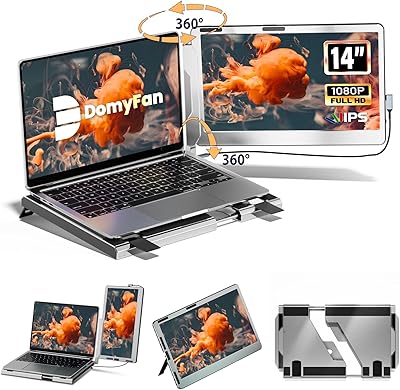
domyfan F1 14″ Portable Monitor

Lrtzcbi 14-inch Portable Touchscreen Monitor
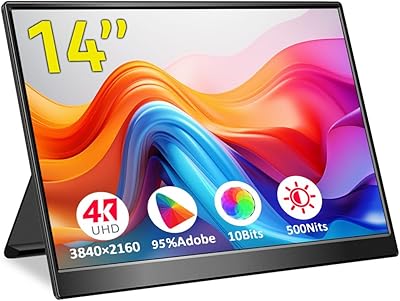
Magedok 14-Inch 4K Portable Monitor
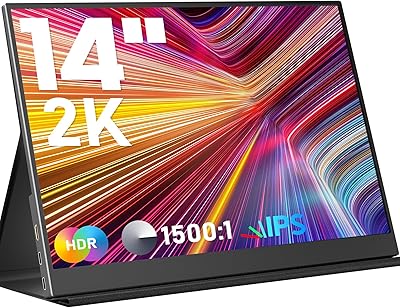
KEEPTIME P142 14-inch Portable Monitor
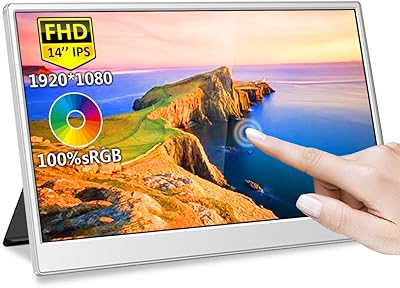
Magedok MG140-FT02 14-Inch Portable Touchscreen Monitor
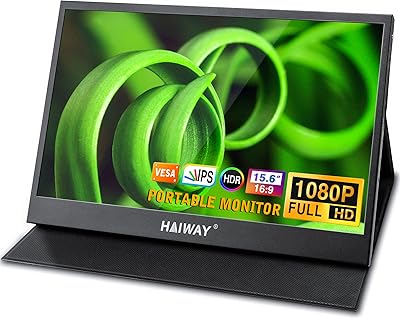
Haiway 15.6-inch 1080P Portable Monitor
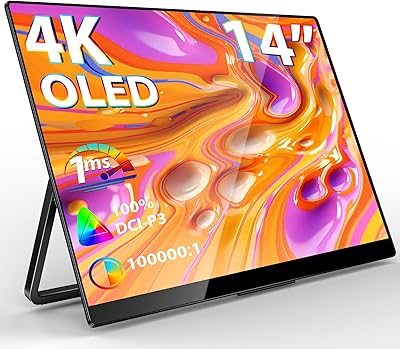
InnoView 14-inch OLED Portable Monitor 4K UHD
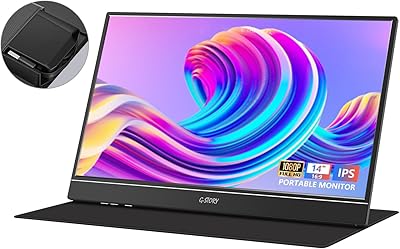
G-STORY GS140H0 14-inch Portable Monitor