



Overview

The MarsMyth S1 14-inch Portable Laptop Monitor entered a crowded mid-range market in January 2024, targeting remote workers, students, and frequent travelers who want a second screen without hauling around a full-size display. Its core appeal is plug-and-play simplicity — no driver downloads, no software to configure. At its price point, it lands squarely in the middle of the portable monitor segment, neither a budget throwaway nor a premium investment. With roughly 115 ratings and a 4.2-star average, the feedback pool is still developing, so take that score as an encouraging early signal rather than a settled verdict from thousands of buyers.

Features & Benefits

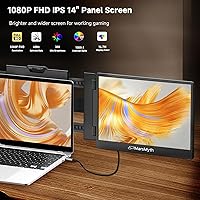
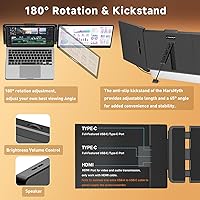
The 14-inch IPS panel delivers a crisp 1920x1080 image that holds up well for productivity tasks, and the wide 178-degree viewing angle means a colleague sitting beside you at a cafe table can actually see the screen without color shift. The glossy surface looks sharp indoors but can pick up reflections near bright windows, worth factoring in if you work outside. Three connectivity options — USB-C, USB-A, and HDMI — cover most laptops and consoles without needing extra adapters. The built-in speakers are a nice touch at this price, though they are better described as functional than impressive. The kickstand holds steady at a fixed 45 degrees, which suits most desk setups but leaves no room to adjust if you prefer a steeper or shallower angle.

Best For

This travel monitor makes the most sense for people who genuinely move around with their laptop — remote workers hopping between hotels and co-working spaces, students who want a dual-screen setup in a dorm room without buying a permanent desk monitor, or console gamers who want to play Switch or PS5 on something bigger than a hotel TV. It also works well for professionals who travel with 13- to 17-inch laptops and regularly need more screen space on the road. However, if color accuracy matters to your workflow — graphic design, photo editing, video grading — the glossy IPS panel and the absence of verified color specs make this the wrong tool. Creative professionals should look elsewhere.

User Feedback

Buyers generally appreciate how quickly the MarsMyth S1 gets up and running, with setup taking just minutes on both Windows machines and M-series Macs. Screen clarity earns consistent praise. Where things get more mixed: the fixed kickstand is a recurring sticking point, with some users wishing they could angle it back further for extended use at a standing desk or on a lap. The advertised weight of 2.3 lbs refers to the monitor itself, but the full package — cables and accessories included — clocks in considerably heavier, so bag packers should account for that. A handful of users have noted that USB-A connections can be unreliable on laptops with weaker ports. Customer support response times appear generally positive, though 115 reviews is too small a sample to draw firm conclusions.

Pros

  • Plug-and-play setup works immediately on Windows and Mac — no drivers, no configuration fuss.
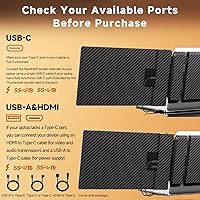
  • Three connection types (USB-C, USB-A, HDMI) cover most modern laptops and consoles without extra adapters.
  • The 1080p IPS panel delivers a sharp, clear image that holds up well for everyday productivity tasks.
  • Built-in speakers set this portable screen extender apart from most rivals at a comparable price point.
  • Wide compatibility spans Windows, macOS M1/M2, PS5, Switch, Android, and Samsung DeX straight out of the box.
  • The included non-slip rubber mat keeps the monitor firmly grounded on slick cafe tables or hotel desks.
  • A 178-degree viewing angle makes the screen easy to share with a colleague sitting beside you.
  • Multiple display modes — extended, mirror, and multi-task — offer genuine flexibility across different work scenarios.

Cons

  • The kickstand locks at a fixed 45-degree angle, offering zero ergonomic adjustment for standing desks or raised surfaces.
  • USB-A power delivery can fall short on older or low-powered laptops, causing flickering or a failure to power on.
  • The glossy panel picks up noticeable reflections near windows or in any brightly lit outdoor environment.
  • Packaged weight reaches close to 5 lbs with cables included — the advertised 2.3 lbs applies only to the bare monitor.
  • No published color-gamut figures make this travel monitor a poor fit for photography, design, or color-sensitive work.
  • Only 115 ratings since launch means long-term reliability and build quality remain largely unverified.
  • Built-in speakers, while a differentiating feature, deliver mediocre audio output not suited for music or video calls.
  • No carrying case or sleeve is included, which is a notable omission for a product positioned squarely at travelers.

Ratings

Our scores for the MarsMyth S1 14-inch Portable Laptop Monitor are generated by an AI system that analyzed verified buyer reviews from global marketplaces, actively filtering out suspected bot submissions, duplicate accounts, and incentivized ratings before computing each category result. Every score reflects the honest balance of real-world praise and recurring frustration — neither glossed over nor inflated — so you can weigh the genuine trade-offs before committing. With a current pool of 115 verified ratings, the dataset is still growing, and individual scores may shift as more buyers contribute long-term experiences.

Display Quality
78%
22%
The 1080p IPS panel consistently earns praise for producing clear, readable text during long work sessions in hotels or co-working spaces. Colors are vibrant enough for everyday productivity, and the 178-degree viewing angle means a colleague sitting beside you at a narrow cafe table can follow along without visible color shift.
The glossy finish is a recurring complaint among buyers who work near windows — reflections can turn the screen into a partial mirror in bright conditions. No color-gamut figures are published, making it impossible to verify accuracy for design or photo work, which limits its appeal to a narrower range of use cases.
Ease of Setup
91%
Getting this travel monitor running takes under two minutes on both Windows and macOS, with no driver downloads or setup menus to navigate. Buyers who switch between different laptops throughout the week particularly appreciate this — just swap the cable and the display is recognized almost instantly.
A small number of users report that the initial USB-A connection takes longer than expected on certain Windows machines, occasionally requiring a port swap or cable re-seat before the display activates. These cases appear hardware-dependent rather than a widespread flaw, but they are worth noting for users with older or budget-tier laptops.
Portability & Weight
71%
29%
At roughly 2.3 lbs for the monitor itself, this portable screen extender is manageable inside a 15-inch laptop bag without dramatically shifting the weight of a typical travel setup. The slim 0.9-inch profile means it stacks neatly against a laptop without adding visible bulk to a backpack or carry-on.
The 2.3 lbs figure applies to the bare monitor only; the total package with cables and accessories approaches 5 lbs, which catches some buyers off guard. For travelers already carrying a power bank, laptop charger, and peripherals, that extra load can feel more significant than the spec sheet implies.
Build Quality
74%
26%
The chassis feels solid enough for daily transport and shows no significant flex around the panel edges during normal handling. The non-slip rubber mat is a small but appreciated detail that keeps the monitor planted on polished hotel desks or slick laminate cafe surfaces without any additional accessories.
As a product with only 115 ratings since January 2024, there is insufficient long-term data to draw confident conclusions about durability over 12 to 24 months of regular travel use. A handful of buyers raise concerns about the kickstand hinge feeling less robust than the rest of the chassis, which is worth tracking as the review pool grows.
Connectivity Options
86%
Having USB-C, USB-A, and HDMI on a single portable monitor covers a wide range of devices at this price — from modern MacBooks to older Windows laptops to a PS5 — all without hunting for adapters. The fact that all three cables are included in the box makes the out-of-box experience genuinely ready to use.
A recurring issue involves USB-A connections failing to deliver adequate power on certain laptops, causing the display to underperform or refuse to activate without a stronger power source. This is particularly relevant for users with older machines where USB-A port output is lower than standard, and it is not clearly flagged anywhere in the product documentation.
Kickstand & Ergonomics
53%
47%
The kickstand holds the screen firmly at a 45-degree angle and does not wobble or shift during normal desk use, which is more than can be said for some rivals at this price that use flimsier prop solutions. The rubber mat underneath adds a stabilizing layer, preventing the base from sliding across smooth surfaces during active use.
The fixed 45-degree angle is the single most divisive aspect in buyer reviews — users on standing desks, laptop risers, or non-standard surfaces have no way to adjust the viewing angle at all. Unlike competing monitors with full-range tilt adjustment, there is no practical workaround here, and extended sessions at the wrong angle can cause real neck and shoulder strain.
Device Compatibility
89%
The compatibility list is genuinely broad — Windows, macOS M1/M2, Chrome OS, Android, Samsung DeX, PS4, PS5, Xbox, and Nintendo Switch are all supported, which is rare for a monitor at this price. Digital nomads who use multiple devices across different ecosystems find this especially useful, as it eliminates the need for separate display solutions.
While the compatibility list is long, real-world power delivery via USB-A remains inconsistent across older host devices, meaning the full range of listed support is not always achievable without an external power adapter. Some Android phone users also report limited mode options when connecting via USB-C, as not all Android devices fully support DisplayPort Alt Mode.
Audio Quality
57%
43%
Having built-in speakers on a portable monitor at this price is a genuine differentiator — most rivals in this range omit audio entirely, leaving users dependent on laptop speakers or headphones. For casual use like watching a tutorial video in a hotel room, the built-in audio handles the basics without any extra setup.
Sound output is thin and lacks bass, with volume levels that struggle to fill even a small room — buyers expecting anything approaching room-filling audio will be consistently disappointed. Several users note that the speakers distort noticeably at higher volumes, making them genuinely unsuitable for video calls, music playback, or any context where audio clarity actually matters.
Value for Money
76%
24%
For buyers who need a plug-and-play second screen that works across multiple devices and includes all necessary cables, the pricing lands in a reasonable range for the feature set on offer. Students and remote workers on tighter budgets tend to rate value favorably, particularly given that comparable monitors often charge a premium for the same breadth of connectivity.
The fixed kickstand, absence of published color specs, and the misleading weight listing chip away at perceived value for more discerning buyers who expect full transparency at this price tier. Buyers comparing this portable screen extender against category leaders with adjustable stands and verified display specifications will likely feel the gap more sharply.
Screen Brightness
69%
31%
Indoor brightness is adequate for the environments this monitor is designed for — hotel desks, cafes with moderate ambient lighting, library carrels, and co-working spaces. Most buyers who use it in typical office-equivalent settings describe the brightness as comfortable for extended reading and document work without eye fatigue.
MarsMyth does not publish a nits rating for this panel, making it impossible to compare objectively against rivals with verified brightness specs. In practice, users report that it struggles in any environment with direct natural light — outdoor terraces, bright lobbies, or sun-facing windows — where the glossy surface compounds the visibility problem considerably.
Color Accuracy
48%
52%
For standard productivity tasks — editing documents, browsing the web, watching streaming content — the IPS panel reproduces colors with enough consistency that most everyday users will not notice meaningful issues. The wide viewing angle also helps maintain color consistency when the screen is shared with someone sitting beside you.
No sRGB, DCI-P3, or Delta-E figures are published anywhere for this travel monitor, making it a non-starter for photographers, graphic designers, or video colorists who need reliable verified color reproduction. The glossy surface also introduces reflections that can actively distort perceived color balance in anything other than controlled indoor lighting conditions.
Desk Stability
81%
19%
The combination of the rigid kickstand and the included non-slip rubber mat makes this monitor surprisingly steady on flat surfaces — it does not rock, slide, or tip during nearby typing and scrolling activity. Buyers who use it on standard hotel writing desks or cafe tables consistently report that it stays put without any additional support.
Stability deteriorates noticeably on uneven surfaces — a lap desk, a bed tray, or a rough outdoor table can cause the kickstand to wobble or the unit to tilt. Because only one angle is available, there is no way to compensate by adjusting the stance when the underlying surface itself is not perfectly level.
Customer Support
72%
28%
MarsMyth advertises a 24-hour response window for support inquiries, and early buyer feedback suggests the team has been reasonably responsive for setup questions and basic troubleshooting. A handful of reviewers specifically call out helpful replies to connectivity questions, which is an encouraging signal for a brand still building its market presence.
With only 115 total reviews, the support experience data is too limited to draw reliable conclusions about consistency across different issues or time zones. There is also no clearly stated formal warranty policy in the product listing, leaving buyers uncertain about what coverage they have if a hardware fault develops after a few months of use.
Display Mode Versatility
83%
Supporting extended desktop, mirror, and multi-task modes through the host device's native display settings is straightforward and reliable across both Windows and macOS. Buyers who need to switch between modes frequently — say, presenting in mirror mode and then switching back to extended for note-taking — find the process quick and intuitive.
Mode switching relies entirely on the host operating system rather than any dedicated buttons on the monitor itself, meaning there are no physical controls to cycle between modes without touching the laptop. On some Windows machines, the OS can default back to mirror mode after waking from sleep, requiring a manual correction at the start of each new session.

Suitable for:

The MarsMyth S1 14-inch Portable Laptop Monitor is genuinely well-matched to anyone whose work or study life keeps them moving between locations. Remote workers who bounce between coffee shops, hotel rooms, and co-working spaces will appreciate the no-fuss USB-C or HDMI connection that gets a second screen running in under a minute. Students sharing cramped dorms can build a dual-screen workflow without committing to a bulky permanent desk monitor. Road-warrior professionals carrying a 13- to 17-inch laptop will find the extra screen real estate useful for keeping reference materials open while drafting, coding, or managing spreadsheets on the road. Console gamers traveling with a Switch or PS5 also have a compelling reason to consider this portable screen extender — it handles both without needing additional adapters, which is a genuine convenience at this price tier.

Not suitable for:

Buyers who prioritize display accuracy should steer clear — the MarsMyth S1 14-inch Portable Laptop Monitor uses a glossy IPS panel without any published color-gamut or Delta-E figures, which is a meaningful gap for photographers, graphic designers, or video editors who need to trust what they see on screen. The fixed 45-degree kickstand is another real limitation: if your setup involves a standing desk, a raised laptop tray, or any surface that demands a steeper or shallower angle, there is simply no adjustment available, and that rigidity compounds over long sessions. Anyone planning to slip this travel monitor into a packed commuter bag should also recalibrate their expectations — while the monitor alone is listed at 2.3 lbs, the full packaged weight with cables and accessories climbs to around 5 lbs, which is a noticeable burden on top of a laptop. Users with older or lower-powered machines should also be aware that USB-A connections may not reliably deliver enough power to keep the screen stable. Finally, with only 115 ratings collected since its January 2024 debut, the track record is too thin to draw confident conclusions about long-term durability.

Specifications

  • Screen Size: The display measures 14 inches diagonally, fitting comfortably alongside most 13- to 17-inch laptops without overwhelming a desk or cafe table.
  • Resolution: Native resolution is 1920x1080 (Full HD), delivering a pixel density suitable for sharp text, spreadsheets, and standard video playback at typical arm-length viewing distances.
  • Panel Type: Uses an IPS LCD panel, which provides more consistent color reproduction and wider viewing angles than TN-based alternatives in this price category.
  • Aspect Ratio: The 16:9 widescreen aspect ratio is compatible with the vast majority of productivity applications, streaming platforms, and media content without letterboxing.
  • Viewing Angle: The IPS panel supports up to 178 degrees of horizontal and vertical viewing angle, meaning image quality and contrast hold up accurately even when viewed from the side.
  • Screen Surface: The glossy screen coating enhances color vibrancy in controlled indoor lighting but produces noticeable reflections in brightly lit or outdoor environments.
  • Connections: Includes a full-size HDMI port, a USB-C port, and a USB-A port, covering the most common connection needs for modern laptops and gaming consoles without requiring additional adapters.
  • Built-in Audio: Integrated speakers are included for basic system audio output, though they are not rated for high-fidelity playback and are best suited to notification sounds or background audio.
  • Kickstand: The rear kickstand props the monitor at a fixed 45-degree angle with no tilt adjustment available, providing stable placement on flat surfaces but no ergonomic flexibility beyond that single position.
  • Non-slip Mat: A rubber non-slip mat is included in the box and affixes to the base to prevent the monitor from sliding on smooth desk or table surfaces during use.
  • Monitor Weight: The monitor unit alone weighs approximately 2.3 lbs, which is the relevant figure for evaluating how much it adds to a laptop bag when packed without accessories.
  • Package Weight: The complete retail package — including all cables and accessories — weighs approximately 5.17 lbs, a difference travelers should factor in when planning their total carry load.
  • Dimensions: The monitor body measures 13.9 x 8.15 x 0.9 inches (L x W x H), slim enough to slot into most padded 15-inch laptop sleeves or dedicated monitor compartments.
  • Compatibility: Officially supported devices include Windows PCs, macOS (M1 and M2), Chrome OS, Android, Samsung DeX, PS4, PS5, Xbox, and Nintendo Switch.
  • Driver Install: No software drivers or companion applications are required; the monitor is recognized and configured automatically upon connection to any compatible host device.
  • Display Modes: Supports extended desktop, screen mirroring, and multi-task display modes, all accessible through the host device's native display settings without additional software.
  • Brand & Model: Manufactured by Shenzhen Baijiayoupu Technology Co., Ltd. and sold under the MarsMyth brand as the S1 model, first made available in January 2024.
  • Included Cables: The box contains one USB-C cable, one USB-A cable, and one HDMI cable, covering the three supported connection methods without requiring any additional purchases to get started.

Related Reviews
KYY X90A 14-inch Laptop Screen Extender
71%
58%
Setup & Installation
78%
Display Quality
72%
Build Quality
67%
Portability
74%
Ease of Daily Use
More
Dell P1424H 14-inch Portable Monitor
79%
93%
Portability
91%
Setup & Ease of Use
88%
Display Clarity
61%
Brightness & Visibility
58%
Stand & Adjustability
More
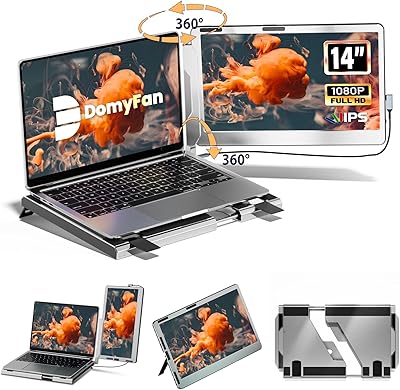
domyfan F1 14″ Portable Monitor
72%
83%
Display Clarity
71%
Portability
88%
Stand Design
79%
Setup & Compatibility
52%
Screen Glare
More
Magedok 14-Inch 4K Portable Monitor
85%
93%
Display Quality
88%
Portability
90%
Ease of Setup
91%
Color Accuracy
58%
Sound Quality
More
KEEPTIME P142 14-inch Portable Monitor
75%
88%
Display Sharpness
83%
Color Accuracy
93%
Portability
86%
Connectivity
61%
Brightness & Glare
More
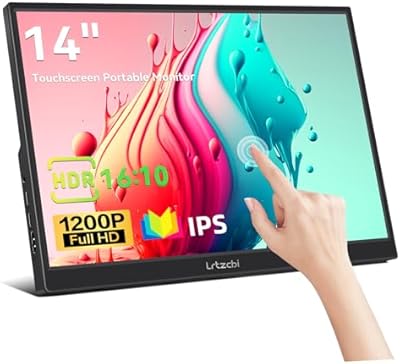
Lrtzcbi 14-inch Portable Touchscreen Monitor
74%
88%
Value for Money
79%
Image Quality
72%
Touch Responsiveness
91%
Portability
58%
Kickstand Stability
More
Magedok MG140-FT02 14-Inch Portable Touchscreen Monitor
74%
91%
Portability
74%
Display Quality
77%
Color Accuracy
63%
Touchscreen Responsiveness
79%
Connectivity & Compatibility
More
ELECROW 14-inch Portable Monitor with Keyboard and RPi5 Adapter
86%
93%
Portability
88%
Battery Life
84%
Screen Quality
91%
Ease of Setup
72%
Keyboard and Touchpad Performance
More
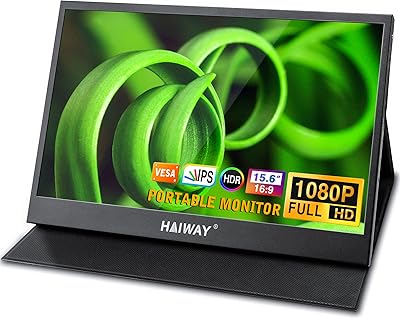
Haiway 15.6-inch 1080P Portable Monitor
68%
79%
Image Quality
83%
Portability & Build
69%
Connectivity
84%
Value for Money
74%
Stand & Ergonomics
More
InnoView 14-inch OLED Portable Monitor 4K UHD
85%
92%
Display Quality
88%
Portability
90%
Color Accuracy
94%
Response Time (Gaming)
85%
Build Quality
More

FAQ

No — the MarsMyth S1 14-inch Portable Laptop Monitor is fully plug-and-play on both Windows and macOS. Just connect the cable and your operating system detects it automatically. There is nothing to download, no setup apps to configure, and no account to create.

Yes, this portable screen extender explicitly supports Apple Silicon Macs, including M1 and M2 models. Connect via the included USB-C cable and macOS should recognize the second display within a few seconds. Occasionally a Mac will take a moment to register it — that is normal behavior and not a sign anything is wrong.

You can. Connect your Switch dock or PS5 to the monitor using the included HDMI cable for video output. Just keep in mind that HDMI carries video only, so you will need to power the monitor separately via a USB-C or USB-A connection to a wall adapter or power bank — the console will not supply power through HDMI alone.

Both are accurate but refer to different things. The 2.3 lbs figure is the monitor on its own — the panel, frame, and kickstand. The 5.17 lbs is the complete retail package, including the box, all three cables, and any included accessories. When deciding whether this fits your travel load, use 2.3 lbs as the working weight, but add a bit for whichever cables you plan to carry.

The kickstand is fixed at 45 degrees and there is no way to tilt it steeper or shallower. For standard desk use at sitting height this is usually fine, but if you use a standing desk, a laptop riser, or simply prefer a more reclined screen angle, that rigidity will likely become a real annoyance. It is genuinely worth thinking through before you buy.

The screen has a glossy finish, which makes colors pop under indoor lighting. The trade-off is that it acts like a partial mirror near bright windows or in sunlit environments, which can make content hard to read. If you mostly work indoors at a desk or in dim cafes, it is generally fine. If you spend time in bright or variable lighting, it is a genuine consideration.

Everything is included. The box contains a USB-C cable, a USB-A cable, and a full-size HDMI cable, covering all three connection methods this travel monitor supports. You can realistically be up and running within a few minutes of opening the package.

They are better than nothing, but only just. For system sounds, a quick YouTube video, or light background audio they do the job. For video calls, music, or anything where clarity matters, you will want to reach for headphones or a small external speaker instead. That said, having speakers at all sets this monitor apart from many rivals in the same price range.

MarsMyth advertises a 24-hour customer support response time, and early buyer feedback suggests that turnaround has generally held up. Formal warranty terms are not prominently stated in public listings, so it is worth confirming coverage details with the seller directly before purchase, especially if you plan to travel internationally with it.

Not ideally. This portable screen extender does not publish color-gamut figures — there is no sRGB or DCI-P3 coverage data available — so there is no reliable way to know how accurately it renders colors for editing work. The glossy surface can also introduce reflections that skew how you perceive color and contrast. For casual review or rough cuts while traveling it can serve as a supplementary display, but for any workflow where color accuracy matters, a monitor with verified specifications is a wiser investment.