FOPO S680 14″ Quad Monitor Extender
Overview
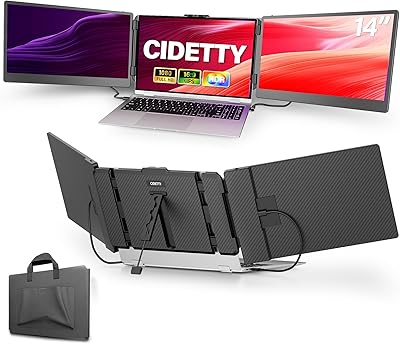
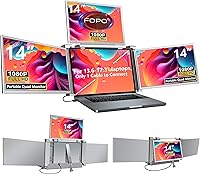
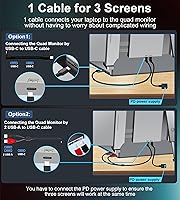
The FOPO S680 14″ Quad Monitor Extender takes a genuinely different approach to portable productivity — instead of adding one extra screen, it clips three 14-inch FHD panels onto your existing laptop, giving you a four-display workstation you can pack into a bag. That single-cable connection is the real draw here: one USB-C or USB-A cable handles everything, which matters when you're setting up at a hotel desk or a co-working space. Compatibility covers Windows 10 and later, plus macOS 2019 and newer — including M1, M2, and M3 MacBooks. Surface and Chromebook users are excluded, full stop. Worth knowing upfront: full quad-mode requires a PD power supply, and at 5 lbs, this laptop screen extender is not something you'll forget is in your bag.
Features & Benefits
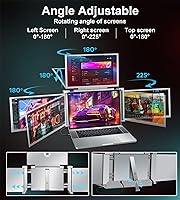
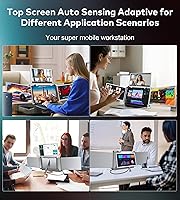
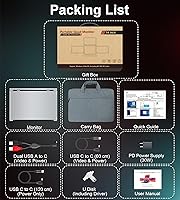
Each of the three added panels runs at 1920×1080 on an IPS LCD, with a 72% NTSC color gamut and 1000:1 contrast ratio — solid specs for reading documents, writing code, or keeping reference material visible without squinting. The 0–225° rotation range gives you real flexibility: the top screen has an auto-sensitive hinge that adjusts to your position without fussing with manual locks. Connectivity is broad — Thunderbolt 3/4, USB-C, and USB-A are all supported. There's also reverse charging built in, though you'll need a 60W adapter to actually use it. The box includes two cables, a 30W PD adapter, a USB driver stick, and a carry bag, so you're not hunting for accessories on day one.
Best For
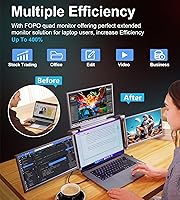
This quad extender makes the most sense for people whose work genuinely demands multiple information streams at once. Finance and trading professionals are an obvious fit — keeping charts, order books, news feeds, and a spreadsheet visible simultaneously is exactly what this is built for. Developers will appreciate having code, terminal, documentation, and a browser open without constant tab-switching. Designers doing reference-heavy work can keep source assets, their project, and client briefs all in view. Remote workers who hop between coffee shops, client offices, and home desks will find the single-cable setup genuinely convenient. It's not ideal for casual users who just want a second screen — the investment only pays off if you're routinely juggling four or more contexts at once.
User Feedback
Buyers who use the FOPO S680 regularly tend to highlight one thing above everything else: setup simplicity. Compared to competitors that require multiple cables or proprietary software, plugging in and getting to work quickly earns consistent praise. The weight is the most common complaint — 5 lbs adds up fast, especially for travelers already carrying a full laptop bag. Mac users report generally positive results on M1 and M2 machines, but a handful note that driver installation required some patience, and occasional firmware hiccups surfaced after system updates. Brightness in sunlit rooms or bright offices gets mixed reviews — adequate indoors, less convincing near a window. Build quality feedback is cautiously positive, with most users satisfied after months of use, though the longevity of the hinges under daily travel stress remains an open question.
Pros
- A single USB-C or USB-A cable connects all three extra screens, cutting setup time dramatically versus multi-cable competitors.
- Three additional 14-inch FHD IPS panels give you a genuine four-display workspace without a fixed desk.
- The 0–225° rotation range with an auto-sensitive top hinge makes angle adjustment quick and intuitive.
- Broad connectivity — Thunderbolt 3/4, USB-C, and USB-A — means compatibility with most modern laptops in the supported range.
- The included carry bag and folding form factor make this quad extender genuinely packable for travel.
- Reverse charging support (with a 60W adapter) can keep your laptop battery from draining during long sessions.
- The in-box package is complete: cables, 30W PD adapter, driver stick, and documentation are all included.
- IPS panels deliver decent color accuracy and wide viewing angles for a portable screen in this category.
- Compatible with Windows 10+ and macOS 2019+ including M1, M2, and M3 chips — solid coverage for mainstream laptops.
- Users consistently praise how much faster setup is compared to configuring multiple standalone portable monitors.
Cons
- At 5 lbs, this laptop screen extender adds serious weight to any laptop bag — noticeable on long travel days.
- Full quad-mode requires a PD power supply; leaving the right adapter behind cripples the setup.
- Mac users sometimes face driver installation hurdles, and OS updates can occasionally break compatibility until a firmware fix ships.
- Panel brightness can feel insufficient in sunlit rooms or brightly lit open-plan offices.
- Microsoft Surface and Chromebook users are completely unsupported — no exceptions or partial workarounds.
- The reverse-charging feature requires a separate 60W adapter not included in the box, limiting its out-of-the-box usefulness.
- Long-term hinge durability under daily travel stress is still an open question based on available user feedback.
- The premium price point makes this a hard sell for anyone whose workload does not genuinely justify four screens.
- Bulk when folded is considerable — this does not slip unobtrusively into a slim laptop sleeve.
- Laptops outside the 13.6-inch to 17.3-inch range are not supported, which excludes some ultracompact and older large-format models.
Ratings
The scores below for the FOPO S680 14″ Quad Monitor Extender were generated by our AI engine after analyzing verified purchase reviews from buyers across North America, Europe, and Asia-Pacific — with spam, incentivized submissions, and bot-pattern reviews actively filtered out. Each category reflects a genuine synthesis of what real users praised and what genuinely frustrated them during daily use. Both strengths and recurring pain points are represented transparently, so you can make a properly informed decision.
Setup & Ease of Use
Display Quality
Portability
Mac Compatibility
Build Quality
Connectivity Options
Power Management
Screen Brightness
Value for Money
Hinge & Angle Flexibility
In-Box Package Completeness
Laptop Compatibility Range
Multitasking Performance
Surface & Chromebook Exclusion
Suitable for:
The FOPO S680 14″ Quad Monitor Extender is built for professionals whose work genuinely demands parallel information — not just more screen space for comfort, but multiple live data streams that need to be visible at the same time. Traders and finance analysts who need price feeds, charts, a spreadsheet, and a news source open simultaneously will immediately understand the value proposition here. Software developers working across a codebase, terminal, documentation site, and browser will find the workflow gains concrete and measurable. Designers doing client work on the road — juggling reference images, active project files, and feedback notes — get a credible studio-like setup without being anchored to a desk. Remote workers who bounce between home, co-working spaces, and client offices will appreciate how quickly this quad extender deploys compared to hauling and configuring separate monitors. If your daily work involves sustained, high-context multitasking and you regularly feel the friction of switching between tabs or windows, this device addresses a real problem.
Not suitable for:
The FOPO S680 14″ Quad Monitor Extender is a poor fit for anyone who wants a lightweight travel setup — at just over 5 lbs, this laptop screen extender adds meaningful heft to any bag, and that trade-off is non-negotiable. Users on Microsoft Surface devices or Chromebooks are excluded by design, and there is no workaround. Mac users should know that while M1, M2, and M3 MacBooks are officially supported, getting everything running smoothly can require driver installation and occasional troubleshooting after OS updates — it is not always plug-and-play. Anyone who primarily works outdoors or in very bright office environments may find the panel brightness underwhelming in those conditions. This quad extender also requires a PD power supply for full quad-mode operation, so forgetting or losing the right adapter renders one or more screens non-functional. Finally, casual users who only need a second screen for video calls or light browsing will find the complexity and investment well beyond what their workflow actually demands.
Specifications
- Model Number: The unit is officially designated as the S680, manufactured by SHENZHEN E-Tech Digital Technology Co., Ltd.
- Added Screens: Three additional 14-inch IPS LCD panels are included, bringing the total display count to four when combined with the host laptop.
- Resolution: Each added panel runs at 1920×1080 (Full HD), delivering sharp, readable text and detail at standard office working distances.
- Panel Type: All three screens use IPS LCD technology, which provides wider viewing angles and more consistent color reproduction than TN alternatives.
- Color Gamut: The panels cover 72% of the NTSC color space, suitable for general productivity, coding, and document work, though not calibrated for color-critical design.
- Contrast Ratio: A 1000:1 contrast ratio ensures adequate differentiation between dark and light elements under typical indoor lighting conditions.
- Rotation Range: The extender supports 0–225° of rotation, with the top screen featuring an auto-sensitive hinge that adjusts to the user's preferred angle.
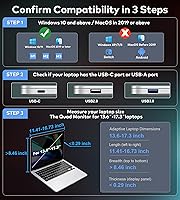
- Connectivity: Connection is supported via USB-C (including Thunderbolt 3 and Thunderbolt 4) and USB-A, covering the majority of modern laptop port configurations.
- OS Compatibility: Supported operating systems include Windows 10 and later, and macOS 2019 or newer — including MacBooks with M1, M2, and M3 chips; Microsoft Surface and Chromebook are not supported.
- Laptop Size Range: The bracket and hinge system is designed to accommodate laptops with screen sizes between 13.6 inches and 17.3 inches.
- Device Weight: The unit weighs 5.02 lbs (approximately 2.28 kg), which should be factored into any bag or travel load calculation.
- Dimensions: Physical dimensions when folded are 1.96 × 13.34 × 8.93 inches, giving a sense of the footprint in a bag or on a desk.
- Reverse Charging: The S680 supports reverse charging to the connected laptop, but this function requires a separate 60W or higher power adapter not included in the standard box.
- Included Adapter: A 30W PD power adapter is included in the box and is sufficient to power the extender, though it does not enable the reverse-charging function on its own.
- Included Cables: Two USB-C to USB-C cables are included — one 60 cm (video and power) and one 120 cm (power only) — along with a dual USB-A to USB-C cable for video and power.
- Driver Installation: A USB drive containing the necessary display driver is included in the box, required for full functionality particularly on Windows systems.
- Carry Bag: A dedicated carry bag is included in the package to protect the extender and cables during transport.
- Power Requirement: Full quad-display operation requires connection to a PD power supply; running without one may limit the number of active screens.
- Aspect Ratio: All three added panels use a standard 16:9 aspect ratio, consistent with most laptop displays for a visually uniform workspace.
- First Available: The S680 model was first listed for sale in May 2024, making it a relatively recent entry in the portable quad-monitor extender category.
Related Reviews
FOPO 14″ Triple Monitor Laptop Screen Extender S7
FOPO S888 15.6″ Portable Quad Laptop Monitor
BOSII S8 Pro 14-inch Portable Triple Monitor

Dell P1424H 14-inch Portable Monitor
Asani 14″ Portable Monitor
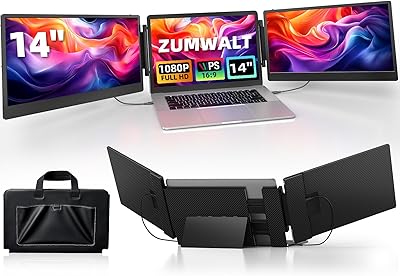
ZUMWALT S3 14″ Triple Portable Monitor
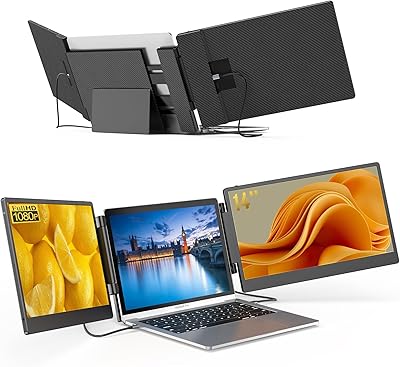
BreezyLife 14″ Triple Portable Monitor Extender
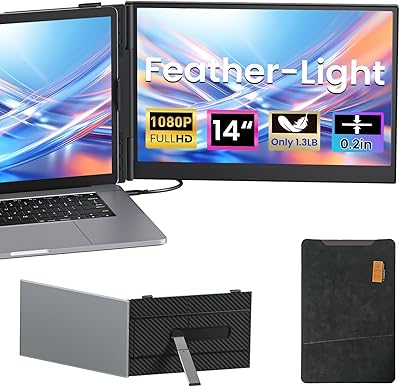
Vixtan 14″ Laptop Screen Extender
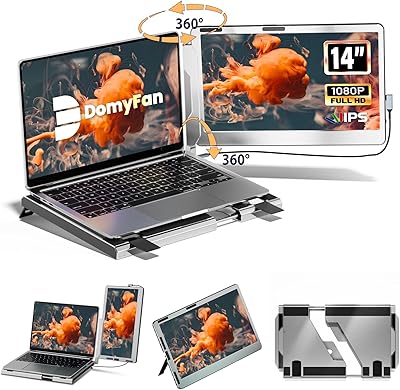
domyfan F1 14″ Portable Monitor