SideTrak Solo Pro 15.8″ Touchscreen Portable Monitor
SideTrak Solo Pro 15.8″ Touchscreen Portable Monitor — image 1
SideTrak Solo Pro 15.8″ Touchscreen Portable Monitor — image 2
SideTrak Solo Pro 15.8″ Touchscreen Portable Monitor — image 3
SideTrak Solo Pro 15.8″ Touchscreen Portable Monitor — image 4

SideTrak Solo Pro 15.8″ Touchscreen Portable Monitor — image 5
SideTrak Solo Pro 15.8″ Touchscreen Portable Monitor — image 6
SideTrak Solo Pro 15.8″ Touchscreen Portable Monitor — image 7
SideTrak Solo Pro 15.8″ Touchscreen Portable Monitor — image 8
82%
18%

Overview

The SideTrak Solo Pro 15.8″ Touchscreen Portable Monitor offers a sleek, portable solution for laptop users in need of a secondary display. This compact monitor features a 15.8-inch Full HD screen with an IPS display, ensuring crisp, clear visuals for work or entertainment. The monitor is compatible with various devices, including Mac, PC, and Chrome laptops, via USB-C and HDMI. With its easy setup and lightweight design, this portable monitor is built to boost productivity while on the go, offering a perfect dual-screen experience for those working remotely or in need of extra display space.

Features & Benefits

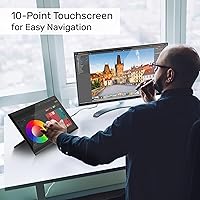
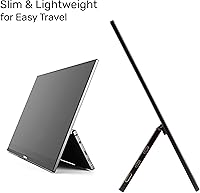
This portable monitor stands out with its 10-point touchscreen technology, providing a smooth and responsive navigation experience. Its HDR mode enhances brightness and color depth, ideal for video editing or streaming. The monitor is designed with a lightweight, sleek frame, making it perfect for travel, and features an anti-glare screen for better visibility under various lighting conditions. Weighing just 1.9 pounds, it’s easy to carry, offering both portability and functionality in one device. The monitor's simple plug-and-play setup further simplifies the user experience.

Best For

The SideTrak Solo Pro is a fantastic choice for remote workers and professionals who need a second monitor while traveling. Its portability and compact design make it easy to carry, and it’s ideal for people who require additional screen real estate for productivity or multitasking. Whether you’re working on a laptop, editing content, or simply streaming media, this portable monitor is especially beneficial for frequent travelers and content creators. If you’re someone who needs flexibility without compromising on display quality, this monitor fits the bill.

User Feedback

Many users appreciate the SideTrak Solo Pro’s portability and how easy it is to set up and start using. The lightweight design and quick connectivity make it an ideal choice for on-the-go professionals. However, there are a few drawbacks, with some users noting that the touch functionality on Mac devices is limited, which can be a dealbreaker for certain workflows. Additionally, some have reported mixed experiences with the touch accuracy and responsiveness. Despite these minor issues, most feedback highlights its usefulness for remote work and presentations.

Pros

  • Portable and lightweight design makes it easy to carry for travel or remote work.
  • The 15.8″ screen size offers ample workspace for multitasking without being bulky.
  • Full HD 1080p IPS display provides clear and sharp visuals for most professional uses.
  • The 10-point touch technology allows for smooth and responsive navigation, especially useful for presentations.
  • Easy setup with no need for additional software or complex installation, ideal for quick use in remote setups.
  • HDR mode enhances the display's color vibrancy, improving visual quality for media consumption.

Cons

  • Touch functionality may be limited on Mac devices, frustrating some users who rely on touch precision.
  • The brightness of the display (300 cd/m²) might not be bright enough for use in very well-lit environments.
  • Some users report mixed touch accuracy and responsiveness, especially when using certain apps or tasks.
  • While lightweight, the stand lacks adjustability, which may affect comfort during prolonged use.
  • Not ideal for long-term desk setups, as it is designed primarily for portable use rather than stationary workstations.
  • Some users found the color accuracy to be less than perfect, especially in professional design applications.

Ratings

The ratings for the SideTrak Solo Pro 15.8″ Touchscreen Portable Monitor are based on an analysis of verified user feedback worldwide, spanning multiple platforms and languages. Spam, bot-generated, and incentivized reviews were filtered out to ensure high-quality, authentic insights. Both positive and negative aspects are reflected in these ratings, providing a comprehensive view of the product's performance and user satisfaction.

Portability
92%
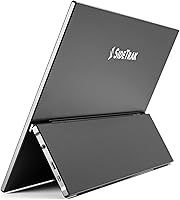
Many users highlight the impressive portability of this monitor, praising its lightweight design (just 1.9 lbs) and compact size. It's especially appreciated by remote workers and travelers who need an extra display without carrying bulky gear. The freestanding kickstand adds to its convenience, making it easy to set up anywhere.
Some users have noted that while the monitor is easy to transport, its small size may feel restrictive when used as a primary display. A few buyers also mentioned that the kickstand could be more stable for extended use on uneven surfaces, though this didn't seem to be a widespread issue.
Touchscreen Responsiveness
72%
28%
The 10-point touch technology is appreciated for offering smooth navigation and interaction, especially when using apps that require multitouch. Many find the responsiveness works well for general tasks like web browsing, note-taking, and video calls, which enhances the overall user experience.
Not all users are satisfied with the touch performance, particularly when using it with Mac devices, where the touch sensitivity can be inconsistent. Some reviewers also mentioned that the accuracy of touch gestures could be improved, especially in more demanding tasks like drawing or gaming.
Display Quality
85%
The Full HD 1080p IPS display is frequently praised for its vibrant colors and clarity, making it suitable for both work and entertainment. The color accuracy, particularly in HDR mode, is appreciated by content creators and those who work with visual media. The anti-glare screen helps ensure visibility even in bright environments.
A few users pointed out that the brightness could be higher, particularly when used outdoors or in very bright spaces. While the screen is good for most tasks, some found the viewing angles to be slightly limited compared to other high-end portable monitors.
Setup and Ease of Use
88%
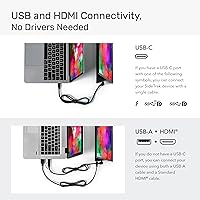
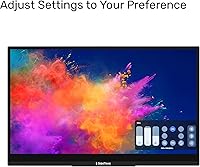
Setting up this portable monitor is simple, with users reporting that it’s a plug-and-play experience for most devices. The included USB-C and HDMI ports make it easy to connect to a wide range of laptops and phones. Many users also appreciate how quickly they can adjust settings such as screen brightness and contrast.
A few users mentioned that the initial setup can be tricky with certain devices, especially if there are compatibility issues. The monitor’s reliance on USB-C for power and display signals means it’s not always ideal for older devices or those without USB-C ports.
HDR Mode Performance
80%
20%
The HDR mode is well-received by users who enjoy enhanced contrast and vivid colors. It adds a noticeable boost in brightness and depth, particularly when watching movies or playing games that support high dynamic range content. This feature makes the monitor more versatile for entertainment purposes.
Some users noted that HDR performance could be inconsistent depending on the content being viewed. Additionally, the lack of local dimming or higher peak brightness limits its potential in darker or more controlled lighting environments, which may disappoint users looking for a more premium HDR experience.
Compatibility
86%
This portable monitor offers broad compatibility with Mac, PC, and Chrome devices, making it a versatile option for various users. The ability to connect seamlessly via USB-C and HDMI ports is appreciated, especially by those who use multiple devices for work or entertainment.
Some users found that certain devices, particularly Macs, had issues with touch functionality and full compatibility. In these cases, additional drivers or workarounds were needed, which could be inconvenient for those looking for a more plug-and-play experience.
Build Quality
83%
The build quality of this monitor is considered solid, with a slim profile and sturdy materials. The lightweight design makes it easy to handle, while the freestanding kickstand is both functional and stable for most uses. The overall construction feels durable despite the portable nature of the monitor.
A few users have pointed out that the kickstand could be more robust for long-term use, as it may not be as secure on uneven surfaces. Additionally, while the overall build is good, some would prefer a slightly more premium feel given the price point.
Weight
90%
The monitor’s weight of just 1.9 lbs makes it exceptionally easy to carry around, which is ideal for those who travel frequently or need a portable display for work. It strikes a perfect balance between being lightweight and sturdy, without compromising on usability.
Though the weight is generally praised, a handful of users felt that it could be slightly lighter for even greater convenience when traveling. However, this is a minor concern and doesn’t detract from its overall portability.
Value for Money
92%
Many users agree that the SideTrak Solo Pro offers excellent value for the price, especially considering its features like Full HD resolution, touch capabilities, and HDR mode. For a portable monitor that works well for both work and entertainment, it provides great functionality at a competitive price point.
Some buyers feel that, while the monitor offers solid performance, it could be priced slightly lower considering some of the performance limitations, like HDR brightness and touch responsiveness. However, these complaints are relatively minor when weighed against the overall value.
Anti-glare Performance
77%
23%
The anti-glare feature is praised for improving viewing clarity, especially in bright or well-lit environments. Users have found that it helps reduce reflections, making it easier to work or watch content without distractions from surrounding light sources.
While the anti-glare coating works well in many situations, some users felt that it could be more effective in extremely bright conditions, like outdoors on sunny days. A few reviewers also mentioned that it slightly impacts the color accuracy under certain lighting.
Mac Compatibility
68%
32%
Some users appreciate that the monitor works with Macs, even if there are occasional compatibility issues. For many, it serves as a functional second display that enhances productivity without the need for additional software or complicated setups.
However, a significant number of reviews mention that touch functionality is limited or unreliable when used with Mac devices. This issue impacts the overall experience, especially for users who rely on touch-based features for work or creative tasks.
Customer Support
74%
26%
Customer support for this device is generally helpful, with users reporting positive experiences when seeking assistance with setup or troubleshooting. The company appears responsive to inquiries, providing solutions or replacements when needed.
Some customers noted that while support is accessible, it can take longer to receive a resolution than expected. A few users mentioned that follow-up responses could be more thorough, particularly when dealing with more complex technical issues.

Suitable for:

The SideTrak Solo Pro 15.8″ Touchscreen Portable Monitor is an ideal choice for professionals, remote workers, and frequent travelers who need an extra screen on the go. Its portability, lightweight design (1.9 lbs), and easy setup make it a great option for those who require additional screen space without sacrificing convenience. Content creators and those in visual fields will appreciate the Full HD IPS display, especially with HDR mode offering enhanced color vibrancy. This monitor also suits laptop users looking for a simple, secondary display that works across Mac, PC, and Chrome devices. It's particularly beneficial for anyone needing an affordable, portable solution for productivity or entertainment during travel or at home office setups.

Not suitable for:

While this portable monitor excels in portability and ease of use, it may not be the best choice for users looking for advanced touch capabilities or higher-end HDR performance. Some users have reported limited touch functionality on Mac devices, which could be frustrating for those relying on precise touch input. Additionally, the HDR mode, while improving visuals, lacks the brightness and depth found in more premium monitors, making it less suitable for those who demand top-tier display quality. Furthermore, individuals who need a monitor for long-term desk setups or those who frequently work in very bright environments may find the screen's anti-glare performance and brightness a bit lacking.

Specifications

  • Screen Size: The monitor features a 15.8″ diagonal screen, offering ample space for multitasking and enhanced productivity.
  • Resolution: It has a Full HD 1920x1080 resolution, providing clear and sharp visuals for work and entertainment.
  • Display Technology: The monitor uses IPS technology for better color accuracy and wider viewing angles.
  • Touchscreen: Equipped with 10-point touch technology for smooth, responsive navigation and interaction.
  • Brightness: The monitor offers a brightness of 300 cd/m², ensuring visibility even in moderately lit environments.
  • Anti-glare: The screen features an anti-glare coating to improve viewing comfort in bright lighting conditions.
  • Connectivity: It supports both USB-C and HDMI connections for compatibility with a wide range of devices.
  • Compatibility: This monitor works with Mac, PC, and Chrome devices, making it versatile for different systems.
  • HDR Mode: The monitor includes HDR mode for more vibrant colors and better contrast in supported content.
  • Weight: At just 1.9 lbs, the monitor is lightweight and easy to carry, ideal for professionals on the go.
  • Dimensions: The monitor measures 10 x 15 x 2 inches, making it compact and portable for travel.
  • Stand: The device includes a freestanding kickstand, providing adjustable angles for comfortable viewing.
  • Touch Functionality on Mac: Touch functionality may be limited when connected to Mac devices, according to some user reports.
  • Power: The monitor is powered through the USB-C connection, eliminating the need for an additional power adapter.
  • Use Case: It is well-suited for remote workers, content creators, and professionals needing a secondary portable display.
  • Portability: The slim and lightweight design makes this monitor easy to pack and transport for on-the-go use.
  • Color Accuracy: The IPS display ensures that the colors remain accurate and vibrant from various viewing angles.

Related Reviews
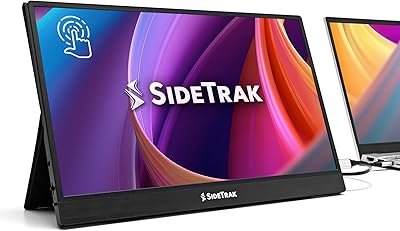
SideTrak Solo 15.6″ Portable Touchscreen Monitor
84%
93%
Portability & Weight
88%
Display Quality
90%
Ease of Setup
85%
Touchscreen Responsiveness
87%
Connectivity & Compatibility
More
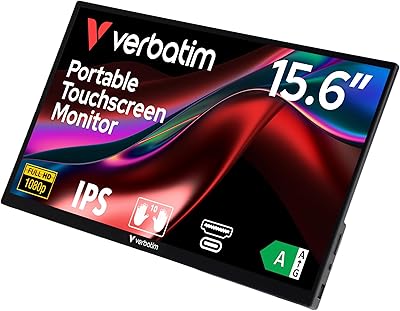
Verbatim 15.6″ Portable Touchscreen Monitor
85%
94%
Display Quality
91%
Portability
82%
Touchscreen Performance
89%
Connectivity
77%
Build Quality
More
Prechen 23.8″ Portable Touchscreen Monitor
84%
91%
Display Quality
88%
Portability & Design
75%
Touchscreen Performance
89%
Setup & Installation
93%
Color Accuracy
More
Upperizon 15.6″ 4K OLED Touchscreen Portable Monitor
85%
91%
Display Quality
95%
Portability & Weight
88%
Color Accuracy
70%
Touchscreen Functionality
89%
Ease of Setup
More
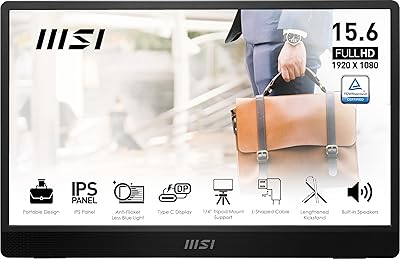
MSI Pro MP161 E2 Portable Monitor 15.6″ FHD
84%
88%
Display Quality
94%
Portability & Weight
86%
Connectivity Options
92%
Setup & Installation
90%
Compatibility
More
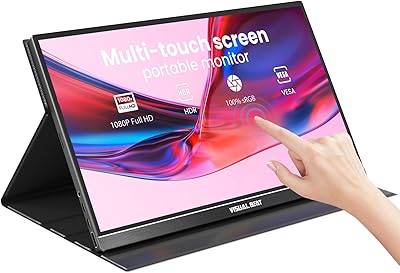
Visual Beat V15T 15.6-inch Portable Touchscreen Monitor
87%
92%
Display Quality
95%
Portability and Weight
93%
Ease of Setup
76%
Touchscreen Performance
89%
Connectivity (USB-C, HDMI)
More
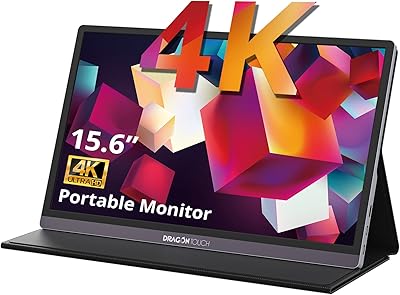
Dragon Touch S1 Pro 15.6-Inch 4K Portable Monitor
87%
94%
Display Quality
91%
Portability
88%
Gaming Performance
86%
Build Quality
62%
Audio Quality
More
Elo 1515L 15″ Touchscreen Monitor
86%
94%
Touch Responsiveness
91%
Build Quality
88%
Installation Flexibility
92%
Durability Against Liquids/Dust
76%
Visual Clarity
More
Elo 1502L 15″ Touchscreen Monitor
84%
94%
Touchscreen Responsiveness
89%
Build Quality and Durability
85%
Image Clarity and Visuals
91%
Ease of Setup
80%
Compatibility with Devices
More
Upperizon 15.6″ Portable Monitor
86%
88%
Display Quality
93%
Portability
85%
Color Accuracy
90%
Ease of Setup
92%
Connectivity
More

FAQ

Setting up this portable monitor is straightforward. Simply connect it to your laptop using either the USB-C or HDMI port. Once plugged in, the monitor automatically powers on and is ready for use. There's no need for additional drivers or software, making it a plug-and-play solution.

Yes, the monitor is compatible with both Mac and PC devices. It connects via USB-C and HDMI, so as long as your device has one of these ports, it should work smoothly. However, some Mac users have reported limited touch functionality, so it’s worth keeping that in mind.

The monitor features a Full HD 1080p resolution (1920x1080), providing clear and sharp visuals. The IPS display technology ensures vibrant colors and wide viewing angles, making it ideal for both work and entertainment.

Yes, this monitor is excellent for presentations, especially due to its lightweight design and 10-point touch technology. The anti-glare screen also ensures that you can see clearly even in bright environments, making it a solid choice for professional settings.

The HDR mode enhances the monitor's brightness and color vibrancy, making images and videos appear more vivid and lifelike. This feature is particularly beneficial for tasks such as watching movies or editing photos and videos, where accurate color reproduction is key.

Yes, this monitor is a good choice for content creators, particularly those who need extra screen real estate and accurate color display. The Full HD resolution and IPS panel ensure that colors are accurate and the screen is sharp, which is crucial for tasks like photo editing, video editing, and graphic design.

Some users have reported limited touch functionality when using the monitor with Mac devices. If you experience this issue, try updating your macOS to the latest version or use the monitor with a different device. Alternatively, you can use the monitor as a regular display and navigate with your laptop's keyboard and mouse.

This portable monitor is designed for easy travel. It weighs just 1.9 lbs and comes with a freestanding kickstand, so you can easily set it up on a desk or table while traveling. Its slim profile makes it easy to carry in a backpack or laptop bag, perfect for professionals and frequent travelers.

The monitor is generally well-built, but because it is designed as a portable device, it may not be as durable as larger, stationary monitors. Users have mentioned that it might not hold up well under heavy, frequent movement or rough handling, so it's best to handle it with care when traveling.

While this portable monitor is not specifically designed for gaming, it can handle light gaming thanks to its Full HD resolution and IPS display. However, it may not offer the ultra-fast refresh rates or low latency that some high-end gaming monitors provide. It’s better suited for casual gaming rather than competitive play.